
Discord Module – WorkDo Dash SaaS Add-On Guide
Learn how to configure and manage Discord integration in WorkDo Dash SaaS.
Introduction
The Discord Notifications Add-On helps you get instant updates in your Discord channel. It keeps you informed about things like new tasks, invoices, user activity, and more. You can set it up the way you want and connect it with other Add-Ons like New Task Assign and Invoice. This way, your team stays updated and can respond quickly to important changes.
How To Install The Add-On?
To set up the Discord Add-On, you can follow this link: Setup Add-On.
How To Use The Discord Add-On?
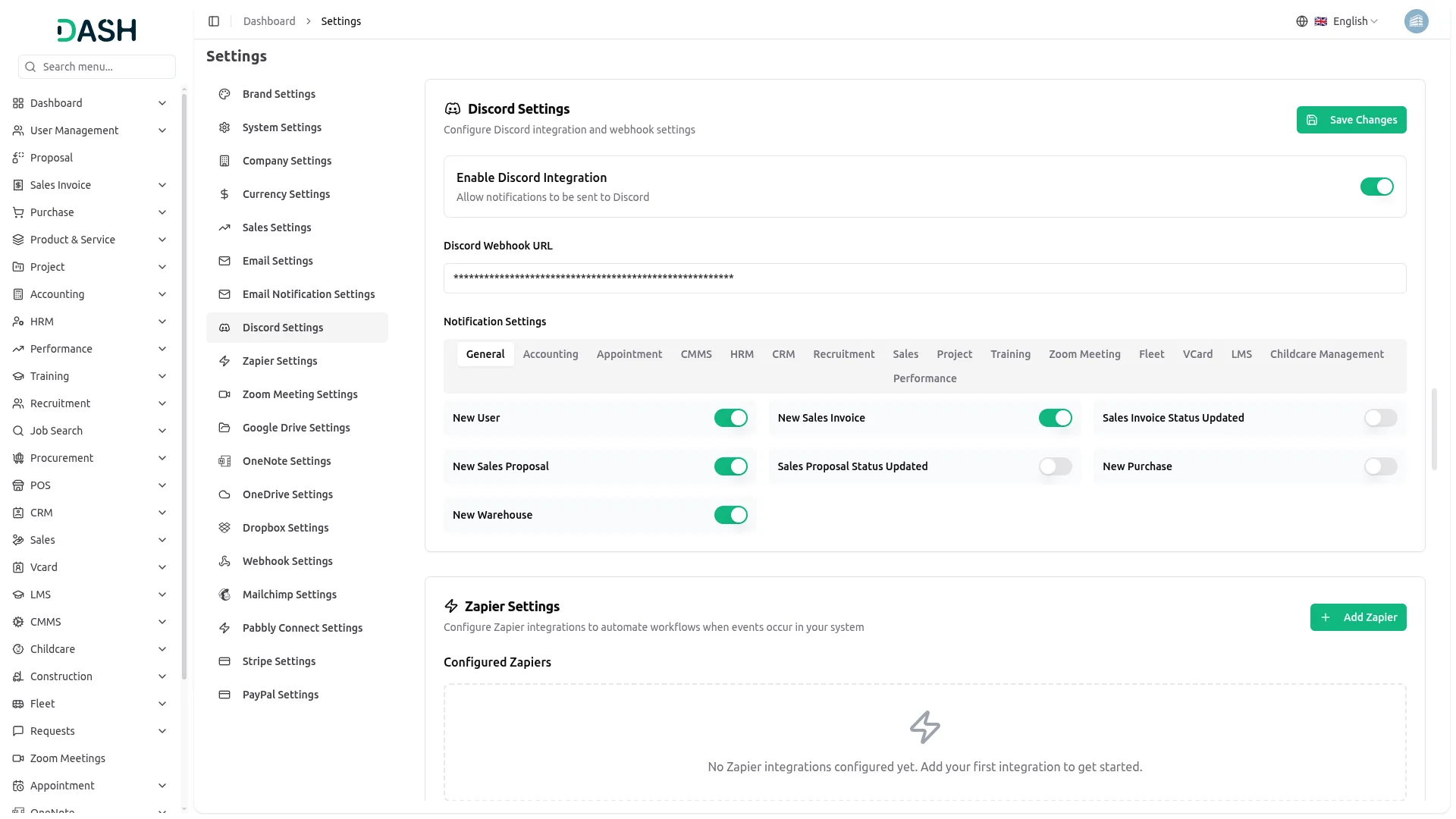
- Once you purchase the Add-On, navigate to the settings page, click on system settings, and find Discord.
- On that page, you have to enter the Discord Webhook URL, with the help of which you can send messages via Discord.
- To generate the Webhook URL, you can follow this link: https://www.svix.com/resources/guides/how-to-make-webhook-discord/
- After you do this, you get a chance to choose the notification settings. Here is the way you can enable or disable the notifications of the various Add-Ons.
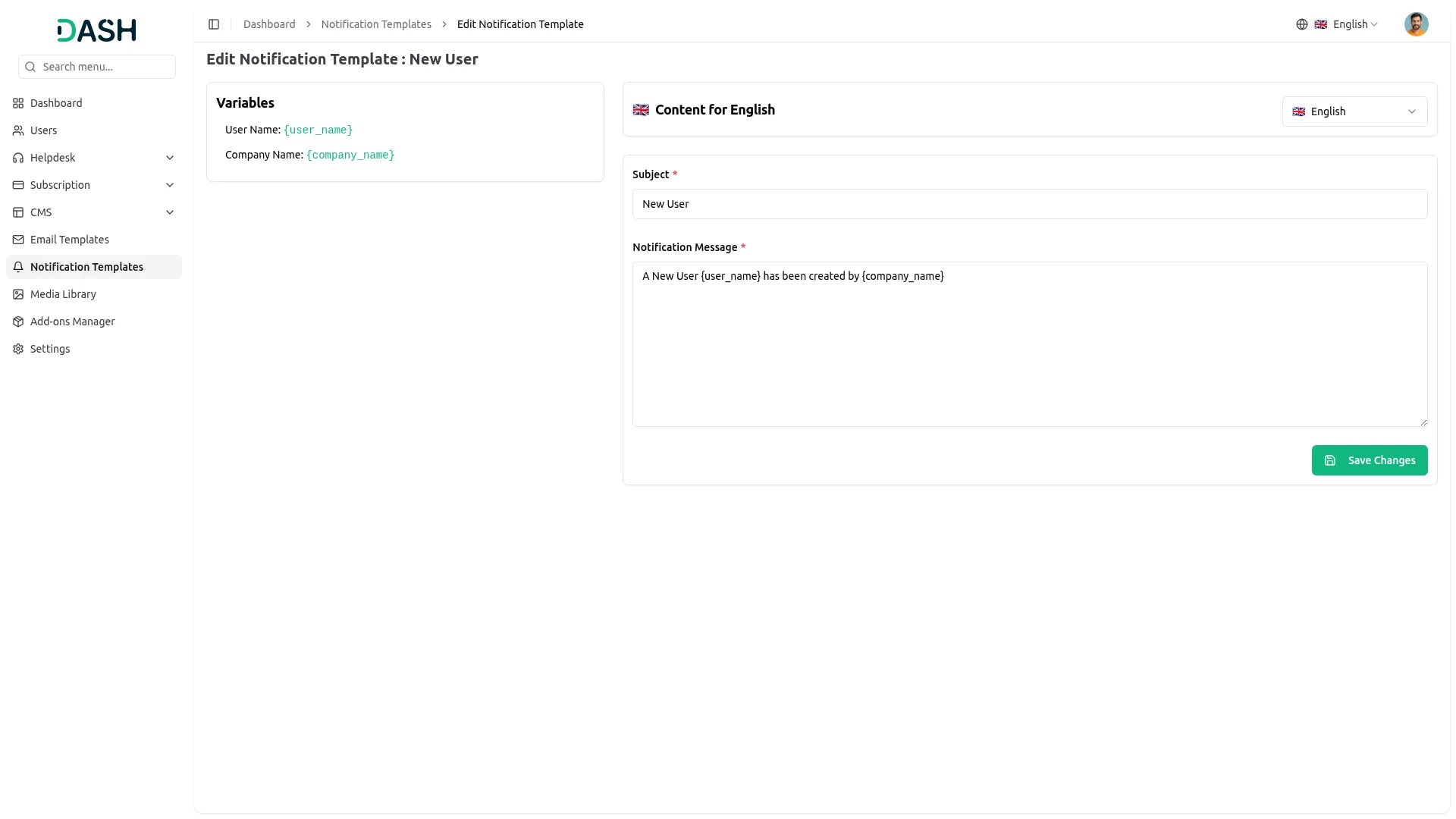
- You can customize notification messages language-wise, for example, if you want to change the message for new user notifications, you can do it here.
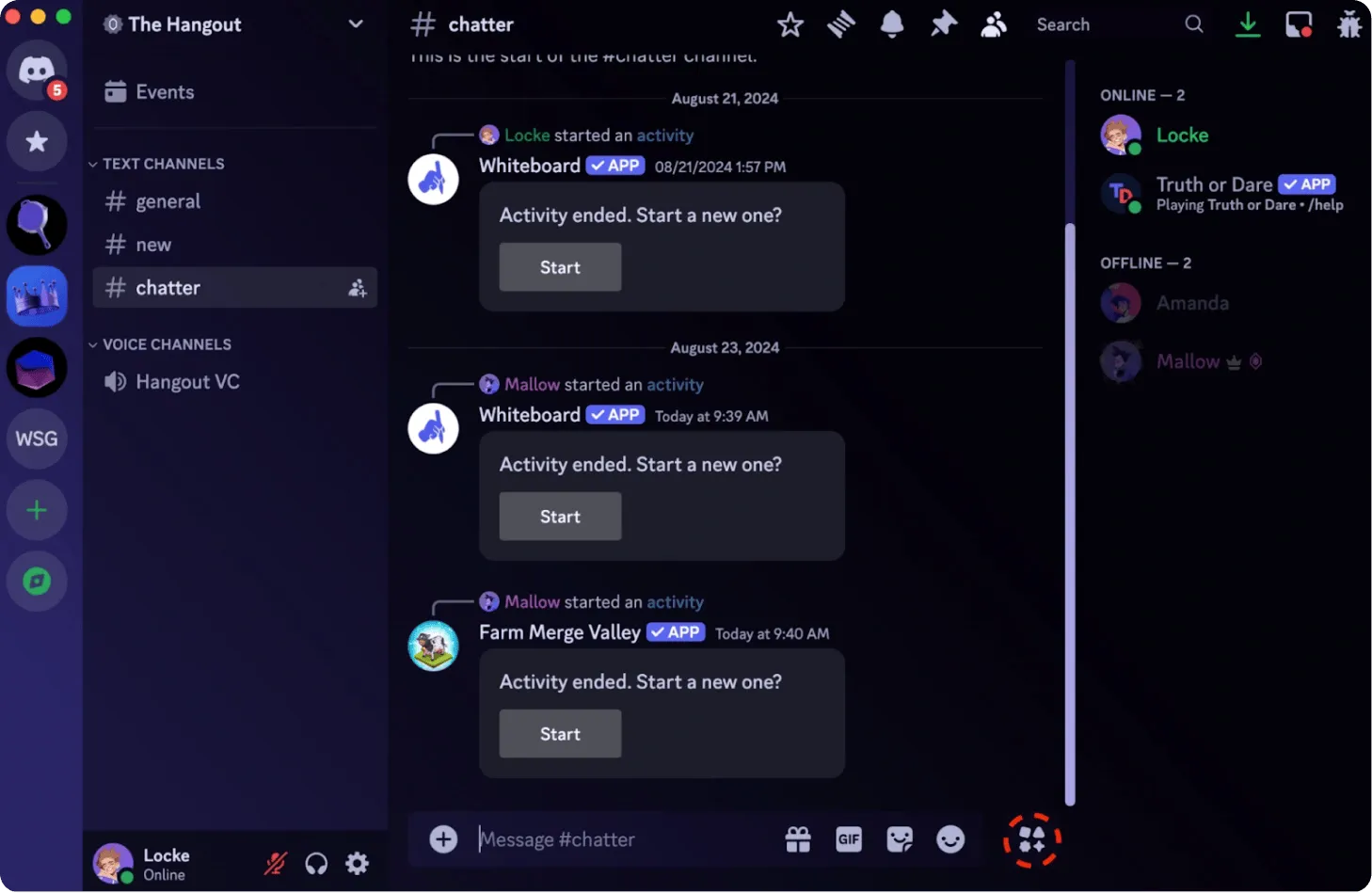
- For example, If you enable the create user setting from General, then the notification via Discord will be sent to that particular user when the user is created.
Accounting
- New Customer
- New Vendor
- New Revenue
Appointment
- New Appointment
- Appointment Status
CMMS
- Work Order Request
- New Supplier
- New POs
- Work Order Assigned
- New Component
- New Location
- New PMs
Contract
- New Contract
Fleet
- New Vehicle
- New Booking
- New Maintenance
- New Booking Payment
- New Fuel
- New Insurance
General
- New User
- New Sales Invoice
- Sales Invoice Status Updated
- New Sales Proposal
- Proposal Status Updated
- New Purchase
- New Warehouse
HRM
- New Monthly Payslip
- New Award
- New Event
- Leave Approve/Reject
- New Announcement
- New Holidays
CRM
- New Lead
- Lead to Deal Conversion
- New Deal
- Lead Moved
- Deal Moved
LMS
- New Course
- New Course Order
- New Custom Page
- New Blog
Recruitment
- New Job Application
- Interview Schedule
- Convert To Employee
- New Job Posting
Retainer
- Create Retainer
- New Retainer Payment
Sales
- New Quote
- New Sales Order
- Meeting Assigned
Support Ticket
- New Ticket
- New Ticket Reply
Training
- New Trainer
vCard
- New Appointment
- New Contact
- New Business
Zoom Meeting
- New Zoom Meeting
Taskly
- New Project
- New Task
- New Bug
- New Milestone
- Task Stage Updated
- New Task Comment
Commission
- New Commission Plan
Portfolio
- New Portfolio
Spreadsheet
- New Spreadsheet
Fix Equipment
- New Accessories
- New Asset
- New Audit
- New Fix Equipment Component
- New Consumables
- New License
- New Fix Equipment Location
- New Maintenance
WordPress (WooCommerce)
- New Product
Visitor Management
- New Visitor
- New Visit Purposes
Agriculture Management
- New Agriculture Fleet
- New Agriculture Process
- New Agriculture Cycle
- New Agriculture Office
- New Agriculture Crop
- Assign Activity Cultivation
- New Agriculture Activity
- New Agriculture Service
- New Agriculture Cultivation
Feedback
- New Template
- New Feedback Rating
Tour & Travel Management
- New Season
- New Tour Booking
- New Tour Booking Payment
- New Tour
- New Tour Inquiry
- New Transport Type
School Institute Management
- New Teacher
- New Admissions
- New Parents
- New Students
- New Homework
- New Subject
- New Time Table
Waste Management
- New Collection Request
- Update Waste Inspection Status
- Collection Converted To Trip
Laundry Management
- New Laundry Request
- Request Convert to Invoice
Cleaning Management
- New Cleaning Team
- New Cleaning Booking
- New Cleaning Invoice
Property Management
- New Property
- New Property Units
- New Tenant
- New Property Invoice
Vehicle Inspection Management
- New Inspection Vehicle
- New Vehicle Inspection Request
- New Inspection List
Childcare Management
- New Parent
- New Child
- New Inquiry
Consignment Management
- New Consignment
- New Purchase Order
- New Sale Order
Time Tracker
- New Tracker
Machine Repair Management
- New Machine
- New Repair Request
Hospital Management
- New Doctor
- New Patient
- New Hospital Appointment
- New Hospital Medicine
Form Builder
- New Form
- Convert To Model
Timesheet
- New Timesheet
Assets
- New Asset
Performance
- New Performance Indicator
- New Employee Goal
Notes
- New Note
Financial Goal
- New Financial Goal
Internal Knowledge
- New Article
- New Book
Innovation Center
- New Creativity
- New Challenge
- New Category
To Do
- New To Do
- Complete To Do
Documents
- New Document
Categories
Related articles
- Twilio – TicketGo Add-On Guide
- Bulk Delete – eCommerceGo SaaS Add-On Guide
- Notes – WorkDo Dash SaaS Add-On Guide
- ZitaSMS – WorkDo Dash SaaS Add-On Guide
- Contract – WorkDo Dash SaaS Add-On Guide
- Instamojo – WorkDo Dash SaaS Add-On Guide
- QuickBooks – WorkDo Dash SaaS Add-On Guide
- Fast2SMS – WorkDo Dash SaaS Add-On Guide
- SMS Integration – TicketGo Add-On Guide
- Digital Product – eCommerceGo SaaS Add-On Guide
- Porter’s Five Forces – WorkDo Dash SaaS Add-On Guide
- Office Equipment Management – WorkDo Dash SaaS Add-On Guide
Get in Touch
We're Here to Help - Let's Talk
Have questions about our solutions, customization services, or business tools? Our team is here to help you. let's talk.