
The Timesheet Add-On helps you track work hours accurately through clock-in/out, project-based tasks, or manual entries. With role-based access and a user-friendly interface, it offers a flexible way to manage team productivity and time logs efficiently. Seamlessly works with HRM and Project Add-Ons for a complete time management solution.
Flexible Time Tracking & Smart Workflow Logging
Easily capture and manage work hours with a system built for flexibility and precision. The Timesheet Add-On allows teams to log time through clock-in/out records, project-based tasks, or manual entries—adapting to every workflow. With smart role-based controls and seamless integration with HRM and Project Add-Ons, it keeps your time data accurate, organized, and actionable. HRM, Project
Flexible Timesheet Entry
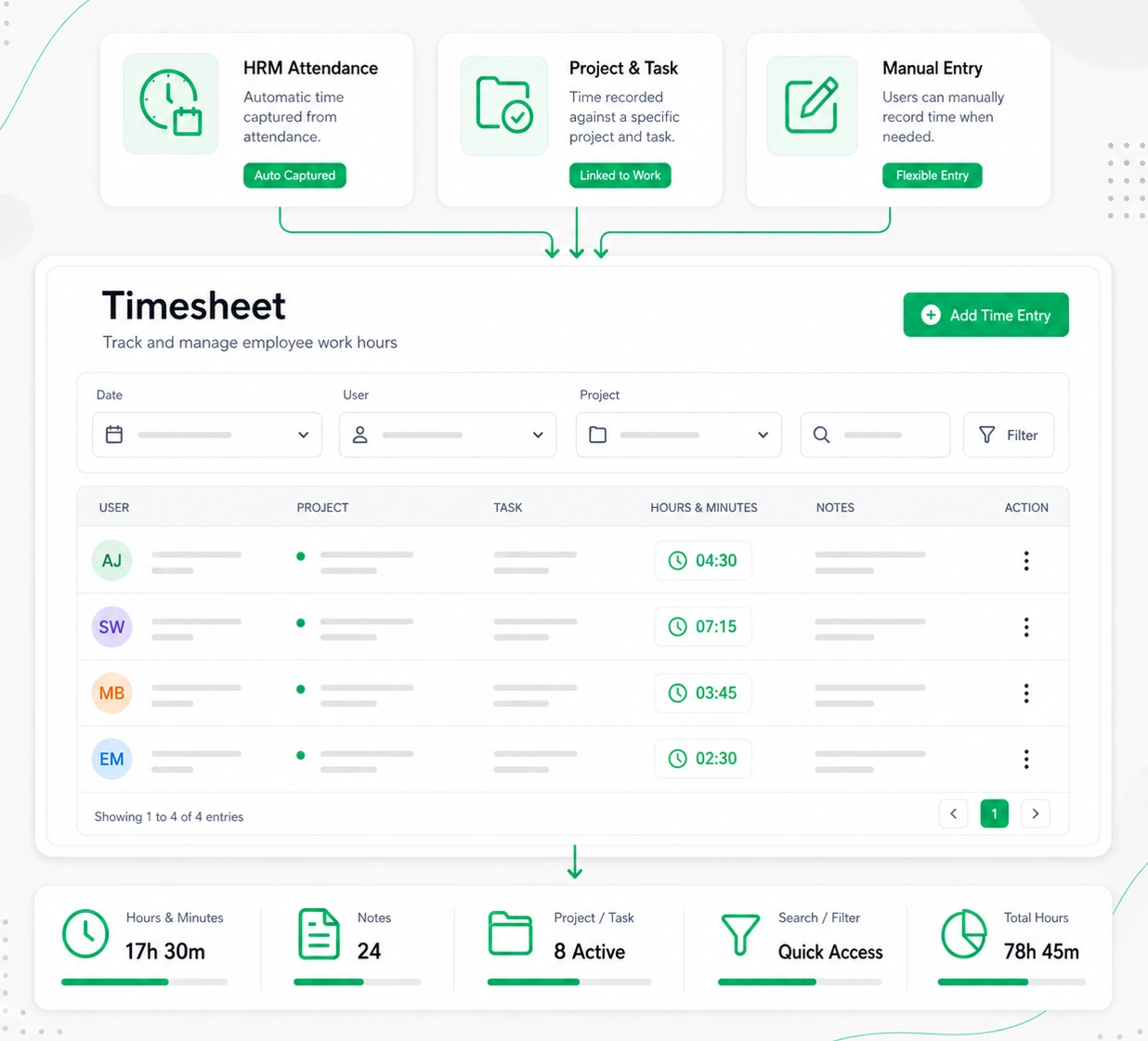
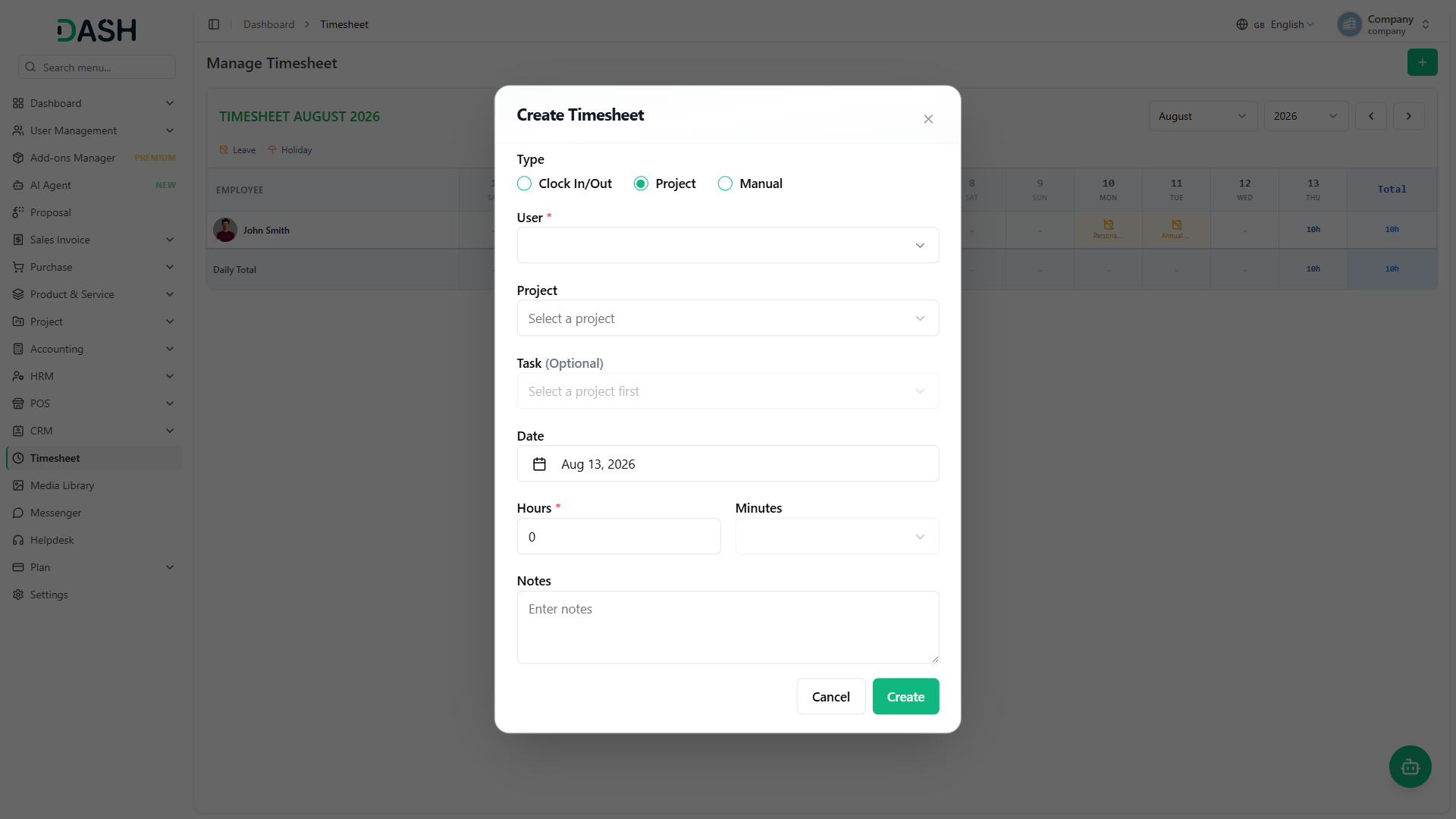
The Timesheet Add-On offers three intelligent ways to record time — giving teams the flexibility to log hours based on how they work. Whether synced automatically via attendance (HRM Add-On), tied to project tasks (Project Add-On), or added manually, it ensures accurate, adaptable, and structured time tracking across your organization.
- Automatically logs time using HRM attendance
- Tracks hours linked to specific projects and tasks
- Allows manual entry when no Add-On is active
Role-Based Smart Access
Built with security and simplicity in mind, the system respects user roles to avoid data mishandling. Staff users can manage only their own entries, while admin users gain full visibility and control. This ensures a clean, clutter-free experience for team members and powerful oversight tools for managers.
- Staff can view and manage only their own data
- Projects and tasks are visible only if assigned
- Admins have access to all timesheets and users
Streamlined Timesheet Management
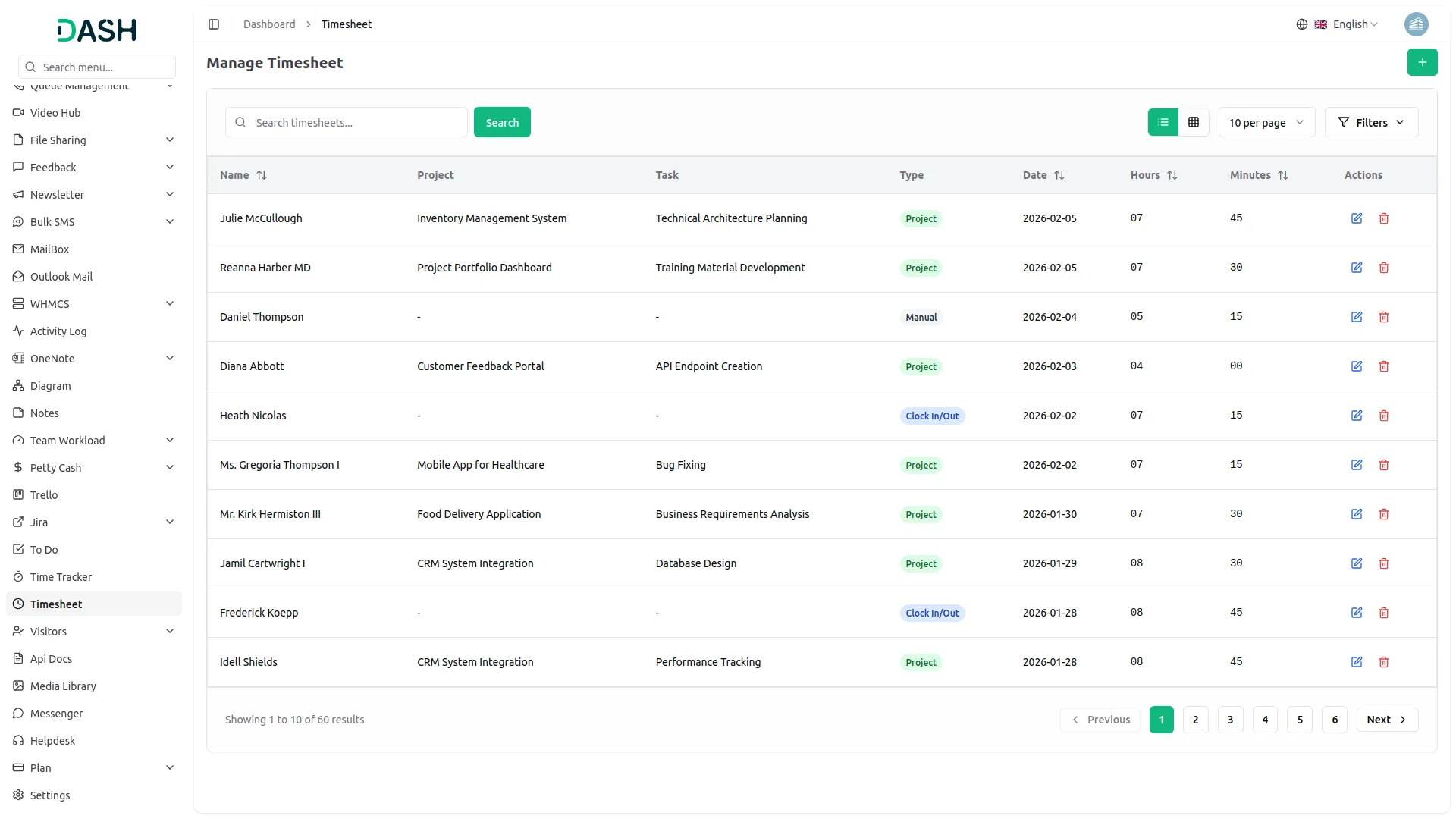
Effortlessly log work hours and minutes on a daily basis. Users can track the exact amount of time spent on specific tasks and projects. Each entry can include a time type and detailed notes to maintain clarity and purpose. Automatic timestamps ensure every log is auditable and transparent.
- Daily time entry with hour & minute split
- Entries can be searched, filtered, or added instantly
- Detailed note logging for each entry
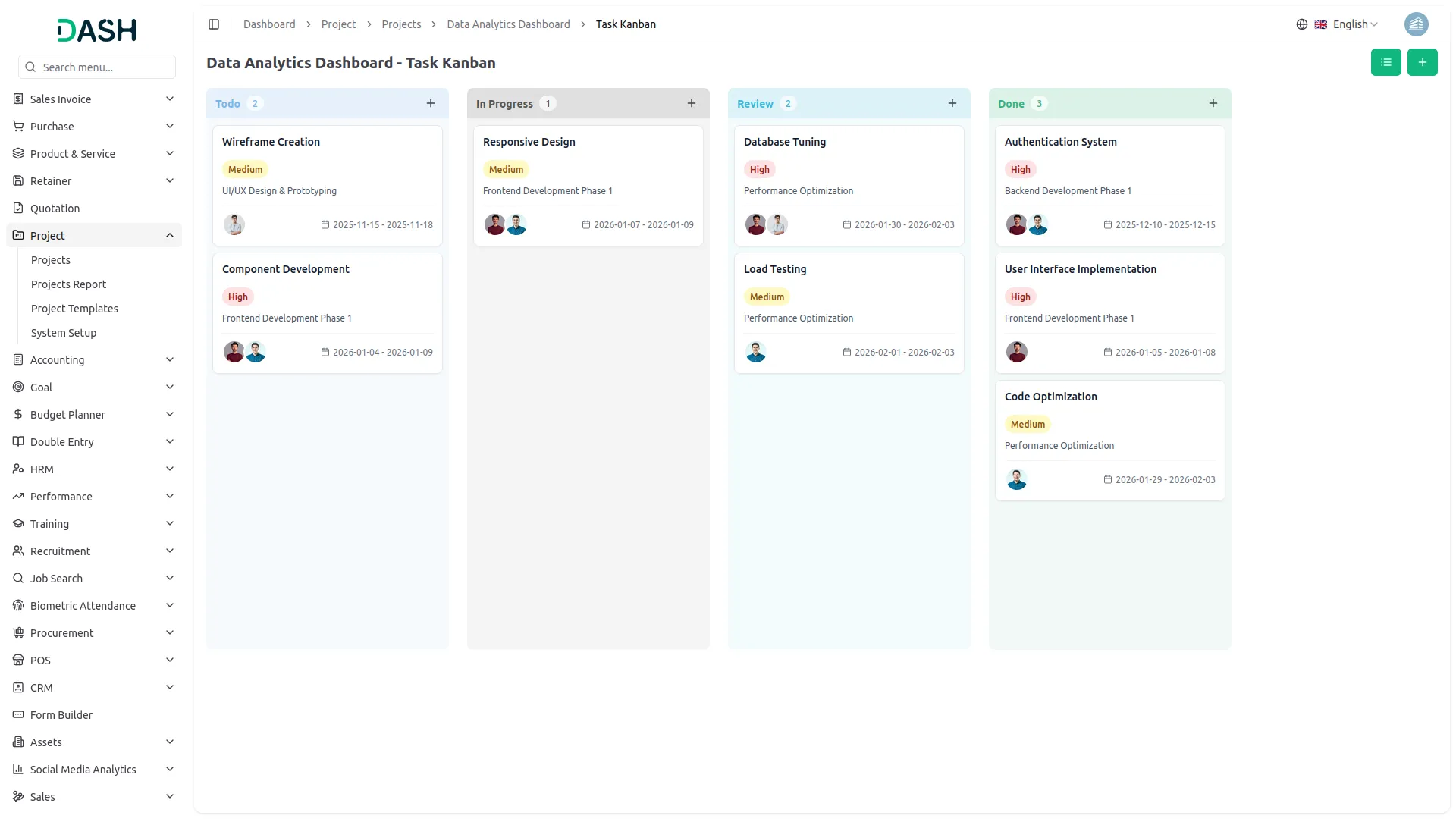
Screenshots from our system
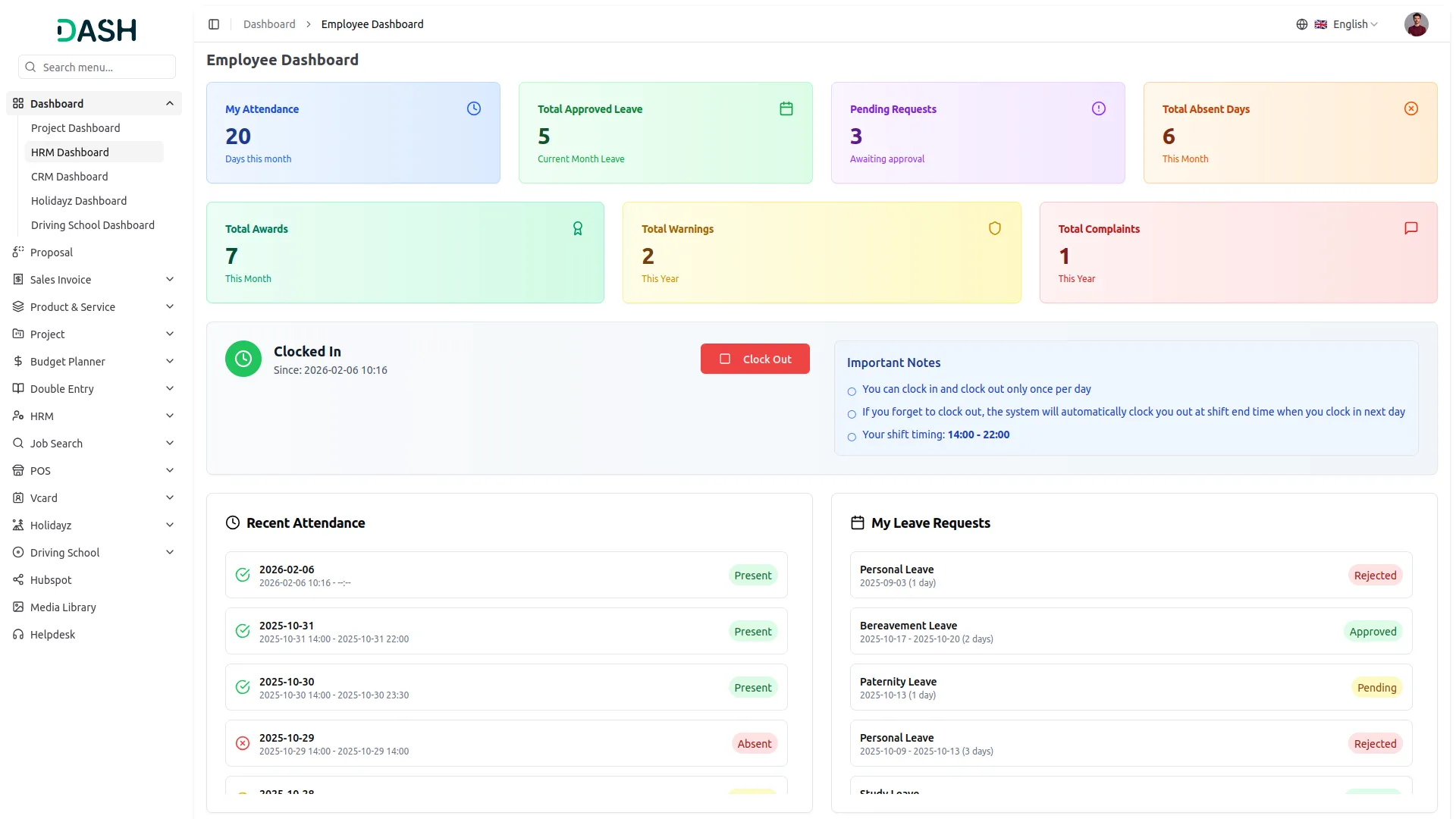
To explore the functionality and usage of these Add-Ons, refer to the accompanying screenshots for step-by-step instructions on how to maximize their features.
Discover More Add-Ons
Unlock even more functionality with additional Add-Ons, providing enhanced networking and customization options for your Dash SaaS experience.

dance-academy
The Dance Academy Management Add-On helps manage all key activities of your academy from one place.

Jewellery Store Management
The Jewellery Store Management Add-On helps jewellery businesses handle inventory, customer inquiries, and custom orders with ease.


Rental Management
Our platform offers an intuitive and user-friendly solution to streamline all your rental operations, whether you're managing properties, equipment, or any other rental items. Say goodbye to the hassle of manual tracking and outdated systems - with Dash SaaS, you can easily create, track, and manage rentals with just a few clicks.
User experience is very satisfying
Features meet all business needs
Code quality is top notch and maintainable
Documentation helps new users get started quickly
Design looks modern and professional
Very easy to integrate with other tools
the Team deserve 5 Star for following reason; 1- Customer Support2- Feature Availability3- Design Quality 4- Documentation Quality