
 ChatGPT · GPT-4o
Customer Portal
Best Seller
Customer Login
$39
One-time payment54 sales
- Secure login with email and password
- Customers manage their own tickets

Manage tickets, customer conversations, FAQs, live chat, and agent workflows with self-hosted customer service software built for support teams.

Clean Laravel source code lets you shape ticket flows, portals, custom fields and roles your way.
Run your helpdesk with no monthly per-agent fees, so support costs stay steady as you grow.
Run TicketGo under your own brand, with your own logo, colors and domain for every team.
Future updates, security fixes and workflow upgrades are all included at no extra cost.
Dedicated technical help with setup, settings and any issues while your helpdesk goes live.
Clear guides show you how to set up tickets, agents, SMTP and support workflows easily.
Follow one support request through all 7 steps in TicketGo, from the moment the customer opens a ticket to the moment your agent closes it.
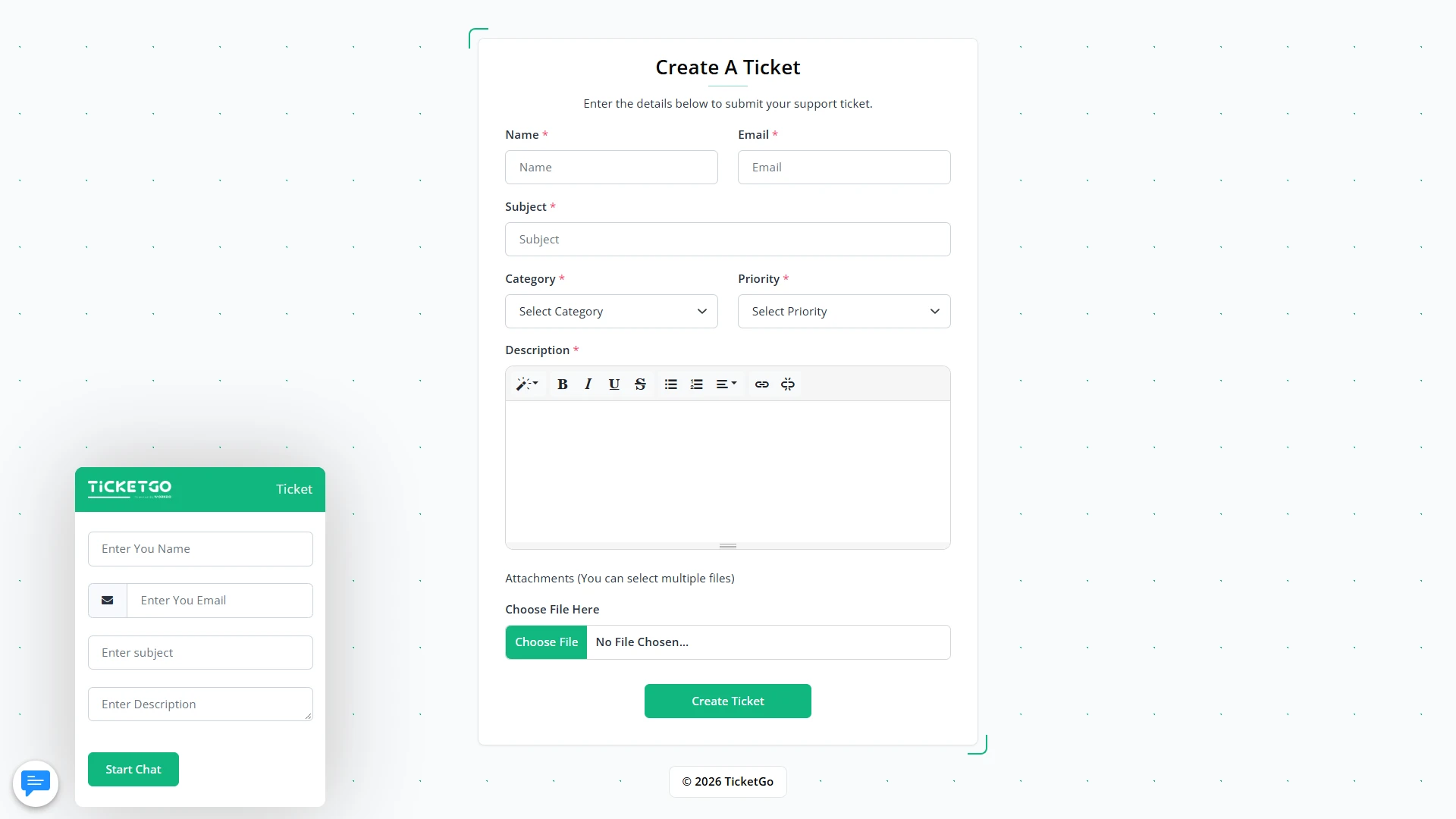
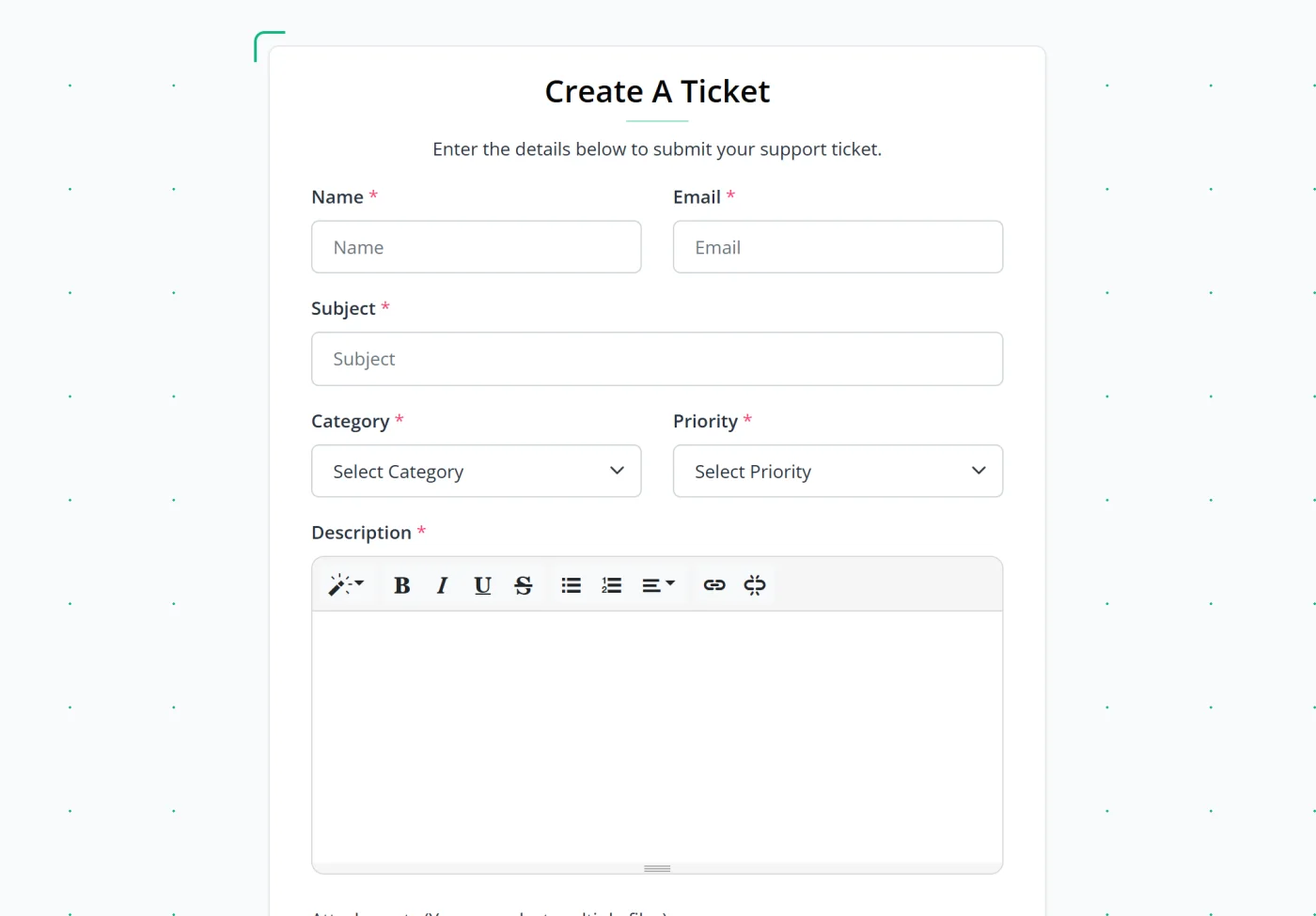
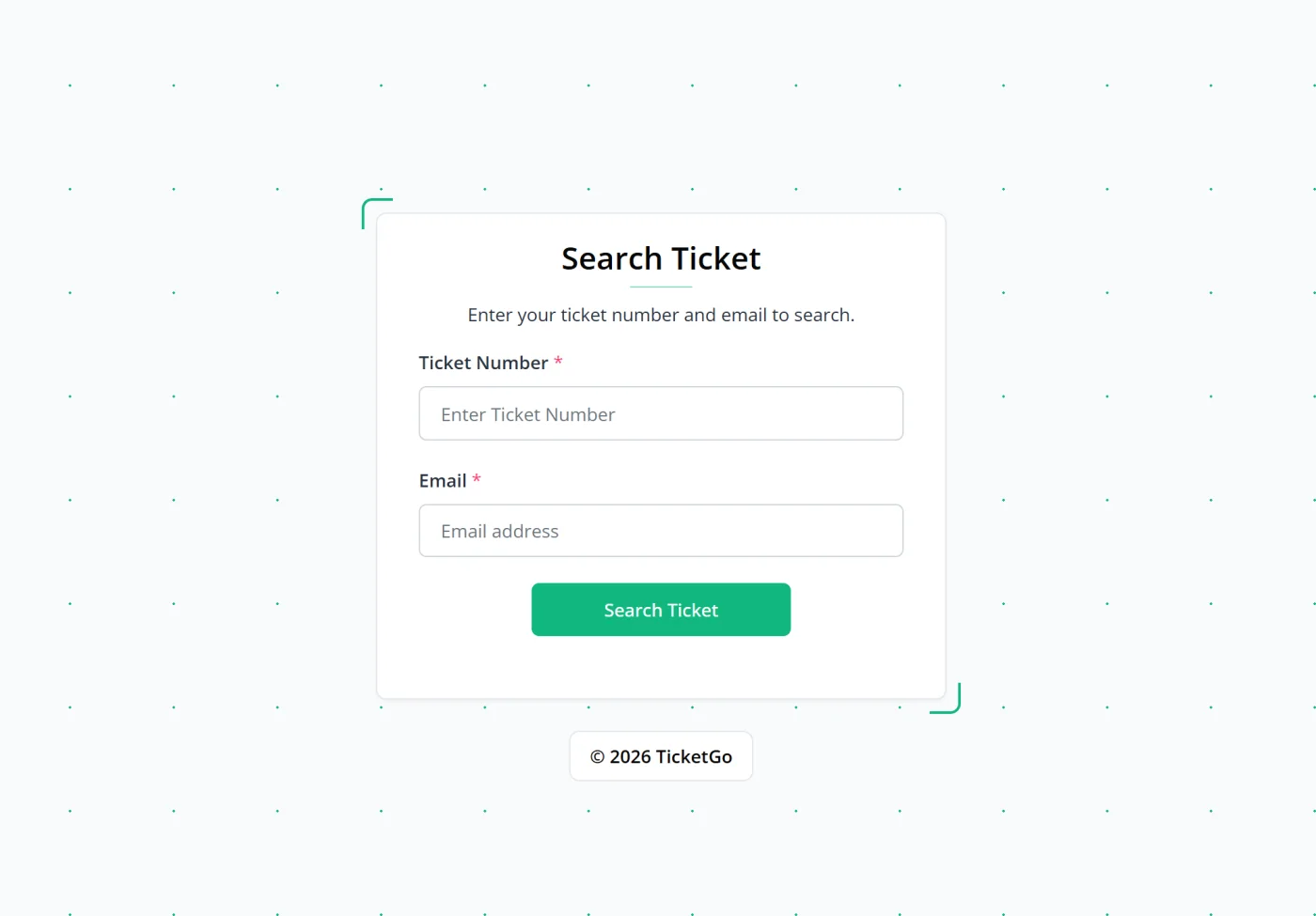
The customer fills in the ticket form with name, email, subject, category, priority and a description, and can attach files. The ticket number is sent by email.
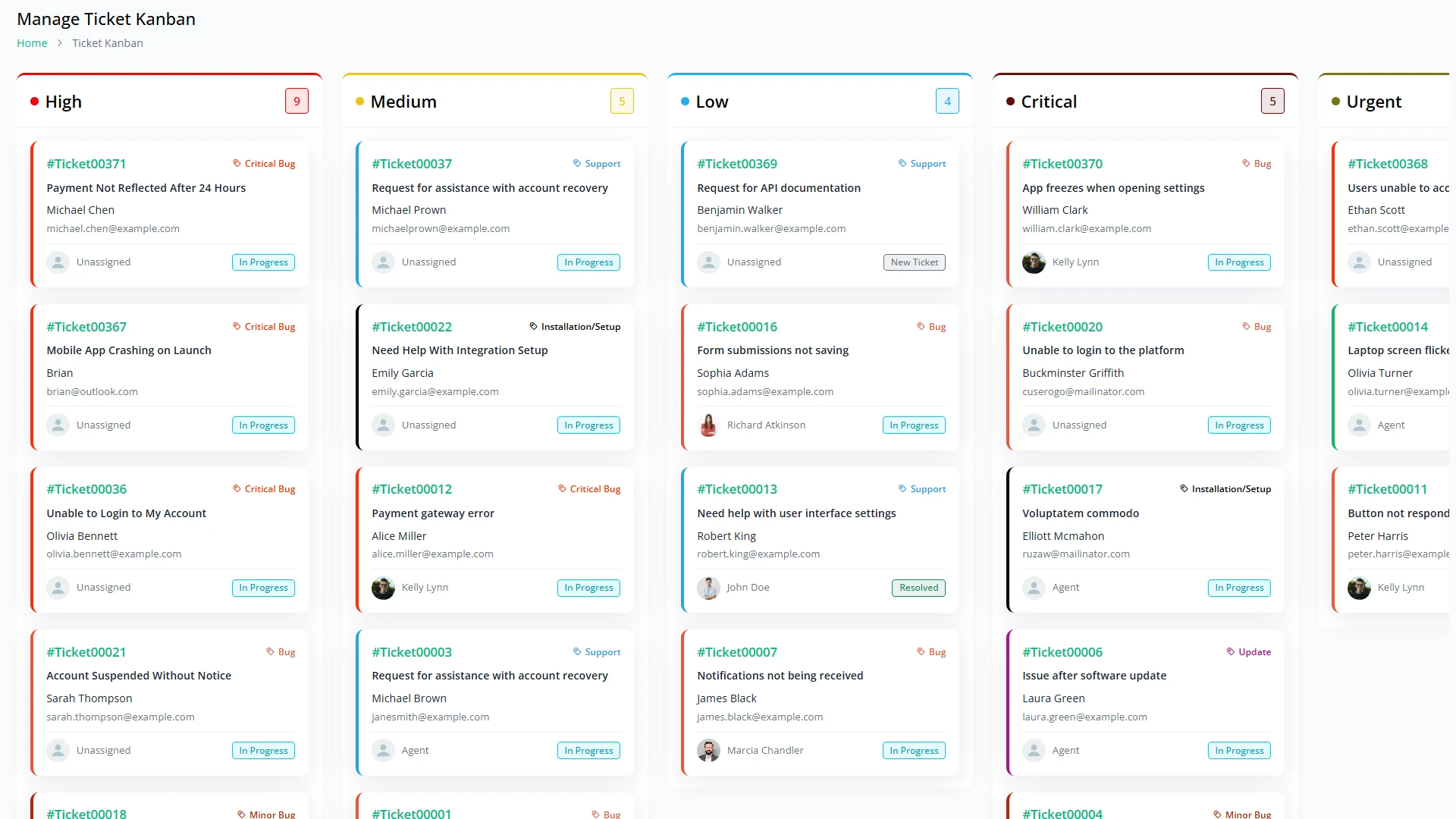
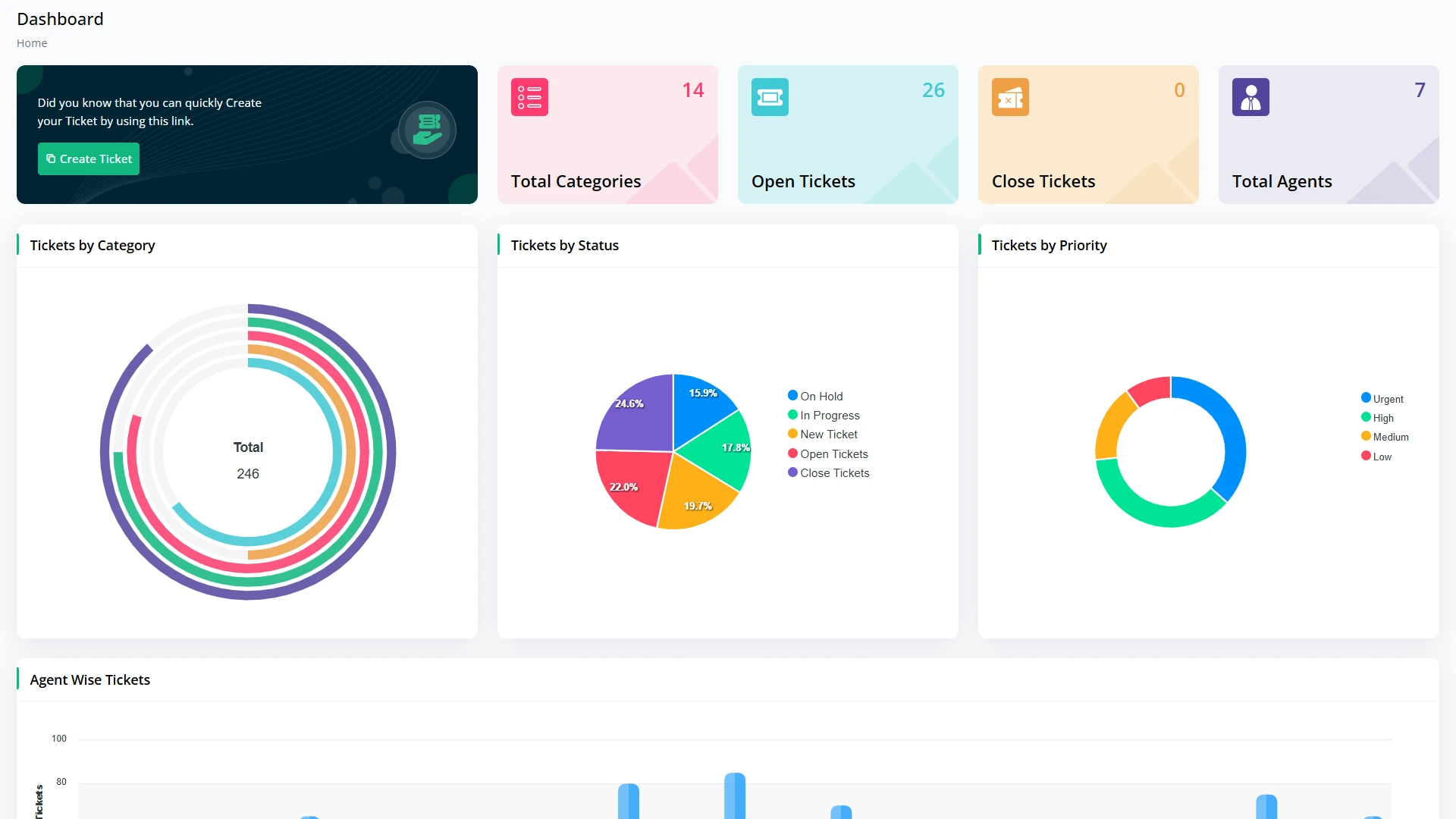
The new ticket shows up on the dashboard and the Kanban board. The admin checks the details, the category and the priority.
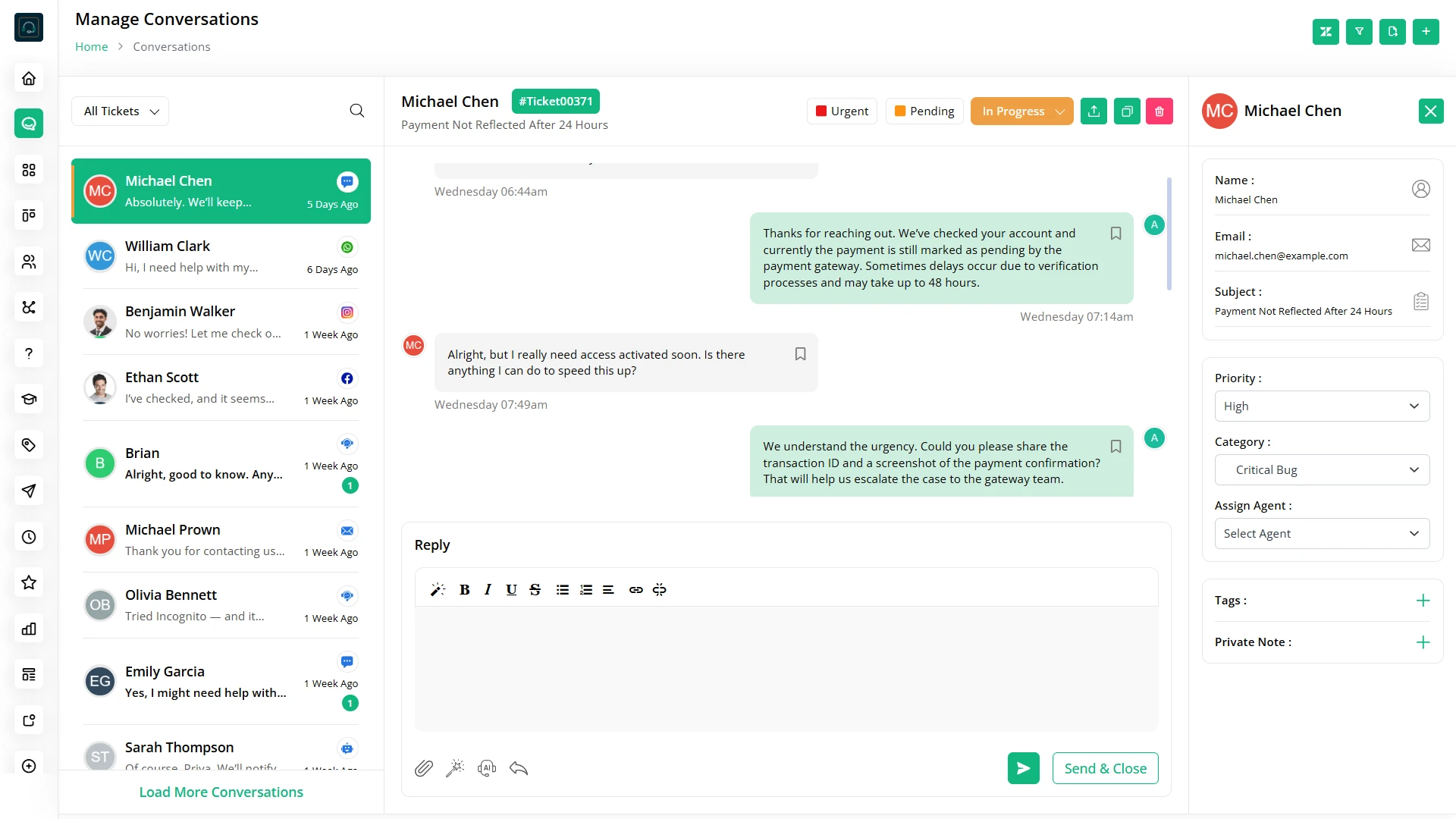
Reply to the customer inside the ticket conversation. Ask for more details and share files, with every message kept in one thread.
Open the ticket details and pick the right agent, so everyone on the team knows who owns it.
The agent picks up the conversation, replies to the customer and moves the ticket to In Progress or On Hold while working on it.
Once the problem is fixed, the agent shares the answer and marks the ticket as Resolved.
Close the ticket once the customer is happy. The full conversation stays saved, and the dashboard counts it under closed tickets.
Sat 10:12 Michael writes in on Saturday while your team is off. Auto Reply answers him straight away.
Mon 9:00 On Monday, John is on leave and set to Out of Office, so the ticket goes to Kelly instead.
Mon 9:02 Kelly tags it Urgent, marks it Important and pins the chat, so it stays in front of her.
Mon 9:03 One click adds her saved greeting, so she does not type the same words again.
Mon 9:04 Generate With AI helps her write the rest of the answer in seconds.
Mon 9:06 She leaves a note for the team inside the ticket. Michael never sees it.
Mon 9:07 Send & Close sends her answer and closes the ticket in one step.
Write replies with AI right in the ticket editor, and create FAQs, knowledge base articles and SEO content in a few clicks.
Shape TicketGo around the way your team works: add your agents, sort tickets into your own categories and set up your forms, emails and office hours.
Add agents and assistants, give each user a role and see at a glance who is available.
Build your own categories with sub-categories, like Bug and Critical Bug, and set the priority list.
Choose the fields on the ticket form: their type, their width and which ones are required.
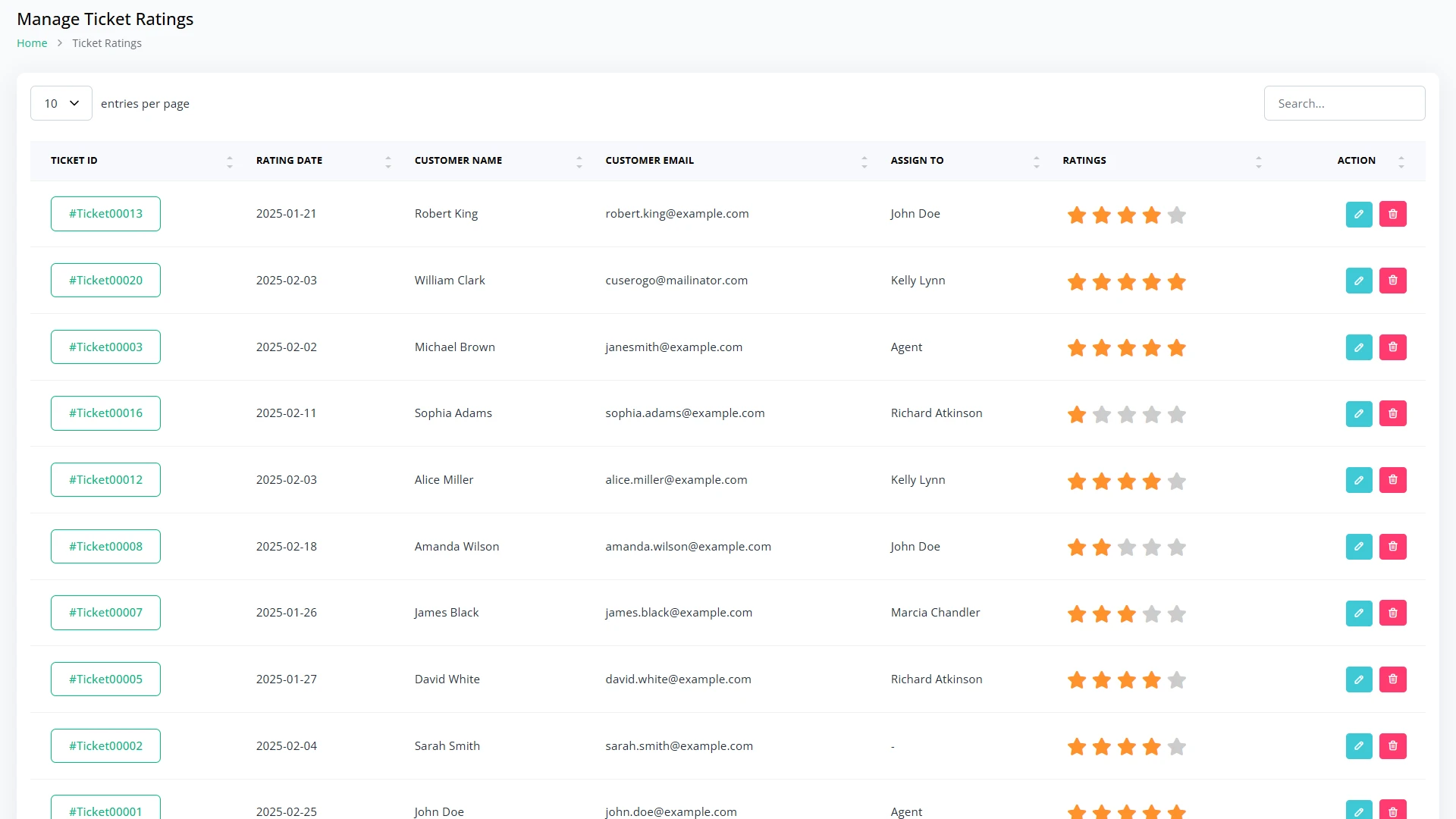
Edit all 9 emails TicketGo sends, from new user and ticket replies to ticket close and rating.
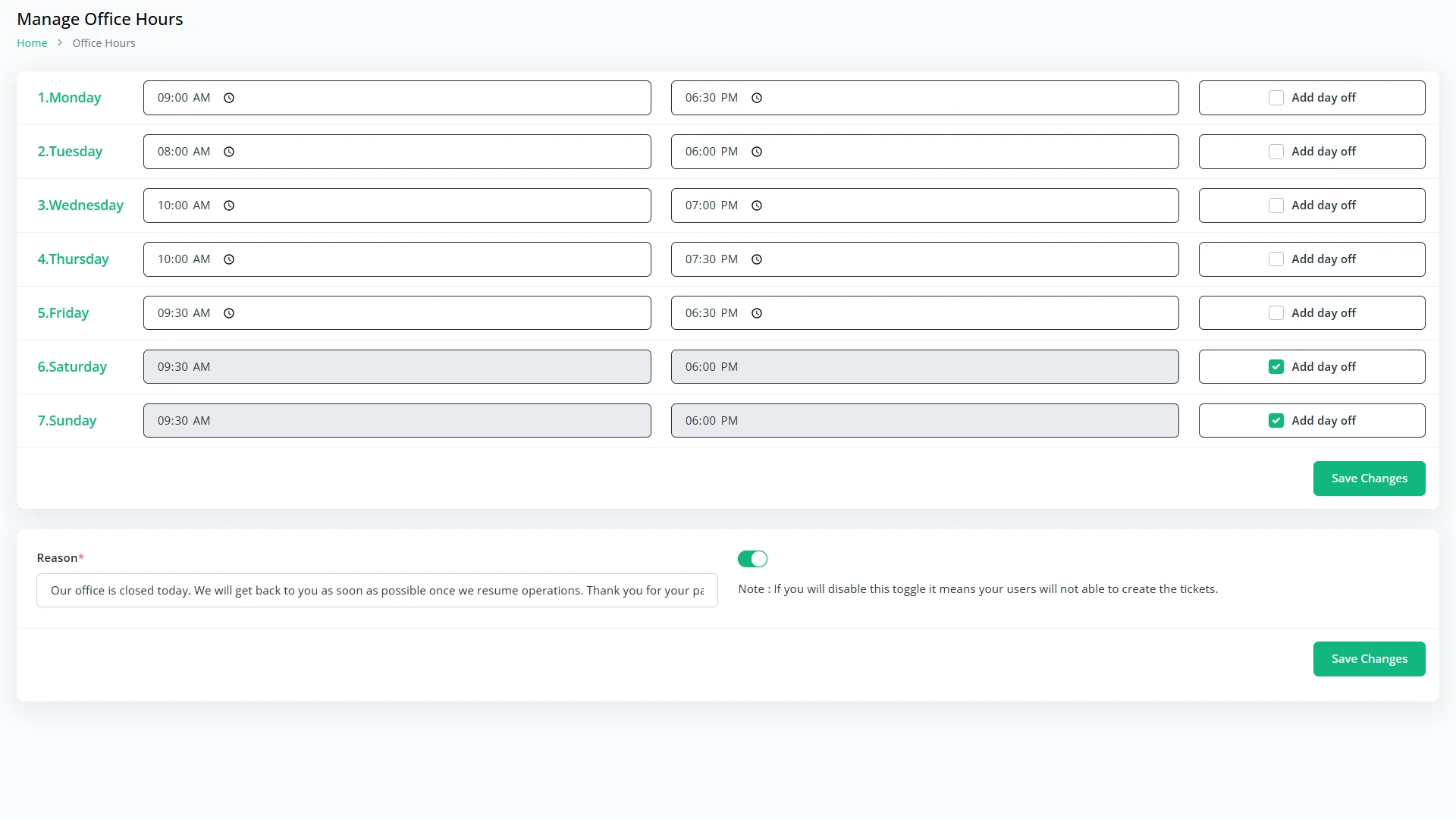
Set opening times for each day, mark days off and show your own message when you are closed.
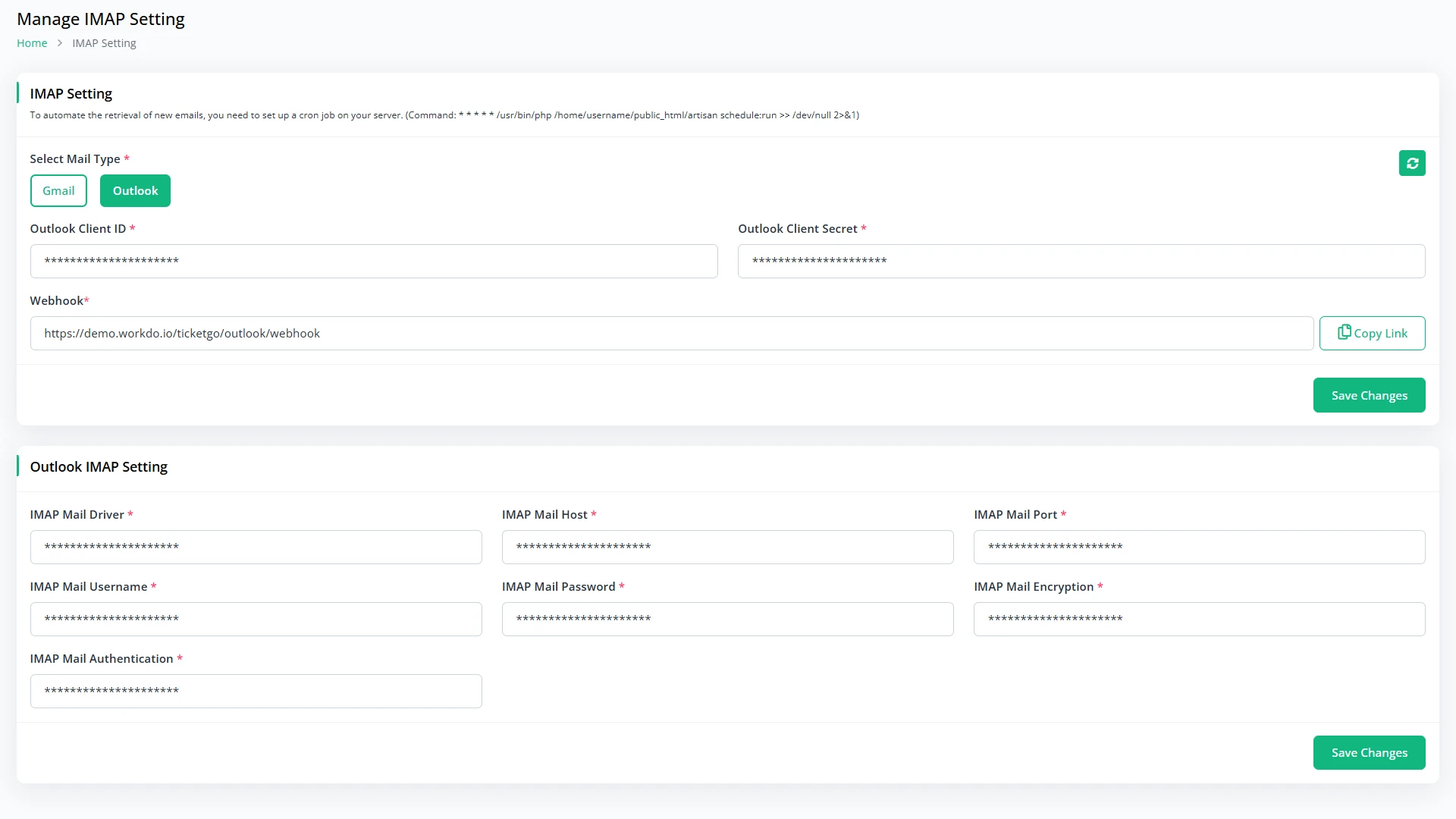
Connect a Gmail or Outlook inbox so emails from customers turn into tickets.
A simple public portal: customers open a ticket in a minute, get a ticket number by email and follow the conversation, with no login.
Scale your business with premium Add-Ons for TicketGo. Customize workflows, enhance integrations, and boost productivity.

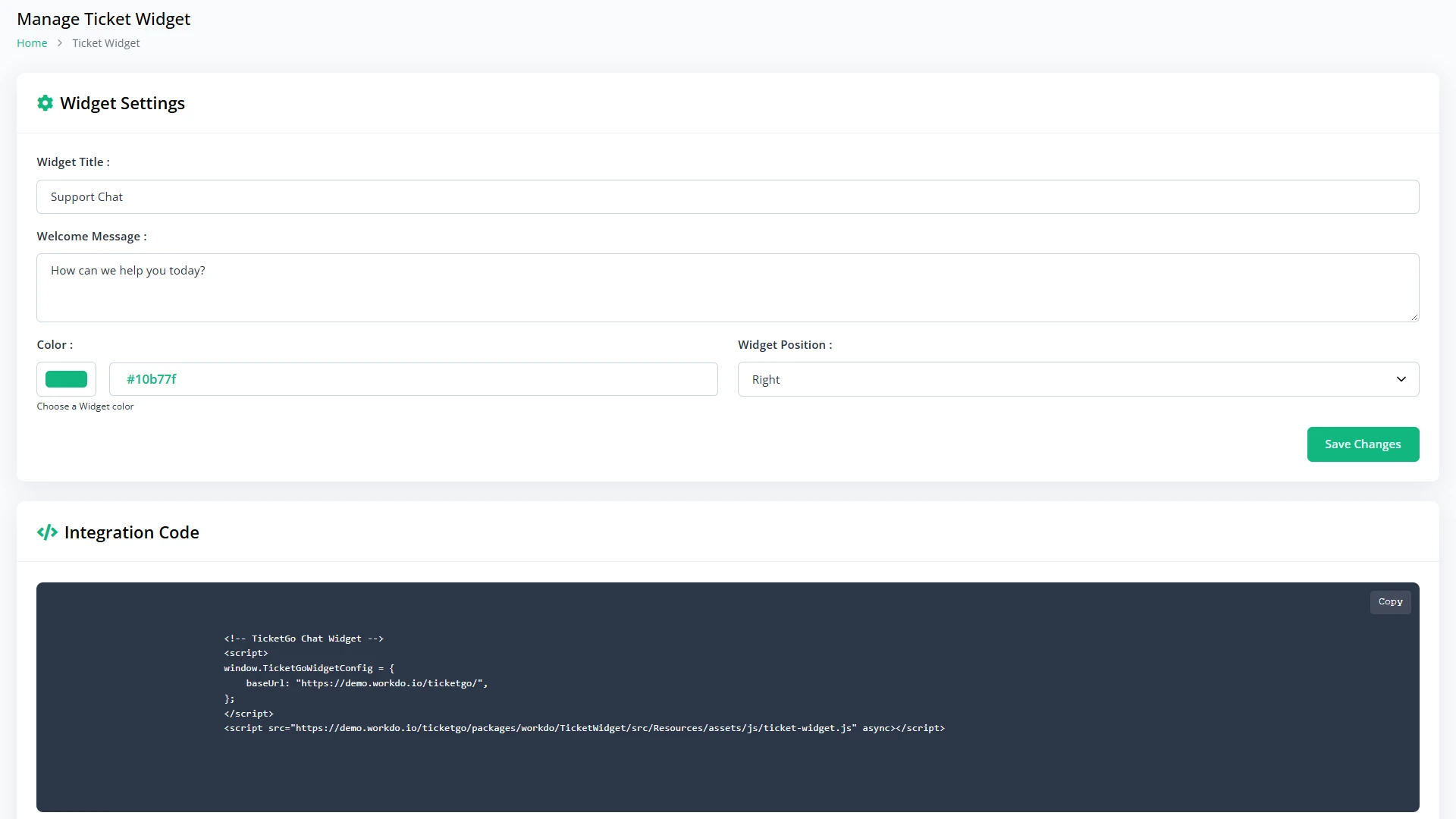
TicketGo connects your customer service software with channels like Slack, WhatsApp, Telegram, SMS, and webhooks, helping teams capture updates, automate alerts, and manage support communication from one workflow.
Replace default branding with your logo, colors, custom domain, and client-ready helpdesk experience built around your support business.

Own Customer Service Software with a one-time license and manage support tickets, agents, and helpdesk workflows without ongoing monthly software fees.
Certificate of Recognition
Delivering high-quality management scripts and business tools since 2017.


TicketGo exceeded my expectations with its clean interface, reliable performance, and responsive support team whenever assistance was needed.
 Jonathan Reed
The support system is incredibly easy to use, helping our team manage customer requests efficiently every day.
 Pradeep Nair
Excellent coding standards and thoughtful design make this platform stand out from many other support solutions available.
 Michael Carter
Customer support was professional and helpful throughout installation, ensuring everything worked perfectly without unnecessary complications.
 Samir Ahmed
This software streamlined our ticket management process significantly while providing a modern experience for staff and customers.
 Daniel Brooks
The flexibility and customization options allowed us to adapt the platform perfectly to our business requirements.
 Ivan Petrov
Outstanding value for money with powerful features, stable performance, and continuous improvements that enhance productivity.
 Ahmed Farouk
Setup was straightforward and documentation helped us launch quickly without requiring extensive technical expertise or resources.
 Edwin Watson
The development team consistently delivers quality updates and maintains excellent communication whenever questions or requests arise.
 Raj Patel
Modern design, reliable functionality, and excellent customer support create a complete solution for managing support operations.
 Lucas Ferreira
After trying several alternatives, TicketGo proved to be the most practical and dependable support management platform.
 Stuart Green
The interface is intuitive and user friendly, allowing our employees to learn the system very quickly.
 Mohamed Hassan
Fast response times from support and high quality development make this product a worthwhile business investment.
 Peter Turner
Clean architecture and excellent customization capabilities allowed our developers to implement specific requirements without difficulty.
 Kevin Lee
Highly recommended for businesses seeking an affordable, feature rich, and professionally developed customer support solution.
 Luca Rossi
Have questions about our solutions, customization services, or business tools? Our team is here to help you. let's talk.