
Diagram Add-On Detailed Documentation
The Diagram Add-On is a smart diagramming tool designed to help users visualize ideas, create professional diagrams, and collaborate effectively within an organization.
Overview
The Diagram Add-On is a smart diagramming tool designed to help users visualize ideas, create professional diagrams, and collaborate effectively within an organization. It allows you to create flowcharts, mind maps, and project plans using an easy drag-and-drop interface. The software enables real-time collaboration, public sharing without login requirements, and provides extensive customization options for creating polished, professional visuals. It’s ideal for planning, training, and strategic visualization needs.
How To Install Add-On?
To Set Up the Diagrams Add-On you can follow this link: Setup Add-On
Manage Diagrams
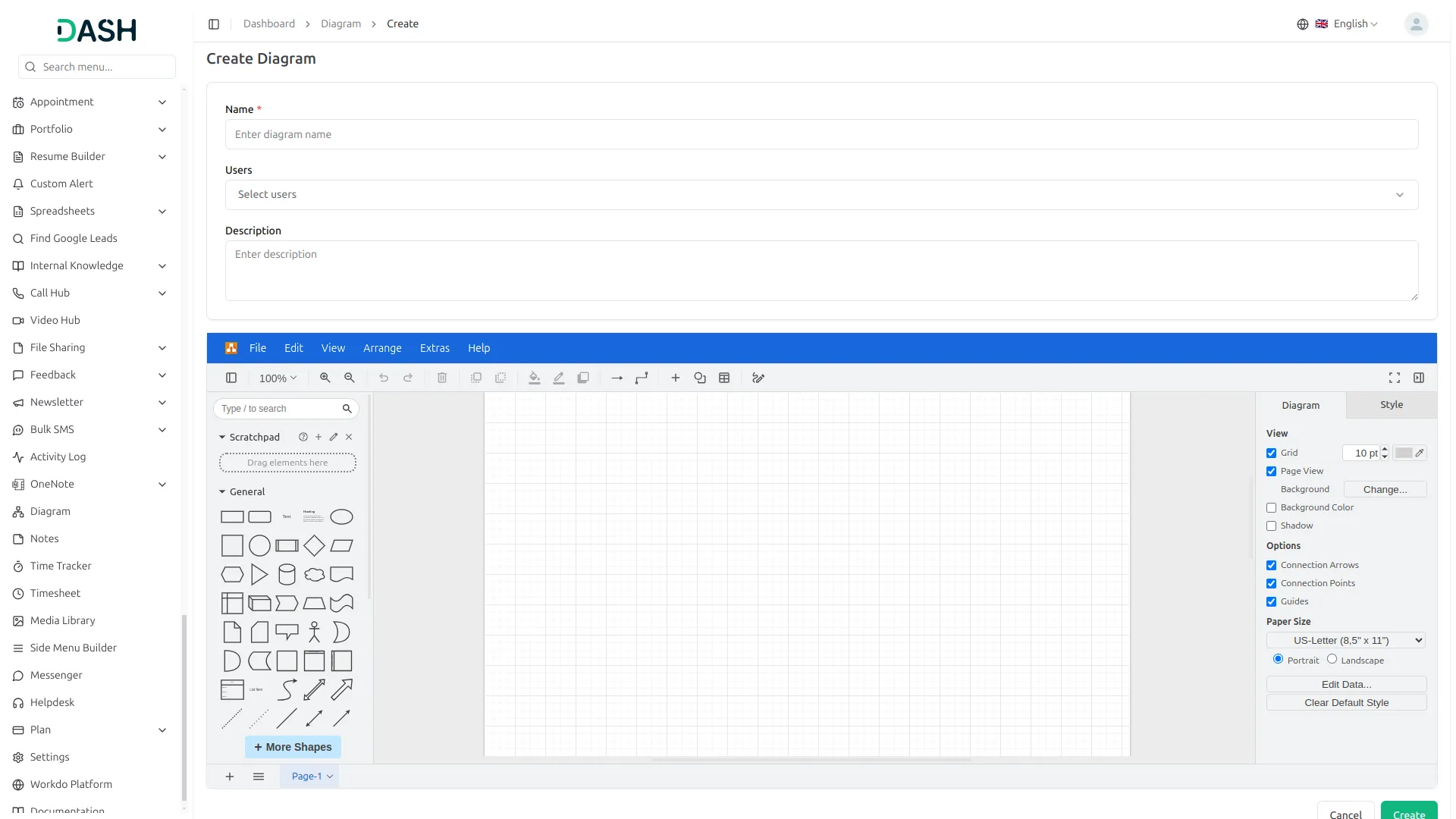
- To create a new diagram, click the “Create” button at the top of the Manage Diagrams page. Fill out the form by entering the name of the diagram. Select the users you want to assign the diagram to (these options come from users who have the role of user).
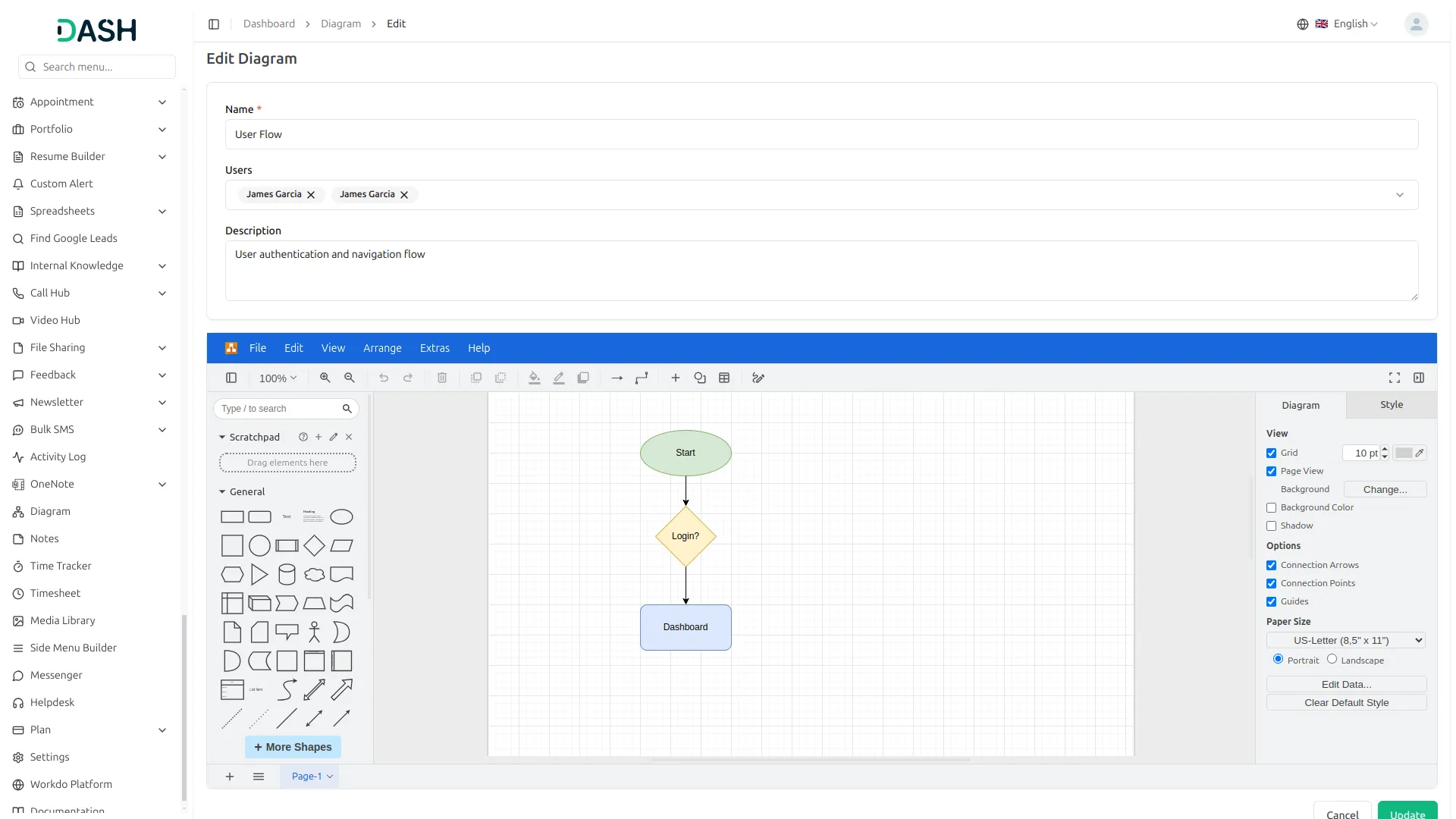
- Enter a description of the diagram. Create your diagram using the diagram tool provided with its easy drag-and-drop functionality.
- You can fully control how your diagram looks. Change the background colour, grid size, page size, shadows, and even the shape and direction of connection arrows. You can pick a portrait or landscape view, set up guides, and style the chart to match your needs.
- After completing all fields, click “Create” to save the new diagram.
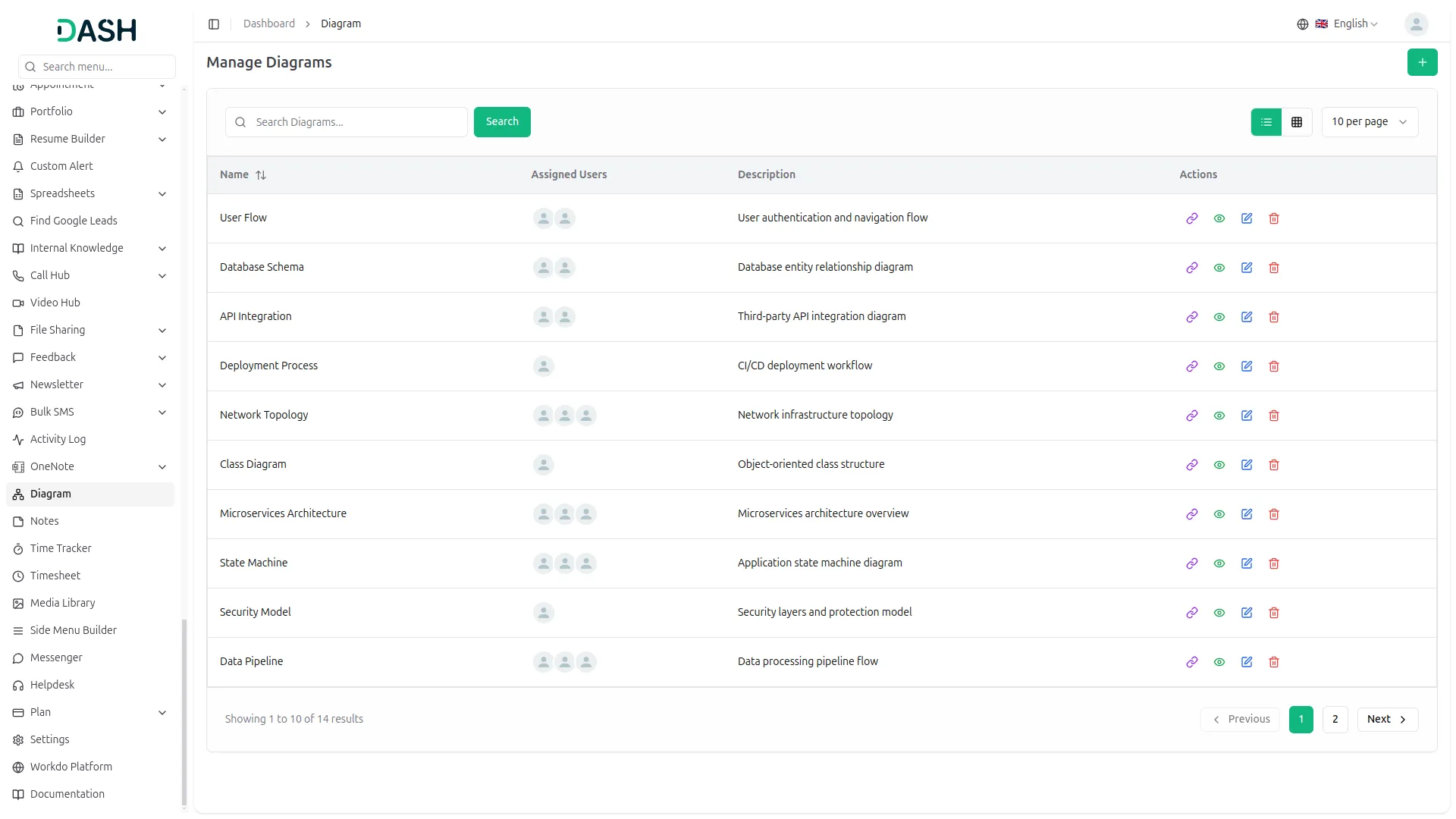
- The list page shows all diagrams with columns including No, Name, Assigned Users, and Description. You can search for specific diagrams, export the data, or add new diagrams using the buttons at the top. For each diagram, you can View (click to show Diagram), Copy (click to copy Diagram), Edit, or Delete using the action buttons.
Categories
Related articles
- Photo & Studio management Integration in Dash SaaS
- Events Management Integration in Dash SaaS
- SWOT Analysis Model Integration in Dash SaaS
- Queue Management Integration in Dash SaaS
- Rotas Integration in Dash SaaS
- Exam Module Integration in Dash SaaS
- Dance Academy Integration in Dash SaaS
- Discord Module Detailed Documentation
- Fix Equipment Integration in Dash SaaS
- Spreadsheet Integration in Dash SaaS
- Signature Add-On Detailed Documentation
- Adyen Detailed Documentation
Reach Out to Us
Have questions or need assistance? We're here to help! Reach out to our team for support, inquiries, or feedback. Your needs are important to us, and we’re ready to assist you!


Need more help?
If you’re still uncertain or need professional guidance, don’t hesitate to contact us. You can contact us via email or submit a ticket with a description of your issue. Our team of experts is always available to help you with any questions. Rest assured that we’ll respond to your inquiry promptly.
Love what you see?
Do you like the quality of our products, themes, and applications, or perhaps the design of our website caught your eye? You can have similarly outstanding designs for your website or apps. Contact us, and we’ll bring your ideas to life.