
Sign-In with Github Add-On Integration in Dash SaaS
The Sign-In with Github module for Dash SaaS offers a streamlined and secure authentication method, allowing users to access their accounts using their GitHub credentials.
Introduction
The Sign in with GitHub Add-On provides a seamless and secure authentication method, allowing users to log in using their GitHub credentials. This integration simplifies the login process, eliminates the need for creating new passwords, and utilizes GitHub’s trusted developer platform for secure authentication. By incorporating this Add-On, businesses can enhance user convenience, especially for users in the developer community, leading to increased engagement and user satisfaction. This documentation offers a comprehensive guide for implementing and customizing the Sign-in with GitHub Add-On, ensuring a smooth and effective integration aligned with your business needs.
How To Install The Add-On?
- To Set Up the Sign-In with GitHub Add-On, you can follow this link Setup Add-On.
How To Use The Sign-In With GitHub Module
After the super admin enables the Add-On, the end users can easily access and use the Add-On.
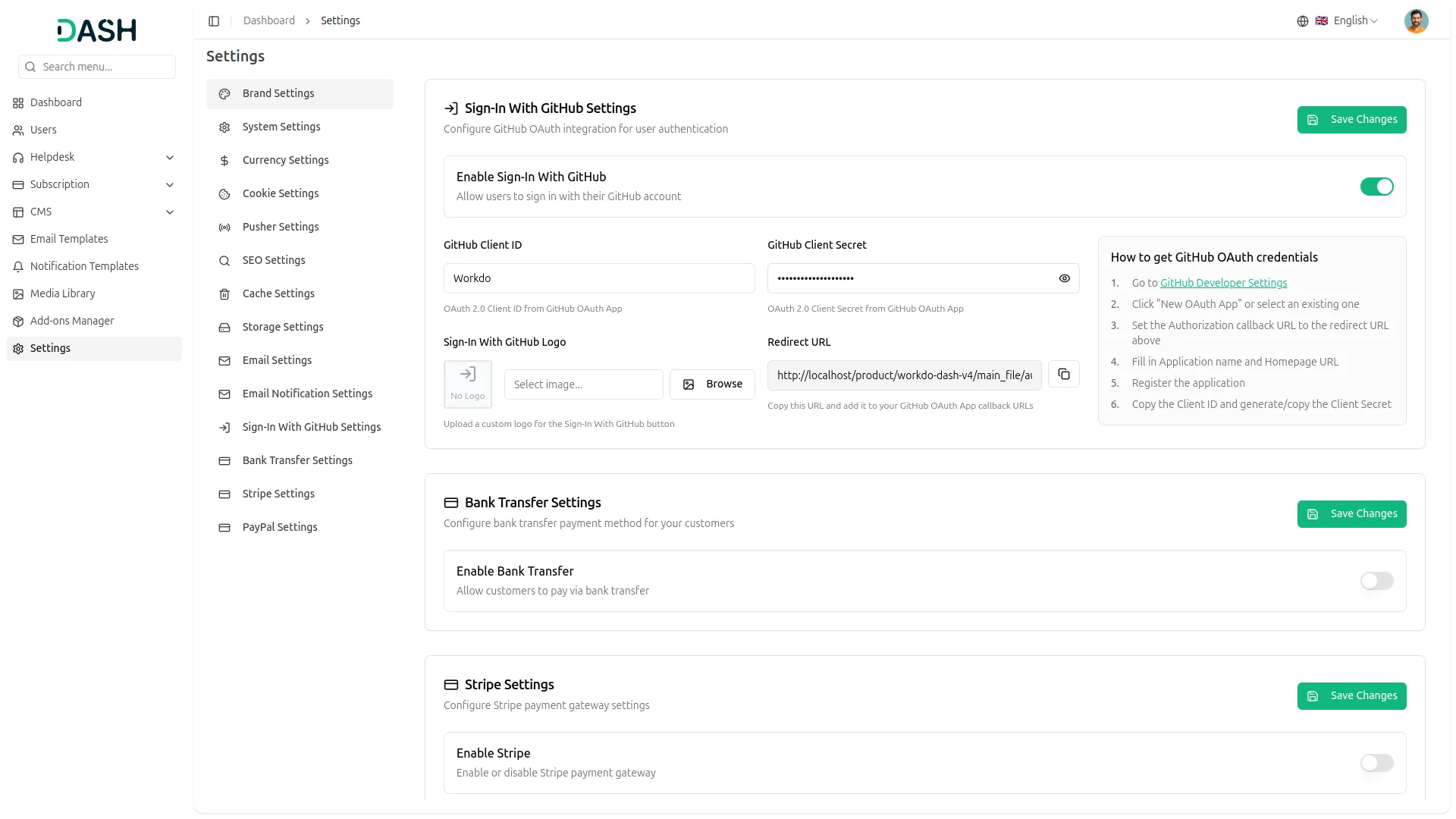
- After purchasing, log in to your super admin account and navigate to the settings page in the sidebar.
- In the settings, find and click on the Sign-In With GitHub Settings.
- Enter the GitHub client ID and client secret. Upload the necessary image, and then click on the save changes button.
- Once these credentials are entered, the end users can sign in to your store using their GitHub accounts.
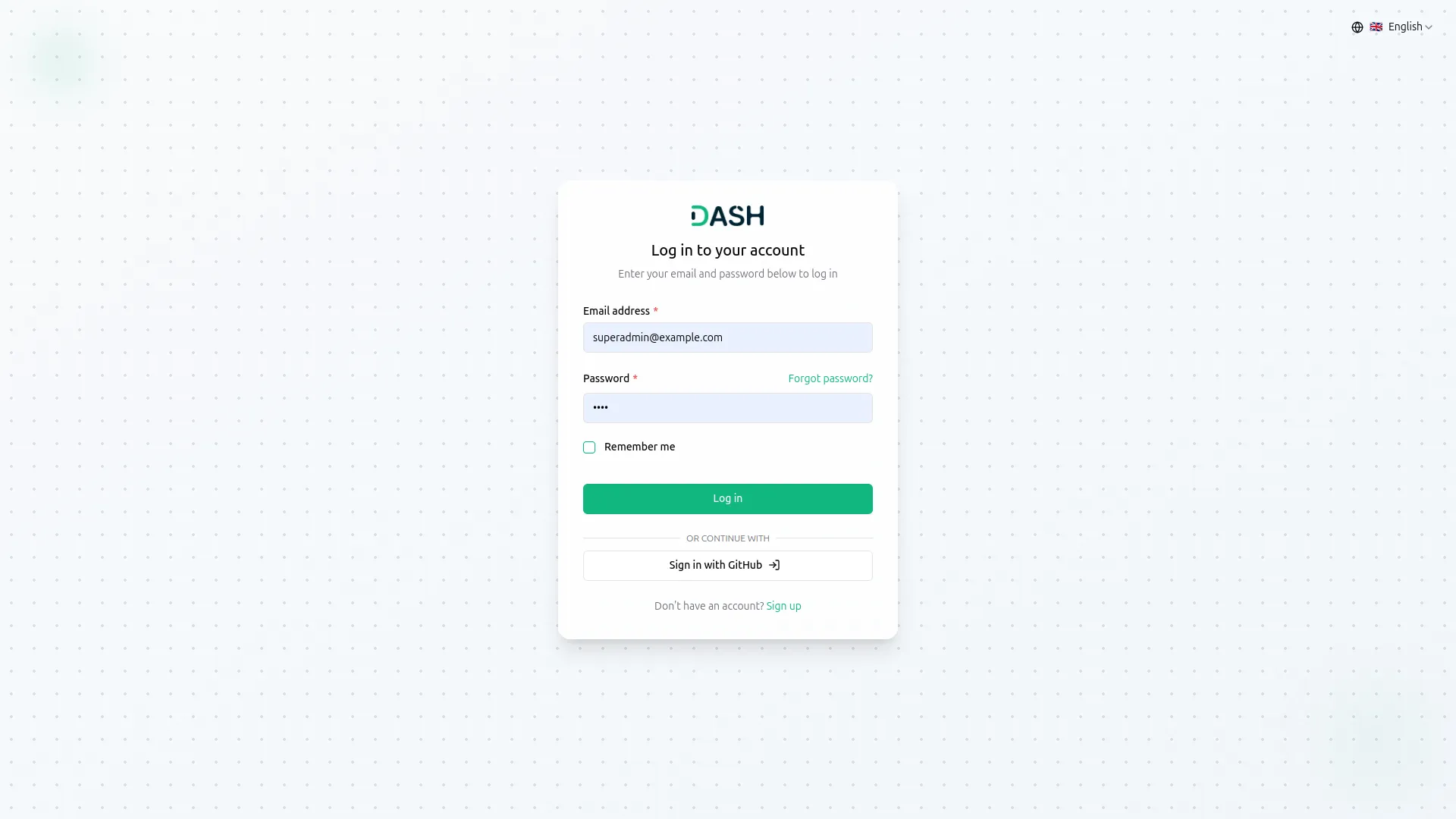
- The image that you upload on the super admin side will be visible on the login and register page in the Sign-In With GitHub button.
-
- To know how to generate the credentials, you can follow this link: https://episyche.com/blog/how-to-create-oauth-client-id-and-client-secret-for-github
- You need to copy the callback URL from settings and paste it while setting up the credentials.
- Once you add the credentials and activate the Sign-in with GitHub Add-On, a GitHub login button will appear on your register and login pages. By clicking it, the end users can easily log in to your store using their GitHub credentials.
-
Categories
Related articles
- How to Generate Content with the Help of AI in Dash SaaS
- MyFatoorah Payment Gateway in Dash SaaS
- Meeting Hub Integration in Dash SaaS
- Diagram Add-On Detailed Documentation
- SMS Integration in Dash SaaS
- Portfolio Integration in Dash SaaS
- RoadMap Central Integration in Dash SaaS
- Work Permit Detailed Documentation
- Sendinblue Integration in Dash SaaS
- Bulk SMS Detailed Documentation
- Equipment Rental Detailed Documentation
- Zatca Integration in Dash SaaS
Reach Out to Us
Have questions or need assistance? We're here to help! Reach out to our team for support, inquiries, or feedback. Your needs are important to us, and we’re ready to assist you!


Need more help?
If you’re still uncertain or need professional guidance, don’t hesitate to contact us. You can contact us via email or submit a ticket with a description of your issue. Our team of experts is always available to help you with any questions. Rest assured that we’ll respond to your inquiry promptly.
Love what you see?
Do you like the quality of our products, themes, and applications, or perhaps the design of our website caught your eye? You can have similarly outstanding designs for your website or apps. Contact us, and we’ll bring your ideas to life.