
Instagram Post Integration in Dash SaaS
The Instagram Post Integration in Dash SaaS offers businesses a powerful tool to manage, schedule, and analyze their Instagram content directly from the platform.
Introduction
The Instagram Post Integration in Dash SaaS offers businesses a powerful tool to manage, schedule, and analyze their Instagram content directly from the platform. This integration simplifies the process of creating and publishing posts, allowing users to seamlessly connect with their audience on Instagram without leaving the interface. With features that enable advanced scheduling, real-time engagement monitoring, and performance analytics, users can streamline their social media strategy and enhance their Instagram presence. This detailed documentation provides comprehensive instructions on setting up and using the Instagram Post Integration, ensuring a smooth and efficient experience for businesses looking to optimize their Instagram content management and engagement efforts.
How to Install the Add-On?
To Set Up the Instagram Post Add-On you can follow this link: Setup Add-On
How to Use the Instagram Post Add-On?
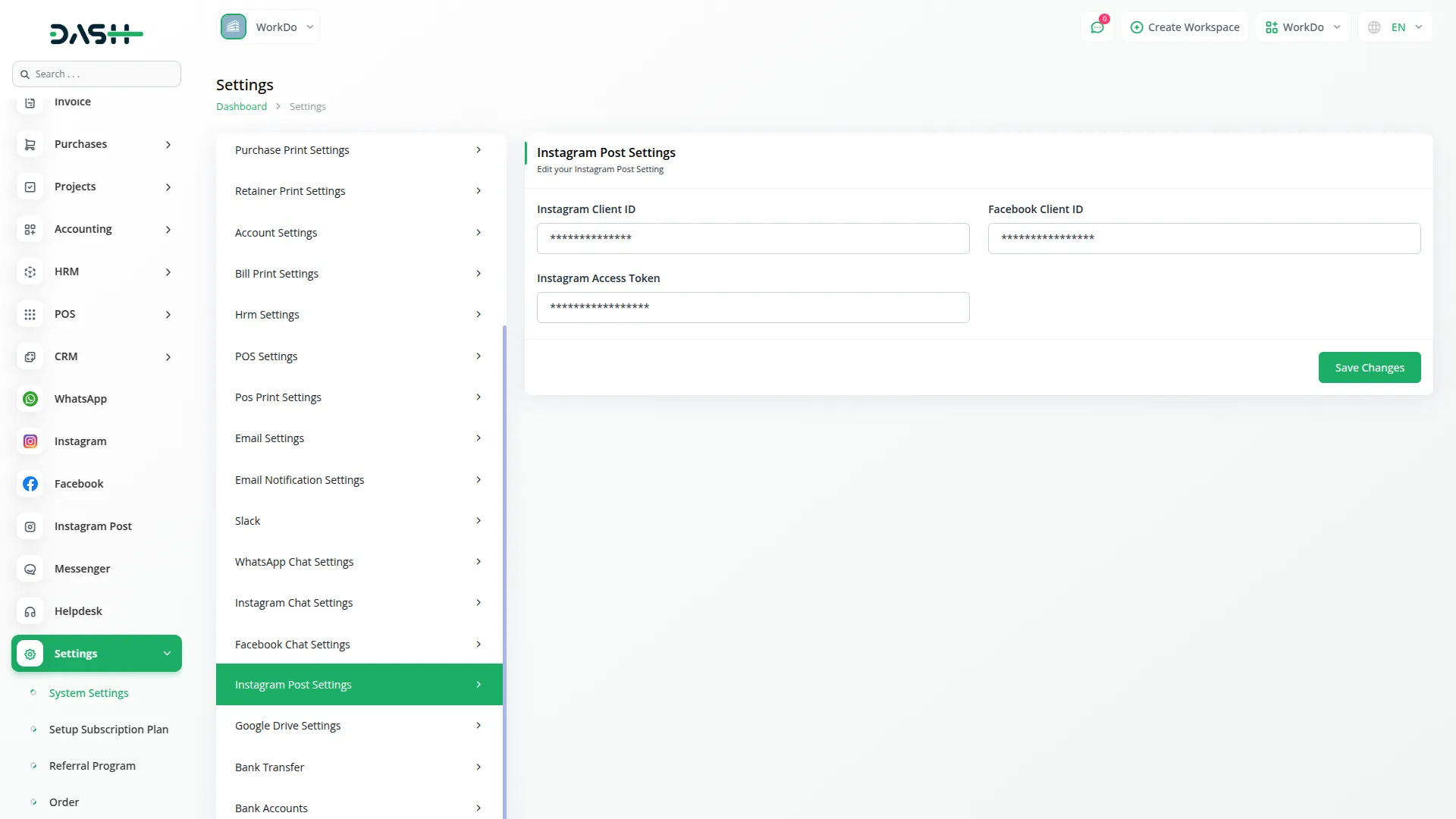
- After activating the Add-On, go to the Settings page of Dash SaaS and find an Instagram Post Settings.
- Add the required credentials like Instagram Client ID, Facebook Client ID, and Instagram Access Token.
-
- Once you do that go to the sidebar and find the Instagram Post Add-On.
- Here you can update the post in two ways. The first way is through a link. Add the caption, link of the post, and at last there is a button for post time, if you enable that button the post will be updated at the same time, and if you disable this button you can schedule the post by selecting date, time, and default timezone. Once you do this, the post will be updated or scheduled accordingly.
- The second way is posting through images. Just add the caption, choose the image from the file, and then select the time, or post it immediately if you want.
-
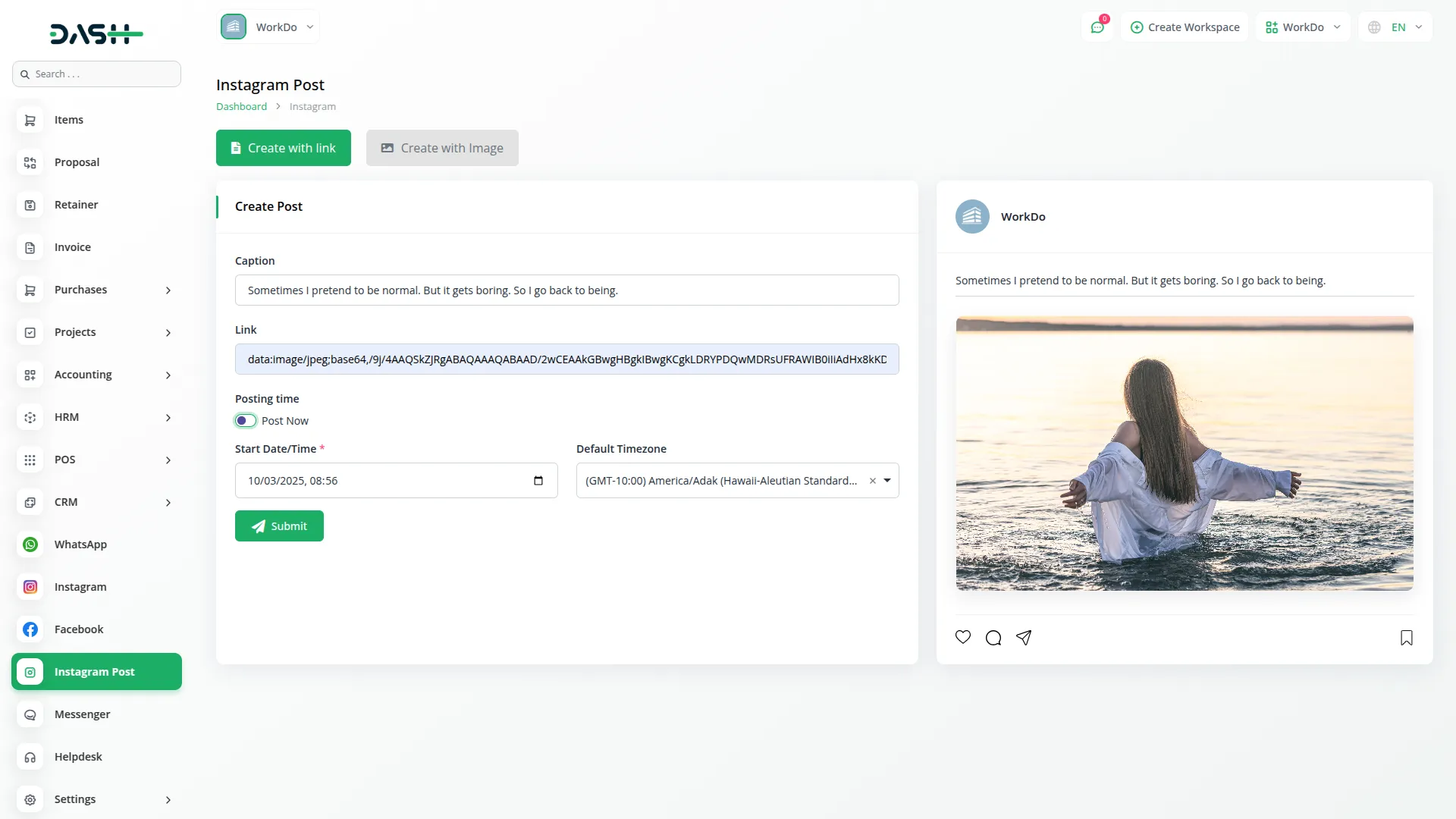
- The posts you add through the portal, it will be directly updated on Instagram , and the posts of the instagram will also be visible in the portal.
-
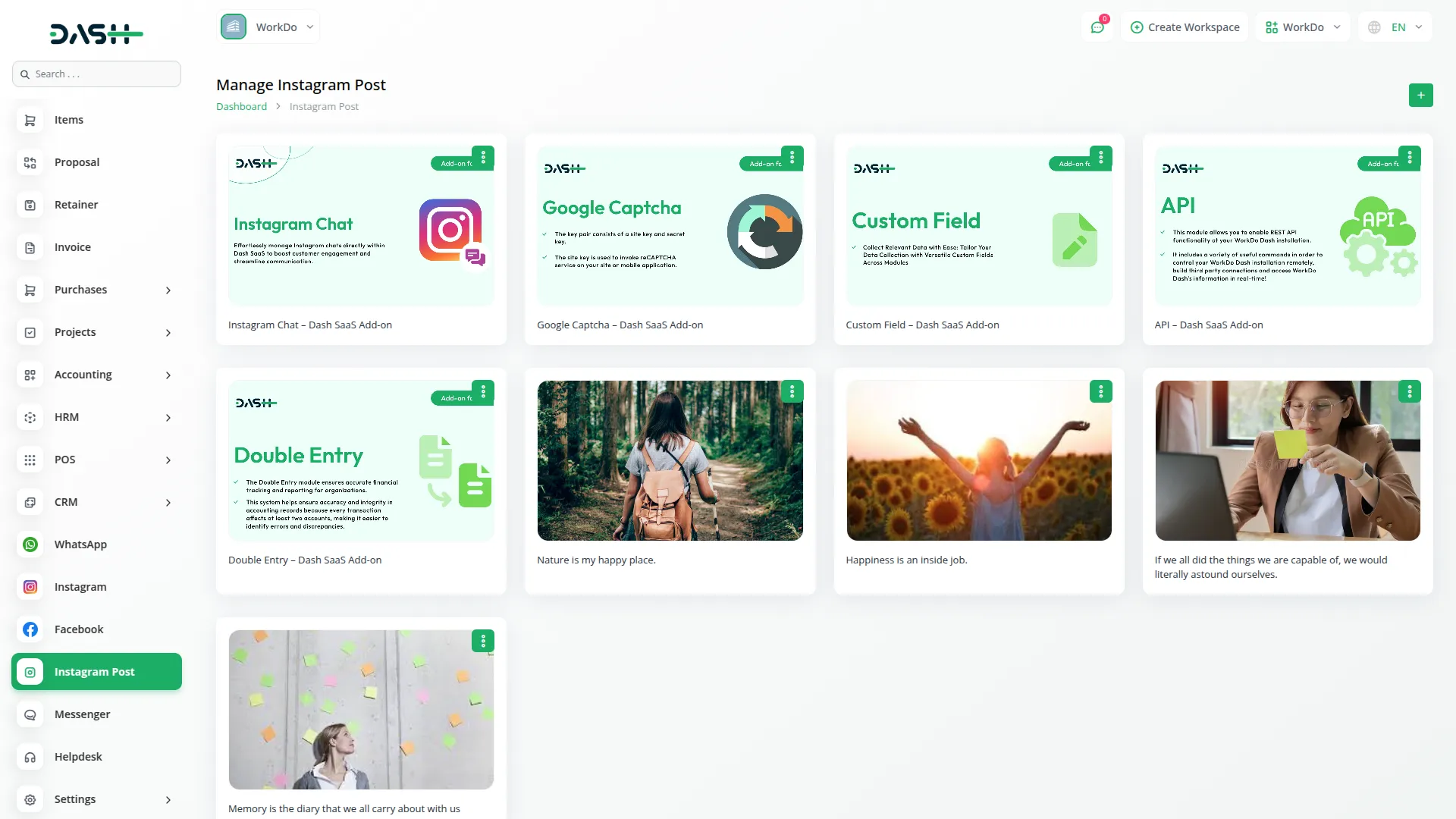
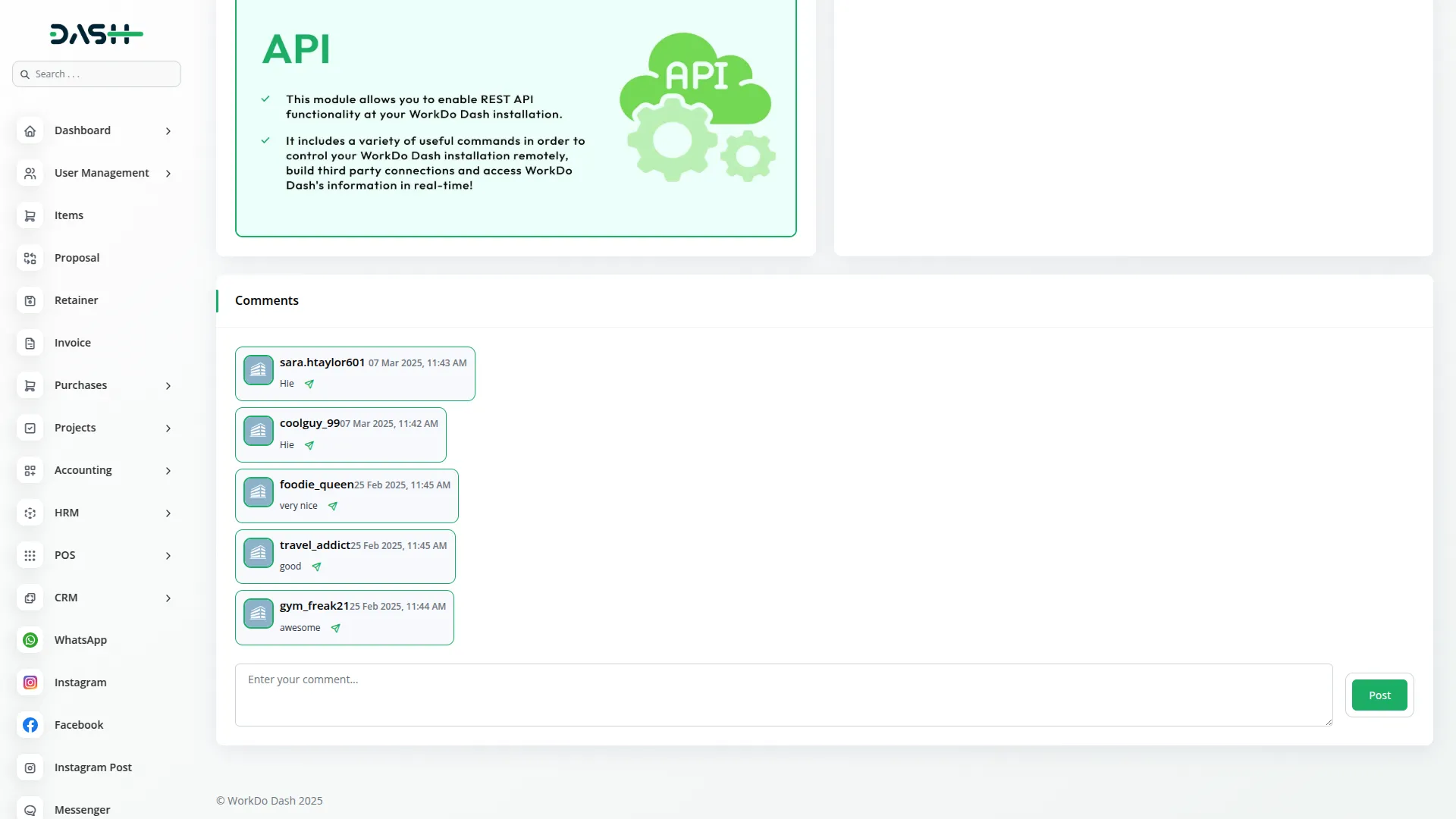
- Once you create the posts, you can also manage them with the help of Manage Post Section. Here you can see all your instagram posts, view them whenever you want. If you click on the view button, you can view the image and the caption. You can also reply to the comments, and add new comments from here.
- To Generate the API Credentials follow this link: https://workdo.io/documents/how-to-generate-token-of-meta/
-
Categories
Related articles
- PowerTranz Payment Gateway in Dash SaaS
- Laundry Management Integration in Dash SaaS
- Form Builder Integration in Dash SaaS
- Google Wallet Integration in Dash SaaS
- Facilities Integration in Dash SaaS
- Art Showcase Integration in Dash SaaS
- Car Dealership Integration in Dash SaaS
- Moneris Integration in Dash SaaS
- Fire Safety Detailed Documentation
- API WorkDo Dash SaaS Add-On
- Pharmacy Management Integration in Dash SaaS
- Outlook Calendar Integration in Dash SaaS
Reach Out to Us
Have questions or need assistance? We're here to help! Reach out to our team for support, inquiries, or feedback. Your needs are important to us, and we’re ready to assist you!

Need more help?
If you’re still uncertain or need professional guidance, don’t hesitate to contact us. You can contact us via email or submit a ticket with a description of your issue. Our team of experts is always available to help you with any questions. Rest assured that we’ll respond to your inquiry promptly.
Love what you see?
Do you like the quality of our products, themes, and applications, or perhaps the design of our website caught your eye? You can have similarly outstanding designs for your website or apps. Contact us, and we’ll bring your ideas to life.