
Garden Management Integration in Dash SaaS
The “Garden Management” Add-On is a highly beneficial feature for parks, urban forests, farmers, small gardens, large landscapes, and more.
Introduction
Garden Management is a comprehensive operational Add-On designed to help you efficiently manage gardens, plants, and their ongoing care activities from a single platform. It enables you to organise garden beds, track plant growth, plan watering and fertiliser schedules, record maintenance activities, monitor pests and diseases, and manage seasonal planning with clarity and control.
This Add-On provides structured data management, scheduling, and historical tracking to ensure healthier plants, improved productivity, and better garden planning throughout the year.
How To Install The Add-On?
Use the given link to set up Garden Management Add-On: Setup Add-On
How to Use the Garden Management Add-On?
- After purchasing the Add-On, search for the Garden Management Add-On in the sidebar.
- You will see seven subpages over there. The first one is for Garden beds.
Garden Beds Management
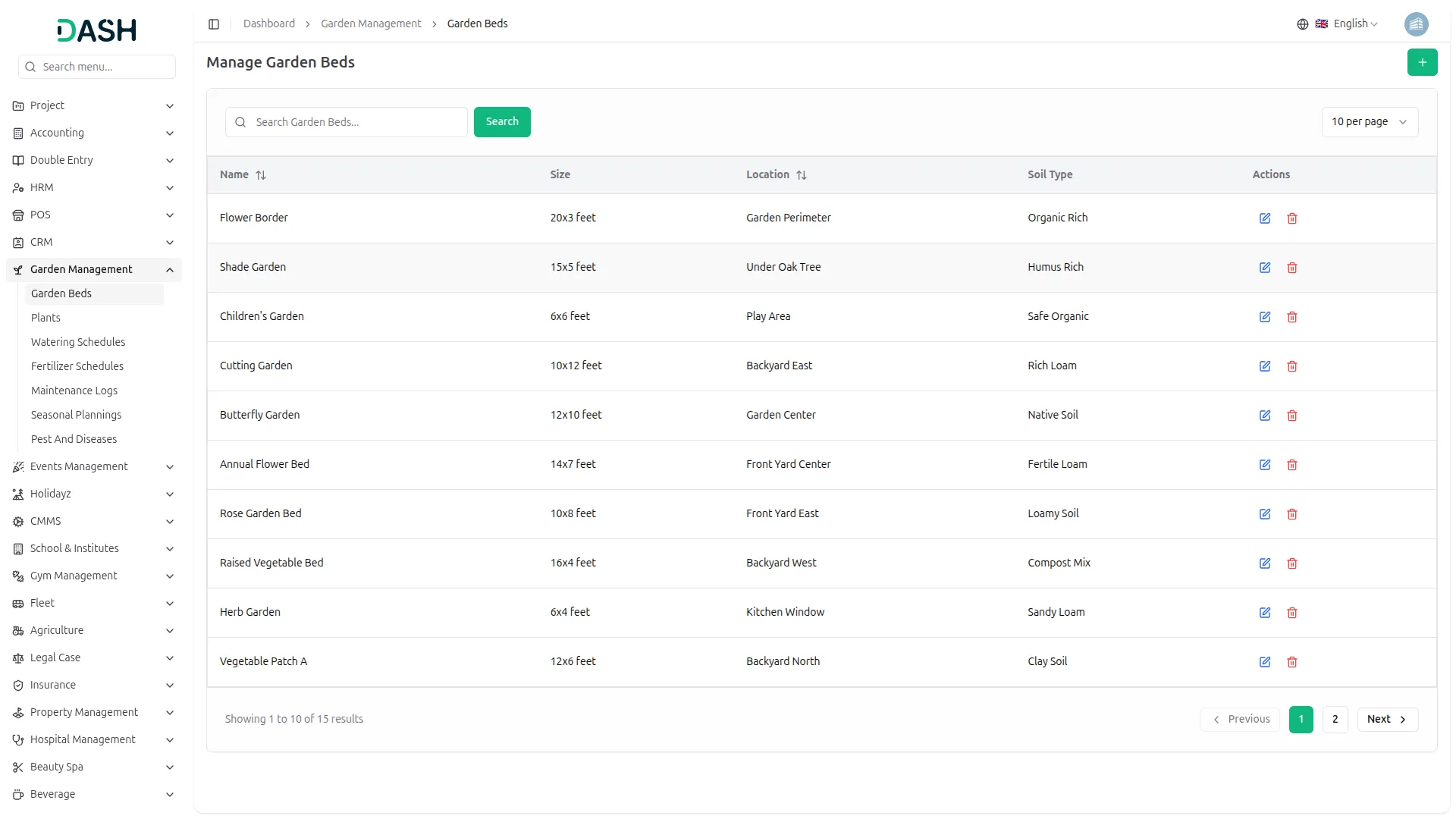
- Garden Beds Management allows you to define and organise different garden areas where plants are grown.
- To create a new garden bed, click the “Create” button at the top of the Garden Beds page. Enter the garden bed name, size (dimensions or area), physical location, and soil type, then save the record.
- The list page displays all garden beds in a table with columns for Name, Size, Location, Soil Type, and Actions. Use the Search option to quickly find specific garden beds.
- Available actions include Edit to modify information and Delete to remove the garden bed. Deleting a garden bed will automatically remove all related plant records to maintain data integrity.
- Garden beds serve as the foundation for plant assignment and overall garden structure.
Plants Management
- Plants Management helps you track individual plants, their growth stages, and care requirements.
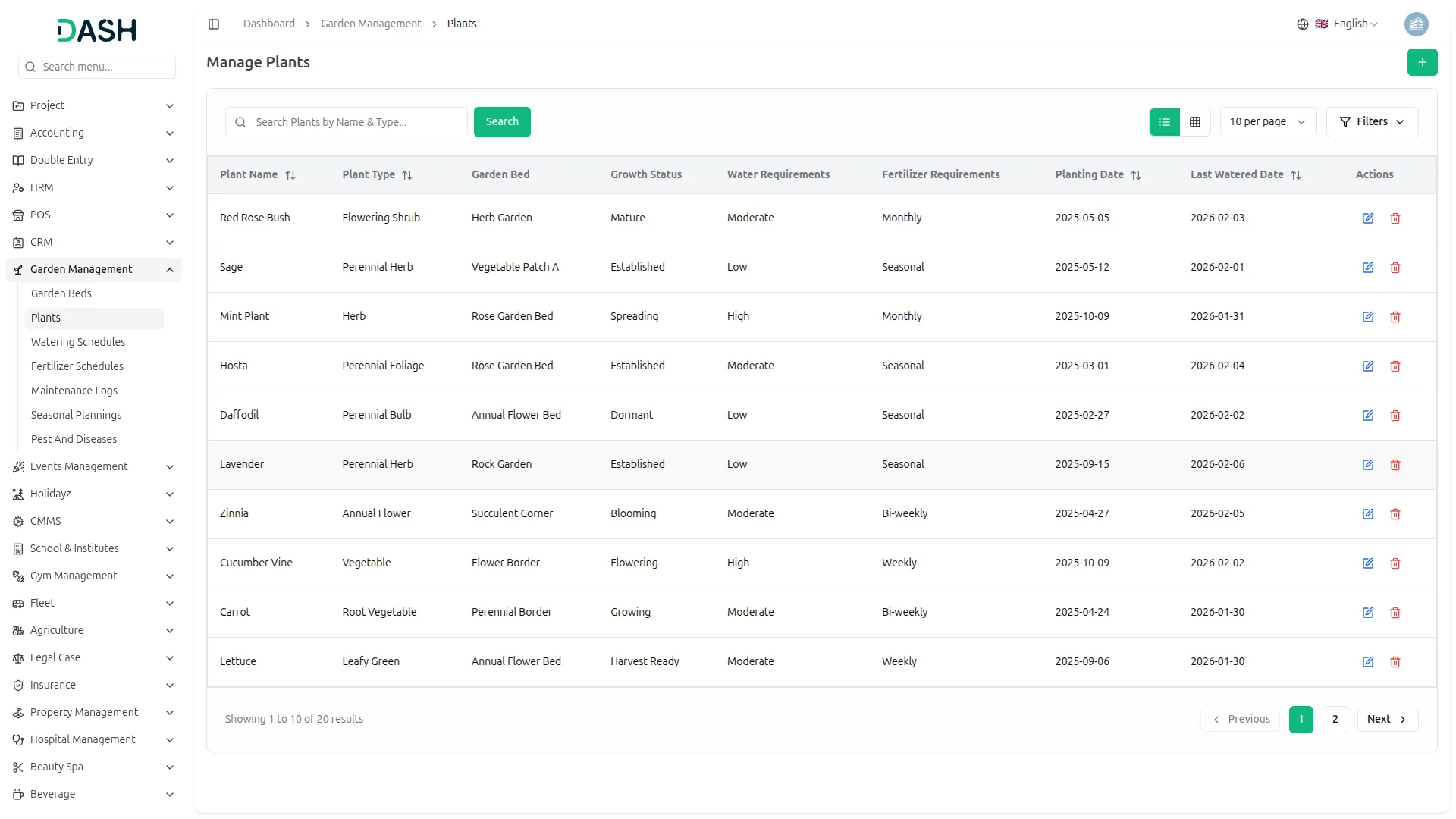
- To create a plant record, click “Create” and enter the plant name, plant type, Garden Bed, growth status, water requirements, fertilizer requirements, planting date, and last watered date Save the record to add it to the system.
- The list page shows plants with columns for Plant Name, Plant Type, Garden Bed, Growth Status, Water Requirements, Fertilizer Requirements, Planting Date, Last Watered Date, and Actions. Search and filter options allow quick access to specific plants.
- From the Actions column, you can Edit plant details as growth progresses, or Delete the plant record if it is no longer required.
- Plants act as the central link for watering schedules, fertiliser schedules, maintenance logs, and pest tracking.
Watering Schedules Management
- Watering Schedules Management ensures plants receive water at the right frequency and time.
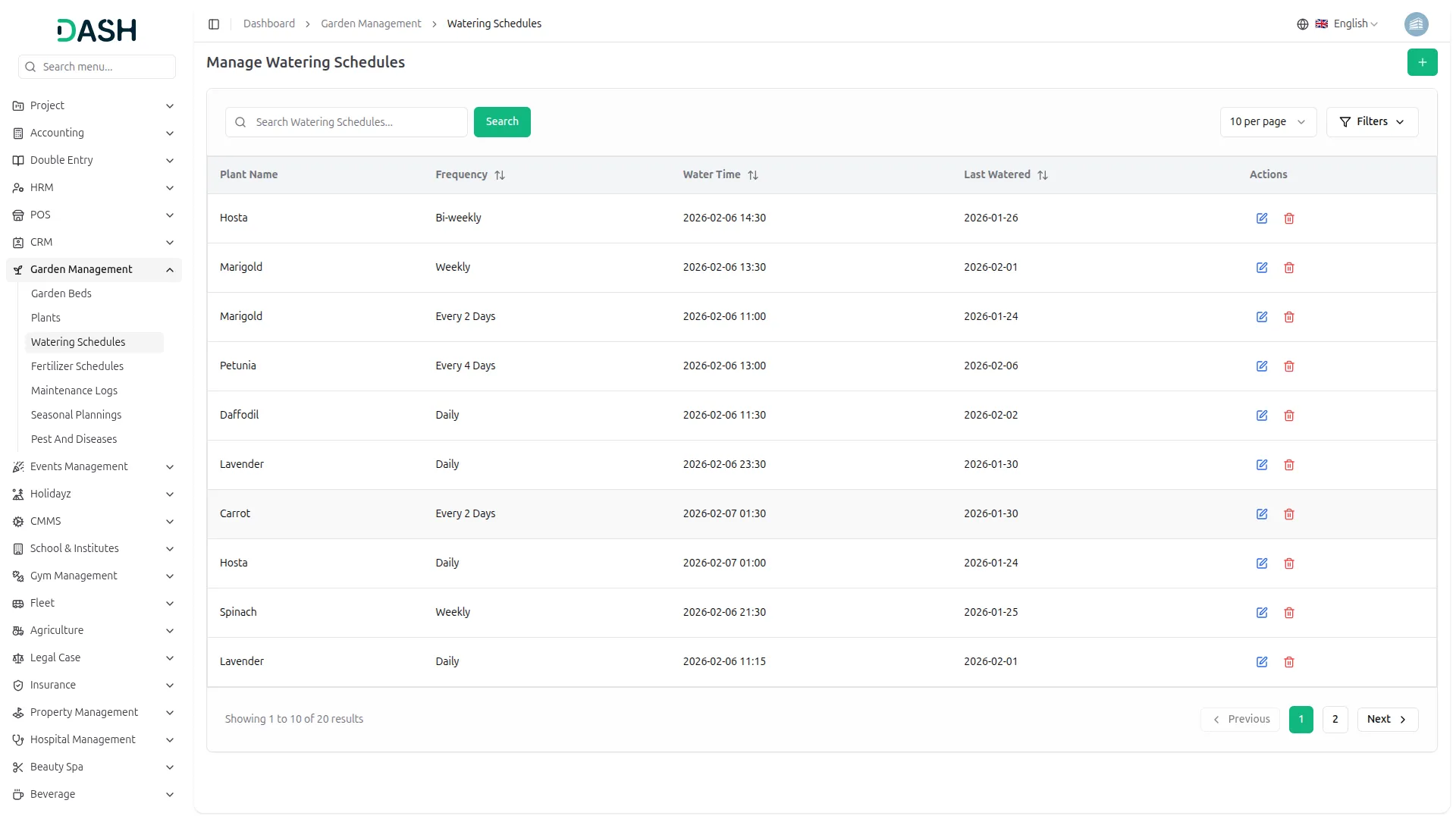
- To create a watering schedule, click “Create”, select the plant from the dropdown, define the watering frequency, set the scheduled water time, and enter the last watered date. Save the schedule.
- The list page displays schedules with columns for Plant Name, Frequency, Water Time, Last Watered, Status, and Actions. Use Search to locate specific schedules easily.
- Available actions include Edit to modify timing or frequency, Delete to remove a schedule.
- This module helps maintain consistent watering routines and avoid over- or under-watering.
Fertilizer Schedules Management
- Fertilizer Schedules Management tracks fertilizer applications and future requirements.
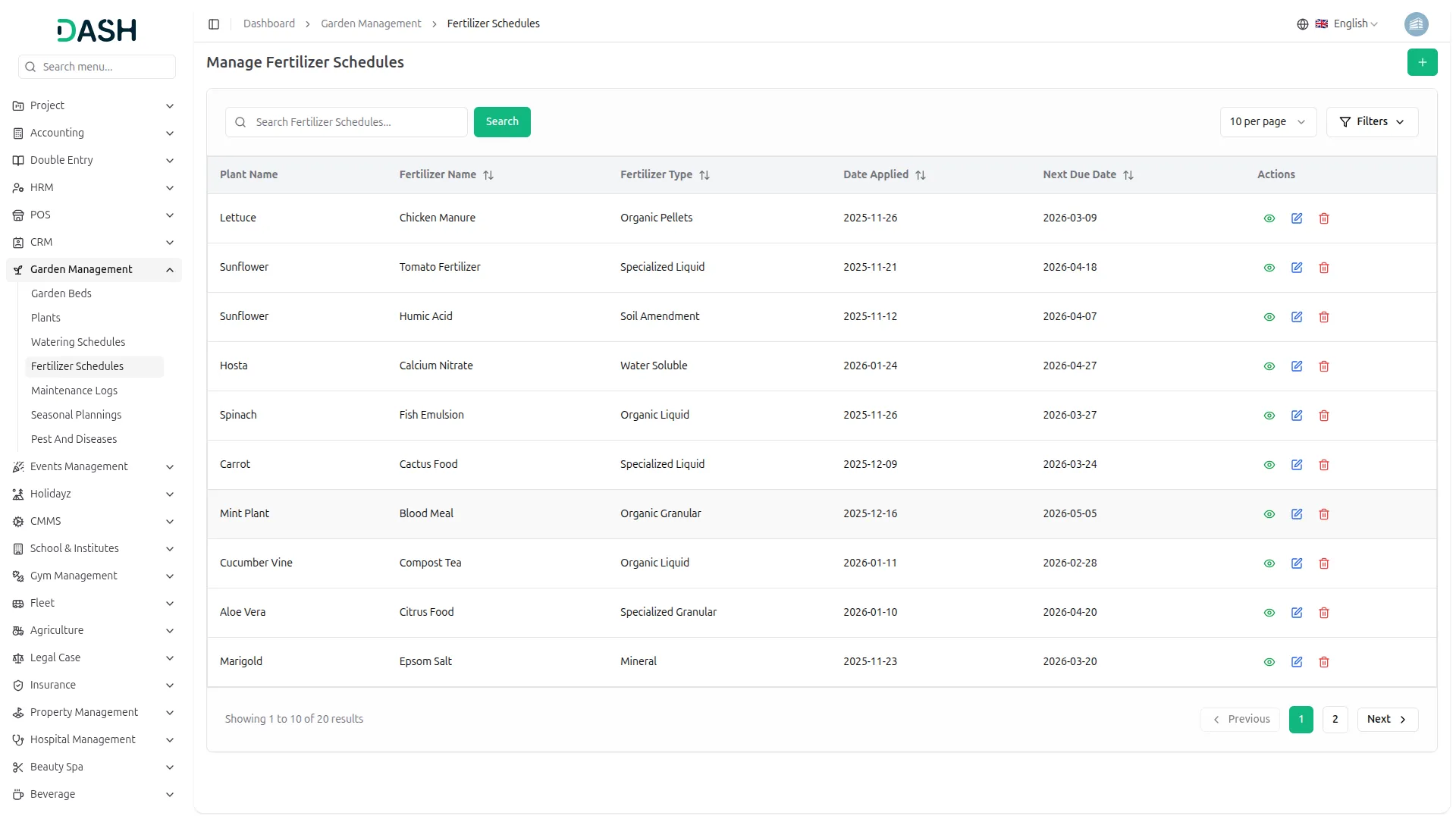
- To create a fertiliser schedule, click “Create”, select the plant, enter the fertilizer name and type, set the applied date, define the next due date, and add optional notes. Save the schedule.
- The list page shows schedules with columns for Plant Name, Fertilizer Name, Type, Date Applied, Next Due, and Actions. Search helps quickly identify upcoming or past applications.
- Available actions include View for schedule details, Edit to modify dates or notes, and Delete to remove schedules.
- This ensures consistent nutrient management for optimal plant growth.
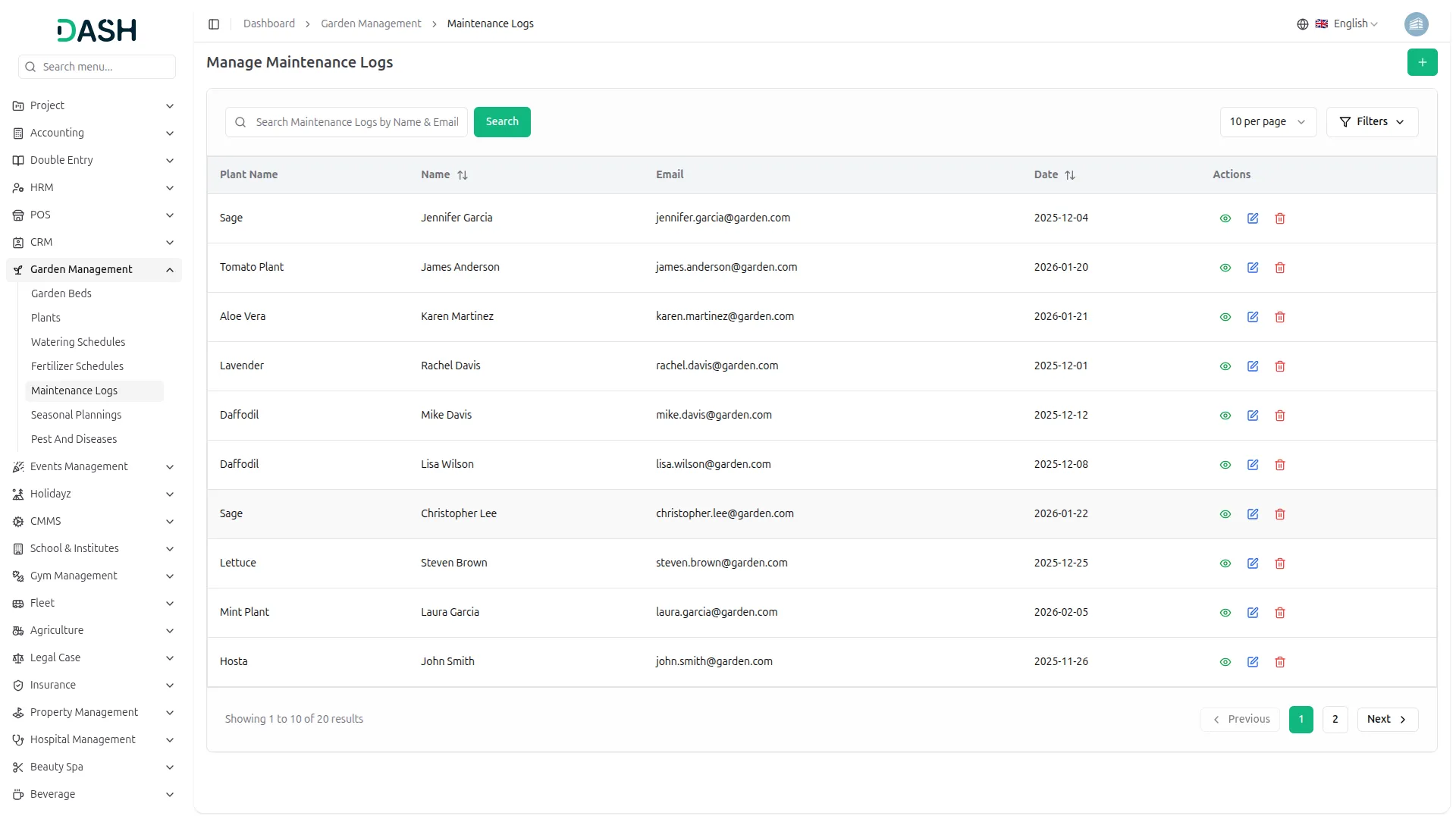
Maintenance Logs Management
- Maintenance Logs Management records all maintenance activities performed on plants.
- To add a maintenance log, click “Create”, enter the maintainer’s name and email, select the maintenance date, describe the activity in detail, and link it to the relevant plant. Save the entry.
- The list page displays logs with columns for Plant Name, Name, Email, Date, and Actions. Use Search to filter logs by maintainer, date, or plant.
- Actions include View to see full maintenance details, Edit to update information, and Delete to remove outdated or incorrect logs.
- Maintenance logs provide a complete history of plant care activities for accountability and tracking.
Seasonal Planning Management
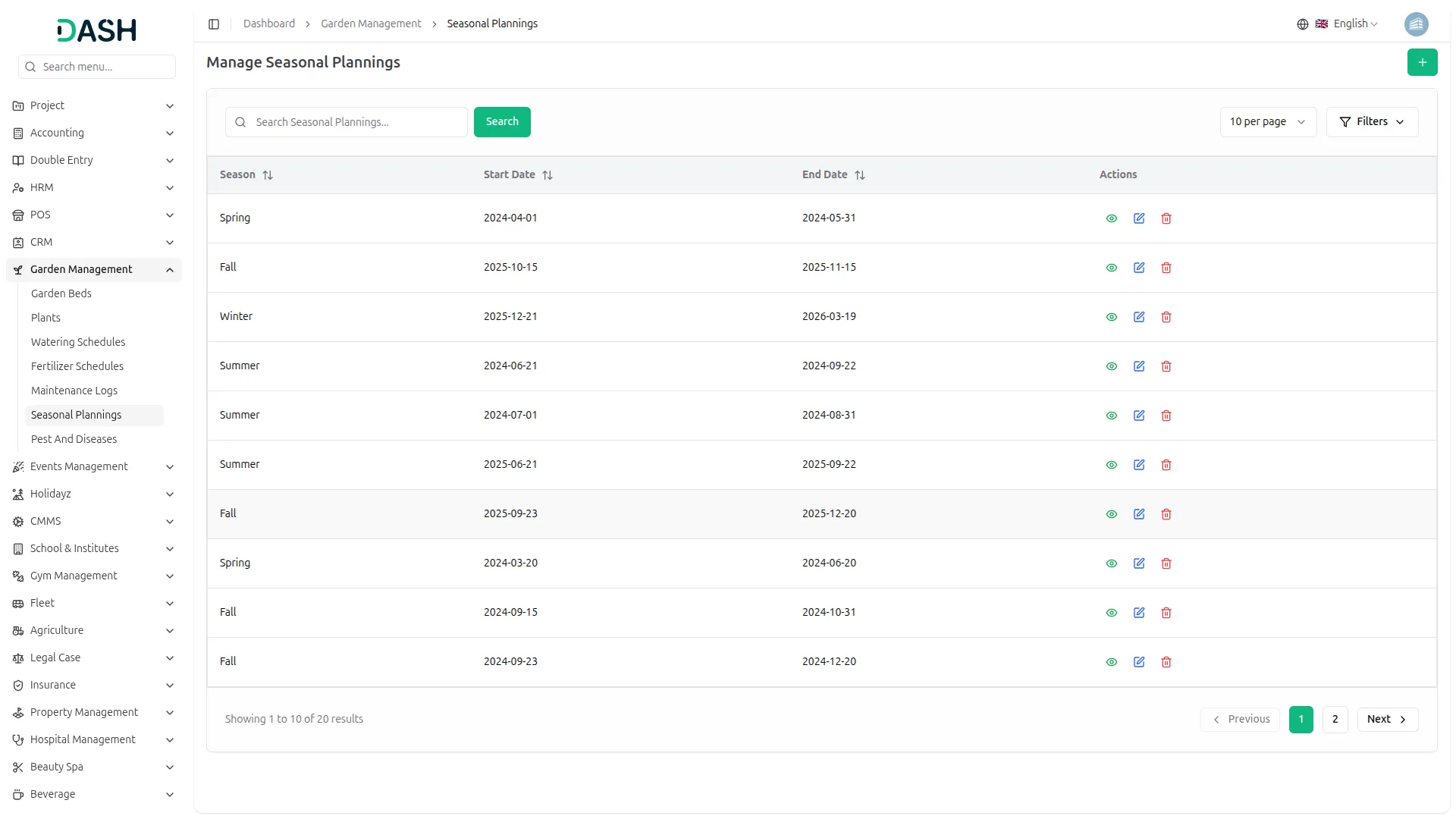
- Seasonal Planning Management helps organise garden activities based on seasons.
- To create a seasonal plan, click “Create”, enter the season name (Spring, Summer, Fall, or Winter), define the start and end dates, and add planned activities. Save the plan.
- The list page shows records with columns for Season, Start Date, End Date, and Actions.
- Available actions include View for full seasonal plans, Edit to update schedules or activities, and Delete to remove obsolete plans.
- Seasonal planning ensures timely preparation and effective resource allocation throughout the year.
Pest & Diseases Management
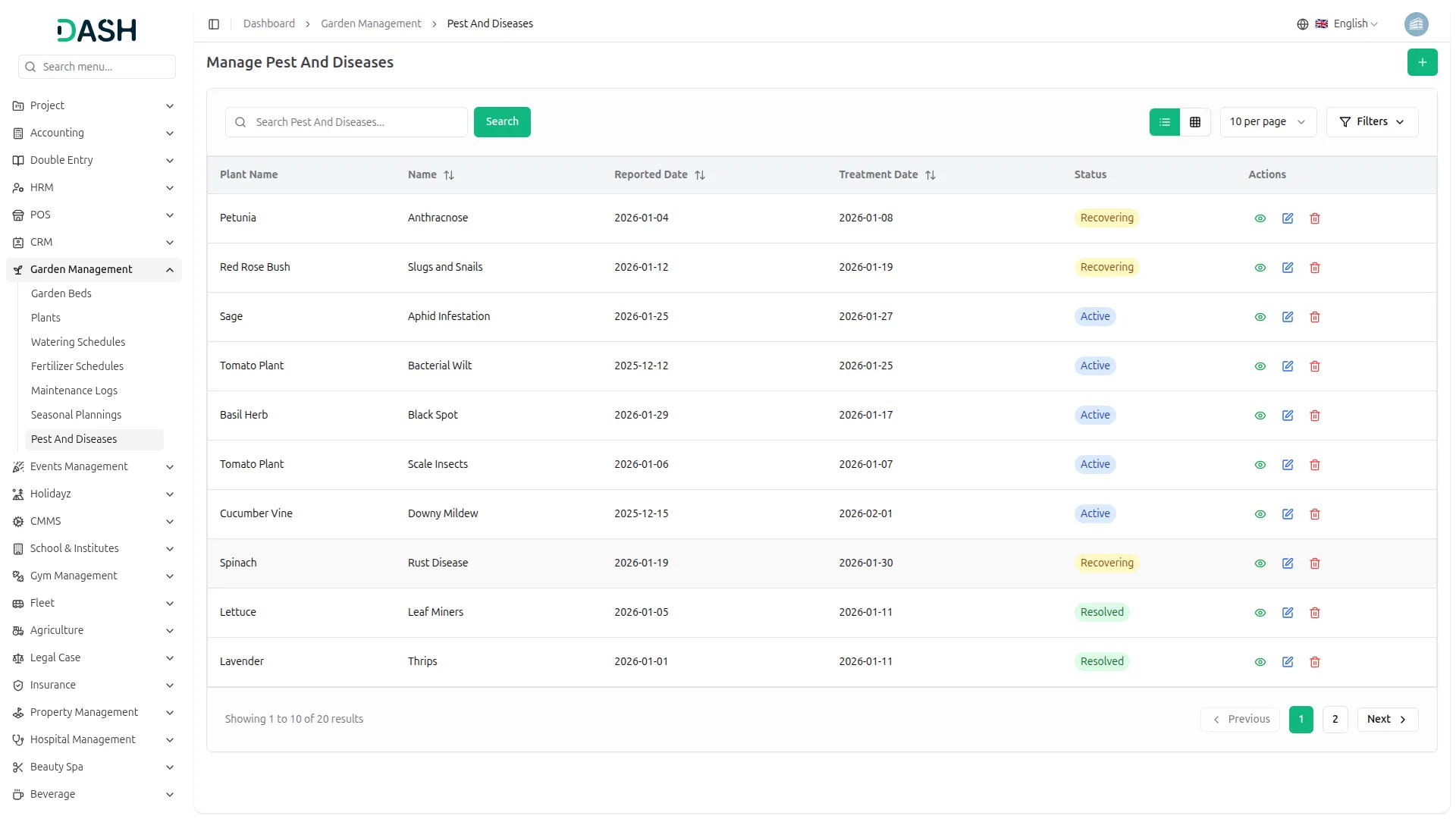
- Pest & Diseases Management enables early detection and treatment tracking to protect plant health.
- To create a record, click “Create”, enter the pest or disease name, select the affected plant, set the reported date, describe symptoms, add treatment details, specify the treatment date, and choose the status. Save the record.
- The list page displays columns for Name, Plant, Reported Date, Status, Treatment Date, and Actions. Use Search to locate specific issues.
- Actions include View to see complete details, Edit to update treatment information, Delete to remove records.
- This module helps maintain plant health and prevents widespread issues.
Categories
Related articles
- Hotel and Room management in Dash SaaS
- How to Generate the Credentials from Rocket.Chat
- SinchSMS Integration in Detailed Documentation
- Locker & Safe Deposit Integration in Dash SaaS
- Assets Integration in Dash SaaS
- YouTube Content Management
- Childcare Management Integration in Dash SaaS
- Backup & Restore Integration in Dash SaaS
- Contract Integration in Dash SaaS
- Google Slides Detailed Documentation
- Form Builder Integration in Dash SaaS
- Whereby Meeting Integration in Dash SaaS
Reach Out to Us
Have questions or need assistance? We're here to help! Reach out to our team for support, inquiries, or feedback. Your needs are important to us, and we’re ready to assist you!


Need more help?
If you’re still uncertain or need professional guidance, don’t hesitate to contact us. You can contact us via email or submit a ticket with a description of your issue. Our team of experts is always available to help you with any questions. Rest assured that we’ll respond to your inquiry promptly.
Love what you see?
Do you like the quality of our products, themes, and applications, or perhaps the design of our website caught your eye? You can have similarly outstanding designs for your website or apps. Contact us, and we’ll bring your ideas to life.