
Stay Organized with Ease
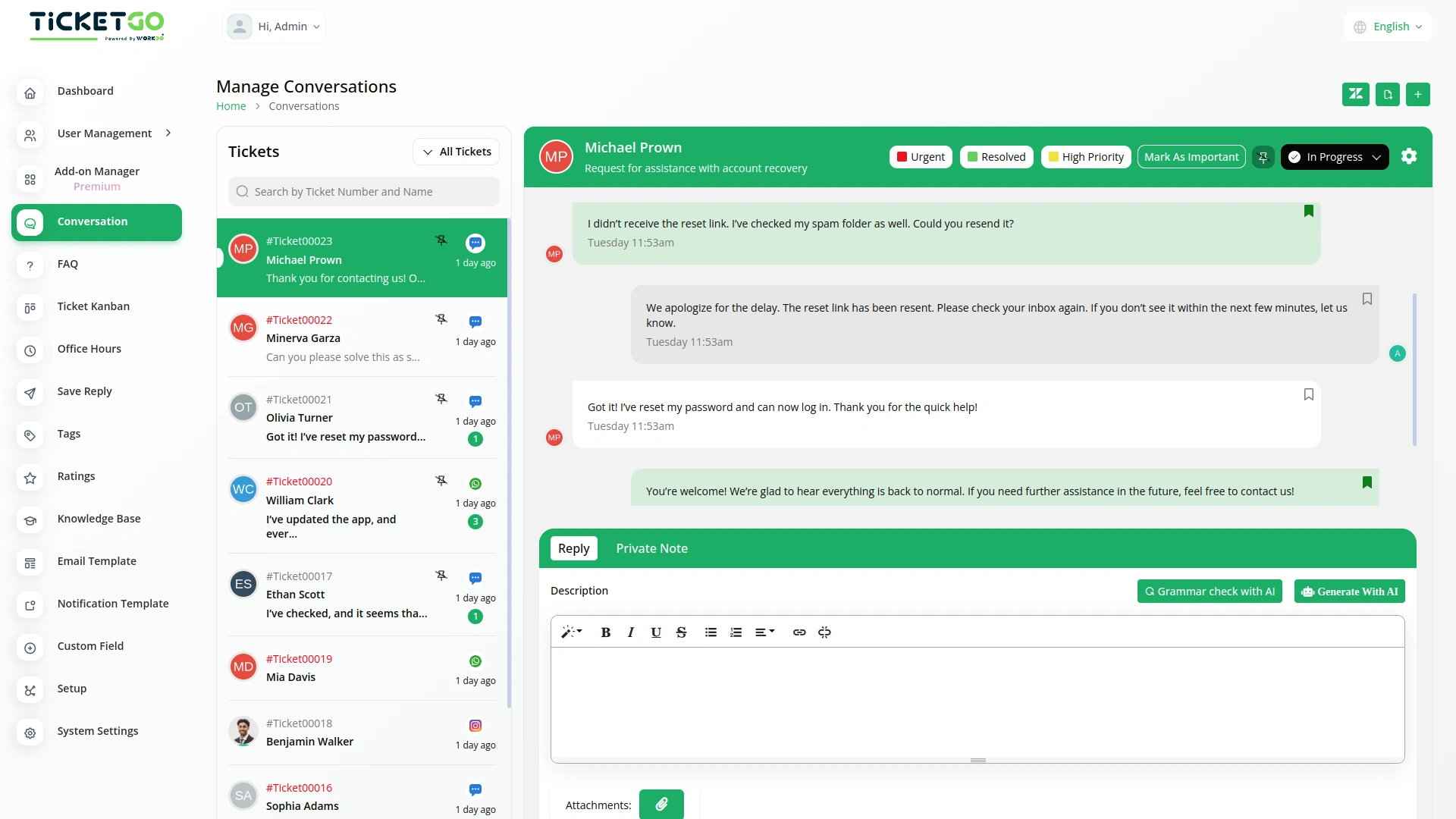
With the Mark as Important feature, you can maintain a cleaner, more organized workflow. It simplifies your ticket management process by distinguishing between routine tickets and those that need immediate attention, helping you stay on top of high-priority matters.
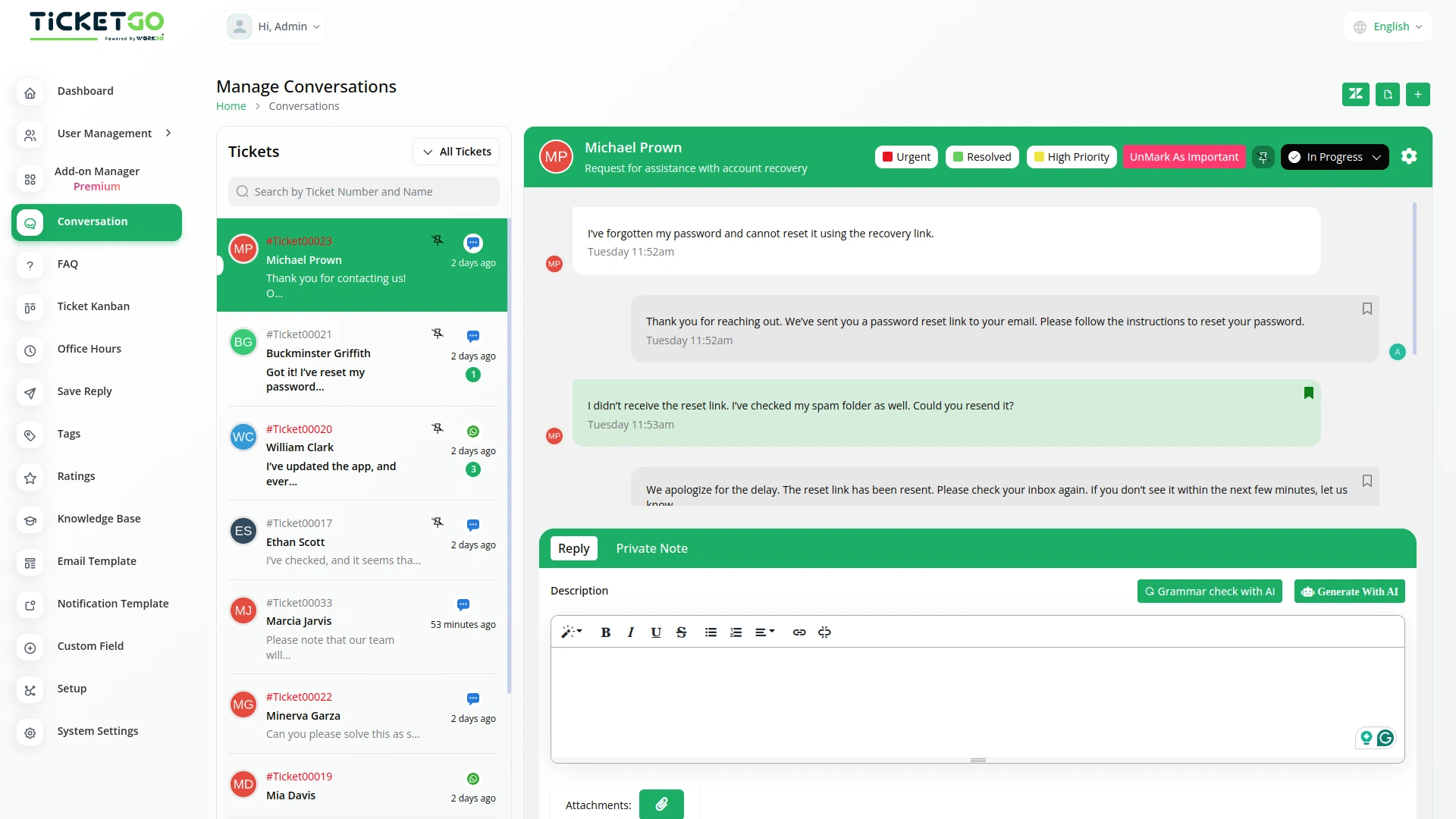
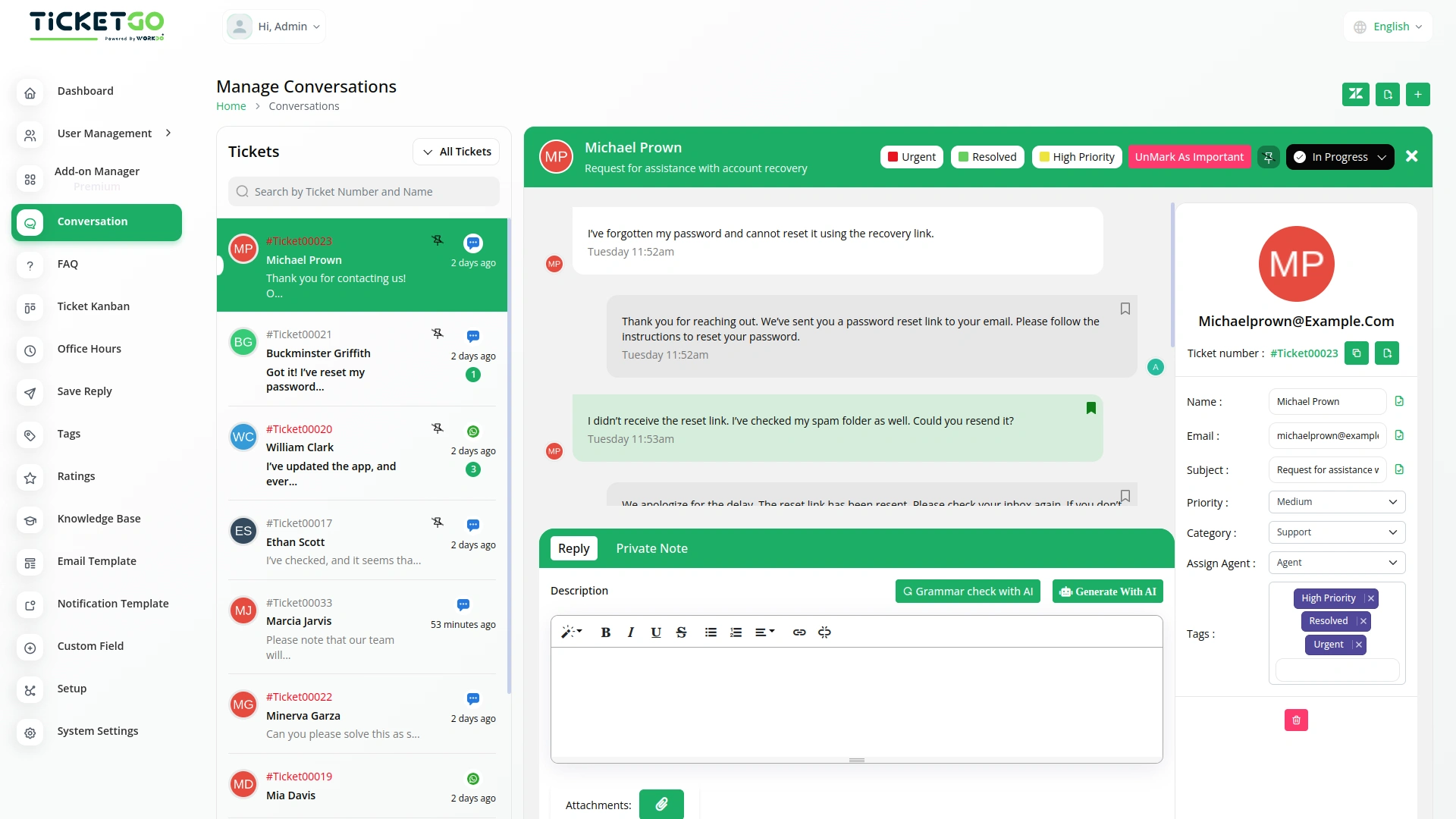
Streamline Team Collaboration
The Mark as Important feature fosters better collaboration within your team. With clearly marked priority tickets, everyone knows which conversations need immediate attention, ensuring a coordinated response and faster issue resolution. This leads to enhanced teamwork and smoother operations.
Screenshots from our system
To explore the functionality and usage of these Add-Ons, refer to the accompanying screenshots for step-by-step instructions on how to maximize their features.
Discover More Add-Ons
Unlock even more functionality with additional Add-Ons, providing enhanced networking and customization options for your TicketGo Add-Ons experience.

Msg91
The MSG91 integration in TicketGo enables businesses to automate SMS notifications for various ticketing events, ensuring that all stakeholders—including customers, agents, and admins—receive timely updates. With this integration, businesses can enhance customer support efficiency, improve communication flow, and keep everyone informed in real time. By leveraging MSG91’s powerful messaging platform, TicketGo users can streamline their processes and offer superior customer service through SMS alerts, reducing response times and improving overall ticket management.
View More
Customer Login
The TicketGo customer login module provides users with a seamless and secure way to access their accounts. With just an email and password, customers can log in and manage their support tickets effortlessly.
View More

Send & Close
The Send and Close module in TicketGo allows you to close a ticket automatically when you send a reply. This means that as soon as your response is sent, the ticket status changes to "Closed" without needing any extra steps.
View More3 reviews for Mark As Important – TicketGo Add-On
| 5 star | 66% | |
| 4 star | 33% | |
| 3 star | 0% | |
| 2 star | 0% | |
| 1 star | 0% |
Comments
You must be logged in to post a comment.
There are no comment yet.
Contact Us for Support :
-
You will get immediate support from our support desk. Please visit here https://support.workdo.io/
Item support includes:
- Answer pre-sale questions or query
- Answering technical questions about item's features
- Assistance with reported bugs and issues
- Help with included 3rd party assets
- Free Installation services in some cases
However, item support does not include:
- Customization services
Check Documents & Tutorials
Smart workflow automation improves operational efficiency
The features helped us maintain transparency in all business activities without extra effort
We found the bugs minimal and each was fixed promptly by the development team