
Advanced Ticket Analytics
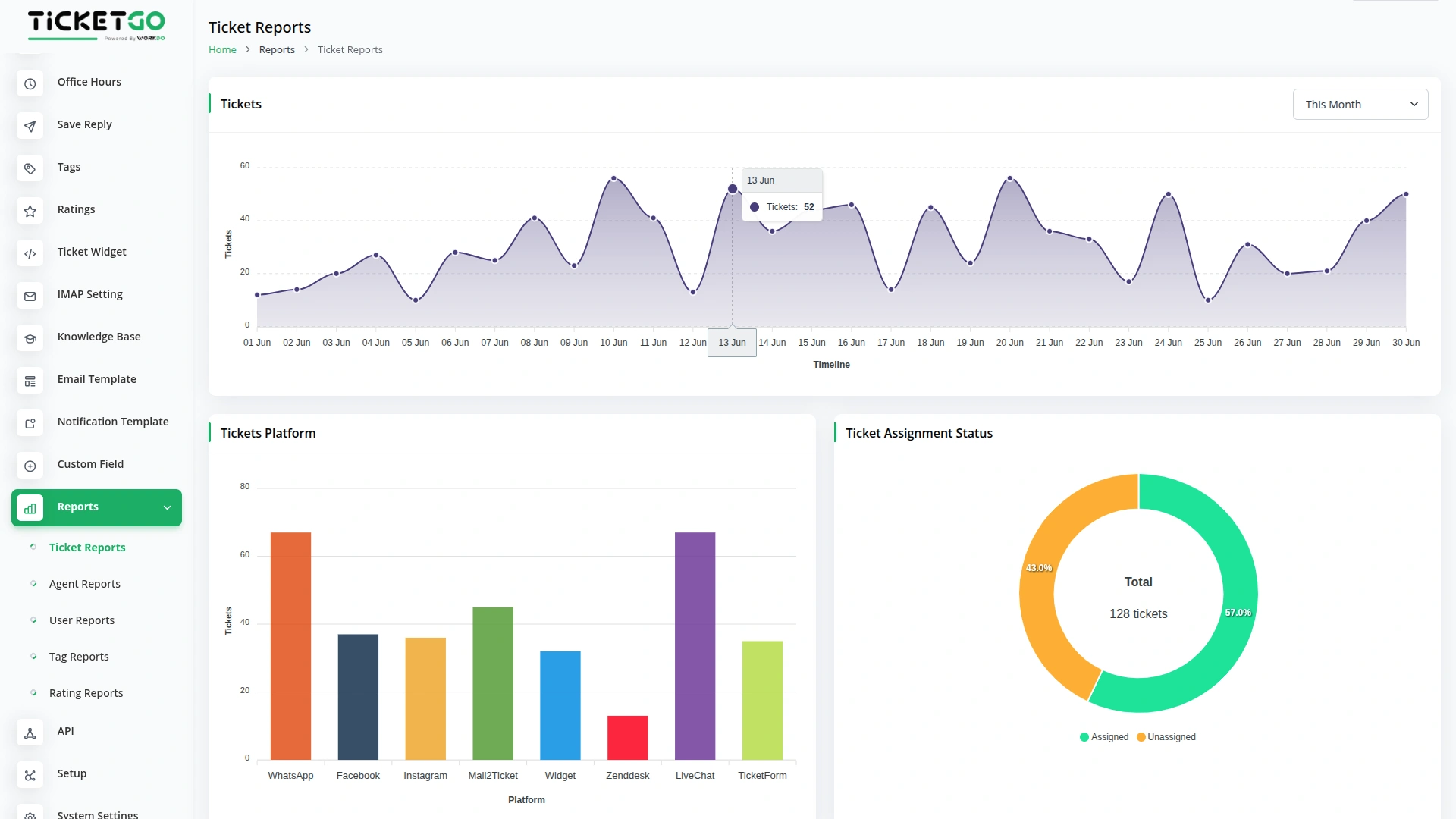
Get complete control of your support tickets with easy-to-use Ticket Reports that help you see everything clearly. Make better decisions about your support team and help customers faster with clear, easy-to-read reports that show you exactly what's happening.
- Filter tickets by 7 days, this month, last month, this year, or custom dates
- Show ticket creation charts and which platforms send the most tickets
- Display assigned vs unassigned ticket counts
Agent Performance Intelligence
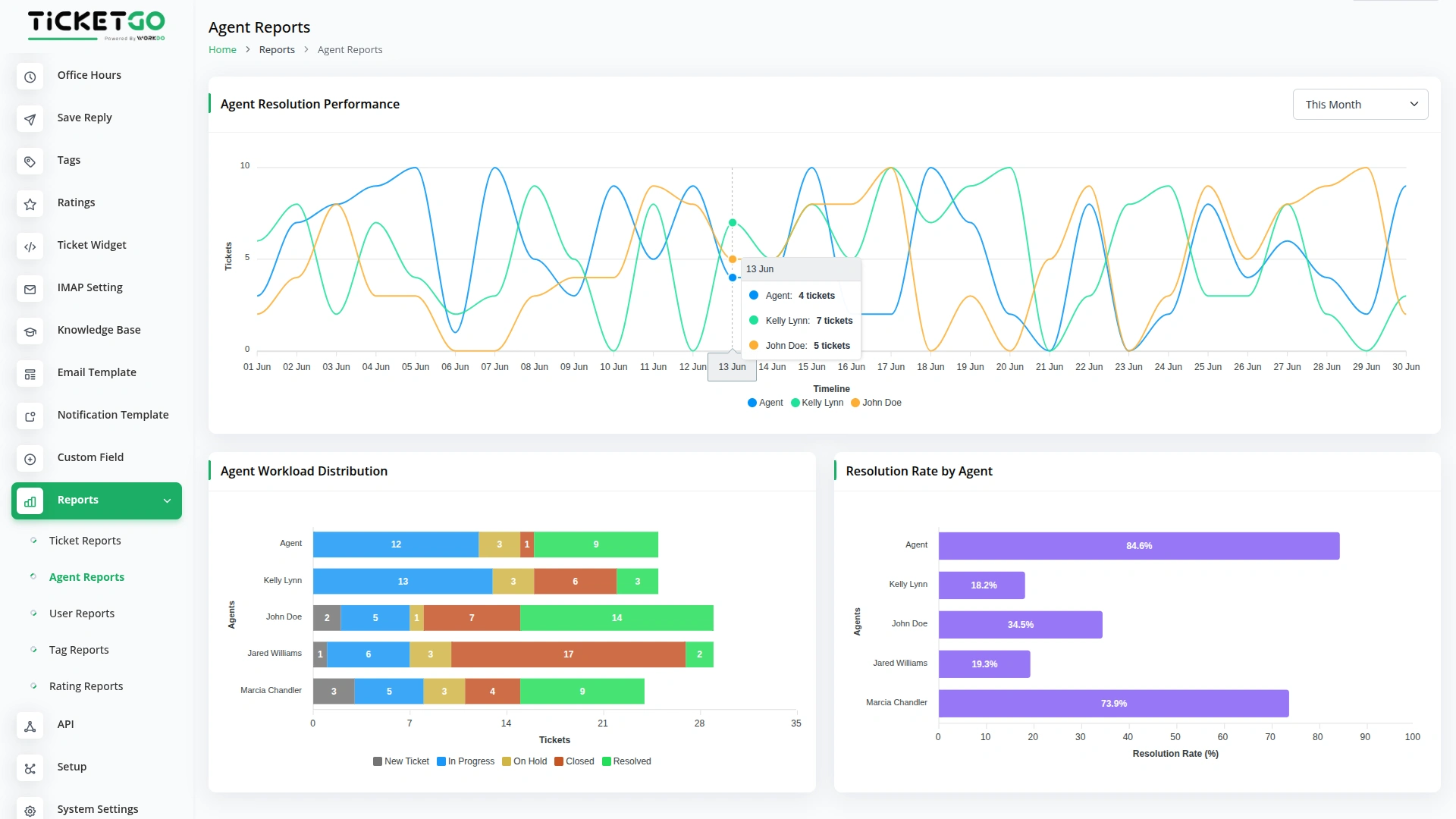
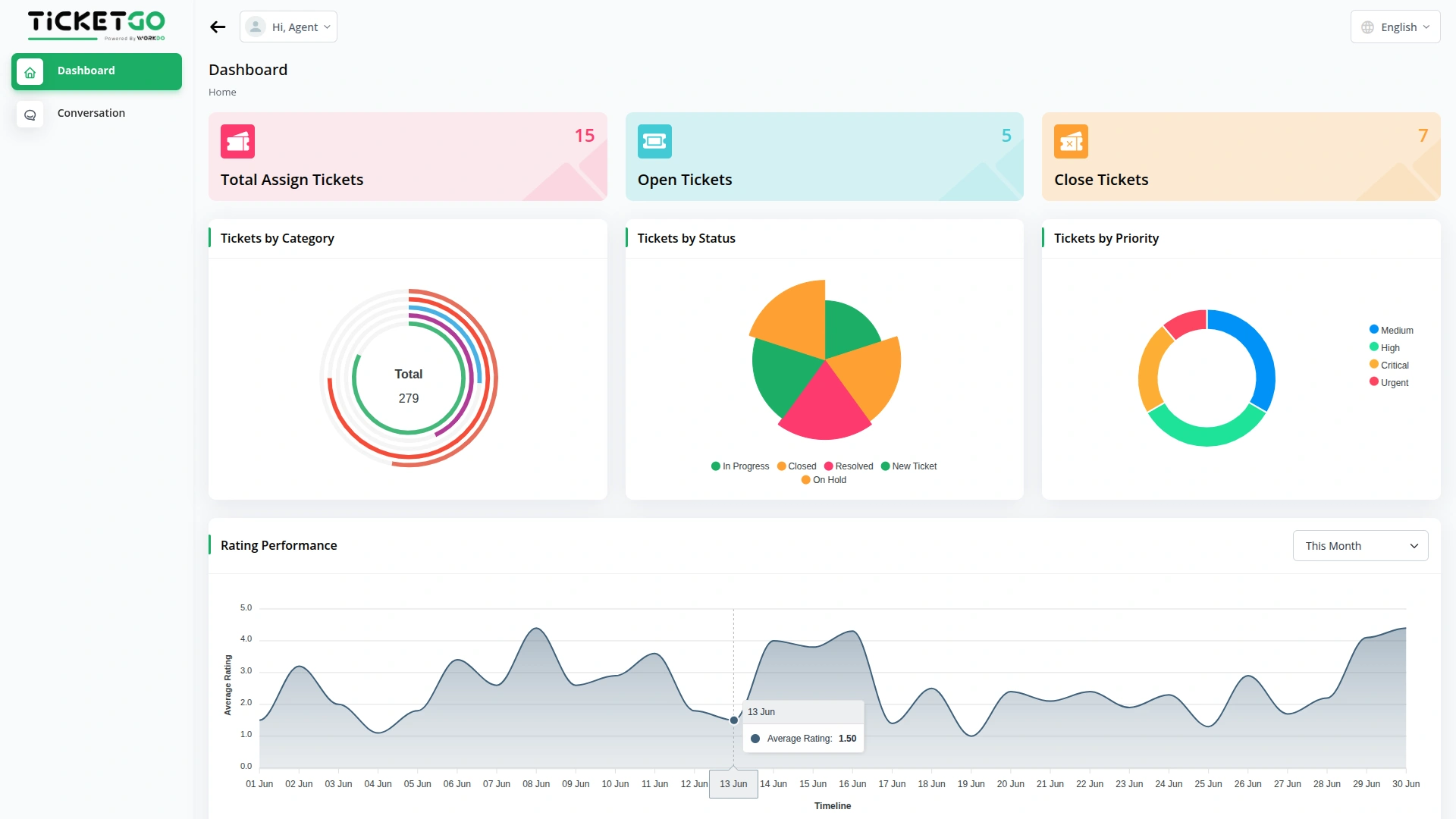
Track how well your support agents are doing with simple Agent Reports that show you everything you need to know. Get exact percentages of how many tickets each agent completes successfully, so you can praise good work and help agents who need support. You can also filter data by 7 days, this month, last month, this year, or custom dates
- Show individual agent ratings from their assigned tickets
- Display how many tickets each agent solves successfully
- Track workload distribution to ensure fair assignments
Customer Behavior Insights
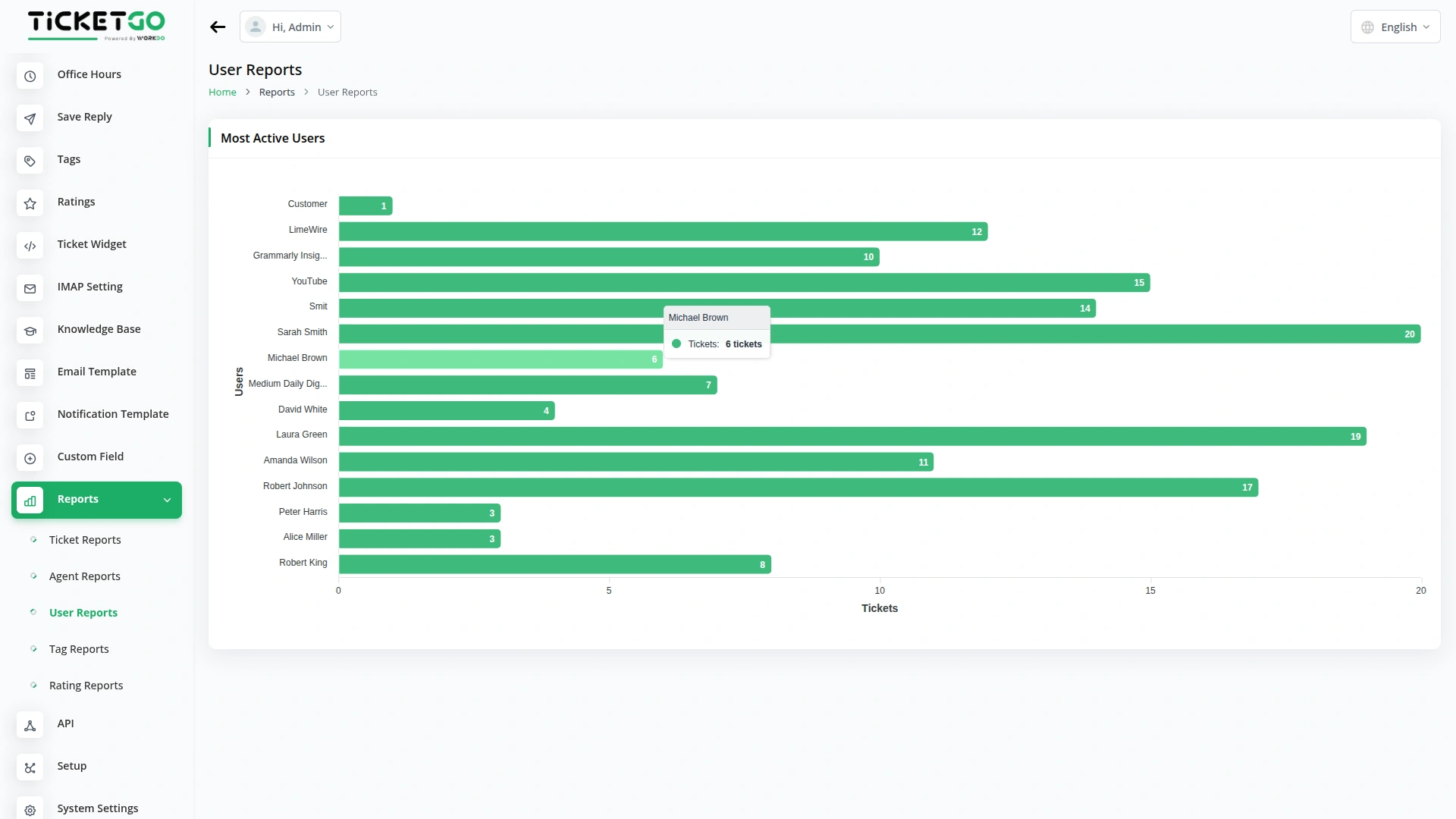
Learn about your customers with User Reports that show you who needs help most often and what they're asking for. Use this information to help your best customers even better, create better self-help options, and improve your support based on real customer behavior.
- Show the most active users by counting their total tickets
- Identify customers who need extra attention and support
- Convert customer data into smart business decisions
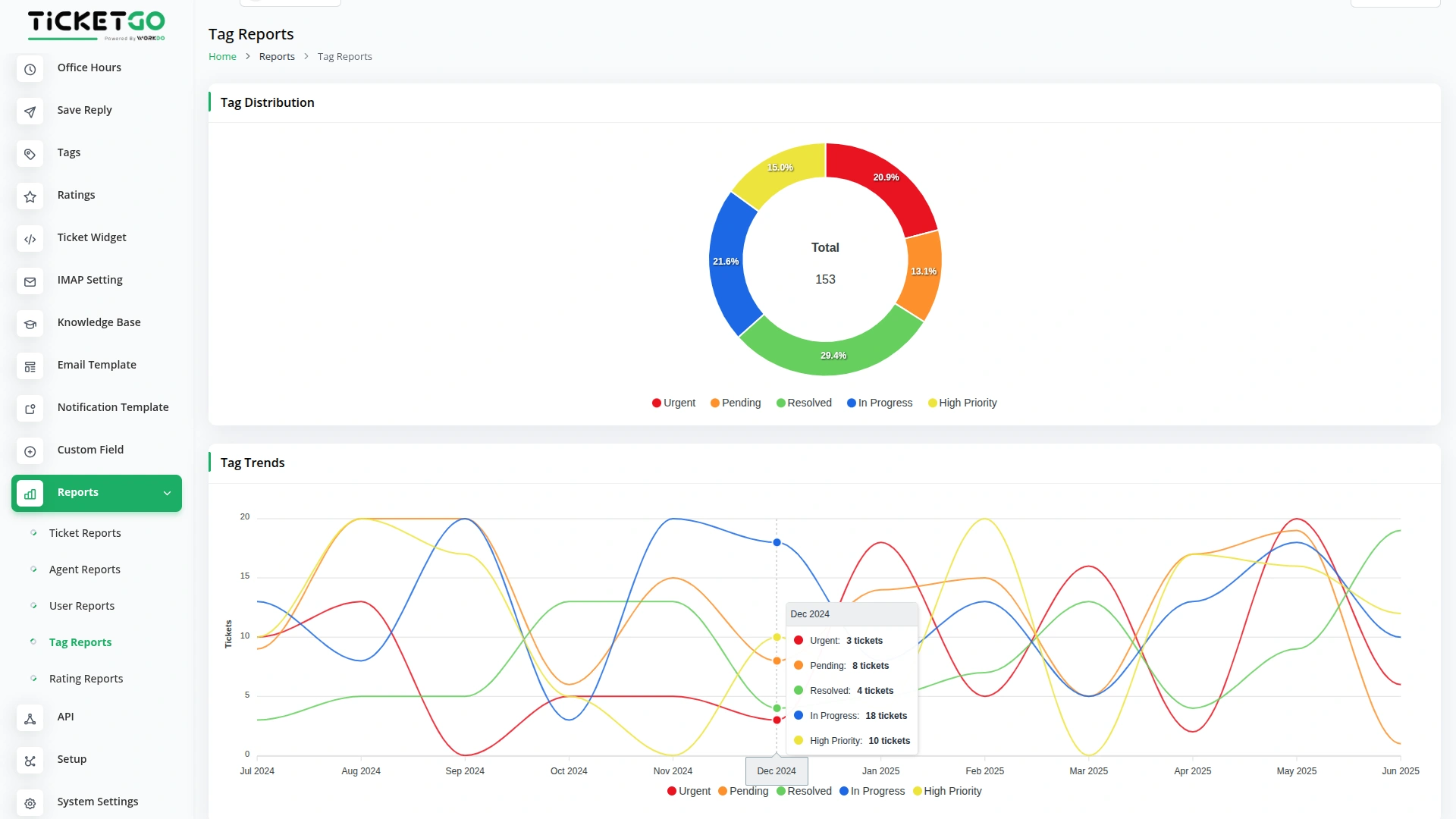
Smart Tag Analytics
Organize your support better with Tag Reports that show you which issues come up most often (available with Tags Add-On). Know which issues are growing or shrinking over time, so you can prepare better solutions and fix problems before they get bigger.
- Tag Distribution - shows the count of how many tickets use each tag
- Tag Trends - displays year wise chart of tag usage patterns
- Track common issues to prepare better solutions and fixes
Rating Intelligence
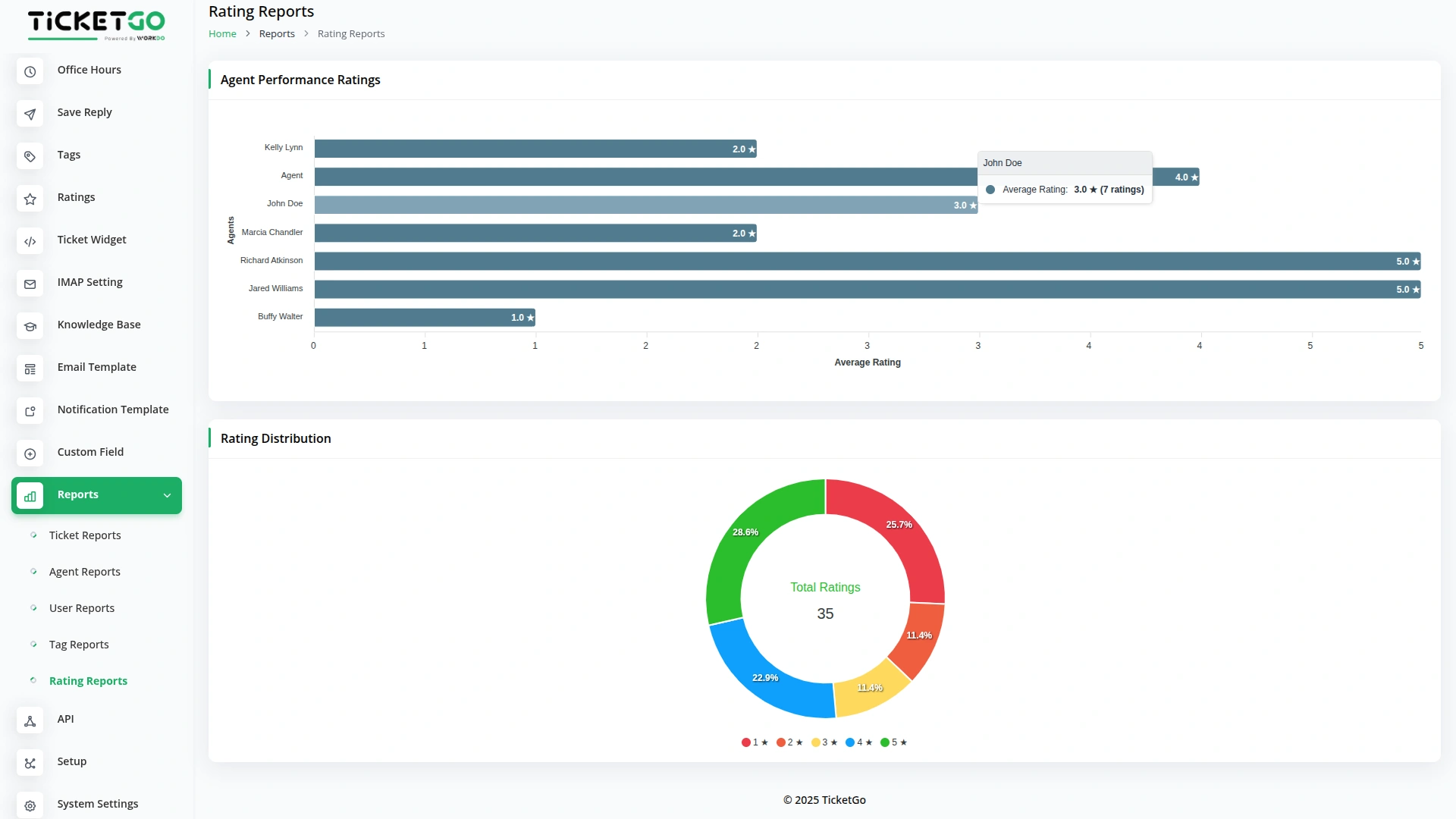
Turn customer ratings into better support with Rating Reports that show you how satisfied your customers really are (available with Ratings Add-On). Use real customer feedback to celebrate success, fix problems, and build the kind of support that keeps customers coming back.
- Show average ratings for each agent based on ticket ratings
- Display the count of tickets for each star rating from 1-5
- Identify which agents make customers happiest overall
Screenshots from our system
To explore the functionality and usage of these Add-Ons, refer to the accompanying screenshots for step-by-step instructions on how to maximize their features.
Discover More Add-Ons
Unlock even more functionality with additional Add-Ons, providing enhanced networking and customization options for your TicketGo Add-Ons experience.

Instagram Chat
Customers often feel uncertain when they don’t receive an immediate response after submitting a query. The Auto Reply module addresses this concern by instantly sending a predefined message, confirming that the support team has received the request.

Send & Close
The Send and Close module in TicketGo allows you to close a ticket automatically when you send a reply. This means that as soon as your response is sent, the ticket status changes to "Closed" without needing any extra steps.

RocketChat
The Rocket.Chat integration in TicketGo provides real-time notifications for key ticketing events, ensuring your team stays informed and responsive. With this integration, TicketGo users can receive immediate updates within RocketChat channels about important ticket activities. This keeps all relevant stakeholders informed without having to leave the chat platform, making it easier to handle customer support and streamline communication.

Out Of Office
The Out of Office module in TicketGo allows agents to update their availability with a simple toggle. If an agent is unavailable, they can disable the Out of Office button, making it clear to both customers and admins that they are not currently active. This helps in ensuring a smooth ticket assignment process.
Simplified setup instructions reduce technical deployment effort
The reporting functions delivered accurate insights that guided our strategic decisions
Features are practical and save hours daily
Nunca falla el sistema