

Pabbly Connect is a versatile automation platform seamlessly integrating 1000+ apps, from Google Sheets to Shopify. With its user-friendly interface, creating automated workflows becomes effortless. Boosting efficiency, Pabbly Connect enables scheduled workflows, advanced paths, and automated data extraction from emails. Imagine the potential for streamlined processes and real-time data synchronization, all achieved with this powerful, no-code automation solution.
Workflow Magic with Pabbly
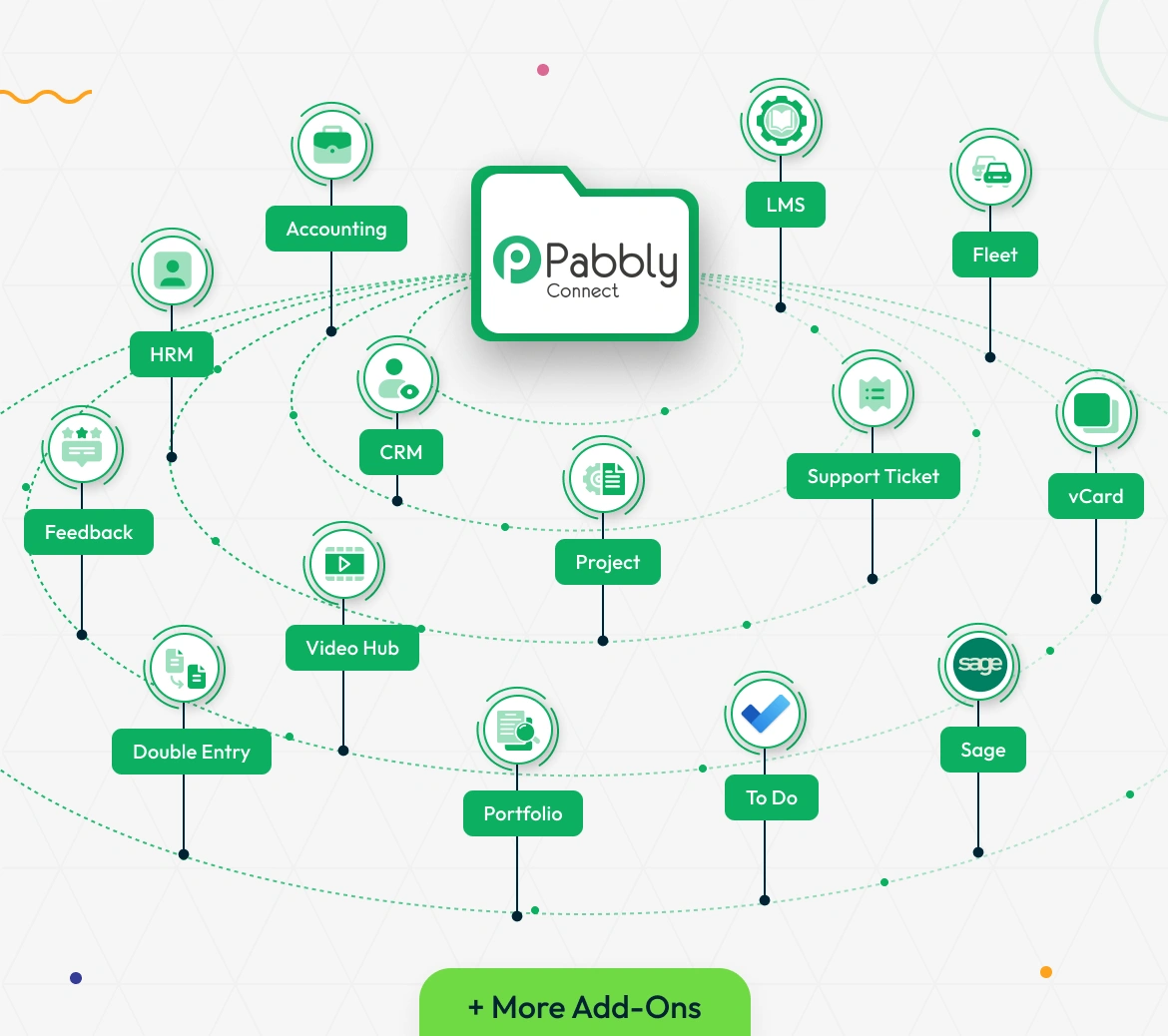
Seamlessly integrate your system with hundreds of apps using the powerful Pabbly Connect Add-On. With just a few clicks, you can automate actions across Add-On like CRM, HRM, Project, Support Ticket, Fleet, vCard, Accounting, LMS, and more. Whether it's creating tasks, sending data, or syncing updates, Pabbly lets your workflows run hands-free—saving time and reducing manual work. Just configure your triggers and actions, and let the automation handle the rest.
Smart Automation Made Simple
Pabbly Connect is a versatile integration platform that enables seamless connections between over 1000 applications. It facilitates the creation of automated workflows with triggers and actions, allowing users to streamline processes without the need for coding. The platform prioritizes real-time data transfer, ensuring swift synchronization between connected apps.
Easy Pabbly Connect
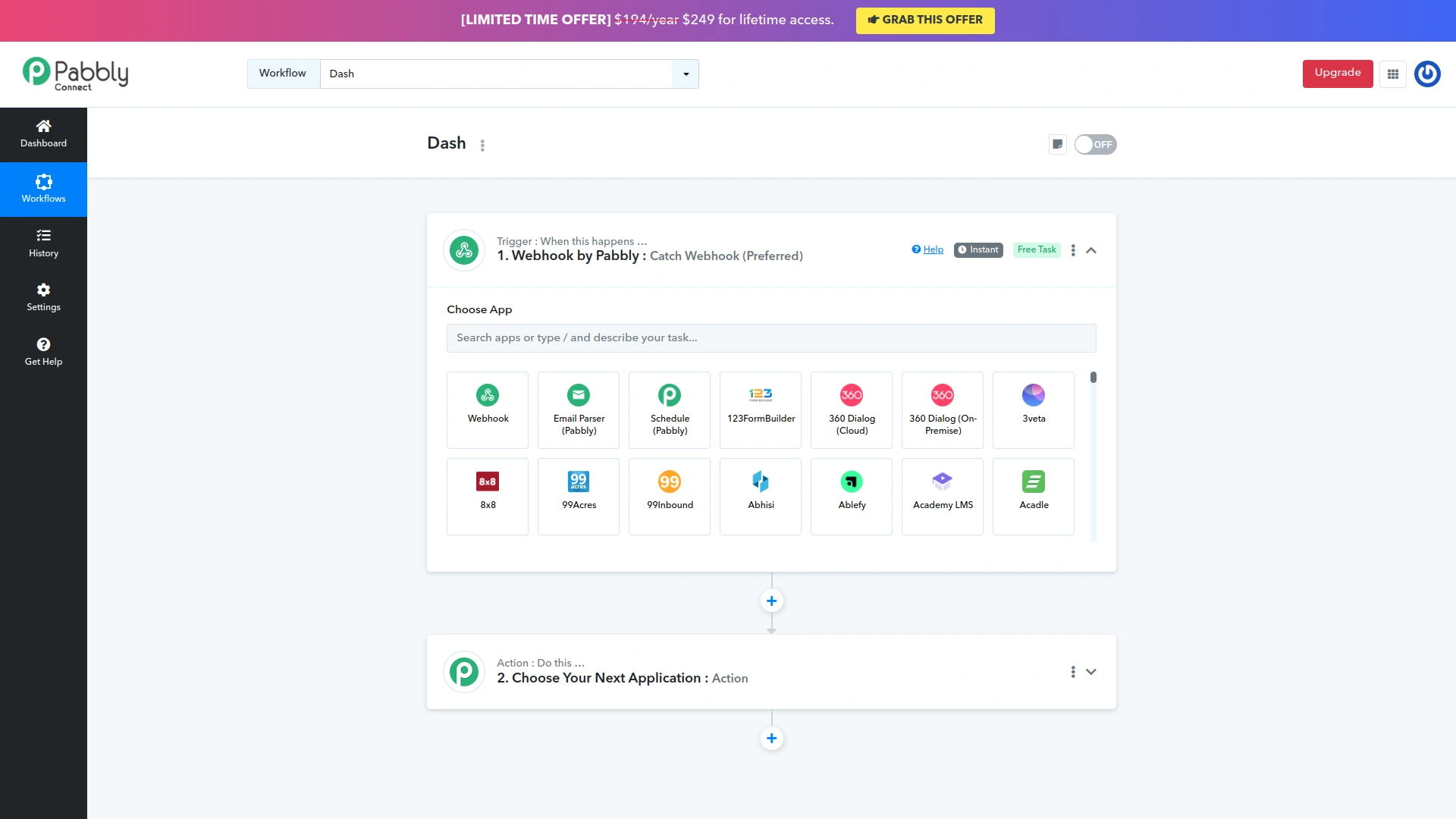
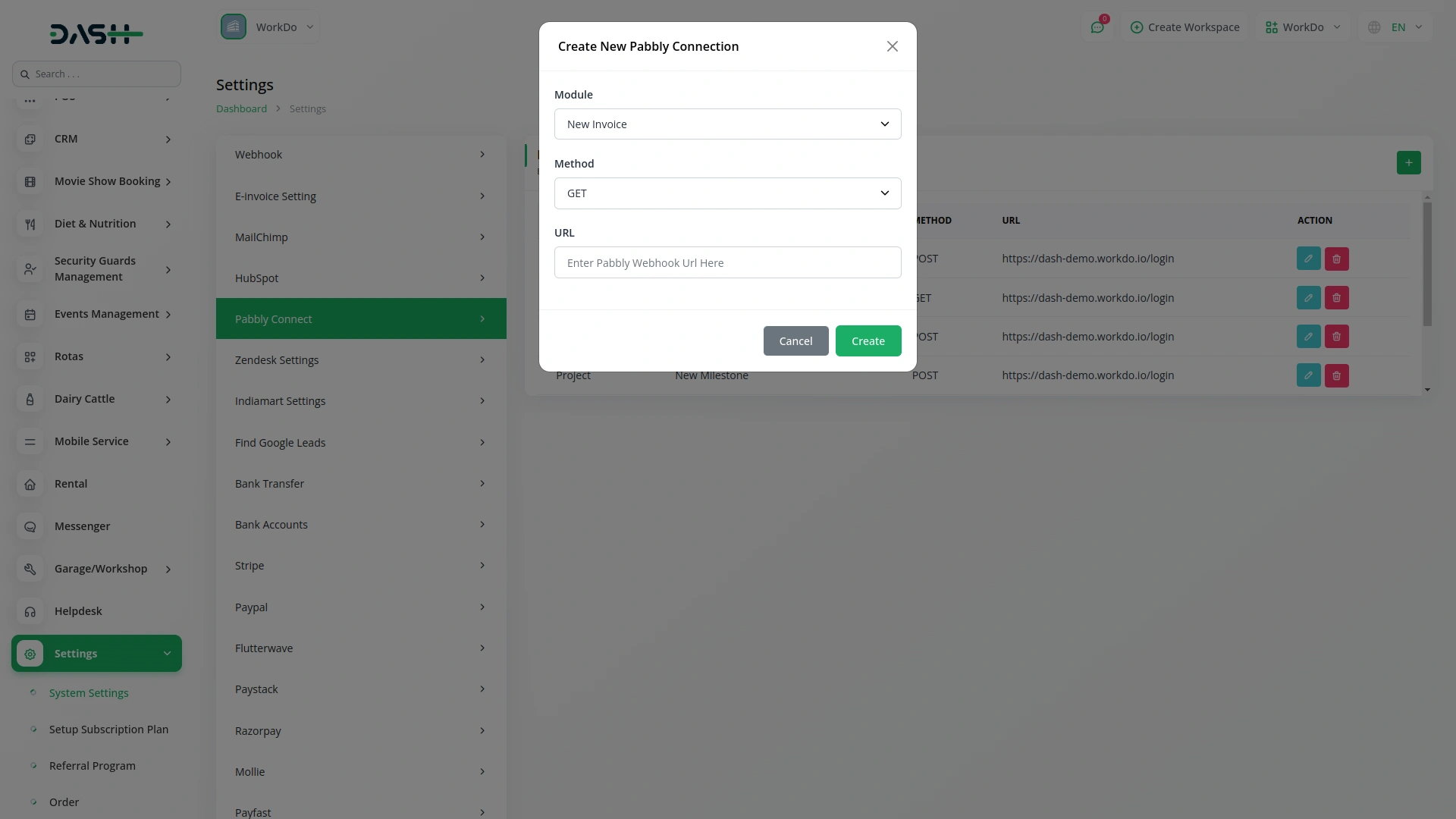
Integrating your system with Pabbly Connect is simple and hassle-free. Just go to Settings > Pabbly Connect and click the Create button. Select the Add-On you want to connect—like CRM, HRM, Projects, or More Add-on—then choose your desired action. Enter your webhook URL and configure triggers to define when the data should be sent. Once set up, Pabbly Connect will handle the automation, instantly pushing data between your apps to keep everything in sync without manual effort.
Screenshots from our system
To explore the functionality and usage of these Add-Ons, refer to the accompanying screenshots for step-by-step instructions on how to maximize their features.
Discover More Add-Ons
Unlock even more functionality with additional Add-Ons, providing enhanced networking and customization options for your Dash SaaS experience.

Commission
A Commission Module typically refers to a software or system component that helps organizations manage and calculate commissions or incentives for their salespeople, partners, or employees. The content of a commission module may vary depending on the specific needs of the organization and the complexity of its commission structure.
View More
HubSpot
HubSpot is an integrated customer platform that empowers scaling businesses to provide exceptional customer experiences. It offers a cohesive solution, combining powerful tools that work seamlessly together. With HubSpot, the focus is on prioritizing customers, ensuring easy customization, and fostering team collaboration through its Smart CRM. Ultimately, HubSpot helps businesses create delightful customer interactions.
View More

Recurring Invoice/Bill
Managing recurring invoices/bills can be a cumbersome task for businesses, often requiring manual intervention and meticulous attention to detail. However, with the introduction of the Recurring Invoice/Bills Integration feature in Dash SaaS.
View More3 reviews for Pabbly Connect – Dash SaaS Add-On
| 5 star | 100% | |
| 4 star | 0% | |
| 3 star | 0% | |
| 2 star | 0% | |
| 1 star | 0% |
Comments
You must be logged in to post a comment.
There are no comment yet.
Contact Us for Support :
-
You will get immediate support from our support desk. Please visit here https://support.workdo.io/
Item support includes:
- Answer pre-sale questions or query
- Answering technical questions about item's features
- Assistance with reported bugs and issues
- Help with included 3rd party assets
- Free Installation services in some cases
However, item support does not include:
- Customization services
Check Documents & Tutorials
Support communicates clearly
No lag or bugs
كنت أواجه مشكلات في التثبيت، ولكن كان فريق الدعم قادرًا على المساعدة في حل هذه المشكلات. شكراً جزيلاً.