
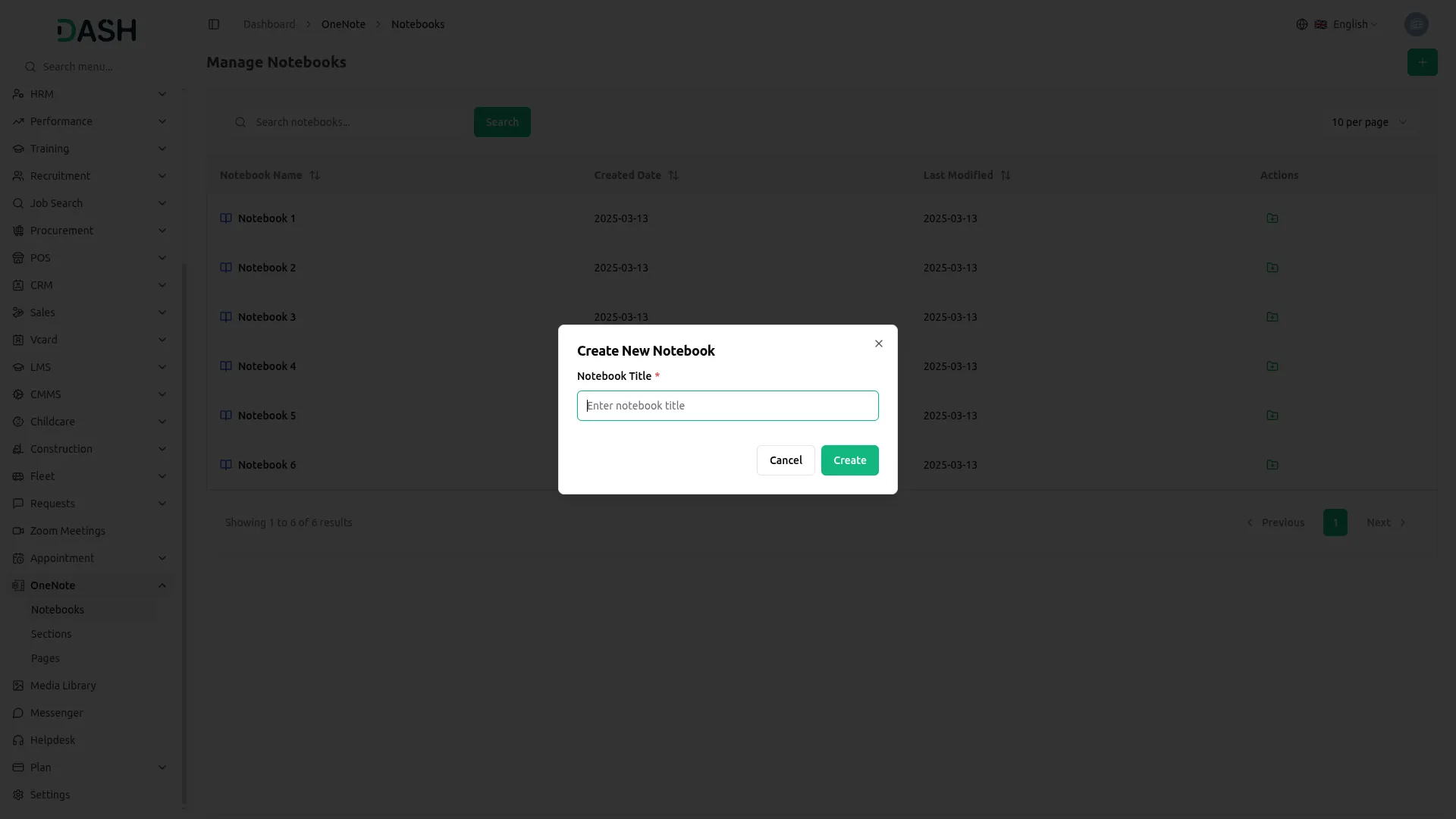
With this Add-On, you can easily create and organize multiple notebooks in OneNote directly from Dash SaaS. Whether managing personal notes or collaborative documents, this feature ensures a structured approach to storing information. Users can categorize content effectively, making it simple to retrieve and update notes as needed.
Seamless Notebook Organization & Synchronization
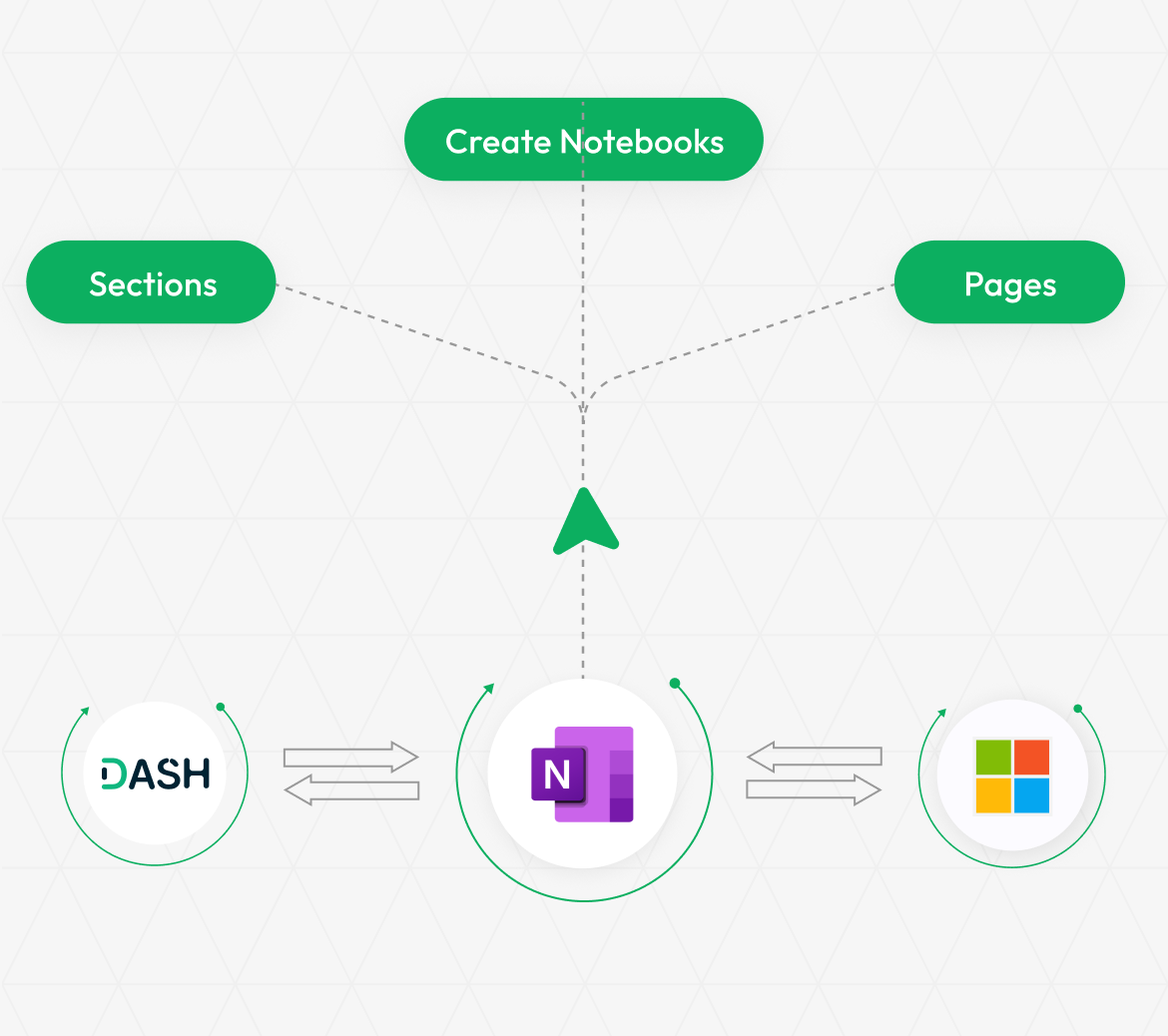
Effortlessly create structured notebooks with sections and pages to keep your notes well-organized. Sync seamlessly with OneNote to ensure your project plans, meeting notes, and important records are always up to date. With smooth integration across platforms, you can stay connected, boost collaboration, and enhance productivity by keeping all your notes synchronized and accessible anytime, anywhere.
Structured Sections and Pages
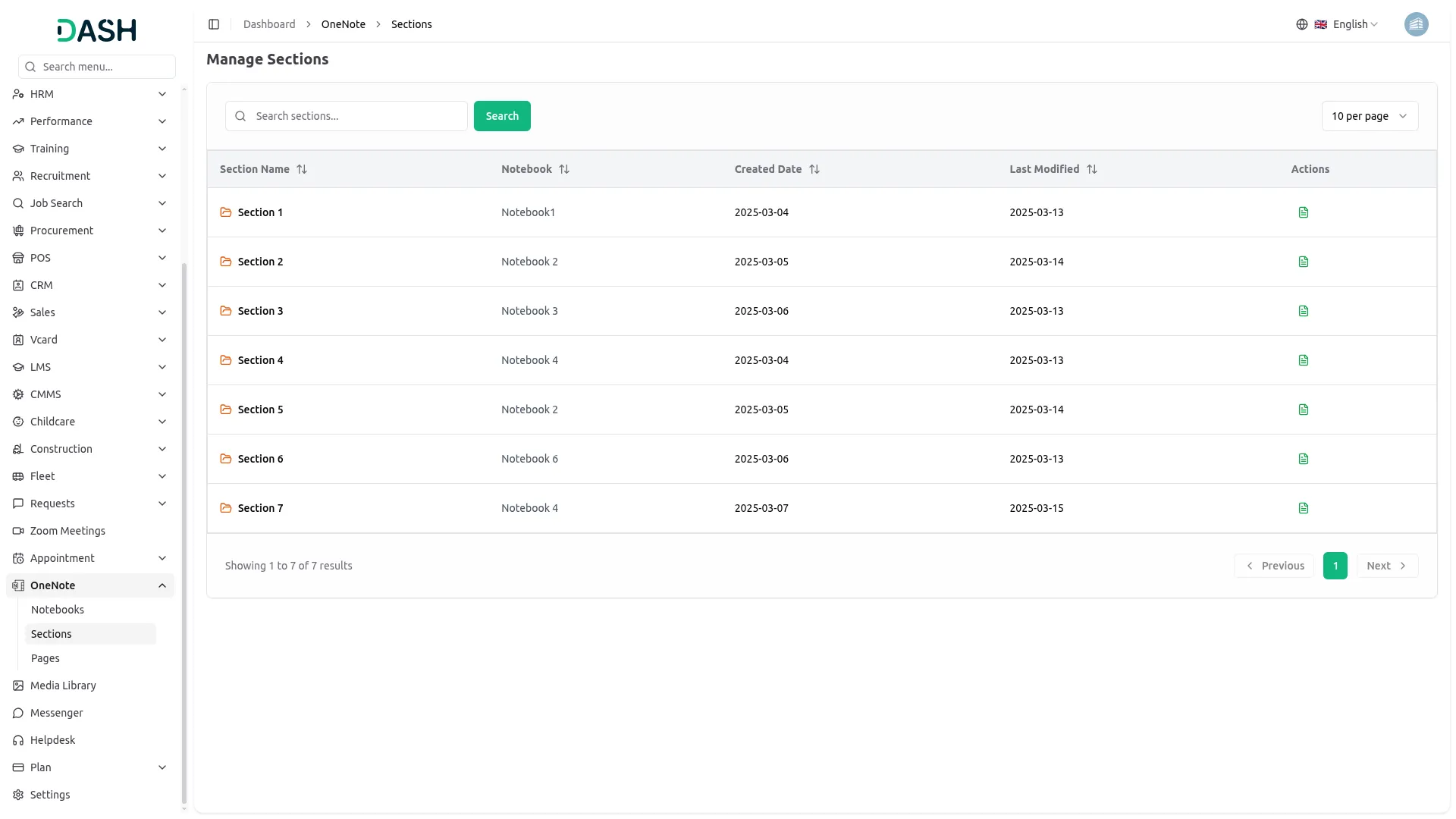
The ability to add sections and pages within notebooks allows for better organization of data. Users can create structured notes for projects, meetings, and important records, ensuring everything is well-documented. With seamless synchronization, any updates made in Dash SaaS are reflected instantly in OneNote, keeping all information up to date.
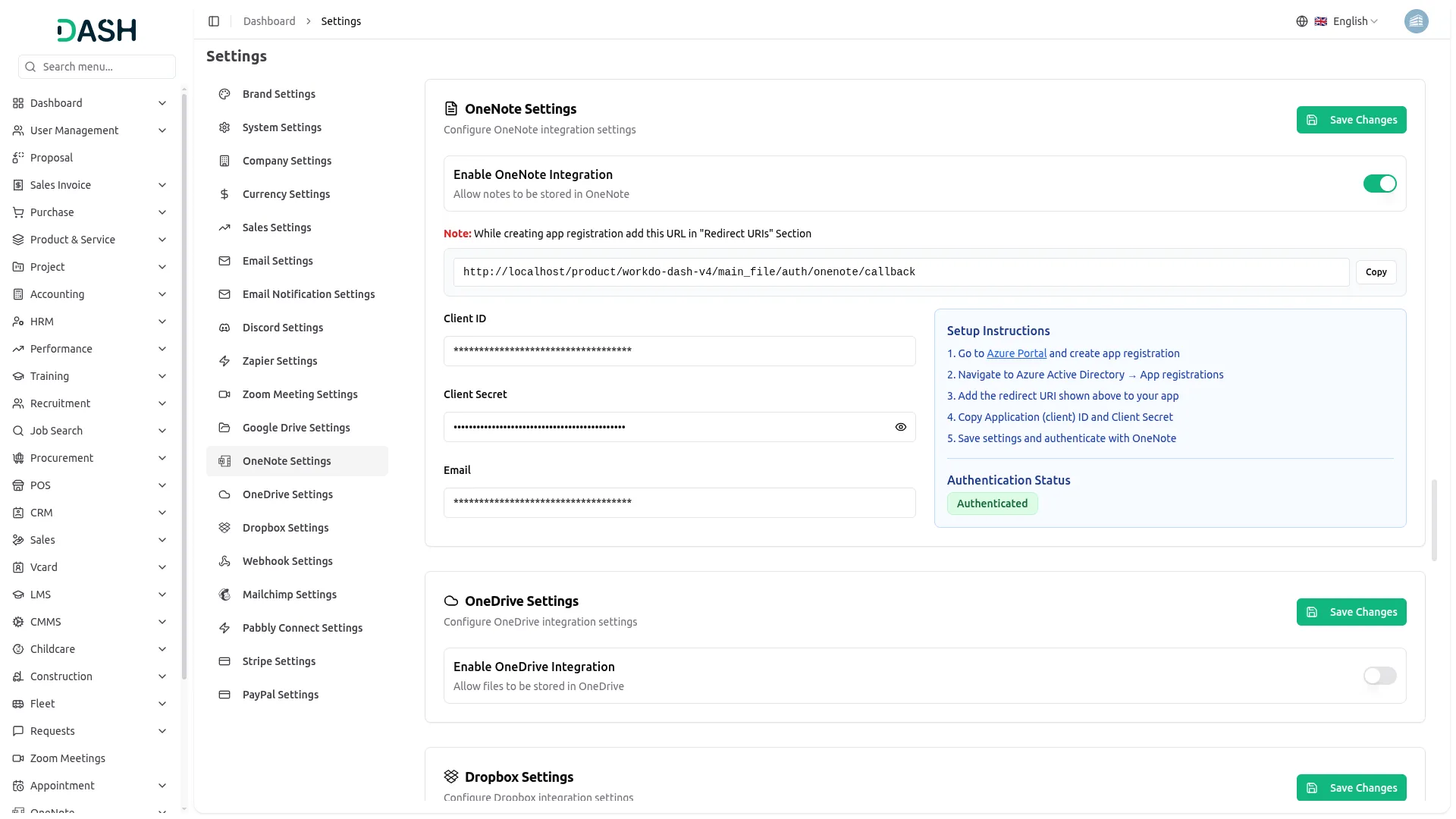
Secure Authentication and Access
To integrate OneNote with Dash SaaS, users need to enter their Client ID, Client Secret, and Email. This secure authentication process ensures that only authorized users can access and manage notes. By maintaining strict access control, businesses can safeguard sensitive data while leveraging the power of cloud-based note-taking.
Enhanced Productivity and Collaboration
The OneNote Add-On enhances productivity by allowing teams to collaborate efficiently. Users can share notebooks, assign sections to different team members, and track changes in real time. Whether for brainstorming ideas, maintaining project logs, or managing daily tasks, this integration ensures that all notes are well-organized and easily accessible.
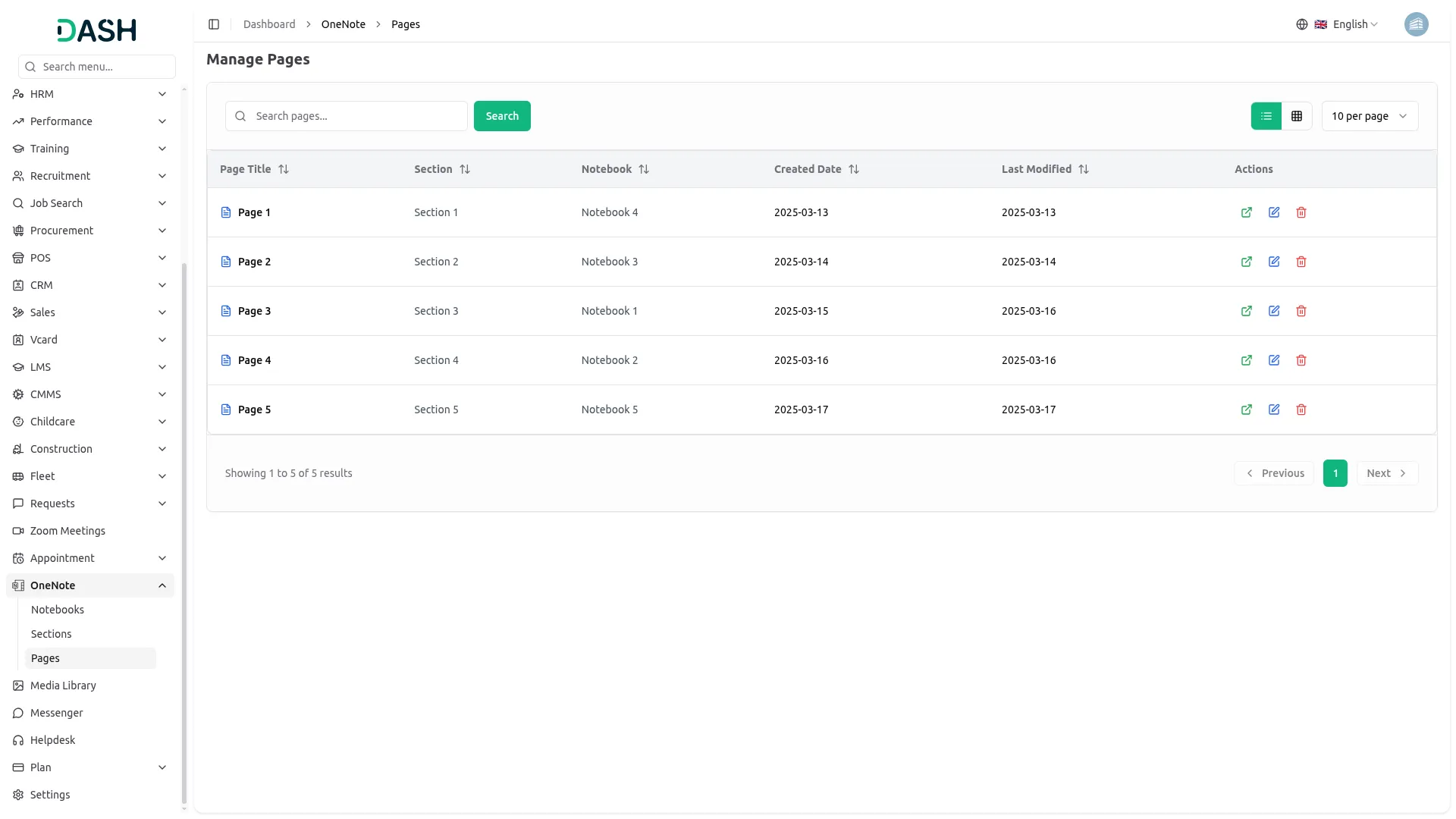
Screenshots from our system
To explore the functionality and usage of these Add-Ons, refer to the accompanying screenshots for step-by-step instructions on how to maximize their features.
Discover More Add-Ons
Unlock even more functionality with additional Add-Ons, providing enhanced networking and customization options for your Dash SaaS experience.

NMI
Integrating the Network Merchant payment gateway into Dash SaaS provides a streamlined, secure, and efficient transaction processing solution. This powerful integration ensures that businesses can handle payments smoothly, reducing the complexities associated with financial transactions.


OneDrive
Discover the freedom of accessing your OneDrive files directly from Workdo-dash. No more switching between applications or dealing with cumbersome downloads. With this integration, your OneDrive documents, files, and folders are at your fingertips, effortlessly accessible within the Workdo-dash interface. Edit and view a wide range of file types – from Word documents to Excel spreadsheets, text files, and images – using the Viewer/Editor, all without the need to save files locally.

Great experience from start to finish