
The Google Meet Integration system is a comprehensive video conferencing management platform that connects your business operations with Google Meet's video conferencing services through secure OAuth2 authentication and Google Calendar API integration. The system enables meeting scheduling with multi-user invitations, automatic calendar synchronization across Google Calendar and Outlook Calendar, and automatic URL generation for hosts and participants, providing complete video conferencing workflow management.
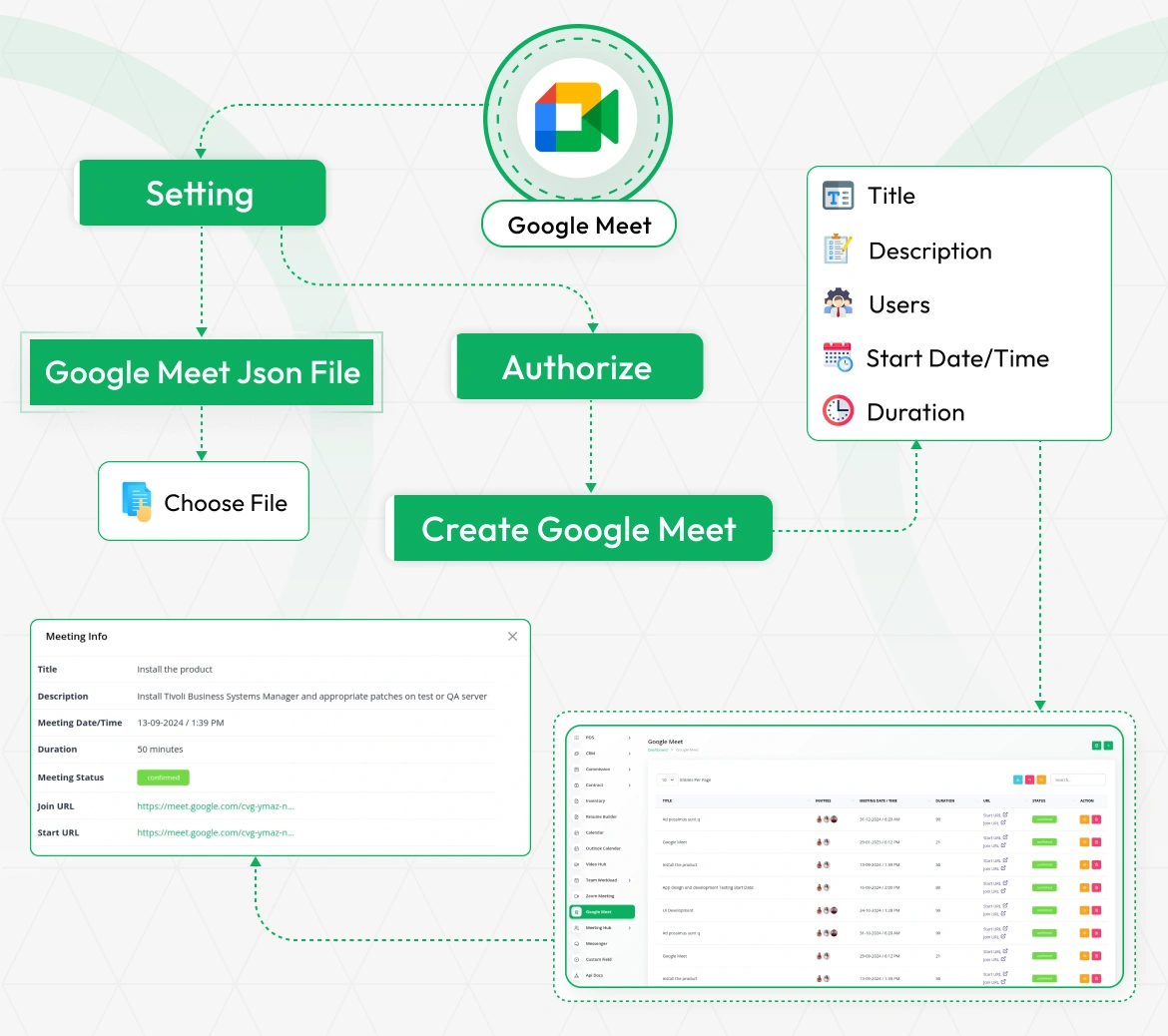
Seamless Google Meet Integration Workflow
Begin by configuring your Google OAuth2 credentials (Client ID and Client Secret) through System Settings. After authentication with Google, you can instantly create meetings by specifying essential details such as title, description, host, participants, date/time, and duration. Once scheduled, meeting information including Join URLs is automatically generated and displayed. This structured flow ensures a smooth and efficient way to handle virtual meetings directly from your system with complete participant management.
Google Meet Configuration
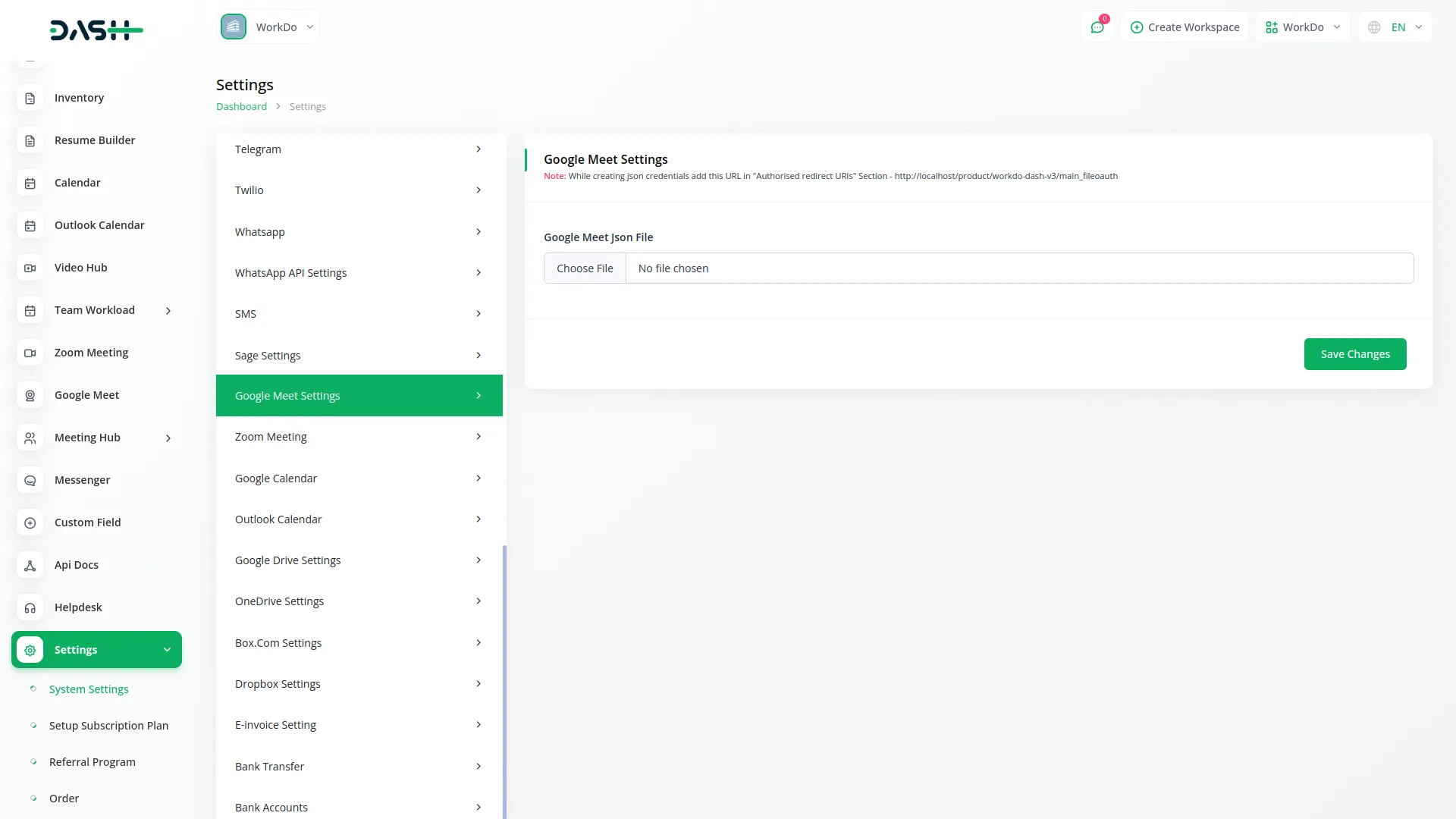
Seamlessly integrate your system with Google Meet through secure OAuth2 credential management. Configure your Google OAuth2 credentials (Client ID, Client Secret, and Calendar ID) through System Settings to establish secure connections and enable automated meeting creation.
- Secure Google Meet OAuth2 credentials management
- Automated authentication and API communication handling
- Clear setup notifications and guidance systems
- Reliable integration with Google's video conferencing services
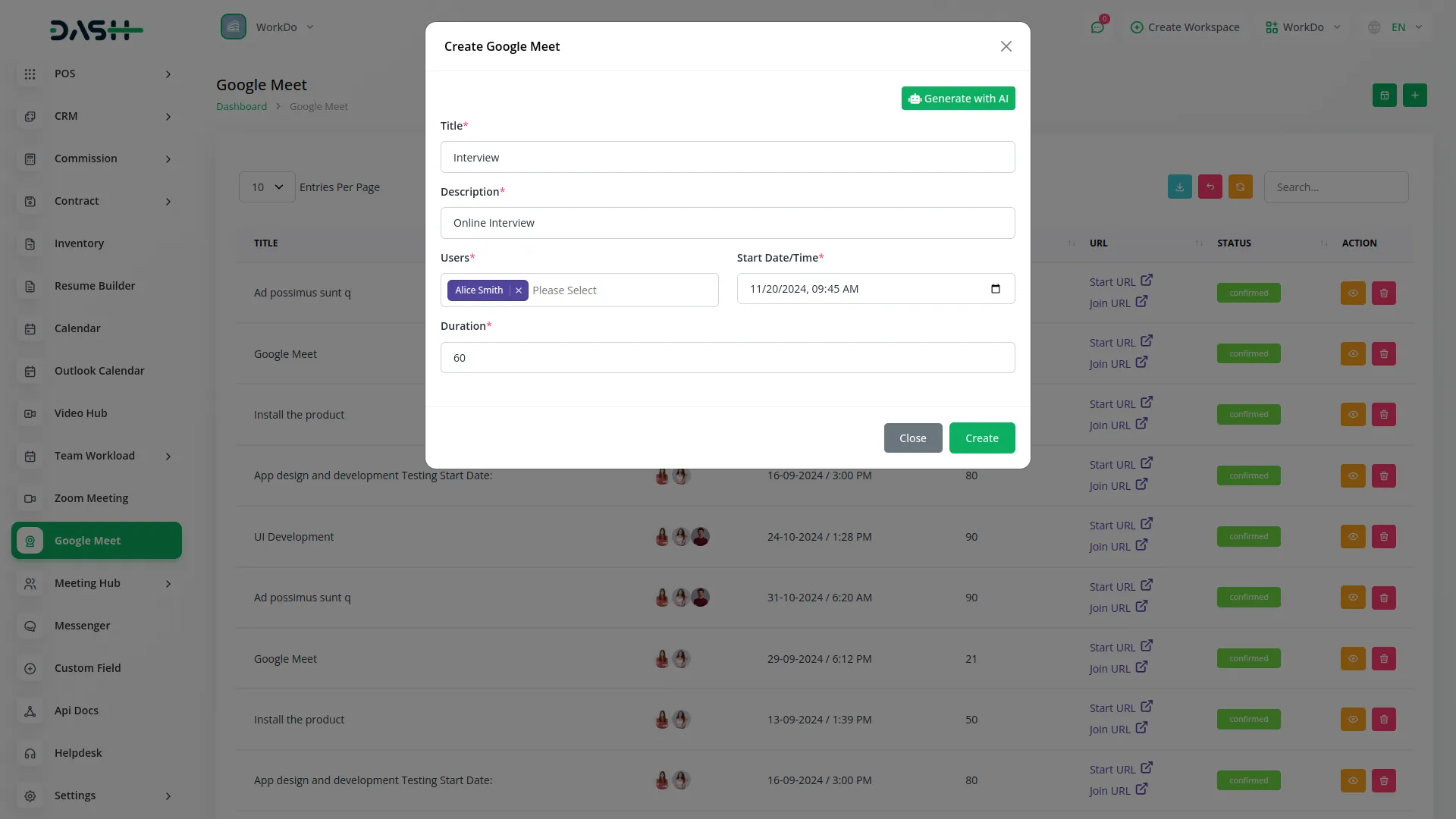
Meeting Creation & Management
Create and manage video conferences with customizable titles, detailed descriptions, multi-user invitations, precise start date/time selection, and flexible duration settings. The system automatically generates both start URLs for hosts and join URLs for participants, streamlining meeting access and participation.
- Comprehensive meeting creation with titles, descriptions, and timing
- Multi-user invitation system with automatic access provisioning
- Automatic URL generation for hosts and participants
- Seamless participant experience with integrated meeting access
Calendar Integration & Administrative Tools
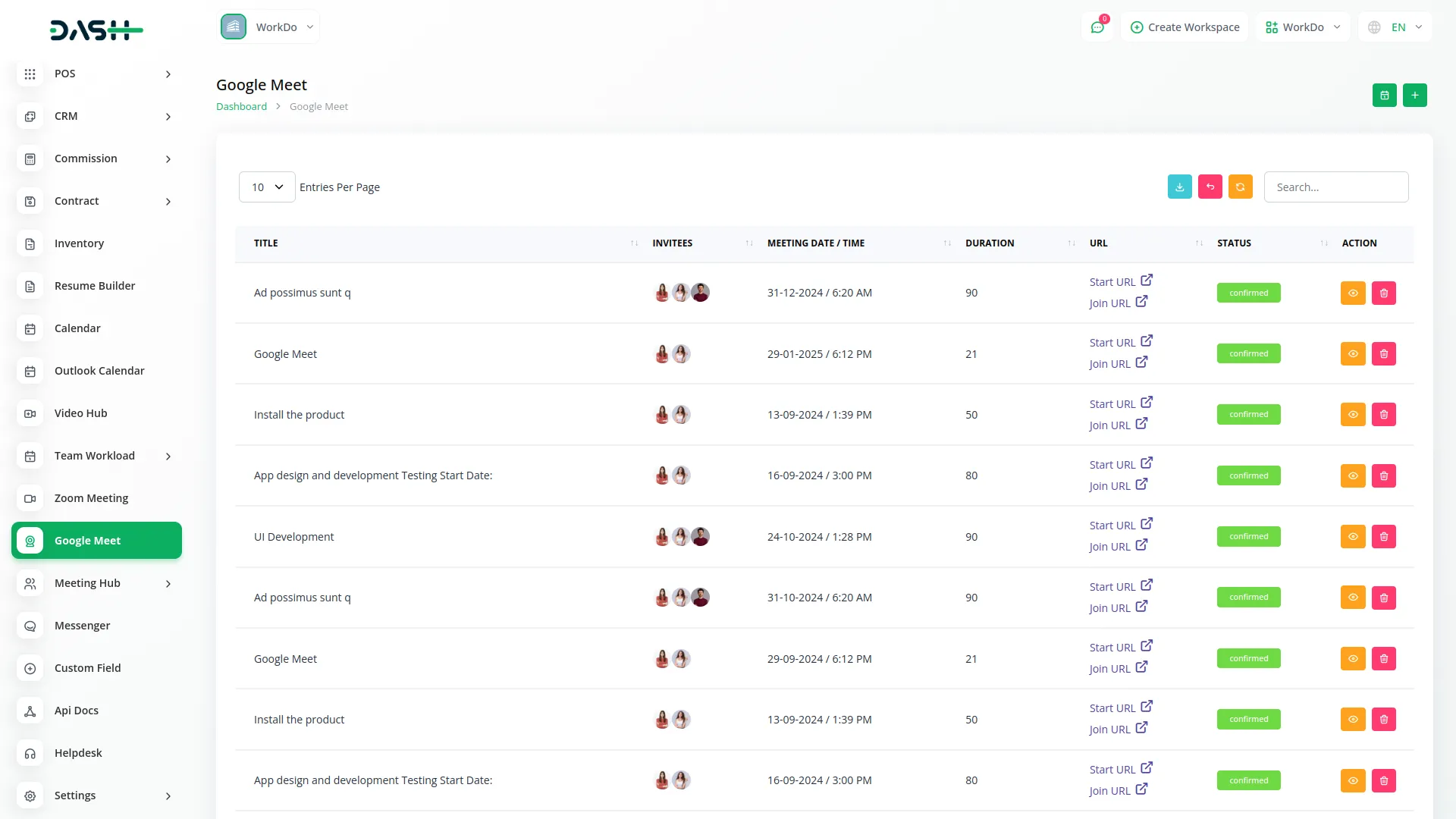
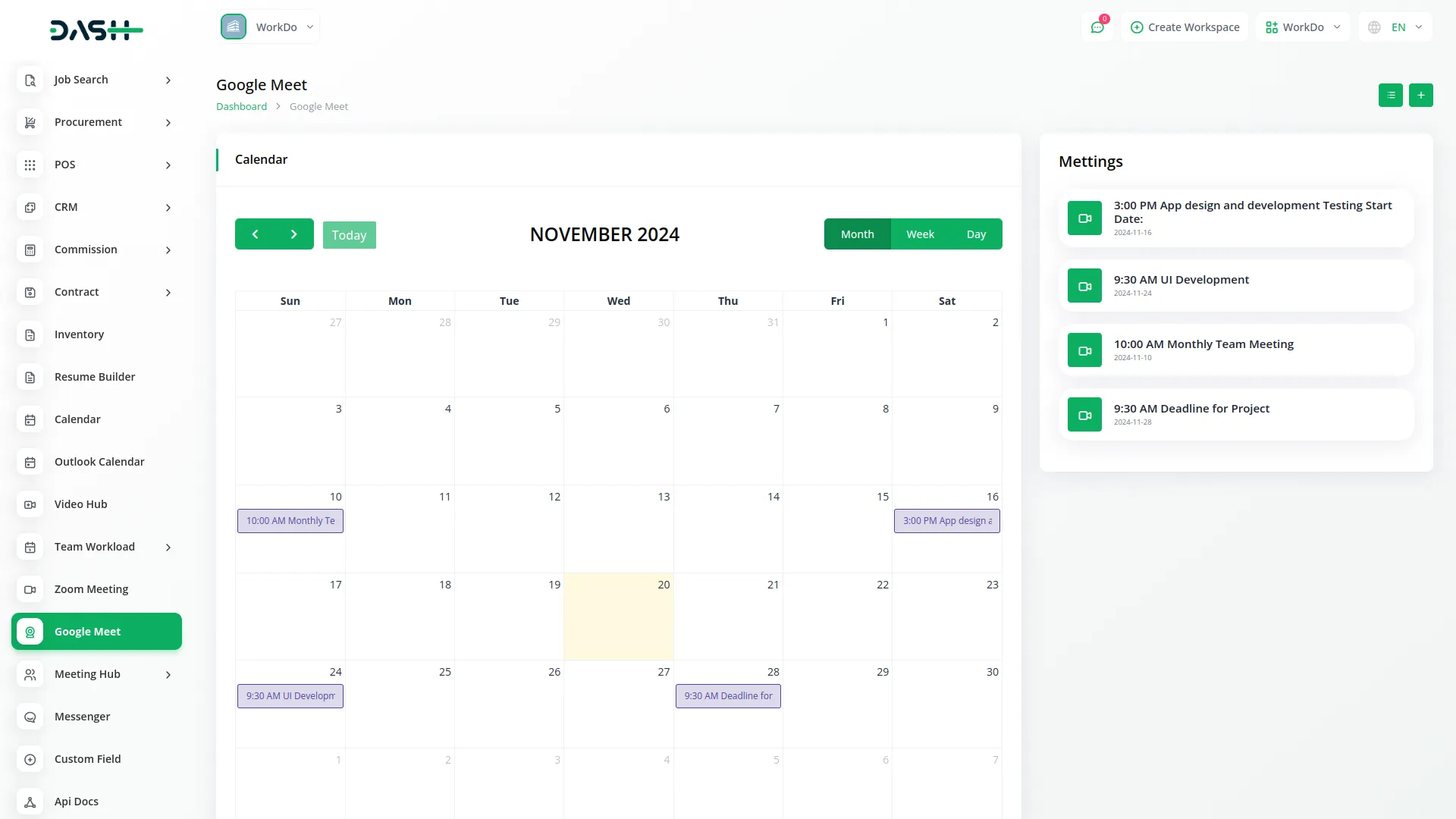
Visualize and manage meeting schedules through intuitive interfaces with automatic synchronization across multiple calendar systems. The meetings list page displays all scheduled meetings with comprehensive information, including Title, Start Time, Duration, Host Name, Participants, Status, and available Actions.
- Advanced calendar visualization with multiple view options
- Comprehensive meeting information and status tracking
- Powerful administrative tools with search and filter capabilities
- User-friendly management interfaces with real-time updates
Screenshots from our system
To explore the functionality and usage of these Add-Ons, refer to the accompanying screenshots for step-by-step instructions on how to maximize their features.
Discover More Add-Ons
Unlock even more functionality with additional Add-Ons, providing enhanced networking and customization options for your Dash SaaS experience.


Property Management
Transform your property management process with our all-in-one platform designed for efficiency and growth.
View More8 reviews for Google Meet – Dash SaaS Add-On
| 5 star | 100% | |
| 4 star | 0% | |
| 3 star | 0% | |
| 2 star | 0% | |
| 1 star | 0% |
Comments
You must be logged in to post a comment.
There are no comment yet.
Contact Us for Support :
-
You will get immediate support from our support desk. Please visit here https://support.workdo.io/
Item support includes:
- Answer pre-sale questions or query
- Answering technical questions about item's features
- Assistance with reported bugs and issues
- Help with included 3rd party assets
- Free Installation services in some cases
However, item support does not include:
- Customization services
Check Documents & Tutorials
Works smoothly with minimal technical issues
Highly recommended for daily use
The system’s scalability makes it adaptable to growing needs
Feature set is comprehensive and practical
Design quality is modern and visually appealing
the Team deserve 5 Star for following reason; 1- Customer Support2- Feature Availability3- Design Quality 4- Documentation Quality