
Email to Ticket Automation
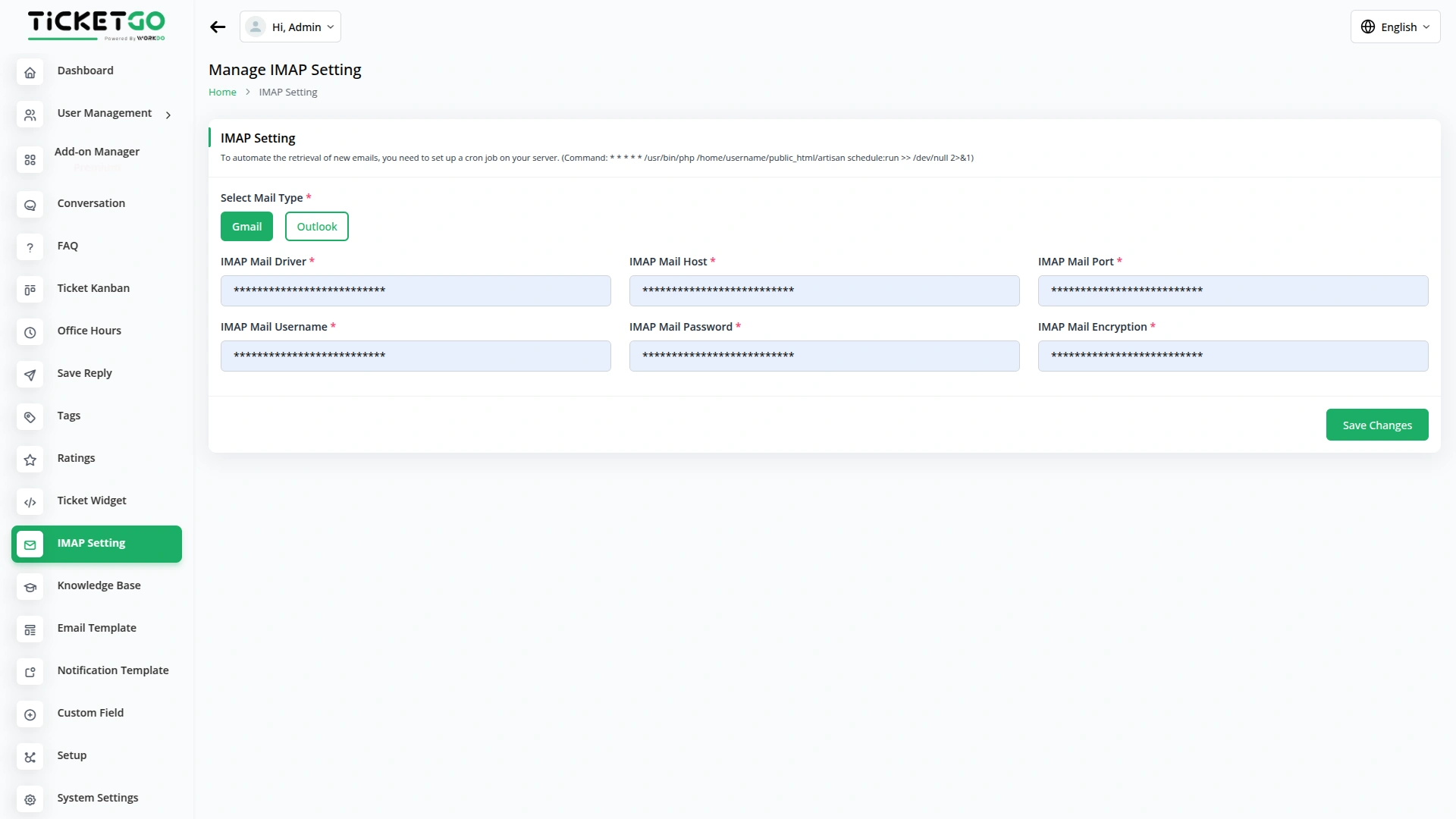
The Mail2Ticket Add-On transforms incoming emails into support tickets automatically within your TicketGo system. By configuring your IMAP settings including mail server, port, username, password, and encryption type, you establish a seamless connection between your email inbox and ticket system. This integration eliminates the need for manual ticket creation, ensuring all customer inquiries received via email are properly tracked and managed in your support workflow. Once properly set up, the system continuously monitors your designated support email address and converts new messages into actionable tickets for your team.
- Gmail
- Outlook
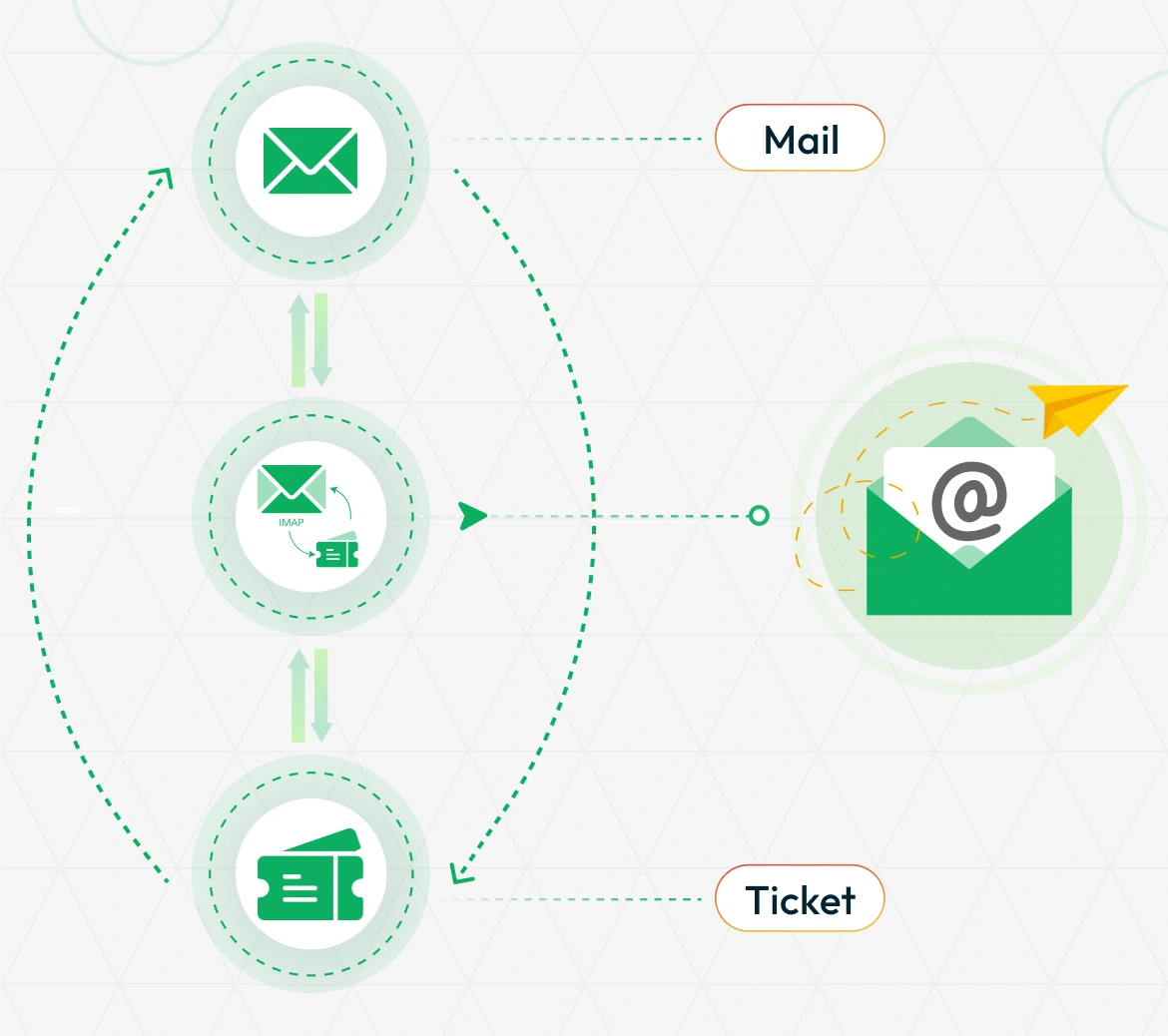
Support for Multiple Email Providers
Mail2Ticket works with both Gmail and Outlook, making it compatible with the most popular email services. For Gmail users, simply enter your IMAP credentials and start converting emails to tickets immediately. Outlook users can connect using either standard IMAP settings or OAuth integration for enhanced security. The Add-On supports various authentication methods including app passwords for accounts with two-factor authentication enabled. Whether your team uses corporate email addresses or personal accounts, Mail2Ticket adapts to your existing email Gmail, and Outlook infrastructure without requiring system changes.
Emails Become Tickets Instantly
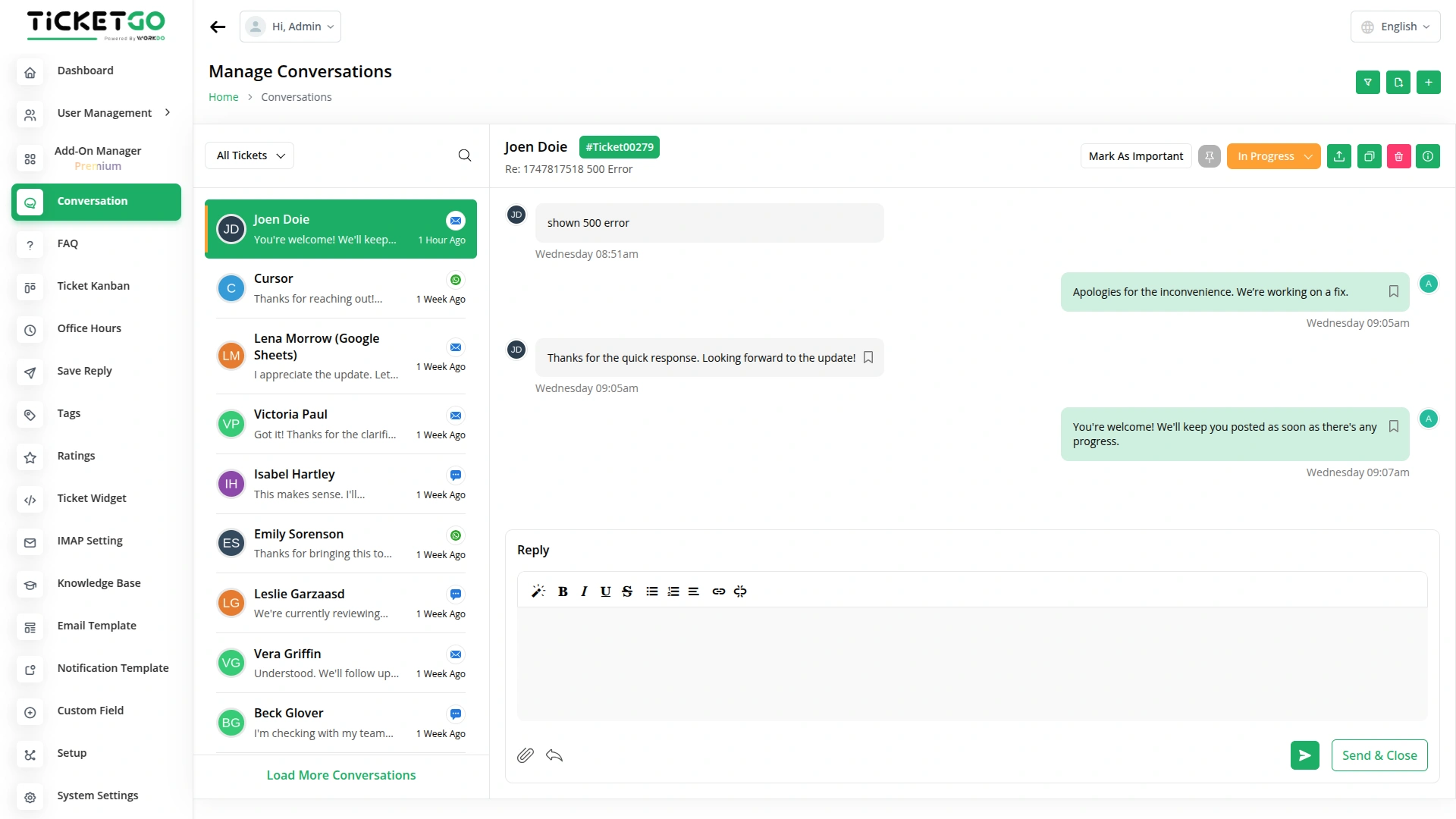
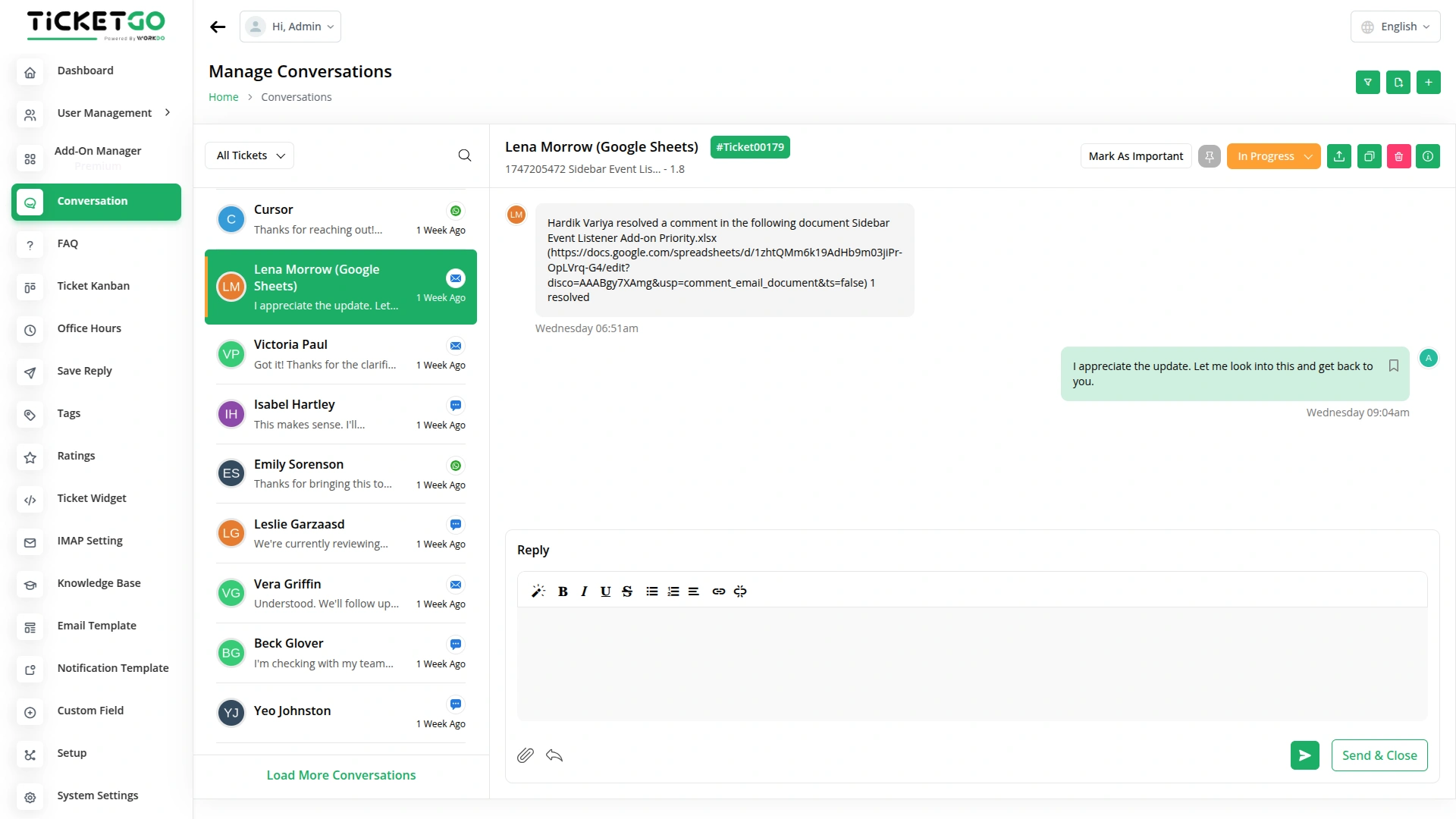
With Mail2Ticket, managing customer emails becomes much easier. As soon as a customer sends an email to your support address, the system automatically turns it into a support ticket. These tickets are then added directly to the conversation page, where the assigned users can easily reply to that ticket. It also helps you avoid problems like missing important emails or accidentally replying to the same message twice. Every customer message is tracked properly, so nothing slips through the cracks, and every inquiry gets a timely and professional response.
Screenshots from our system
To explore the functionality and usage of these Add-Ons, refer to the accompanying screenshots for step-by-step instructions on how to maximize their features.
Discover More Add-Ons
Unlock even more functionality with additional Add-Ons, providing enhanced networking and customization options for your TicketGo Add-Ons experience.

Ticket Widget
The Ticket Widget Add-On provides a direct and accessible way for your website visitors to raise support tickets without navigating away from the current page.

Sinch SMS
The Sinch SMS Module in TicketGo ensures that you stay updated with real-time notifications for important events. Whether it’s a new user registration, a customer inquiry, or a ticket resolution, this module keeps you informed through instant SMS alerts. By integrating Sinch with TicketGo, businesses can manage their communication efficiently, ensuring that no critical update goes unnoticed.

Twilio
The Twilio integration in TicketGo revolutionizes how you communicate with your customers, making it easier than ever to stay connected through SMS. By automating ticket updates, notifications, and alerts, Twilio ensures that your team and customers are always on the same page, without the need for constant manual updates. From the moment a ticket is created to when it's resolved, Twilio keeps your communication streamlined and efficient, saving your team valuable time while enhancing the customer experience.

Export Conversations
TicketGo’s Export Conversations feature ensures that all customer interactions are saved for future use. Whether for compliance, internal reviews, or training, having a record of past conversations helps businesses improve their customer service. Teams can revisit previous chats to understand customer concerns and refine their support strategies.
Advanced configuration settings provide greater workflow control
The performance remains consistent even when multiple users are working simultaneously
The solution provides a balanced combination of simplicity and advanced capability
The addons provided smooth interaction between various business units
The tools enhanced the overall clarity of our processes and made decision-making faster
Design feels elegant
Design looks great
Highly customizable modules