
Save Time with Ready-Made Replies
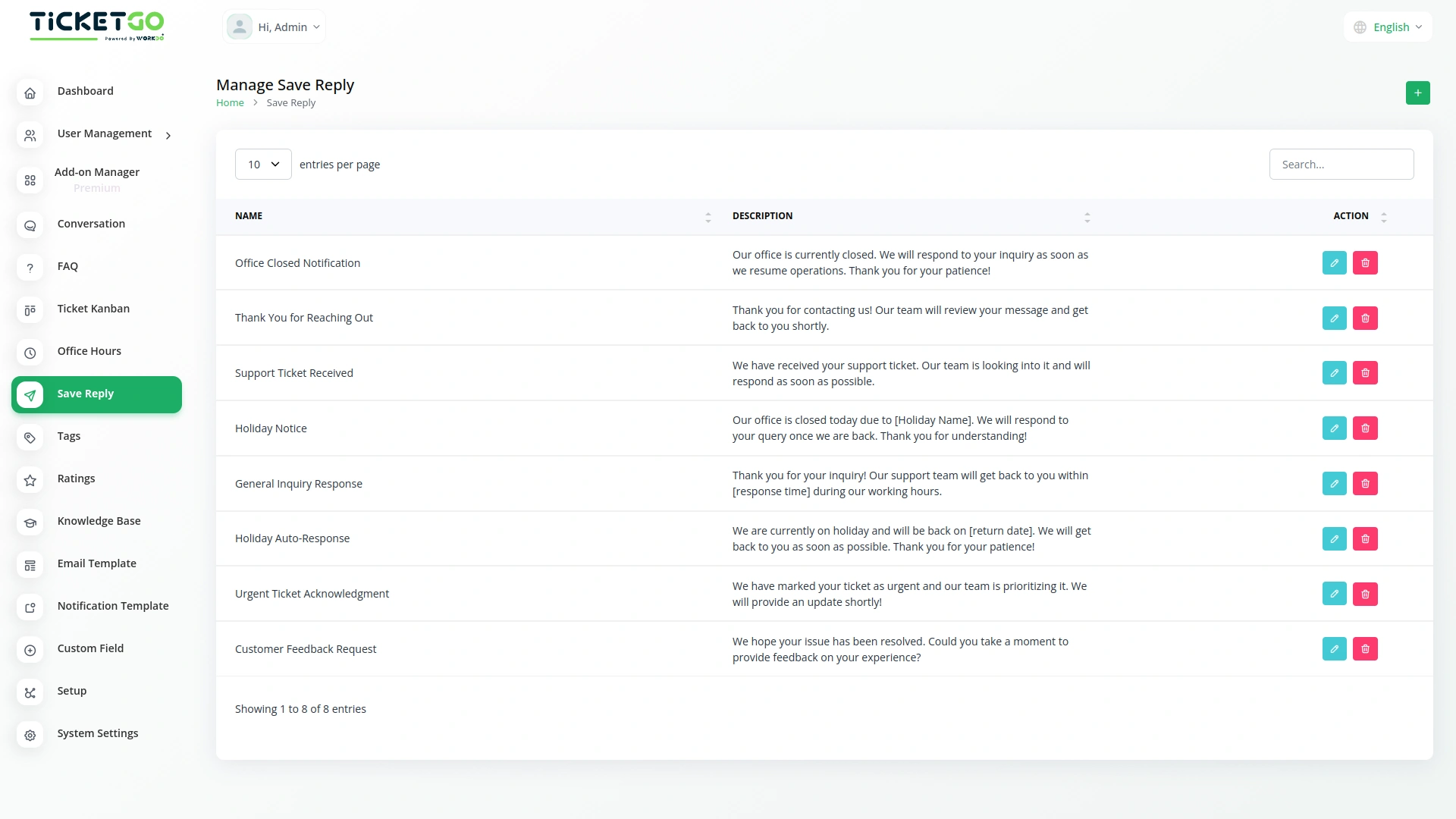
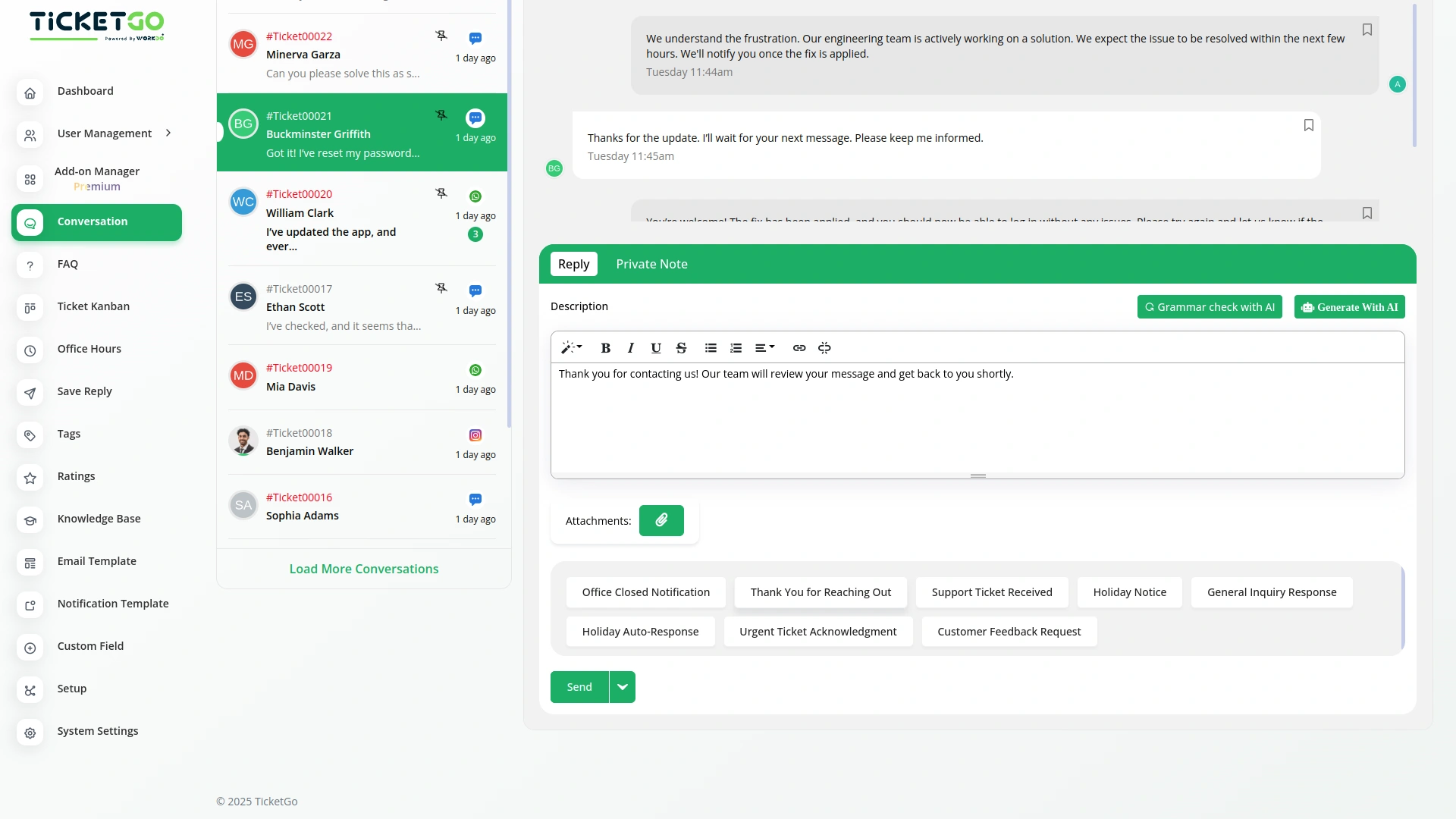
The Save Reply module in TicketGo helps you respond to common customer queries quickly and efficiently. Instead of typing the same reply over and over, you can save your response once and use it whenever needed. This makes handling support tickets faster, easier, and more consistent.
Quick Access from the Conversation Page
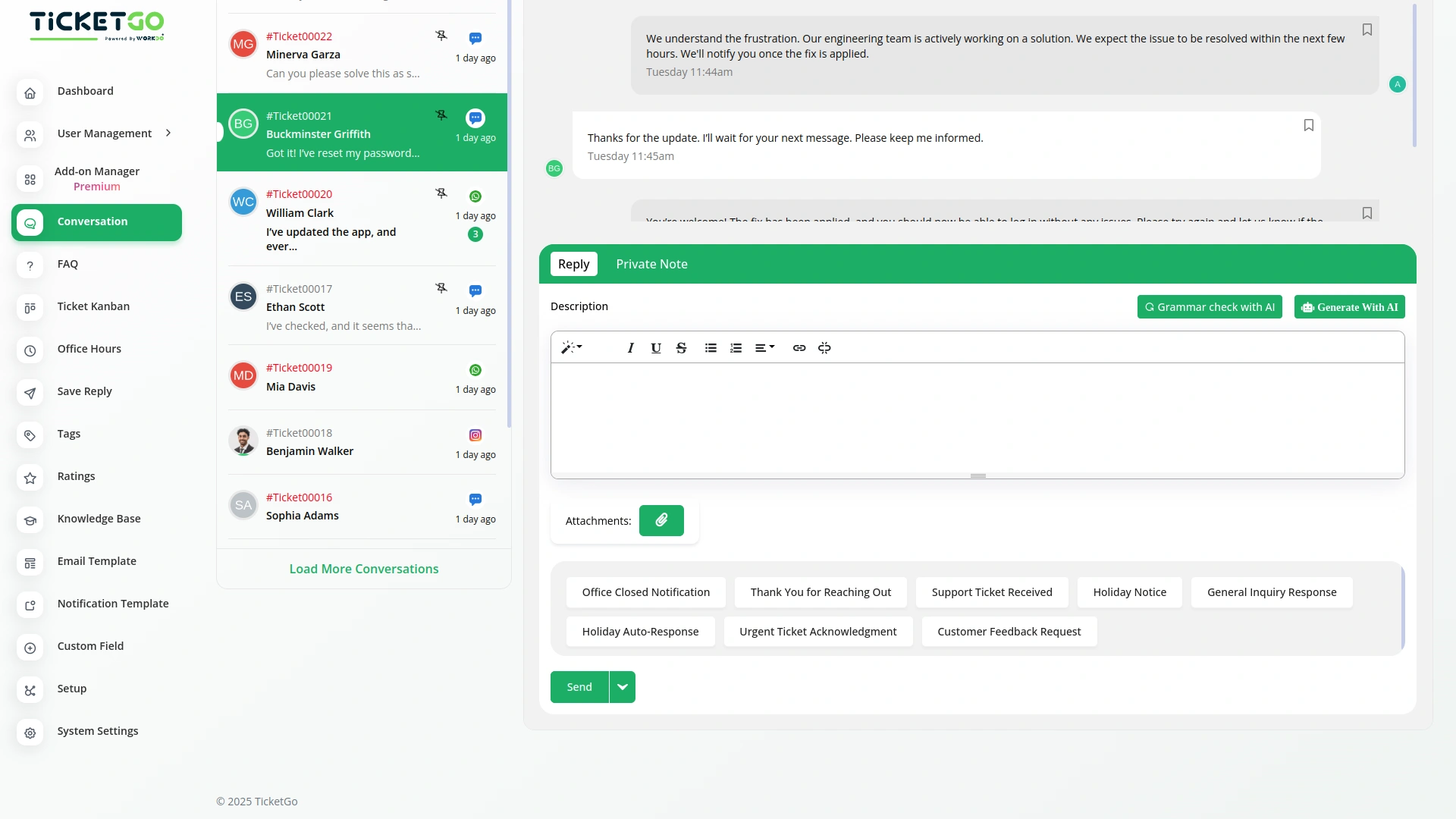
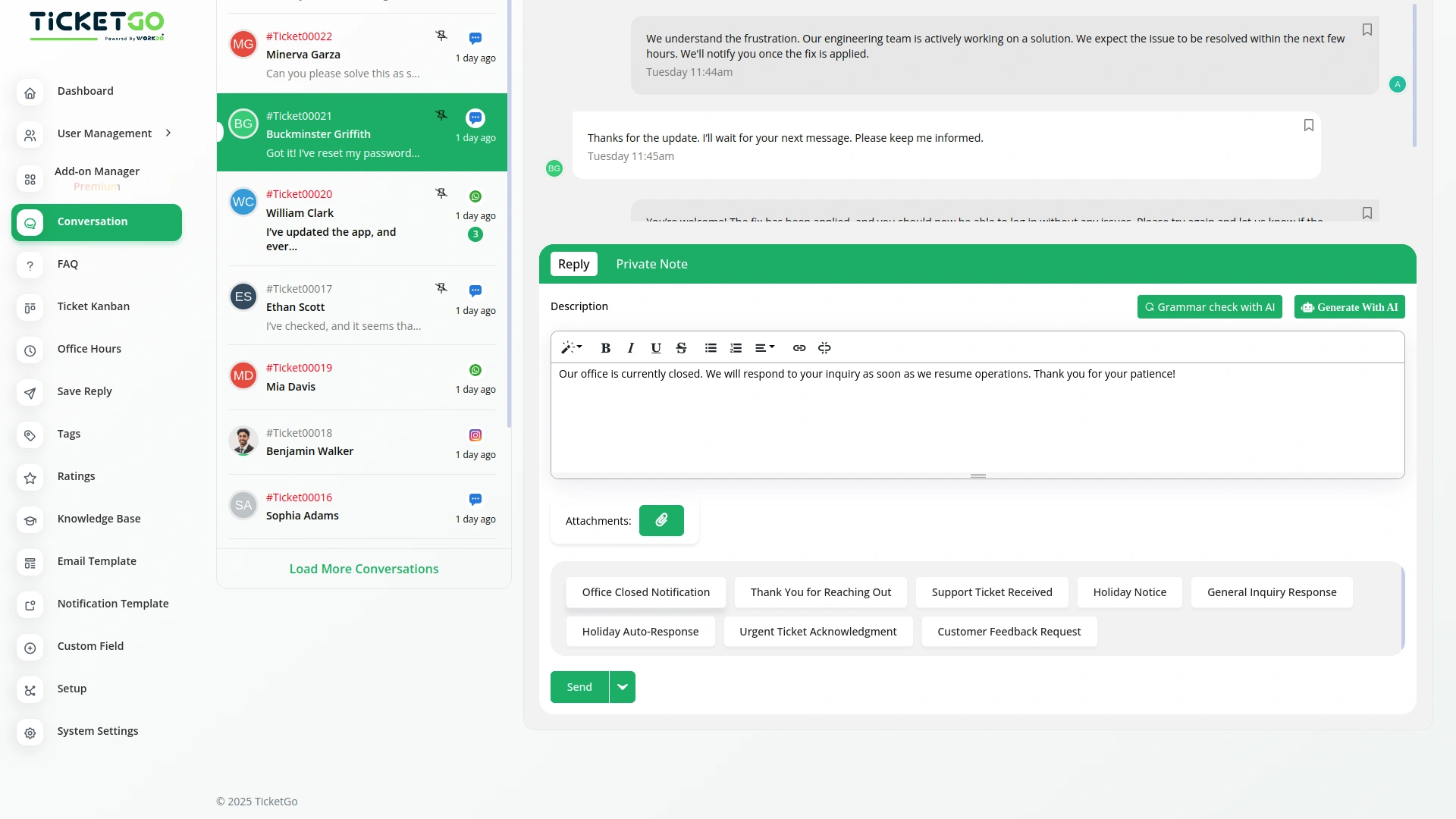
After saving your reply, it will appear as a button on the conversation page. When you get a similar question, simply click the button, and your saved reply will appear. This saves you time and effort, making support conversations smoother and more efficient.
Stay Consistent and Avoid Mistakes
Using saved replies ensures that every response is accurate and consistent. No more worrying about typing errors or forgetting important details. Whether you're answering FAQs, providing order updates, or handling technical issues, your team can send clear and professional replies every time.
Improve Efficiency and Customer Satisfaction
With the Save Reply module, your support team can work faster and handle more tickets without extra effort. This means quicker responses for customers and less work for your team. A simple click can make a big difference in improving both productivity and customer experience.
Screenshots from our system
To explore the functionality and usage of these Add-Ons, refer to the accompanying screenshots for step-by-step instructions on how to maximize their features.
Discover More Add-Ons
Unlock even more functionality with additional Add-Ons, providing enhanced networking and customization options for your TicketGo Add-Ons experience.

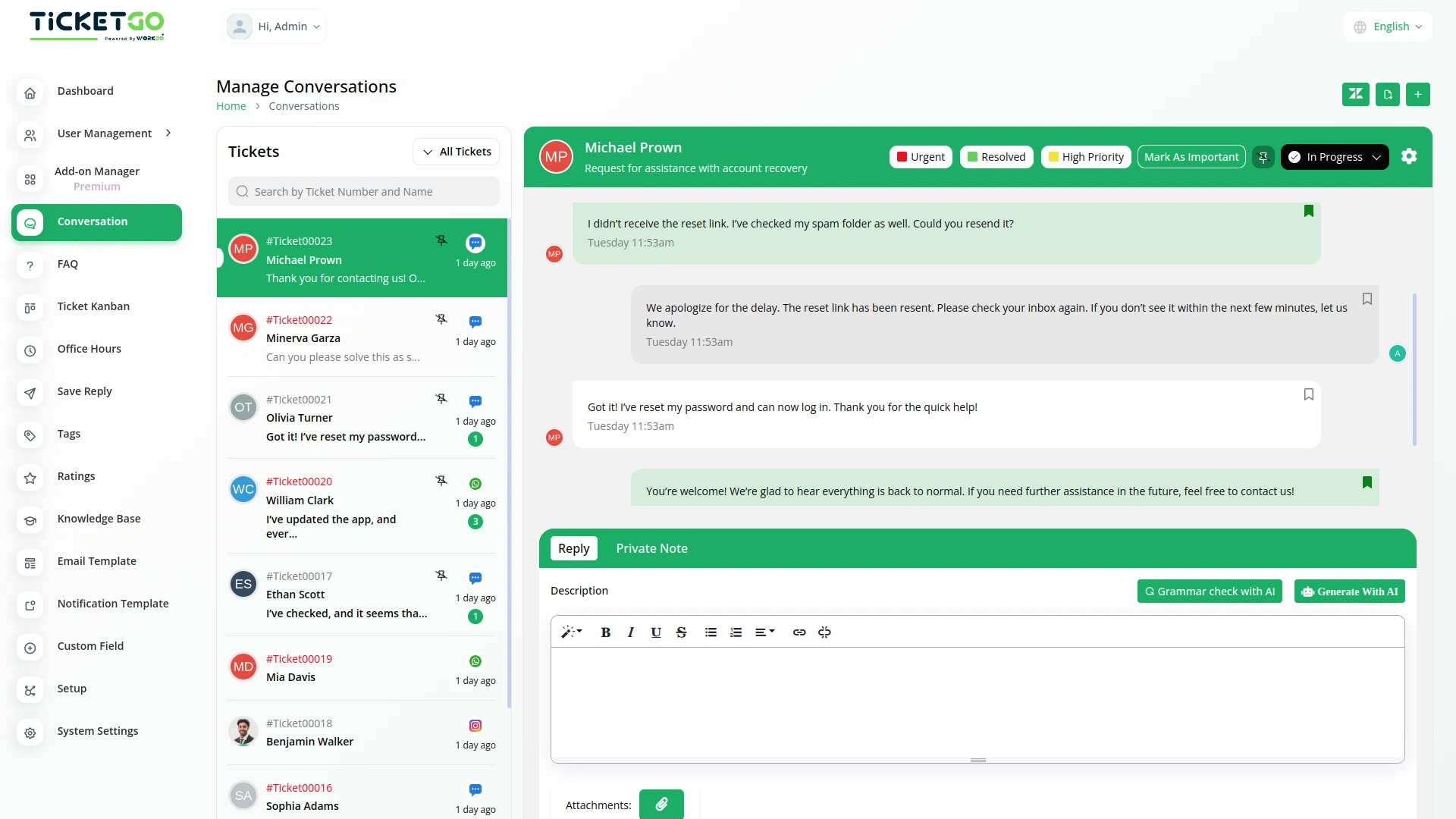
Mark As Important
The Mark as Important feature in TicketGo helps you easily prioritize conversations that matter the most. With just one click, you can ensure critical tickets stand out, allowing you to focus on urgent issues without getting lost in the noise. This functionality is perfect for businesses that need to handle high-priority inquiries efficiently.

Send & Close
The Send and Close module in TicketGo allows you to close a ticket automatically when you send a reply. This means that as soon as your response is sent, the ticket status changes to "Closed" without needing any extra steps.

Bulk SMS
The Bulk SMS module in TicketGo helps businesses send quick updates to customers. Whether it’s ticket confirmations, status updates, or important announcements, automated SMS ensures that messages are sent on time. This reduces the need for manual follow-ups and keeps customers informed effortlessly.

Adaptable customization options support unique business needs
The system’s logic made managing tasks simpler and more efficient for everyone
Design quality is modern and sleek
Das System ist sehr flexibel und zuverlässig