
Flexible Rating Options
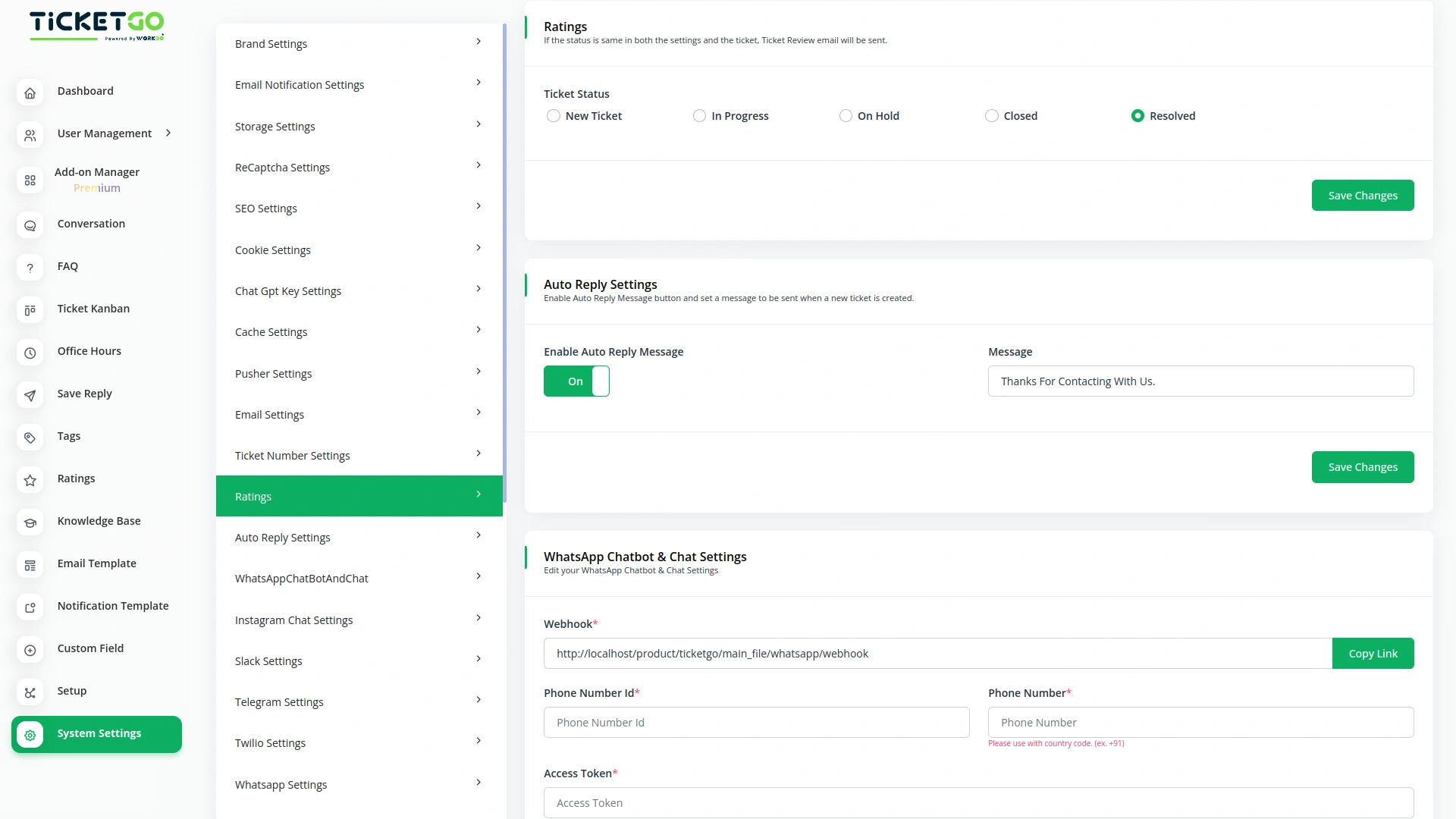
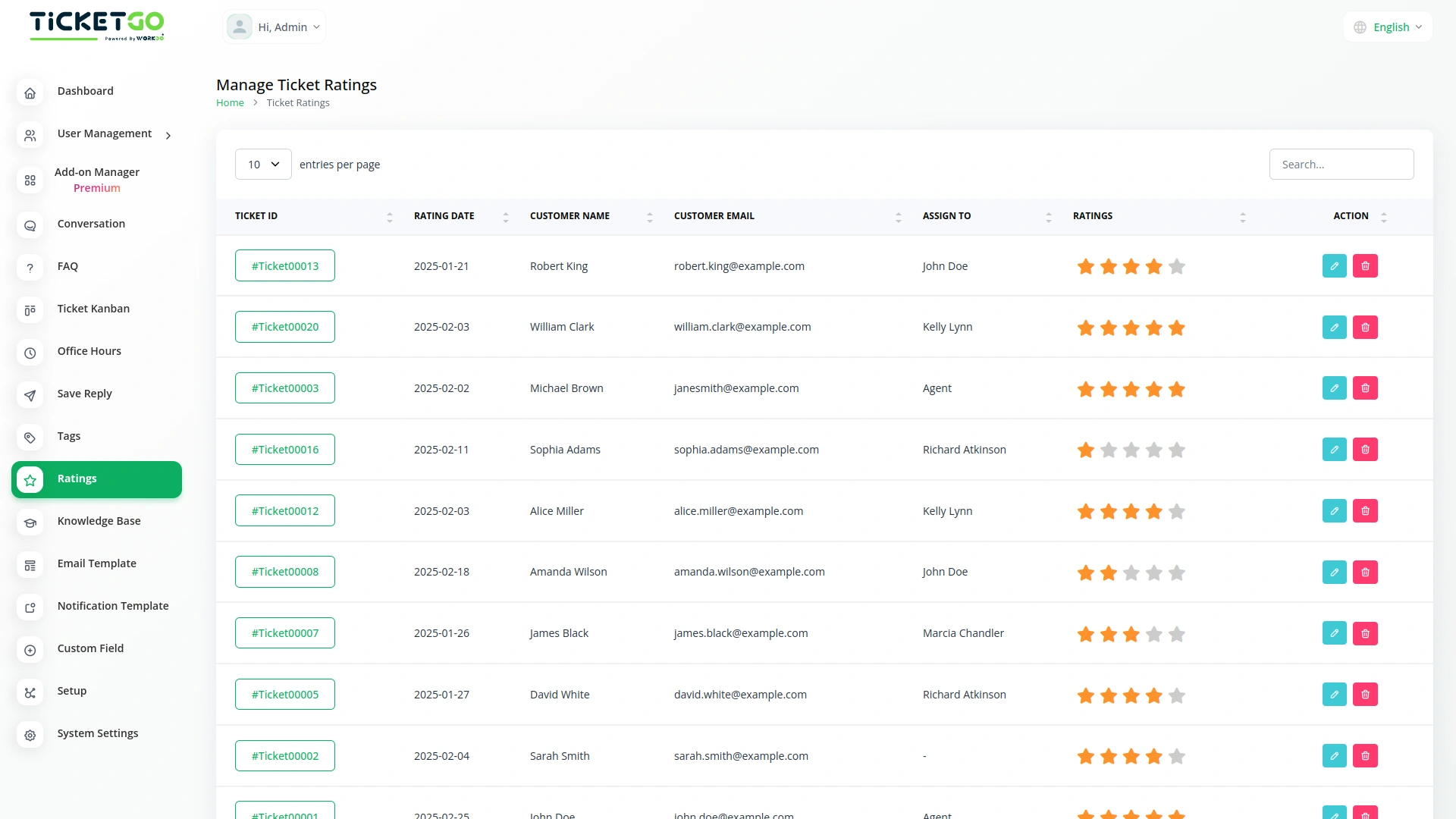
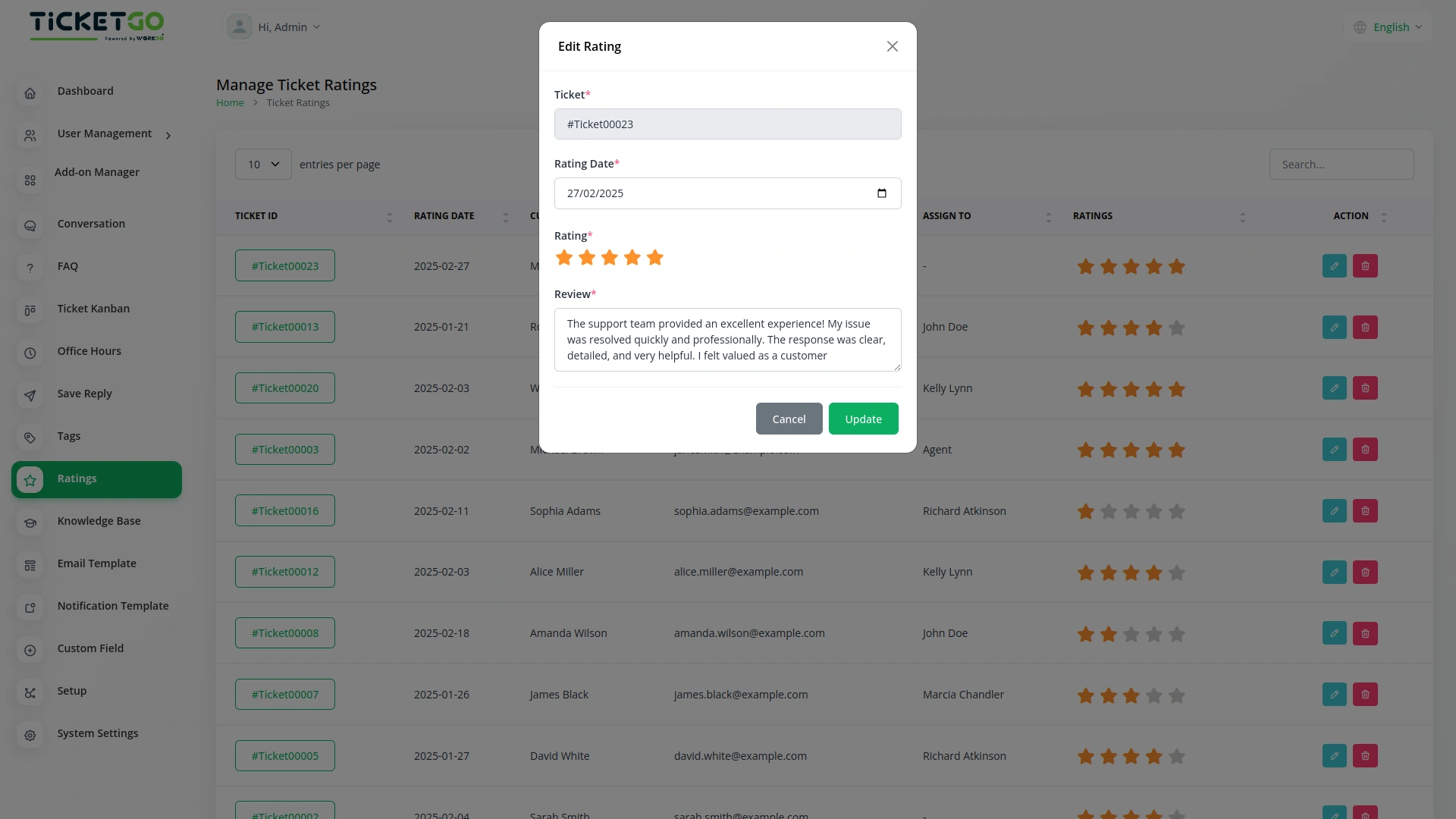
The Ratings Module offers a range of customizable rating options, including New Ticket, In Progress, On Hold, Closed, and Resolved. You can choose the stage at which you want to gather customer feedback, allowing you to focus on specific areas of the ticket lifecycle that matter most to you. Whether it's right after a ticket is created or after it’s resolved, you can collect the most relevant feedback.
Capture Timely Insights
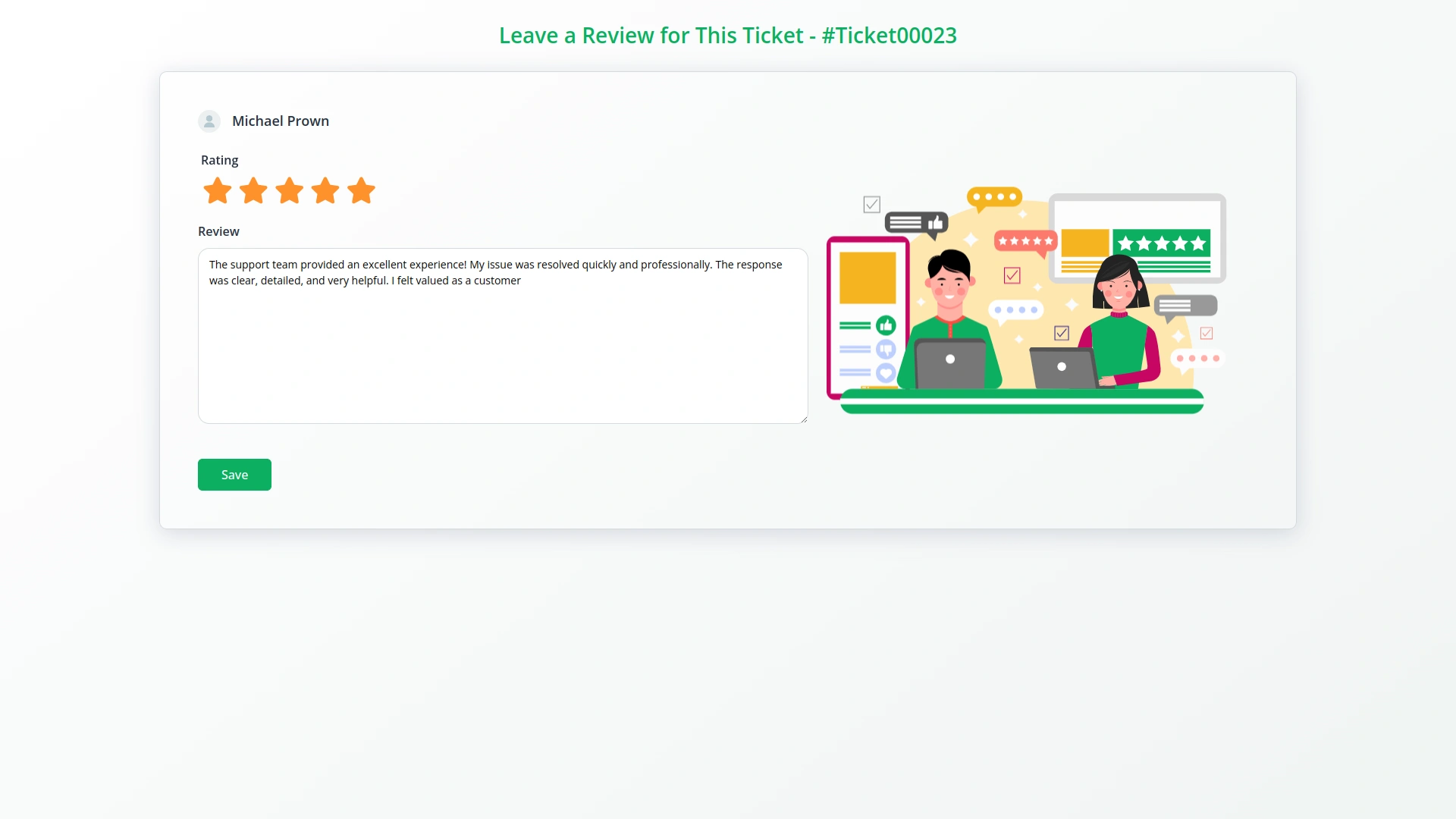
By selecting the appropriate rating stage, you can capture customer feedback exactly when it's most valuable. For example, you may send a rating request after a new ticket is created to gauge initial customer impressions, or after a ticket is marked as resolved to assess satisfaction with the resolution. This helps you stay on top of your service quality and customer satisfaction in real time.
Enhance Customer Satisfaction
The feedback you receive through the Ratings Module can provide key insights into customer satisfaction, allowing you to make informed improvements to your processes. By understanding how customers feel at various stages, you can identify pain points and enhance your ticket management system. This leads to better service, happier customers, and improved customer retention.
Screenshots from our system
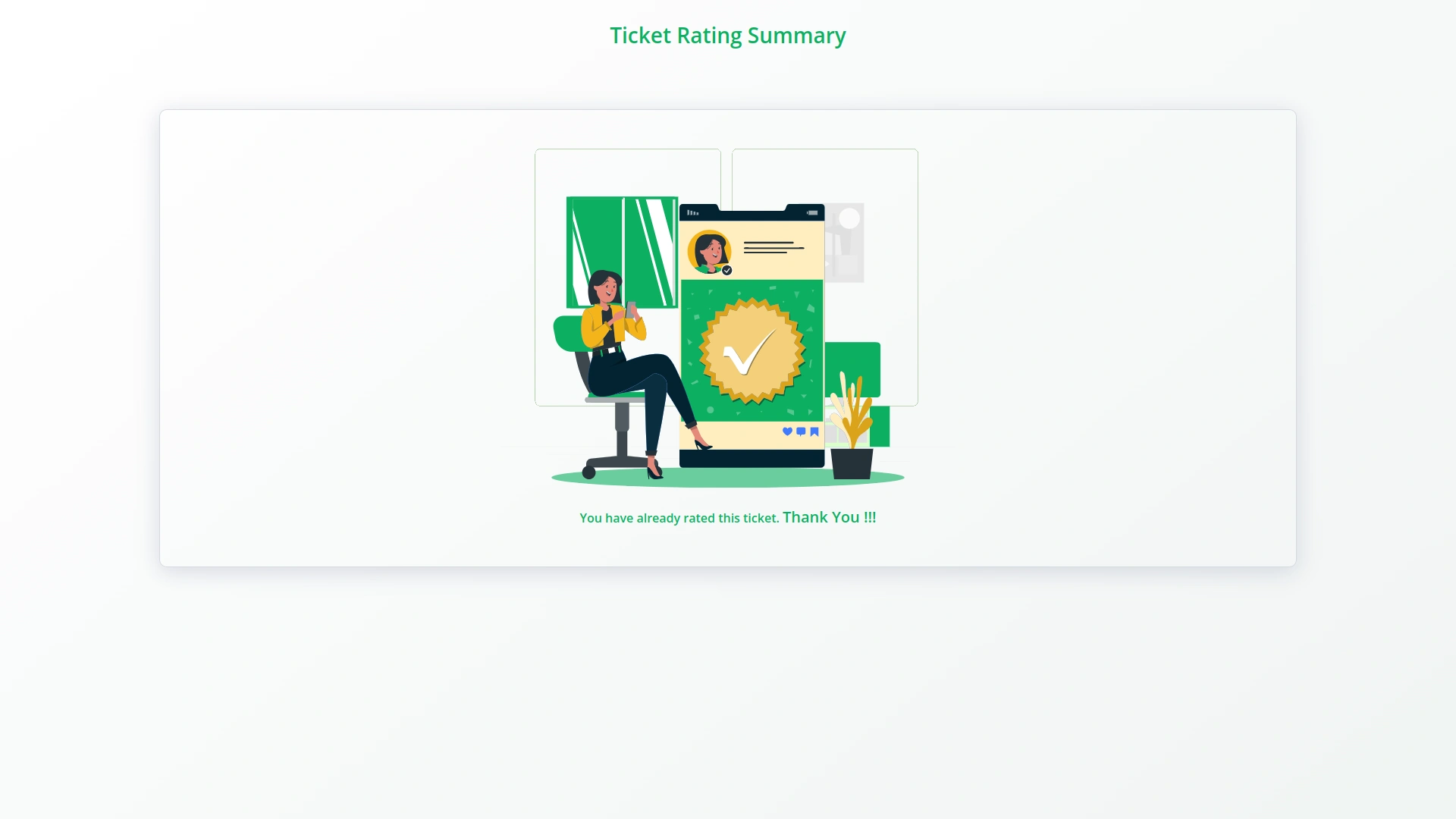
To explore the functionality and usage of these Add-Ons, refer to the accompanying screenshots for step-by-step instructions on how to maximize their features.
Discover More Add-Ons
Unlock even more functionality with additional Add-Ons, providing enhanced networking and customization options for your TicketGo Add-Ons experience.

Office Hours
The Office Hours Module in TicketGo allows businesses to set their working hours for each day of the week. This helps customers know when your support team is available. By defining your office hours, you ensure that customers are aware of your business’s availability before they create a support ticket.
View More
ZitaSMS
ZitaSMS is a robust SMS gateway that allows businesses to send transactional and promotional messages efficiently. Integrating ZitaSMS with TicketGo enhances communication by enabling automated notifications, ticket updates, and alerts via SMS. This integration ensures that users stay informed about their tickets in real time without relying solely on email or in-app notifications.
View More
Facebook Chat
The Facebook Chat module on TicketGo allows businesses to handle all their customer conversations in one place without needing to switch between platforms.
View More
SMS
The SMS Notification Integration in TicketGo provides businesses with a reliable way to notify users about important ticket updates through SMS. This integration ensures that customers receive real-time notifications, even when they do not have access to email or other communication platforms. With the widespread use of mobile phones, SMS serves as a highly effective channel to keep customers informed about their ticket status, reducing the chances of missed updates and improving customer satisfaction.
View More3 reviews for Ratings – TicketGo Add-On
| 5 star | 66% | |
| 4 star | 33% | |
| 3 star | 0% | |
| 2 star | 0% | |
| 1 star | 0% |
Comments
You must be logged in to post a comment.
There are no comment yet.
Contact Us for Support :
-
You will get immediate support from our support desk. Please visit here https://support.workdo.io/
Item support includes:
- Answer pre-sale questions or query
- Answering technical questions about item's features
- Assistance with reported bugs and issues
- Help with included 3rd party assets
- Free Installation services in some cases
However, item support does not include:
- Customization services
Check Documents & Tutorials
The structured categories kept our workflow clean and easy to manage
Clean design layout
Actionable insights from ratings help refine ticket handling, elevate service standards, and improve customer satisfaction and retention .