
Inform Customers About Off-Hours
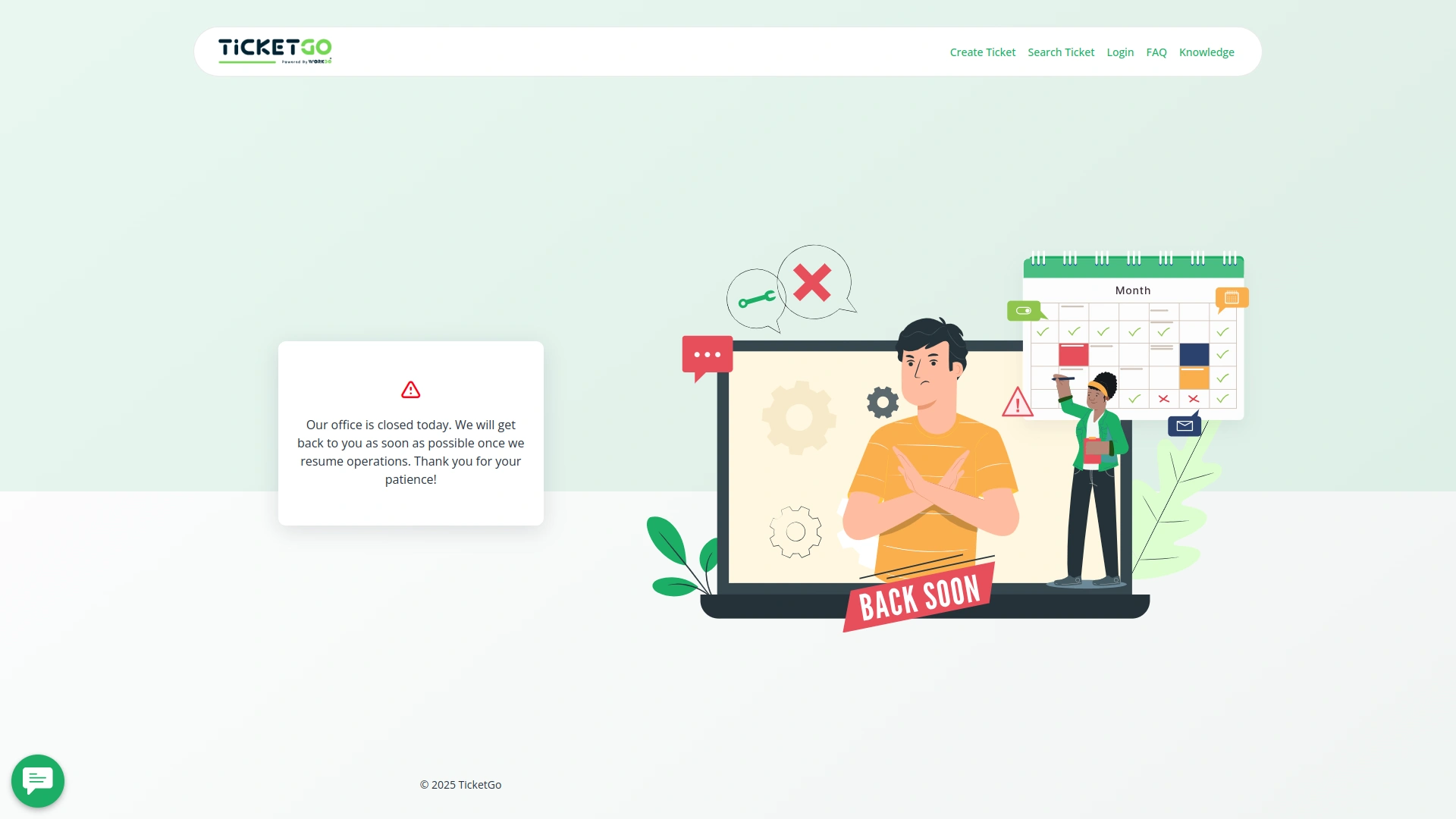
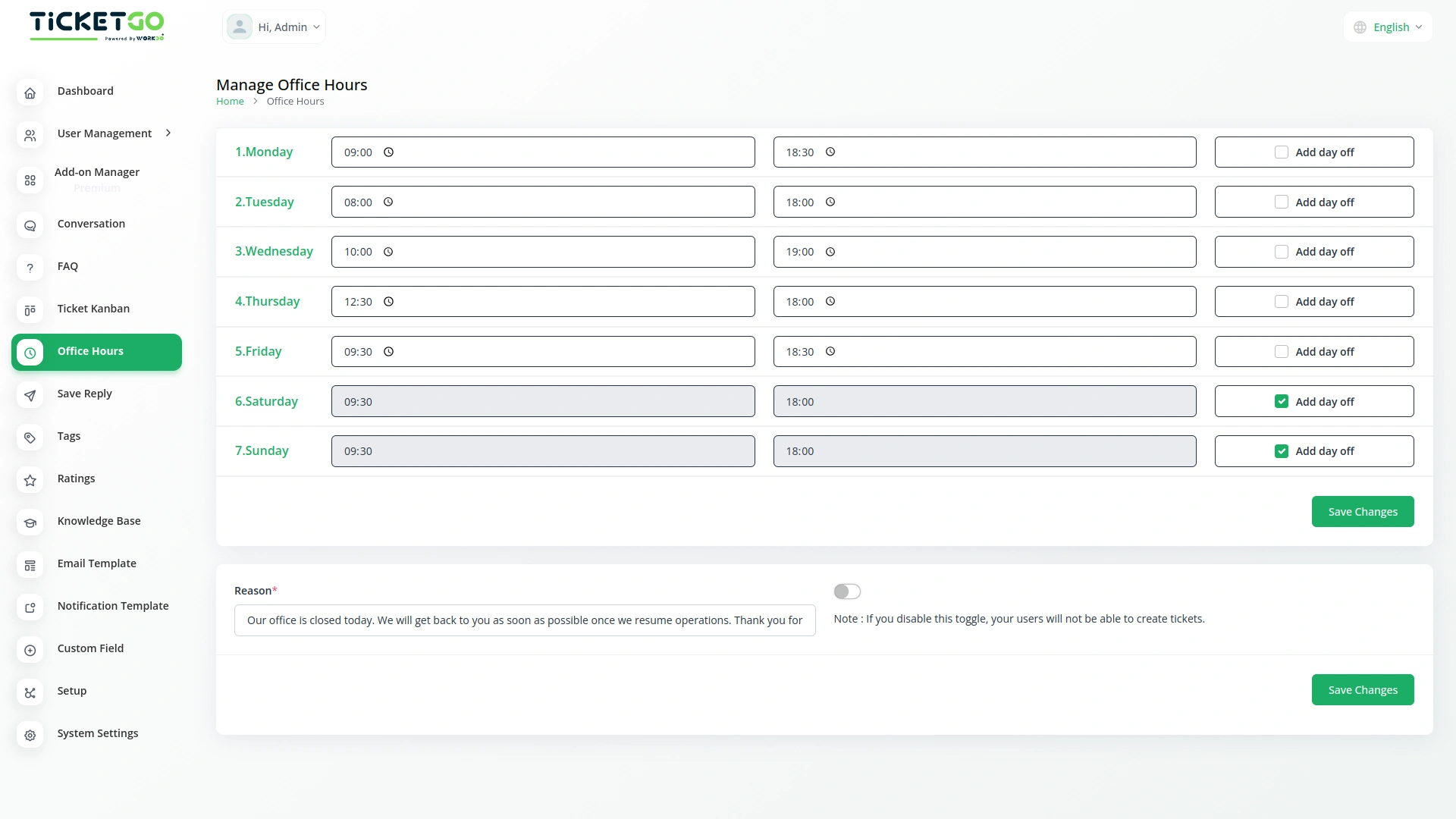
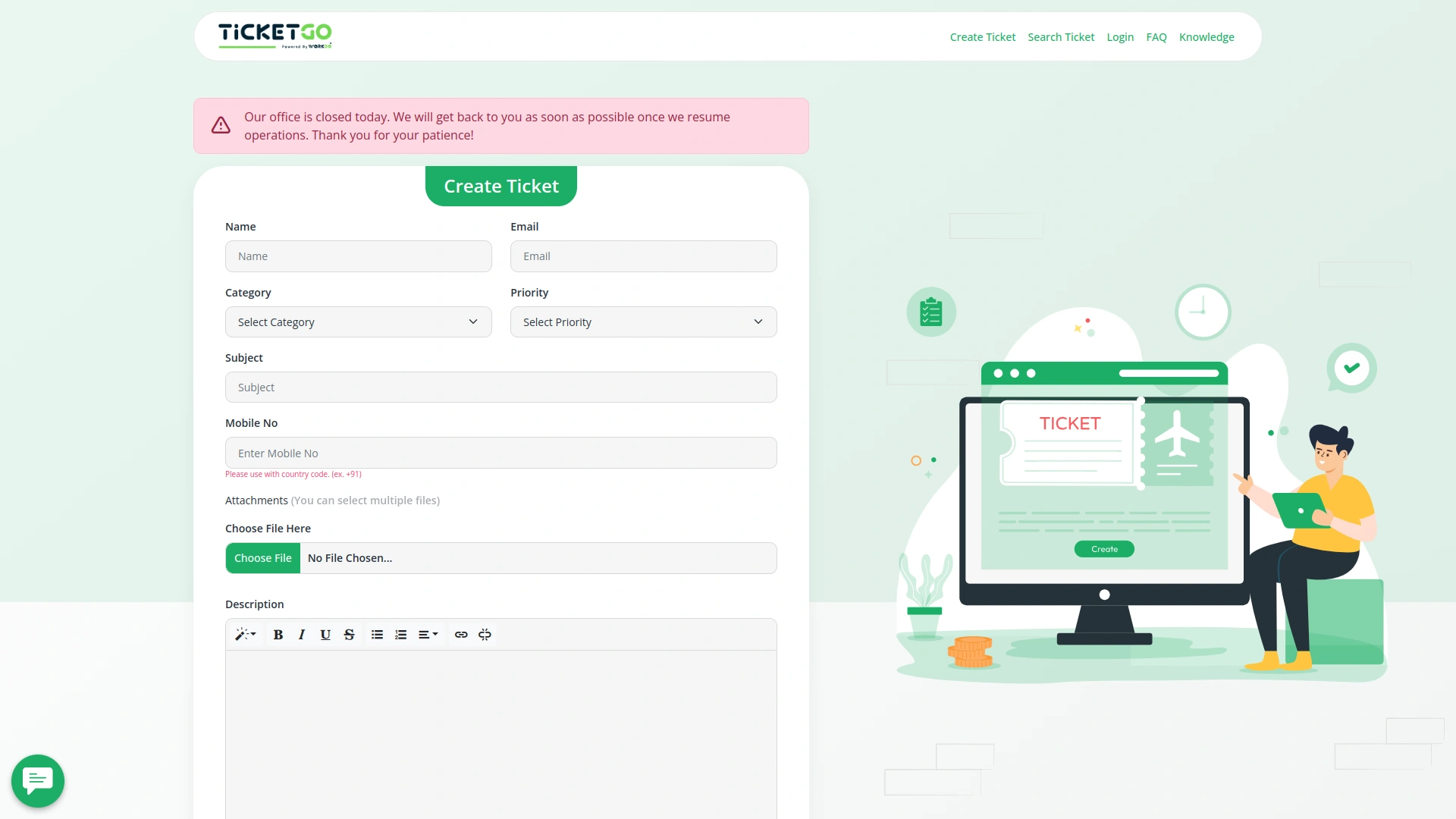
If a customer tries to create a ticket outside of your working hours, they will see a message on the frontend. You can customize this message by entering a reason in the provided box. This way, customers are informed about why support is unavailable at that time, reducing confusion and unnecessary waiting.In case of a scheduled day off, the system automatically displays the same message to customers when they attempt to create a ticket. This ensures that your customers know in advance that your support team is not available, making communication smoother and more transparent.
Flexible Ticket Submission Settings
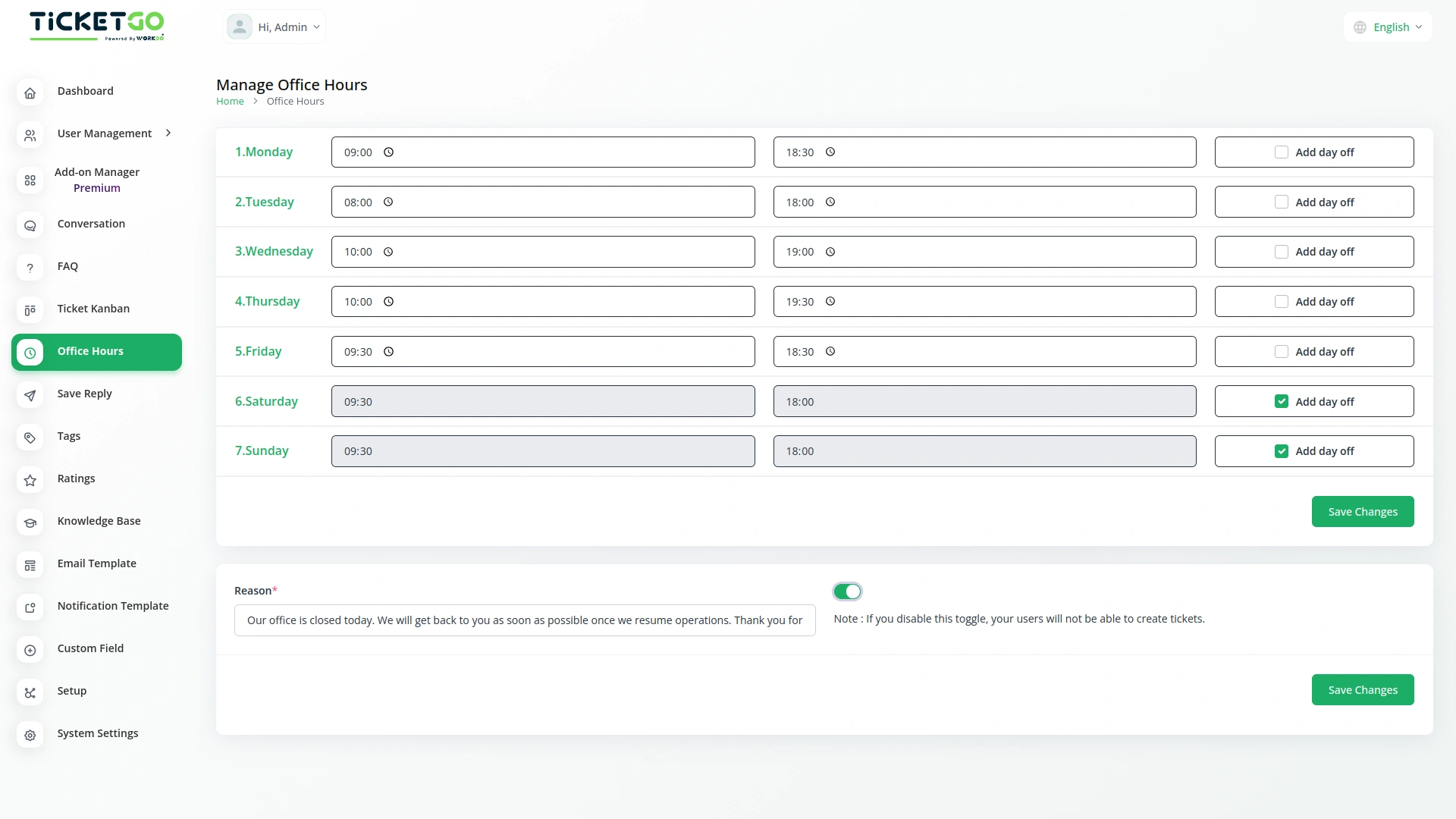
The module includes a toggle button that gives businesses control over ticket creation outside office hours. If the button is enabled, customers can still create support tickets at any time, even on days off or outside working hours, while the notice remains visible. This allows businesses to receive tickets in advance and respond once they are back online.
Screenshots from our system
To explore the functionality and usage of these Add-Ons, refer to the accompanying screenshots for step-by-step instructions on how to maximize their features.
Discover More Add-Ons
Unlock even more functionality with additional Add-Ons, providing enhanced networking and customization options for your TicketGo Add-Ons experience.

Out Of Office
The Out of Office module in TicketGo allows agents to update their availability with a simple toggle. If an agent is unavailable, they can disable the Out of Office button, making it clear to both customers and admins that they are not currently active. This helps in ensuring a smooth ticket assignment process.

WhatsApp API
The WhatsApp API Integration in TicketGo brings seamless communication to businesses by enabling them to interact with customers through WhatsApp. This integration allows businesses to send instant notifications, ticket updates, and personalized messages directly to users, enhancing both the speed and reliability of customer interactions. By leveraging the WhatsApp API, businesses can streamline their ticketing processes and provide timely, efficient communication to their customers.

Pabbly Connect
Pabbly Connect is a versatile automation platform seamlessly integrating 1000+ apps, from Google Sheets to Shopify. With its user-friendly interface, creating automated workflows becomes effortless. Boosting efficiency, Pabbly Connect enables scheduled workflows, advanced paths, and automated data extraction from emails. Imagine the potential for streamlined processes and real-time data synchronization, all achieved with this powerful, no-code automation solution.

SMS
The SMS Notification Integration in TicketGo provides businesses with a reliable way to notify users about important ticket updates through SMS. This integration ensures that customers receive real-time notifications, even when they do not have access to email or other communication platforms. With the widespread use of mobile phones, SMS serves as a highly effective channel to keep customers informed about their ticket status, reducing the chances of missed updates and improving customer satisfaction.
The extensions supported accurate record-keeping and improved internal coordination
Wide feature coverage across modules
Bugs quickly patched