
Inform Customers About Off-Hours
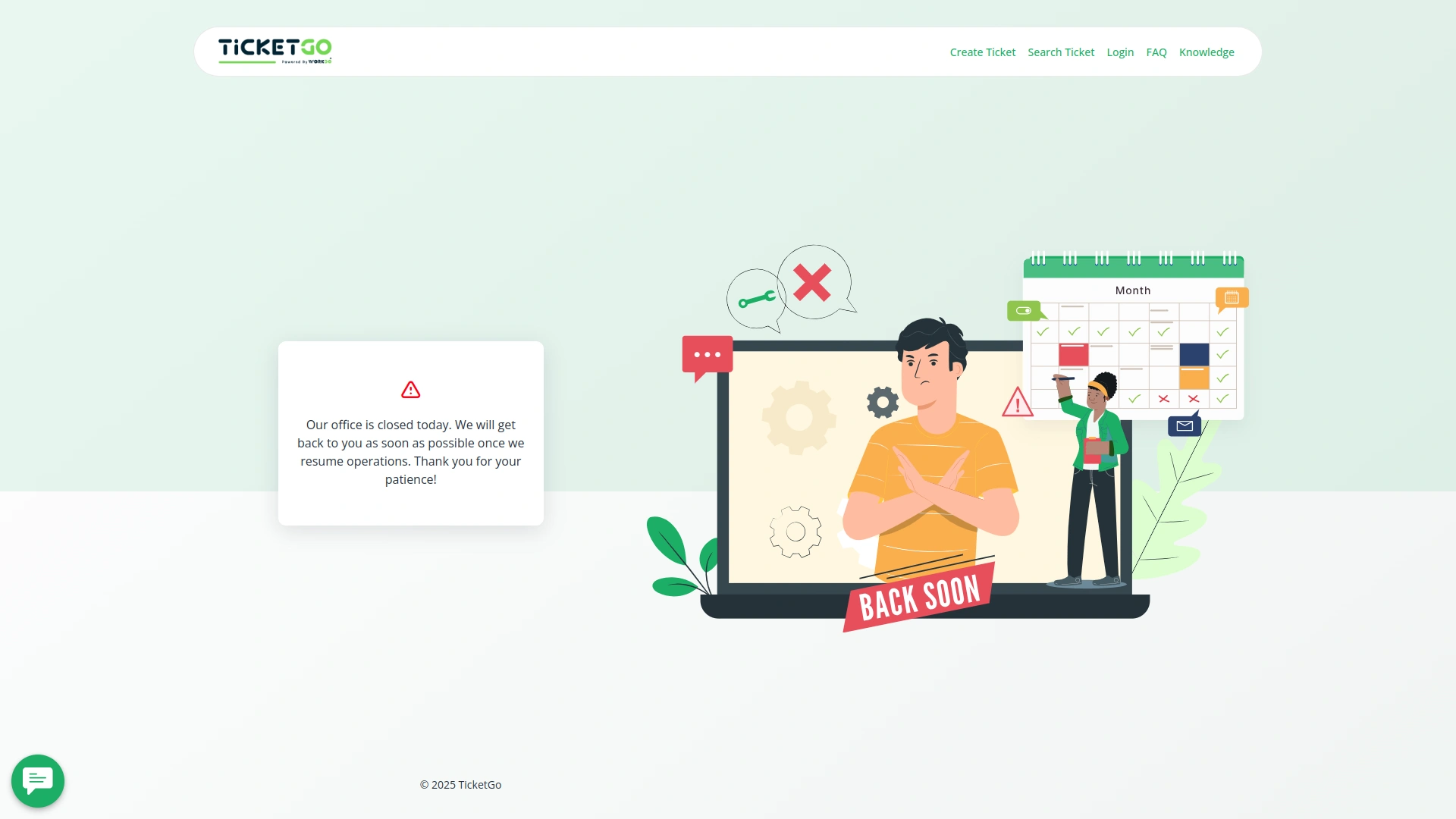
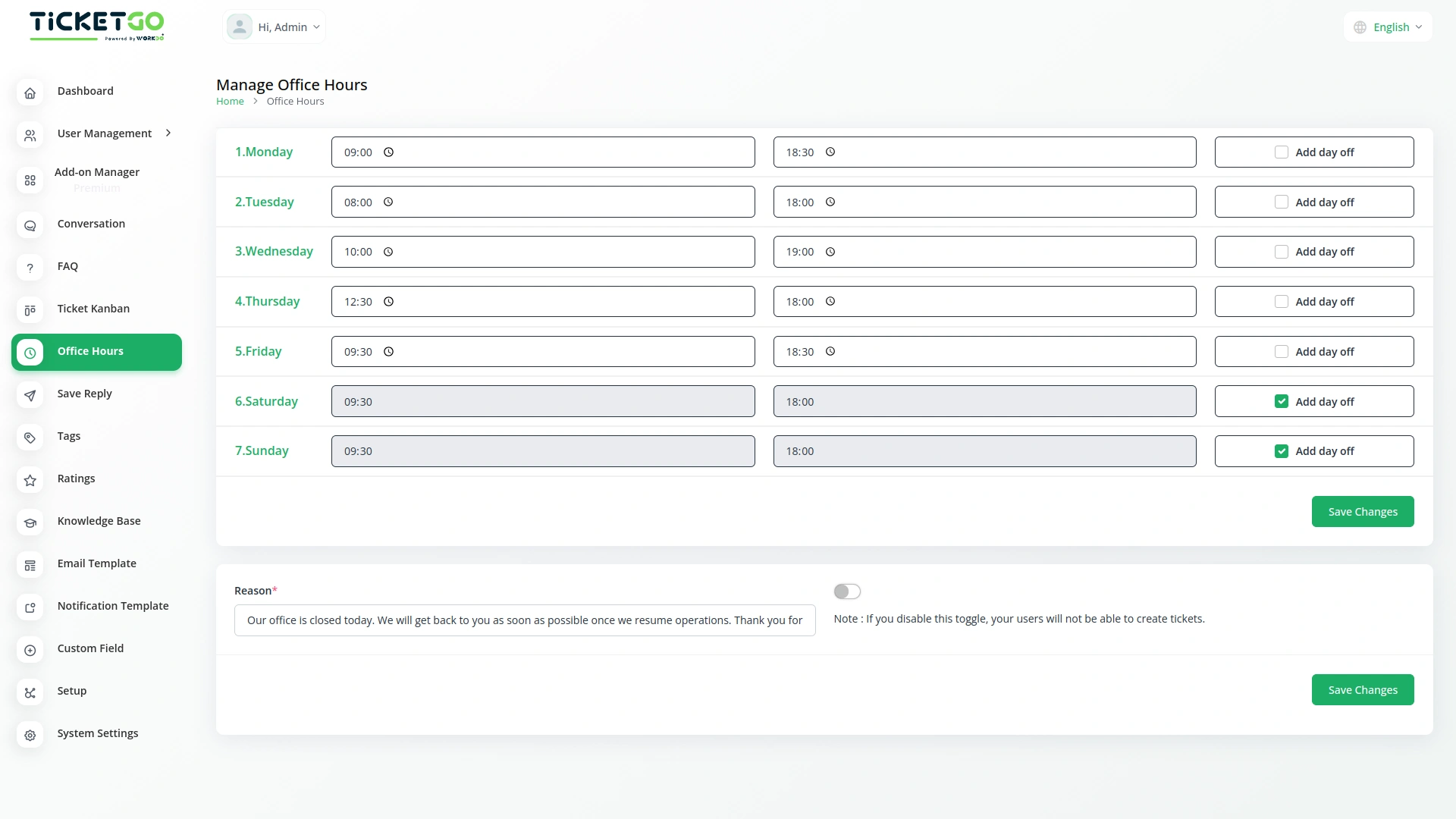
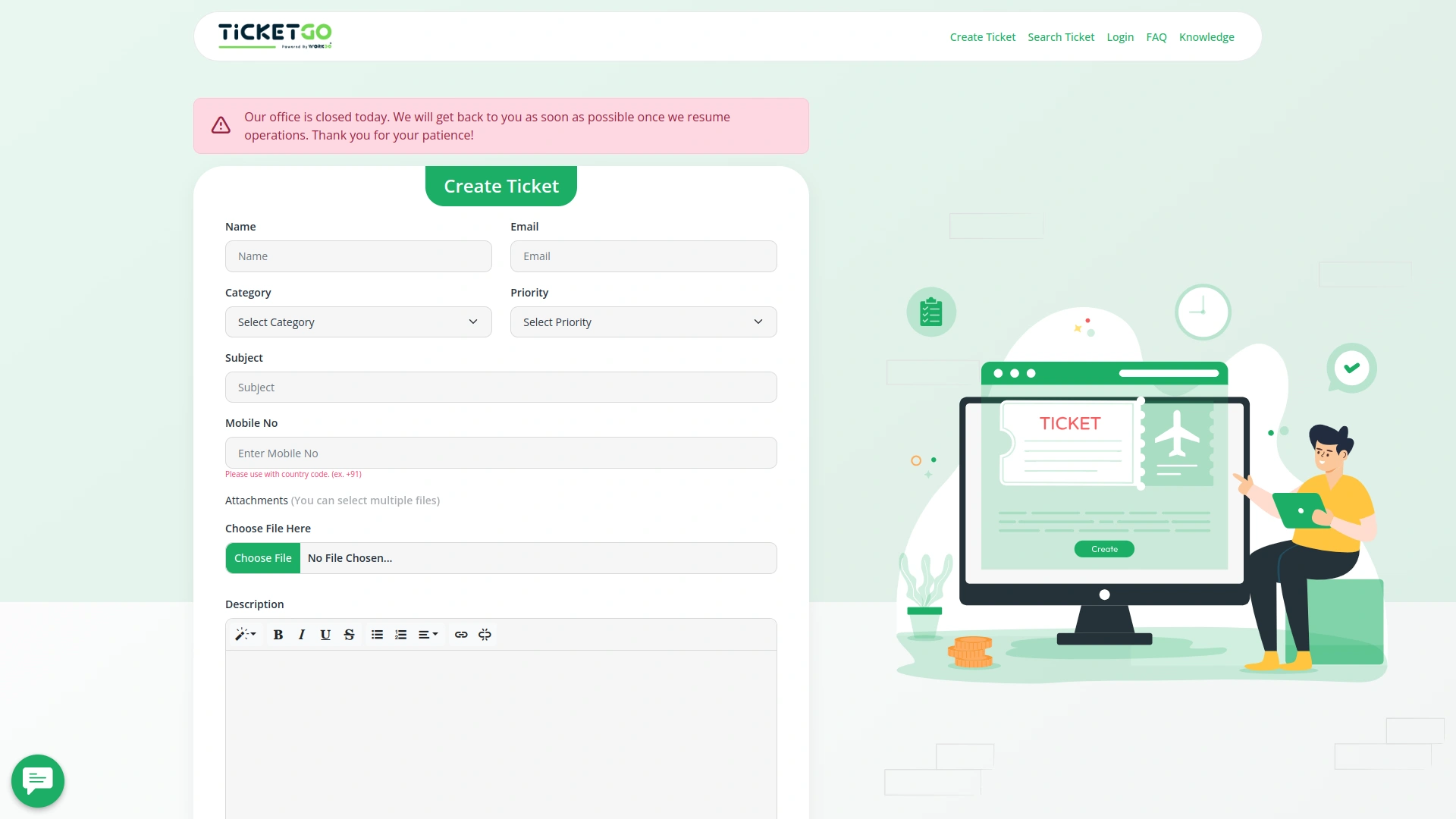
If a customer tries to create a ticket outside of your working hours, they will see a message on the frontend. You can customize this message by entering a reason in the provided box. This way, customers are informed about why support is unavailable at that time, reducing confusion and unnecessary waiting.In case of a scheduled day off, the system automatically displays the same message to customers when they attempt to create a ticket. This ensures that your customers know in advance that your support team is not available, making communication smoother and more transparent.
Flexible Ticket Submission Settings
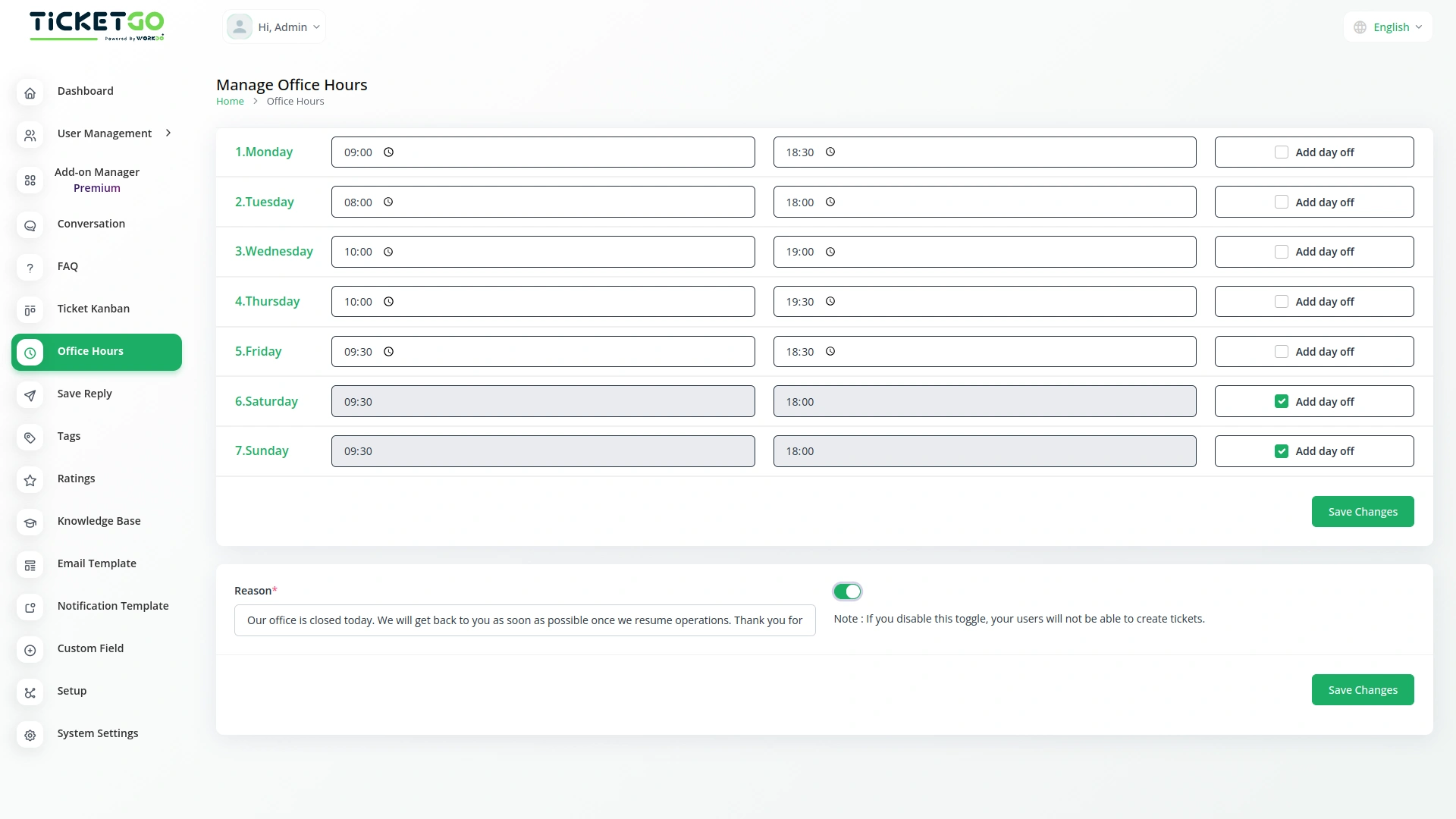
The module includes a toggle button that gives businesses control over ticket creation outside office hours. If the button is enabled, customers can still create support tickets at any time, even on days off or outside working hours, while the notice remains visible. This allows businesses to receive tickets in advance and respond once they are back online.
Screenshots from our system
To explore the functionality and usage of these Add-Ons, refer to the accompanying screenshots for step-by-step instructions on how to maximize their features.
Discover More Add-Ons
Unlock even more functionality with additional Add-Ons, providing enhanced networking and customization options for your TicketGo Add-Ons experience.

Webhook
In the fast-paced world of customer support, instant communication is the key to efficiency. With TicketGo’s powerful webhook integration, businesses can automate workflows, ensuring real-time data sharing between TicketGo and external applications. Whether it's updating CRMs, notifying teams on Slack, or synchronizing analytics tools, webhooks eliminate the need for manual intervention. The result? A faster, smarter, and more connected support system that helps businesses scale effortlessly.
View More
Plivo
The Plivo integration within TicketGo allows businesses to receive and send SMS notifications for crucial ticket events, ensuring real-time updates across agents, admins, and customers. By leveraging Plivo’s messaging API, you can keep everyone in the loop, whether it's notifying agents about incoming tickets or informing customers about ticket status changes. The integration enhances customer service efficiency by automating notifications and improving communication flow without needing additional tools.
View More
Export Conversations
TicketGo’s Export Conversations feature ensures that all customer interactions are saved for future use. Whether for compliance, internal reviews, or training, having a record of past conversations helps businesses improve their customer service. Teams can revisit previous chats to understand customer concerns and refine their support strategies.
View More
Ticket Widget
The Ticket Widget Add-On provides a direct and accessible way for your website visitors to raise support tickets without navigating away from the current page.
View More3 reviews for Office Hours – TicketGo Add-On
| 5 star | 66% | |
| 4 star | 33% | |
| 3 star | 0% | |
| 2 star | 0% | |
| 1 star | 0% |
Comments
You must be logged in to post a comment.
There are no comment yet.
Contact Us for Support :
-
You will get immediate support from our support desk. Please visit here https://support.workdo.io/
Item support includes:
- Answer pre-sale questions or query
- Answering technical questions about item's features
- Assistance with reported bugs and issues
- Help with included 3rd party assets
- Free Installation services in some cases
However, item support does not include:
- Customization services
Check Documents & Tutorials
The extensions supported accurate record-keeping and improved internal coordination
Wide feature coverage across modules
Bugs quickly patched