
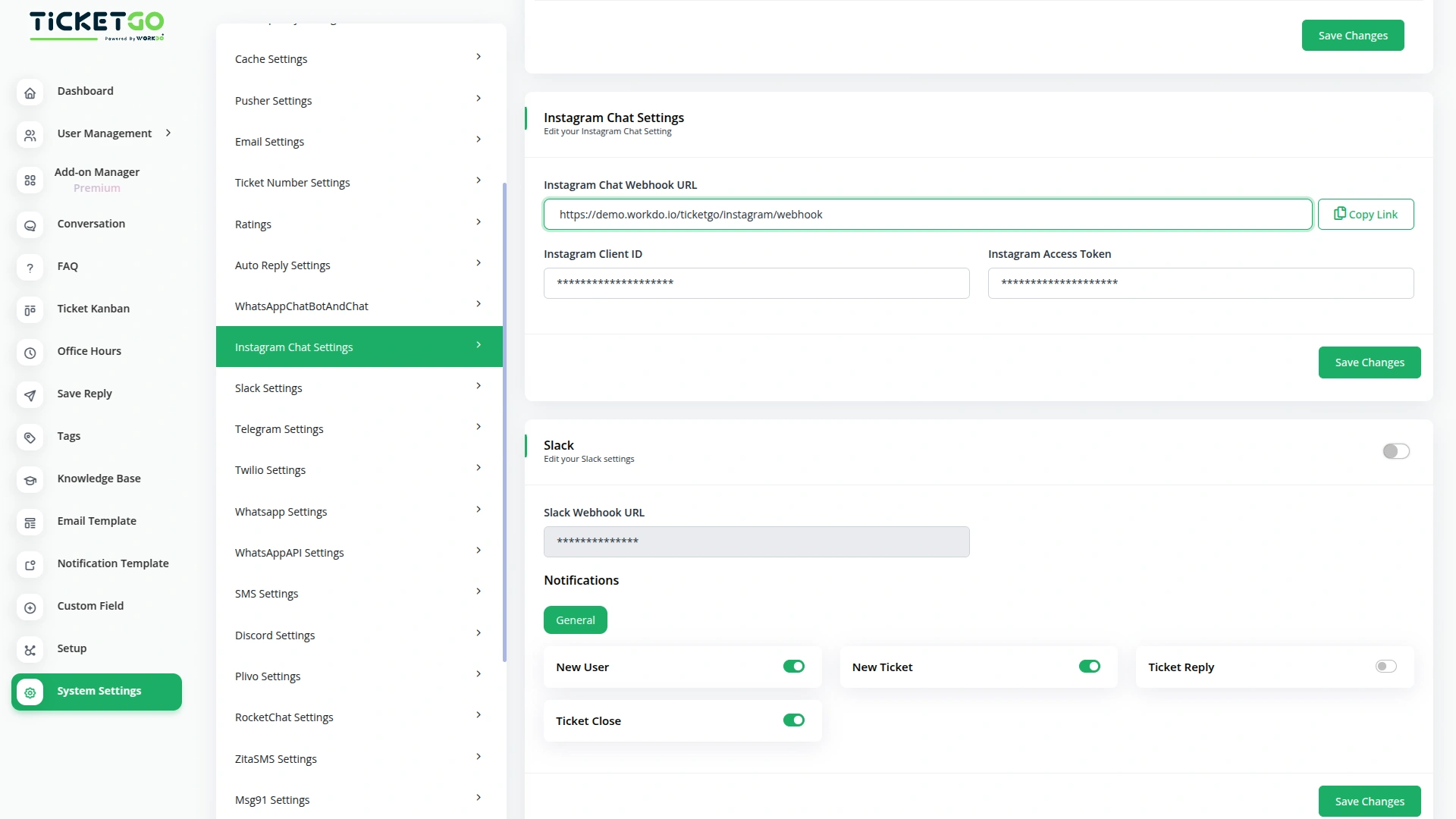
Quick Setup for Instagram Integration
To get started, simply add your Instagram Client ID, and Instagram Access Token into TicketGo. These details will connect your Instagram account to TicketGo and enable real-time message syncing. Once integrated, you can manage Instagram chats, share media, and respond to clients instantly—enhancing your customer service experience with ease.
Get Real-Time Responses on Instagram via TicketGo
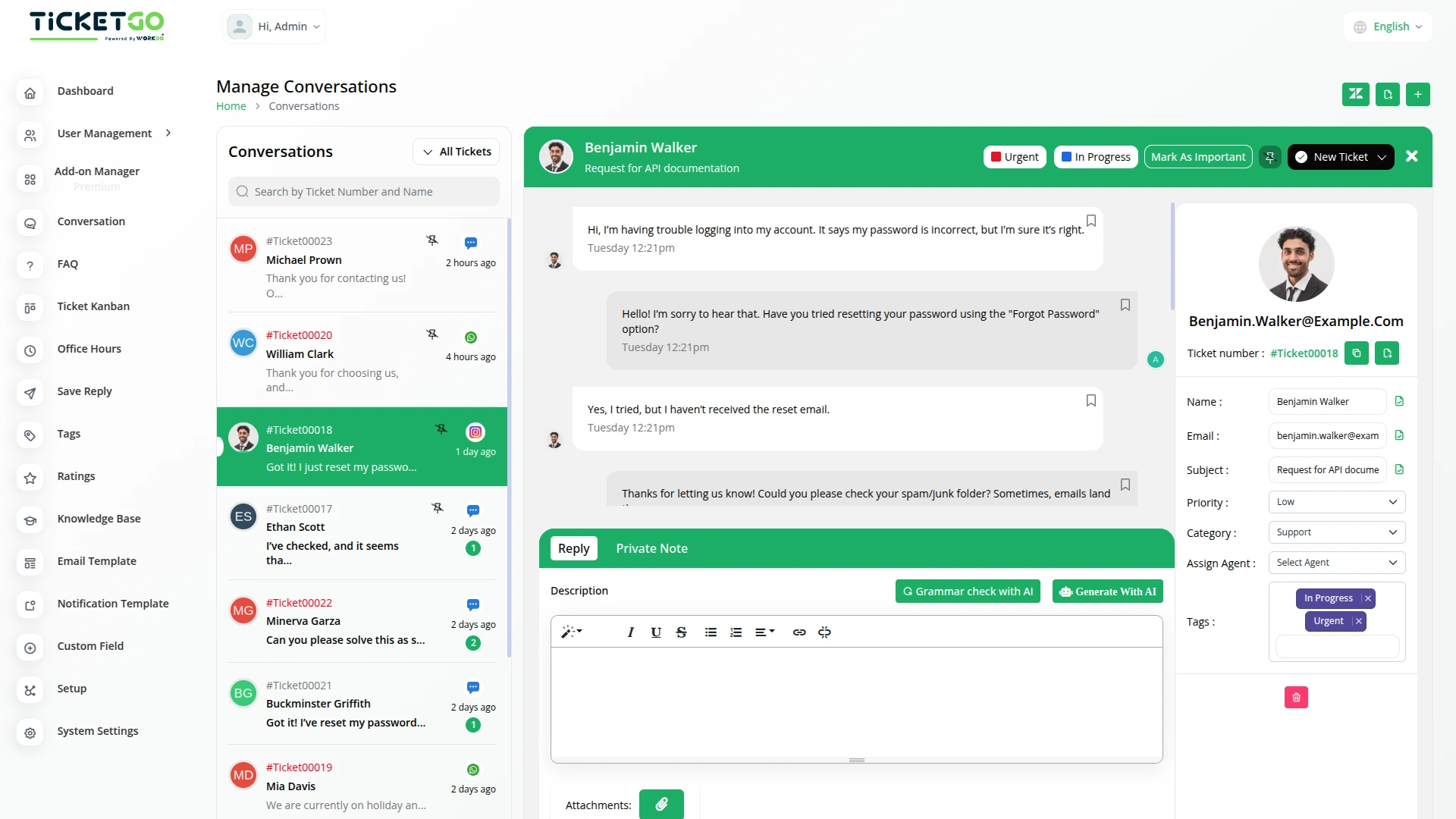
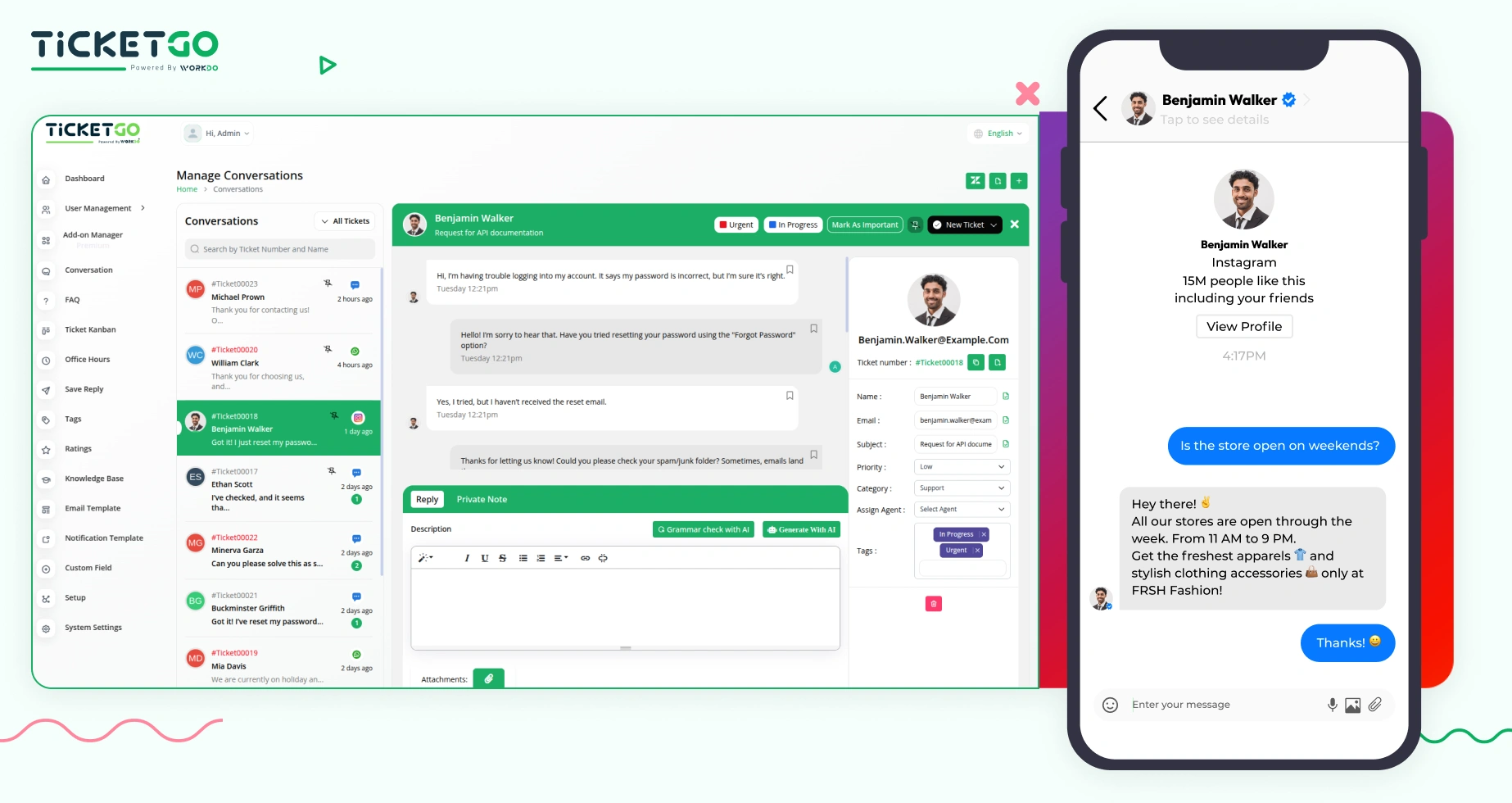
Now, you can chat with us on Instagram and receive instant replies, all thanks to our integration with TicketGo. When you message us on Instagram, we’ll receive it through our TicketGo portal and reply to you without any delays. You’ll get our responses directly in your Instagram inbox, making it easier for you to get the help you need—fast and efficiently!
Screenshots from our system
To explore the functionality and usage of these Add-Ons, refer to the accompanying screenshots for step-by-step instructions on how to maximize their features.
Discover More Add-Ons
Unlock even more functionality with additional Add-Ons, providing enhanced networking and customization options for your TicketGo Add-Ons experience.

Mail2Ticket
Mail2Ticket makes customer support easier by turning incoming emails into organized support tickets.
View More
Ticket Kanban
The Ticket Kanban add-on helps support teams work faster and more efficiently. By giving a clear view of ticket priorities and allowing quick updates, it ensures that urgent issues are handled first.
View More
SMS
The SMS Notification Integration in TicketGo provides businesses with a reliable way to notify users about important ticket updates through SMS. This integration ensures that customers receive real-time notifications, even when they do not have access to email or other communication platforms. With the widespread use of mobile phones, SMS serves as a highly effective channel to keep customers informed about their ticket status, reducing the chances of missed updates and improving customer satisfaction.
View More
2 reviews for Instagram Chat – TicketGo Add-On
| 5 star | 50% | |
| 4 star | 50% | |
| 3 star | 0% | |
| 2 star | 0% | |
| 1 star | 0% |
Comments
You must be logged in to post a comment.
There are no comment yet.
Contact Us for Support :
-
You will get immediate support from our support desk. Please visit here https://support.workdo.io/
Item support includes:
- Answer pre-sale questions or query
- Answering technical questions about item's features
- Assistance with reported bugs and issues
- Help with included 3rd party assets
- Free Installation services in some cases
However, item support does not include:
- Customization services
Check Documents & Tutorials
Advanced feature controls improve operational flexibility
Flexibility is amazing we could modify every layout to match our brand identity