
The HubSpot Add-On allows you to connect your HubSpot account with your platform, making it easier to manage products, services, and deals without switching between tools. Once connected, you can view and control HubSpot items from the Items section and handle all your deals directly within the CRM Add-on. This integration ensures your data stays updated, organized, and in sync, helping you manage sales and customer interactions more efficiently from one place.
HubSpot Integration for Items & Deals Management
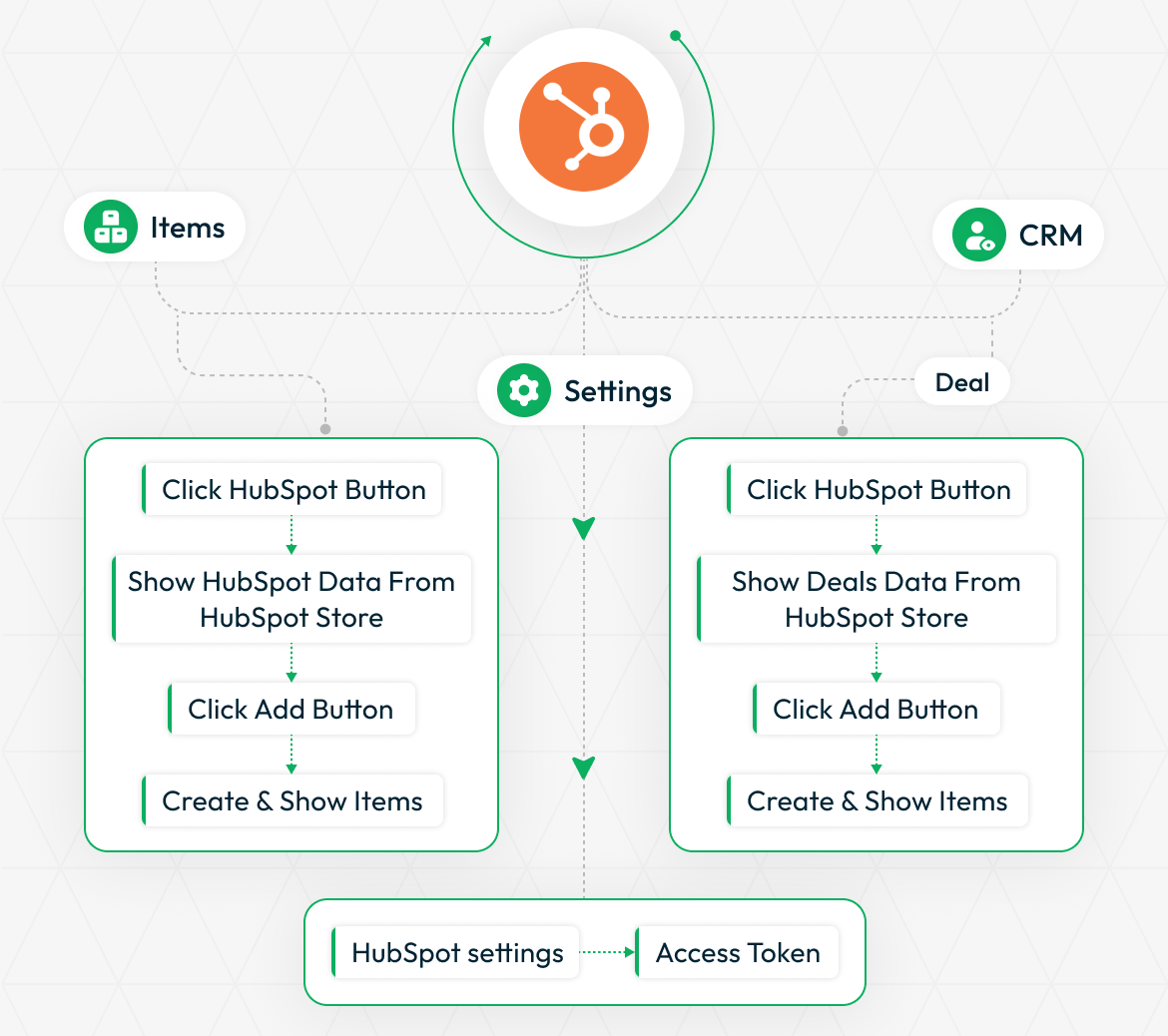
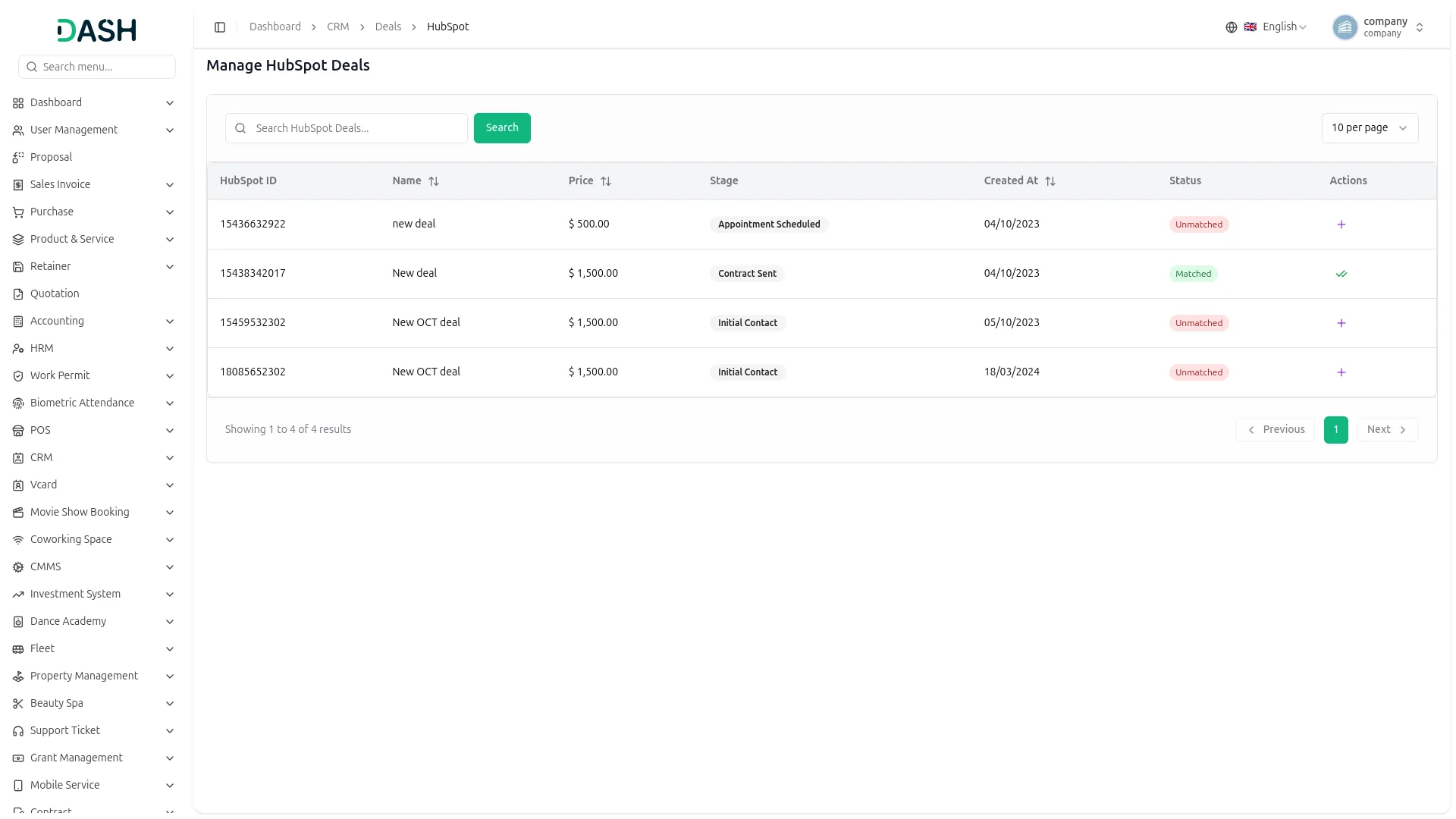
The HubSpot Add-On offers seamless integration, allowing you to manage products and deals directly within your platform. Once connected by entering your Access Token in Settings, you can instantly sync and access HubSpot data. In the Items section, clicking the HubSpot button retrieves product data from your HubSpot store. Similarly, in the CRM Deals section, the HubSpot button displays synced deal data, enabling you to add and track deals using List or Kanban views.
- Items
- CRM
HubSpot Settings Configuration
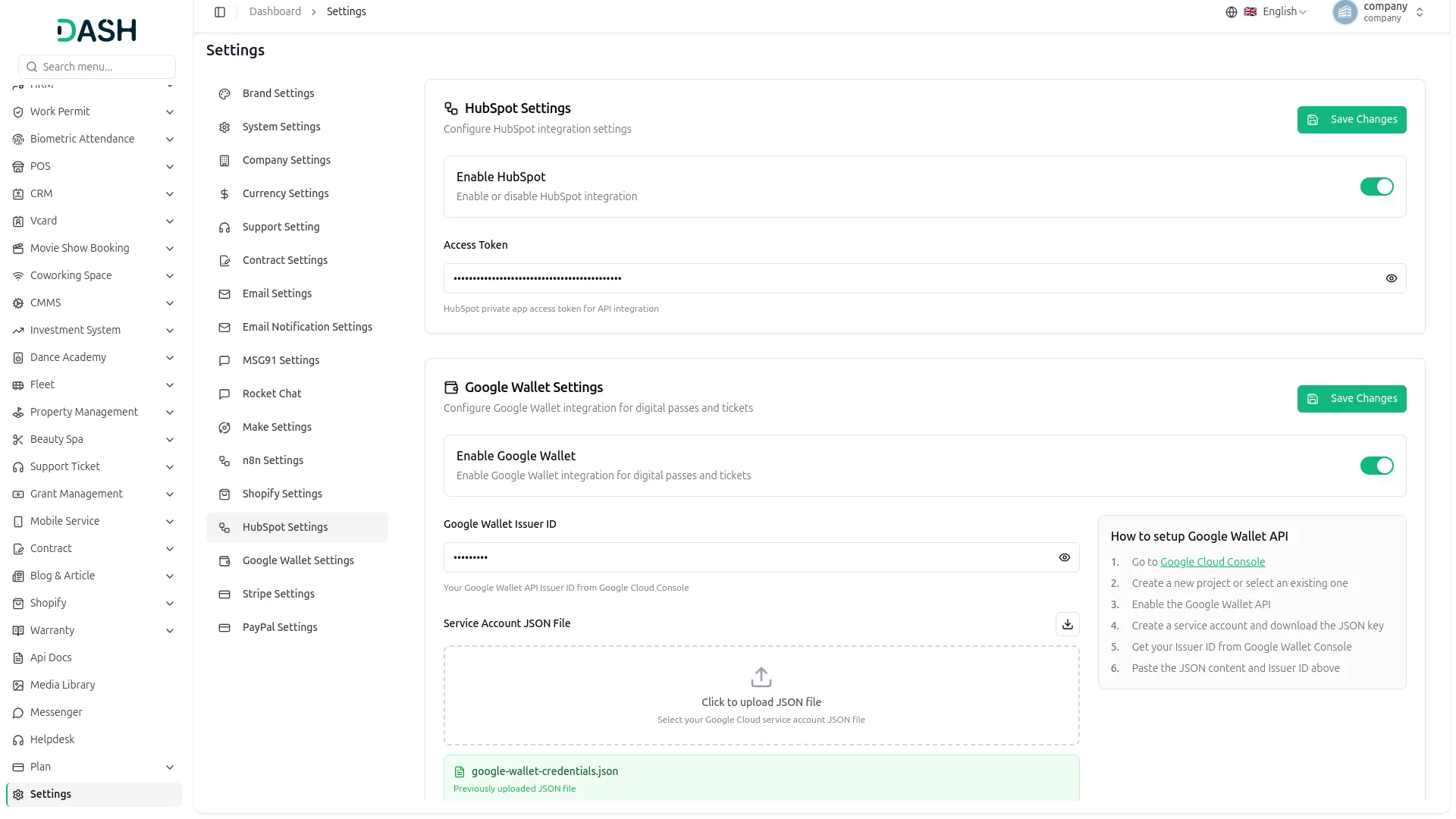
To configure HubSpot integration, navigate to Settings, and click on the HubSpot Settings. Use the Enable/Disable toggle to control integration visibility. Enter your Access Token from HubSpot. Click Save to activate the connection. Once enabled, HubSpot products and deals will be accessible within your CRM Add-on, and data synchronization will commence.
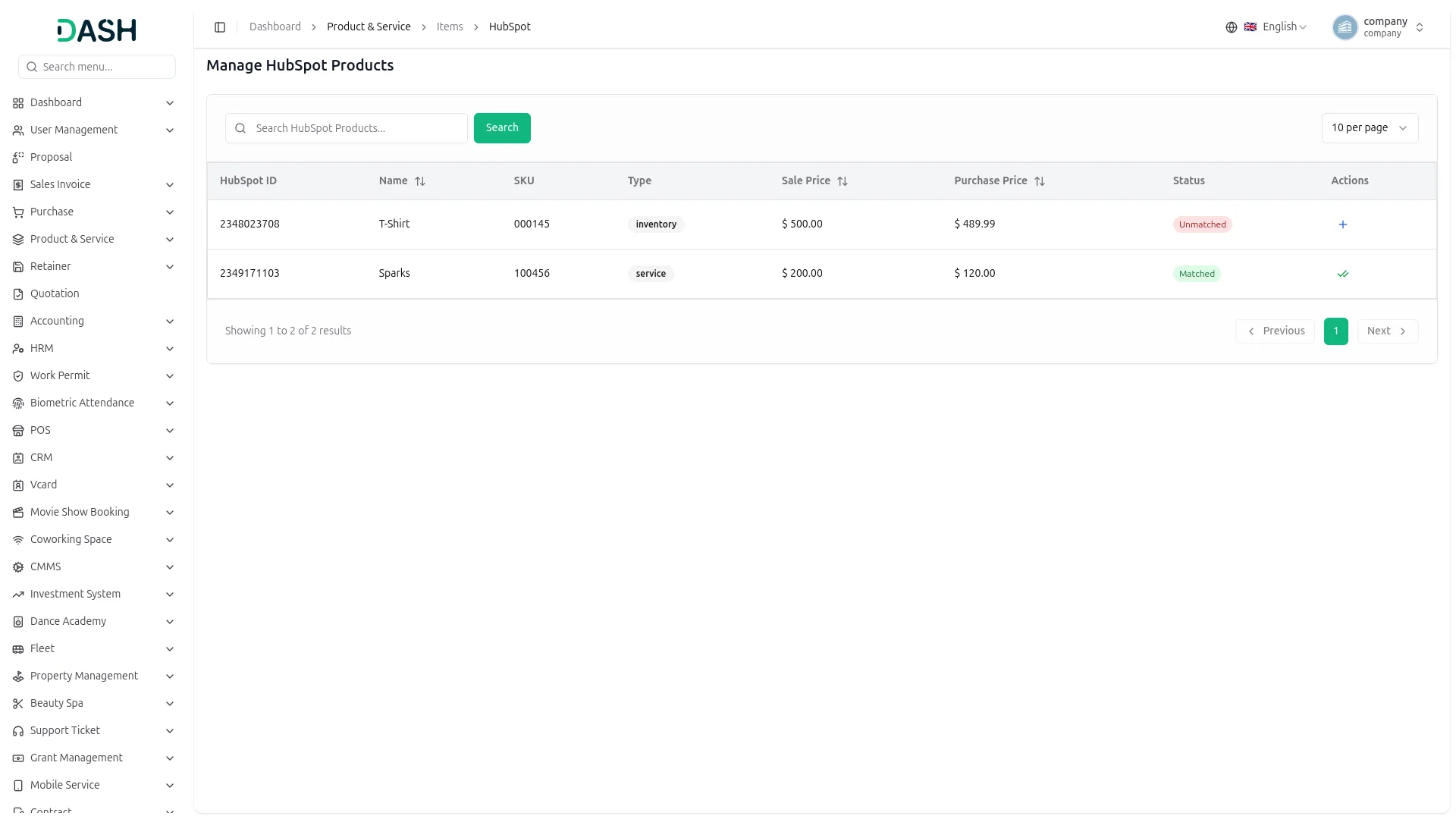
Manage HubSpot Products & Services Easily
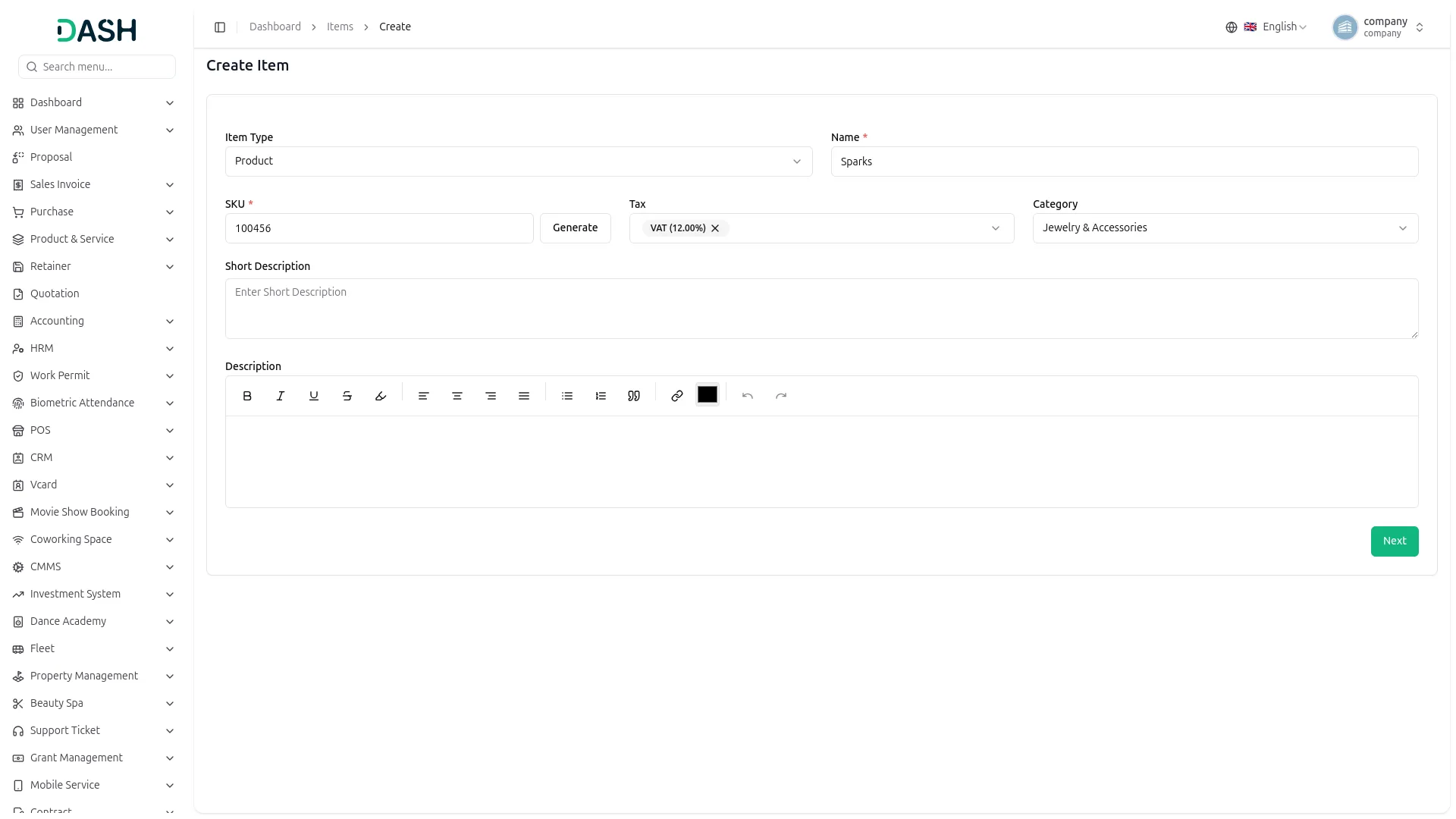
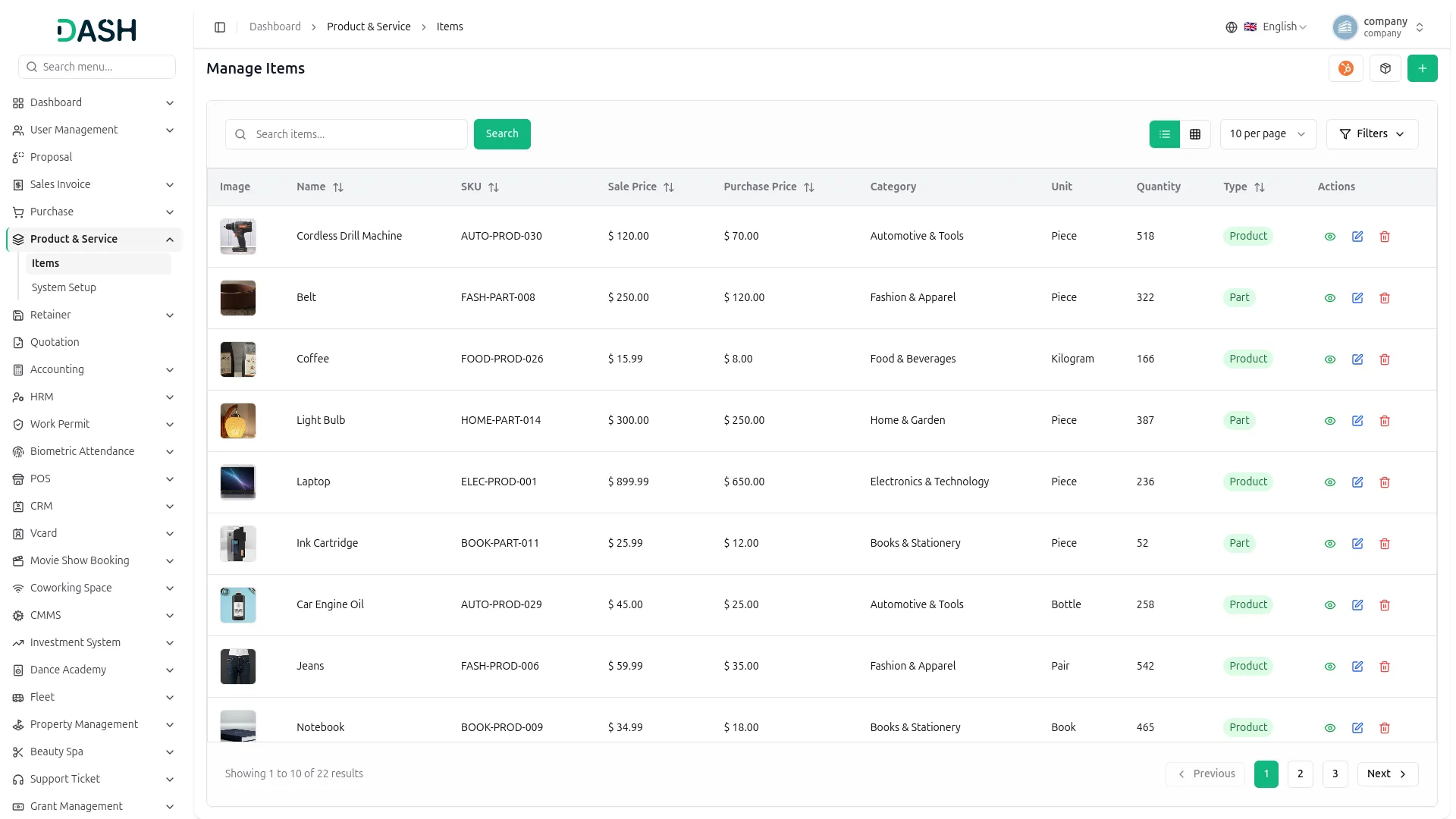
With the HubSpot Add-On, manage all HubSpot products directly from the Items section under the “Product & Service”. After integration, a HubSpot button appears under Items, displaying your all product list with details like HubSpot ID, name, SKU,sale price, purchase price, type, and status. Use the Create button to add new items by entering product info (name, category, tax, quantity, warehouse). You can also edit or delete any item as needed from the Items menu under the “Product & Service”, and use the sync button to make sure any changes are reflected in the system.
Handle Deals Within CRM Effortlessly
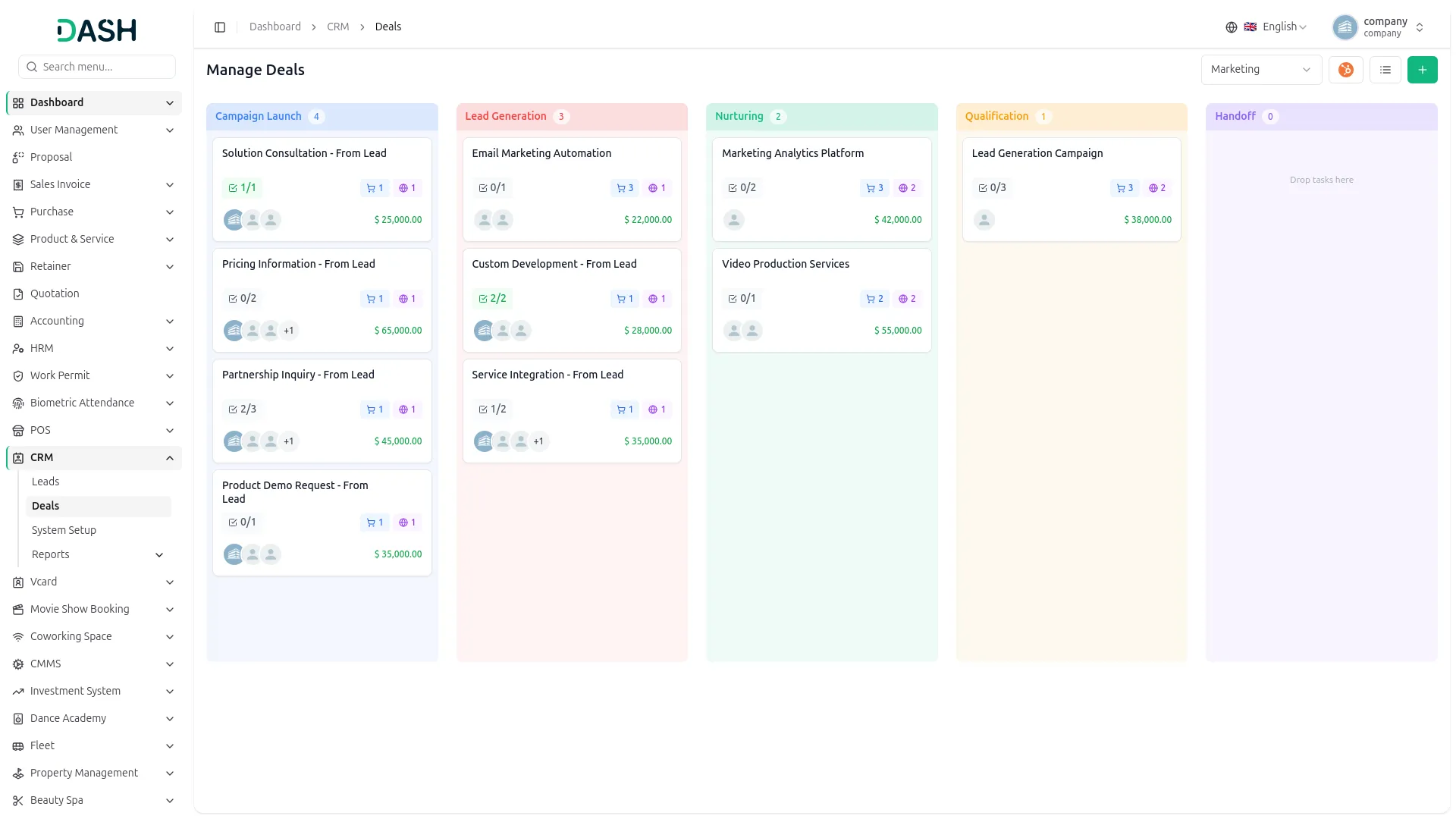
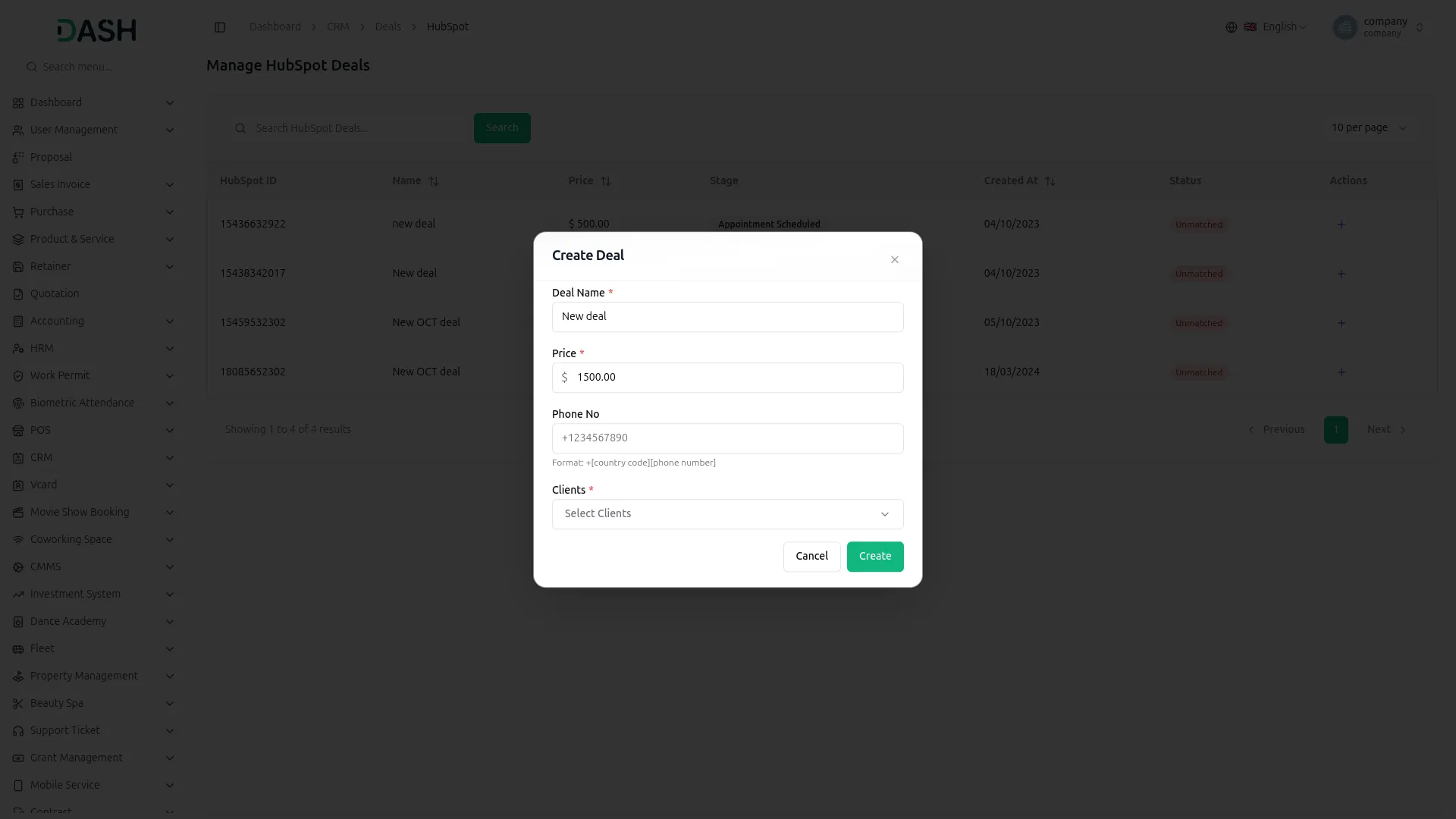
Manage all HubSpot deals directly within your CRM. In the Deals section, HubSpot deals appear in both List and Kanban views. Click the HubSpot button to access synced deals, showing details like name, price, stage, status, and created date. To add a deal, enter key info (name, price, phone number, client). New deals link to HubSpot and update from "Unmatched" to "Matched." You can edit or remove deals anytime from the deal and sync updates to keep everything aligned across the platform.
Screenshots from our system
To explore the functionality and usage of these Add-Ons, refer to the accompanying screenshots for step-by-step instructions on how to maximize their features.
Discover More Add-Ons
Unlock even more functionality with additional Add-Ons, providing enhanced networking and customization options for your Dash SaaS experience.

Sign-In With Outlook
Streamline user access with the Sign in with Outlook module for Dash SaaS. This feature enables users to log in quickly using their existing Outlook credentials, eliminating the need for new accounts and extra passwords.

Google Authentication
Our Google Authentication system adds an extra layer of security with easy two-step login using the Google Authenticator app.

MSG91
The MSG91 add-on in Workdo Dash enables businesses to send instant and reliable SMS notifications. Whether it's order updates, appointment reminders, payment confirmations, or promotional messages, MSG91 ensures quick and secure communication. With its smooth integration into Workdo Dash, businesses can enhance customer engagement, improve response times, and maintain seamless interactions with minimal effort.

Double Entry
Double Entry accounting is a fundamental accounting method that records financial transactions by entering them into two separate accounts: a debit and a credit. Each transaction affects both sides of the accounting equation, ensuring that assets equal liabilities plus equity. This system helps maintain the accuracy and integrity of financial records, enabling businesses to track their financial health and comply with accounting standards.
the Team deserve 5 Star for following reason; 1- Customer Support2- Feature Availability3- Design Quality 4- Documentation Quality