
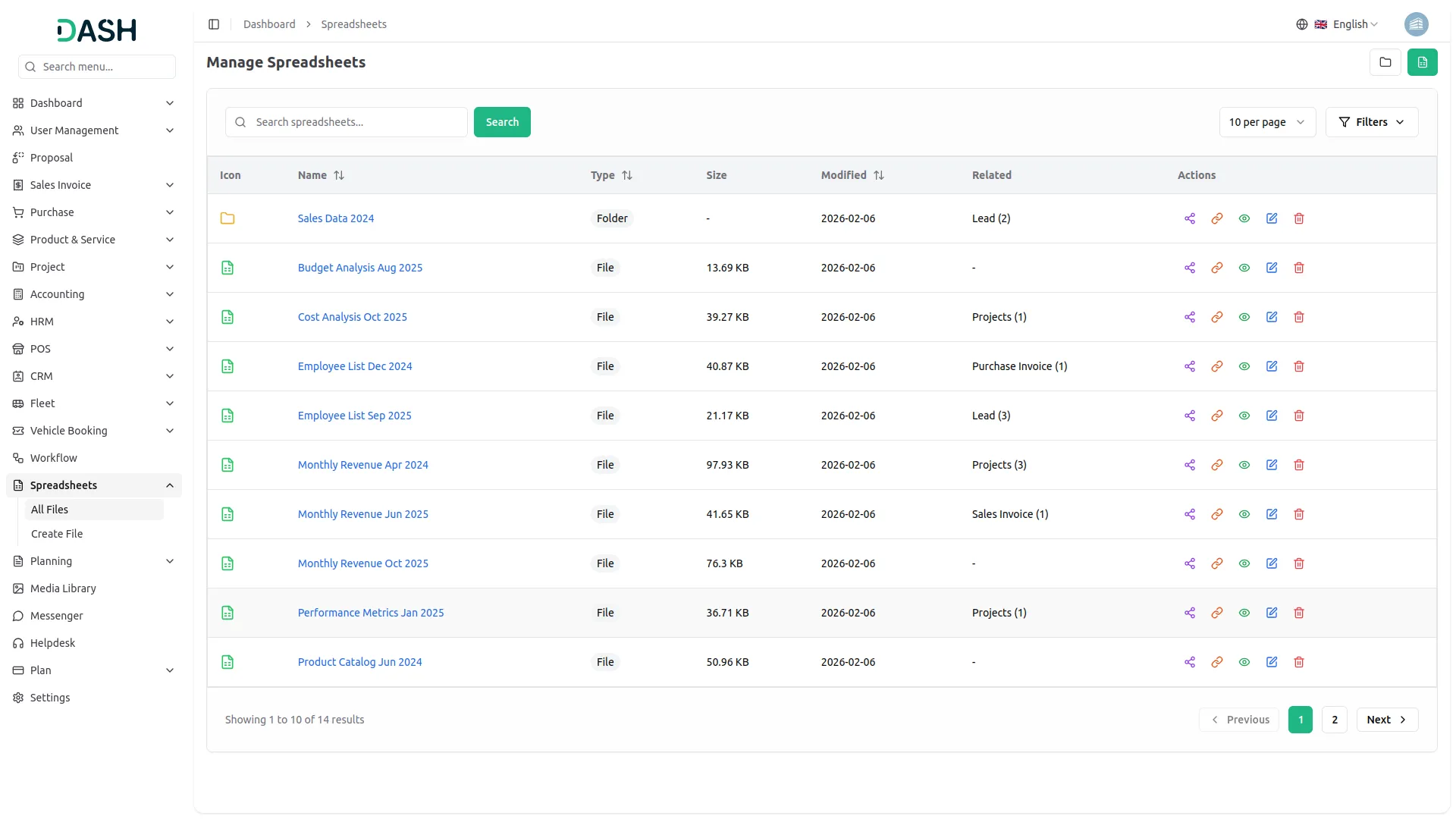
This centralized spreadsheet management system offers a streamlined solution for organizing, accessing, and collaborating on data across various departments. Users can efficiently manage files and folders, link related documents, and assign role-based permissions for viewing, editing, or sharing. With seamless integration across Add-Ons like CRM, Sales, Projects, LMS, and more, the system ensures smooth data flow and enhanced team collaboration.
Centralized Spreadsheet Management and Collaboration System
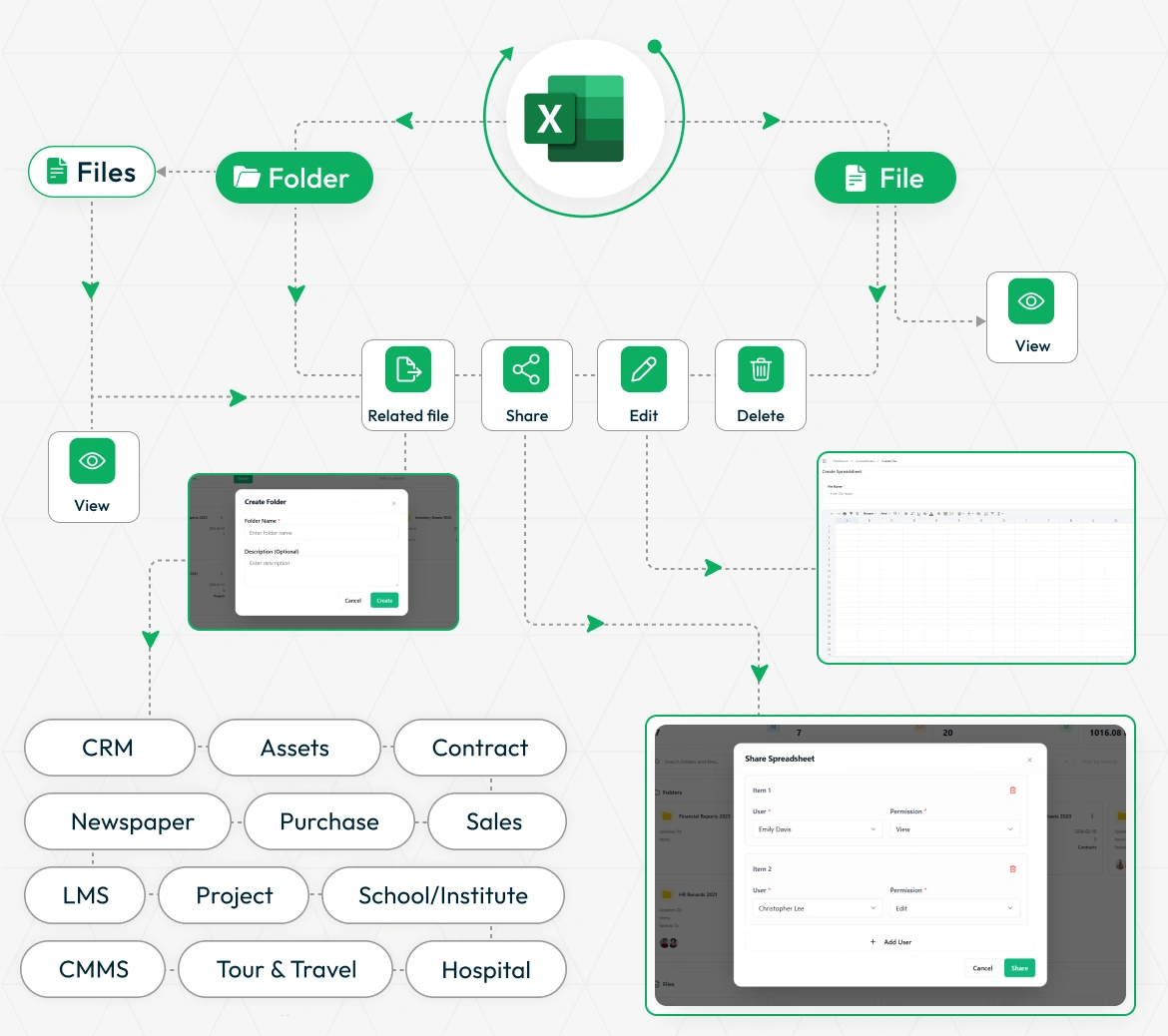
Effortlessly manage and collaborate on spreadsheets with an intuitive system that supports file and folder organization, sharing, editing, and deletion. Users can link related files, assign access permissions, and view detailed data entries. The platform integrates with various Add-Ons such as CRM, Assets, LMS, Projects, and more, ensuring seamless data connectivity across departments. Streamlined sharing features allow specific role-based access control, while related file associations and real-time edits keep all stakeholders aligned. This unified approach empowers users to handle complex document workflows efficiently across multiple domains.
File Organization & Creation
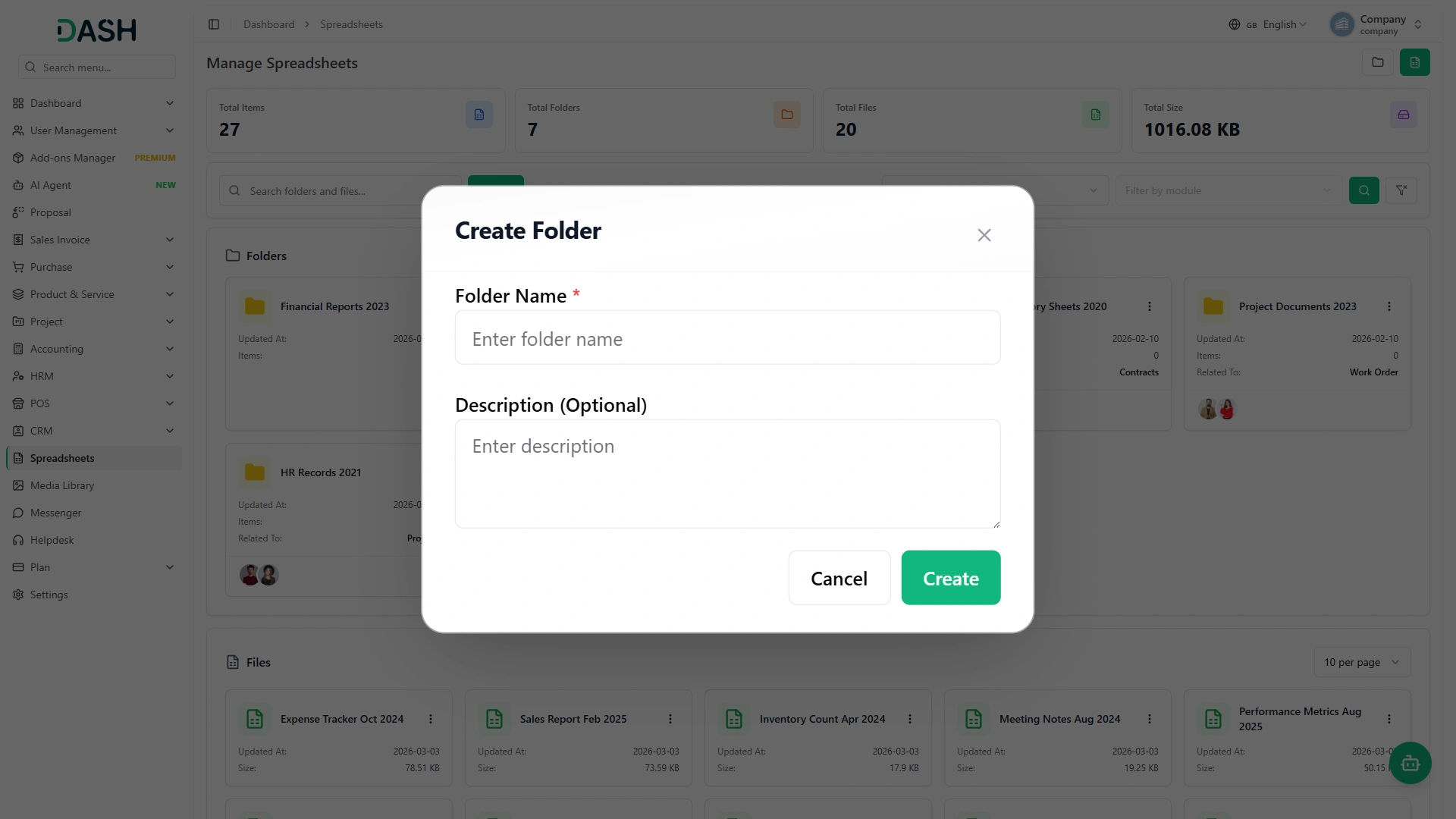
Create comprehensive folder structures and spreadsheet files with unlimited nested organization capabilities. The system allows users to build hierarchical folder trees while generating structured spreadsheet files with custom data input formats. Users can create folders with descriptive names and organize files systematically, making it easy to maintain large collections of spreadsheets across different projects and departments with intuitive navigation through the entire folder structure.
- Create unlimited nested folder structures
- Generate structured spreadsheet files easily
- Navigate hierarchical folders recursively
- Organize files with custom naming
Content Management & Accessibility
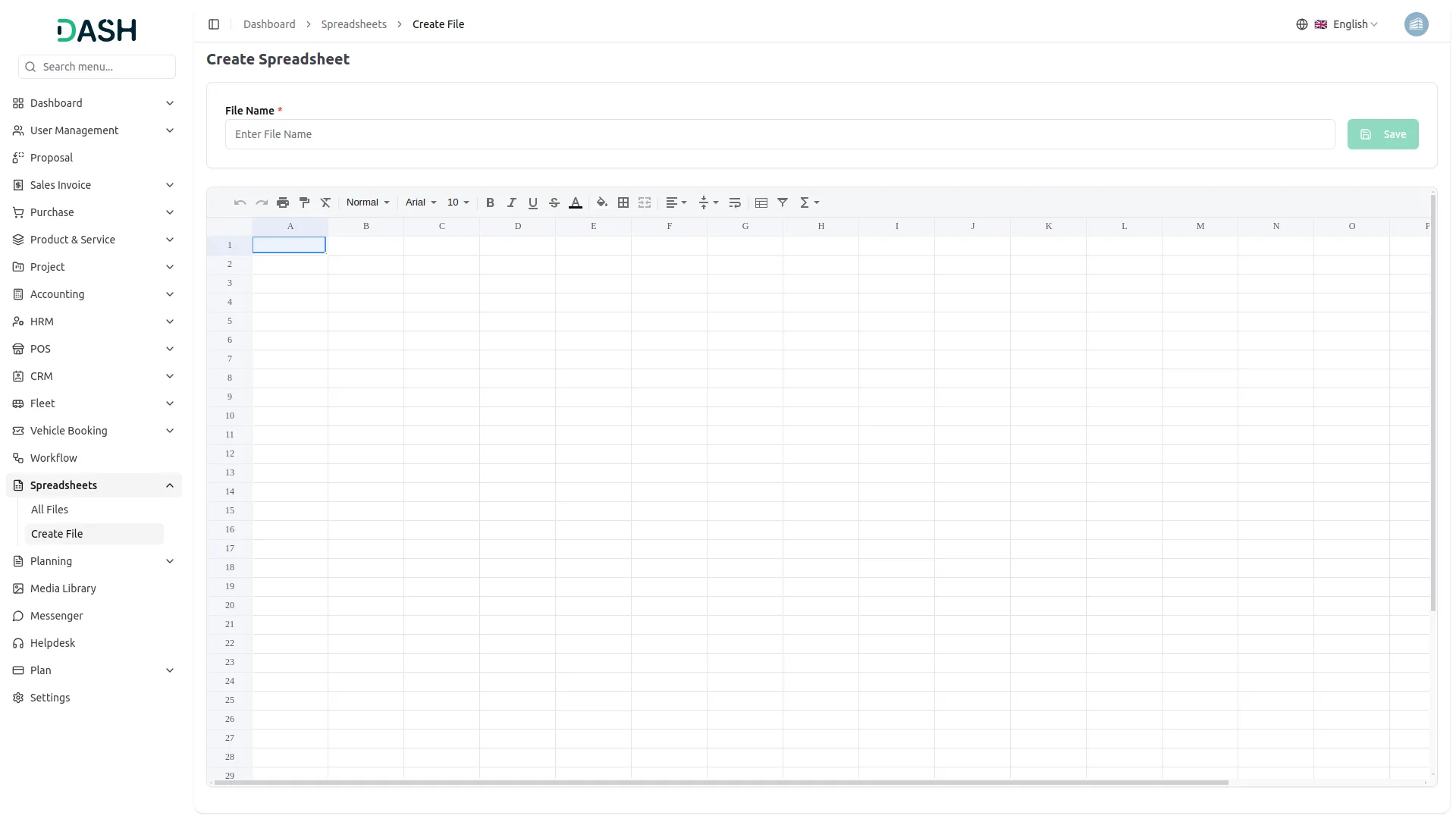
Comprehensive content management system offering both read-only viewing and full editing capabilities for spreadsheets and folders. Users can access file contents in a secure view-only mode for reference purposes or engage in full editing mode to modify data, rename folders, and update file information. The system maintains data integrity while providing intuitive interfaces for all content manipulation activities.
- View spreadsheets in read-only mode
- Edit file contents with modification tools
- Rename folders and organizational structures
- Delete files with confirmation protocols
User Sharing & Permissions
Robust sharing system enabling secure collaboration through user-specific access controls and granular permission management. Files and folders can be shared with designated users while maintaining strict permission levels including view-only and edit access. Shared content automatically synchronizes with recipient accounts, ensuring seamless collaboration while preserving security and data integrity across all shared materials.
- Share files with specific users
- Set granular view and edit permissions
- Automatically synchronize shared content globally
- Maintain secure sharing protocol standards
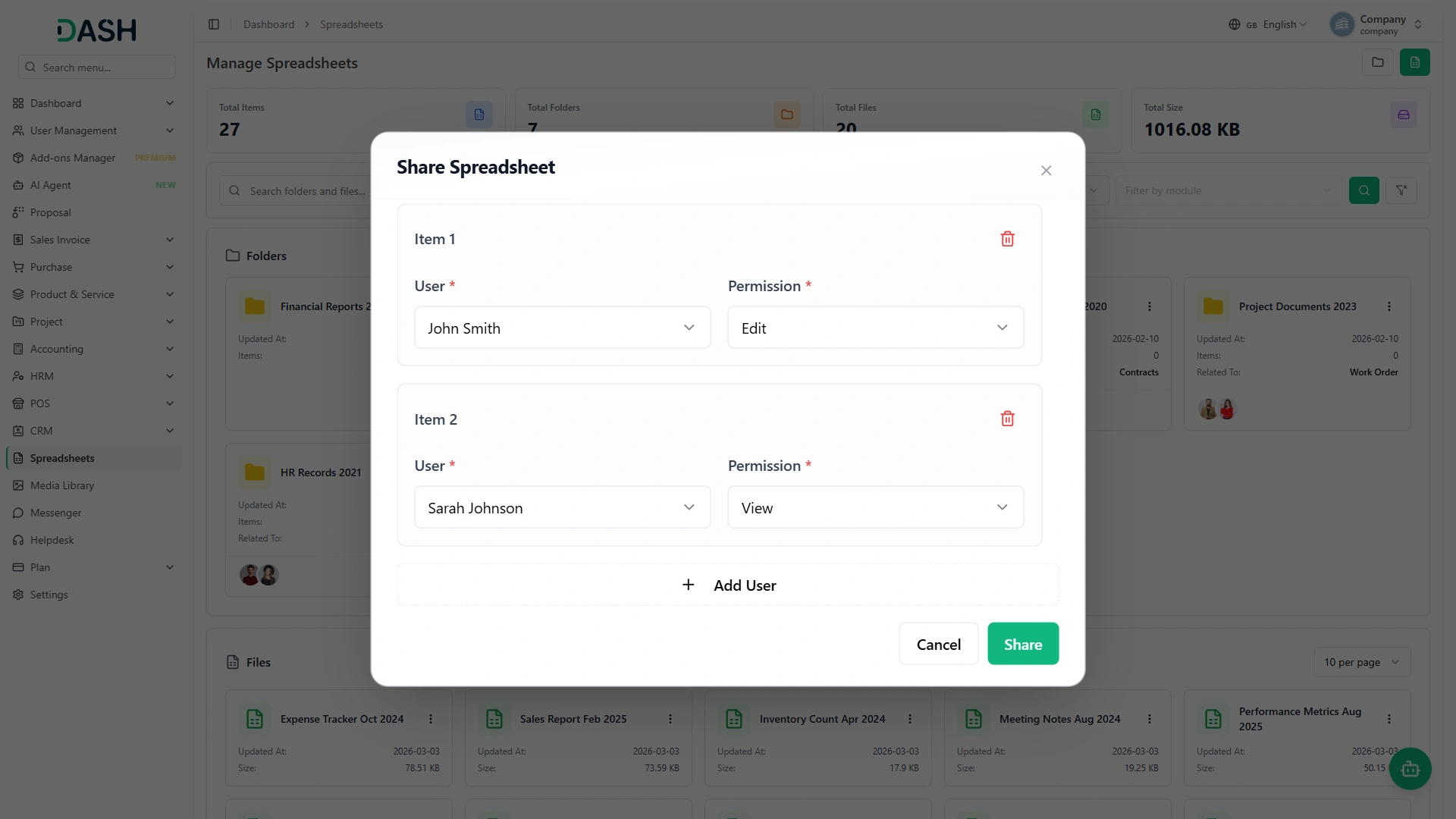
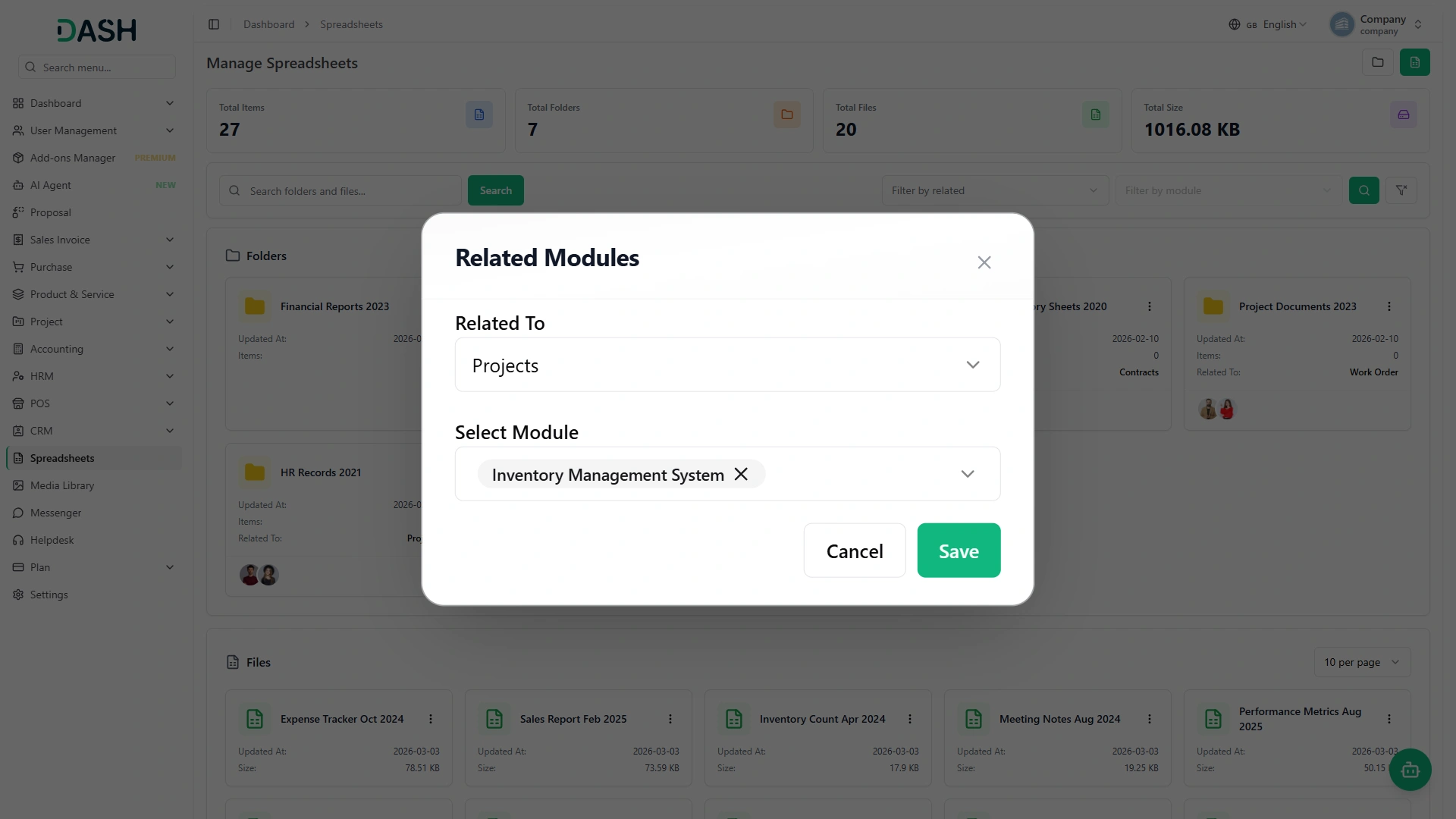
Screenshots from our system
To explore the functionality and usage of these Add-Ons, refer to the accompanying screenshots for step-by-step instructions on how to maximize their features.
Discover More Add-Ons
Unlock even more functionality with additional Add-Ons, providing enhanced networking and customization options for your Dash SaaS experience.

WhatsApp API
Workdo-Dash seamlessly integrates the WhatsApp API. This integration allows users to send WhatsApp messages triggered by specific events within the application. In the settings section, users have the ability to customise and manage event notifications by toggling them on or off as per their preferences.

Whereby Meeting
The Whereby Meeting module for Dash SaaS enables users to host, join, and manage virtual meetings with ease, all without leaving the platform.

AuthorizeNet
AuthorizeNet is a trusted payment gateway that helps businesses accept online and in-store payments securely.

Tailoring & Fashion Design
The Tailor & Fashion Design Add-on streamlines operations for tailoring businesses, boutiques, and designers. It offers a structured system to manage measurements, fabric inventory, tailor assignments, and custom orders.
Documentation makes onboarding smooth
Customization adapts to our brand
Bugs are very minimal
the Team deserve 5 Star for following reason; 1- Customer Support2- Feature Availability3- Design Quality 4- Documentation Quality