
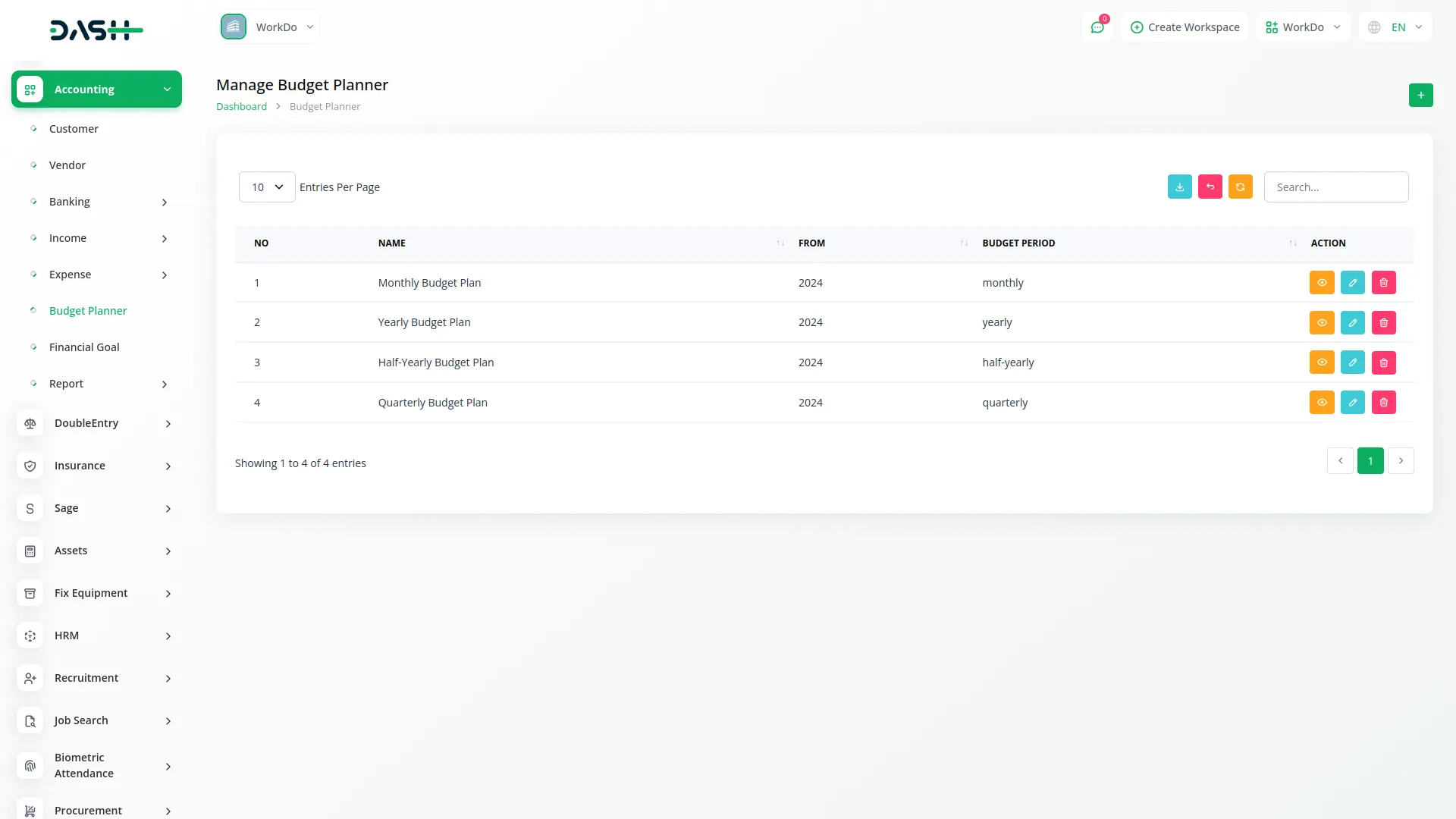
The Budget Planner is a comprehensive tool for managing multiple budgets, tracking spending, and ensuring financial discipline. It supports operational, capital, and cash flow budgets, with features like real-time tracking, smart fund allocation, and automated variance analysis. Integrated with accounting systems, it offers transparency, accountability, and streamlined workflows, making budgeting more efficient and accurate
Dependency Notice: The Budget Planner Add-On is dependent on the Account Add-On. If the Account Add-On is disabled, the Budget Planner Add-On will not function. Ensure that the Account Add-On is activated to utilize the Budget Planner features.
All-in-one Budget Management
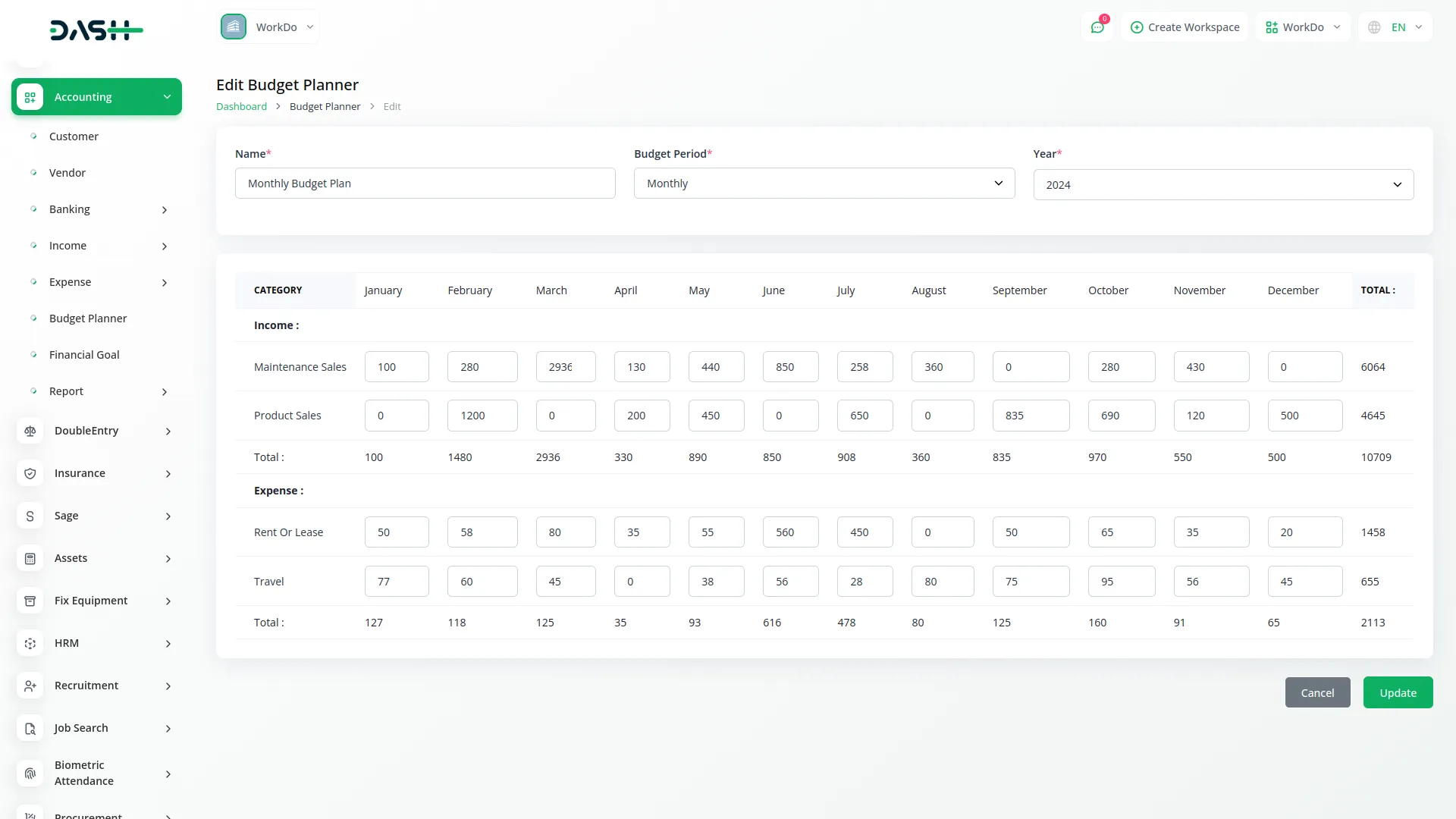
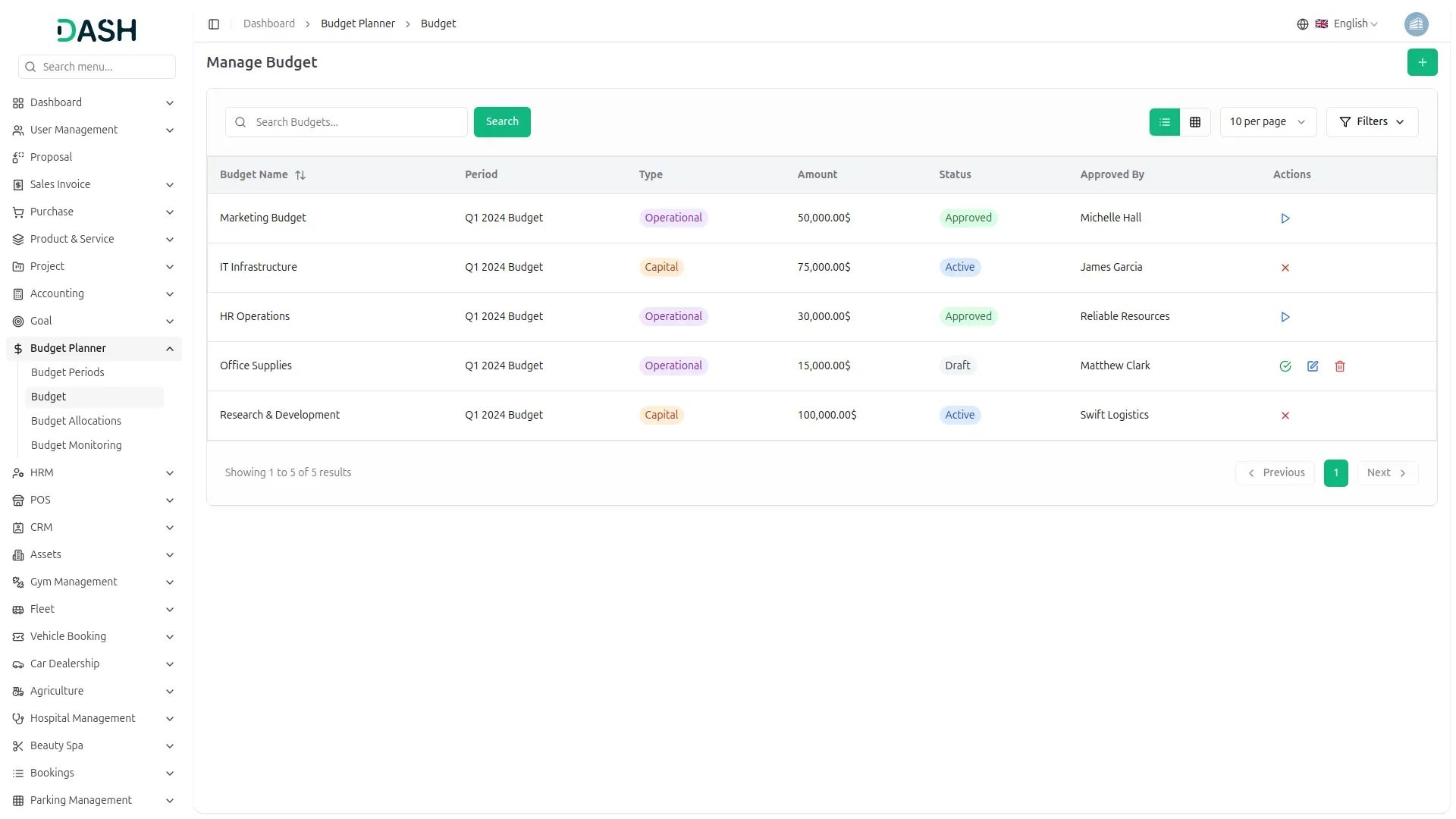
The Budget Planner lets your organization manage multiple budgets with defined periods throughout the year. It supports operational, capital, and cash flow budgets, allowing for organized financial planning. The system follows a structured workflow from draft to approval, ensuring proper authorization. This ensures financial discipline across your organization.
- Manage multiple budgets with defined periods each year.
- Supports operational, capital, and cash flow budgets.
- Structured workflow ensures proper draft-to-approval process.
- Promotes financial discipline and oversight across the organization.
Smart Fund Allocation
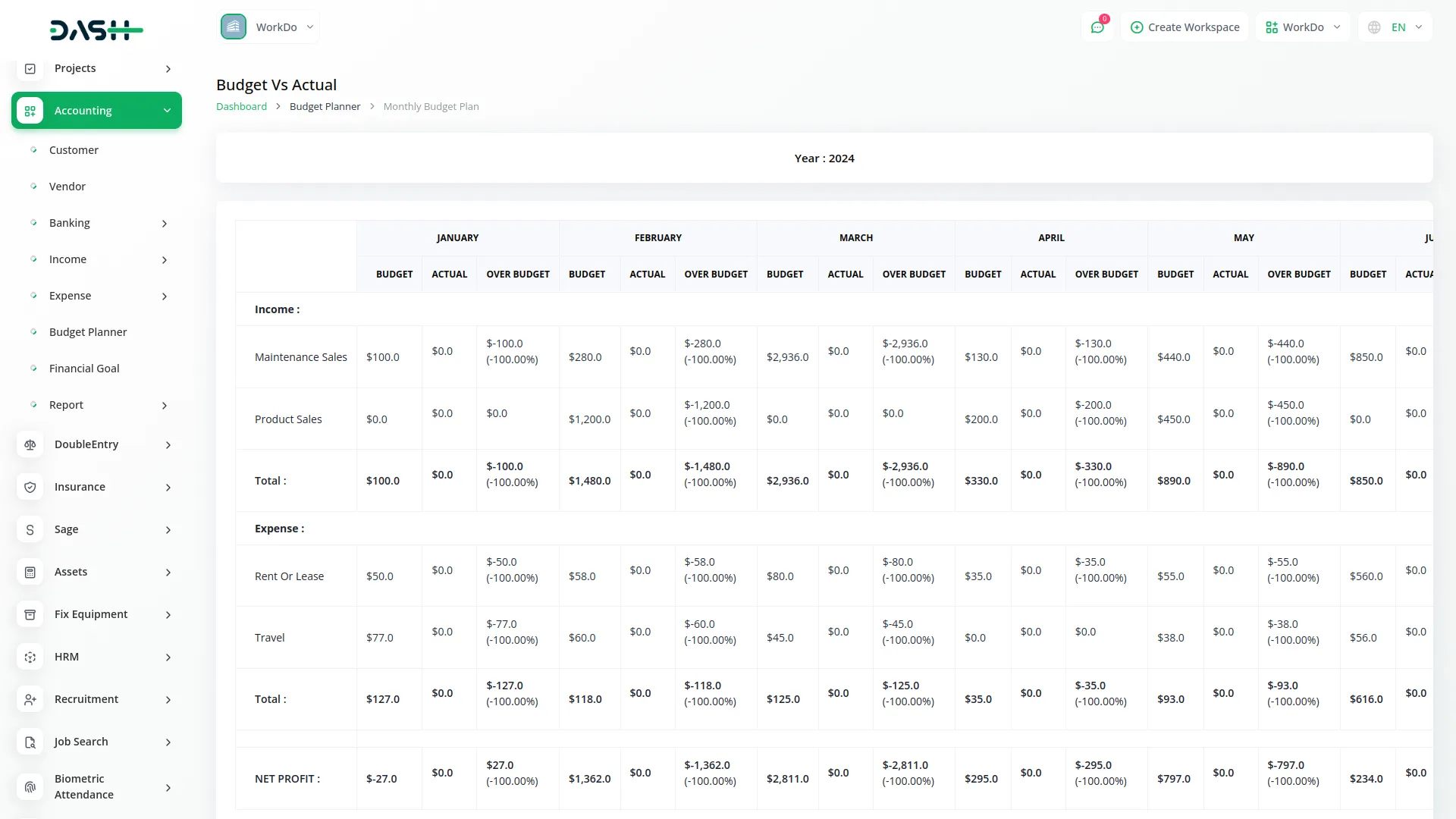
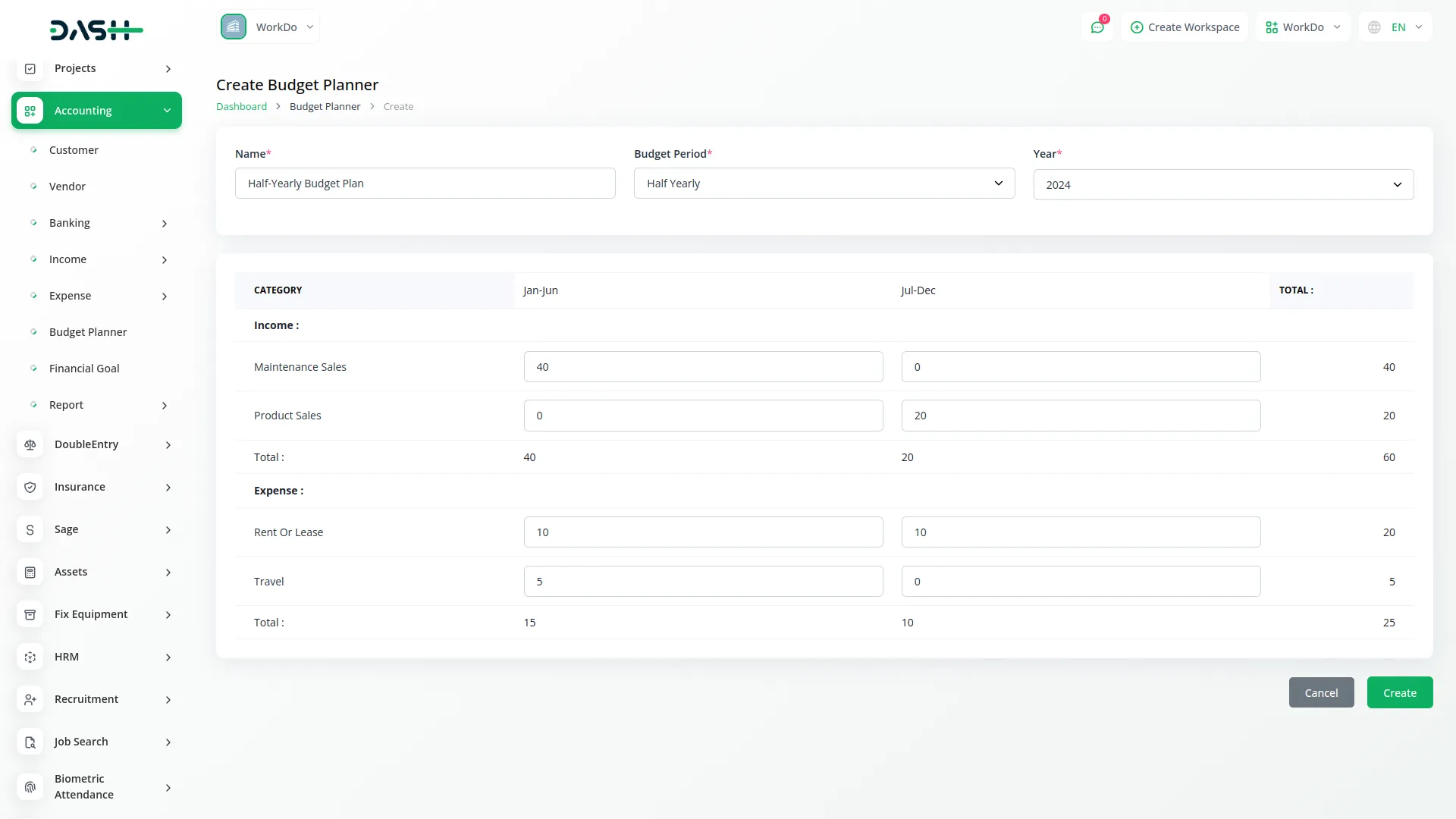
The allocation functionality lets you distribute budget amounts across different accounts, ensuring proper funding for each department. You can assign specific amounts to accounts, creating a financial plan aligned with your priorities. The system tracks allocated, spent, and remaining funds for full visibility. This helps prevent overspending, ensures resources reach the right areas, and maintains consistency between planning and execution.
- Distribute budget amounts across different accounts efficiently.
- Assign specific amounts to align with business priorities.
- Track allocated, spent, and remaining funds for visibility.
- Prevent overspending and ensure proper resource allocation.
Automated Spending Tracking
The Budget Planner automatically tracks spending against allocated budgets by syncing with journal entries, ensuring accuracy and eliminating manual input. Real-time updates show how current expenses compare to planned amounts. You can use date filters to spot trends and potential budget issues early. Variance analysis provides insights on whether you're under or over budget, enabling proactive adjustments to stay on track with financial goals.
- Automatically track spending by syncing with journal entries.
- Real-time updates compare expenses to planned amounts.
- Use date filters to spot trends and issues.
- Variance analysis helps stay on track with goals.
Seamless Integration & Control
The Budget Planner integrates with your accounting system, linking directly to your chart of accounts and journal entries. It tracks budget activities with user accountability, ensuring transparency and proper approvals. Date range validation prevents data inconsistencies and maintains report integrity. The system's controlled workflows ensure budgets follow proper approval processes, creating a unified and accurate financial planning environment.
- Integrates with the accounting system and a chart of accounts.
- Tracks budget activities with user accountability and transparency.
- Date range validation ensures data consistency and integrity.
- Controlled workflows ensure proper budget approval processes.
Screenshots from our system
To explore the functionality and usage of these Add-Ons, refer to the accompanying screenshots for step-by-step instructions on how to maximize their features.
Discover More Add-Ons
Unlock even more functionality with additional Add-Ons, providing enhanced networking and customization options for your Dash SaaS experience.

senangPay
senangPay Payment Gateway Integration offers a secure environment for online transactions, ensuring the safety of both businesses and customers. Utilizing advanced encryption and fraud prevention measures, you can trust that your transactions are fully protected. This gateway supports multiple payment methods, providing customers with the convenience they expect.
View More
Tawk.to Messenger
Integrating tawk.to Messenger into Dash SaaS revolutionizes your customer support experience, providing a direct and efficient communication channel for your clients. This real-time messaging platform allows you to engage with customers instantly, addressing their queries and concerns as they arise. By offering immediate assistance, you enhance customer satisfaction and build stronger relationships, ensuring that your clients feel valued and supported at every interaction.
View More
yoga-classes
Yoga Classes is an all-in-one Yoga Classes management Add-On with advanced course creation, user management, secure payments, dynamic content tools, and a central dashboard.
View More
Fix Equipment
This Fixed Asset Management System offers a complete solution to organize, track, and maintain your organization’s assets.
View More12 reviews for Budget Planner – Dash SaaS Add-On
| 5 star | 83% | |
| 4 star | 16% | |
| 3 star | 0% | |
| 2 star | 0% | |
| 1 star | 0% |
Comments
You must be logged in to post a comment.
There are no comment yet.
Contact Us for Support :
-
You will get immediate support from our support desk. Please visit here https://support.workdo.io/
Item support includes:
- Answer pre-sale questions or query
- Answering technical questions about item's features
- Assistance with reported bugs and issues
- Help with included 3rd party assets
- Free Installation services in some cases
However, item support does not include:
- Customization services
Check Documents & Tutorials
Documentation is clear and very helpful
Las funciones son intuitivas y facilitan las tareas diarias
Flexible enough to accommodate future updates
Hautement performant et facile à configurer
Very positive and satisfying experience
Excellent addon for all industries
Hautement personnalisable et facile à configurer
Addon integrates seamlessly with existing tools
Las características son innovadoras y fáciles de aplicar
Support is quick and responsive
Flexible enough to meet our evolving needs
Bugs are quickly identified and resolved