
Tawk.to Messenger – WorkDo Dash SaaS Add-On Guide
Learn how to configure and manage Tawk.to Messenger integration in Dash SaaS.
Introduction
Integrating TawkTo Messenger with Dash SaaS enhances your customer support capabilities, offering real-time interaction to improve satisfaction and loyalty. This integration adds a personalized touch, making your dashboard more user-friendly and interactive, thereby enhancing the overall user experience. Resolve customer queries promptly to boost retention rates, and leverage TawkToMessenger’s analytics for valuable insights into customer behavior.
How to Install the Add-On
To Set Up the Tawk.to Messenger Add-On, you can follow this link: Setup Add-On.
How To Use The Tawk.To Messenger Add-On?
- Once you purchase and install the Tawk.to Messenger Add-On, go to the sidebar and search for the Tawk.to Messenger Add-On. You need to first configure Tawk.to Messenger with Tawk.to Messenger Add-On.
Configuring TawkTo Messenger
- Begin by visiting the official TawkTo website and logging in to your existing account using your credentials.
- Once logged in, navigate to the Dashboard, then proceed to the Settings section from the sidebar menu.
- Within the settings, click on the “Channels” option to locate the configuration panel for the Chat Widget.
- Here, you will find a snippet of code labeled as the widget code. Copy this code carefully as it is required for the integration.
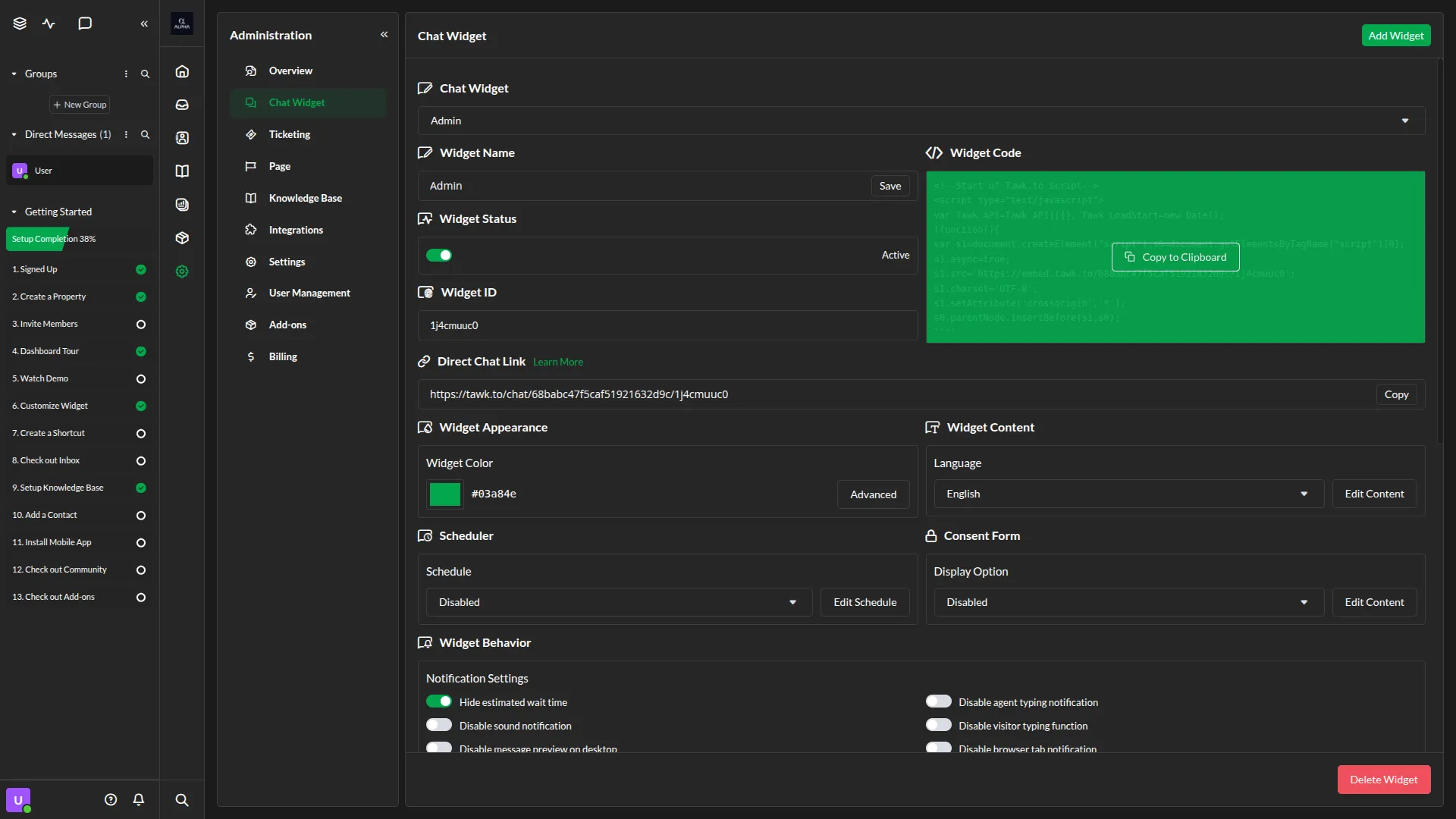
Settings
- Next, head over to your Dash SaaS Company login and open the System Settings area.
- Scroll to locate the section titled “Tawk.to Messenger Settings”, where you’ll find a designated input field for adding the widget code when you enable Tawk.to Messenger toggle. Paste the previously copied widget code into this field.
- After you do this, you get a chance to choose the notification settings. Here you can enable or disable the notifications of the various Add-Ons.
- Be sure to click “Save” to apply the changes.
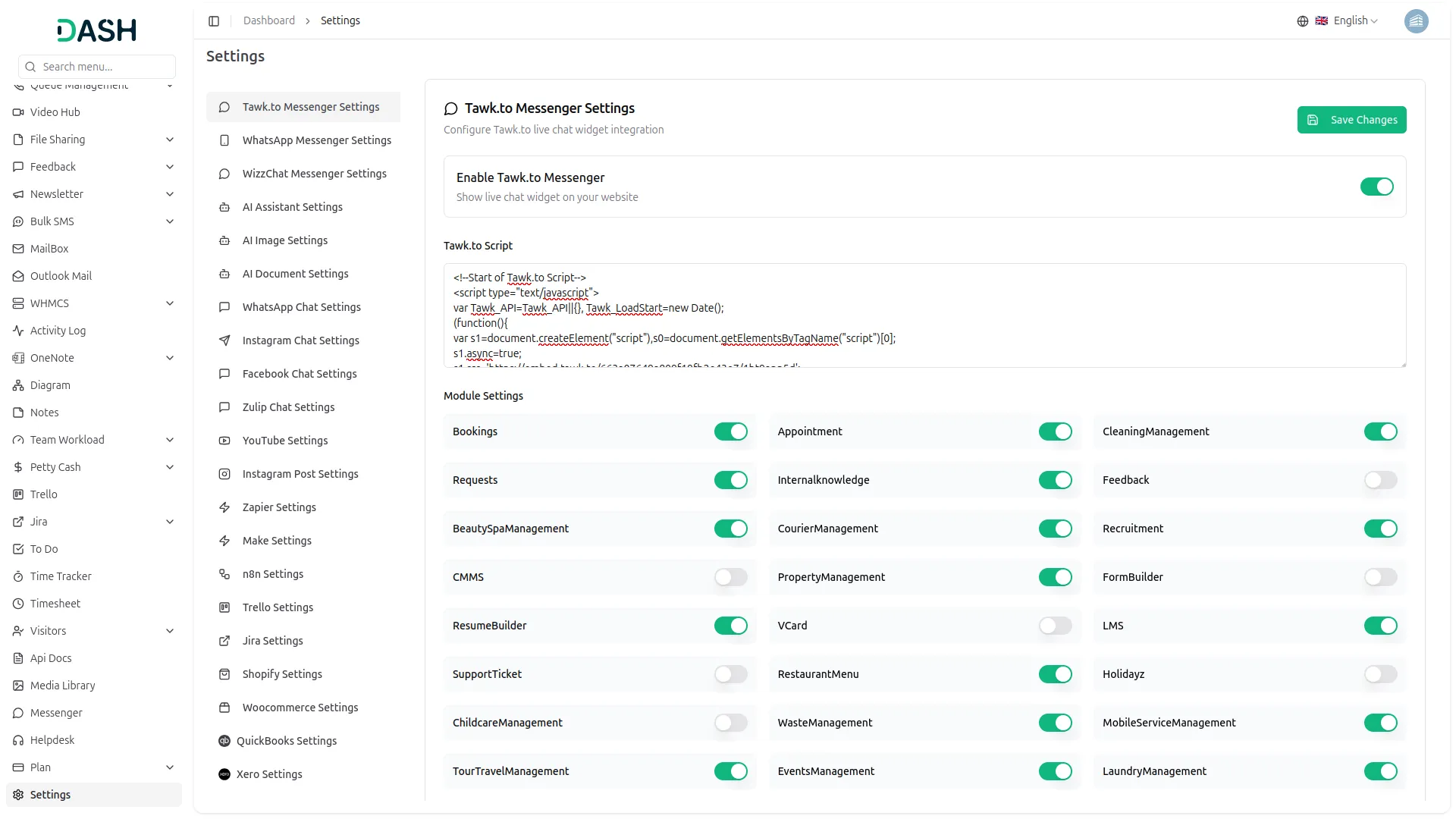
Activate and Use the Integration
- Once the code is successfully saved, the Tawk.To Messenger feature will be activated across your Dash SaaS platform.
- Your users and customers will now see the live chat widget, allowing them to reach out for support or information anytime they need.
- This setup allows your support agents to engage in one-on-one conversations directly through the chat, reducing wait times and creating a more efficient service experience.
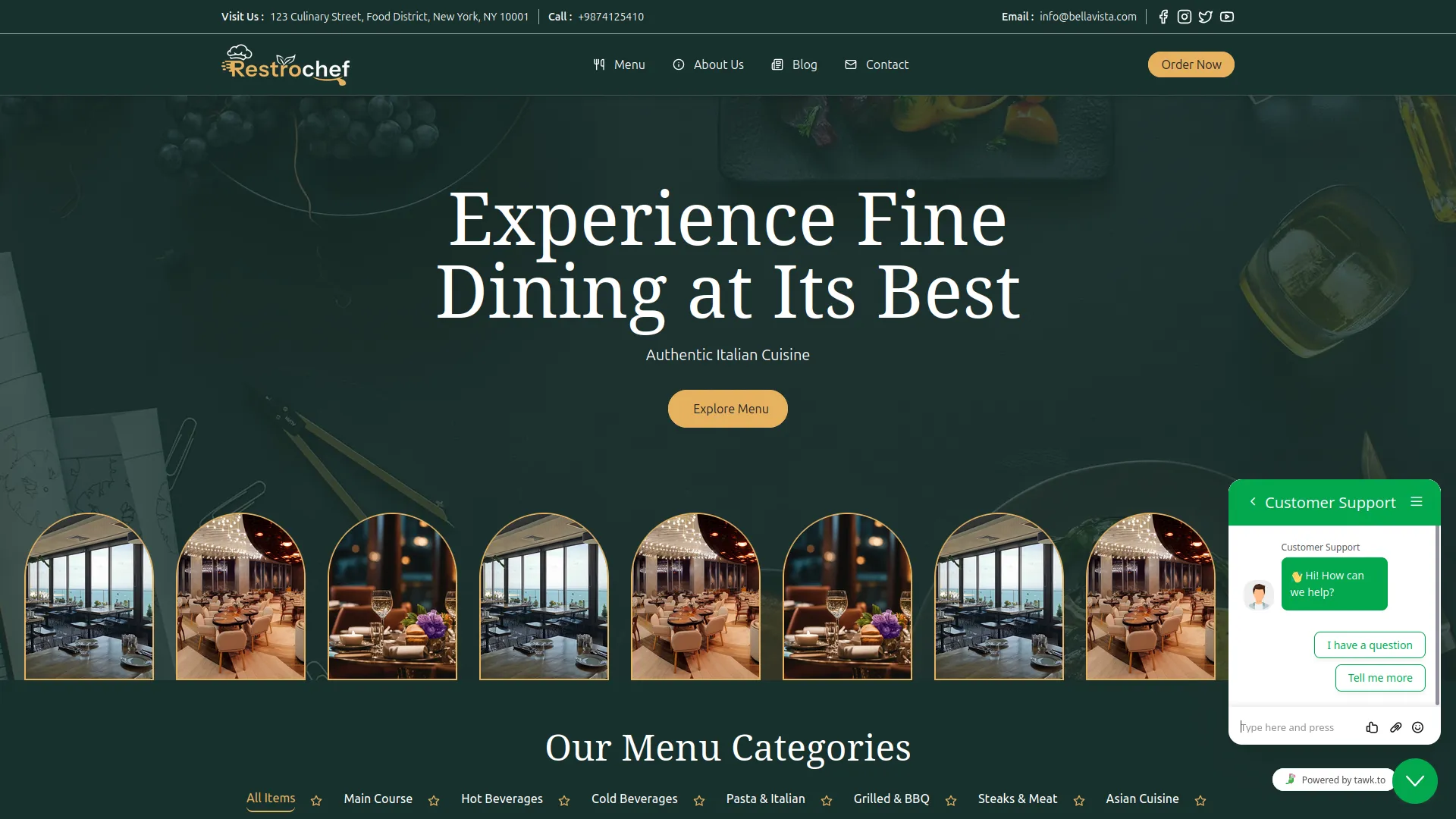
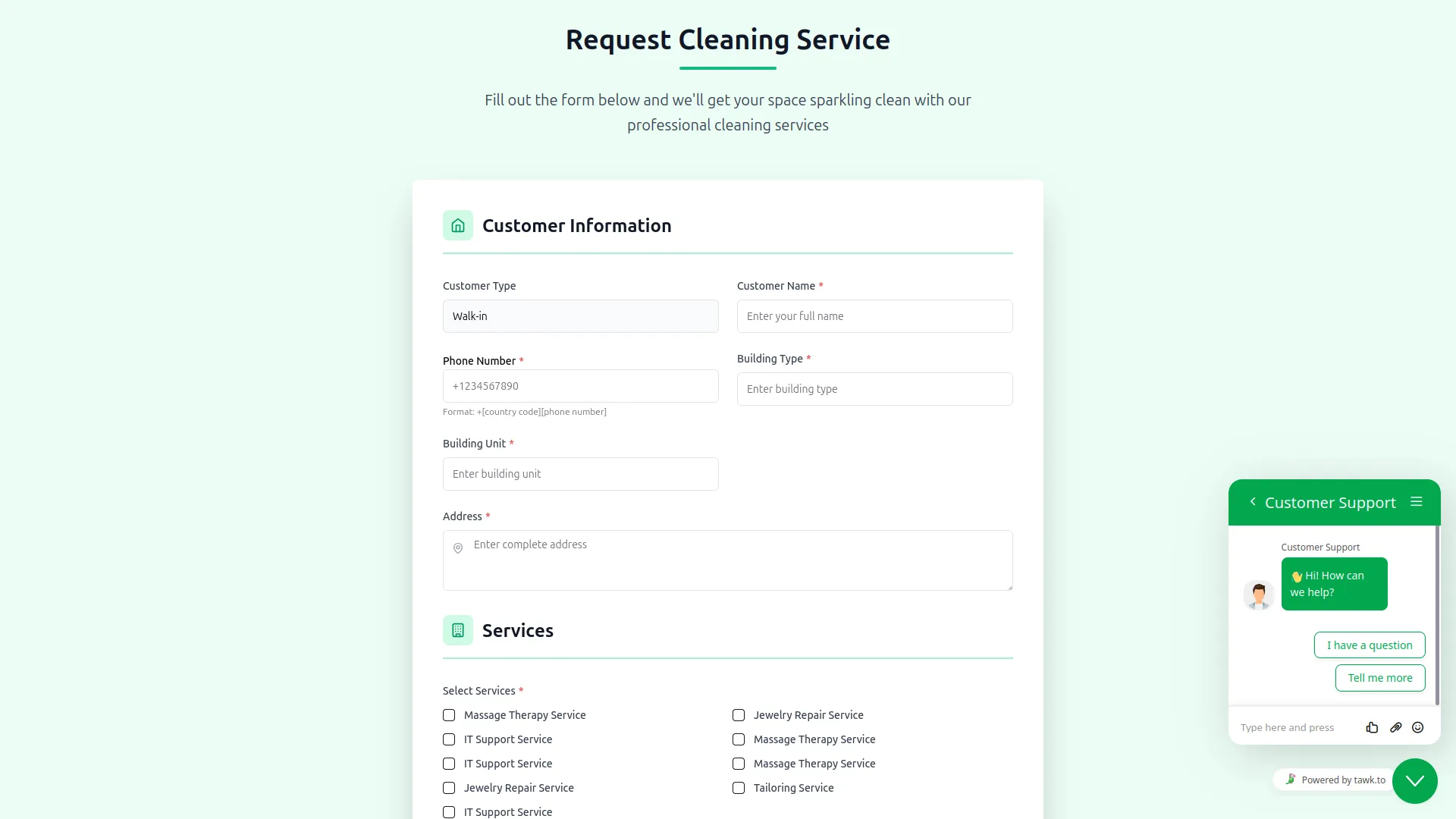
Note: Here is a list of some Add-Ons that we can easily connect to with Tawk.to Messenger Add-On.
- LMS
- Movie Show Booking System
- Hotel & Room Management
- Support Ticket
- Parking Management
- Beauty Spa Management
- Vehicle Booking Management
- Childcare Management
- Waste Management
- Cleaning Management
- Laundry Management
- Freight Management System
- Mobile Service Management
- Tour & Travel Management
- Courier Management
- Movie & TV Studio
- RoadMap Central
- More+
Categories
Related articles
- AI Image – WorkDo Dash SaaS Add-On Guide
- Slack – BookingGo SaaS Add-On Guide
- Rocket.Chat Credentials Generation Guide
- Product Catalog Request – eCommerceGo SaaS Add-On Guide
- Sign in with Facebook – WorkDo Dash SaaS Add-On Guide
- Audit & Inspection – WorkDo Dash SaaS Add-On Guide
- ToyyibPay – WorkDo Dash SaaS Add-On Guide
- Beauty & Spa – WorkDo Dash SaaS Add-On Guide
- Slack Integration – TicketGo Add-On Guide
- Benefit – BookingGo SaaS Add-On Guide
- Scholarship – WorkDo Dash SaaS Add-On Guide
- Flexible Hours – BookingGo SaaS Add-On Guide
We're Here to Help - Let's Talk
Have questions about our solutions, customization services, or business tools? Our team is here to help you. let's talk.