
Make Credentials Generation Guide
Learn how to generate and configure Make credentials with simple setup steps.
- To generate the credentials, first of all go to the make.com and click on and click on the get started for free button.
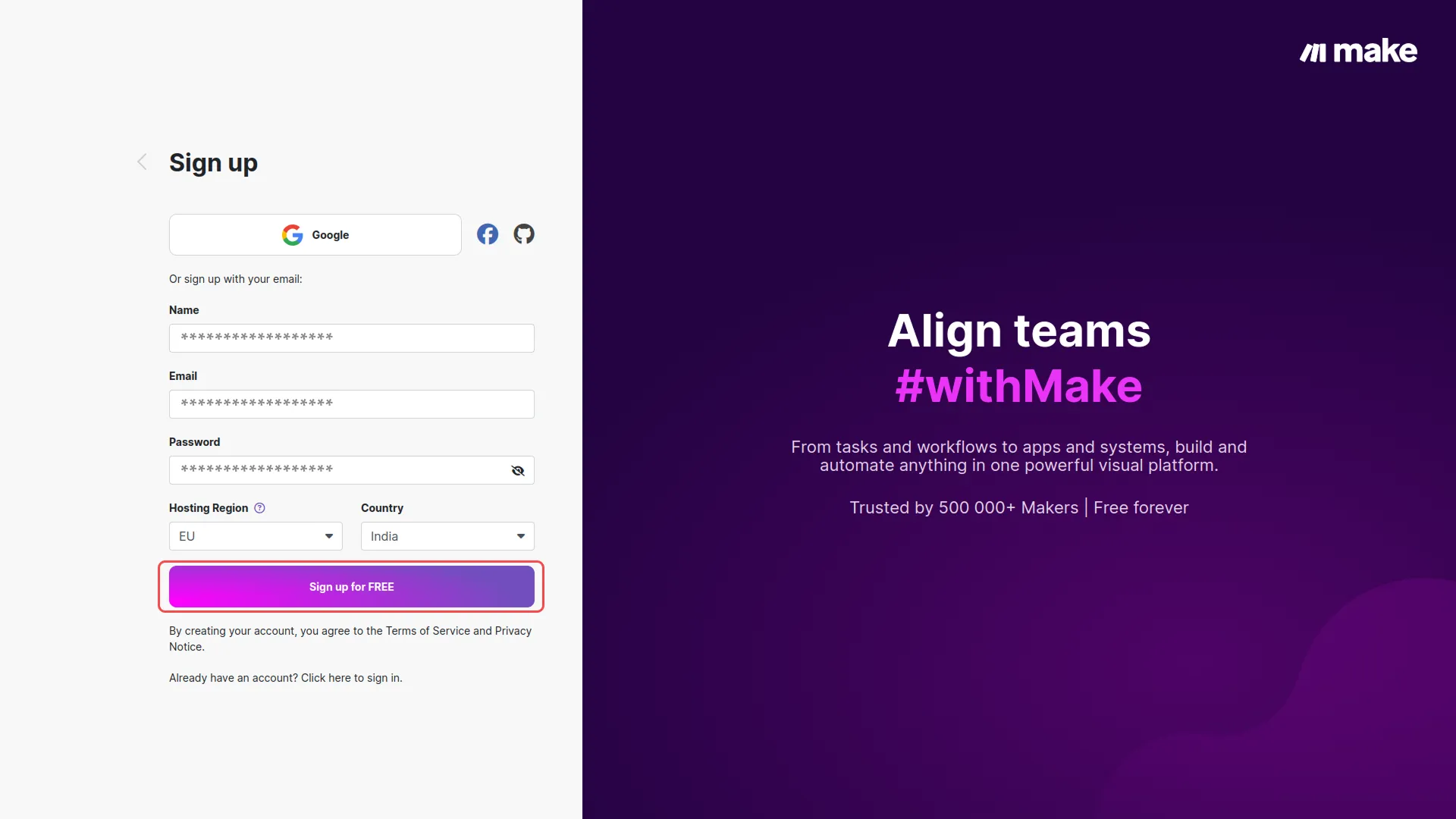
- After that, you will be navigated to a page where you need to add all the necessary credentials, and click on the sign up for free button.
-
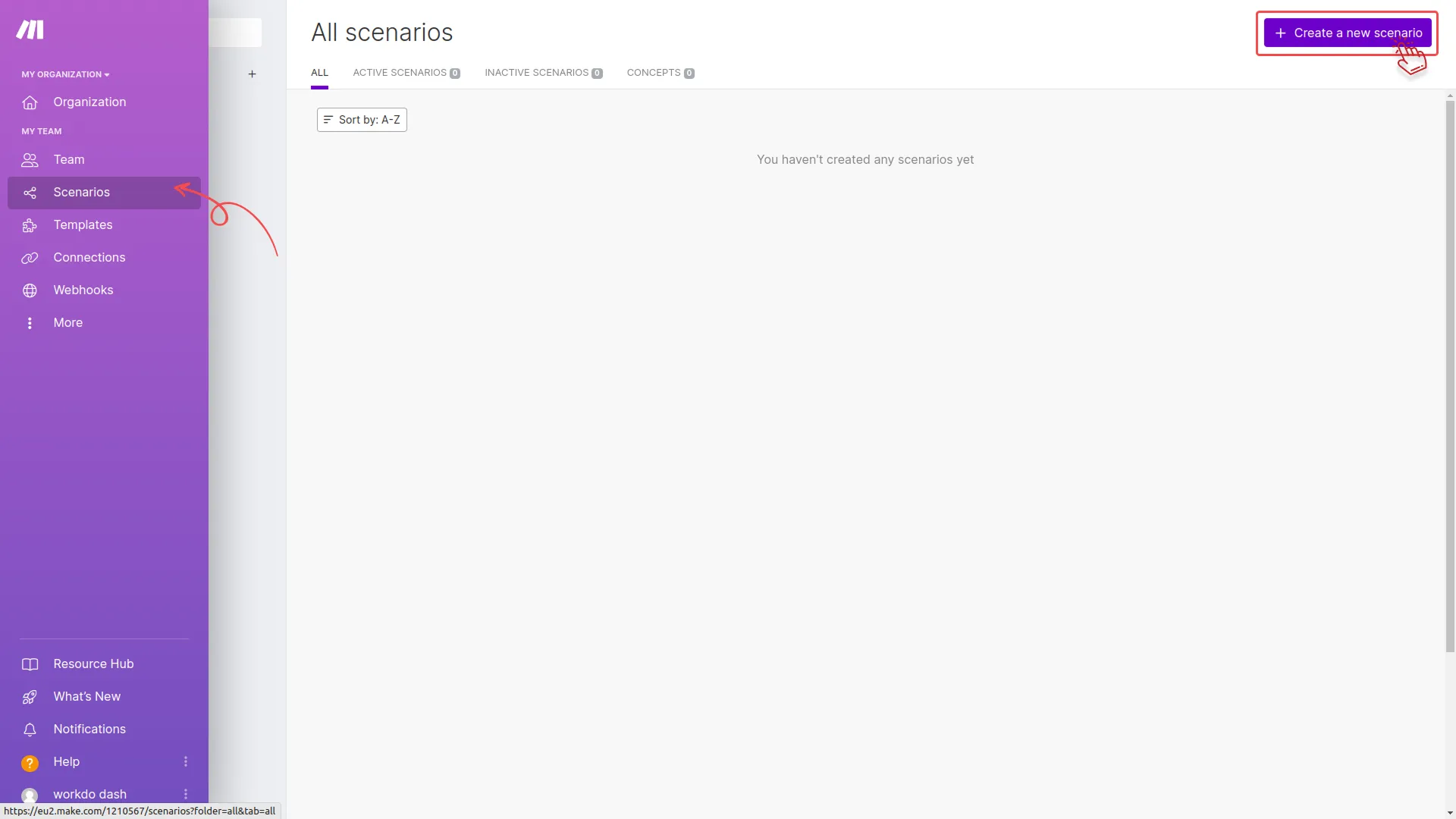
- Once you sign up, you will see a page for organization where you can manage your organizations and team. In the “my team” section click on the “scenarios” button. On the scenarios page, click on the “create new scenarios” button given at the top.
-
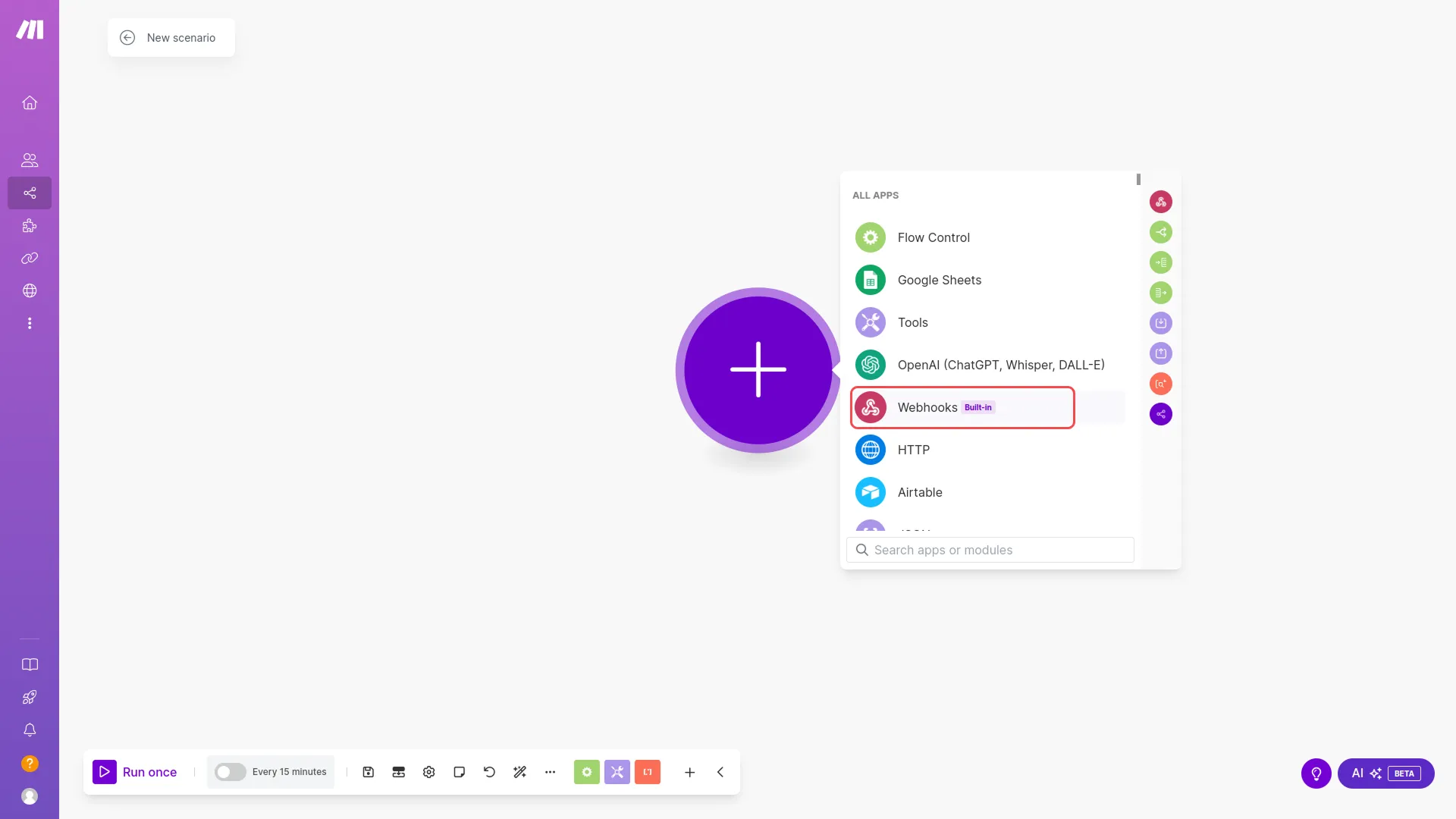
- Once you create a scenario, you will see a “+” button over there, click on that button and select the “webhook” button from the given options.
-
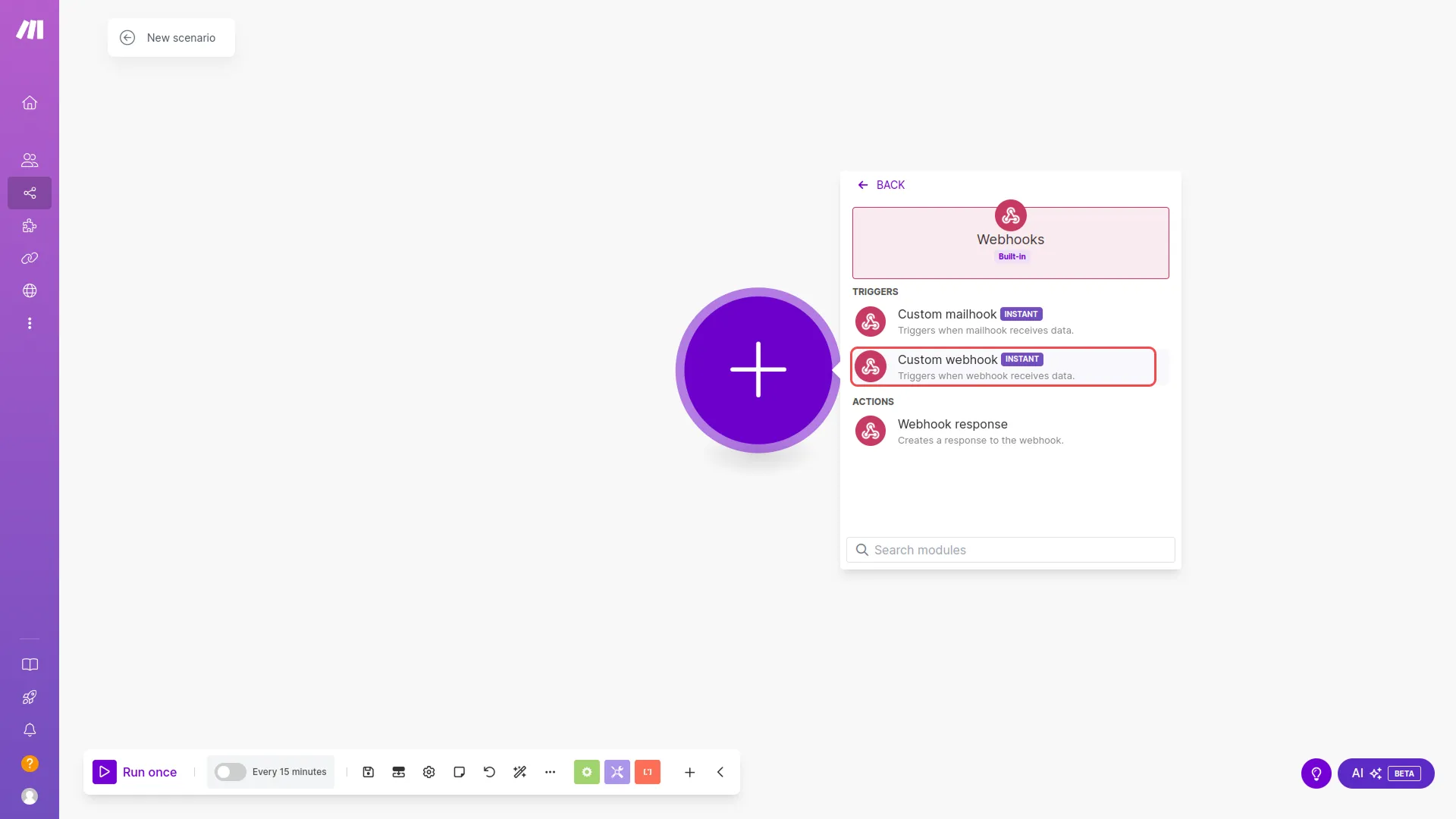
- After selecting this option, you will get to see the other two options. Select the “custom webhook” option.
-
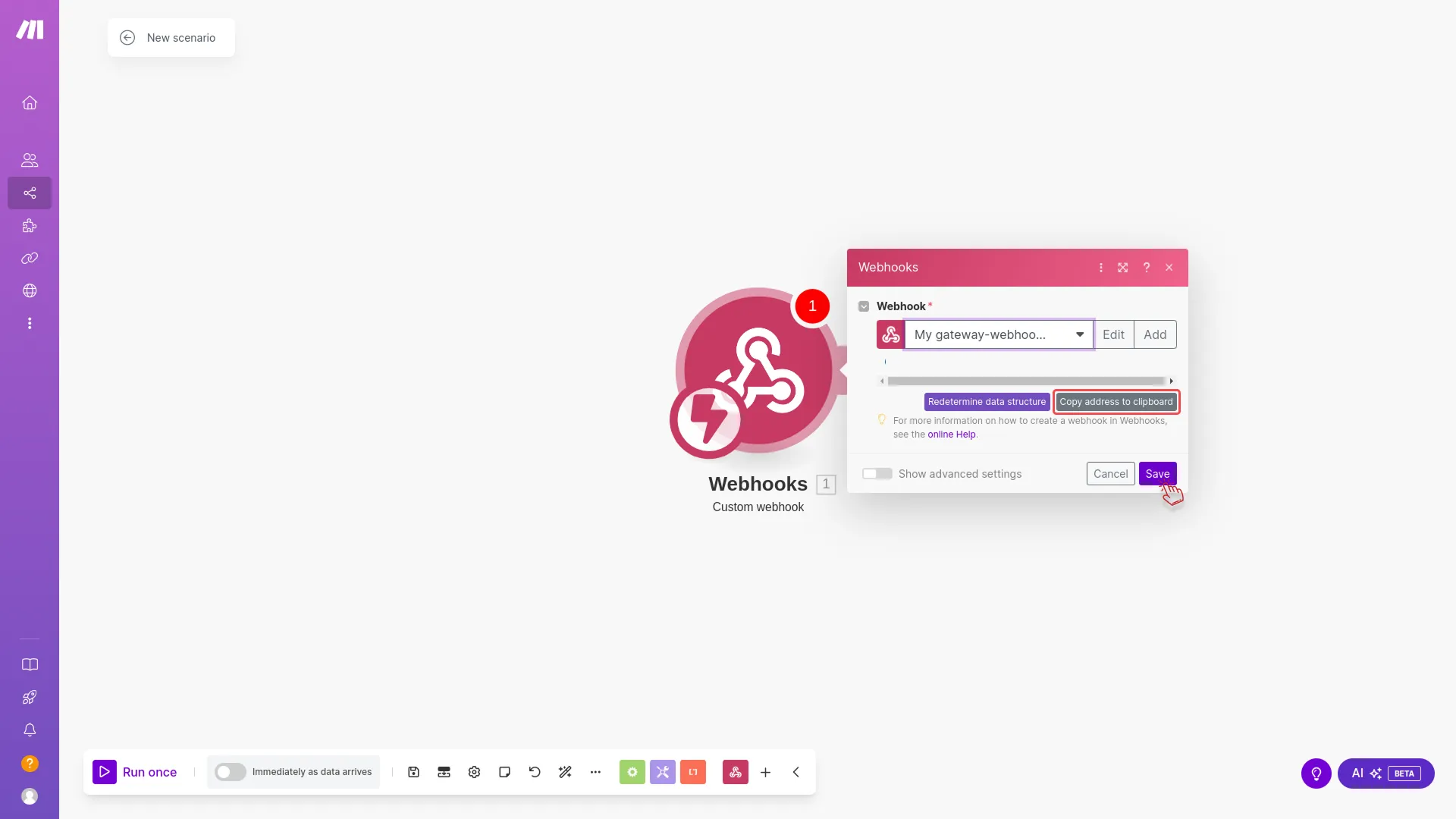
- At last, you will see a webhook link. Simply, copy that and use it in your code to integrate it with dash saas.
Categories
Related articles
- Midtrans – WorkDo Dash SaaS Add-On Guide
- Trello – WorkDo Dash SaaS Add-On Guide
- HubSpot – WorkDo Dash SaaS Add-On Guide
- iCal Exports – BookingGo SaaS Add-On Guide
- Support Ticket – BookingGo SaaS Add-On Guide
- ZitaSMS – TicketGo Add-On Guide
- Beauty & Spa – WorkDo Dash SaaS Add-On Guide
- Fleet – WorkDo Dash SaaS Add-On Guide
- User Manual – AccountGo
- CMMS – WorkDo Dash SaaS Add-On Guide
- WhatsApp API – BookingGo SaaS Add-On Guide
- User Manual – WorkDo Dash SaaS
Get in Touch
We're Here to Help - Let's Talk
Have questions about our solutions, customization services, or business tools? Our team is here to help you. let's talk.