
Prevent Ticket Assignments to Unavailable Agents
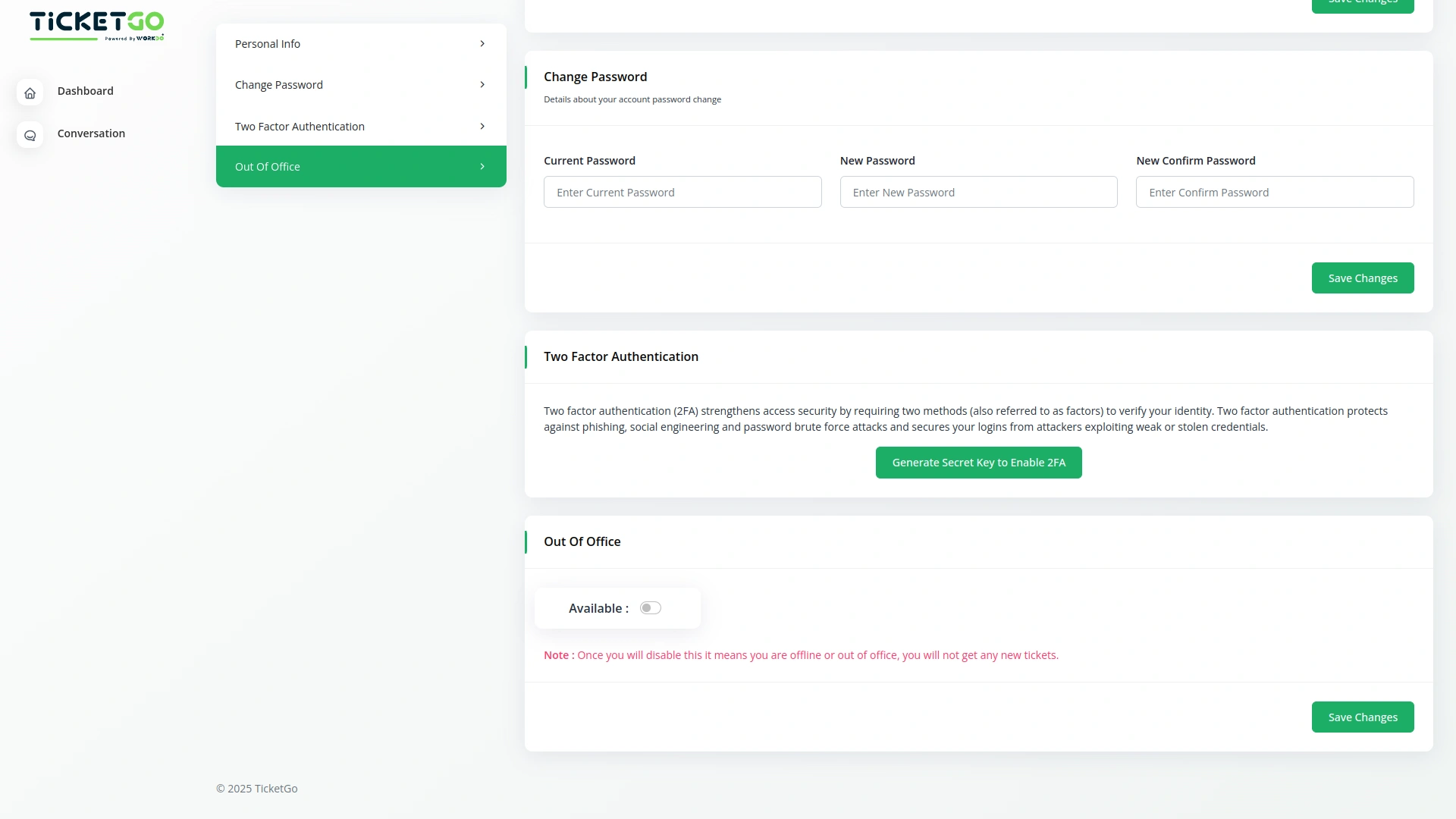
When an agent marks themselves as out of office, admins and customers will see this status while creating a ticket. This prevents tickets from being assigned to unavailable agents, reducing delays in customer support. It ensures that all tickets are directed to active agents who can respond promptly.

Enhance Customer Experience with Faster Responses
With the Out of Office module, customers don’t have to wait for unavailable agents. Their tickets are always assigned to active agents, leading to faster response times and a better customer experience. Keeping communication clear and transparent helps in building trust and satisfaction.
Screenshots from our system
To explore the functionality and usage of these Add-Ons, refer to the accompanying screenshots for step-by-step instructions on how to maximize their features.

Discover More Add-Ons
Unlock even more functionality with additional Add-Ons, providing enhanced networking and customization options for your TicketGo Add-Ons experience.

Webhook
In the fast-paced world of customer support, instant communication is the key to efficiency. With TicketGo’s powerful webhook integration, businesses can automate workflows, ensuring real-time data sharing between TicketGo and external applications. Whether it's updating CRMs, notifying teams on Slack, or synchronizing analytics tools, webhooks eliminate the need for manual intervention. The result? A faster, smarter, and more connected support system that helps businesses scale effortlessly.
View More
Twilio
The Twilio integration in TicketGo revolutionizes how you communicate with your customers, making it easier than ever to stay connected through SMS. By automating ticket updates, notifications, and alerts, Twilio ensures that your team and customers are always on the same page, without the need for constant manual updates. From the moment a ticket is created to when it's resolved, Twilio keeps your communication streamlined and efficient, saving your team valuable time while enhancing the customer experience.
View More
Slack
Enhance your team’s communication and efficiency with the Slack integration in TicketGo. This powerful add-on allows your team to receive real-time updates, notifications, and ticket status changes directly in your Slack channels, streamlining your support ticketing workflow. By integrating Slack with TicketGo, you eliminate the need to juggle multiple platforms. Whether it’s assigning tickets, tracking progress, or resolving customer issues, the integration ensures your team stays informed, connected, and proactive, leading to faster resolution times and better project management.
View More
Bulk SMS
The Bulk SMS module in TicketGo helps businesses send quick updates to customers. Whether it’s ticket confirmations, status updates, or important announcements, automated SMS ensures that messages are sent on time. This reduces the need for manual follow-ups and keeps customers informed effortlessly.
View More1 review for Out Of Office – TicketGo Add-On
| 5 star | 100% | |
| 4 star | 0% | |
| 3 star | 0% | |
| 2 star | 0% | |
| 1 star | 0% |
Comments
You must be logged in to post a comment.
There are no comment yet.
Contact Us for Support :
-
You will get immediate support from our support desk. Please visit here https://support.workdo.io/
Item support includes:
- Answer pre-sale questions or query
- Answering technical questions about item's features
- Assistance with reported bugs and issues
- Help with included 3rd party assets
- Free Installation services in some cases
However, item support does not include:
- Customization services
Check Documents & Tutorials
Documentation explained even the smallest settings which helped a lot