
Unlock Business Efficiency with Powerful Integrations
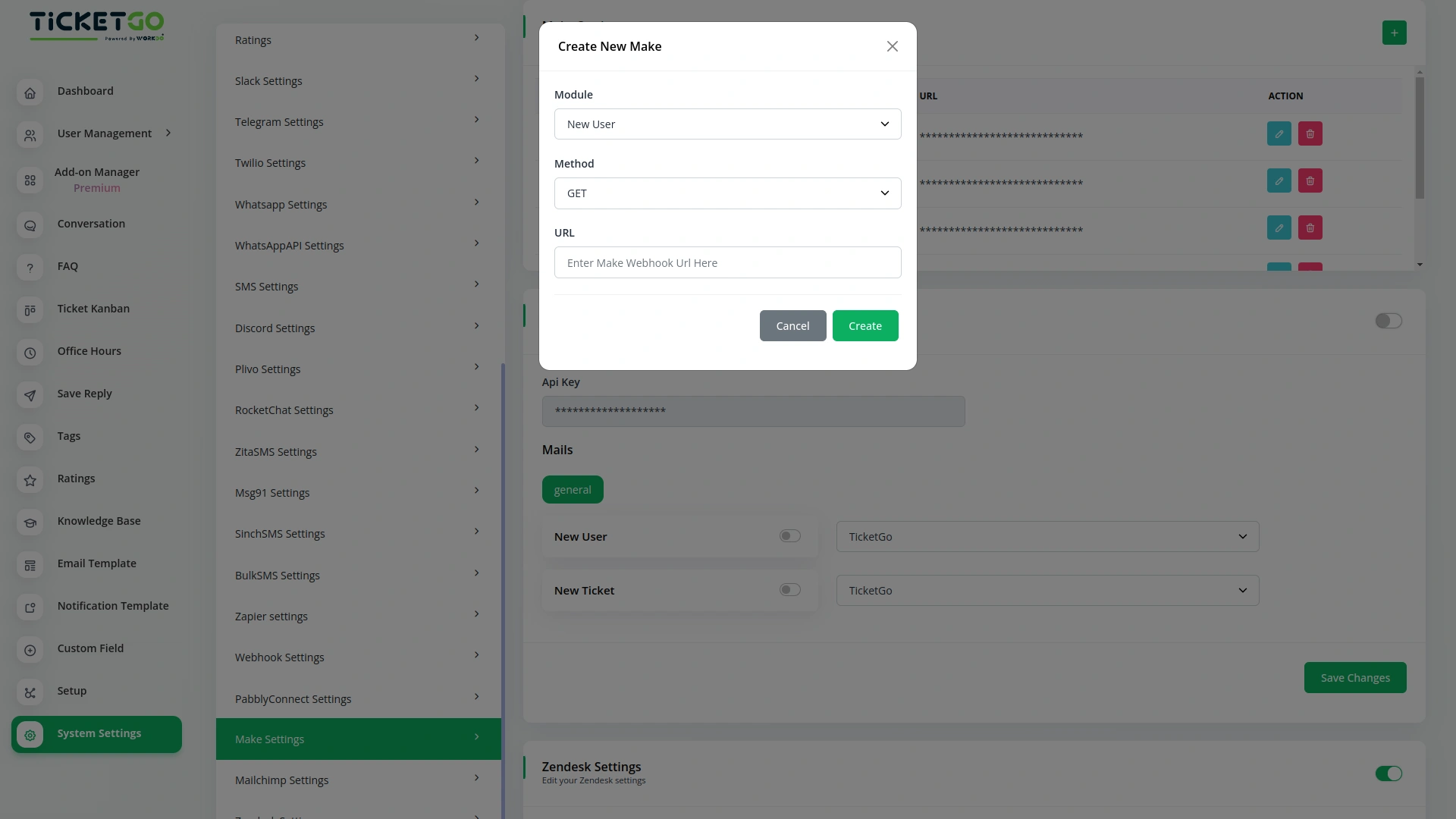
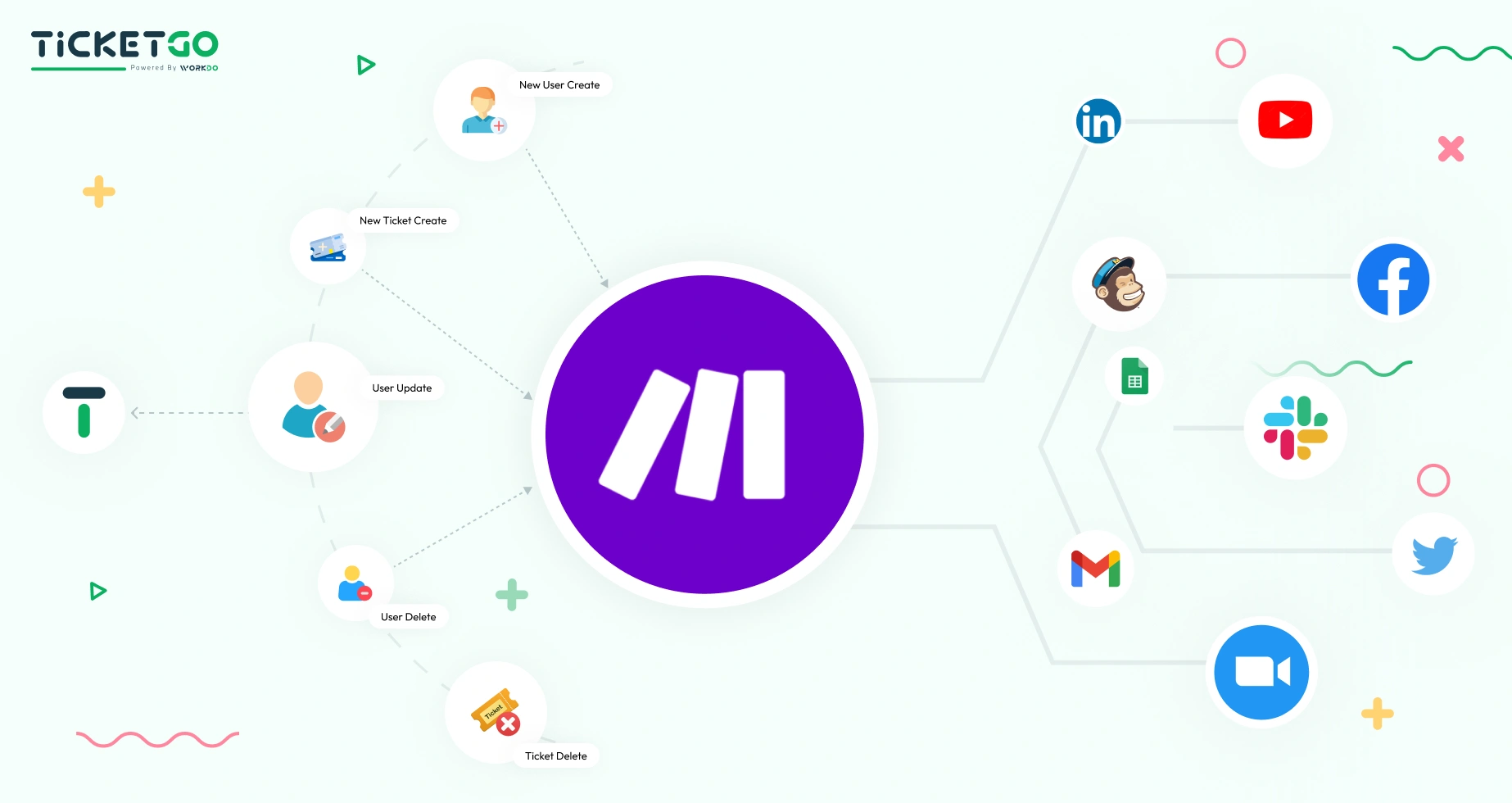
Tired of juggling multiple platforms? Make allows businesses to integrate TicketGo with CRMs, email services, messaging apps, and other essential tools. Automate ticket routing, customer follow-ups, and data synchronization in real-time, ensuring every action is handled without delays. From small startups to large enterprises, this integration boosts efficiency and enhances collaboration across teams.
Tailor Workflows to Your Needs
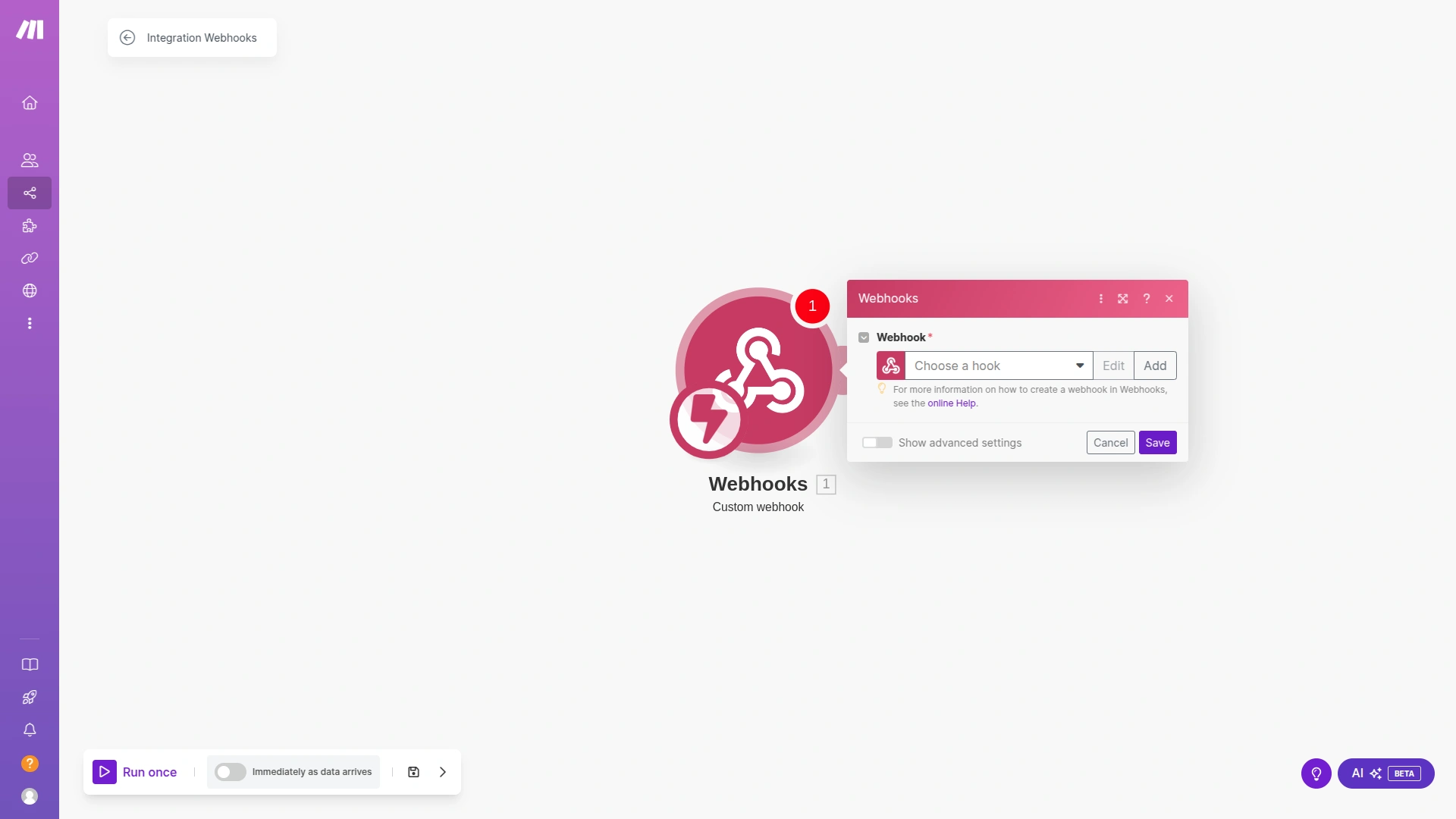
With Make, you’re in control. Customize triggers and actions based on your business processes, whether it’s automatically creating a task in your project management tool when a ticket is opened or notifying agents via Slack when a priority issue arises. Flexible and scalable, the integration adapts to your operational needs, making support management effortless and highly efficient.
No-Code Setup for Instant Impact
Forget complex coding Make’s user-friendly interface allows you to set up automation in just a few clicks. Connect TicketGo with other apps, define conditions, and automate workflows with a simple drag-and-drop builder. Whether you're handling customer queries or managing ticket lifecycles, Make turns TicketGo into a powerful automation hub.
Transform Customer Experience with Automation
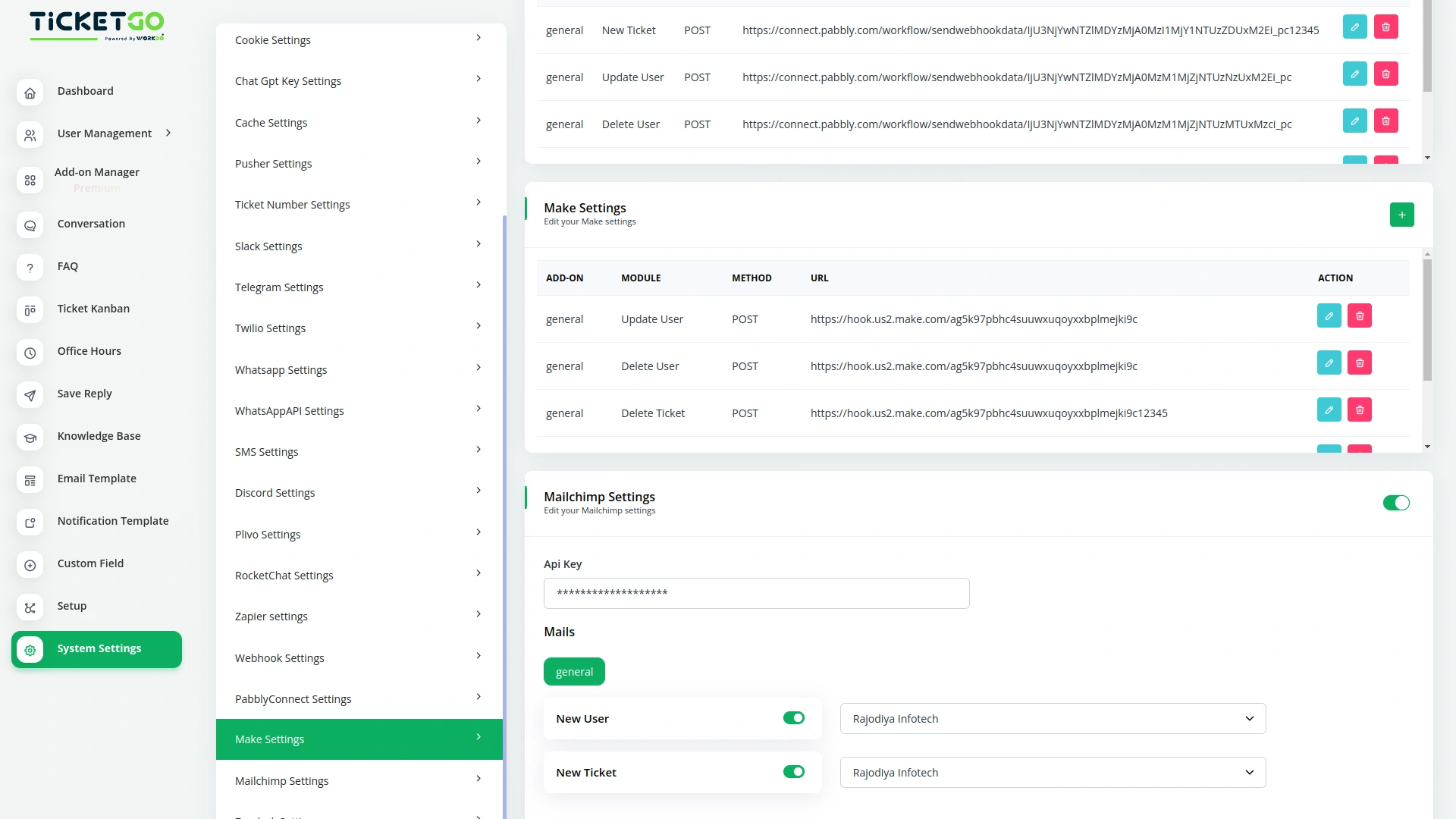
Speed, accuracy, and efficiency define modern customer support. With Make integration in TicketGo, you can ensure instant responses, smooth ticket resolutions, and proactive customer interactions. Stay ahead of the curve by embracing automation—unlock the full potential of TicketGo with Make today!
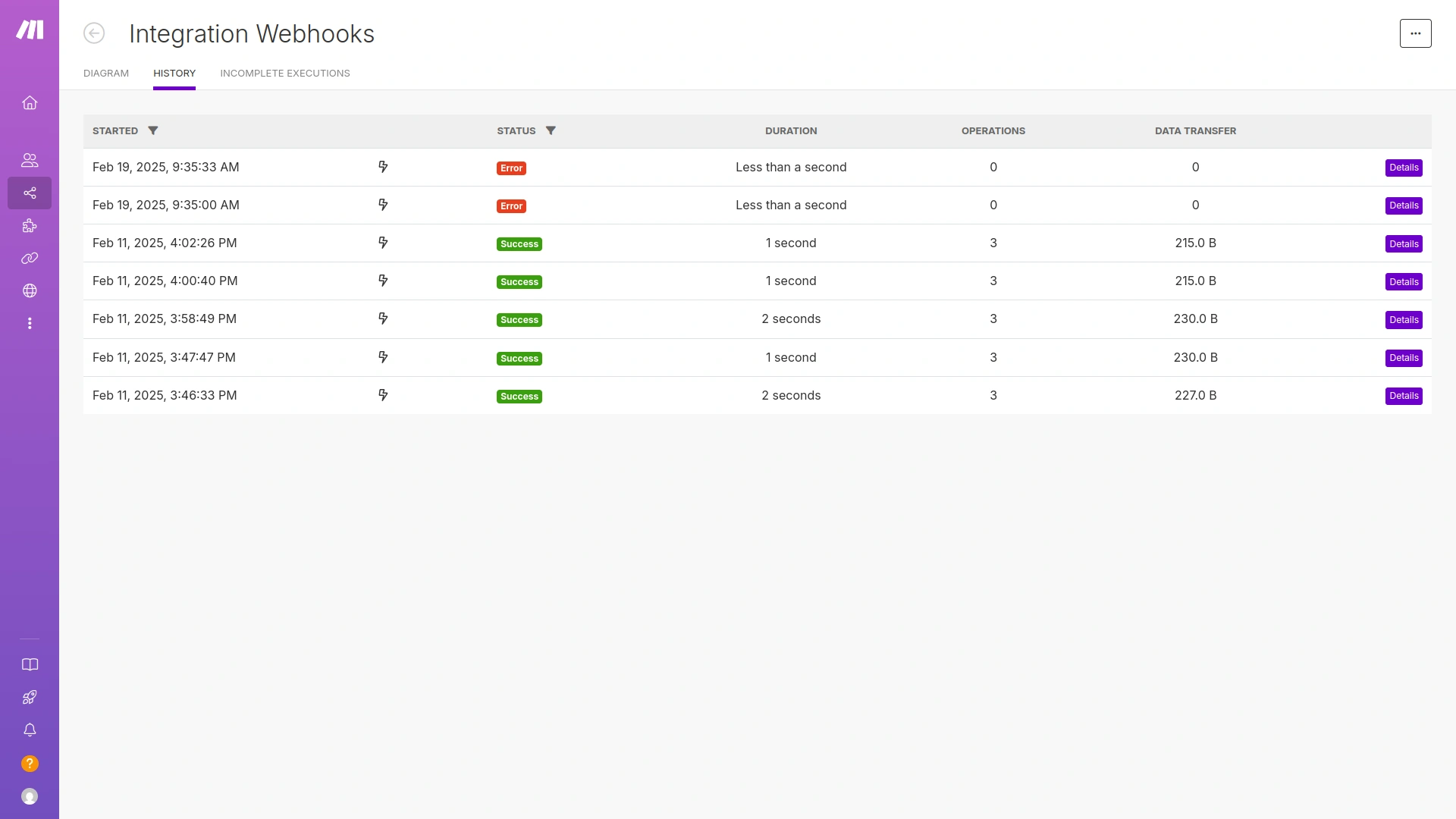
Screenshots from our system
To explore the functionality and usage of these Add-Ons, refer to the accompanying screenshots for step-by-step instructions on how to maximize their features.
Discover More Add-Ons
Unlock even more functionality with additional Add-Ons, providing enhanced networking and customization options for your TicketGo Add-Ons experience.

WhatsApp API
The WhatsApp API Integration in TicketGo brings seamless communication to businesses by enabling them to interact with customers through WhatsApp. This integration allows businesses to send instant notifications, ticket updates, and personalized messages directly to users, enhancing both the speed and reliability of customer interactions. By leveraging the WhatsApp API, businesses can streamline their ticketing processes and provide timely, efficient communication to their customers.

Office Hours
The Office Hours Module in TicketGo allows businesses to set their working hours for each day of the week. This helps customers know when your support team is available. By defining your office hours, you ensure that customers are aware of your business’s availability before they create a support ticket.

Whatsapp (Twilio)
The WhatsApp Twilio Module in TicketGo enables businesses to send automated notifications to users, keeping them informed about their ticket status. Whether it’s a new ticket creation, an update, or a resolution message, users receive real-time alerts on WhatsApp. This automation reduces manual effort and ensures that customers stay updated without needing to check the platform frequently.

User-focused interface planning improves productivity and interaction flow
Exceptional after sales service