

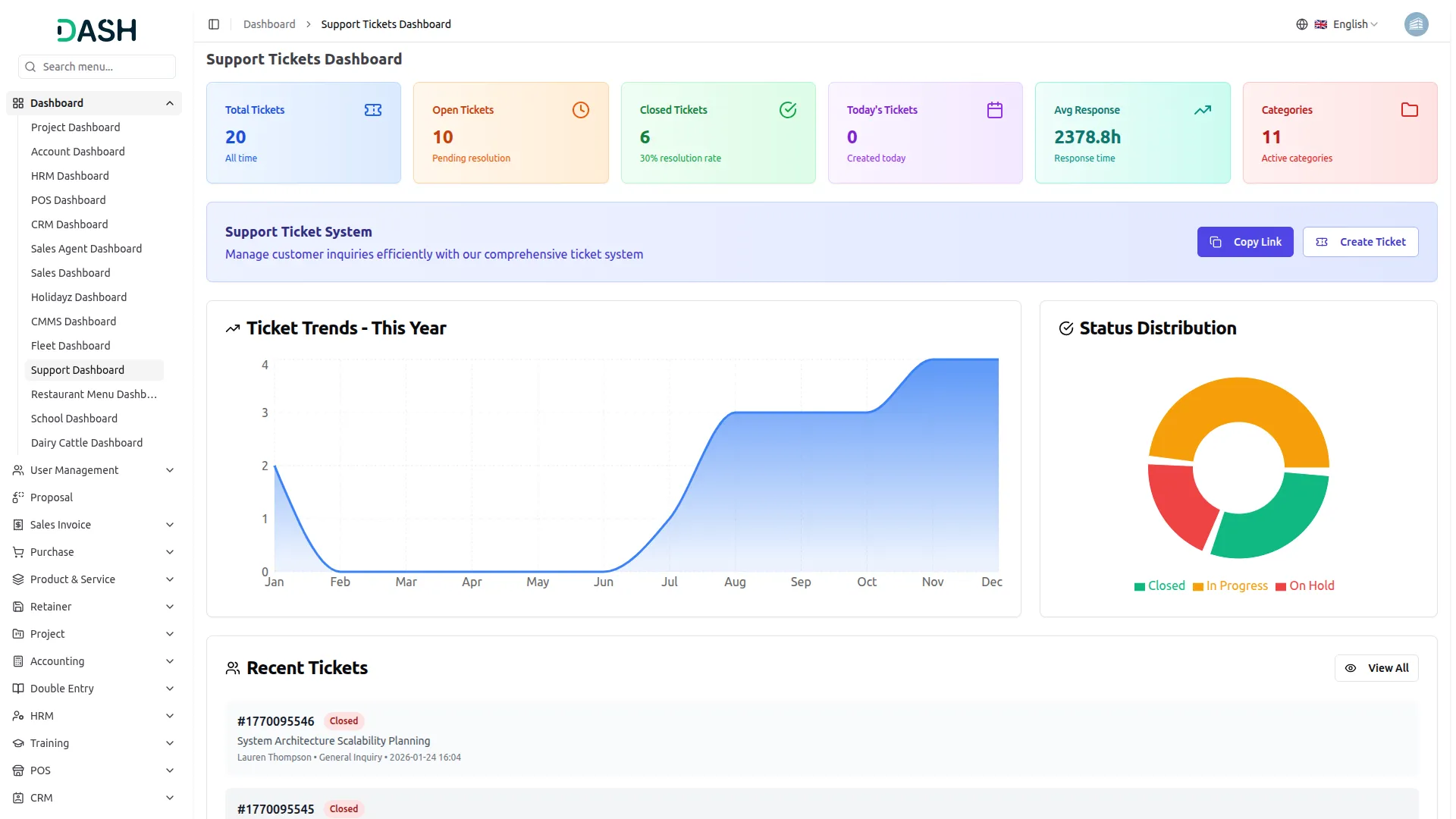
This Support Ticket Add-On is a fully-featured design to streamline customer service and internal support operations. It allows users to submit and track support tickets, communicate with staff via threaded replies, and attach relevant files. The system includes dynamic form creation, category-based organization, and a searchable knowledge base with FAQs. With flexible field management and detailed ticket tracking, it enhances support efficiency while reducing repetitive queries through self-help content.
Ticket Submission System
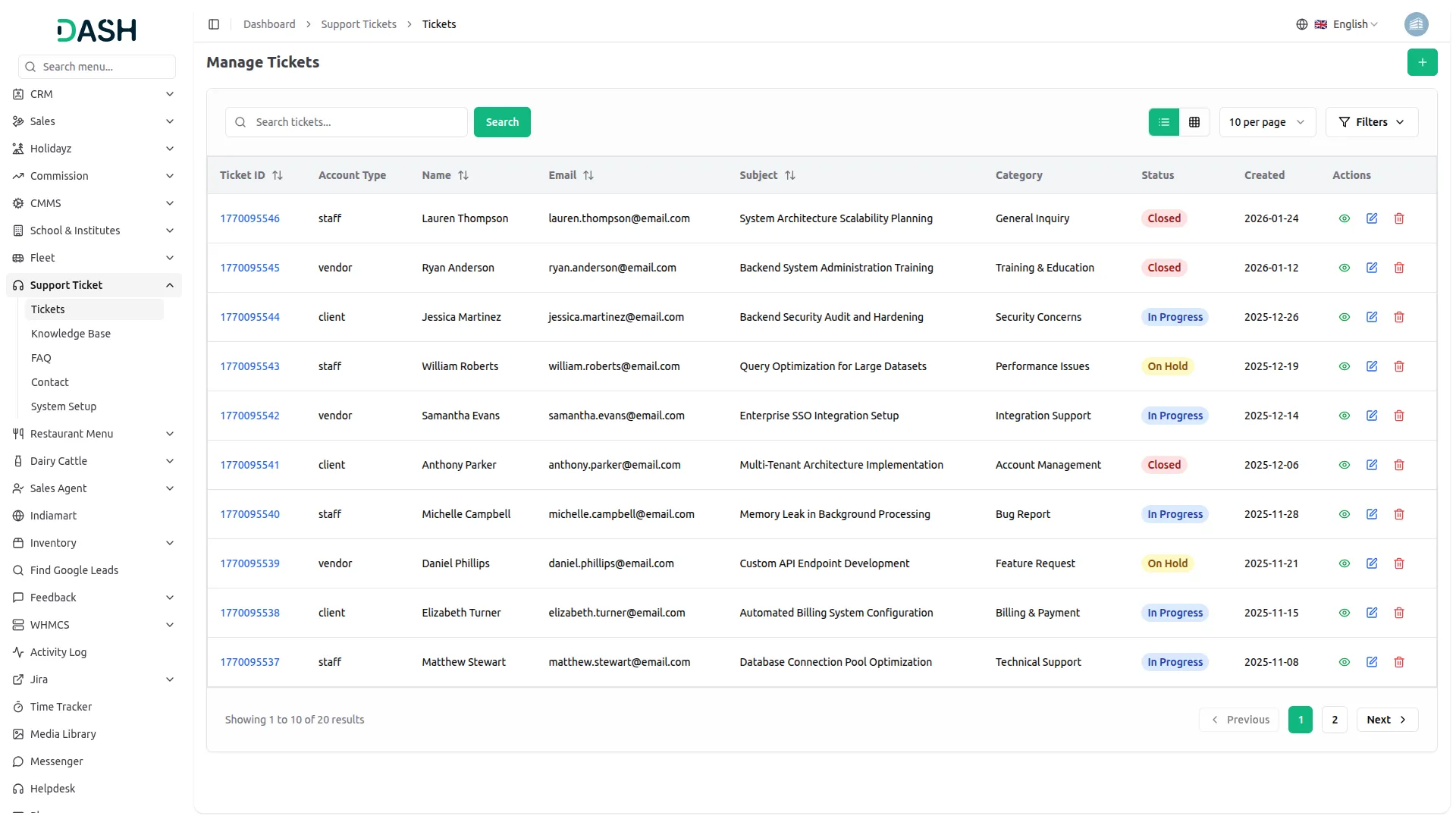
Users can submit tickets by entering their name, email, subject, and account type. Each ticket is assigned a unique ID, and users can describe their issue in detail and upload attachments for better clarity.
- Create a ticket using a copyable link from the dashboard.
- Automatically generates a unique ID for every new ticket.
- Allows users to write a subject and full description of their issue.
- Supports uploading attachments like documents or images.
- Assigns a status (e.g., open, closed) to track resolution progress.
Interactive Ticket Replies
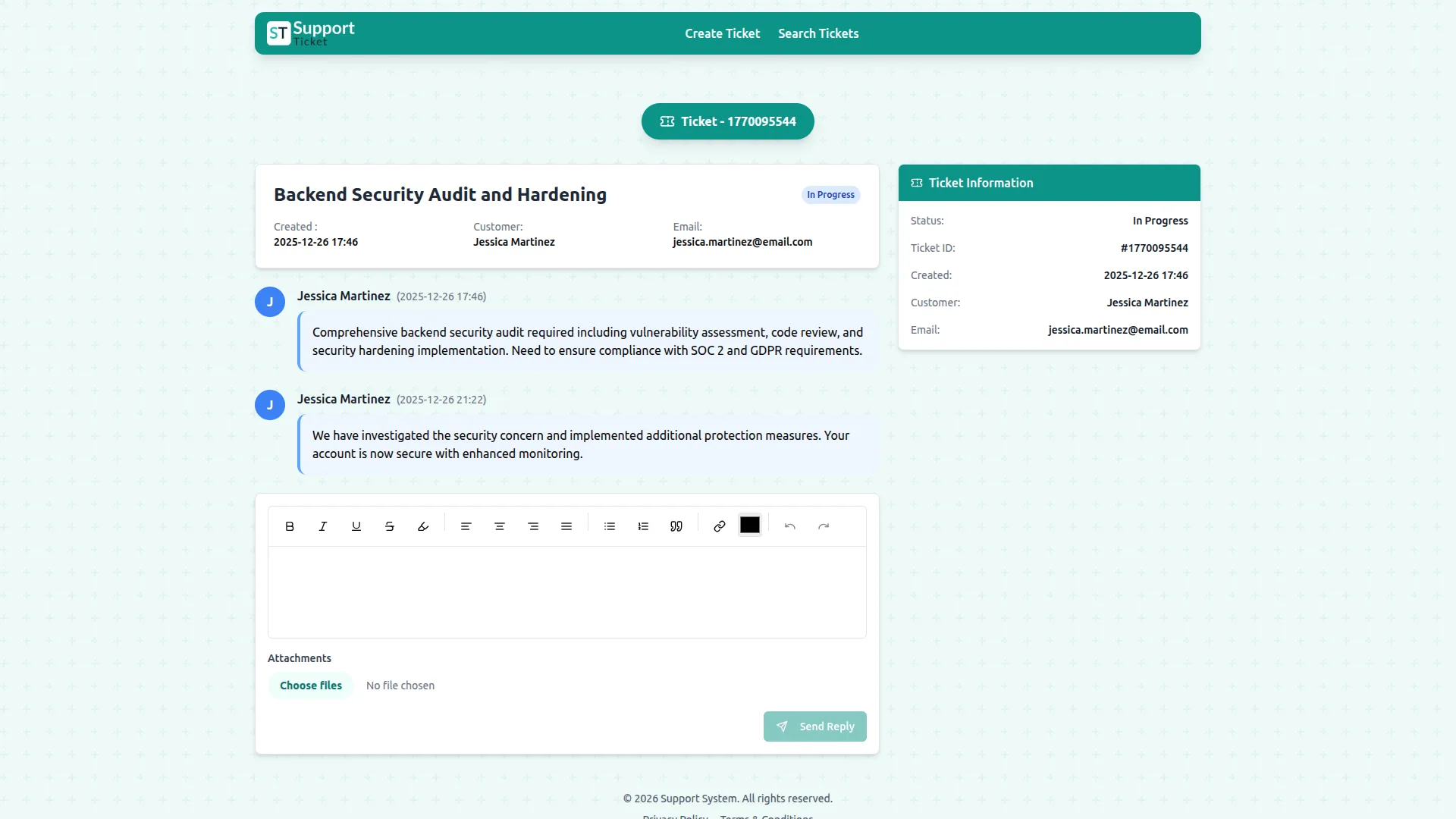
Users and staff can communicate through threaded replies under each ticket. Each reply includes a message, sender info, and optional attachments, maintaining a full conversation history.
- Links each reply to its corresponding ticket for context
- Accepts attachments with each reply to support detailed communication
- Tracks whether the message was sent by the user or support staff
- Enhances clarity and transparency in customer support exchanges
- Users can submit ticket replies directly from the front side.
Category-Based Management
Support tickets can be grouped using colored categories. This improves organization, allowing support teams to filter, prioritize, and route tickets based on the type of issue reported.
- Create predefined categories to classify ticket types
- Assign color tags to distinguish categories visually
- Link incoming tickets to the appropriate category automatically
- Helps teams prioritize and handle tickets based on type
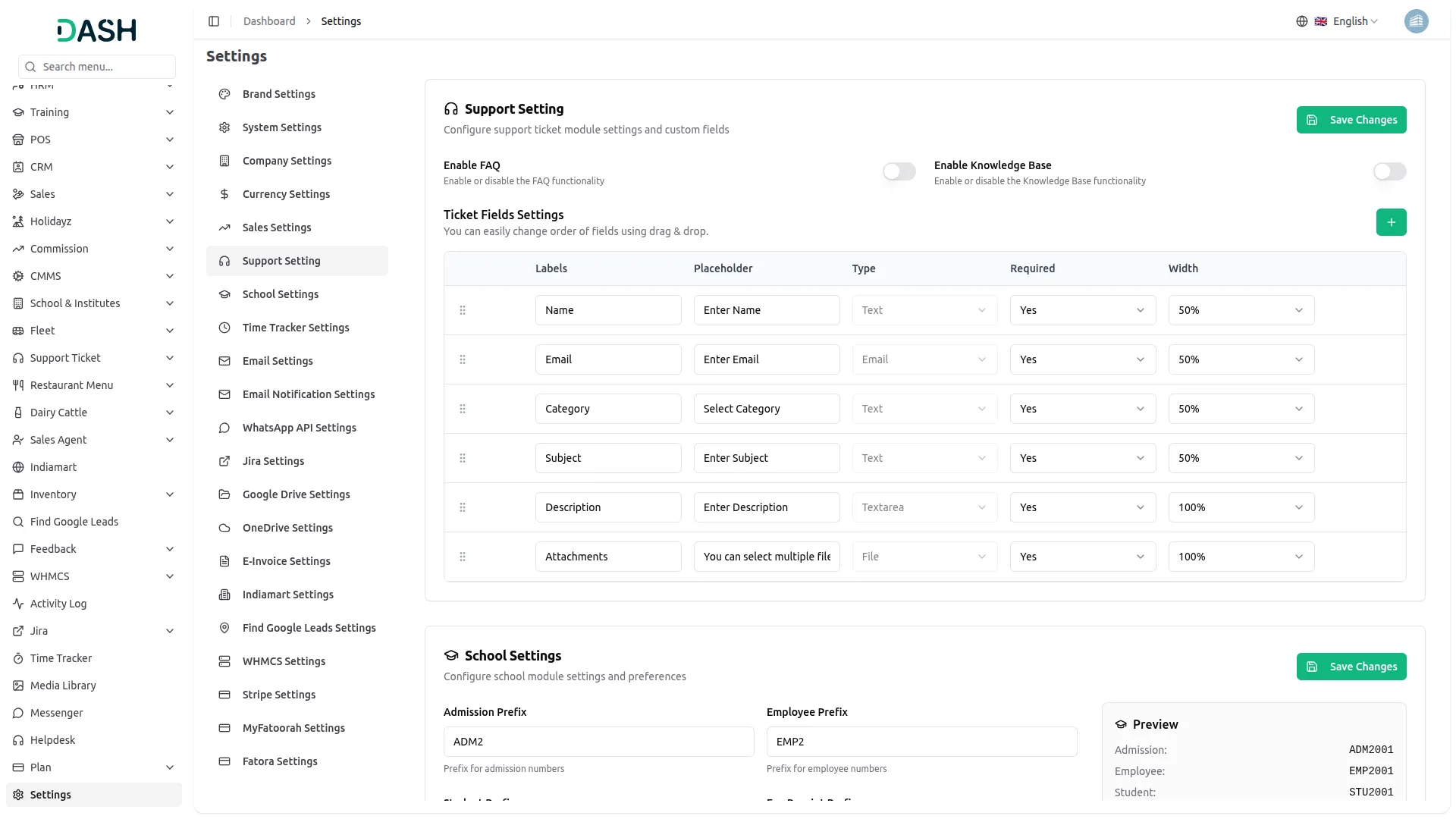
Dynamic Form Builder
Easily create and manage dynamic fields for ticket forms. Fields can be reordered, customized, and set as required. This allows for fully customizable ticket submission forms suited to different business needs.
- Add custom fields to the ticket form using different input types like text
- Adjust field width for better form layout and visual flow
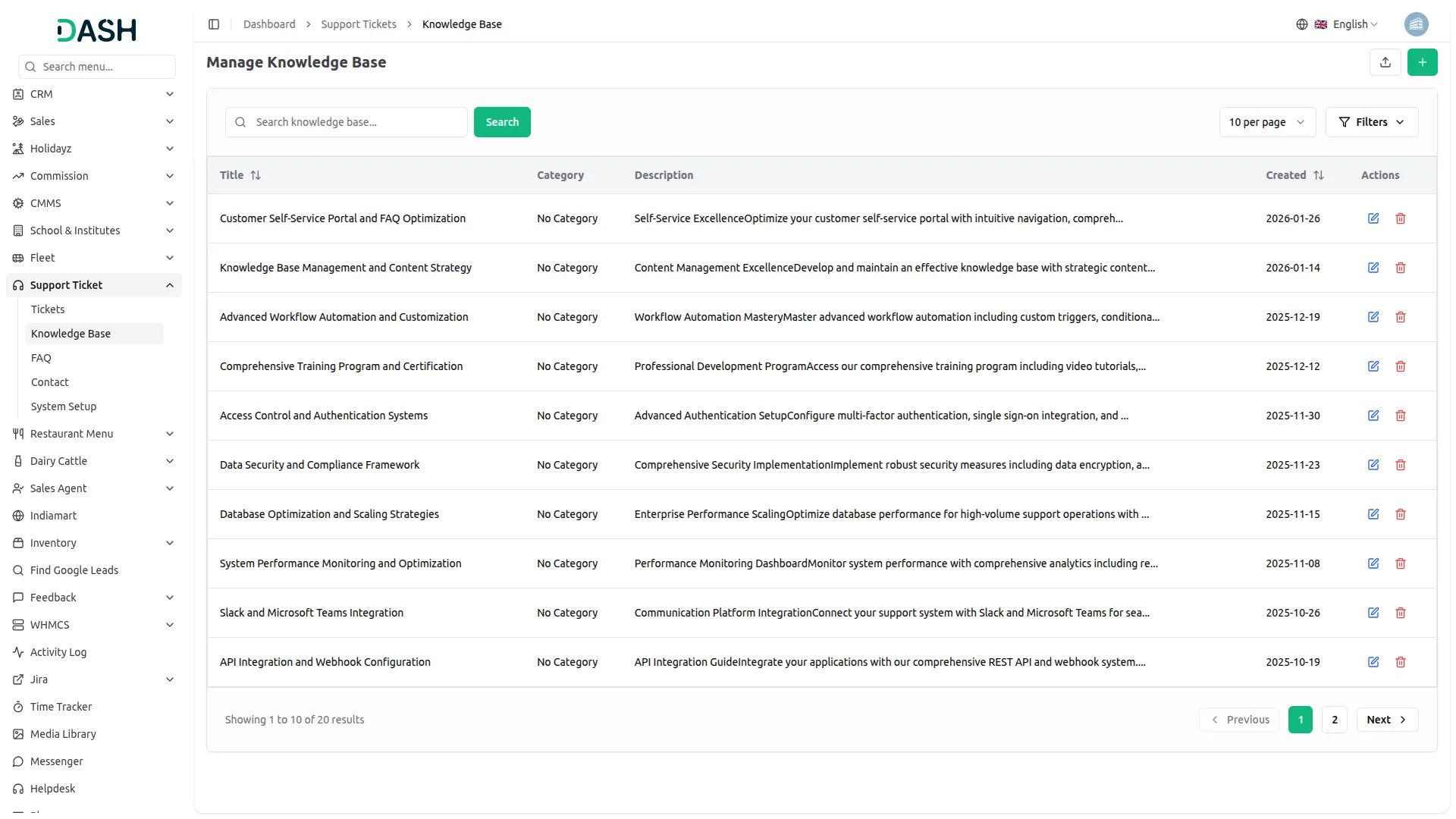
- Enable or disable FAQ and Knowledge Base pages as needed
- Mark fields as required to ensure critical data is captured
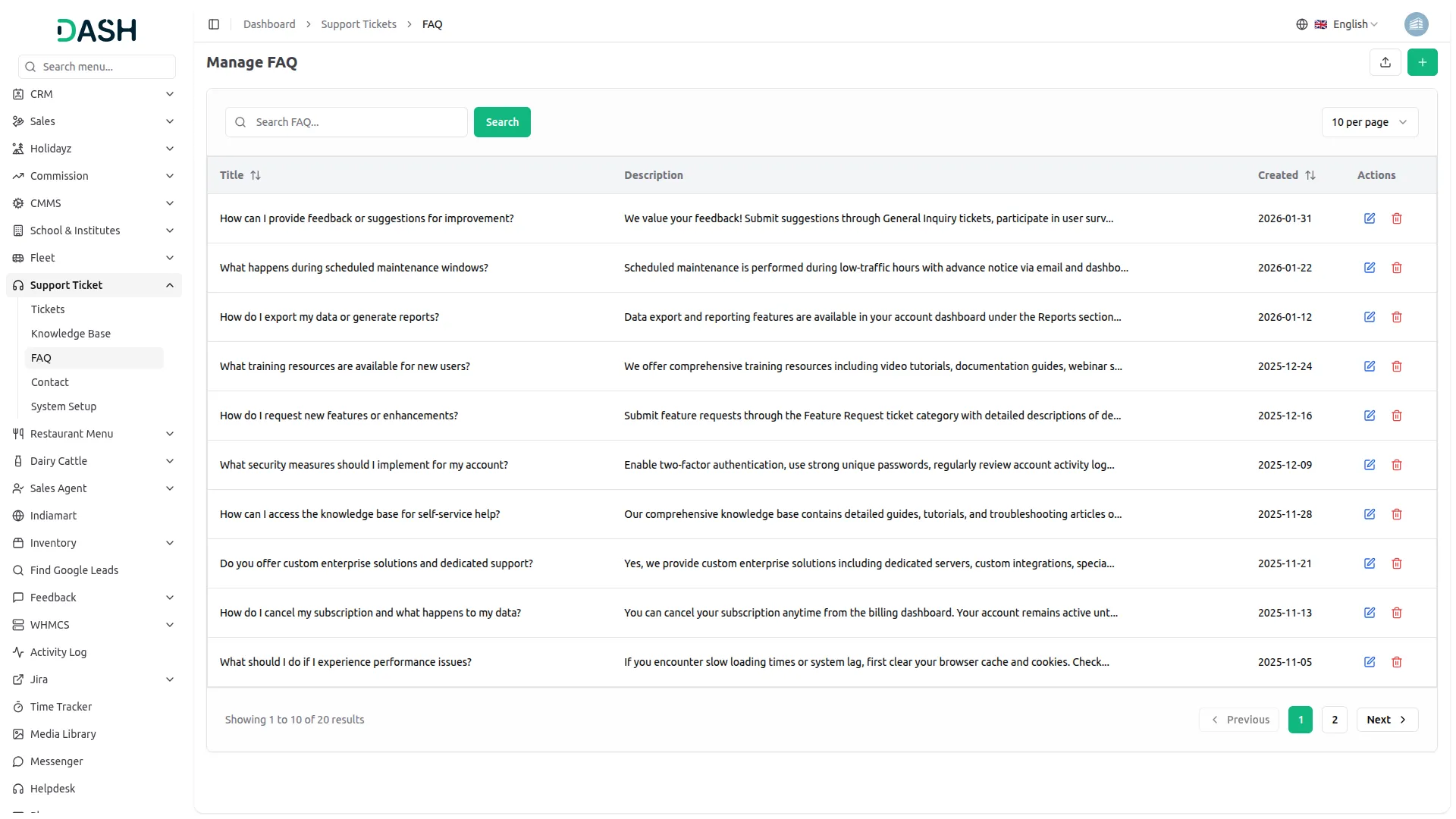
FAQ Management
FAQ stands for "Frequently Asked Questions." It is a list of common questions and their corresponding answers that are anticipated to be asked by users, customers, or visitors about a particular topic, product, service, or organization
- Create frequently asked questions with descriptive titles
- Update or manage FAQ content as business needs change
- Reduce recurring queries by providing self-help options
- Maintain a centralized list of common issues and solutions
Screenshots from our system
To explore the functionality and usage of these Add-Ons, refer to the accompanying screenshots for step-by-step instructions on how to maximize their features.
Discover More Add-Ons
Unlock even more functionality with additional Add-Ons, providing enhanced networking and customization options for your Dash SaaS experience.

Garage/Workshop Management System
Garage/workshop management is an integrated technology platform designed specifically for automotive service businesses.

digital-certificate
The Digital Certificate Add-On is a comprehensive platform that enables organizations to design, customize, and distribute professional digital certificates.


PayHere
Welcome to the future of payment processing with PayHere Payment Gateway Integration in Dash SaaS! This innovative integration brings together the trusted payment solutions of PayHere with the powerful capabilities of Dash SaaS, offering users a seamless and secure payment experience.
The code quality is excellent
Very good customer support
The UI design is aesthetically pleasing and modern
the Team deserve 5 Star for following reason; 1- Customer Support2- Feature Availability3- Design Quality 4- Documentation Quality
Fantastic code and beautiful design
I really like the feature
Very good system
Very Satisfied with the All Addon
The Support Ticket SaaS Add-on enhances customer support by organizing and automating ticket workflows. Its intuitive interface makes it easy for teams to track and resolve issues quickly, improving overall customer satisfaction.