
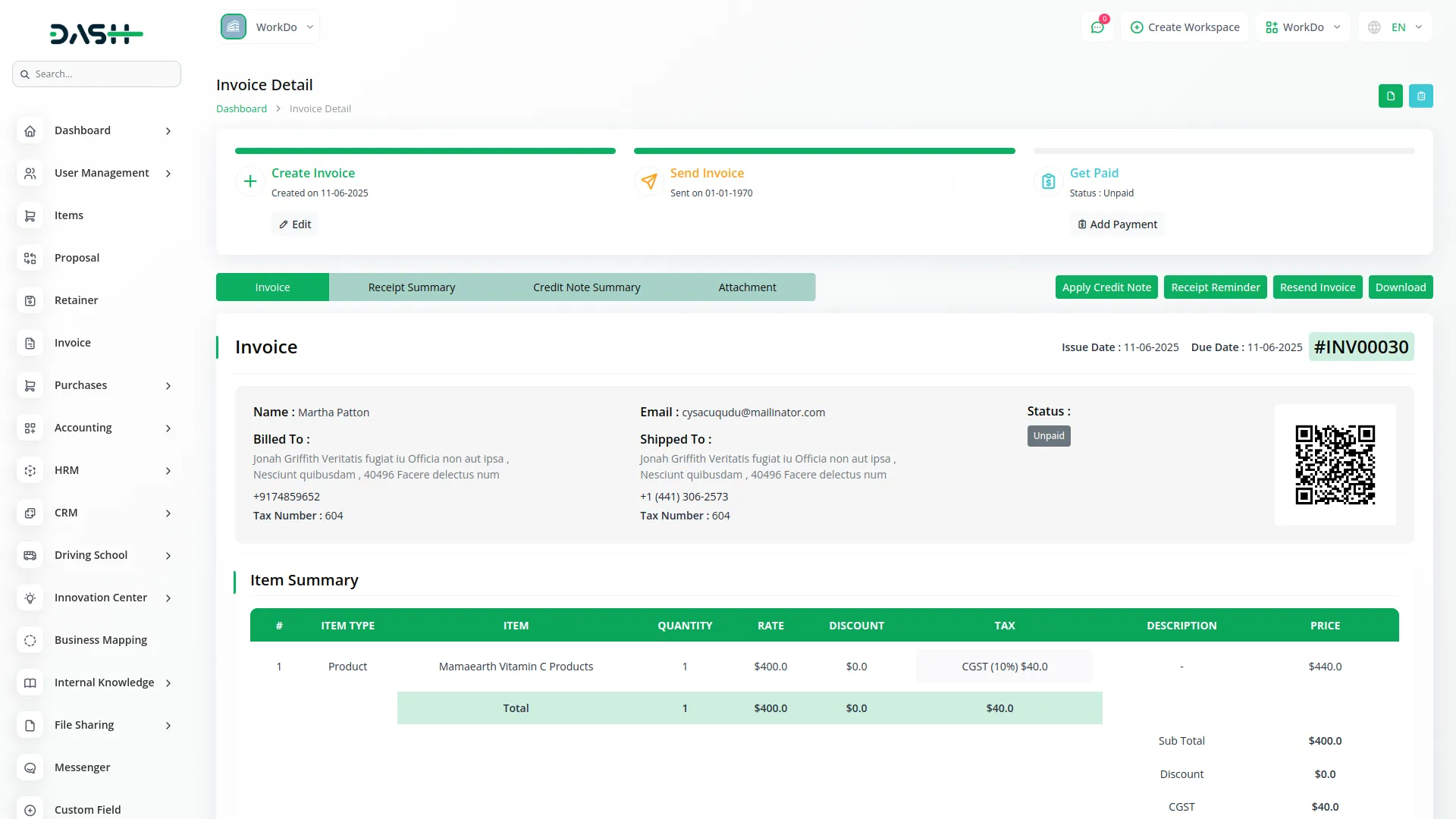
The ZATCA Add-On enables seamless compliance with Saudi Arabia’s e-invoicing regulations by automatically embedding ZATCA-compliant QR codes into all generated invoices. Once activated, the system ensures every invoice includes key legal information such as seller name, VAT number, invoice total, tax amount, and timestamp formatted as per ZATCA standards. QR codes are instantly applied across invoice print templates, downloads, and payment views without manual setup.
Note: The ZATCA Add-On included is for ZATCA Phase-1 compliance only.
Verify Invoice Instantly with ZATCA QR Code
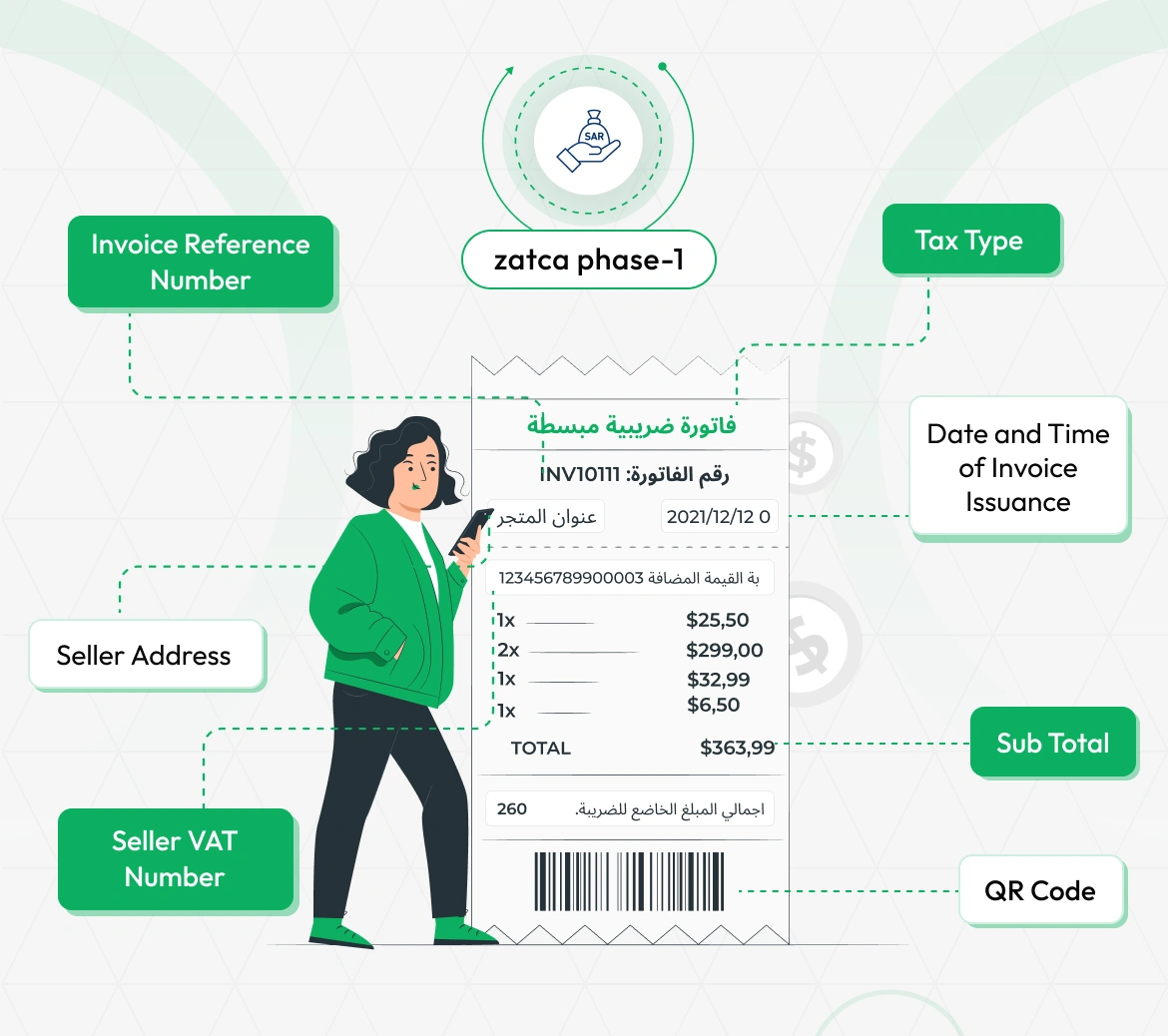
With the ZATCA Add-On enabled, scanning the invoice's QR code opens a smart verification and payment form. This form clearly displays key details like Invoice Reference Number, Seller Address, Seller VAT Number, Tax Type, Date and Time Issuance, Sub Total, and the ZATCA QR Code itself. It offers a secure and transparent way for clients or auditors to verify invoice authenticity and proceed with payment instantly. The process ensures full compliance with Saudi Arabia’s e-invoicing ZATCA standards while improving user experience.
ZATCA QR Code Integration
Ensure compliance with Saudi Arabia’s e-invoicing regulations by automatically generating ZATCA-compliant QR codes on every invoice. The system captures and embeds all required details, including seller name, VAT number, invoice date, total amount, and tax amount. QR codes are generated instantly as invoices are created, eliminating manual steps. This integration guarantees alignment with ZATCA guidelines, helping businesses avoid penalties and meet regulatory standards. It provides a hassle-free, secure solution for maintaining tax compliance within the Add-On.
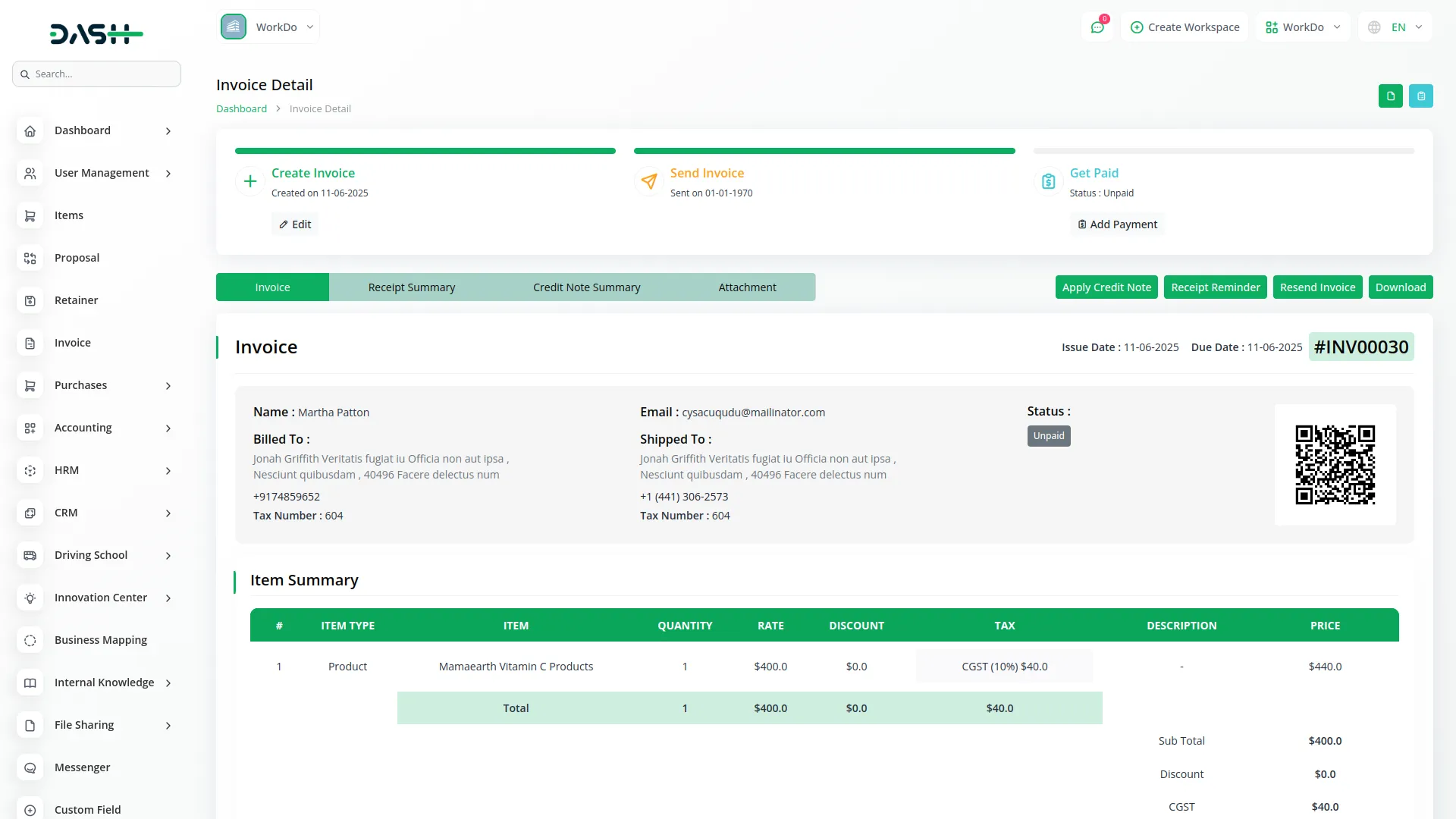
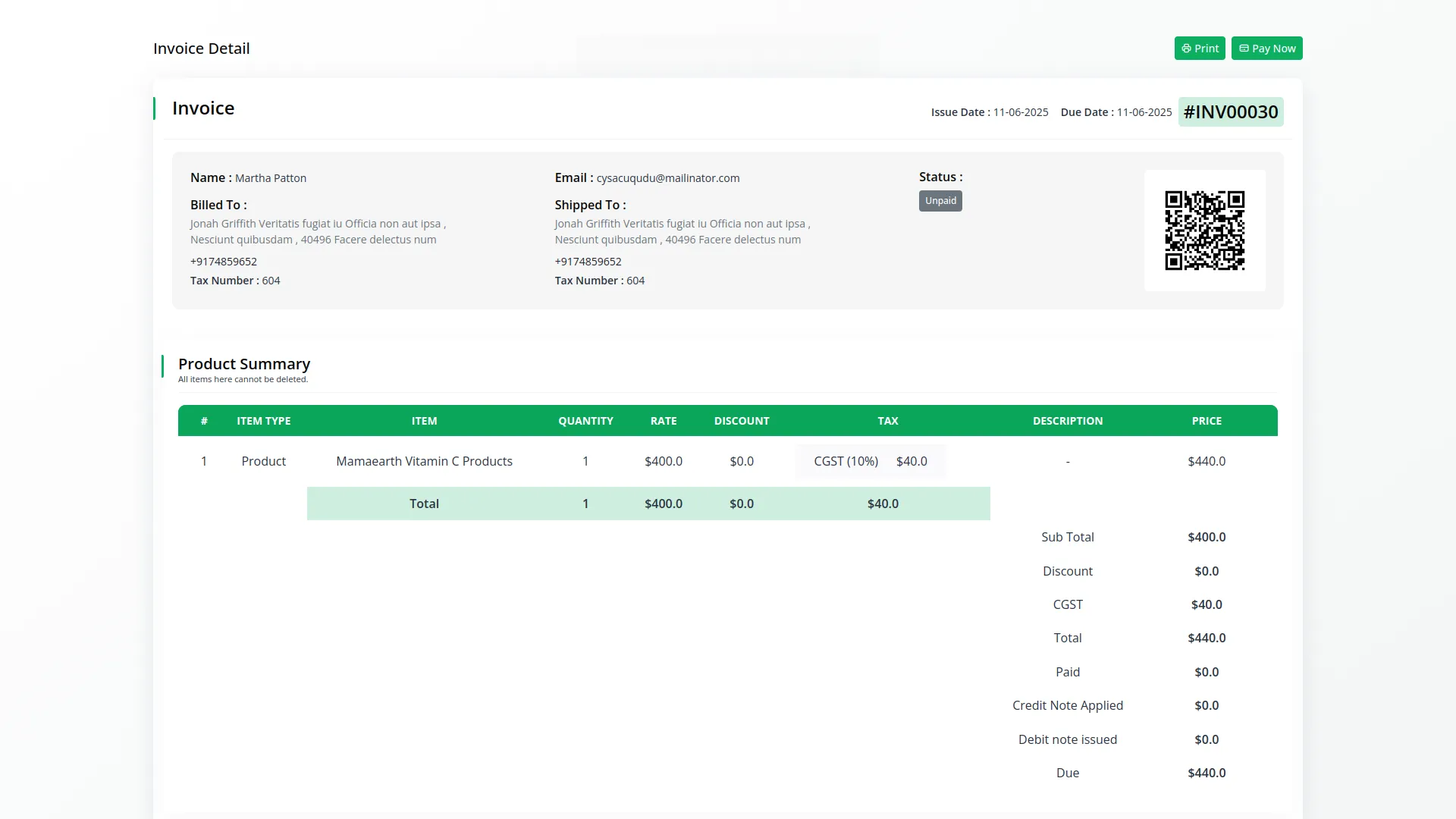
ZATCA QR Code on Invoice Pay
When the ZATCA Add-On is enabled, a fully compliant QR code is automatically displayed on the invoice view page. This QR code contains all mandatory information, including the seller's name, VAT number, timestamp, total invoice amount, and VAT amount. It ensures full compliance with Saudi Arabia’s ZATCA e-invoicing regulations at the point of payment. The QR code appears in real time, enhancing transparency and legal accuracy. This feature helps businesses maintain regulatory standards while offering clients a secure and verified payment experience.
Screenshots from our system
To explore the functionality and usage of these Add-Ons, refer to the accompanying screenshots for step-by-step instructions on how to maximize their features.
Discover More Add-Ons
Unlock even more functionality with additional Add-Ons, providing enhanced networking and customization options for your Dash SaaS experience.

Courier Management
Experience seamless deliveries with the Courier Management System in Dash SaaS. This dedicated tool ensures efficient order processing, real-time parcel tracking, and provides strategic insights through robust reporting features.
View More
Shopify Sync
Streamline your operations and enhance customer experiences by simplifying the management of Shopify products, categories, customers, orders and coupons. Our integration solutions empower you to take your online sales to the next level.
View More
AI Document
AI Document harnesses the power of OpenAI AI technology to generate unique content, images, and code while ensuring it is free from plagiarism.
View More
PrintPress
PrintPress Management Add-On is a powerful solution for printing companies to streamline operations from customer management to delivery.
View More6 reviews for ZATCA – Dash SaaS Add-On
| 5 star | 100% | |
| 4 star | 0% | |
| 3 star | 0% | |
| 2 star | 0% | |
| 1 star | 0% |
Comments
You must be logged in to post a comment.
There are no comment yet.
Contact Us for Support :
-
You will get immediate support from our support desk. Please visit here https://support.workdo.io/
Item support includes:
- Answer pre-sale questions or query
- Answering technical questions about item's features
- Assistance with reported bugs and issues
- Help with included 3rd party assets
- Free Installation services in some cases
However, item support does not include:
- Customization services
Check Documents & Tutorials
Documentation is clear and step by step
Support replies immediately
Great Code & outstanding Support !!!
the Team deserve 5 Star for following reason; 1- Customer Support2- Feature Availability3- Design Quality 4- Documentation Quality