
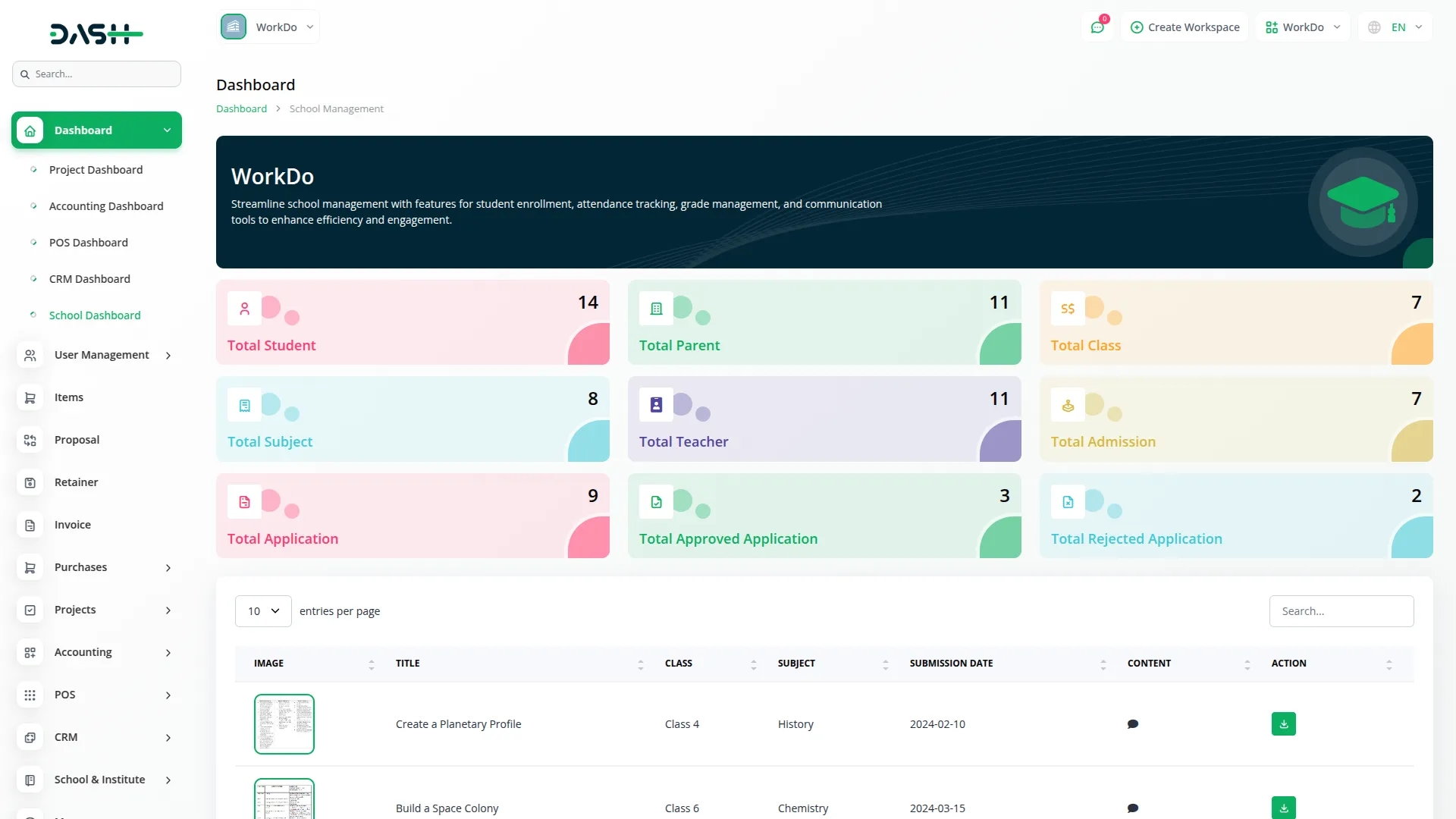
The Scholarship Management Add-On streamlines the entire lifecycle of scholarships, from program setup to student application review and reporting. It allows institutions to define program categories, document requirements, and eligibility criteria while ensuring consistent configurations across all programs. With advanced analytics and reporting, administrators gain clear insights into application trends, budget utilization, and overall program performance.
Dependency Notice: The Scholarship Add-On is dependent on the School / Institute Management Add-On. If the School Add-On is disabled, the scholarship Add-On will not function. Ensure that the School / Institute Management Add-On is activated to utilize the Exam features.
Scholarship Framework Setup
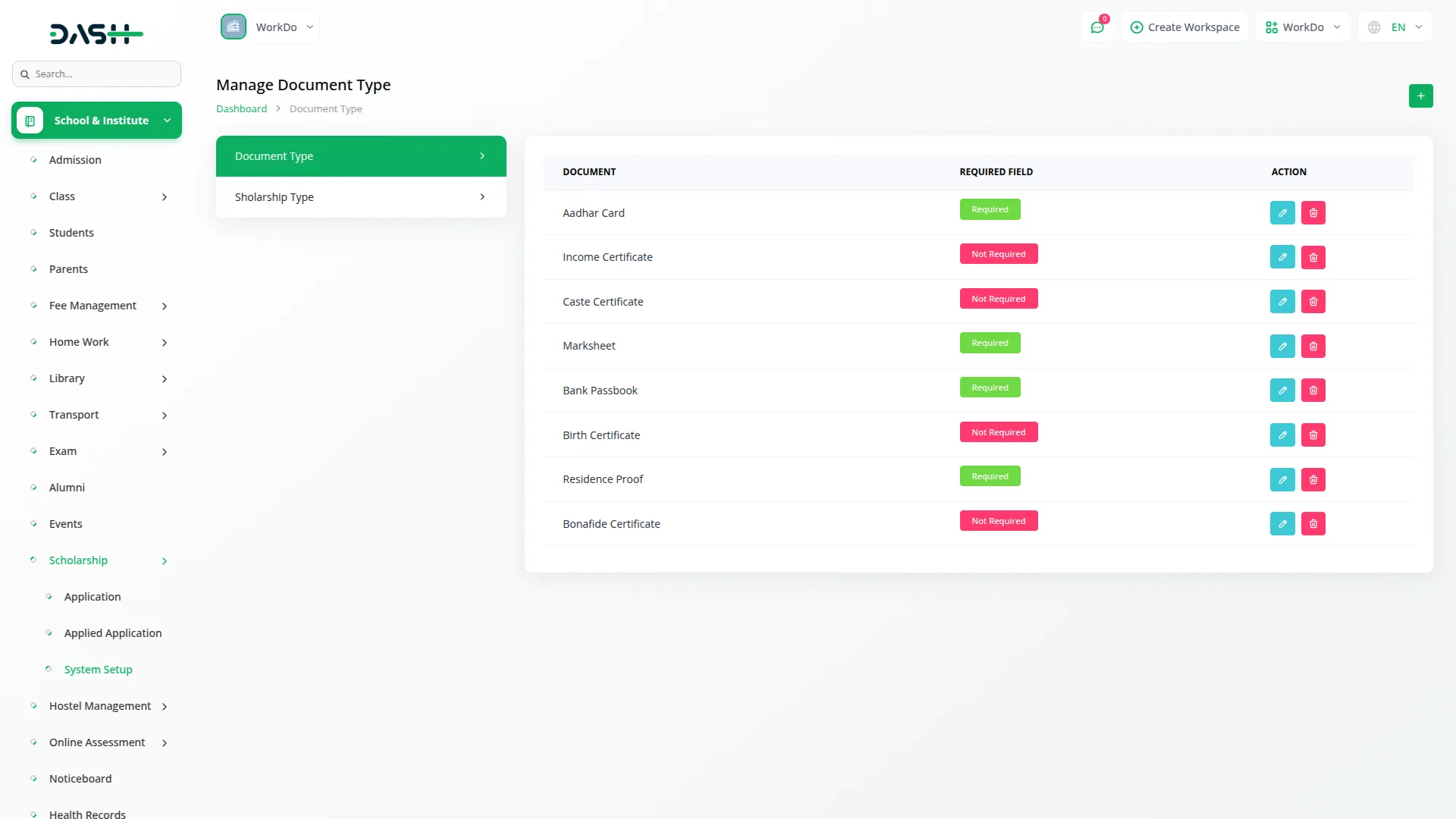
The System Setup section lays the groundwork for all scholarship programs by defining essential elements like Document type and Scholarship type. It allows institutions to customize these settings according to their own policies instead of relying on fixed configurations. Once configured, these definitions automatically apply across all programs and applications. This ensures consistency, efficiency, and eliminates the need for repetitive manual setup.
- Define scholarship categories aligned with institutional program types
- Configure document requirements marking mandatory or optional status
- Enable reusable configurations across multiple scholarship programs simultaneously
- Ensure core configuration changes reflect consistently across system

Scholarship Applications program
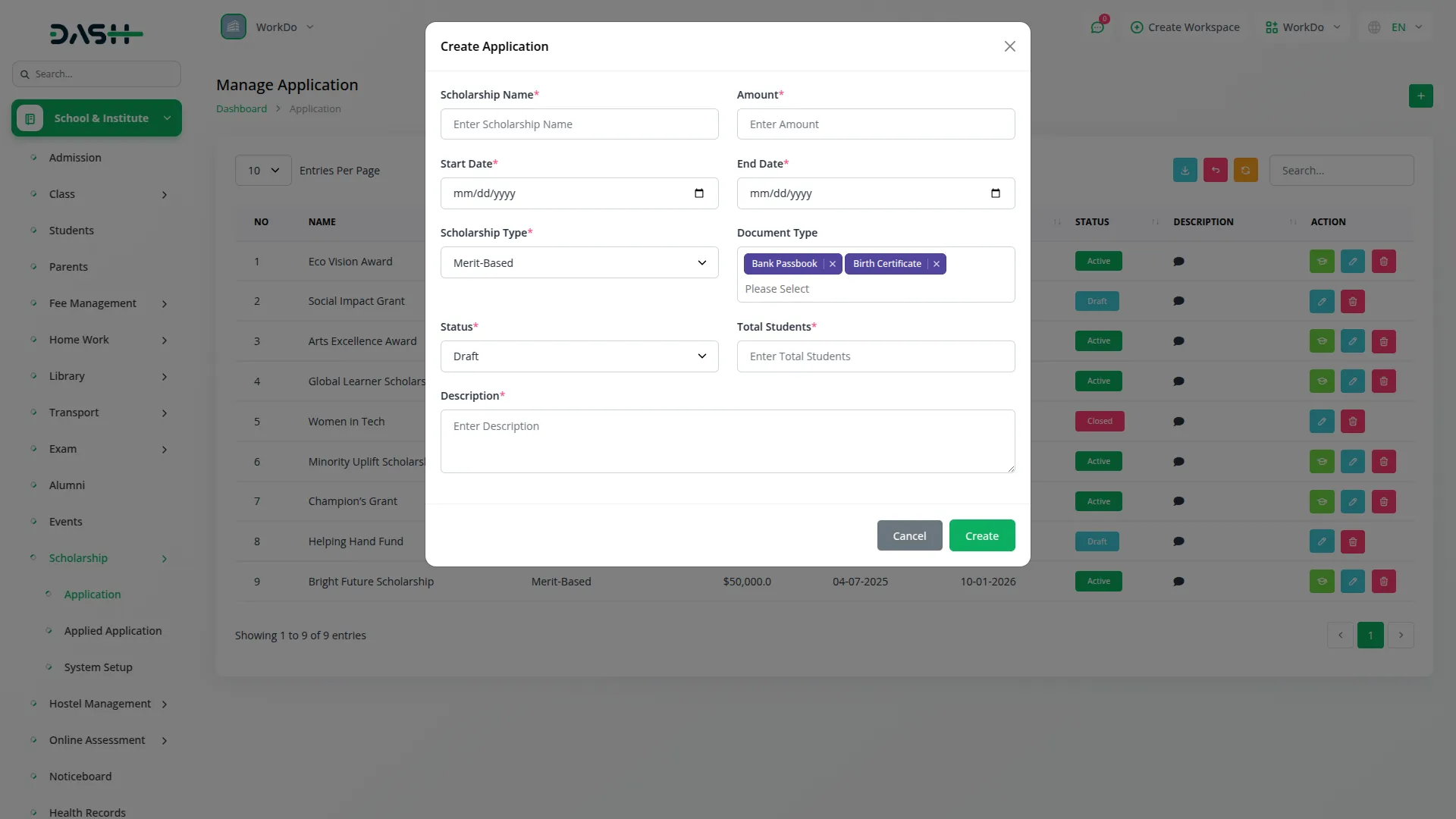
This section enables administrators to create, structure, and manage scholarship programs with complete control over key details like funding, capacity, and eligibility. Each program can be configured with specific requirements, timelines, and types to suit institutional needs. Programs are organized across different states, making it easy to track active, upcoming, and completed opportunities. It also acts as the gateway for student applications by linking program details directly to the application process.
- Create scholarship programs with budgets timelines student limits
- Assign document requirements and scholarship types from setup
- Maintain programs across draft active and closed states
- Programs serve as starting point for managing applications
Student Applications Management
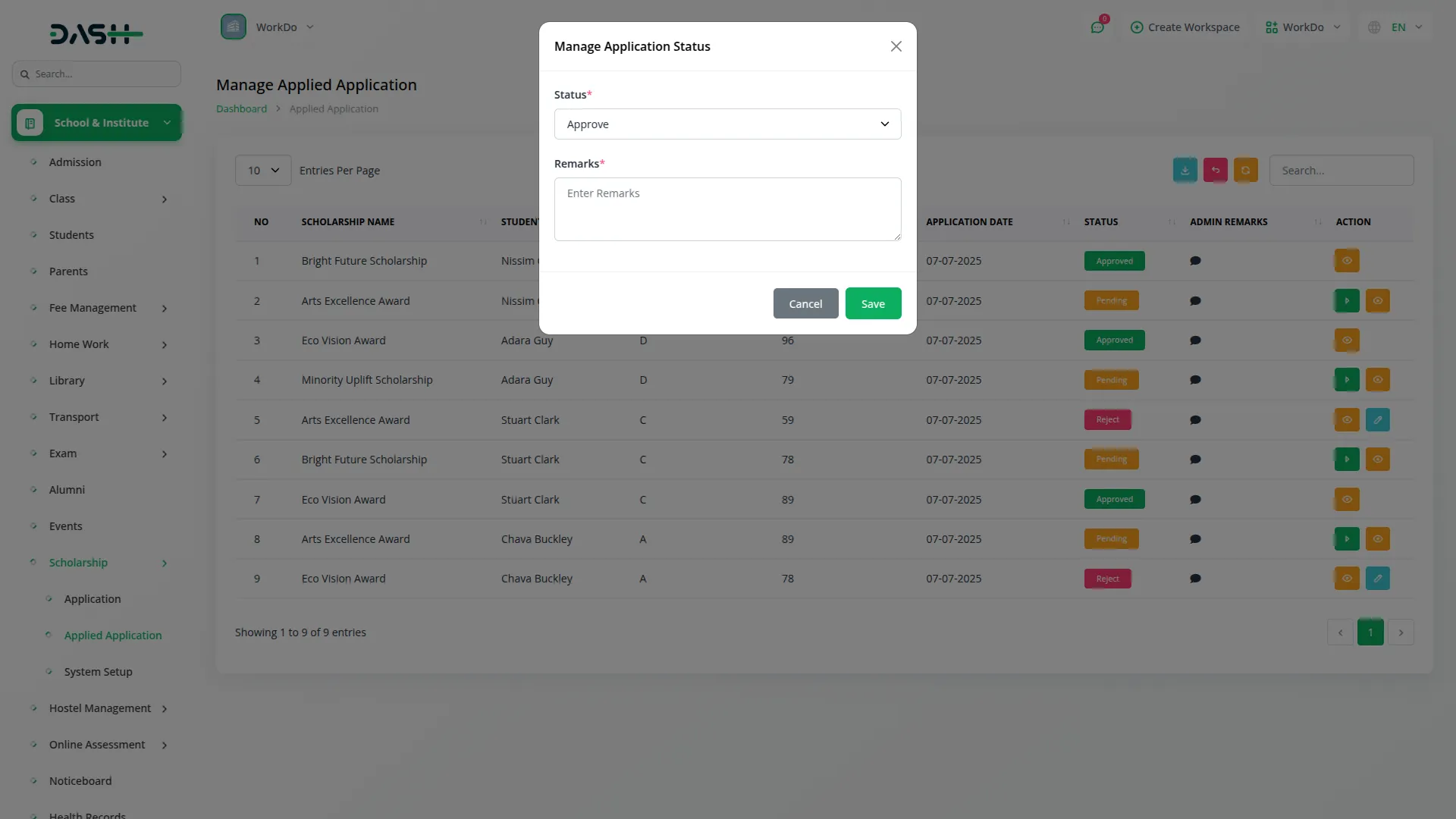
The Student Applications section manages the complete lifecycle of scholarship submissions once programs are live. Each application includes detailed student information, financial data, banking details, and supporting documents. Administrators can review applications, verify eligibility, and record decisions with clear remarks. This ensures a transparent, well-documented, and easily traceable evaluation process.
- Consolidate student academic family banking and document data
- Review and process applications from single organized list
- Record approval or rejection decisions with remarks
- Filter submissions by student grade scholarship type status
Scholarship Reports Analytics
The Reports section provides a clear, visual overview of scholarship activities to help administrators evaluate performance and financial status. It consolidates key metrics like program counts, application volumes, approval rates, and budgets into easy-to-understand summaries and charts. Monthly trends highlight changes in applications and fund usage over time. These insights support informed, strategic decisions for future scholarship planning.
- Get instant snapshot of scholarships applications and budgets
- Monitor budget utilization comparing approved amounts against disbursements
- Analyze application and trends across months grades statuses
- Identify top applicants by academic merit for awards
Screenshots from our system
To explore the functionality and usage of these Add-Ons, refer to the accompanying screenshots for step-by-step instructions on how to maximize their features.
Discover More Add-Ons
Unlock even more functionality with additional Add-Ons, providing enhanced networking and customization options for your Dash SaaS experience.


Driving School
Facilitate seamless communication between students, instructors, and administrative staff with our collaborative tools. Our platform provides features for scheduling, messaging, and collaboration, ensuring clear and effective communication throughout the learning process.
View More
Asana Project Management
The Asana Project Management Add-on in Dash SaaS empowers teams to handle projects, tasks, and collaborations effortlessly. With this integration, you can manage multiple workspaces, streamline task assignments, and keep projects on track—all from a single platform.
View More
Resume Builder
The Resume Builder Add-On offers a complete solution for creating, customizing, and managing professional resumes with ease. It features live editing through an interactive frontend, allowing users to personalize every section without technical effort.
View More1 review for Scholarship – Dash SaaS Add-On
| 5 star | 100% | |
| 4 star | 0% | |
| 3 star | 0% | |
| 2 star | 0% | |
| 1 star | 0% |
Comments
You must be logged in to post a comment.
There are no comment yet.
Contact Us for Support :
-
You will get immediate support from our support desk. Please visit here https://support.workdo.io/
Item support includes:
- Answer pre-sale questions or query
- Answering technical questions about item's features
- Assistance with reported bugs and issues
- Help with included 3rd party assets
- Free Installation services in some cases
However, item support does not include:
- Customization services
Check Documents & Tutorials
The flow of the system is logical which has improved productivity across our departments