
The Requests Add-On is your all-in-one solution for capturing and managing custom form submissions with ease and precision. Whether you're collecting inquiries, feedback, or lead data, this Add-On gives you the tools to build dynamic request forms, organize them under clear categories and subcategories, and manage incoming responses effortlessly.
Manage All Requests
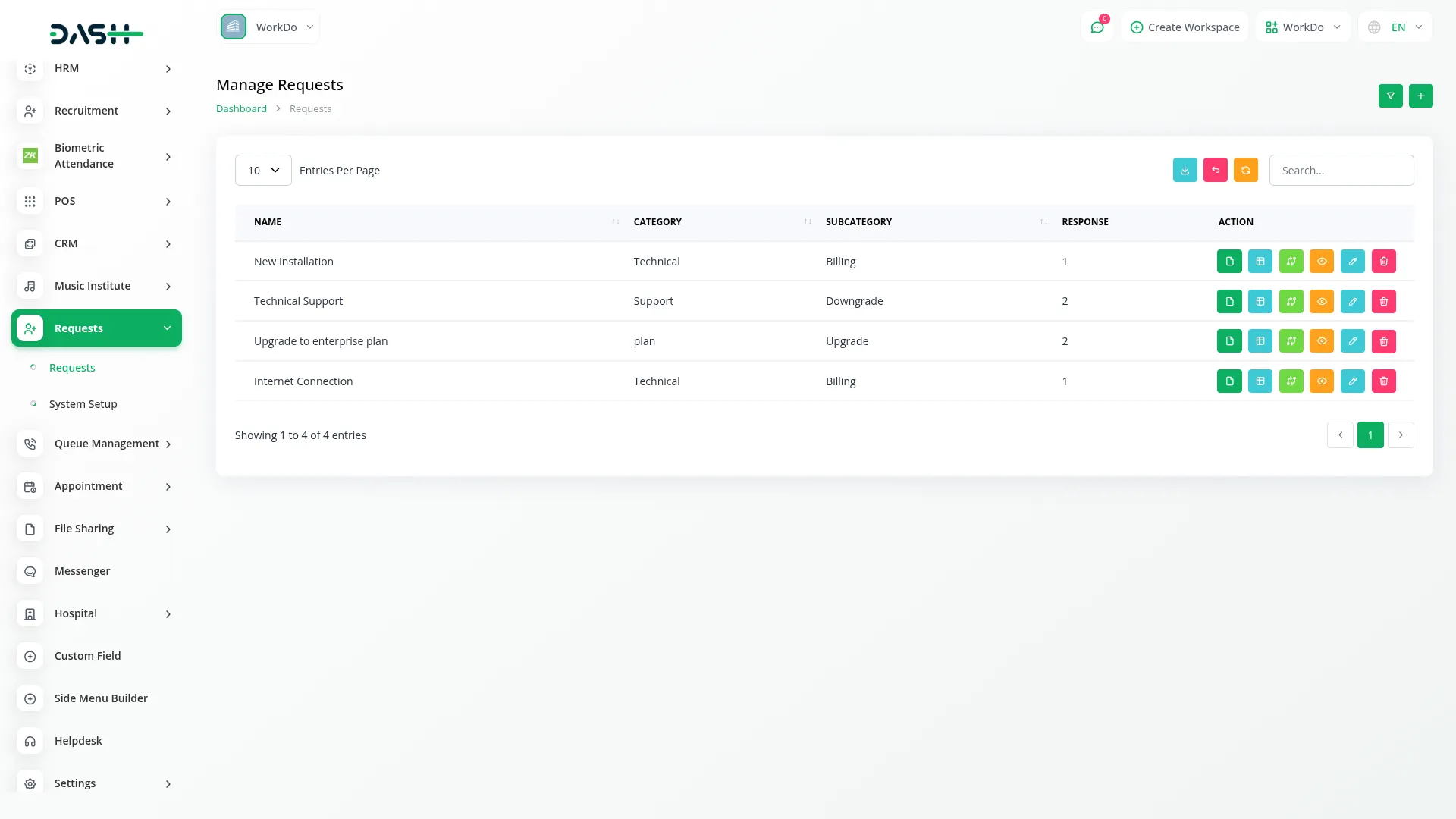
The Requests solution helps users easily manage form-based data collection tailored to their business needs. It offers an interface where you can create custom forms by defining the name, selecting the request type, and assigning categories and subcategories. The form can be activated or deactivated anytime using a toggle option. Each request entry provides quick actions such as copying the form link, viewing form details, and editing or deleting the request. With filter and search options, handling large volumes of data becomes efficient and smooth.
- Tailor data collection to business needs
- Control form availability with a toggle
- Create custom forms with flexible field options
- Handle large data volumes efficiently
Request Form Creation
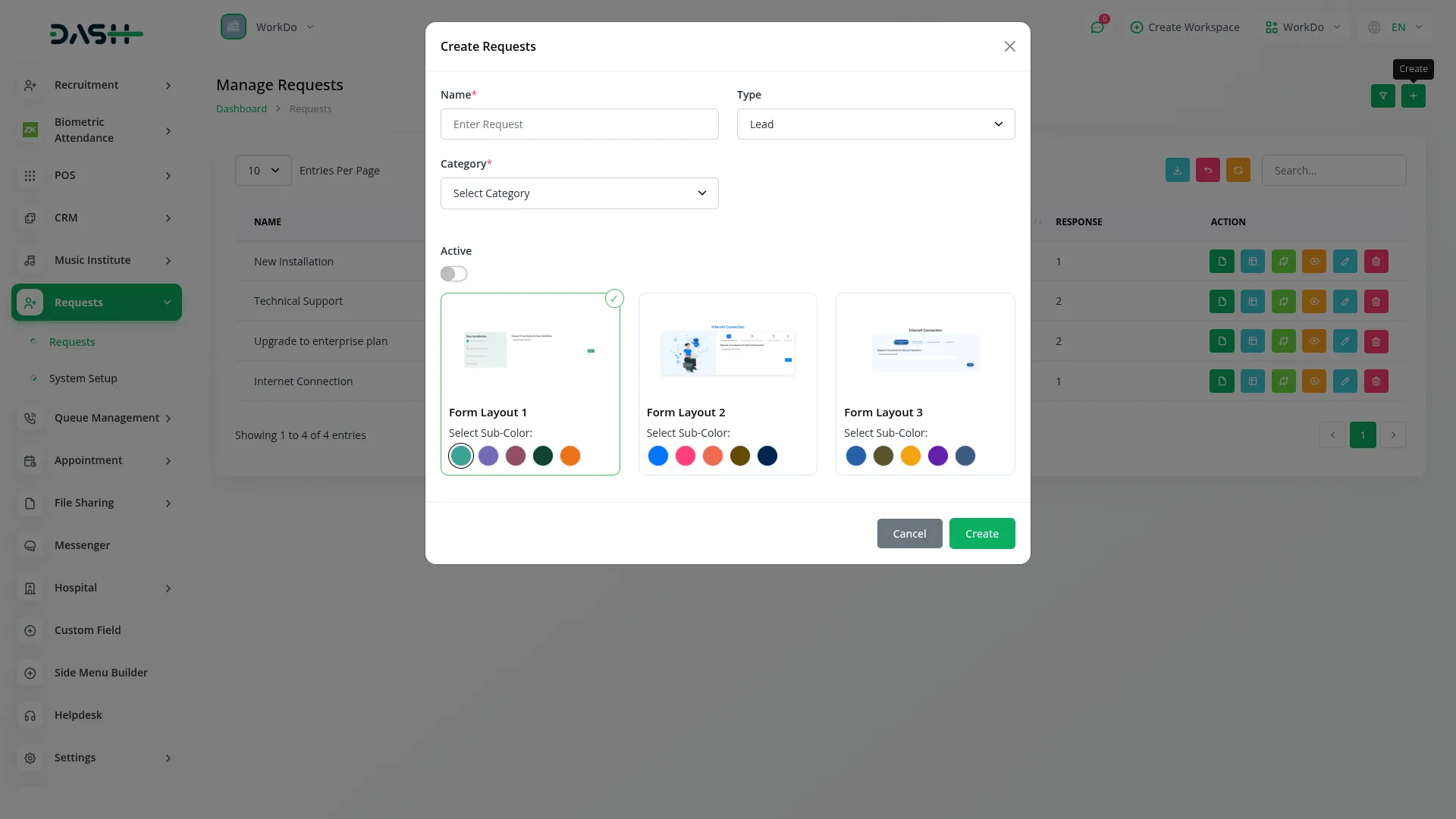
Users can create customized request forms with flexible naming, classification, and type categorization to suit different business needs. The system features an intuitive form builder with three different layout options, each offering a unique visual design and customizable color schemes to match your brand or organizational preferences. Forms can be shown or hidden to users via active/inactive toggles.
- Three distinct layout options with customizable color schemes
- Conditional field logic based on user responses
- Flexible naming and classification system
- Preview mode to test forms before publishing
Category & Subcategory Management
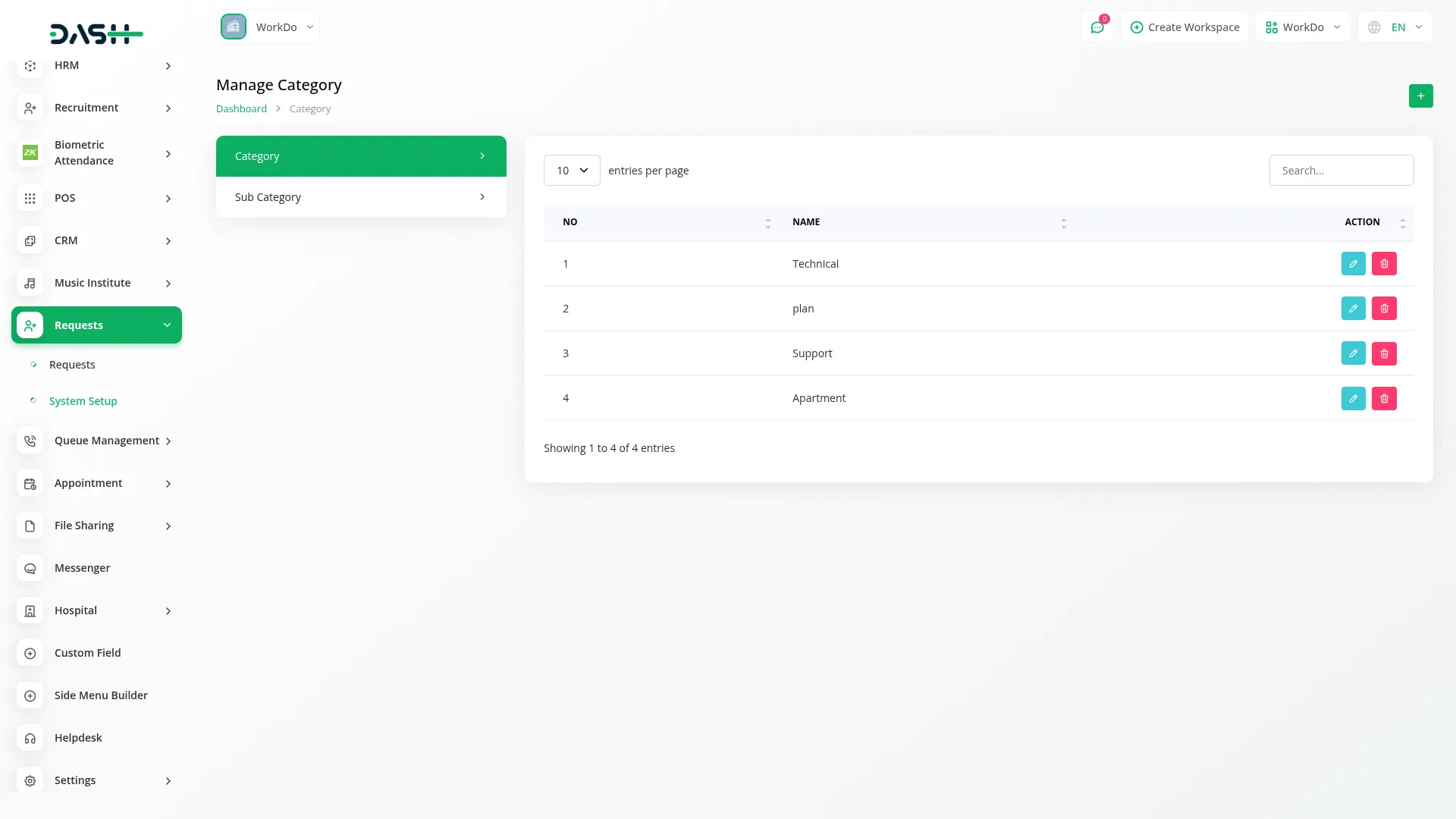
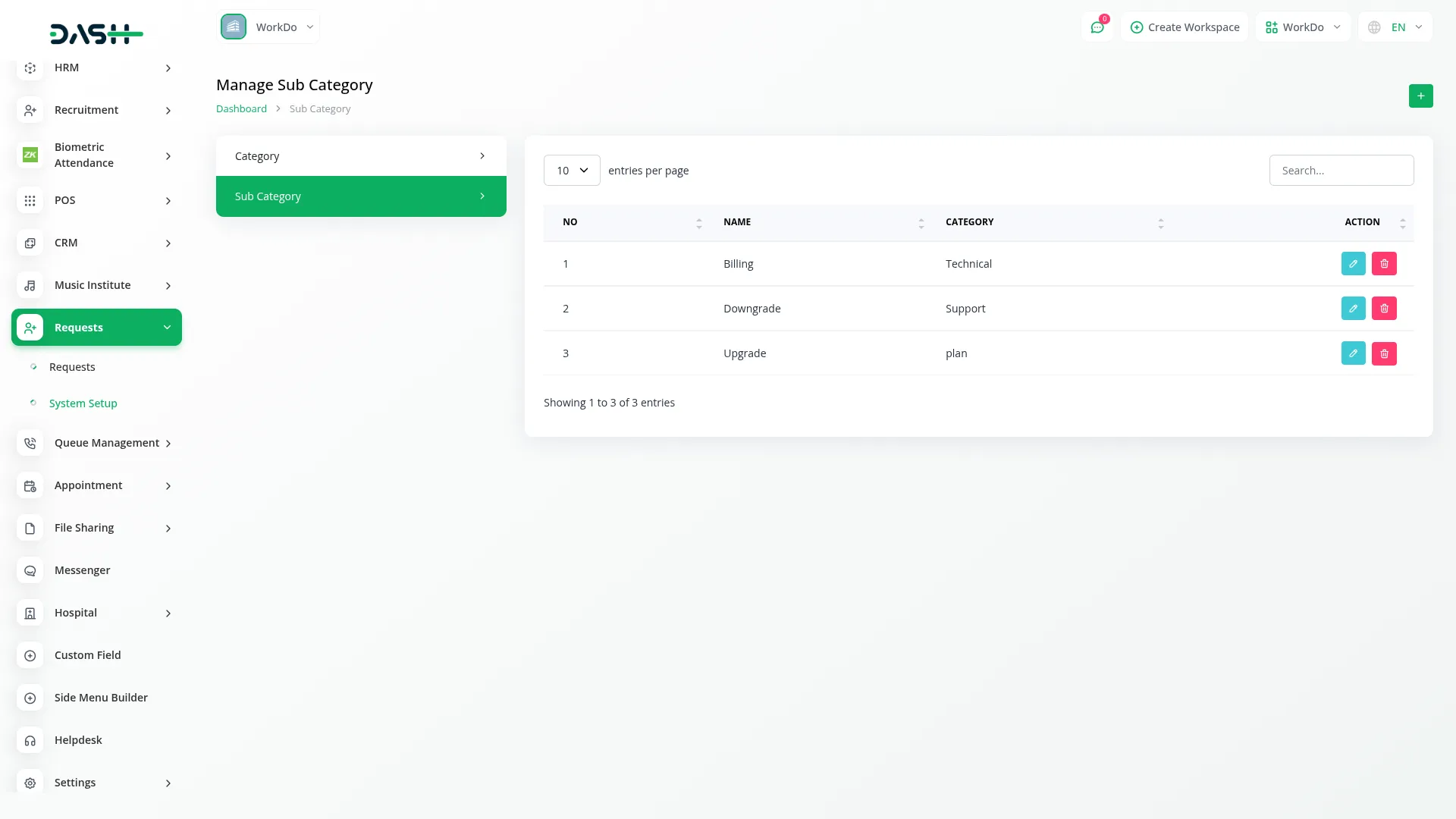
The system enables hierarchical organization through categories and subcategories. Categories provide broad classifications that help organize requests meaningfully, improving understanding of form types. Subcategories offer more granular detail, allowing you to narrow down request types for better clarity. Both can be created through simple forms with no complex setup required. Users can quickly add, edit, or delete categories and subcategories with single-click actions.
- Organize requests with a hierarchical structure
- Improve understanding with broad classifications
- Narrow down types with subcategories
- Maintain a classification system with flexibility
Frontend Request Form
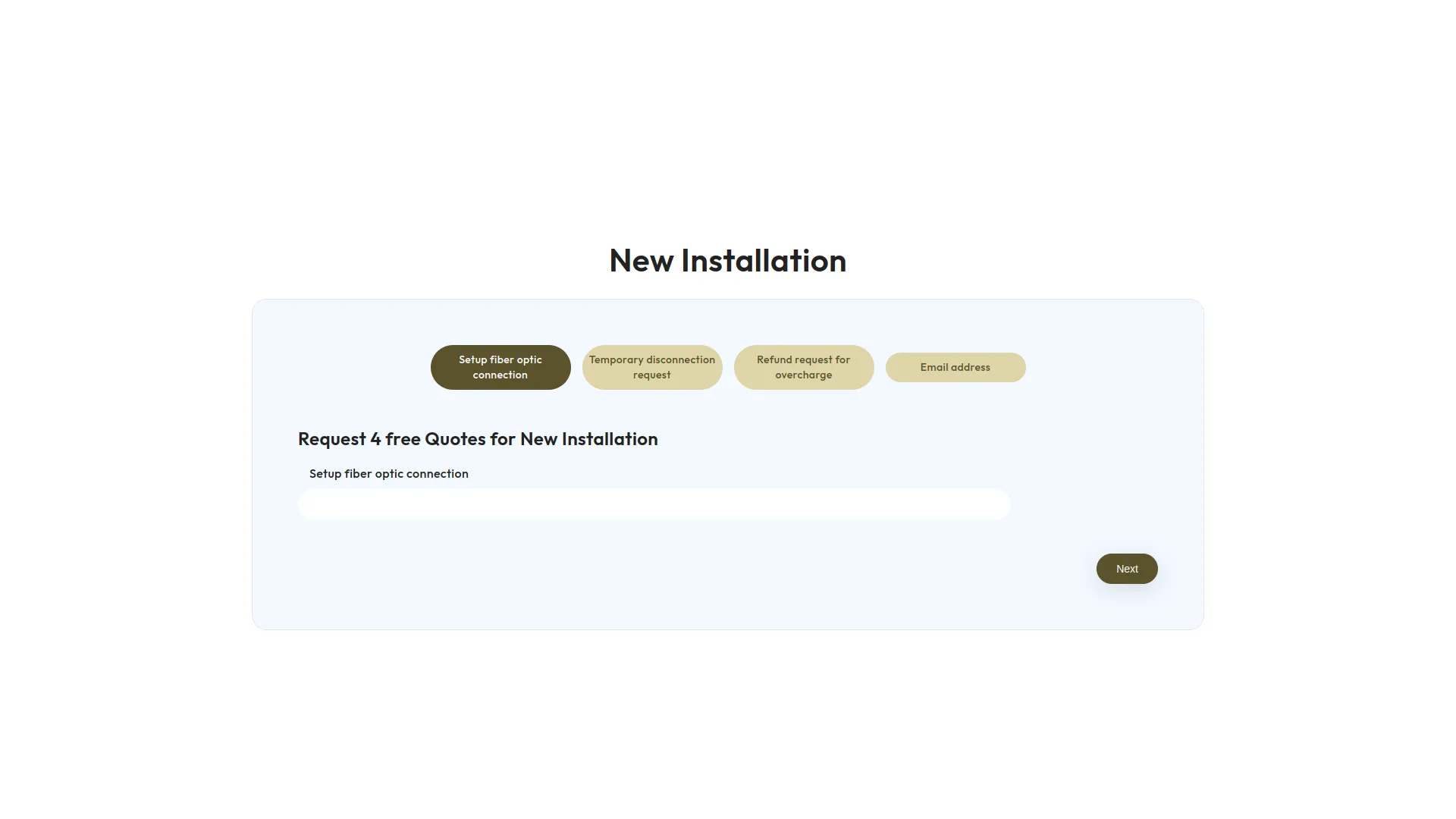
Once you’ve created and customized your request form, users can access and fill it out on the frontend. The system will display the fields and layout exactly as defined by you. Any custom fields added during form creation will automatically reflect on the live form. This ensures the data you collect is always aligned with your business needs.
- Provide users with easy form access
- Display forms exactly as designed
- Reflect custom fields automatically
- Ensure data alignment with needs
Manage Form Responses
The Form Responses module provides a centralized hub to view and manage all submissions from your custom request forms. Each response is displayed as a card showing essential details like the request title, submission time, and field count. The system offers search functionality and pagination controls to help you navigate through responses efficiently, while color-coded borders provide visual distinction between different request types.
- Individual card display for each form submission
- Color-coded cards for quick request identification
- Search and pagination for easy navigation
- Timestamp tracking for submission monitoring
Screenshots from our system
To explore the functionality and usage of these Add-Ons, refer to the accompanying screenshots for step-by-step instructions on how to maximize their features.
Discover More Add-Ons
Unlock even more functionality with additional Add-Ons, providing enhanced networking and customization options for your Dash SaaS experience.

Vehicle Inspection Management
This Inspection Management addon streamlines the entire vehicle inspection process by integrating detailed vehicle data, customizable checklists, automated scheduling, and smart reminders.
View More
Make
The Make Integration system is a comprehensive webhook automation platform that connects your business software with Make.com through 79+ supported Add-Ons including General operations, HRM, Sales, and specialized industry solutions. The system enables real-time data synchronization by automatically triggering Make scenarios for business events, while providing flexible webhook configurations and user-friendly management interfaces for comprehensive workflow automation and third-party application integration.
View More

Side Menu Builder
Side menu builder are often used to provide a tailored and user-friendly experience by allowing users to access specific content or perform actions with a single click. Design a user-friendly form where users can input their Side Menu Builder details, such as the destination URL, link alias, and any additional parameters.
View More7 reviews for Requests – Dash SaaS Add-On
| 5 star | 71% | |
| 4 star | 28% | |
| 3 star | 0% | |
| 2 star | 0% | |
| 1 star | 0% |
Comments
You must be logged in to post a comment.
There are no comment yet.
Contact Us for Support :
-
You will get immediate support from our support desk. Please visit here https://support.workdo.io/
Item support includes:
- Answer pre-sale questions or query
- Answering technical questions about item's features
- Assistance with reported bugs and issues
- Help with included 3rd party assets
- Free Installation services in some cases
However, item support does not include:
- Customization services
Check Documents & Tutorials
Code is scalable and future proof
Flexibility impressed our developers
Documentation is concise and complete
Documentation is outstanding
Features are comprehensive
Code is maintainable
Design feels polished