

Types of Add-On for Google, ERP & App Integration
Explore types of software add-ons—Google Workspace tools, ERP extensions, app integrations.

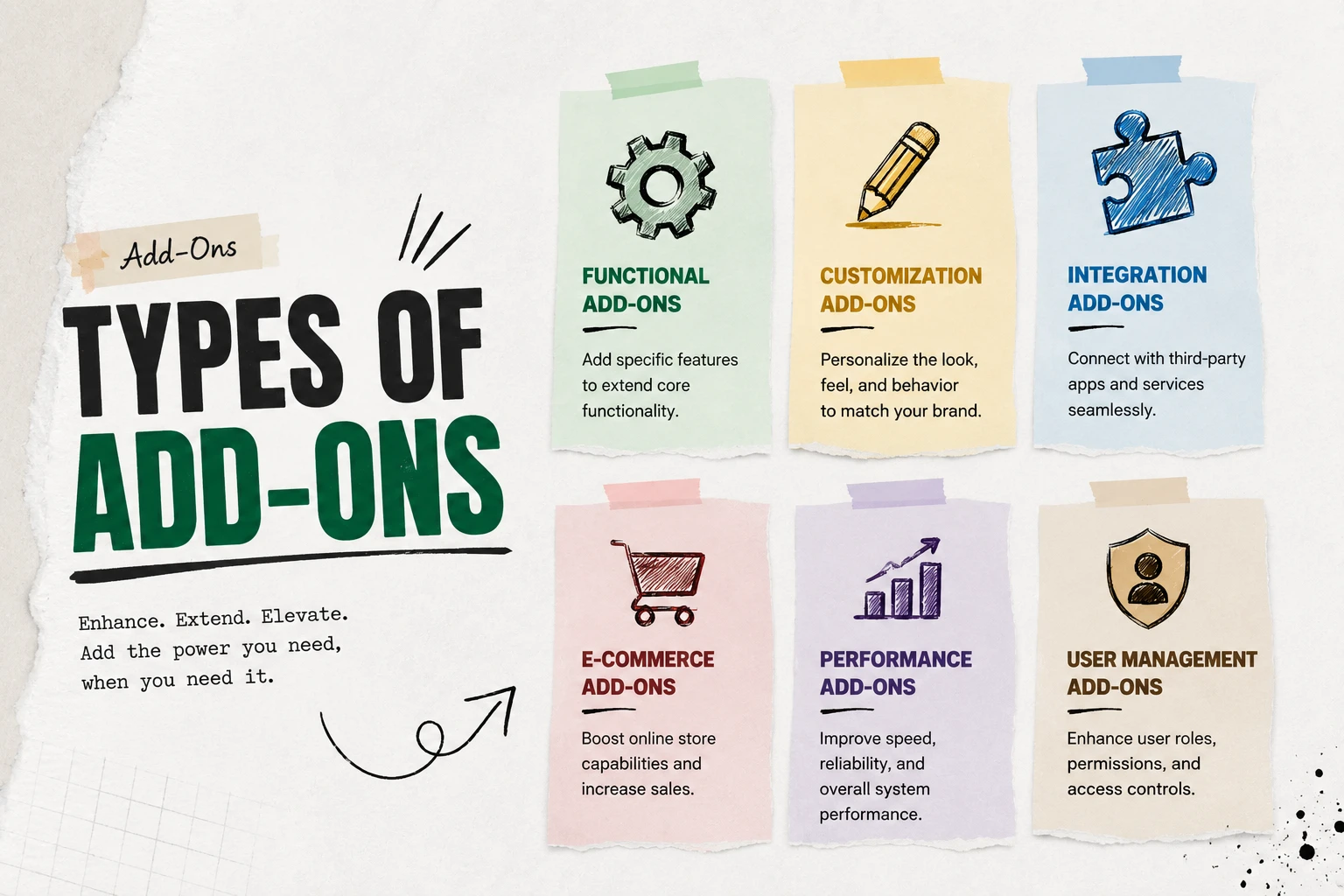
Types of Add-On for Google, ERP & App Integration
Add-Ons give businesses the flexibility to extend features, automate tasks, and customize digital tools without large investments. From small startups to large enterprises, Add-Ons can streamline daily processes, improve productivity, and enhance customer experiences. In this guide, we’ll look at Google Add-Ons, ERP Add-Ons, and App Add-Ons, and also showcase practical SaaS solutions like Dash SaaS Add-On, E-commerce system SaaS Add-On, Booking management SaaS Add-On, Digital card SaaS Add-On, and Ticket system SaaS Add-On.
Google Add-On
A Google Add-On enhances productivity inside Google Workspace tools like Docs, Sheets, Gmail, and Calendar. For example, with a task management Add-On inside Gmail, teams can manage projects without switching platforms. Marketers, educators, and startups often rely on these for automation, collaboration, and cost savings.
Use case: A marketing team can integrate analytics dashboards into Google Sheets, saving time on reporting. An educator may use a grading Add-On in Google Docs to simplify student evaluation.
ERP Add-On
ERP Add-Ons extend core enterprise systems by adding industry-specific modules or workflows. Instead of redesigning the ERP, companies can plug in Add-Ons to tailor their systems.
Use case: A manufacturer may install a production planning Add-On, while a retail chain may add an inventory forecasting tool inside their ERP to reduce manual operations. This makes ERP systems more agile and industry-ready.
App Add-On
App Add-Ons expand the functionality of existing applications by plugging in new tools, features, or integrations. These Add-Ons help users customize their experience without modifying the core software. Whether it’s a design platform, CRM, or project management tool, app Add-Ons enable flexibility, automation, and better user engagement.
Use case: A design team can install an AI-powered layout generator in their design app to speed up mockups. A sales team might add a lead enrichment tool inside their CRM to automatically populate prospect data. This allows businesses to work smarter within the apps they already use.
Security Add-On
Security Add-Ons in Google Workspace are designed to enhance protection across data, applications, and user access. These Add-Ons focus on threat prevention, data encryption, compliance, and managing security policies. Features include two-step verification, data loss prevention (DLP), context-aware access, and enforced SSL connections. The AI-driven security Add-On uses advanced classification to label files in Google Drive for better data protection and visibility.
Use case: A marketing team can implement DLP policies to prevent sensitive customer data from being shared externally. An IT admin might use the AI-powered security Add-On to automatically flag and classify high-risk files in Google Captcha, Google Drive, enhancing data protection.
View Security AddonsSocial Media & Marketing Add-Ons
Social Media & Marketing Add-Ons enhance the integration between Google Workspace tools and social media platforms. These Add-Ons simplify tasks like content scheduling, analytics tracking, and automated posting directly from apps like Google Sheets or Gmail. Features include pulling social media metrics, generating marketing reports, managing campaigns, finding influencers, and optimizing social sharing workflows.
Use case: A marketing team can connect their Google Sheets to social media platforms to automatically schedule posts and track engagement metrics. An influencer marketing agency might use an Add-On to discover new influencers and manage outreach campaigns directly from Gmail.
CRM Add-Ons
CRM Add-Ons extend Google Workspace with customer relationship management features, enhancing tasks like contact and lead management, sales tracking, and customer service workflows. These Add-Ons integrate with tools like Gmail and Google Sheets to manage CRM records without leaving the Workspace environment. Features include lead and contact management, sales pipeline tracking, task automation, and email syncing.
Use case: A sales team can use a CRM Add-On to track leads and manage sales activities directly within Gmail and Google Sheets, ensuring no information is missed. A customer service team might use these Add-Ons to update customer profiles and manage service tickets in real-time, all within Google Workspace.
Payment Add-Ons
Payment Add-Ons simplify invoicing, payment processing, and financial tracking directly within Google Workspace apps. These Add-Ons integrate with popular payment platforms like Stripe, PayPal, and Square, streamlining billing and payment management. Features include invoice generation, expense tracking, payment reminders, and cash flow monitoring.
Use case: A freelancer can generate and send invoices from Google Sheets, track payments via PayPal, and manage expenses, all within Gmail. A small business can automate invoicing, track payments, and monitor cash flow with real-time dashboards, optimizing their financial workflow directly within Google Workspace.
View Payment gateways AddonsMaximizing Efficiency with Add-Ons
Add-Ons are powerful tools designed to enhance the functionality of existing software, making tasks easier, faster, and more efficient. Whether for Google tools, ERP systems, or SaaS apps, the right Add-Ons can automate repetitive tasks, streamline workflows, and improve overall productivity. They help businesses save time, reduce manual effort, and focus on more strategic activities.
For instance, Add-Ons can automate data entry, improve reporting processes, or enhance user experiences, all of which contribute to smoother operations and increased effectiveness. By selecting the right Add-Ons for specific needs, businesses can unlock new efficiencies, cut costs, and boost their overall performance.
Choosing the Right Add-On
Choosing the right Add-On is easy when you match it to your needs. If you want to enhance tools like Google Docs, Sheets, Gmail, or Calendar, go for a Google Add-On. For company-wide integration across multiple departments, an ERP Add-On is the way to go. If you’re looking to improve business apps with specialized solutions, App Add-Ons like Dash, E-commerce integration SaaS, Booking system SaaS, Vcard digital card SaaS, or Ticket system SaaS can streamline operations and boost efficiency. This simple approach helps you pick the best Add-On for your specific goals.
Do you want to improve Google Docs, Sheets, Gmail, or Calendar? → Google Add-On Do you need company-wide integration with multiple departments? → ERP Add-On Do you want to enhance your business apps with SaaS solutions like Dash SaaS, an E-commerce system, Booking management SaaS, Digitalcard (Vcard), or Ticket system ? → App Add-On
Popular Types of SaaS Add-Ons for Business
Beyond Google, ERP, and App integrations, there are several SaaS-based Add-Ons designed to simplify business processes. These Add-Ons extend the core system by adding specialized features that solve everyday challenges. Let’s look at some common categories:
Dashboard Add-Ons
A dashboard Add-On helps centralize data by offering customizable panels where businesses can track performance, KPIs, financial metrics, and team productivity in one place. Instead of switching between multiple tools, users get a clear snapshot of operations and make smarter decisions faster.
E-commerce Add-Ons
E-commerce Add-Ons integrate with existing websites or systems to provide online selling features. They allow businesses to set up digital stores, manage products, process payments, and handle shipping more effectively. For small businesses looking to start online sales, these Add-Ons lower barriers and offer scalability without needing an entirely new platform.
Booking System Add-Ons
Booking Add-Ons automate scheduling, reservations, and appointments. They are useful for service-based businesses like salons, doctors, consultants, or even event organizers. Features often include calendar integration, automated reminders, and payment support, which improve customer experience while reducing admin work.
Digital Card (vCard) Add-Ons
Digital card Add-Ons, often called vCards, make it easy to share professional identities online. Instead of traditional paper cards, businesses and individuals can use a vCard to display contact details, portfolios, or service information in a modern digital format that can be accessed anytime. These are especially beneficial for networking professionals, freelancers, and businesses wanting a digital-first presence.
Ticketing System Add-Ons
Ticketing Add-Ons help organizations handle customer support, issue management, or event ticket bookings. For customer service teams, they provide structured ticket tracking, reporting, and automated replies. For events, they manage online ticket sales, seat availability, and digital check-ins, ensuring a smooth experience for both businesses and customers.
Why SaaS Add-Ons Matter
Modern businesses no longer invest in one-size-fits-all solutions. Instead, they enhance existing apps with SaaS Add-Ons that are lightweight, flexible, and cost-efficient. Tools like Dash, E-commerce system SaaS, Booking management SaaS, Digital card (Vcard), and Ticket system SaaS empower companies to tailor systems to specific needs, from reporting and sales to scheduling and support.
Here’s a complete SEO-friendly conclusion with a CTA that ties all sections together and makes the blog ready for publishing.
Conclusion: Choosing the Right Add-On for Growth
In today’s fast-paced digital world, Add-Ons are no longer optional extras; they are essential for productivity, customization, and business success. Whether it’s a Google Add-On to simplify daily tasks in Docs or Gmail, an ERP Add-On to optimize enterprise-wide workflows, or specialized SaaS Add-Ons like Dash, E-commerce system SaaS, Booking management SaaS, Vcard digital card SaaS, or Ticket system SaaS, the right solution can transform how you work and serve customers.
Small teams can save hours with automation from Google Add-Ons, while larger organizations can achieve seamless scalability through ERP integrations. For businesses wanting flexibility and user-friendly customization, SaaS Add-Ons are the most practical choice, offering quick deployment and immediate value.
By evaluating your goals, team size, budget, and integration needs, you can easily select the right Add-On that not only saves time but also drives real growth.
📌 Frequently Asked Questions (FAQs)
We're Here to Help - Let's Talk
Have questions about our solutions, customization services, or business tools? Our team is here to help you. let's talk.