
Stay Organized with Ease
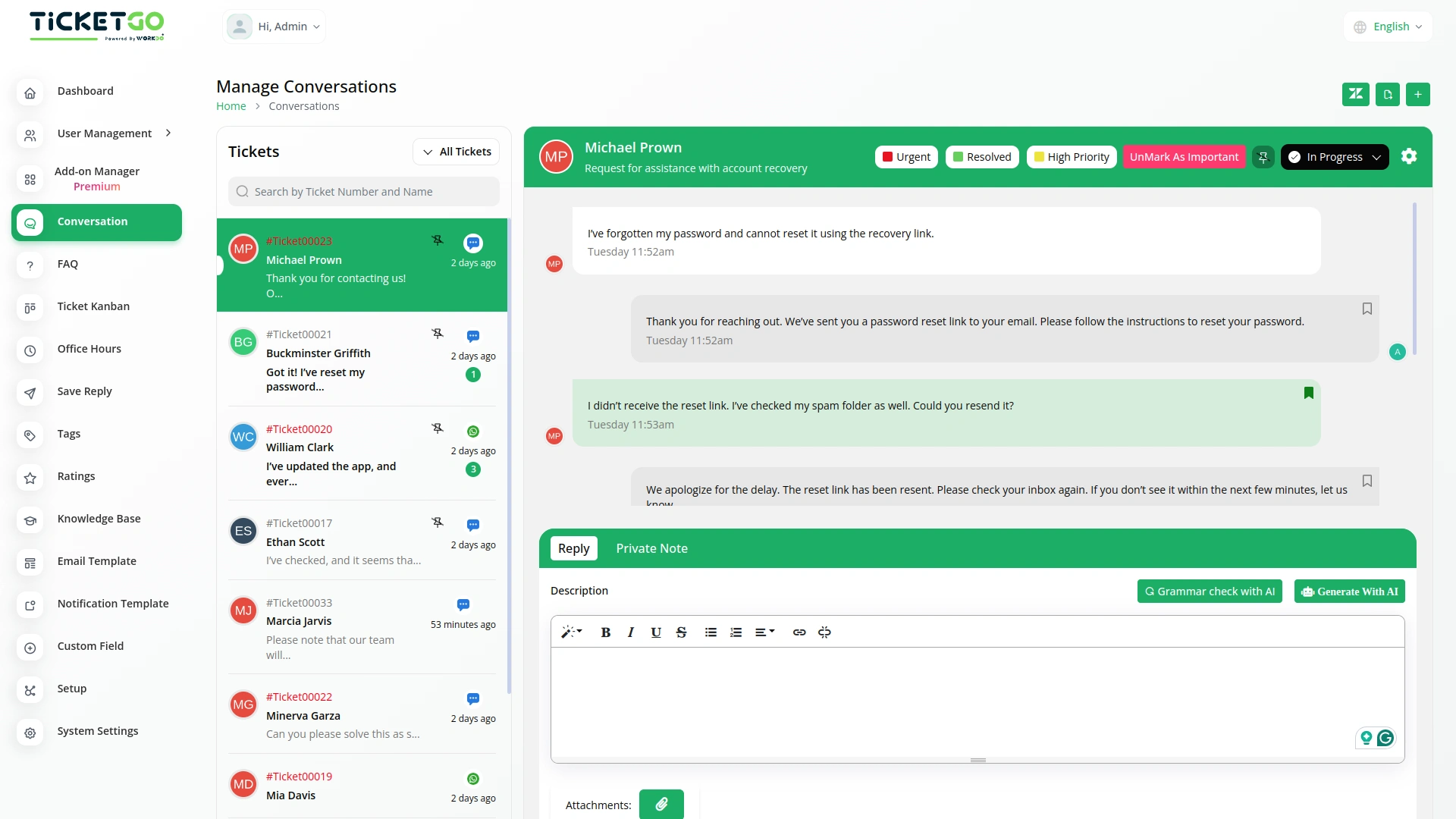
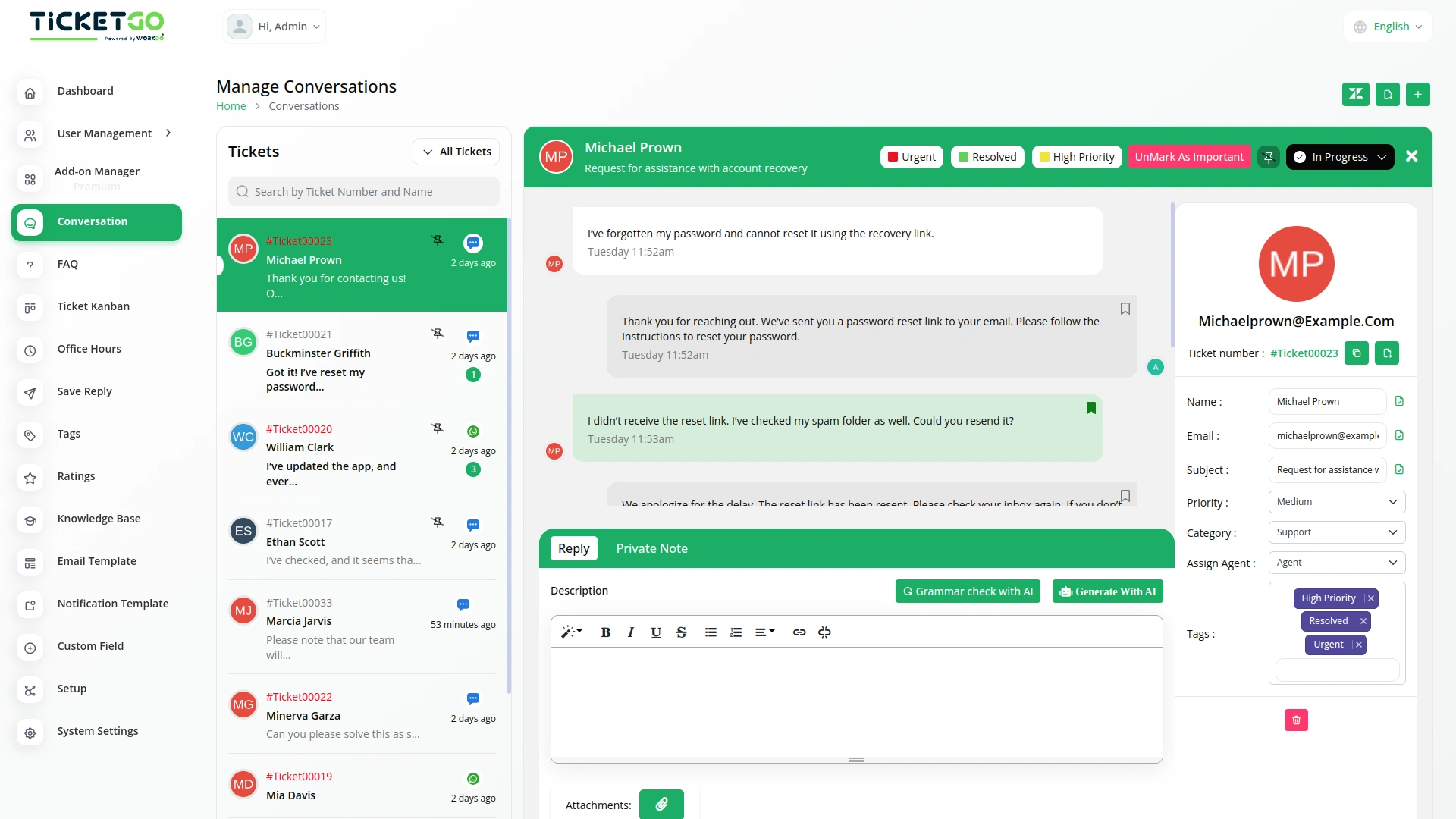
With the Mark as Important feature, you can maintain a cleaner, more organized workflow. It simplifies your ticket management process by distinguishing between routine tickets and those that need immediate attention, helping you stay on top of high-priority matters.
Streamline Team Collaboration
The Mark as Important feature fosters better collaboration within your team. With clearly marked priority tickets, everyone knows which conversations need immediate attention, ensuring a coordinated response and faster issue resolution. This leads to enhanced teamwork and smoother operations.
Screenshots from our system
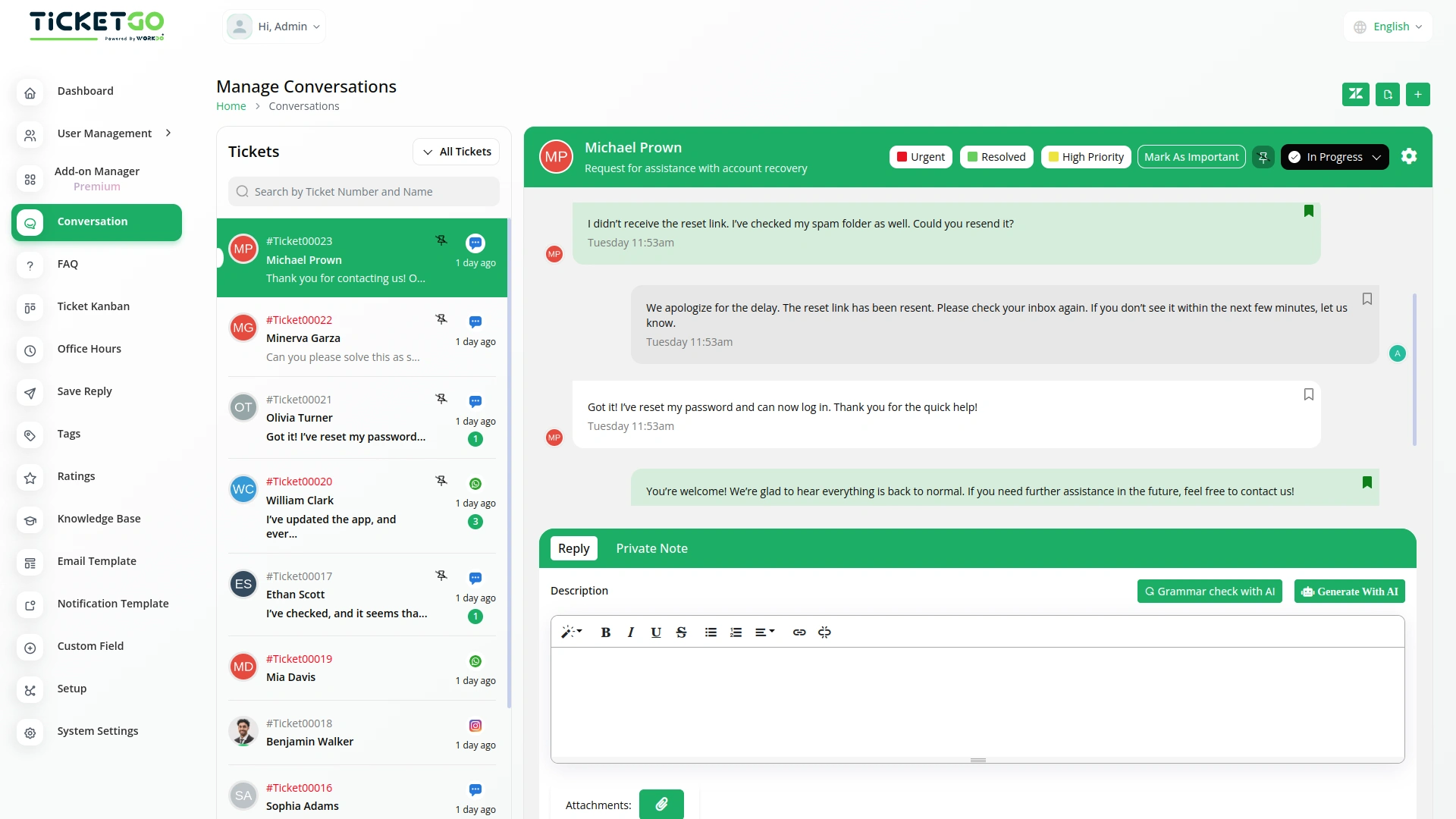
To explore the functionality and usage of these Add-Ons, refer to the accompanying screenshots for step-by-step instructions on how to maximize their features.
Discover More Add-Ons
Unlock even more functionality with additional Add-Ons, providing enhanced networking and customization options for your TicketGo Add-Ons experience.

Mail2Ticket
Mail2Ticket makes customer support easier by turning incoming emails into organized support tickets.

Instagram Chat
Customers often feel uncertain when they don’t receive an immediate response after submitting a query. The Auto Reply module addresses this concern by instantly sending a predefined message, confirming that the support team has received the request.

Chat Pin
The ChatPin module in TicketGo provides a straightforward way to prioritize and highlight important conversations within the system. By enabling this feature, users can pin specific conversations to the top of the list, ensuring that high-priority tickets or urgent discussions are always visible and easily accessible. This helps teams stay organized and focused on the most important conversations, preventing them from being overlooked among others. The ChatPin module is a simple yet effective tool for managing workflows and ensuring that critical issues are addressed in a timely manner.

Whatsapp (Twilio)
The WhatsApp Twilio Module in TicketGo enables businesses to send automated notifications to users, keeping them informed about their ticket status. Whether it’s a new ticket creation, an update, or a resolution message, users receive real-time alerts on WhatsApp. This automation reduces manual effort and ensures that customers stay updated without needing to check the platform frequently.
Smart workflow automation improves operational efficiency
The features helped us maintain transparency in all business activities without extra effort
We found the bugs minimal and each was fixed promptly by the development team