
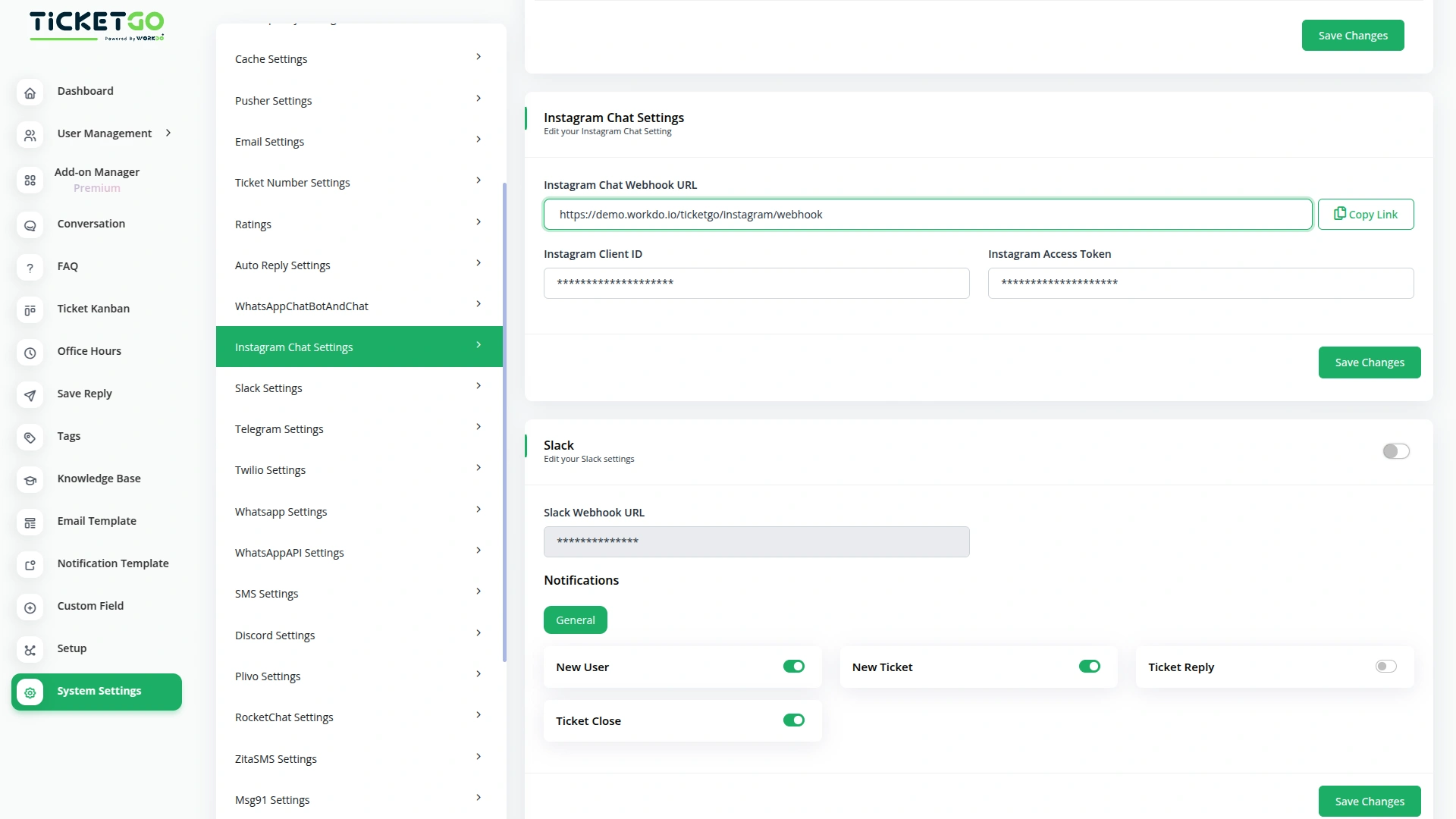
Quick Setup for Instagram Integration
To get started, simply add your Instagram Client ID, and Instagram Access Token into TicketGo. These details will connect your Instagram account to TicketGo and enable real-time message syncing. Once integrated, you can manage Instagram chats, share media, and respond to clients instantly—enhancing your customer service experience with ease.
Get Real-Time Responses on Instagram via TicketGo
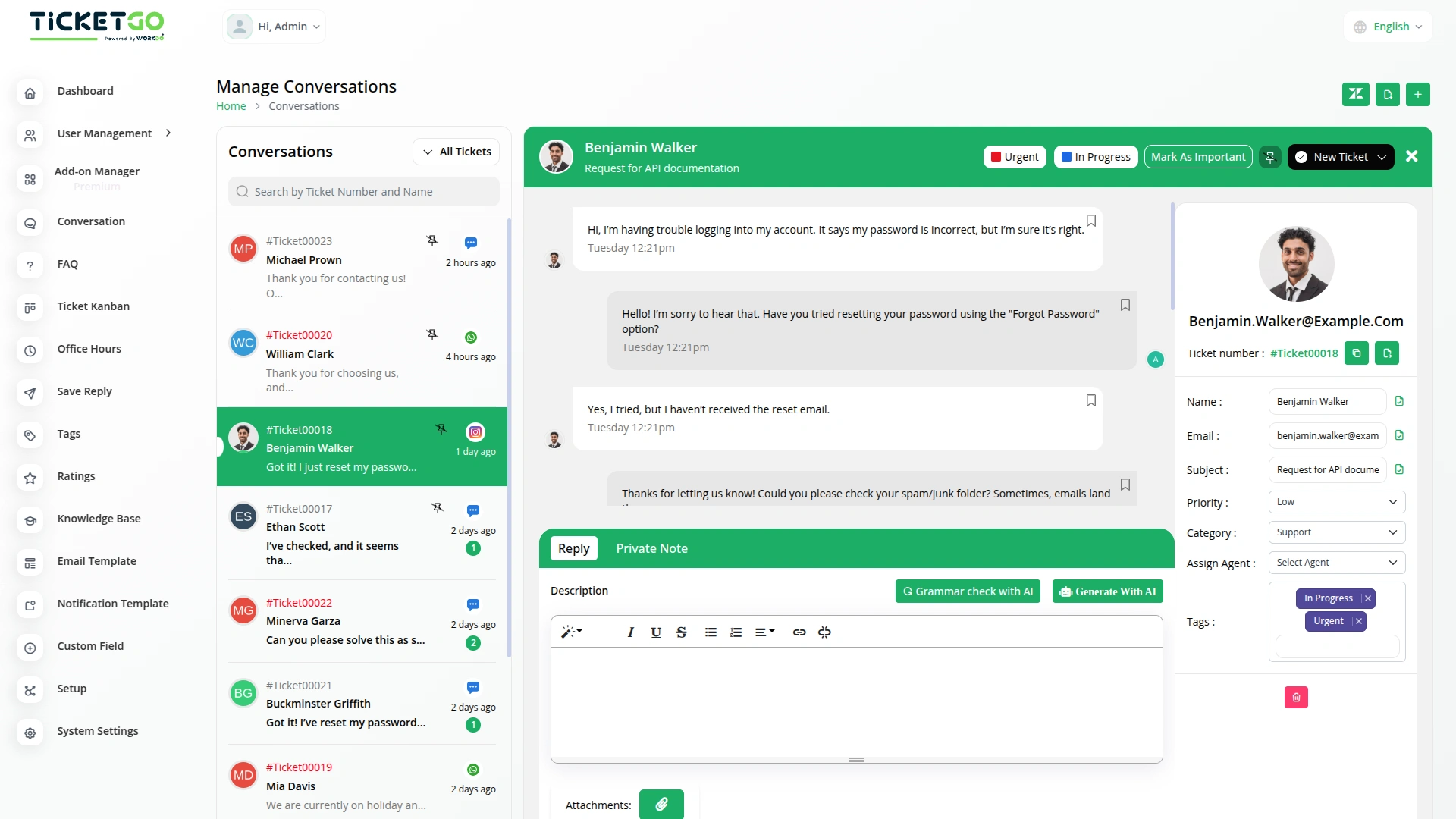
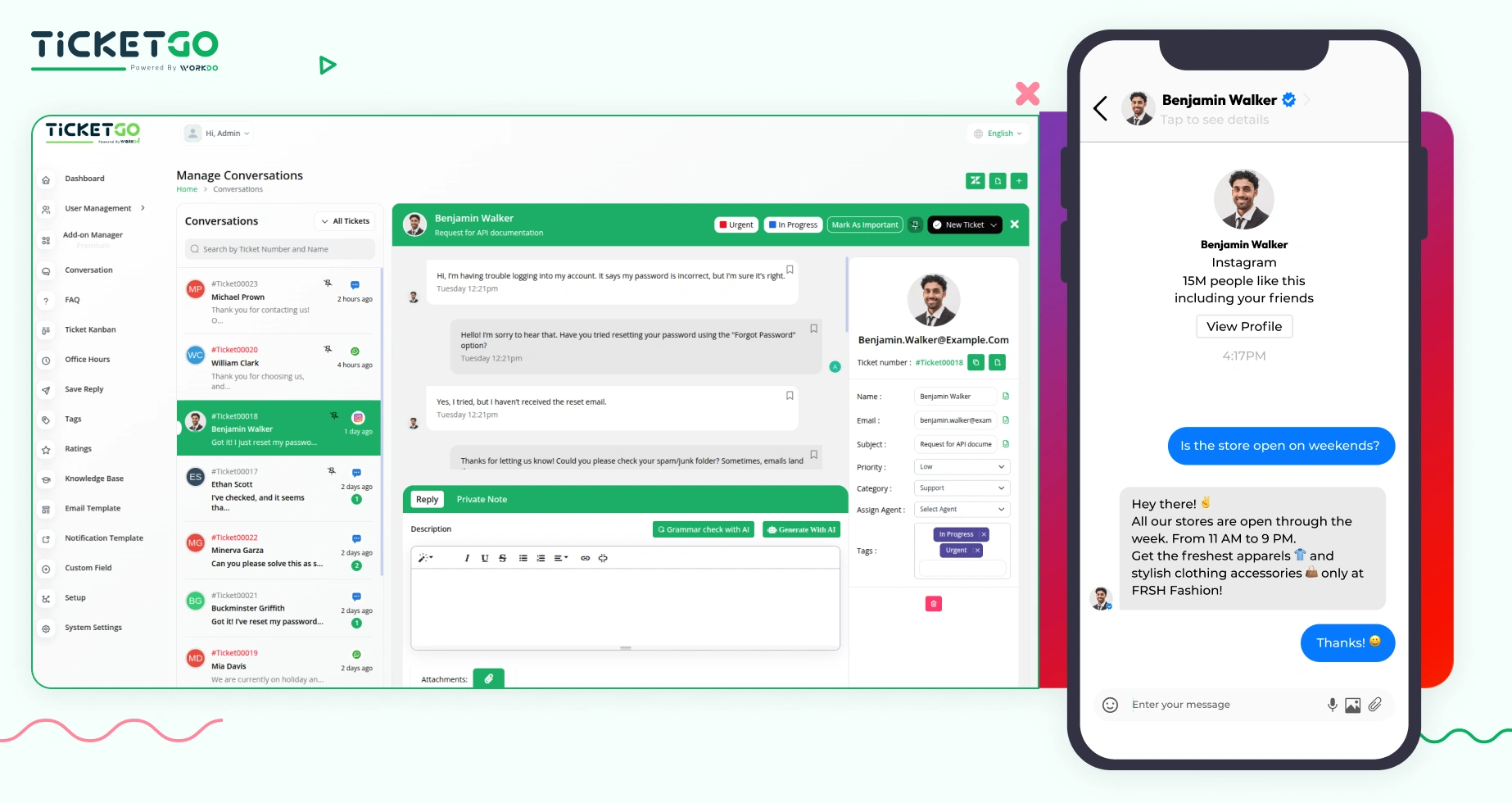
Now, you can chat with us on Instagram and receive instant replies, all thanks to our integration with TicketGo. When you message us on Instagram, we’ll receive it through our TicketGo portal and reply to you without any delays. You’ll get our responses directly in your Instagram inbox, making it easier for you to get the help you need—fast and efficiently!
Screenshots from our system
To explore the functionality and usage of these Add-Ons, refer to the accompanying screenshots for step-by-step instructions on how to maximize their features.
Discover More Add-Ons
Unlock even more functionality with additional Add-Ons, providing enhanced networking and customization options for your TicketGo Add-Ons experience.

Plivo
The Plivo integration within TicketGo allows businesses to receive and send SMS notifications for crucial ticket events, ensuring real-time updates across agents, admins, and customers. By leveraging Plivo’s messaging API, you can keep everyone in the loop, whether it's notifying agents about incoming tickets or informing customers about ticket status changes. The integration enhances customer service efficiency by automating notifications and improving communication flow without needing additional tools.

Out Of Office
The Out of Office module in TicketGo allows agents to update their availability with a simple toggle. If an agent is unavailable, they can disable the Out of Office button, making it clear to both customers and admins that they are not currently active. This helps in ensuring a smooth ticket assignment process.

Zapier
Zapier is a workflow automation platform that connects TicketGo with thousands of popular applications such as Slack, Trello, Google Sheets, HubSpot, and more. With just a few clicks, you can automate workflows, eliminate repetitive tasks, and enhance overall efficiency in your support operations.

Office Hours
The Office Hours Module in TicketGo allows businesses to set their working hours for each day of the week. This helps customers know when your support team is available. By defining your office hours, you ensure that customers are aware of your business’s availability before they create a support ticket.
Advanced feature controls improve operational flexibility
Flexibility is amazing we could modify every layout to match our brand identity