
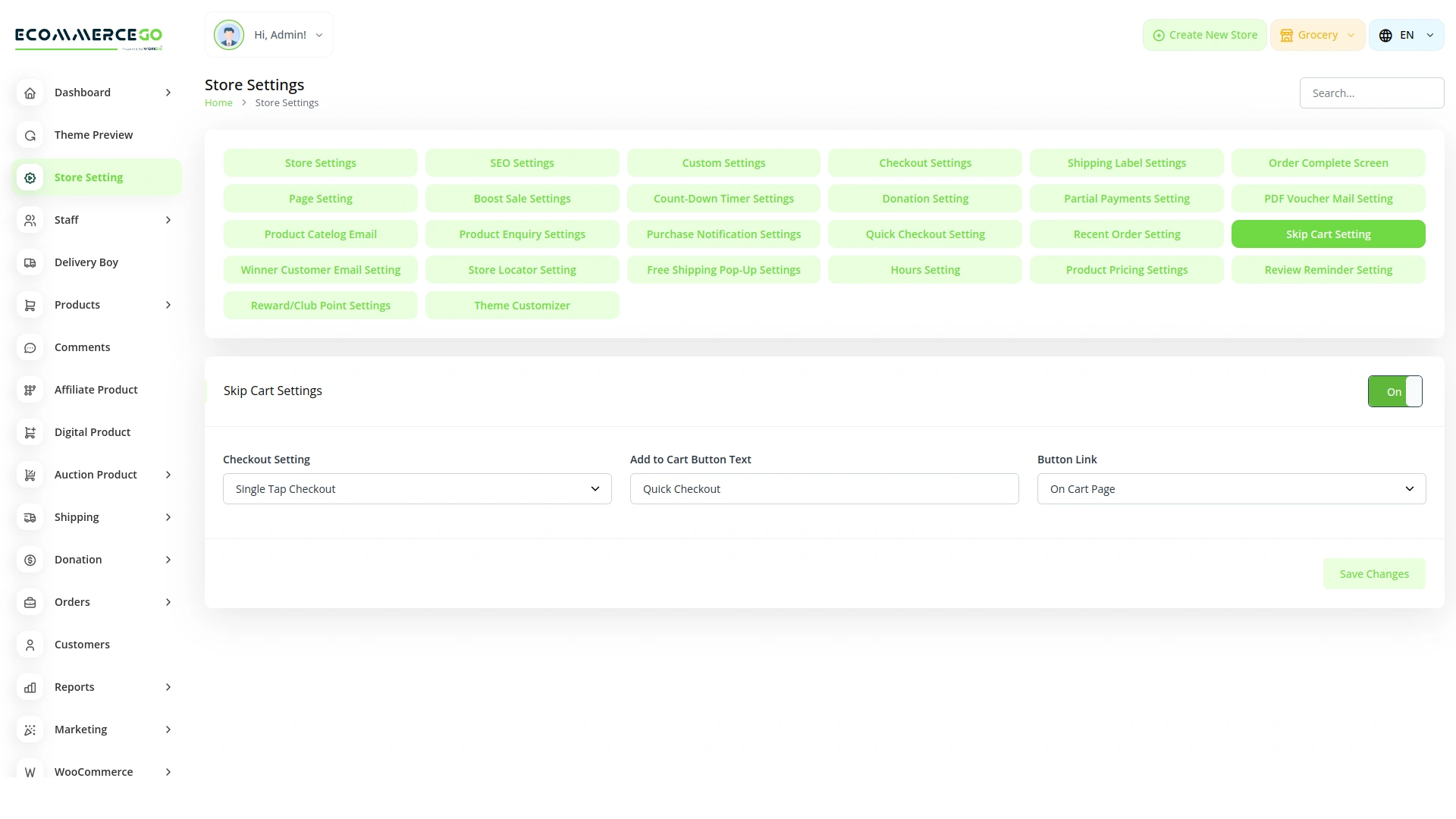
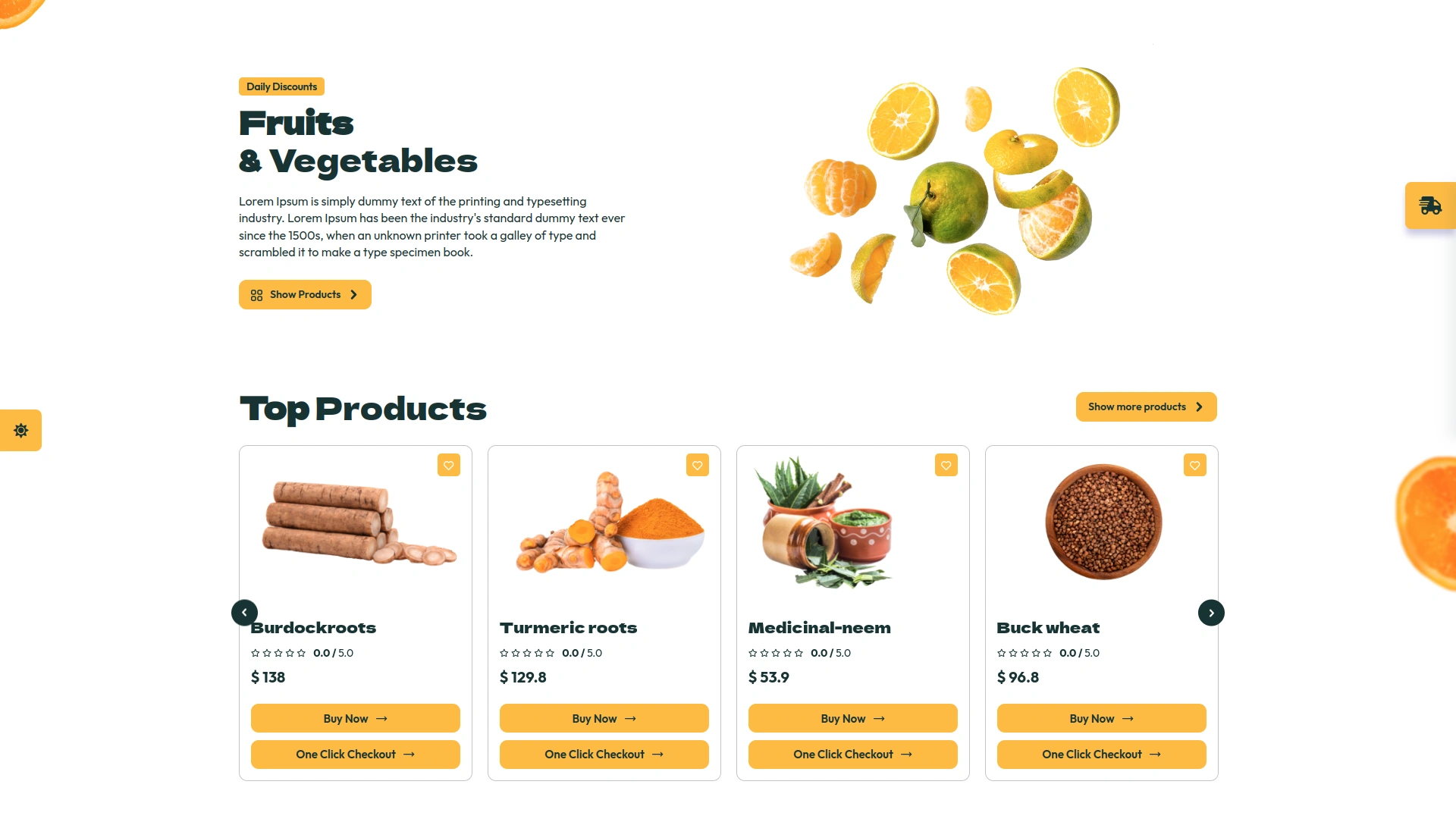
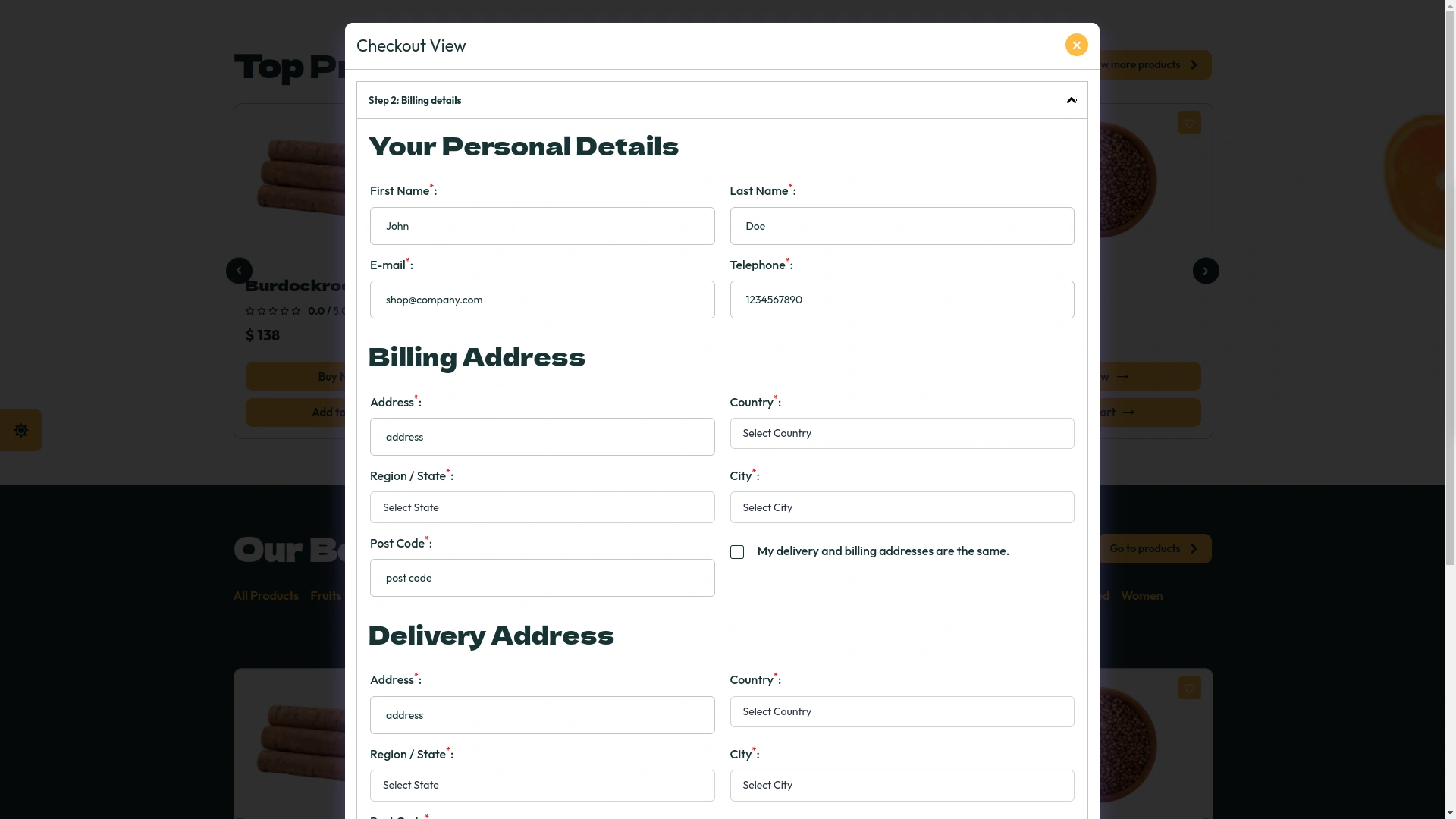
Single Tap & On-Page Checkout
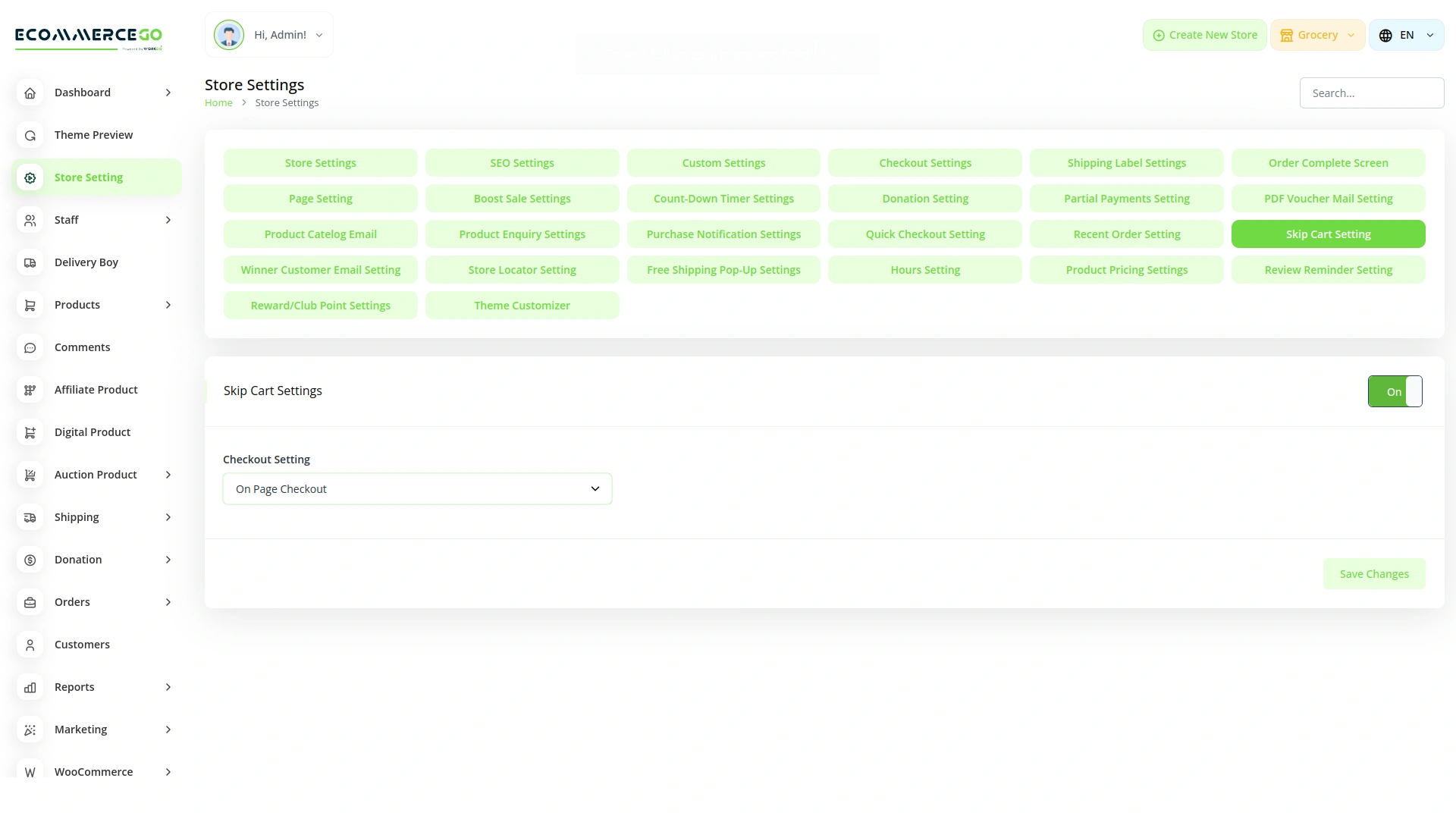
The first feature of the Skip Cart module is the Single Tap Checkout. When this setting is enabled from the backend, your customers can choose their preferred checkout path. If they select the "checkout page" option, they will be directly navigated to the checkout page after selecting an item. Alternatively, if they choose the "cart page" option, they will be directed to the cart page first. This flexibility allows customers to streamline their shopping experience based on their preferences, enhancing user satisfaction and potentially increasing conversion rates.
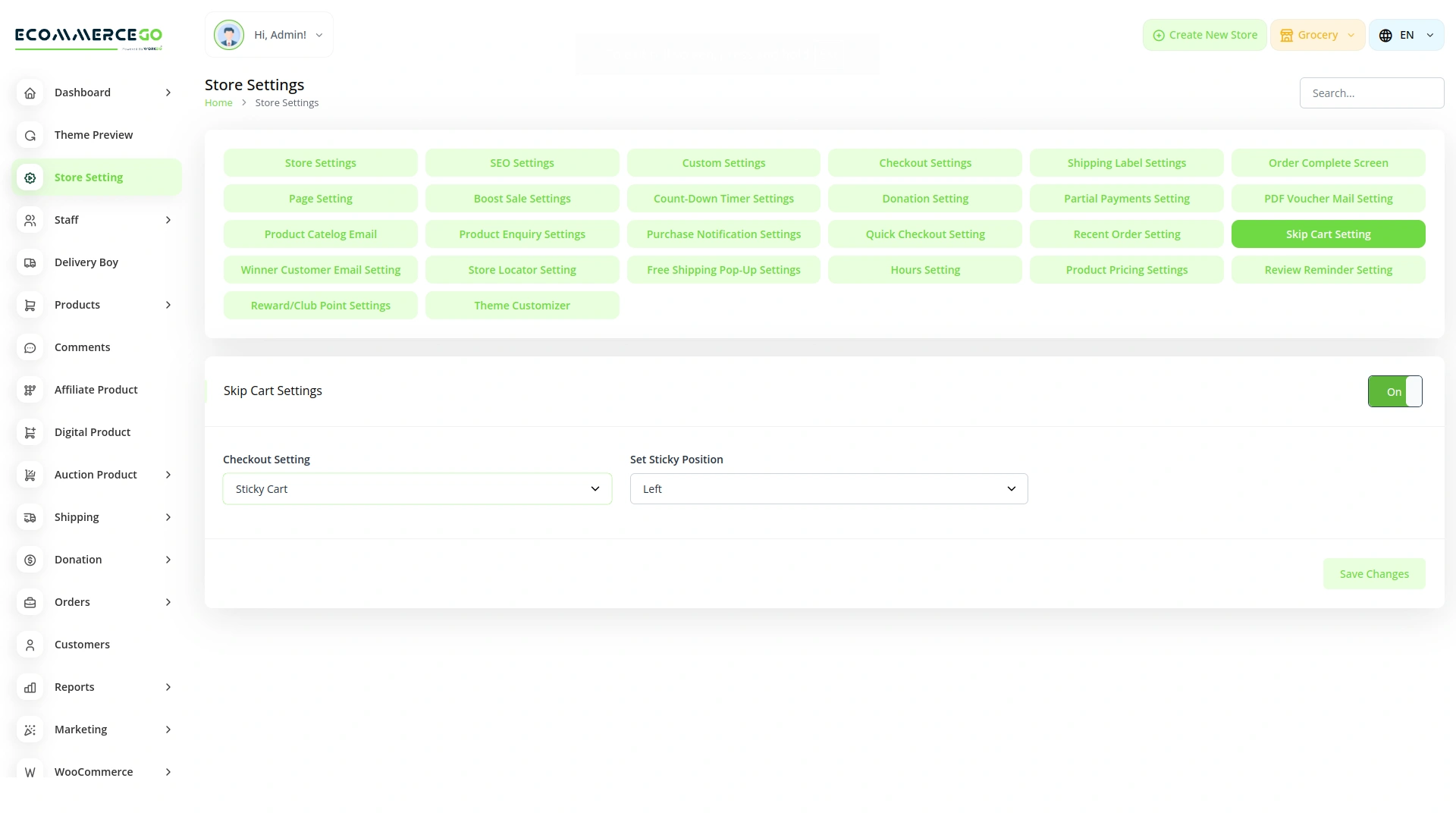
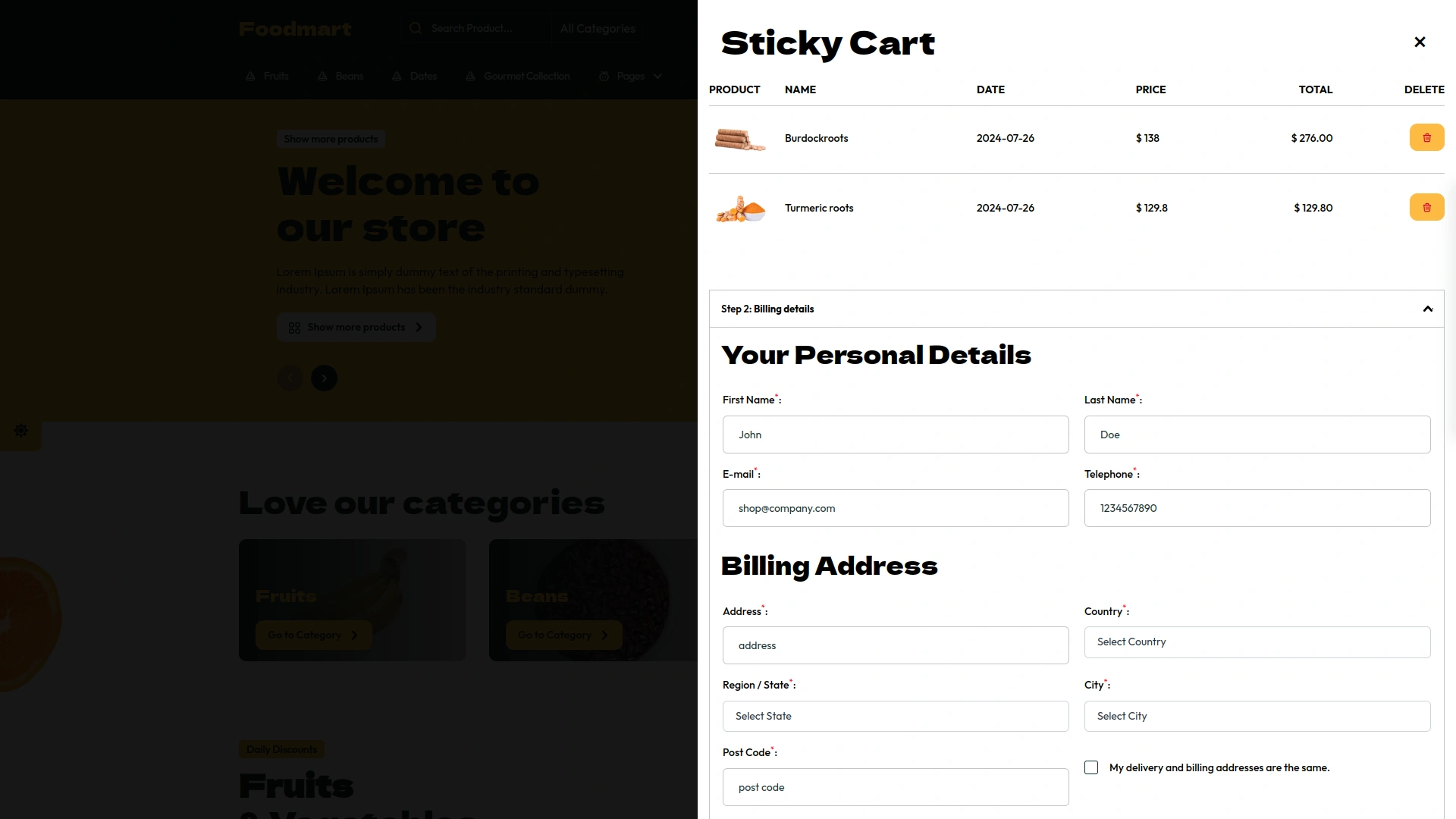
Sticky Cart Checkout
The Skip Cart module also includes a Sticky Cart function, which enhances the shopping experience by keeping the cart visible and easily accessible at all times. Customers can adjust the position of the sticky cart to suit their browsing preferences, ensuring that it does not obstruct their view of the products. This constant visibility allows customers to review their selections at any moment, making it easier to add or remove items without having to navigate away from the product pages. The sticky cart function helps to create a more seamless and user-friendly shopping experience.
Screenshots from our system
Get a glimpse of the powerful features and stunning visuals that await you in our mobile app, delivering a seamless user experience like never before.

Discover More Add-Ons
Unlock even more functionality with additional Add-Ons, providing enhanced networking and customization options for your eCommerceGo SaaS experience.

Bundle Product
Gone are the days of tedious, time-consuming shopping experiences. With Bundle Products, we redefine convenience by bringing together all your essential items into one comprehensive package.
View More
Size Guideline
Welcome to the Size Guidelines module by eCommerceGo SaaS, where finding the right size is easier than ever.
View More
Wholesale Product
The Wholesale Module of eCommerceGo SaaS offers a seamless solution for managing bulk orders and wholesale pricing. This powerful tool simplifies the process of adding multiple products with their respective wholesale prices, providing flexibility and efficiency in wholesale operations.
View More
Sign-In With Slack
At eCommerceGo SaaS, we understand the importance of streamlining your workflow and enhancing productivity.
View More
The customization options were extensive and helped us fine-tune every part of our workflow
Features save costs
Structured and clean code