
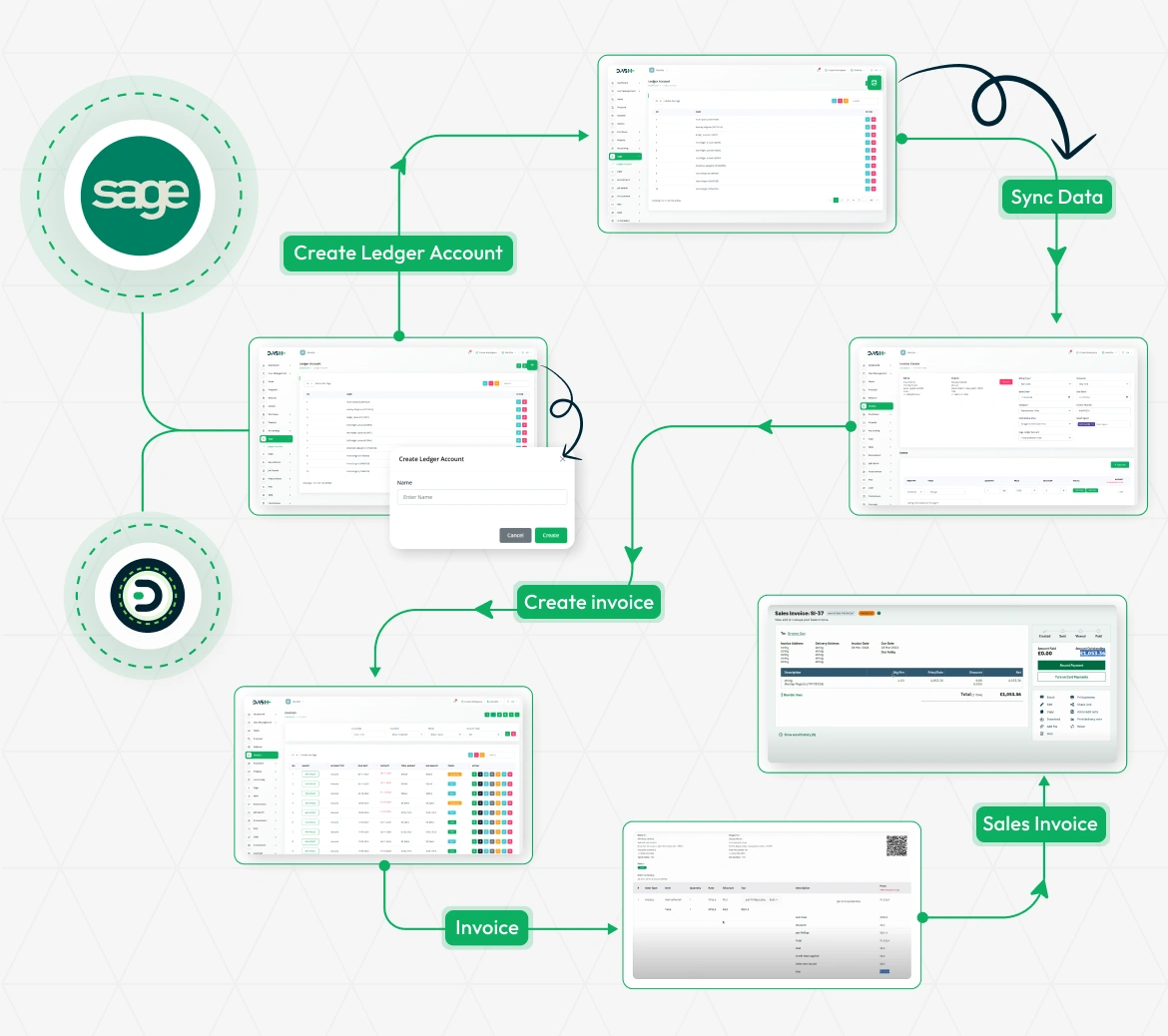
Effortless Invoicing with Sage Integration
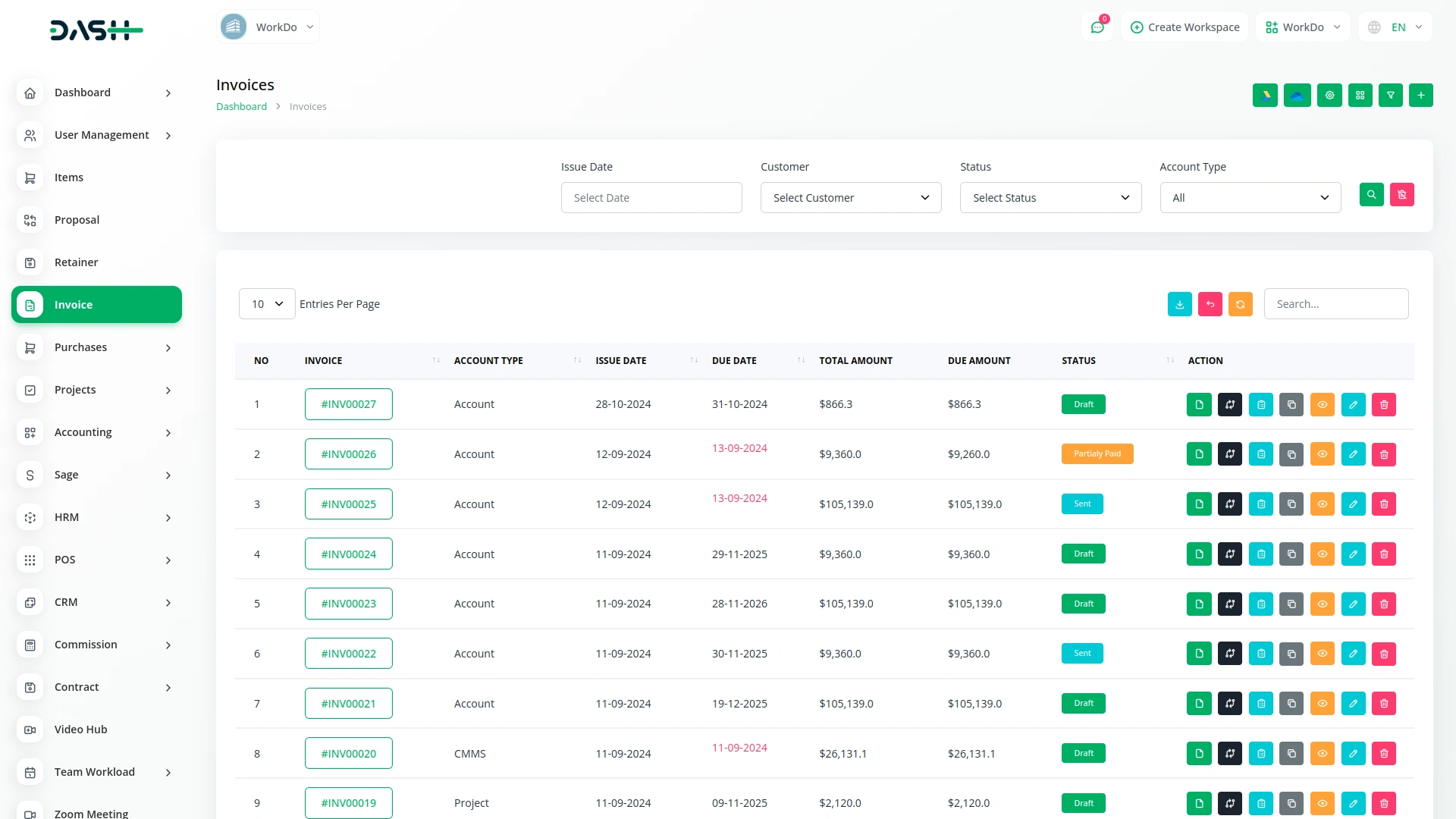
Easily streamline your invoicing process with our seamless Sage integration. Start by syncing your data with Sage to ensure all records are up to date. You can create ledger accounts directly from the platform and have them reflected in Sage instantly. Once your accounts are set up, generating invoices becomes quick and efficient. These invoices are organized and managed within your system, and corresponding sales invoices are automatically created and synced with Sage.
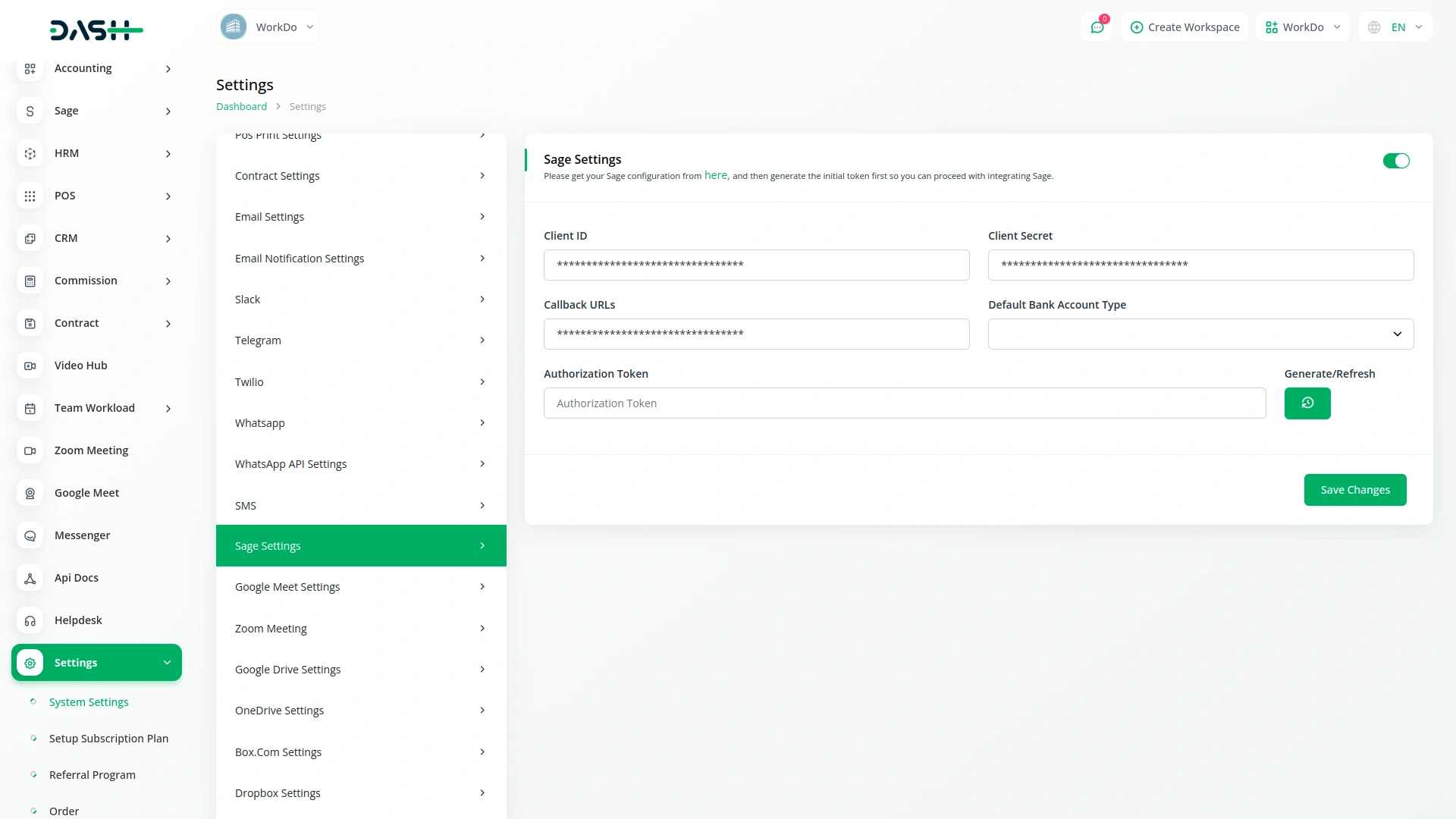
Configure Sage Integration in Settings
To begin using the Sage Integration, you’ll need to configure a few key details in the Settings section of your platform. This includes adding your Client ID, Client Secret, Callback URLs, Default Bank Account Type, and Authorization Token. These credentials are essential for authenticating your connection with Sage and allowing secure data exchange between the two platforms. Without these configurations, the integration will remain inactive, and your Sage data won’t be accessible through the platform.
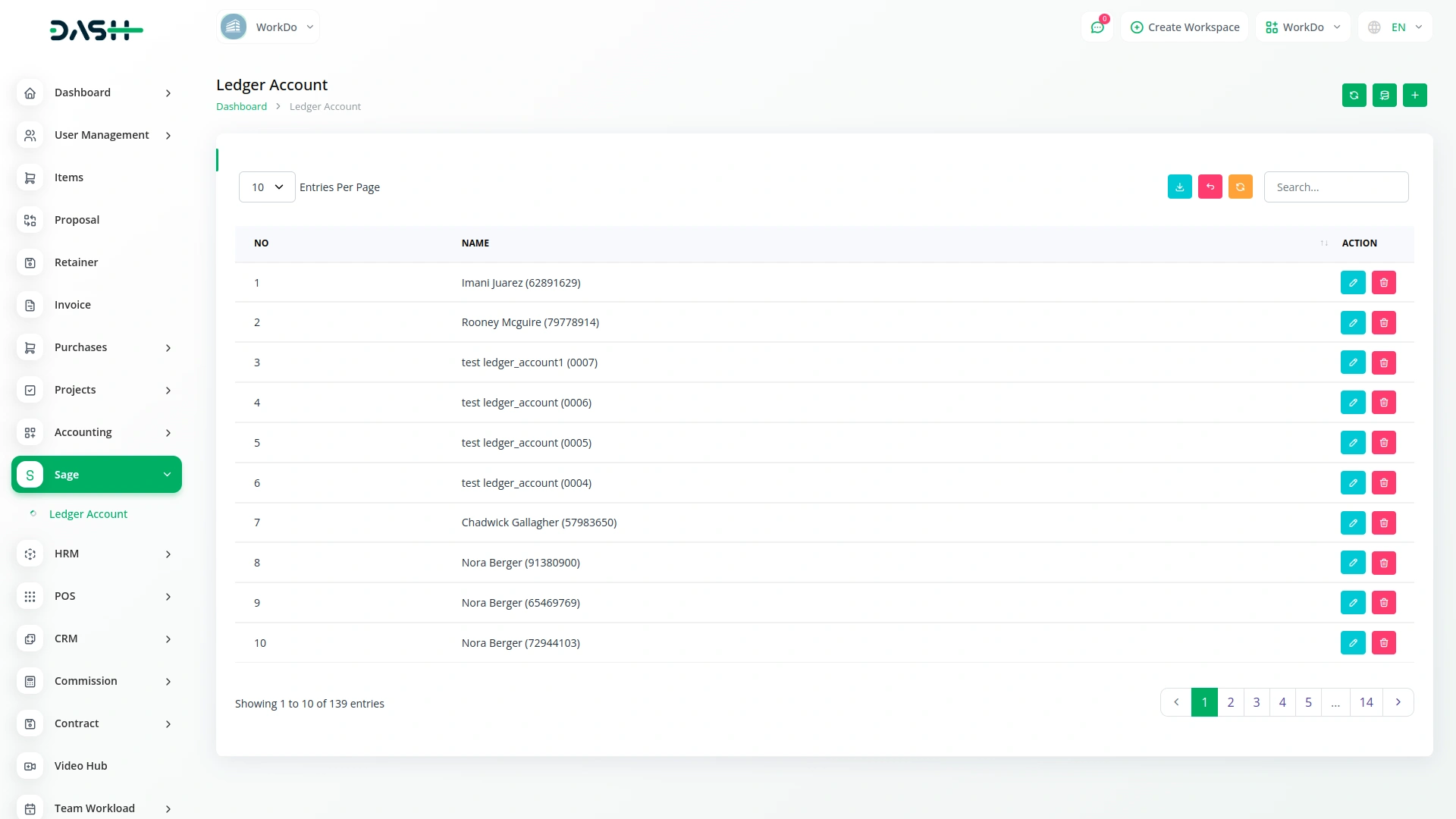
Access and Manage Ledger Accounts via the Sage Page
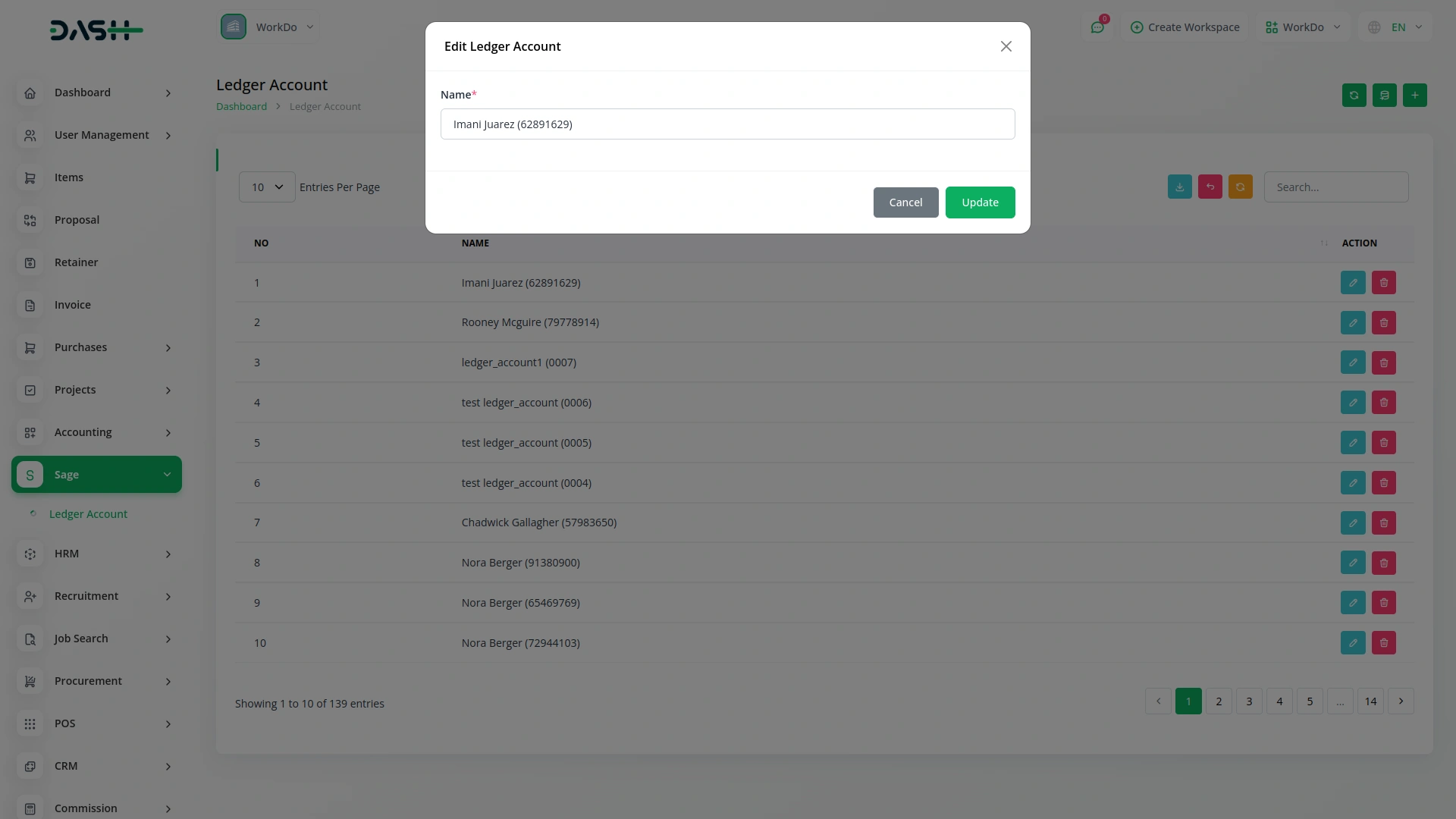
Once your credentials are successfully added and saved, the Sage Page becomes active and displays a complete list of all ledger accounts you’ve created in your Sage account. This page provides a clear and organized view of your financial structure, making it easier to manage accounts. You also have the option to create new ledger accounts directly from the platform. Just click on the “Create” button, enter the name of the new account, and it will be added to both the platform and your Sage account in real-time.
Select Sage Ledger While Creating Invoices
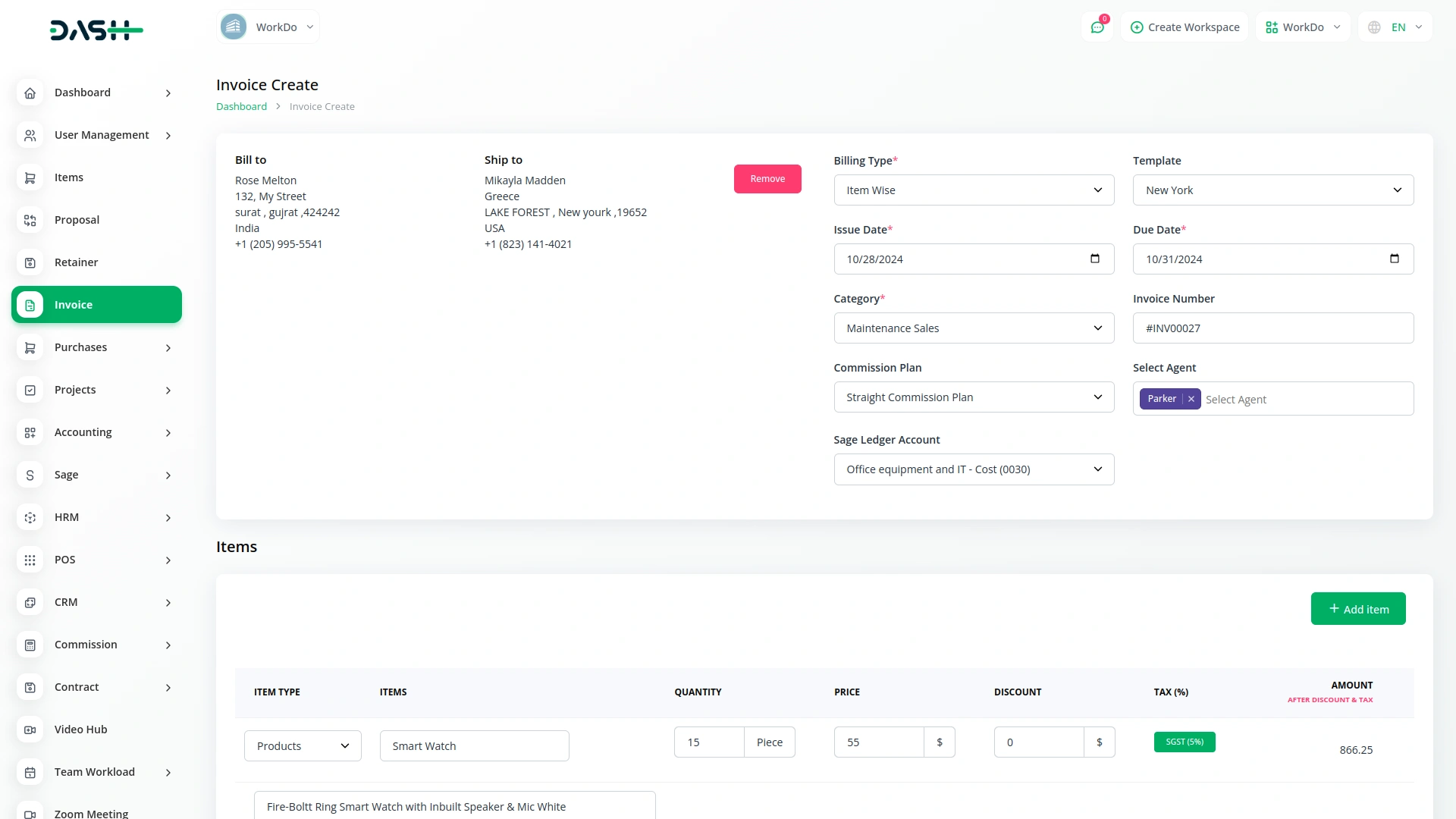
While creating an invoice, you’ll see a dropdown to choose a Sage ledger account this option appears only if the Sage Integration Add-On is enabled. It allows you to connect the invoice to the right Sage account right from the start. There’s no need to switch between systems or enter account details manually. This keeps everything linked and helps maintain organized financial records during invoice creation.
Automatic Payment Entry in Sage
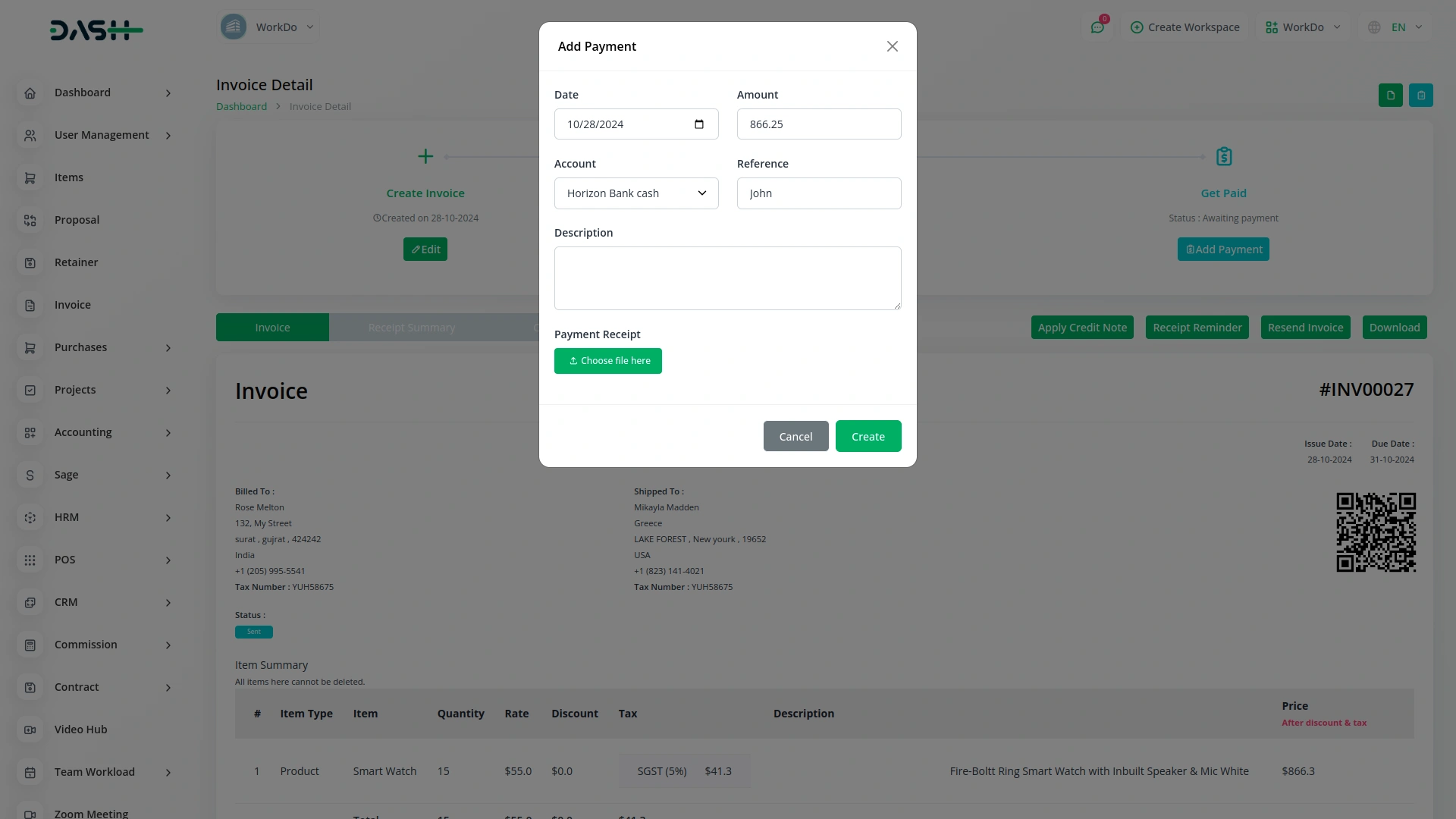
After the payment for the invoice is completed, the payment entry is automatically recorded in your Sage account if tracking is turned on. You don’t have to enter the payment again in Sage manually. This keeps both systems in sync and ensures your financial data stays accurate. It also saves time and prevents errors caused by duplicate or missing entries.
Screenshots from our system
To explore the functionality and usage of these Add-Ons, refer to the accompanying screenshots for step-by-step instructions on how to maximize their features.
Discover More Add-Ons
Unlock even more functionality with additional Add-Ons, providing enhanced networking and customization options for your Dash SaaS experience.

Africa's Talking
Africa's Talking is a robust communications platform designed to help businesses deliver SMS notifications across Africa. It provides simple APIs that allow you to integrate SMS alerts directly into your operations, keeping customers and teams informed in real time.

Whereby Meeting
The Whereby Meeting module for Dash SaaS enables users to host, join, and manage virtual meetings with ease, all without leaving the platform.

Porter's Five Forces Model
Porter's Five Forces model offers a structured framework for analyzing competitive dynamics within an industry, encompassing the bargaining power of buyers and suppliers, the threat of new entrants, the threat of substitute products or services, and the intensity of competitive rivalry.

Performance
Empower your organization to drive employee growth through structured evaluations and performance benchmarks.
Documentation is detailed
Flexibility works for agencies and freelancers
Features bring new value