
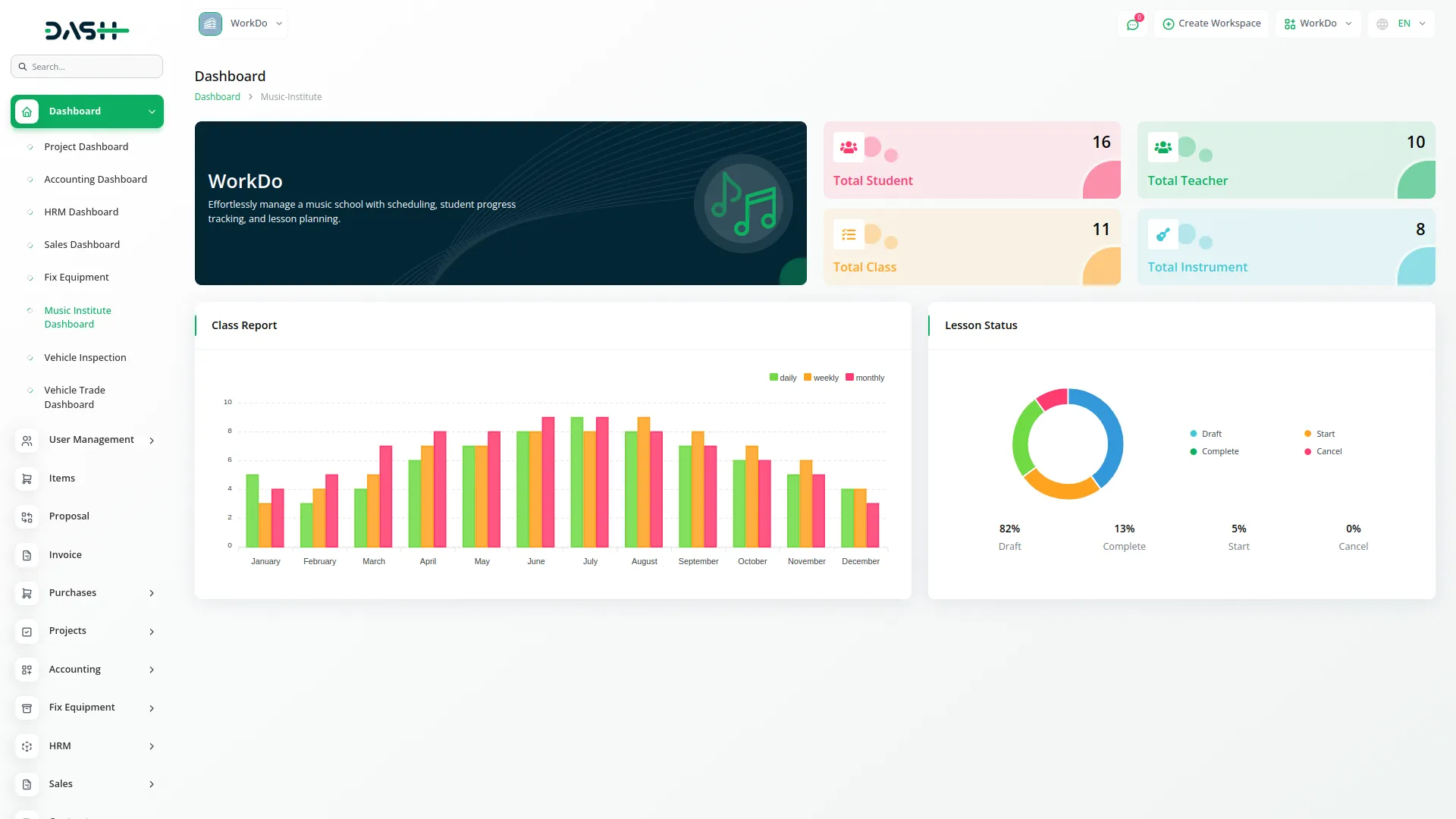
The Music Institute Add-On offers a comprehensive, real-time dashboard to monitor students, teachers, courses, and instruments, enabling informed decisions with clear charts and summary cards. It also streamlines class scheduling, exam tracking, instrument management, library access, and payments, creating a seamless system for efficient institute management.
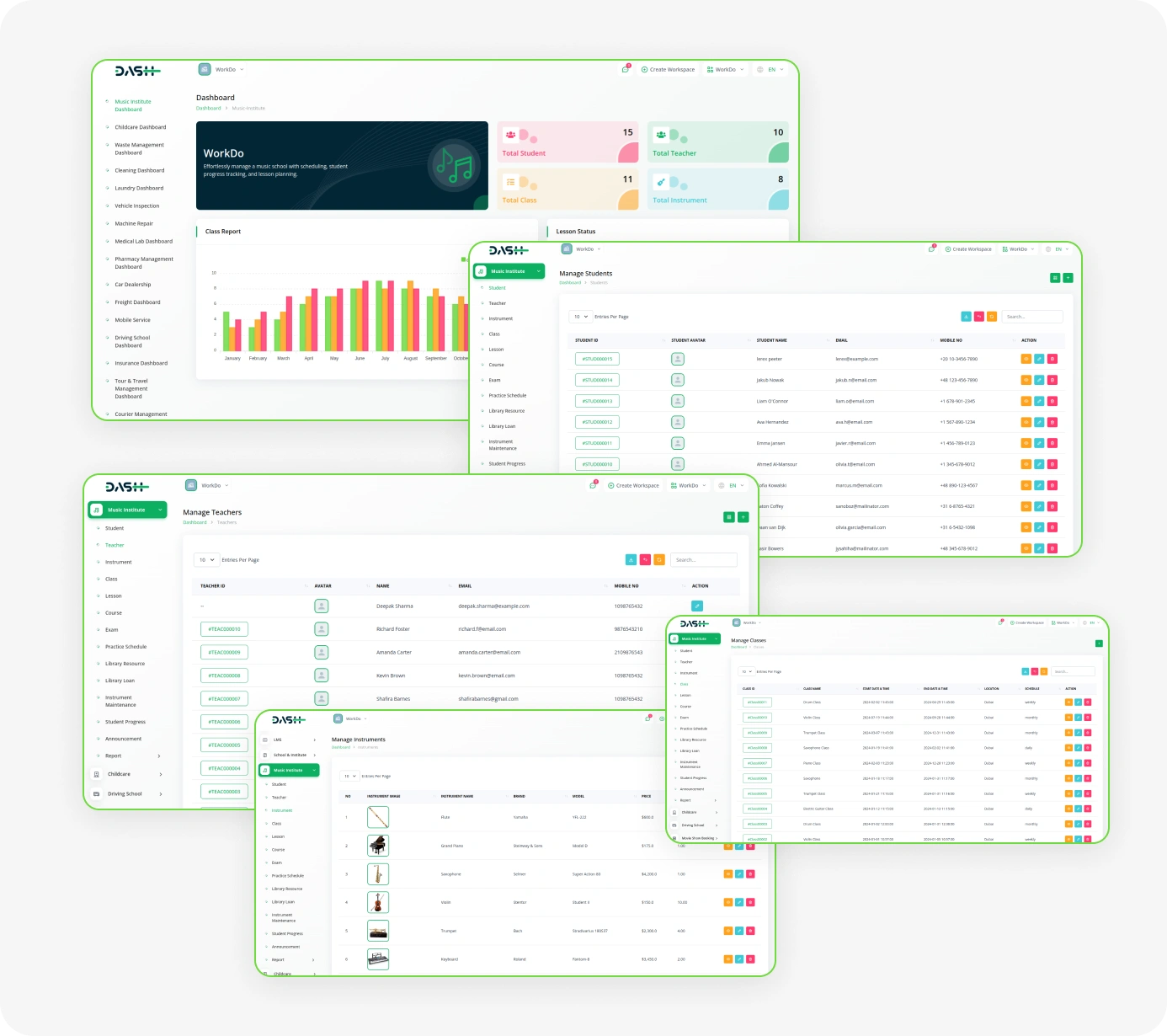
Smart Solutions for Music Institute Excellence
- Student Lifecycle Management
- Role-Based Dashboards
- Class & Lesson Scheduling
- Instrument Inventory Control
- Attendance Tracking System
- Exam & Results Management
- Library Resource Access
- Practice Log Monitoring
- Payment & Enrollment Tracking
- Announcement Management
Institute Management Dashboard
The Music Institute Add-On provides a clear, real-time overview of the entire institute through an interactive dashboard with summary cards, charts, and actionable insights. Administrators can quickly monitor key metrics such as total students, teachers, courses, and instruments in one place. Visual charts highlight important areas like student enrollment distribution, course performance, and teacher workload for better understanding. This organized presentation enables every role to access relevant information easily and make informed decisions without relying on raw data.
- Real-time cards show totals: students, teachers, instruments, and courses.
- Interactive charts display enrollment distribution and performance analysis.
- Bar charts analyze teacher workload with custom color coding.
Course & Class Scheduler
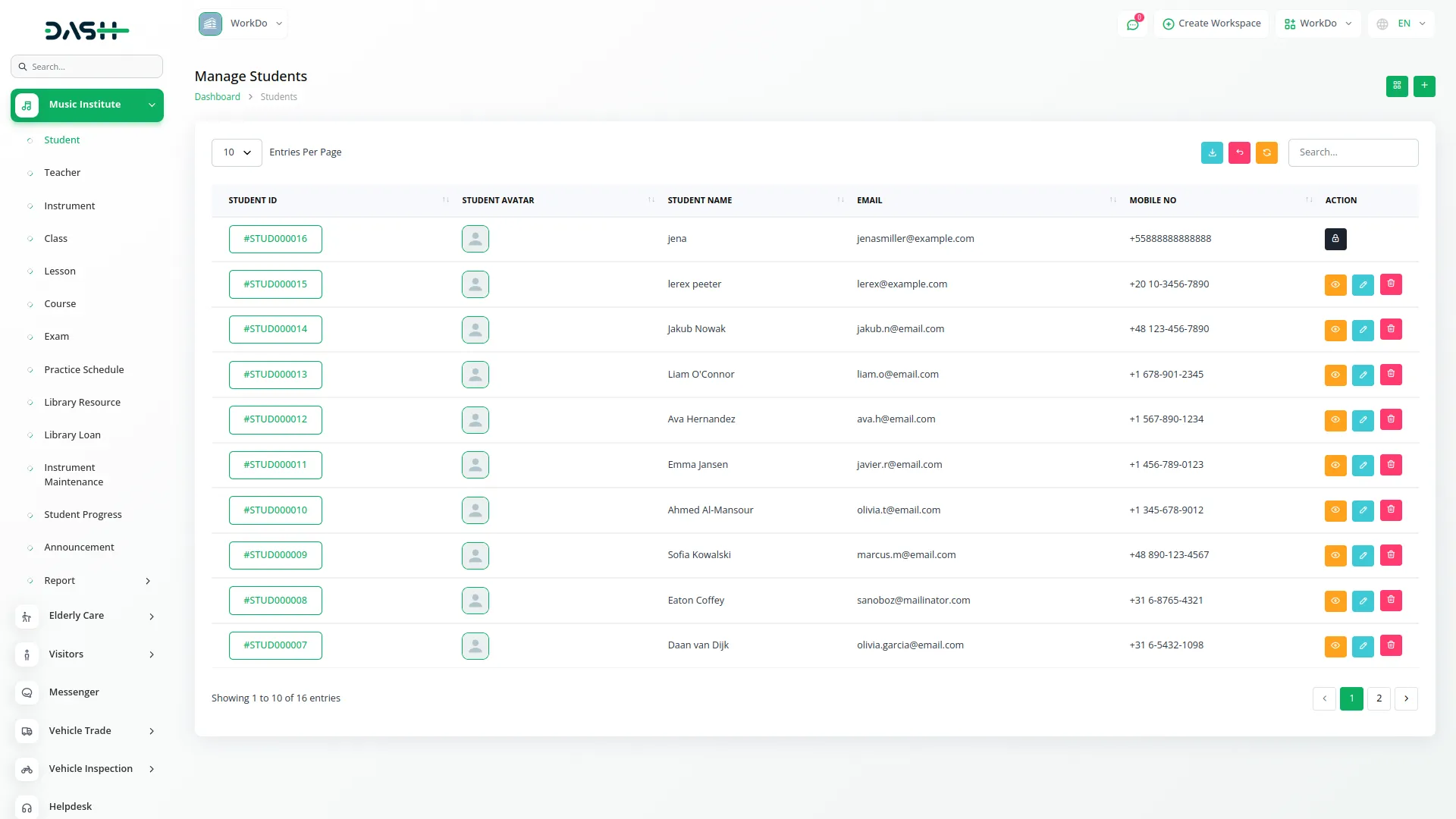
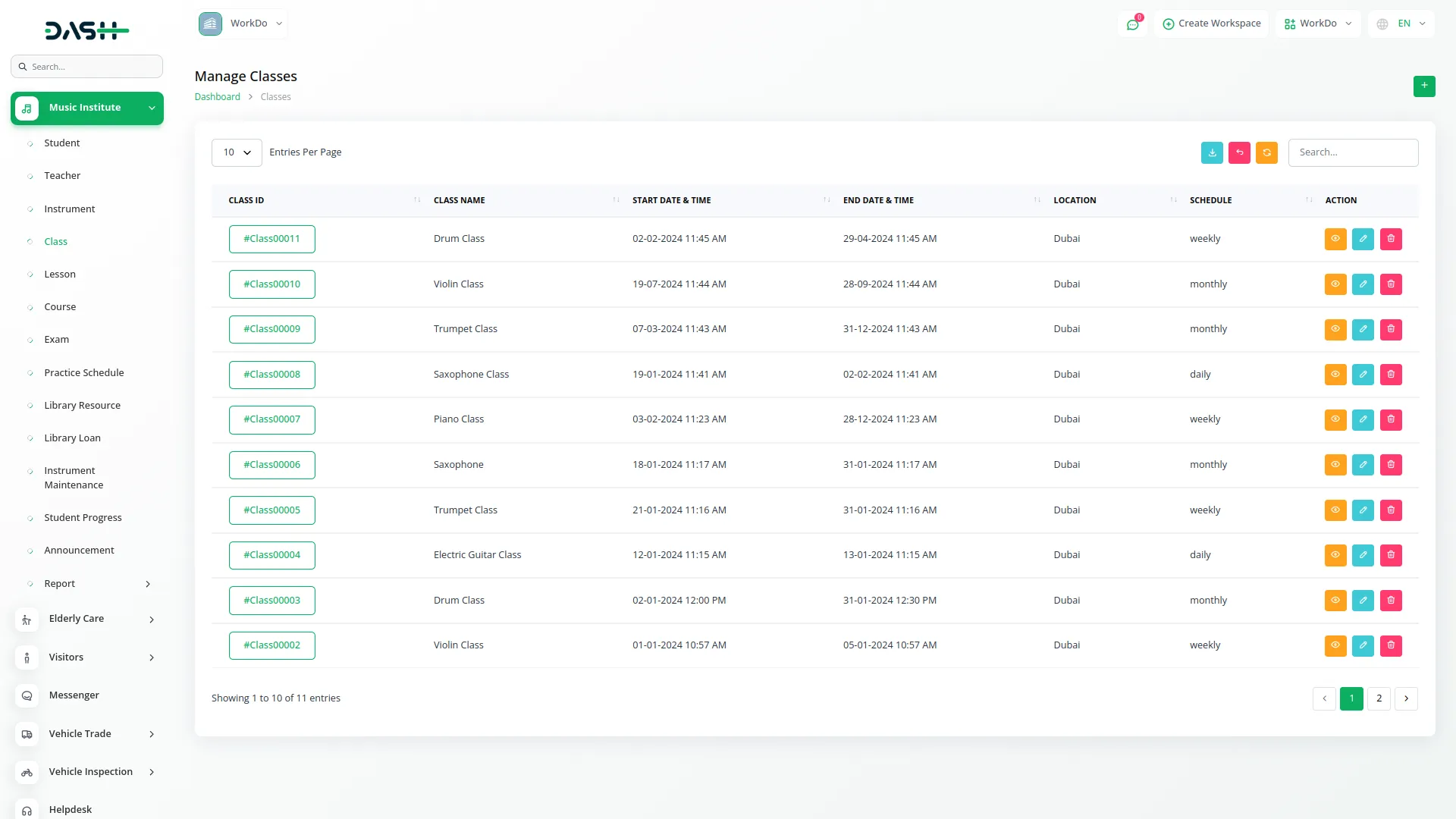
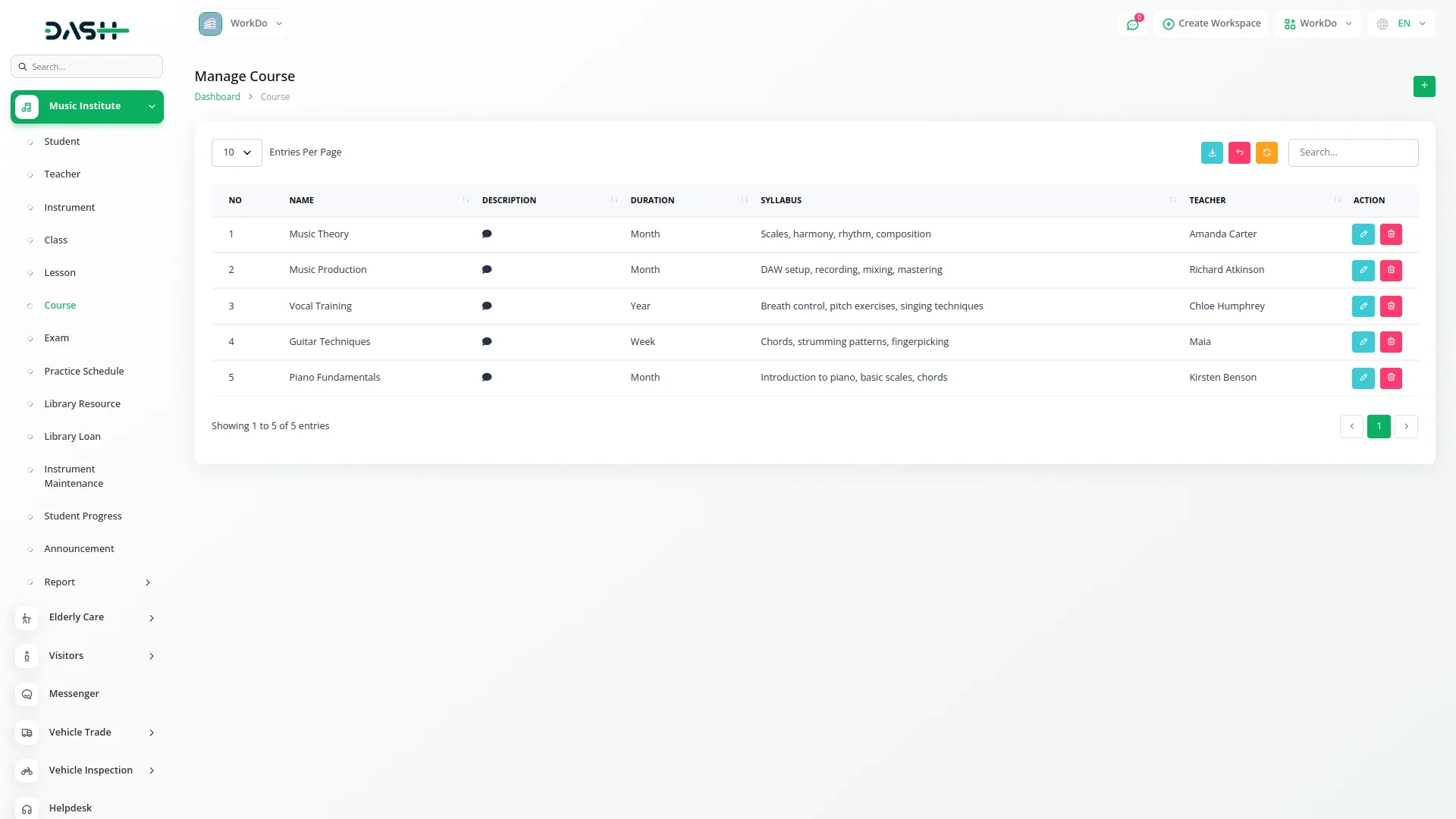
The Music Institute Add-On provides a complete system to create and manage your course structure with detailed syllabi, fee setups, and skill levels from Beginner to Advanced. It allows flexible class scheduling, daily, weekly, or monthly, so your timetable fits your institute’s needs. Lessons are organized with proper curriculum management, and student attendance is tracked automatically. This creates a seamless system that connects planning, scheduling, and performance monitoring in one place.
- Multi-level courses include syllabi, fees, skill progression tracking.
- Flexible class scheduling supports daily, weekly, monthly configurations.
- Lesson planning manages curriculum for structured course delivery efficiently.
Exam & Progress Tracker
The Music Institute Add-On streamlines the entire assessment process, from exam scheduling to long-term student tracking. It supports multiple exam types, locations, and detailed results with grades and rankings. Student progress is measured through skill-based assessments covering technique, rhythm, and overall performance. Practice logs and automated reports combine to provide a clear view of each student’s development over time.
- Multi-type exams created, scheduled, recorded across all locations.
- Student grades and ranks tracked based on exam performance.
- Skills assessed in music, rhythm, reading, performance dimensions.
Instrument Allocation System
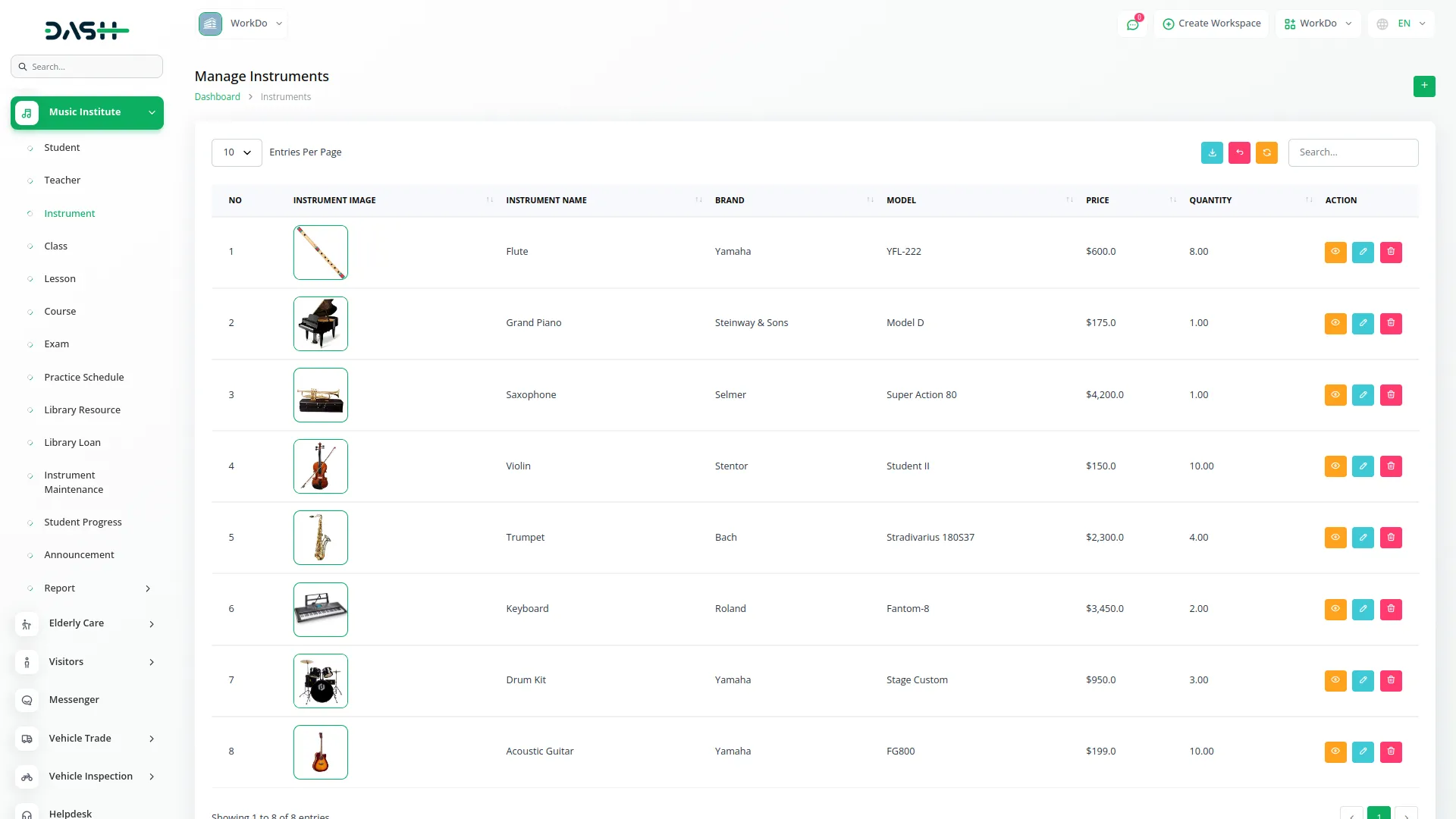
The Music Institute Add-On manages the full lifecycle of every instrument, from purchase to retirement. It records detailed specifications, history, and condition for accurate inventory tracking. Allocations to students or teachers are monitored with rental fees, deposits, and return dates. Maintenance scheduling, costs, and service history are all managed in one connected system.
- Inventory tracking includes specifications, purchase history, condition monitoring.
- The rental system manages fees, deposits, allocations, and returns.
- Maintenance scheduling tracks costs, status, and service history.
Library & Payment Management
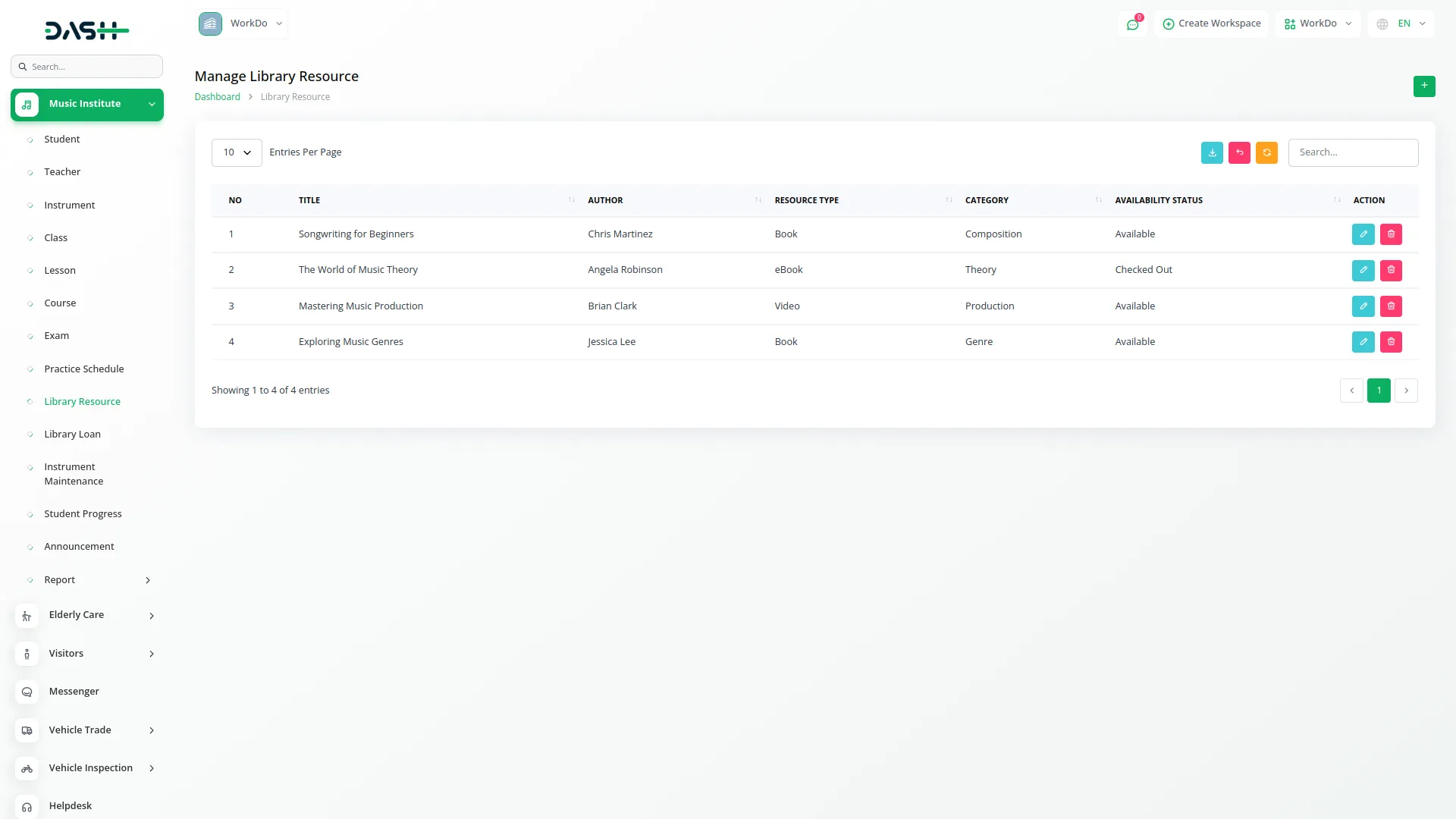
The Music Institute Add-On unifies library management, payments, and communication in one system. It tracks books, sheet music, and media with borrowing, condition monitoring, and fee management. Payments for enrollments, rentals, and library use are processed with multiple methods and receipts. Announcements keep students and teachers informed through clear, organized communication.
- Library booking tracks resources, conditions, fees, and media.
- Multi-type payments processed for enrollments, rentals, library charges.
- Payment status monitored with reporting for financial transaction clarity
Screenshots from our system
To explore the functionality and usage of these Add-Ons, refer to the accompanying screenshots for step-by-step instructions on how to maximize their features.
Discover More Add-Ons
Unlock even more functionality with additional Add-Ons, providing enhanced networking and customization options for your Dash SaaS experience.

Recruitment
Use built-in hiring features to create and manage job openings and fill open positions faster.


Suggestion Box
Encourage employee ideas with the Suggestion Box Add-On. Collect valuable feedback, manage suggestions efficiently, and foster a collaborative workplace that inspires innovation and continuous improvement.

Newspaper Distribution Management
This system offers a complete solution for managing newspaper distribution, subscriptions, editorial content, sales, and advertisements. From tracking delivery networks and agent operations to managing subscribers, generating sales reports, and scheduling content, everything is centralized for better control, automation, and revenue growth. Ideal for publishers looking to streamline and scale their newspaper operations.
Custom dashboards are easy
i like how this allows us to be AI Ready without having to figure out how to implement this