
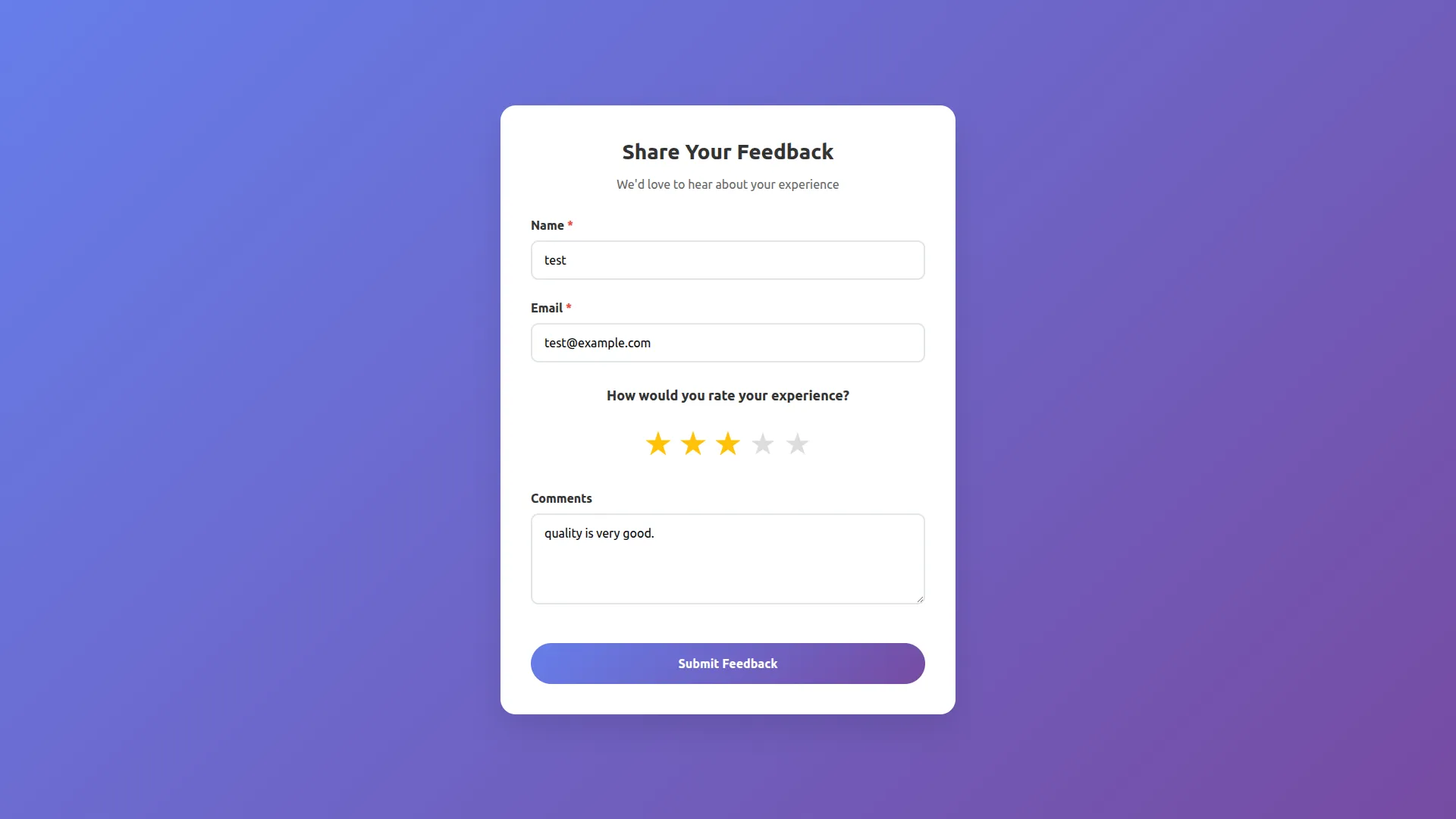
Feedback provides individuals with valuable insights into their actions and their impact on others. It helps identify strengths, highlight areas for improvement, and promote continuous learning. Offering constructive input, and feedback encourages personal and professional growth. When used effectively, it enhances performance, strengthens relationships, and fosters a culture of development.
Feedback Add-On for Better Improvement
The Feedback Add-On helps businesses gather user opinions across different departments and industries. It integrates with tools like Support Ticketing, Appointments, and Form Builders for seamless feedback collection and analysis.
Collect Valuable Customer Feedback
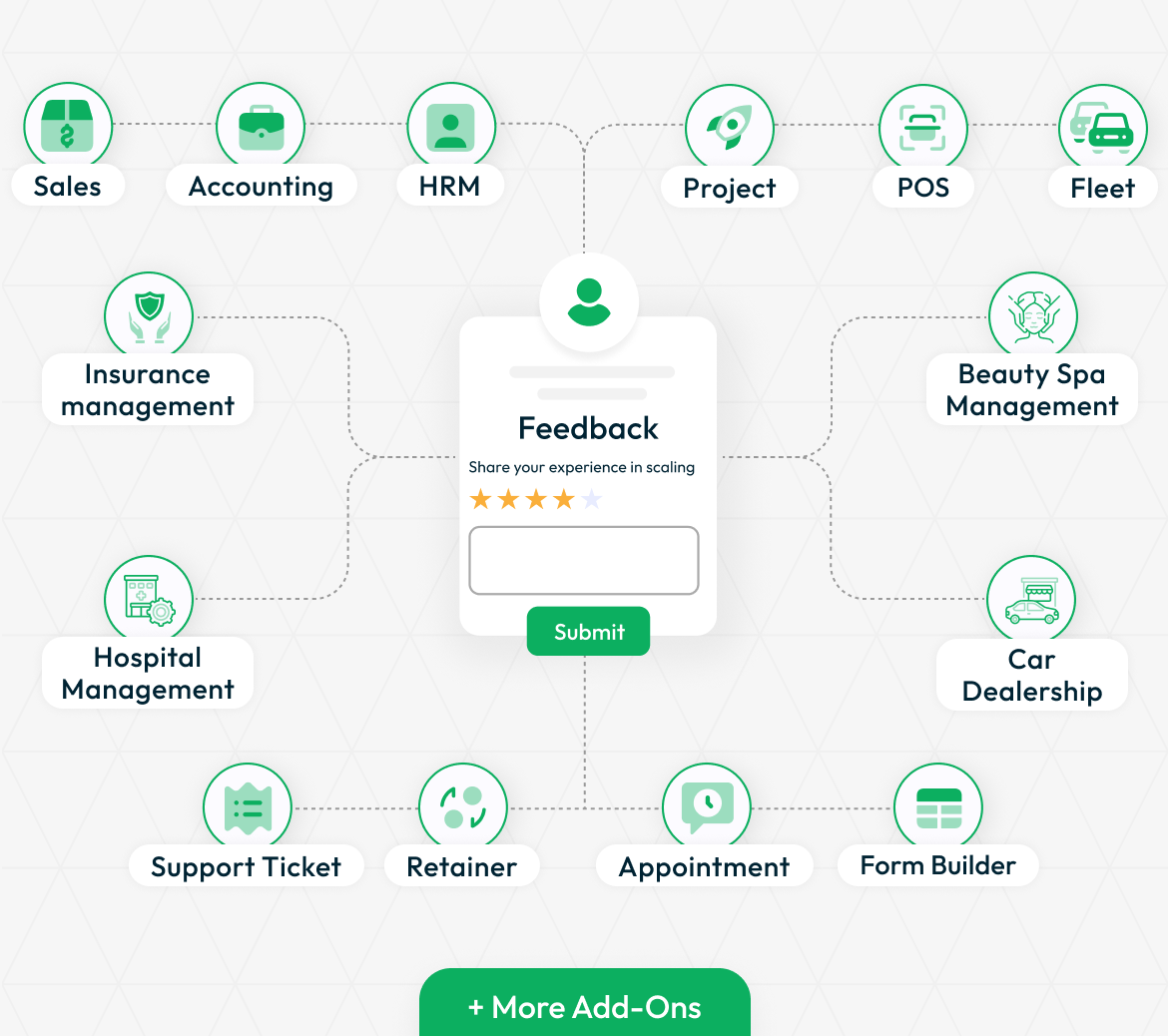
The Feedback Add-On enables businesses to gather insights from customers, whether they are guests or logged-in users. This Add-On seamlessly integrates with various other Add-Ons like Hospital Management, HRM, and more. For example, when an invoice is generated, the system can automatically send an email to the customer, allowing them to rate their experience using a star-based system and leave comments.
- Gather feedback from both guests and logged-in users.
- Users can provide quick and easy star ratings.
- Customers can leave detailed comments for better insights.
- Automatic email requests for feedback ensure timely responses.
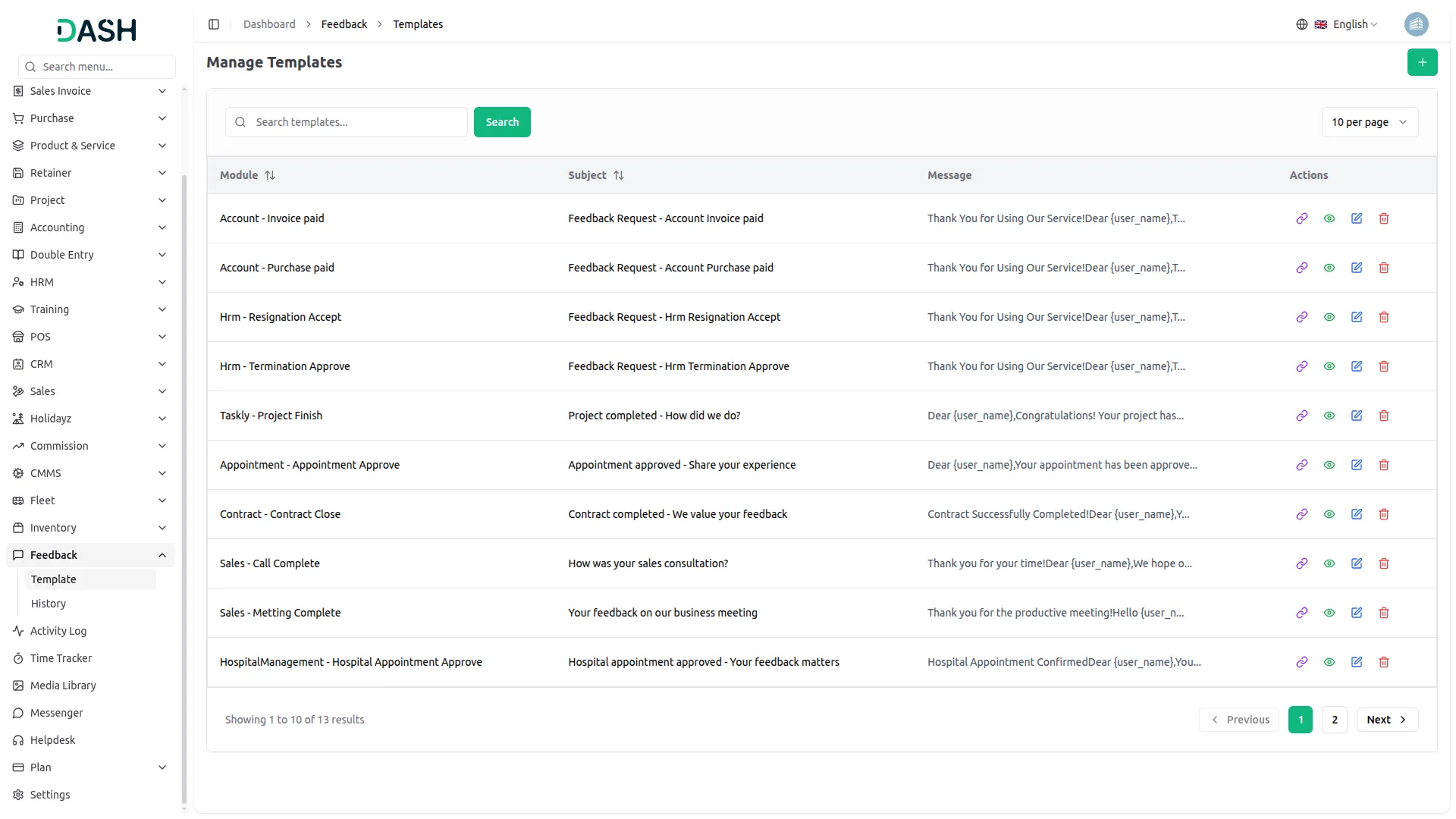
Creating a Feedback Request
Generating a feedback request is simple. Click the Create button at the top, select the relevant Add-Ons, and specify the activity within that Add-Ons. Then, enter the subject and compose your message. To personalize the message, variables can be used, such as {user_name} to include the recipient’s name and {url} to insert the feedback form link. This ensures a tailored and professional approach to requesting customer input, improving response rates and engagement.
- Personalize requests to match business needs.
- Use {user_name}, {url}, and other placeholders for a tailored experience.
- Seamlessly include a direct link to the feedback form.
- Choose the relevant Add-On (Accounting, HRM, POS, etc.) and specify the activity.
Multiple Ways to Gather Feedback
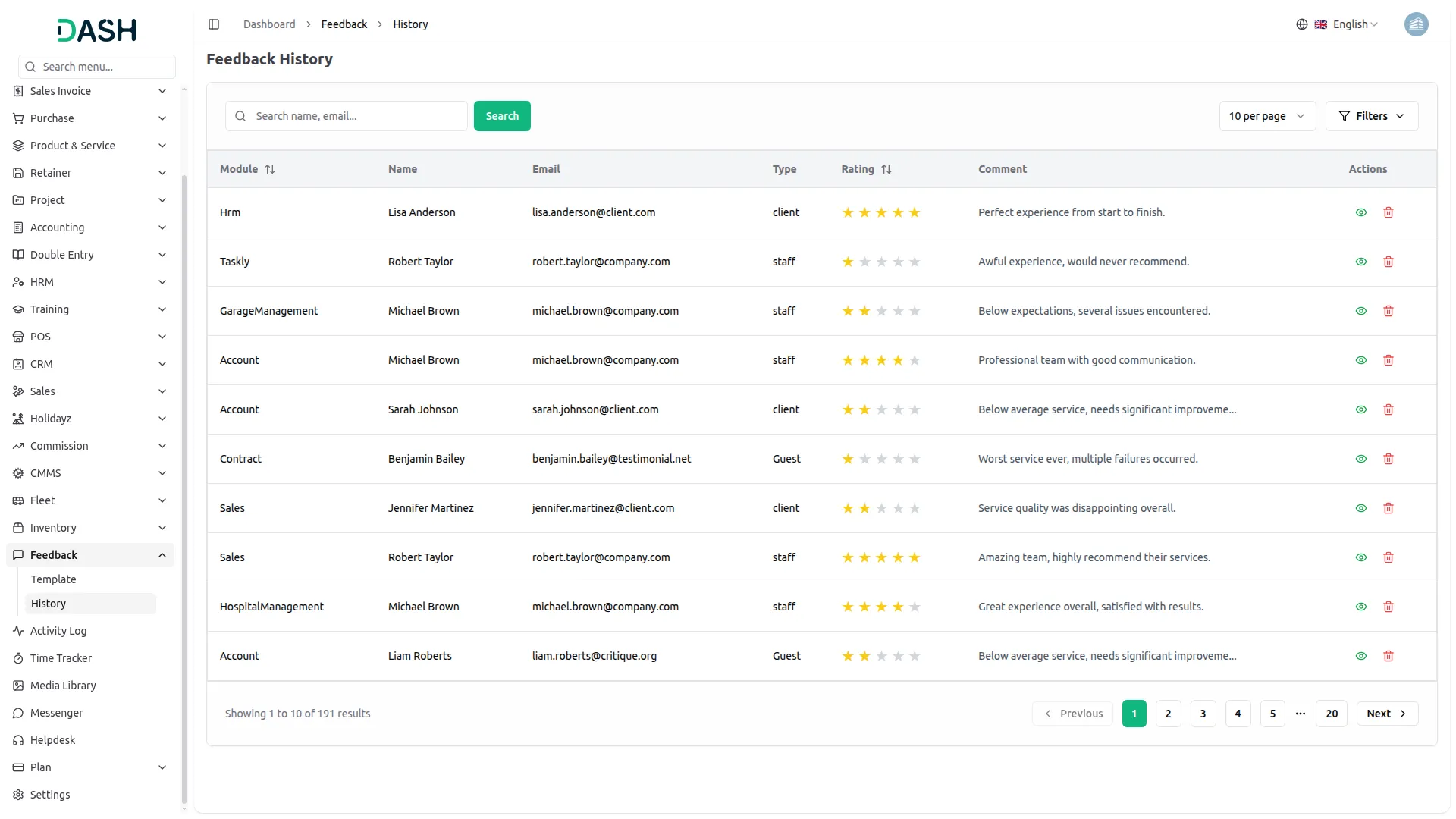
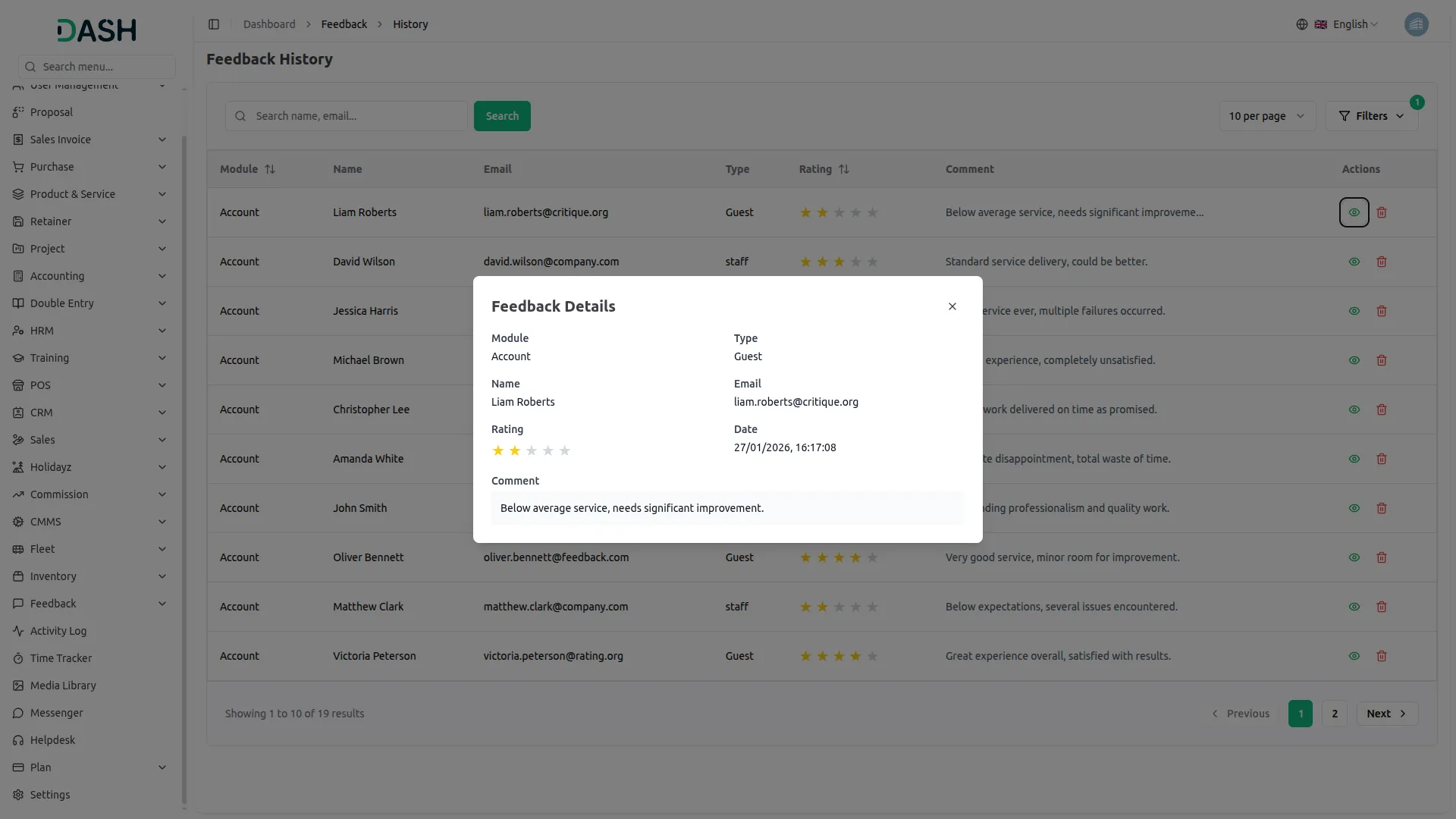
Customers can provide feedback through an emailed form or by accessing a direct feedback link. This link can be copied from the Action column on the Feedback page, allowing users to submit their reviews by entering their name and email. All submitted feedback is recorded on the History page, where businesses can track responses, identify whether a customer was a guest or a registered user, and view complete feedback details with a single click. This centralized system makes it easy to manage and analyze customer opinions for continuous improvement.
- Collect feedback from both anonymous guests and logged-in users.
- Track all responses in one place for easy management.
- Customers receive feedback forms directly via email.
- Copy and share a link from the Action column for easy access.
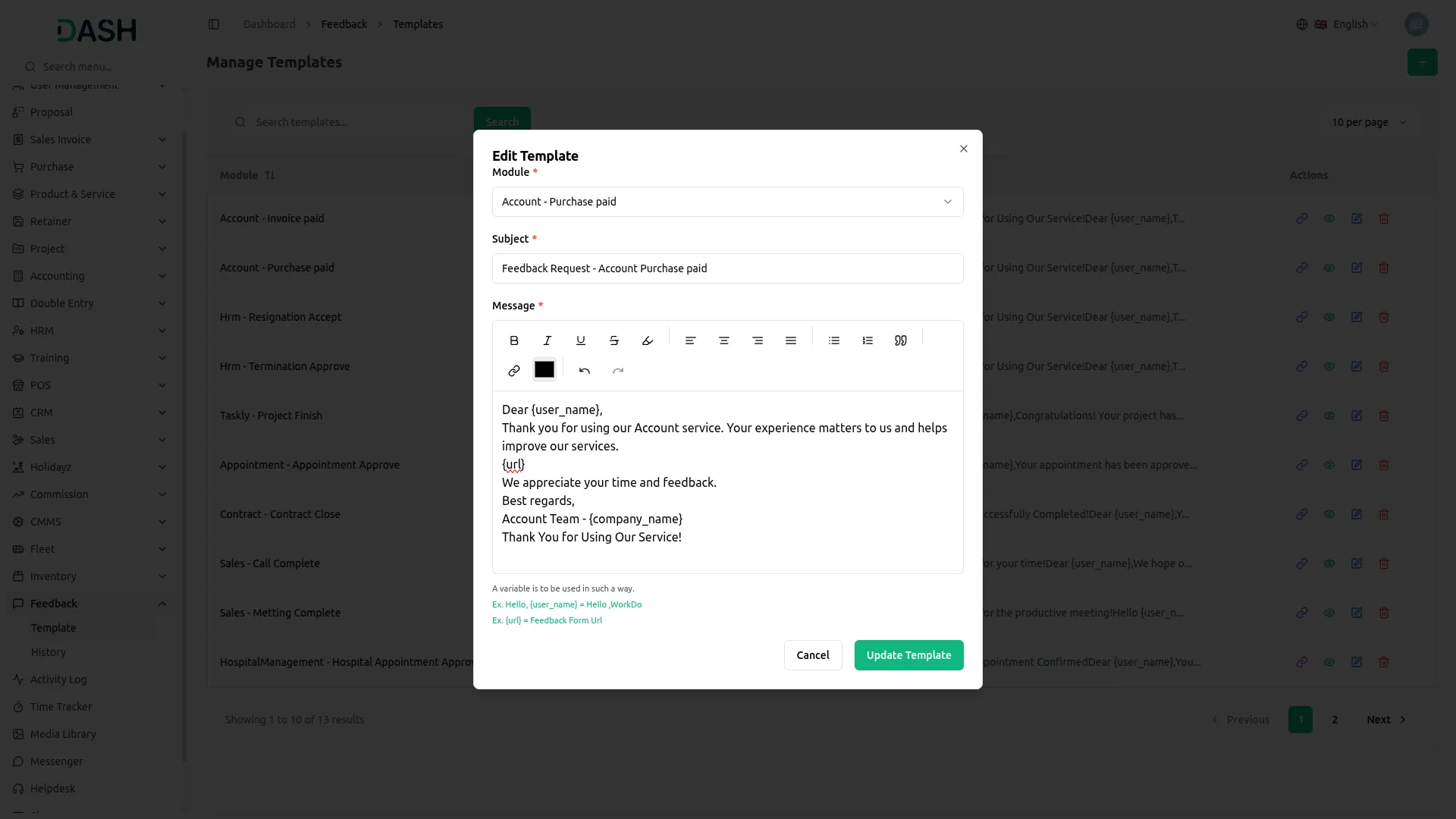
Screenshots from our system
To explore the functionality and usage of these Add-Ons, refer to the accompanying screenshots for step-by-step instructions on how to maximize their features.
Discover More Add-Ons
Unlock even more functionality with additional Add-Ons, providing enhanced networking and customization options for your Dash SaaS experience.

Construction Management
Manage construction projects, streamline workflows, and boost team collaboration effortlessly with WorkDo Dash's Construction Management Module. Track project progress, oversee budgets, and ensure timely completion of tasks.

Outlook Calendar
Integrating the Outlook Calendar module into Dash SaaS revolutionizes how you manage your schedule. This powerful integration allows you to seamlessly sync your appointments, meetings, and events from Outlook directly into Dash.

Insurance Management
Streamline your insurance operations effortlessly with our comprehensive module in Dash SaaS. From client management to policy administration, access all your insurance-related tasks in one centralized dashboard, ensuring efficiency, accuracy, and compliance at every step.

AI Assistant
Generating text, writing a variety of creative content and answering your questions in an informative manner.
Code readability is excellent
A very nice software and a very caring team. Thanks for everything.
the Team deserve 5 Star for following reason; 1- Customer Support2- Feature Availability3- Design Quality 4- Documentation Quality