
The Call Hub Add-On centralizes and tracks all your communication activities across multiple Add-Ons like HRM, CRM, Accounting, and more. Whether it's a call or an SMS, it lets you assign responsible users, record communication durations, and instantly contact clients or staff with one click. With support for custom messages and real-time logging, the Add-On ensures faster and more efficient interactions within your business system.
Call Hub Add-On For Seamless Communication
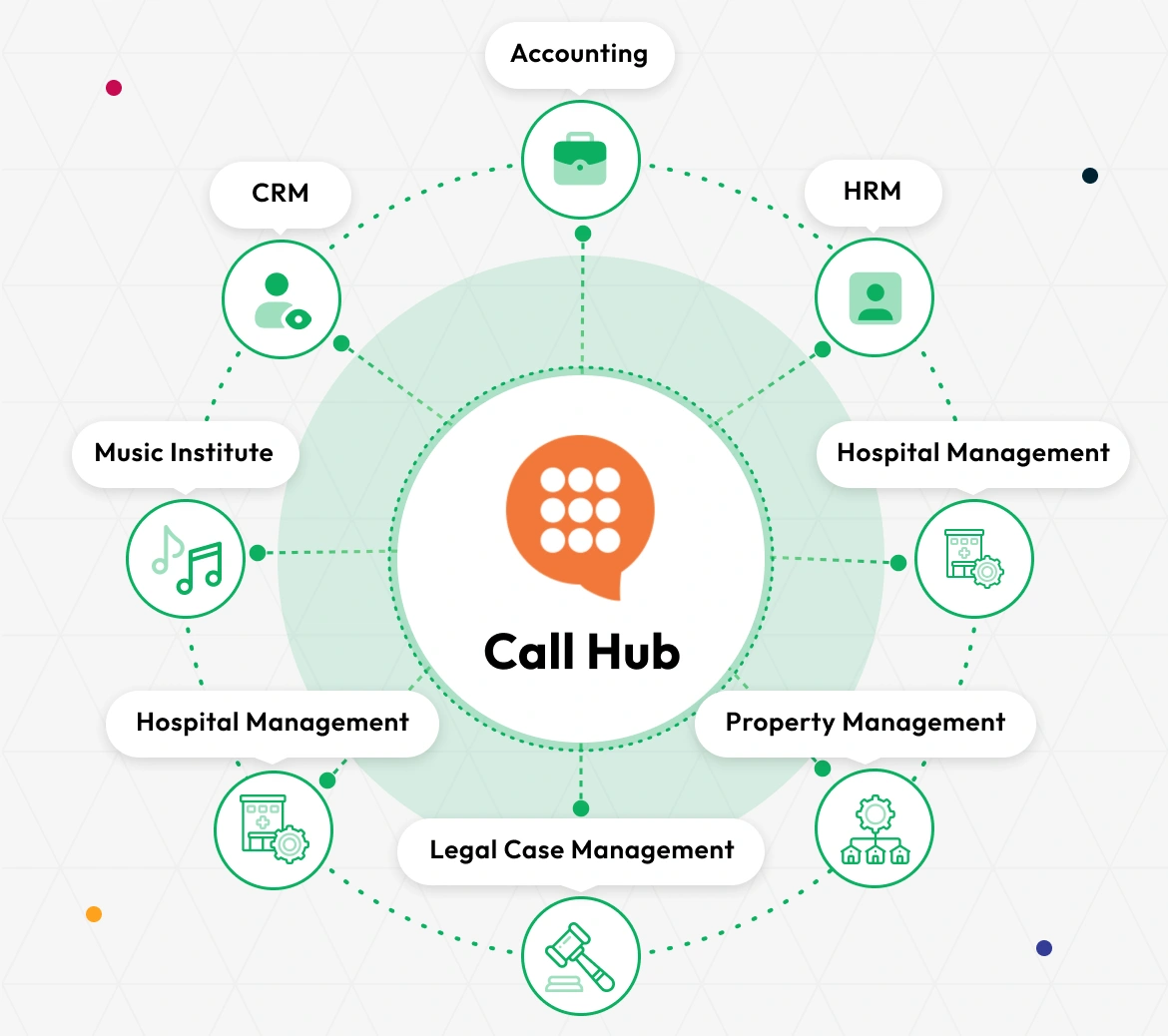
The Call Hub Add-On seamlessly connects communication workflows across multiple industries and departments. It centralizes your call activity into one unified hub, empowering your team with consistent, structured communication.
- Accounting
- CRM
- HRM
- Property Management
- School-Institute Management
- Agriculture Management
- More +
Complete Call Tracking
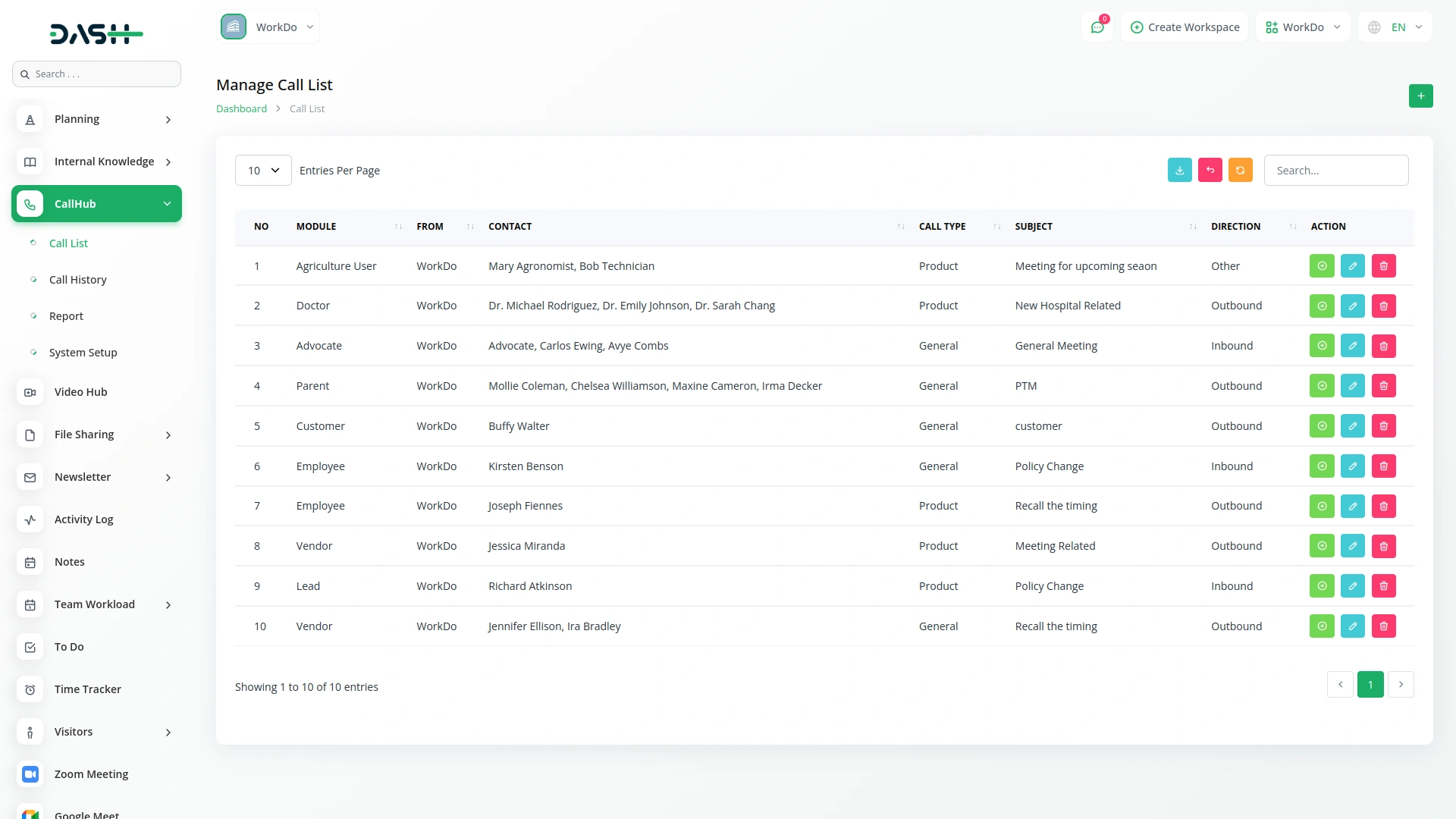
The Call Hub Add-On allows you to log and manage all call activities across your system. You can record details such as who made the call, who received it, the type and direction of the call, and a brief subject and description. Each call entry is stored with a timestamp for tracking purposes, helping teams maintain clear communication records. This system ensures no conversation is missed, with every interaction documented and accessible when needed.
- Track the caller and user with full direction and type
- Include subject, description, and automatic time records
- Log complete call details linked to each user
- Maintain accurate call records for internal communication tracking
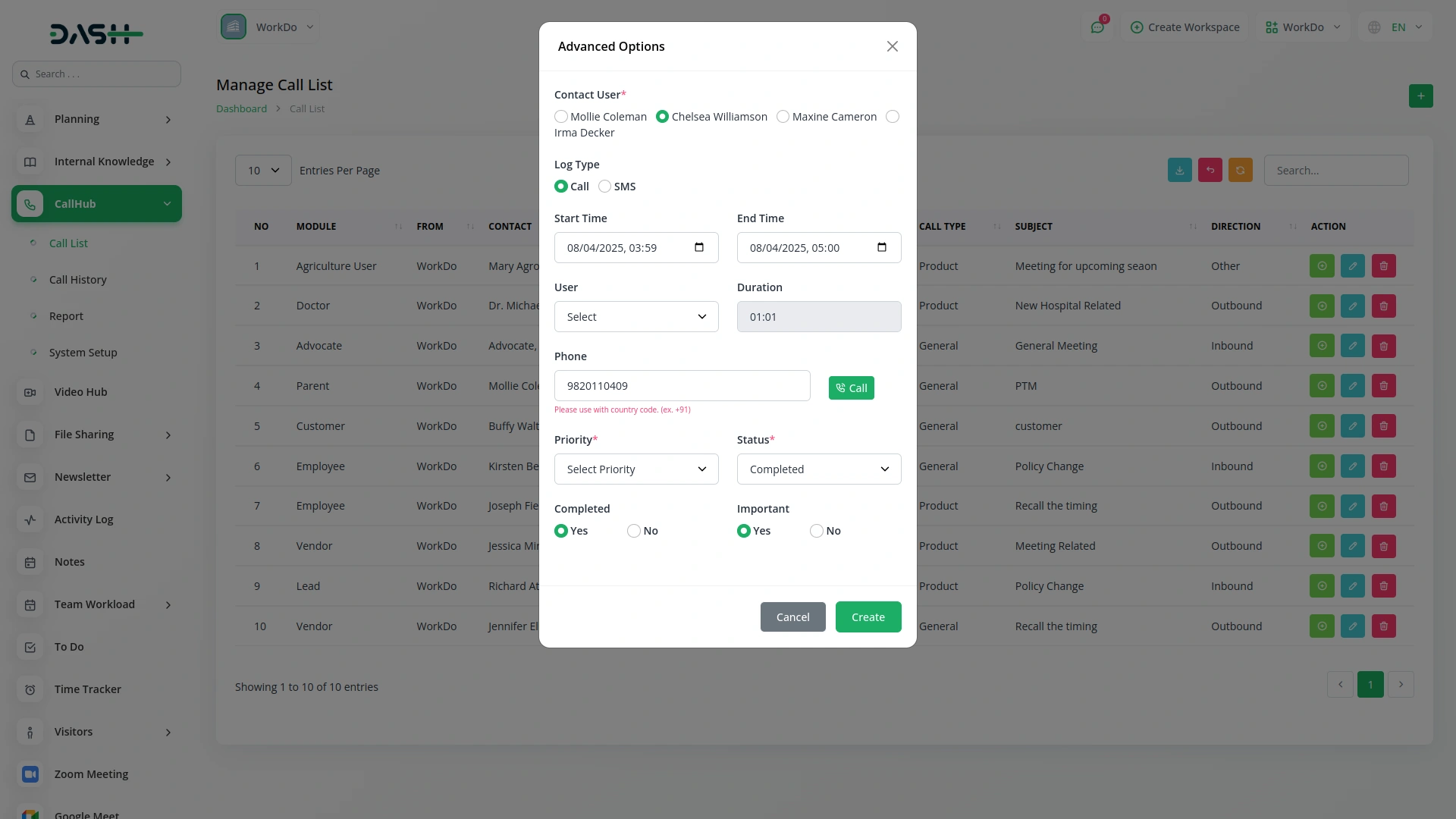
Advanced Call Logging
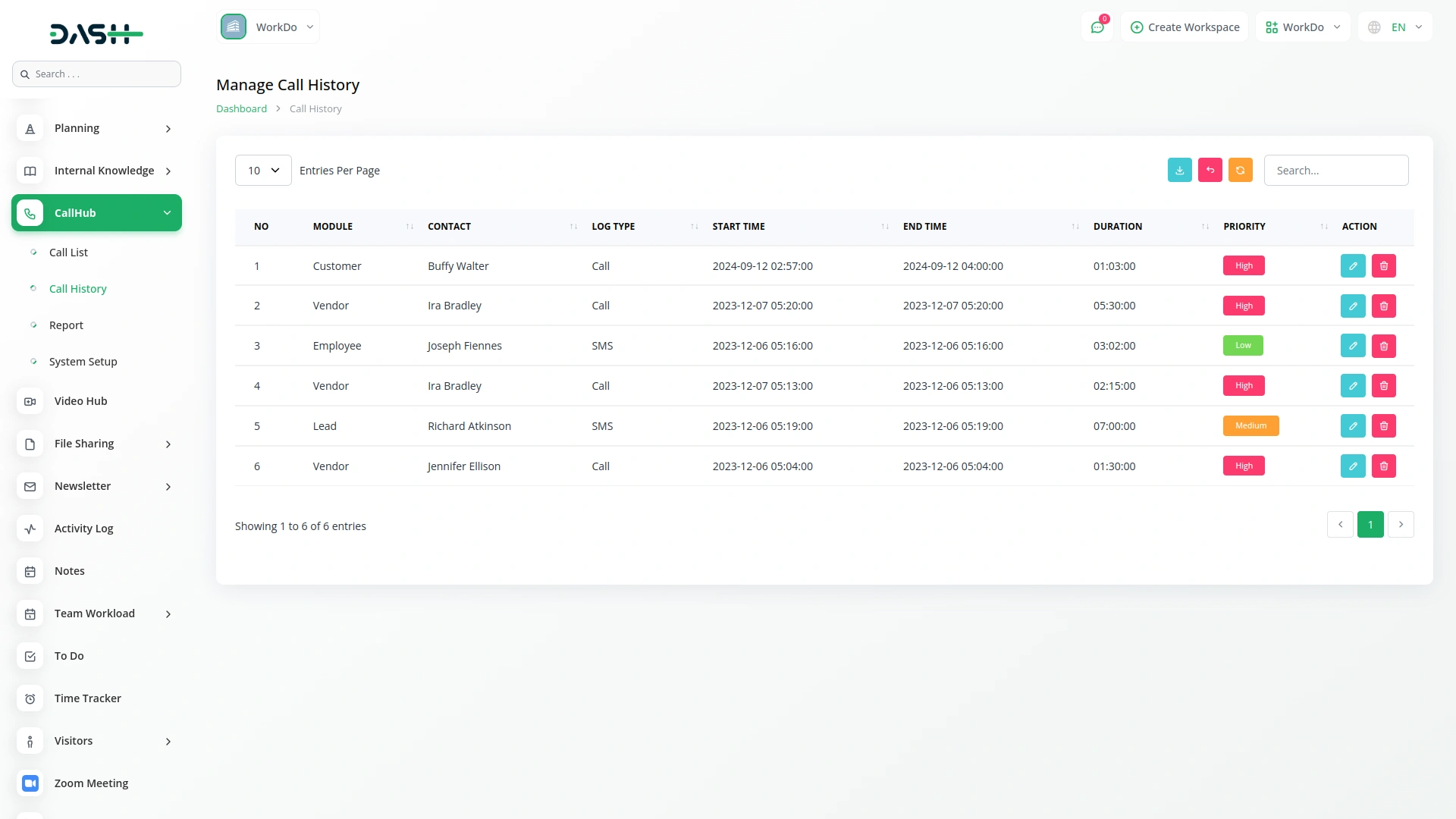
The system supports extended details for each call entry, such as contact information, phone number, call duration, and assigned team members. You can also log the priority, importance, and completion status of each call. Real-time start and end times are recorded to help analyze call efficiency and performance. Notes can be added to provide extra context, and responsible users can be assigned to follow up or manage the conversation.
- Record duration using start and end timestamps automatically
- Set call priority, importance, and completion for tracking
- Assign users to manage or follow up on call actions
- Store notes for context and future reference easily
Flexible Communication Setup
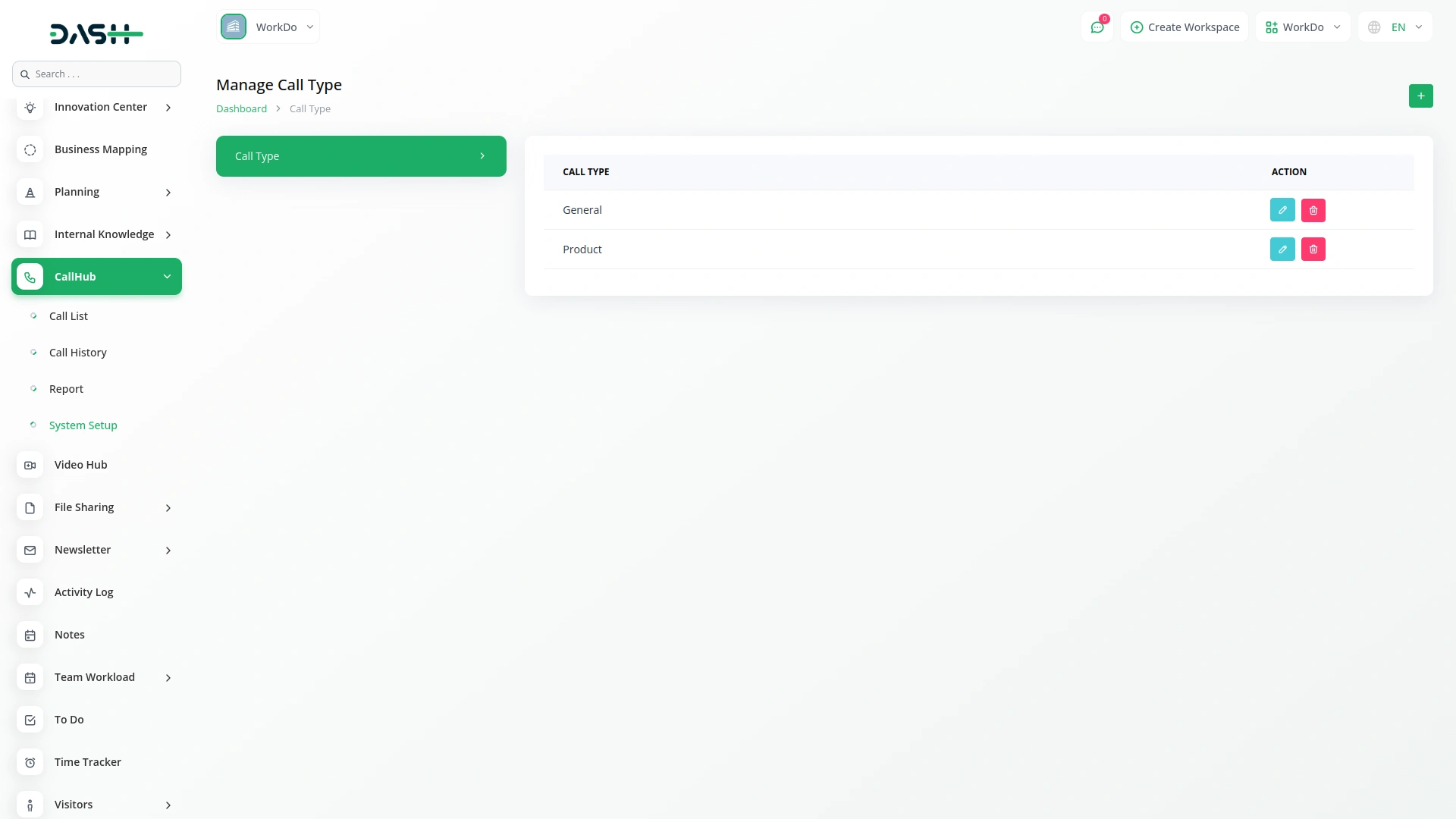
The system supports custom classification of call types, allowing you to define different categories based on your needs. Each area of your operation can be connected with a call-handling structure and associated model name if needed. This setup ensures that calls are stored and filtered correctly, depending on the business flow they are related to. With company-level grouping, the setup works seamlessly across teams.
- Define custom call types for different communication purposes
- Assign each category to operational flows with flexibility
- Optional model linkage for advanced data structuring needs
- Use type-based grouping for clearer system organization
Reporting
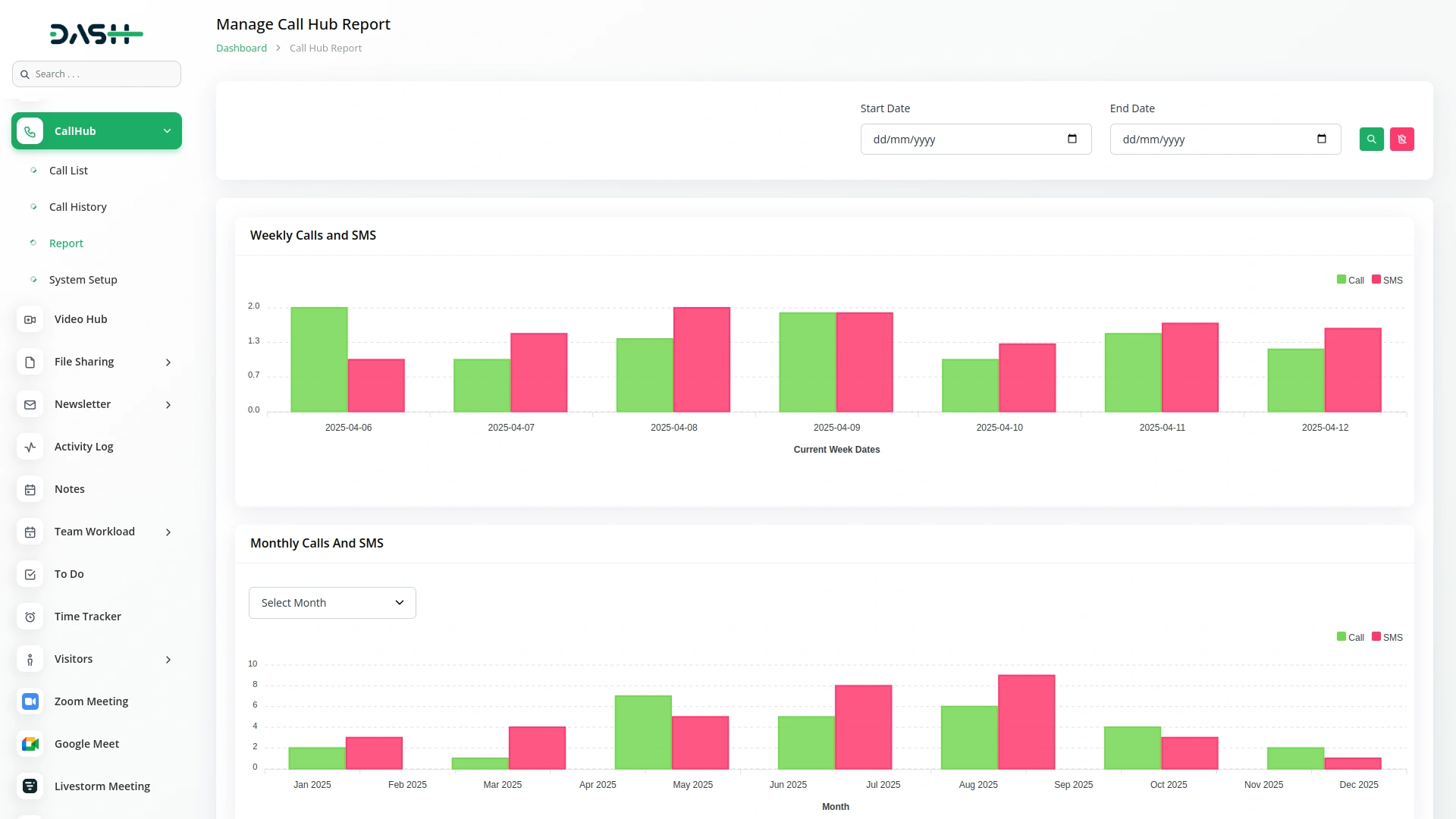
The Call Hub Add-On provides a clear comparison between call and SMS activities. Users can track communication trends weekly or monthly, helping teams understand usage patterns and improve planning. This functionality helps identify usage patterns, optimize communication strategies, and ensure better resource planning.
- View Call vs SMS activity insights
- Filter reports by weekly or monthly range
- Identify peak communication periods
- Analyze team engagement effectiveness
Screenshots from our system
To explore the functionality and usage of these Add-Ons, refer to the accompanying screenshots for step-by-step instructions on how to maximize their features.
Discover More Add-Ons
Unlock even more functionality with additional Add-Ons, providing enhanced networking and customization options for your Dash SaaS experience.


Sendinblue
The Sendinblue integration in Dash SaaS allows businesses to streamline their email communication by composing and managing emails directly from the platform.
View More
Google Captcha
The reCAPTCHA Integration system is a comprehensive security platform that protects your website from spam submissions and enhances user security through Google's advanced bot detection technology.
View More
Internal Knowledge (KB)
An internal knowledge base is a company-made resource consisting of process documents and tools that members of the organization need to do their jobs properly. Its purpose is to mitigate organizational, technical, and learning difficulties often faced within companies that limit productivity.
View More7 reviews for Call Hub – Dash SaaS Add-On
| 5 star | 85% | |
| 4 star | 14% | |
| 3 star | 0% | |
| 2 star | 0% | |
| 1 star | 0% |
Comments
You must be logged in to post a comment.
There are no comment yet.
Contact Us for Support :
-
You will get immediate support from our support desk. Please visit here https://support.workdo.io/
Item support includes:
- Answer pre-sale questions or query
- Answering technical questions about item's features
- Assistance with reported bugs and issues
- Help with included 3rd party assets
- Free Installation services in some cases
However, item support does not include:
- Customization services
Check Documents & Tutorials
Great Customer Support, Appreciate It
The Call Hub Dash Add-on has streamlined our communication process. It’s intuitive and makes managing calls much more efficient. Highly recommended!
Seller is very efficient & supportive.Highly recommended.
the Team deserve 5 Star for following reason; 1- Customer Support2- Feature Availability3- Design Quality 4- Documentation Quality
This product is fantastic! The team behind it is excellent, and the support they provide is outstanding.