


The Warranty Add-On simplifies and automates warranty management by streamlining tracking, registration, and claim processing. With features like automated warranty tracking, claim workflows, and comprehensive monitoring, it ensures efficient warranty management and transparency for both businesses and customers.
Streamlined Warranty Management Solutions
- Automated Warranty Tracking
- Product Warranty Configuration
- Customer Warranty Registration
- Warranty Claim Management
- Status-Based Warranty Monitoring
- Sales Invoice Integration
- Return Processing
- Multi-Status Claim Workflow
- Advanced Search & Filtering
Set Up Product Warranties
Setting up warranty protection for your products is simple and efficient. By activating the warranty toggle and defining the duration, you ensure coverage for each item in your inventory. The system automatically applies warranty terms to every sale. This automated process keeps warranty information visible on product pages, ensuring transparency for both your team and customers.
- Activate the warranty toggle and set the duration for products.
- Apply warranty terms to each sale transaction.
- Ensure warranty details are visible on product pages.


Automatic Warranty Creation
When a sales invoice with warranty-enabled products is posted, the system automatically creates a warranty entry without manual intervention. Non-warranty products won’t generate warranty entries. In sales returns, any quantity changes are immediately reflected on the list page. To confirm, click "Approve" in the Action column, then the "Complete Return" button appears. Clicking it updates the warranty claim quantity in the Warranty section. This integration ensures accurate warranty tracking with no manual data entry.
- Automatic warranty entry created upon posting sales invoice
- Real-time quantity and status updates from sales returns
- Two-step approval process with Complete Return button functionality
- Warranty quantities are automatically updated after completing returns
Warranty Tracking & Monitoring
The warranty management offers a complete view of all warranties, including active, partial, expired, and voided statuses. Each record displays important details like warranty ID, product, customer information, and expiry dates. The system updates warranty status based on usage, ensuring accurate tracking. Advanced search and filtering options help quickly locate warranties by product, customer, or status.
- View active, partial void, expired, and voided warranties centrally.
- Display warranty ID, product details, customer info, and dates.
- Automatically update status based on warranty expiry.
- Use advanced search to filter warranties by status or product.


Warranty Claim Management
Managing warranty claims is simplified with the dedicated claim management system. You can create claims directly from warranty records, specifying key details like claim dates, repair costs, and problem descriptions. The system includes an approval workflow, allowing claims to be, approved,rejected, or completed. Each claim's status is tracked from submission to resolution, ensuring transparency and accountability throughout the process.
- Create warranty claims directly from the warranty record.
- Specify claim dates, repair costs, and problem details.
- Support claim approval workflow with review and resolution.
- Track each claim's status for transparency and accountability.
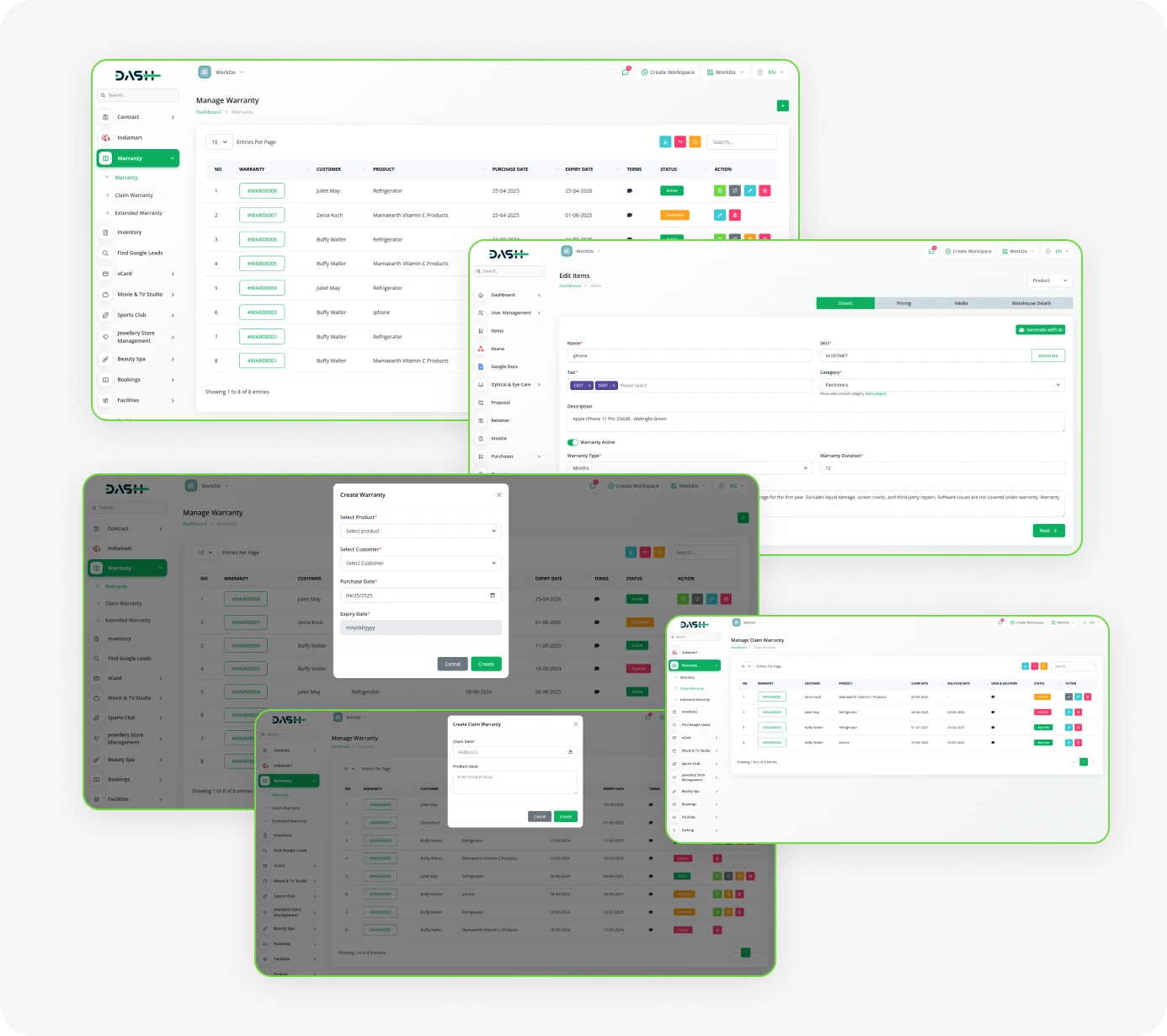
Screenshots from our system
To explore the functionality and usage of these Add-Ons, refer to the accompanying screenshots for step-by-step instructions on how to maximize their features.
Discover More Add-Ons
Unlock even more functionality with additional Add-Ons, providing enhanced networking and customization options for your Dash SaaS experience.


Sage
Your business has its super-smart assistant, making everything seamless and effortless. Enter Sage Integration for Dash SaaS, the ultimate duo in simplifying your operations. You have Sage, your go-to for managing finances and resources, and Dash SaaS, keeping your projects organized.
View More

2 reviews for Warranty – Dash SaaS Add-On
| 5 star | 100% | |
| 4 star | 0% | |
| 3 star | 0% | |
| 2 star | 0% | |
| 1 star | 0% |
Comments
You must be logged in to post a comment.
There are no comment yet.
Contact Us for Support :
-
You will get immediate support from our support desk. Please visit here https://support.workdo.io/
Item support includes:
- Answer pre-sale questions or query
- Answering technical questions about item's features
- Assistance with reported bugs and issues
- Help with included 3rd party assets
- Free Installation services in some cases
However, item support does not include:
- Customization services
Check Documents & Tutorials
The tools run seamlessly with no interruptions which has been a major advantage
Fantastic customer service experience