
Sign in with Slack – WorkDo Dash SaaS Add-On Guide
Learn how to configure and manage Slack sign-in integration in Dash SaaS.
Introduction
The Sign in with Slack Add-On offers a streamlined and secure authentication method, enabling users to log in using their Slack credentials. This integration reduces the need for multiple passwords, enhances user trust, and leverages Slack’s collaboration-focused network for identity verification. By incorporating this Add-On, businesses can boost user convenience, particularly for users active on Slack, potentially increasing engagement and credibility. This documentation provides a complete guide for implementing and customizing the Sign-in with Slack Add-On to ensure smooth and effective integration tailored to your business requirements.
How To Install the Add-On?
To Set Up the Sign-In with Slack Add-On, you can follow this link: Setup Add-On.
How To Use The Sign-In With Slack Add-On?
After the super admin enables the Add-On, the end users can easily access and use the Add-On.
- After the purchase process, log in to your super admin account and navigate to the settings page in the sidebar.
- In the settings, find and click on the Sign-In With Slack Settings.
- Enter the Slack client ID and client secret. Upload the necessary image, and then click on the save changes button.
- Once these credentials are entered, the end users will be able to sign in to your store using their Slack accounts.
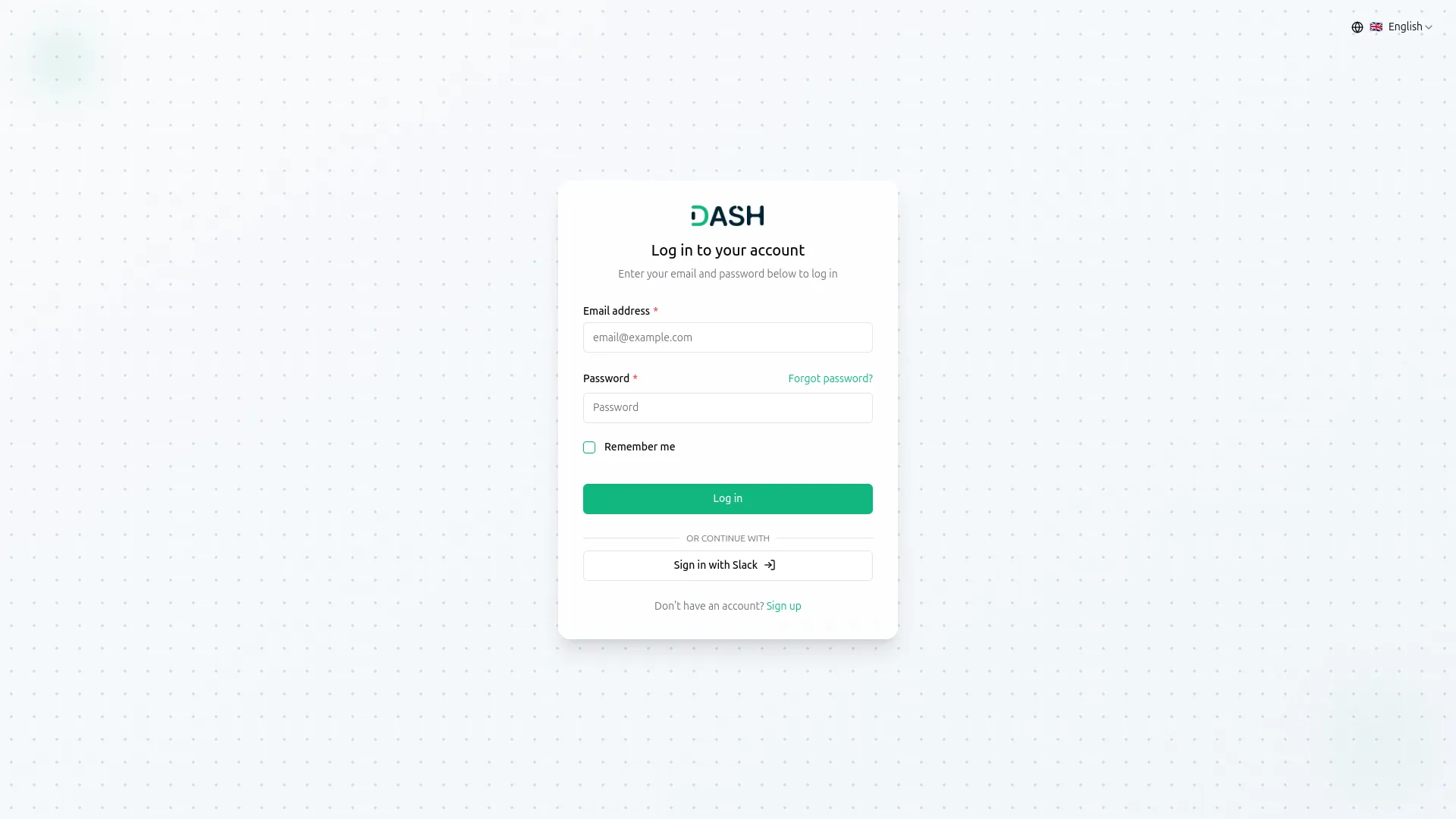
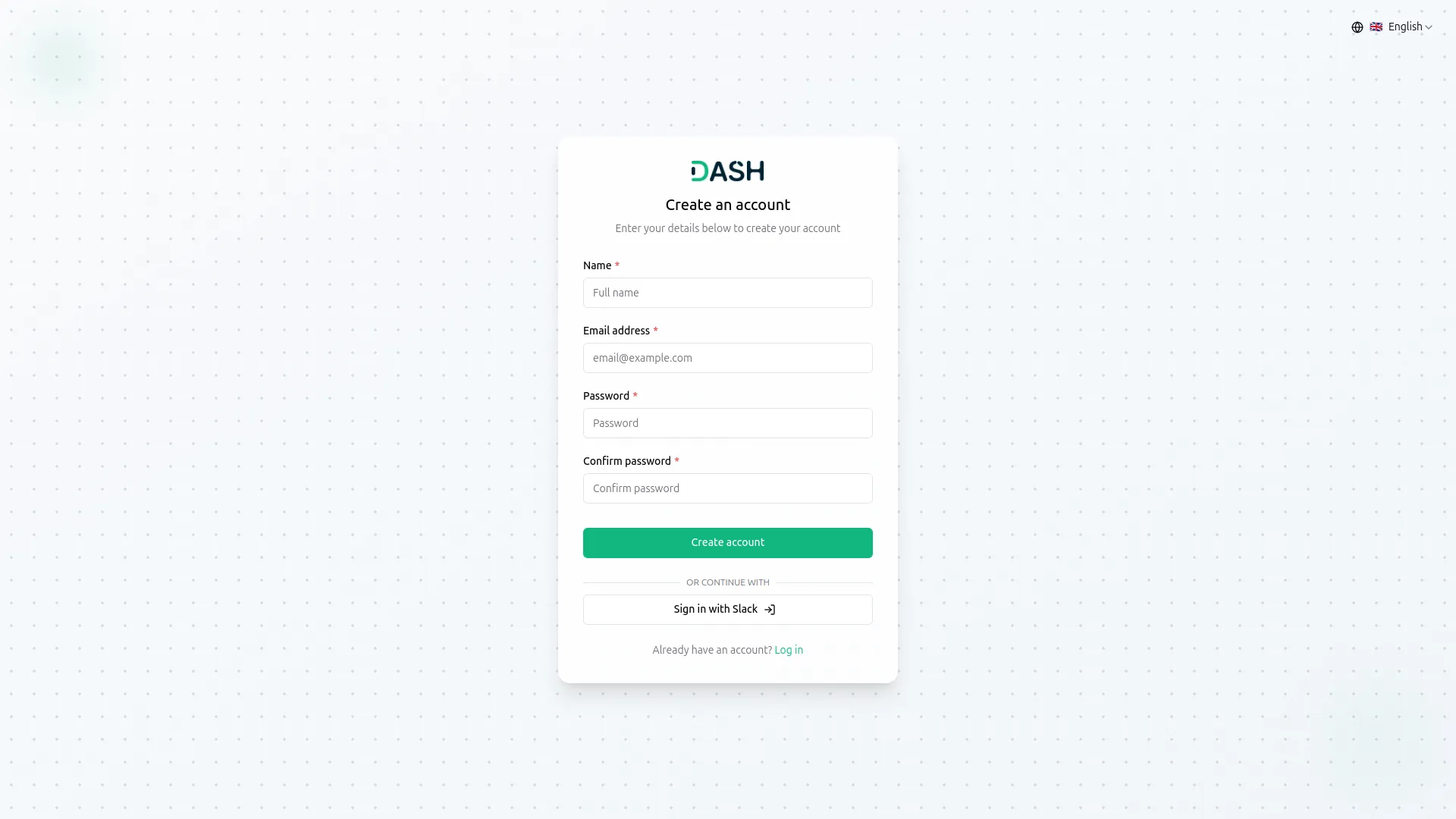
- The image that you upload on the super admin side will be visible on the login and register page in the Sign-In With Slack button.
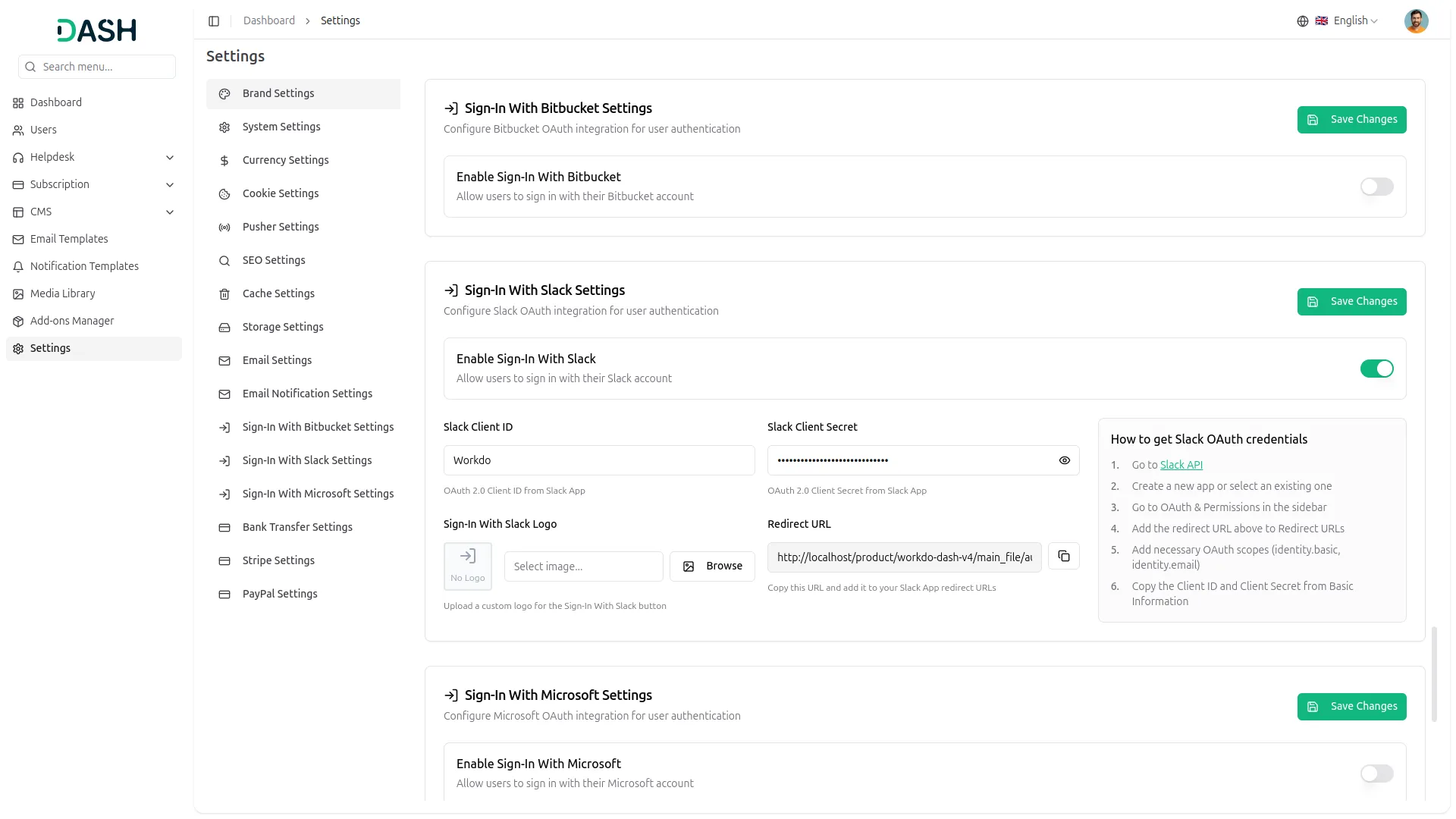
- To know how to generate the credentials, you can follow this link: https://www.itsolutionstuff.com/post/laravel-11-socialite-login-with-slack-account-exampleexample.html
- You need to copy the callback URL from settings and paste it while setting up the credentials.
- Once you add the credentials and activate the Sign-in with Slack Add-On, a Slack login button will appear on your register and login pages. By clicking it, the end users can easily log in to your store using their Slack credentials.
Categories
Related articles
- Twilio – TicketGo Add-On Guide
- Activity Log – WorkDo Dash SaaS Add-On Guide
- Email Box – WorkDo Dash SaaS Add-On Guide
- Vehicle Trade – WorkDo Dash SaaS Add-On Guide
- Asana Project Management – WorkDo Dash SaaS Add-On Guide
- Social Media Analytics – WorkDo Dash SaaS Add-On Guide
- Coin Payment – WorkDo Dash SaaS Add-On Guide
- Quick Checkout – eCommerceGo SaaS Add-On Guide
- Custom Field – WorkDo Dash SaaS Add-On Guide
- Livestorm Meeting Credentials Generation Guide
- Razorpay – BookingGo SaaS Add-On Guide
- Add Variants Guide – eCommerceGo SaaS
We're Here to Help - Let's Talk
Have questions about our solutions, customization services, or business tools? Our team is here to help you. let's talk.