

Custom Alert – WorkDo Dash SaaS Add-On Guide
Learn how to create and manage custom alerts and notifications in WorkDo Dash SaaS easily.
Introduction
The Custom Alert Add-On is designed to help you create and manage personalized alerts across your platform with ease. Whether you want to notify users about important updates, scheduled maintenance, deadline reminders, or security alerts, this Add-On gives you full control over the message content, visibility, and timing. With flexible configuration options and targeted delivery, it ensures that the right users receive the right information at the right time, enhancing communication, user engagement, and operational awareness across your system.
How to Install the Add-On?
To Set Up the Custom Alert Add-On, you can follow this link: Setup Add-On.
to use the Custom Alert Add-On?
- After purchasing the Custom Alert Add-On, go to the sidebar and click on the Custom Alert option.
- You will see a page that displays the list of all previously created custom alerts.
- To create a new custom alert, click on the Create button given at the top of the page.
-
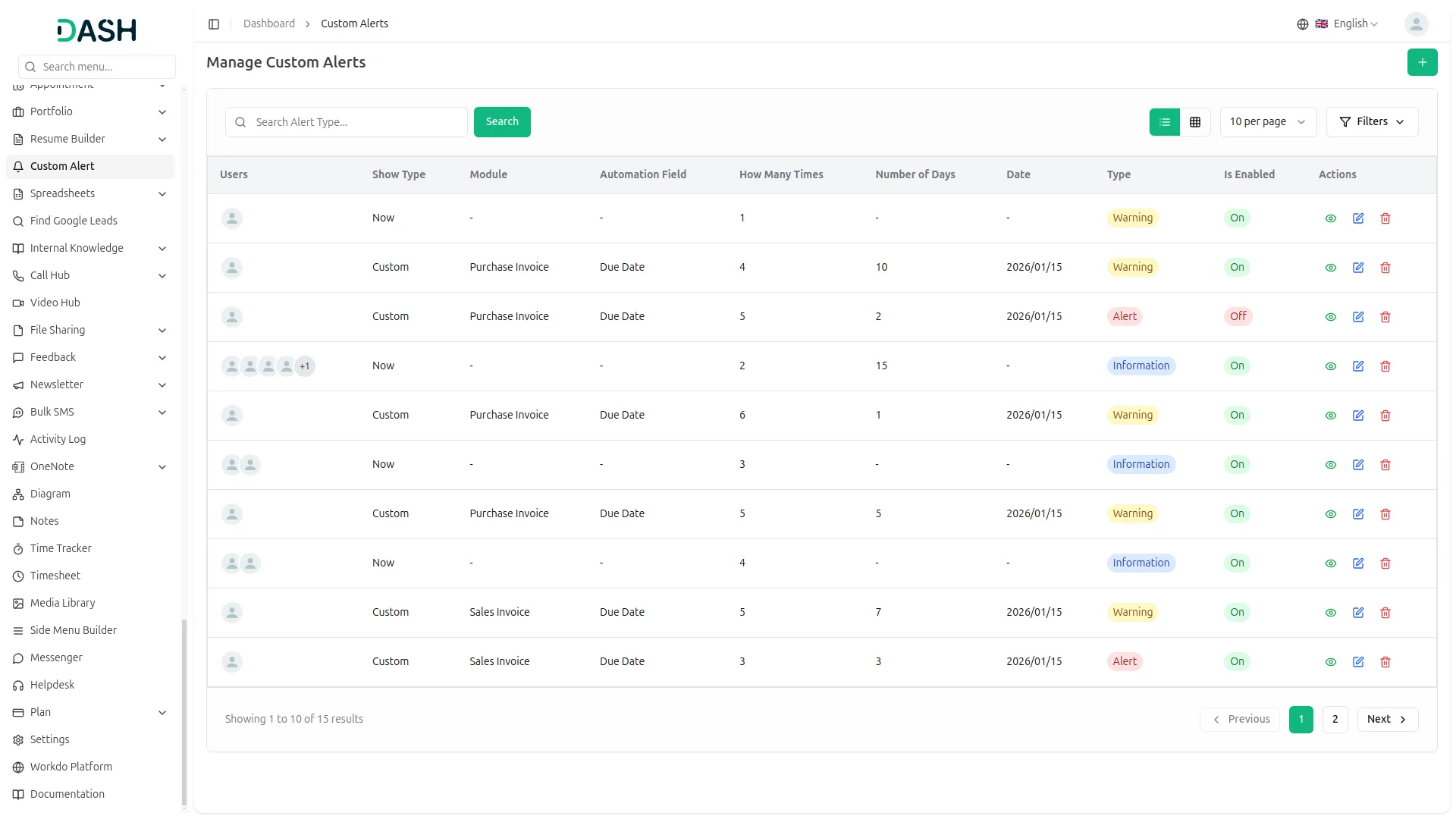
- First, you need to select the alert type that best fits your requirement.
- After selecting the alert type, you will find a show type option where you can choose between “Now” and “Custom”.
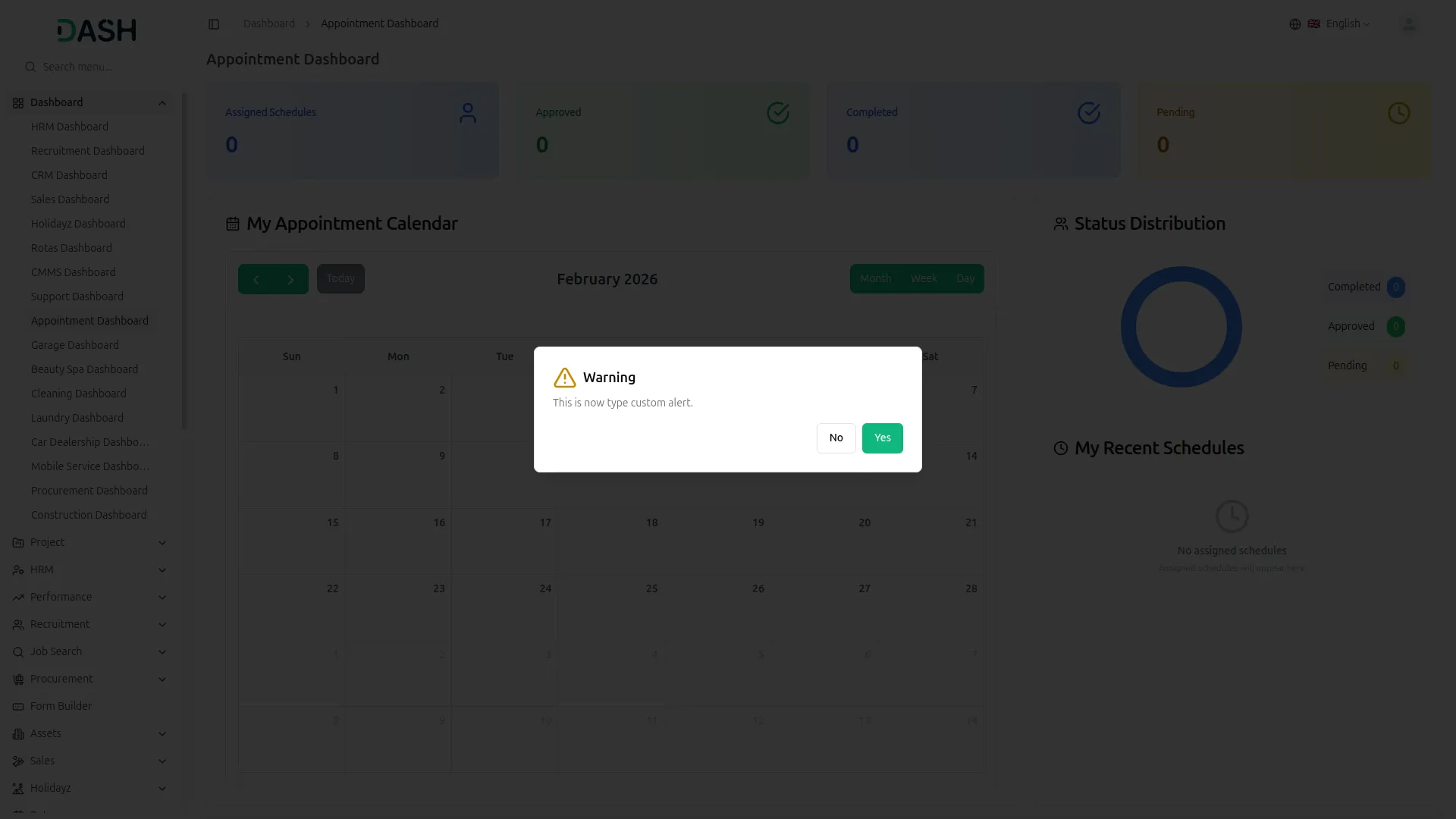
- If you choose the show type as “Now”, the alert will be sent immediately to all selected users.
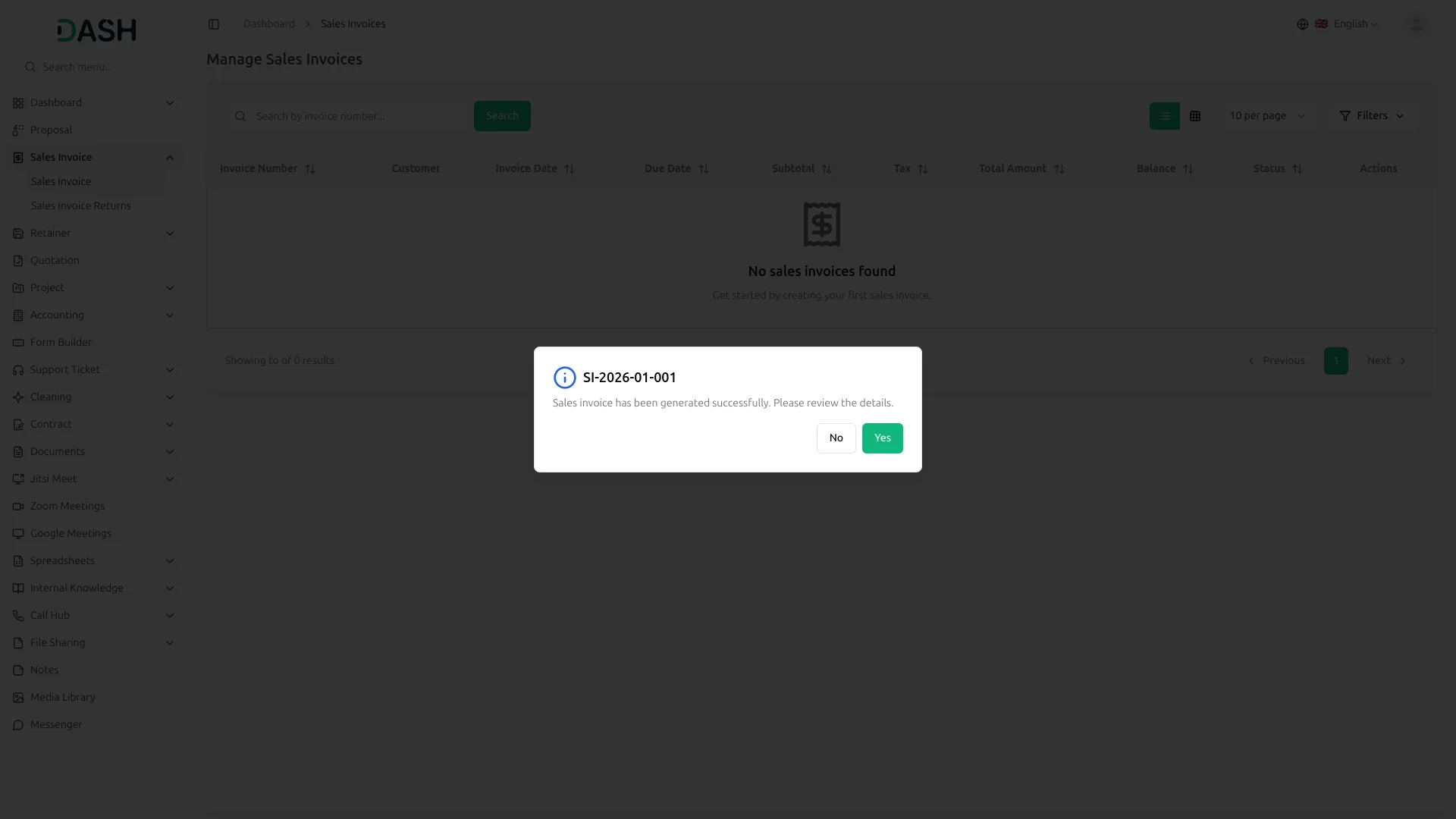
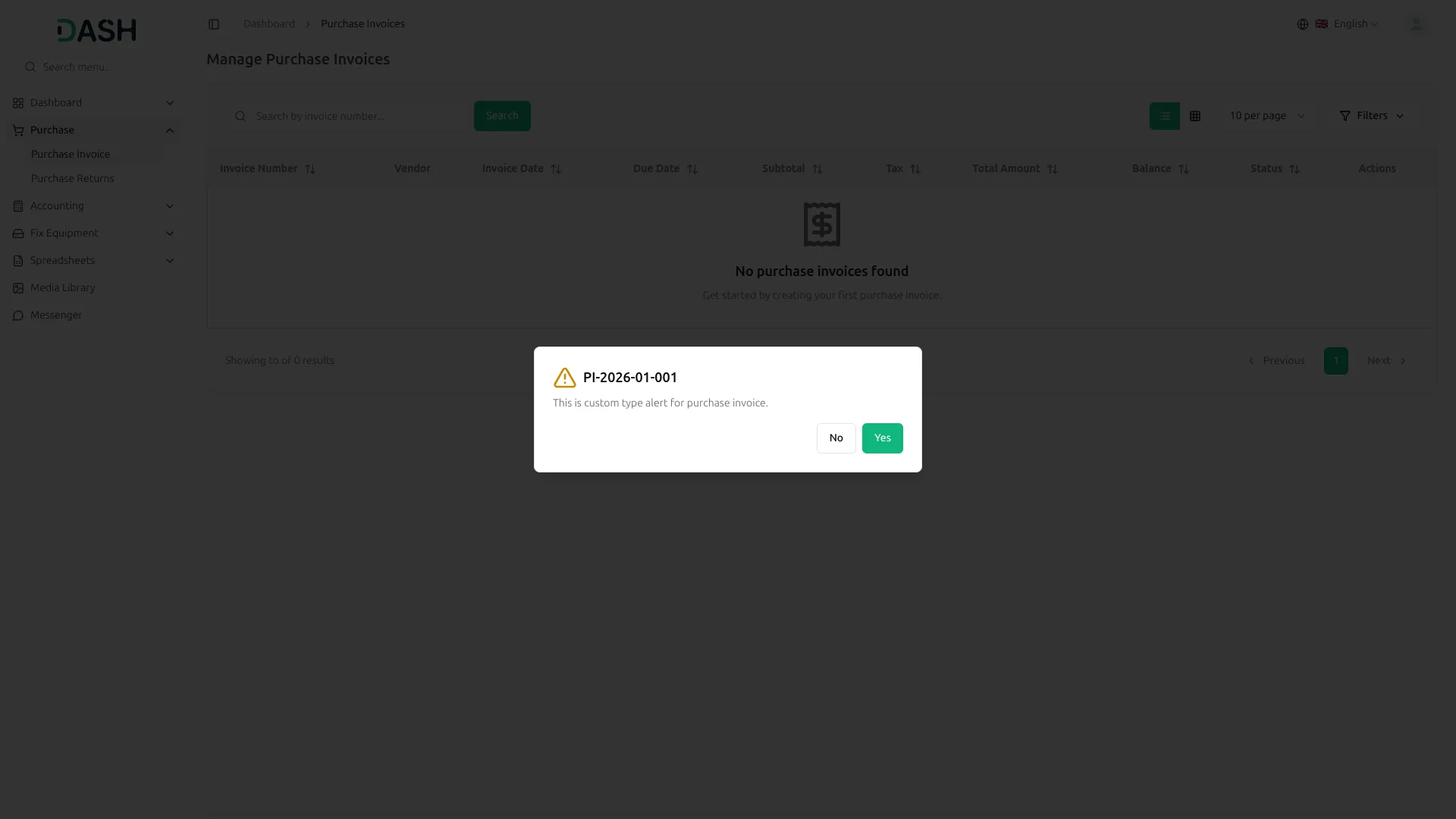
- If you choose the show type as “Custom”, you can select whether the alert is related to a sales invoice or a purchase invoice.
- There is an enable button given, if you enable that button, the alert will be sent to the customer/vendor on the due date of that sales invoice or purchase invoice.
- You can also set how many times you want the alert to be shown to the selected users.
- When you select the Show Type as “Now”, you will be able to choose multiple users who will receive the alert instantly.
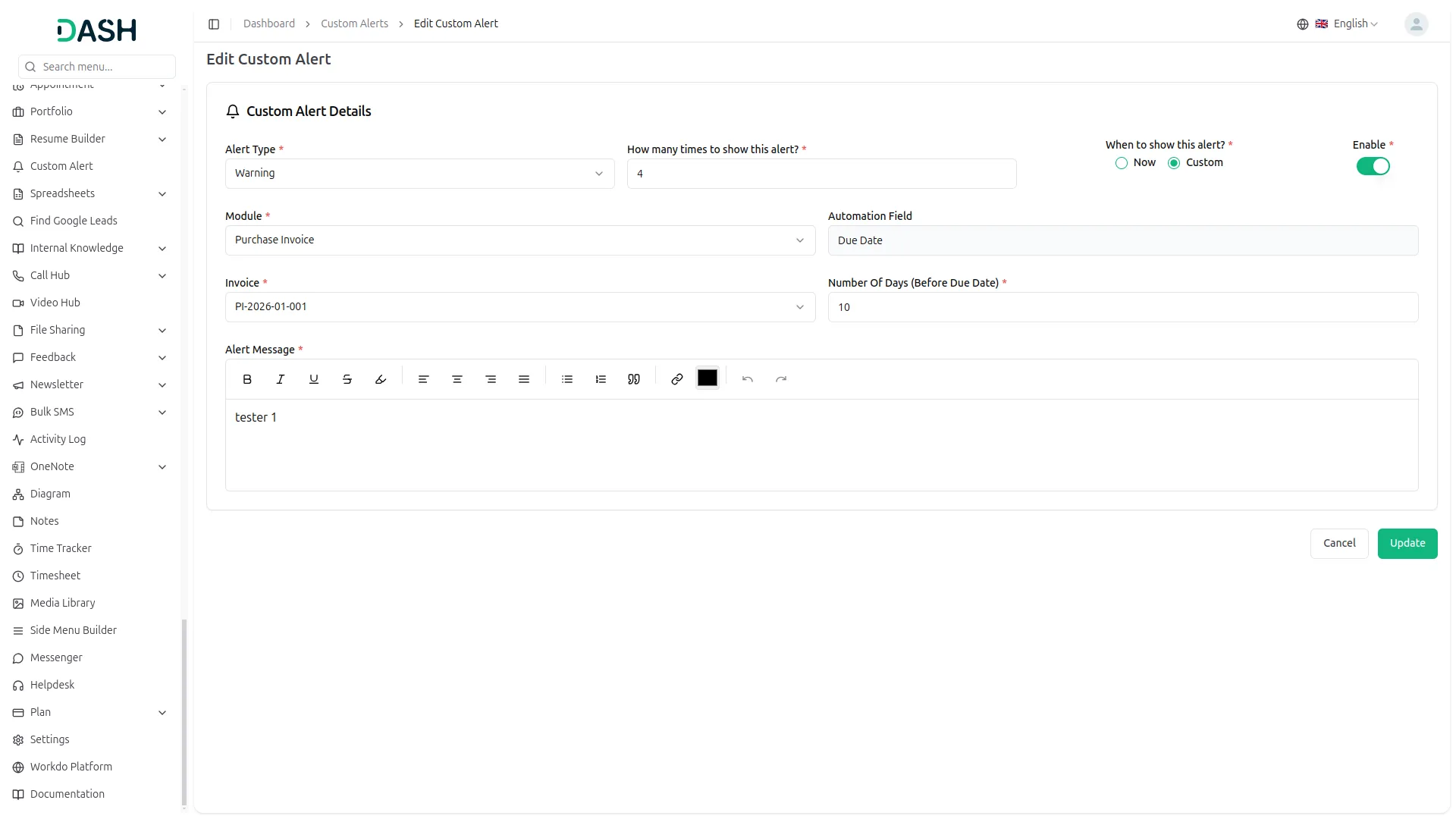
- When you select the Show Type as “Custom“, you will see additional fields where you can choose a module, such as “Sales Invoice” and “Purchase Invoice” from under General.
- If you select the sales Invoice module, another dropdown will appear allowing you to select a specific sales invoice from the list.
- Once you select a particular sales invoice, only the customers assigned to that invoice will see the alert when they log in.
- If you select the purchase Invoice module, another dropdown will appear allowing you to select a specific purchase Invoice from the list.
- Once you select a particular purchase invoice, only the vendors assigned to that purchase invoice will see the alert when they log in.
- There is also a “Number of Days” field where you can enter a number before the alert.
- The number you enter will be added to the current date, and the alert will start showing before the number of days that date is reached.
- This automation works on the due date of sales invoices and purchase invoices, which means the alert will be sent to the customer/vendor on the due date itself.
-
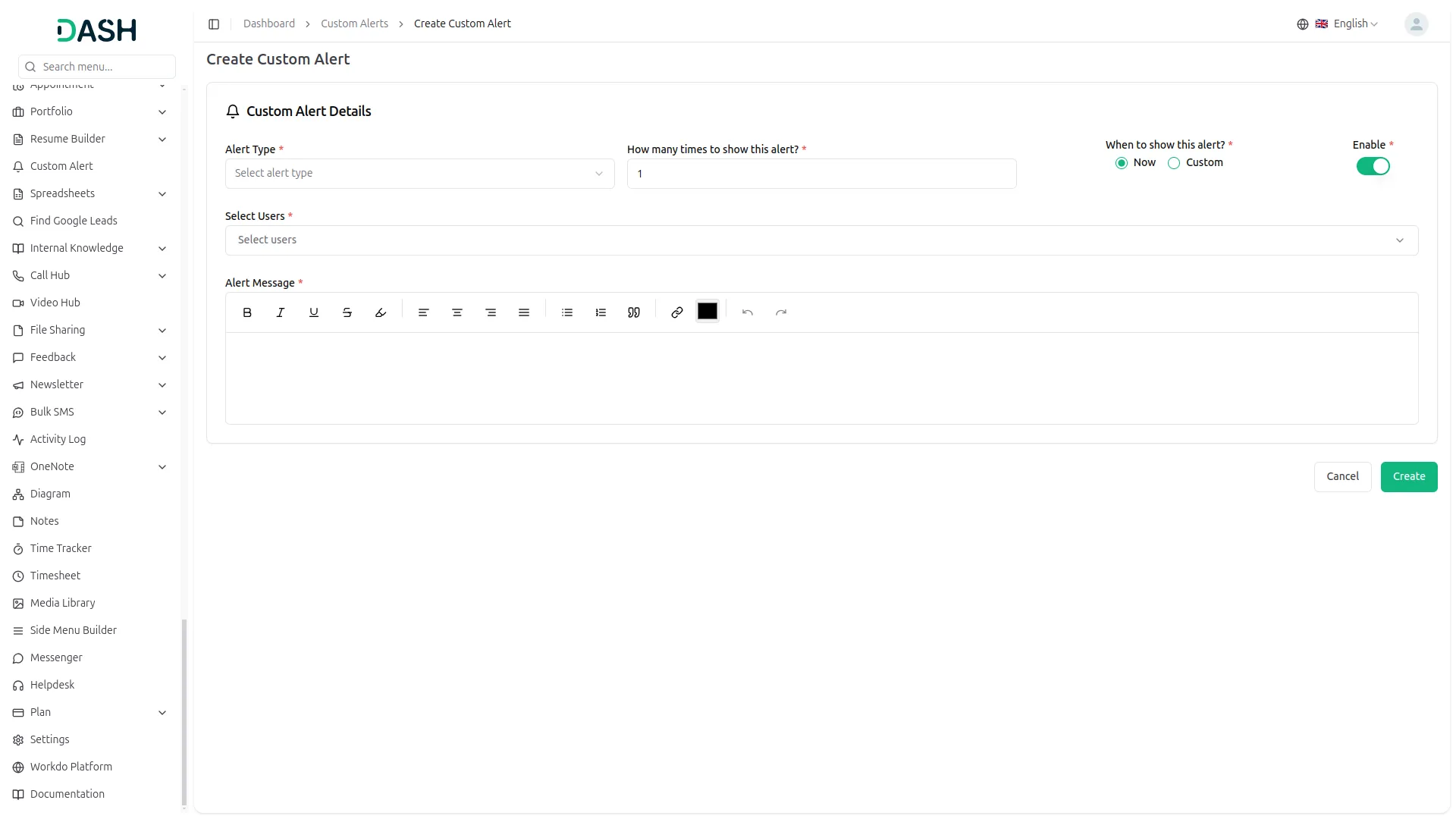
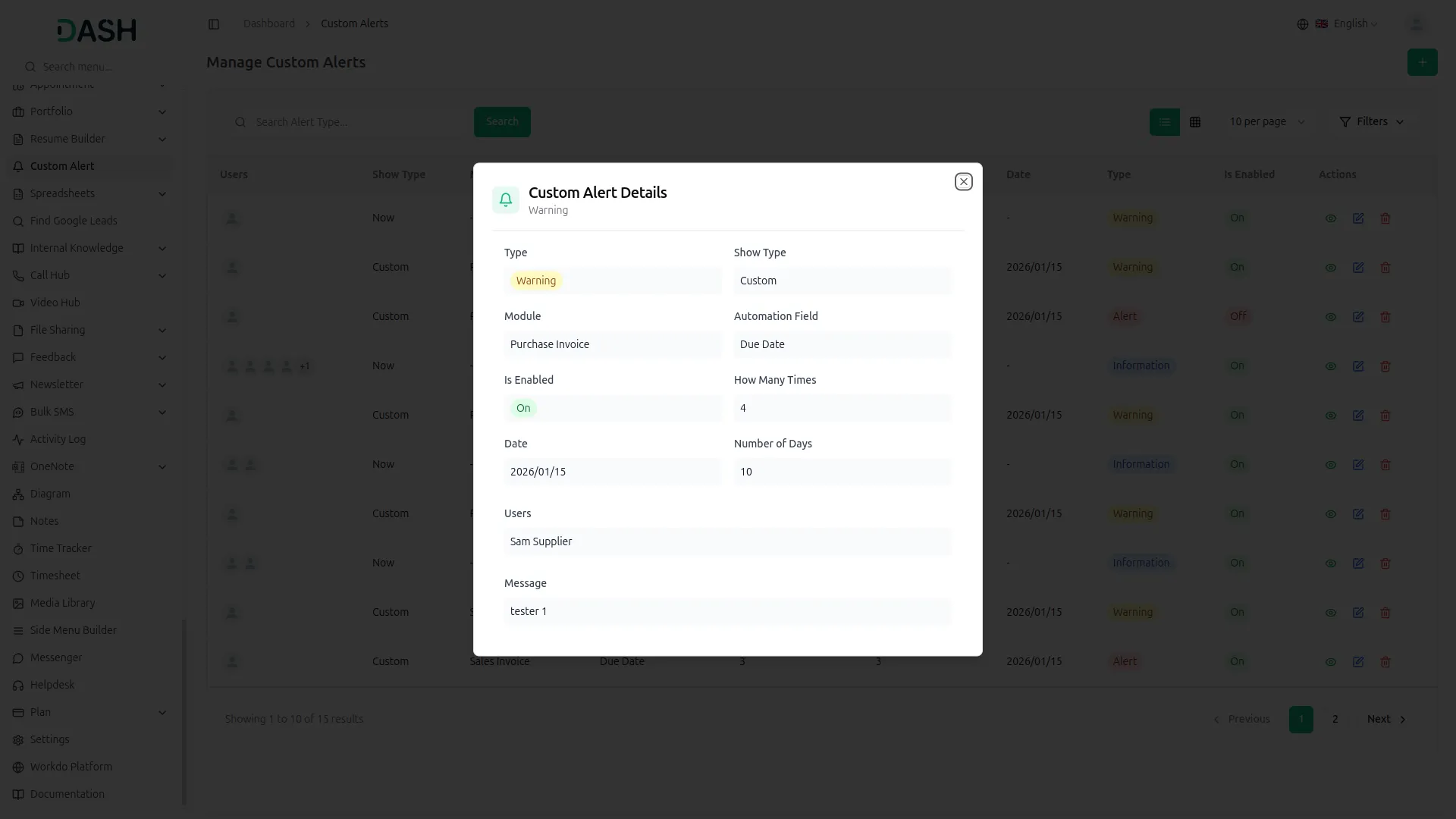
- After you create the custom alert, it will be visible on the custom alert page including all the details like alert type, show type, module, automation field, users, is enabled, how many times, number of days, date, and an action column from where you can edit, delete or view the details of alerts easily.
Categories
Related articles
- Construction Management – WorkDo Dash SaaS Add-On Guide
- eSewa – BookingGo SaaS Add-On Guide
- Rocket.Chat Credentials Generation Guide
- Instagram Post – WorkDo Dash SaaS Add-On Guide
- Africa’s Talking – WorkDo Dash SaaS Add-On Guide
- Affiliate Product – eCommerceGo SaaS Add-On Guide
- Square – WorkDo Dash SaaS Add-On Guide
- Product Badge Management – eCommerceGo SaaS Add-On Guide
- Boost Sales – eCommerceGo SaaS Add-On Guide
- Easebuzz – BookingGo SaaS Add-On Guide
- Free Shipping Pop-Up – eCommerceGo SaaS Add-On Guide
- NepalSTE – BookingGo SaaS Add-On Guide
We're Here to Help - Let's Talk
Have questions about our solutions, customization services, or business tools? Our team is here to help you. let's talk.