

Quick and Simple One-Click Export
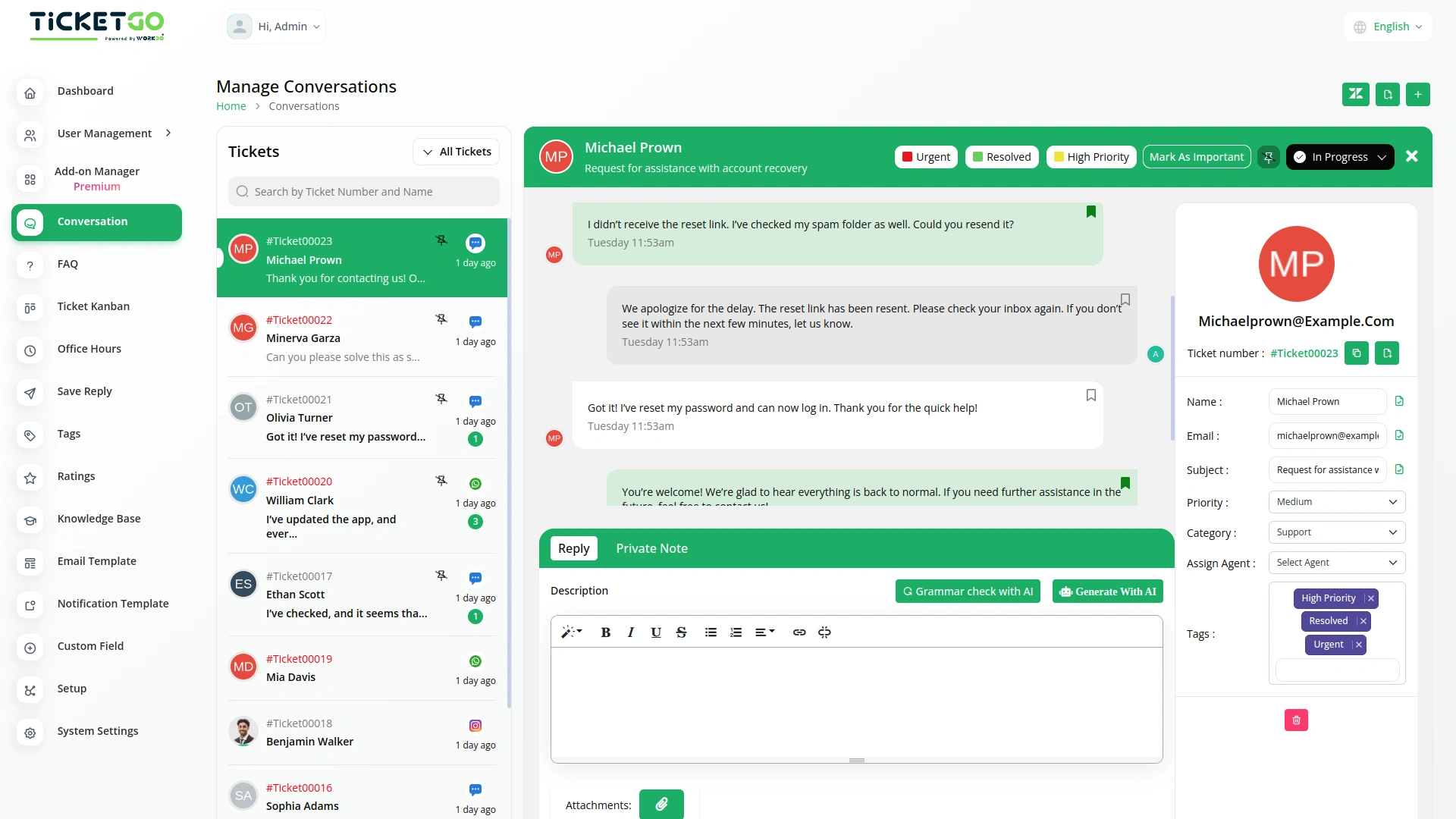
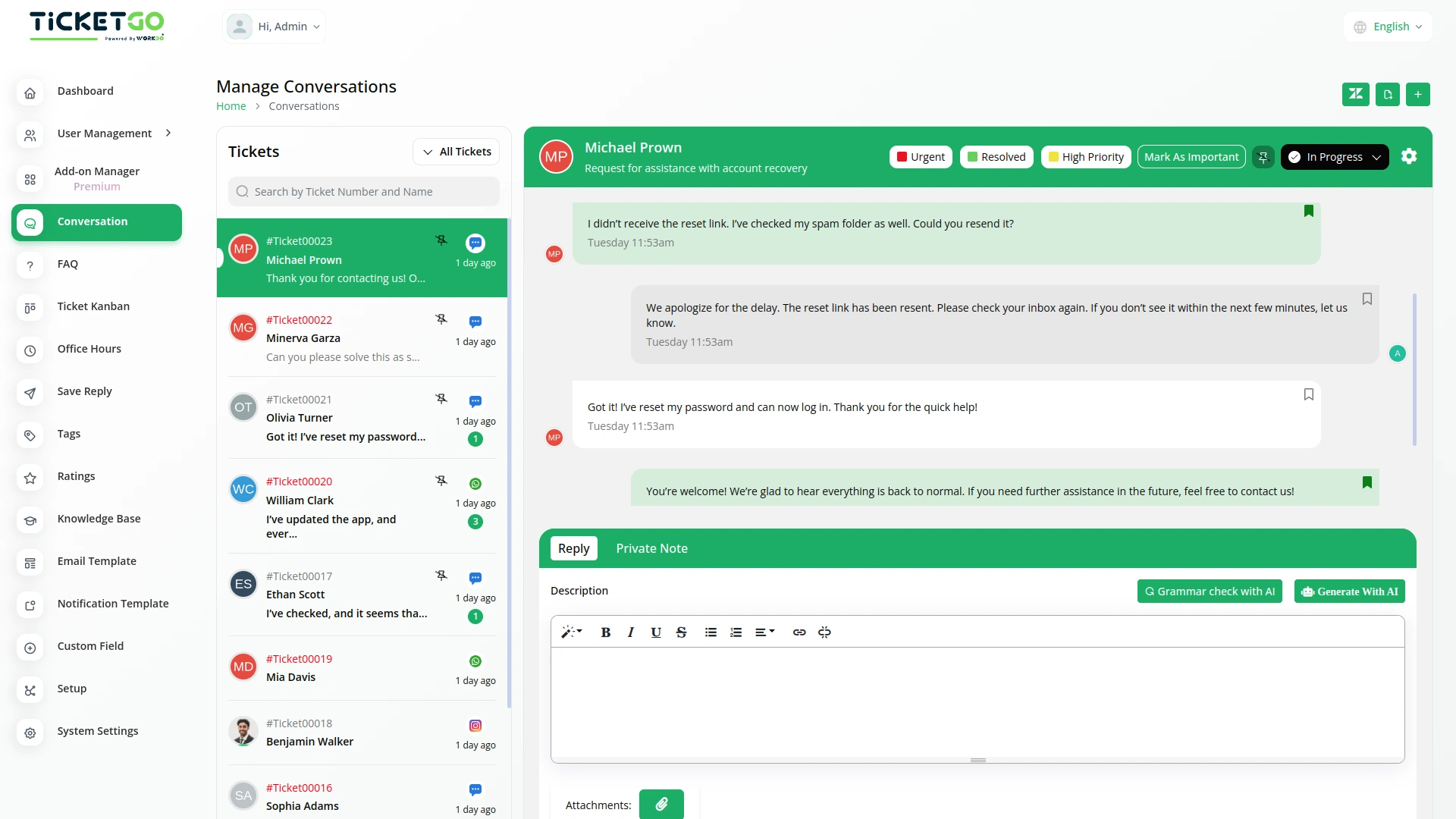
Exporting conversations in TicketGo is fast and hassle-free. With just one click, users can generate and download the conversation history in PDF format. This eliminates unnecessary steps, allowing customer support teams to focus on providing excellent service instead of handling complex data export processes.
Export in PDF Format
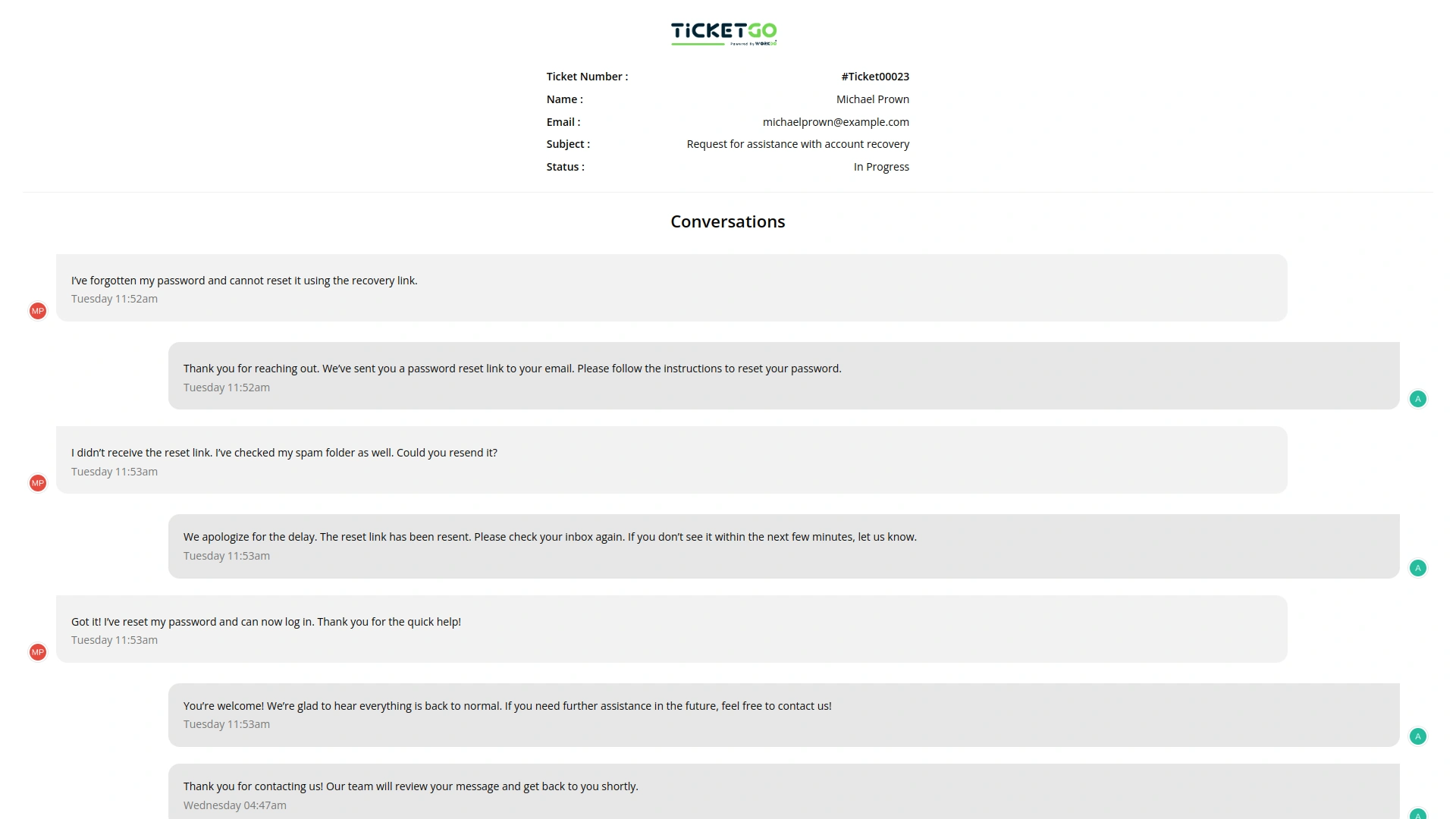
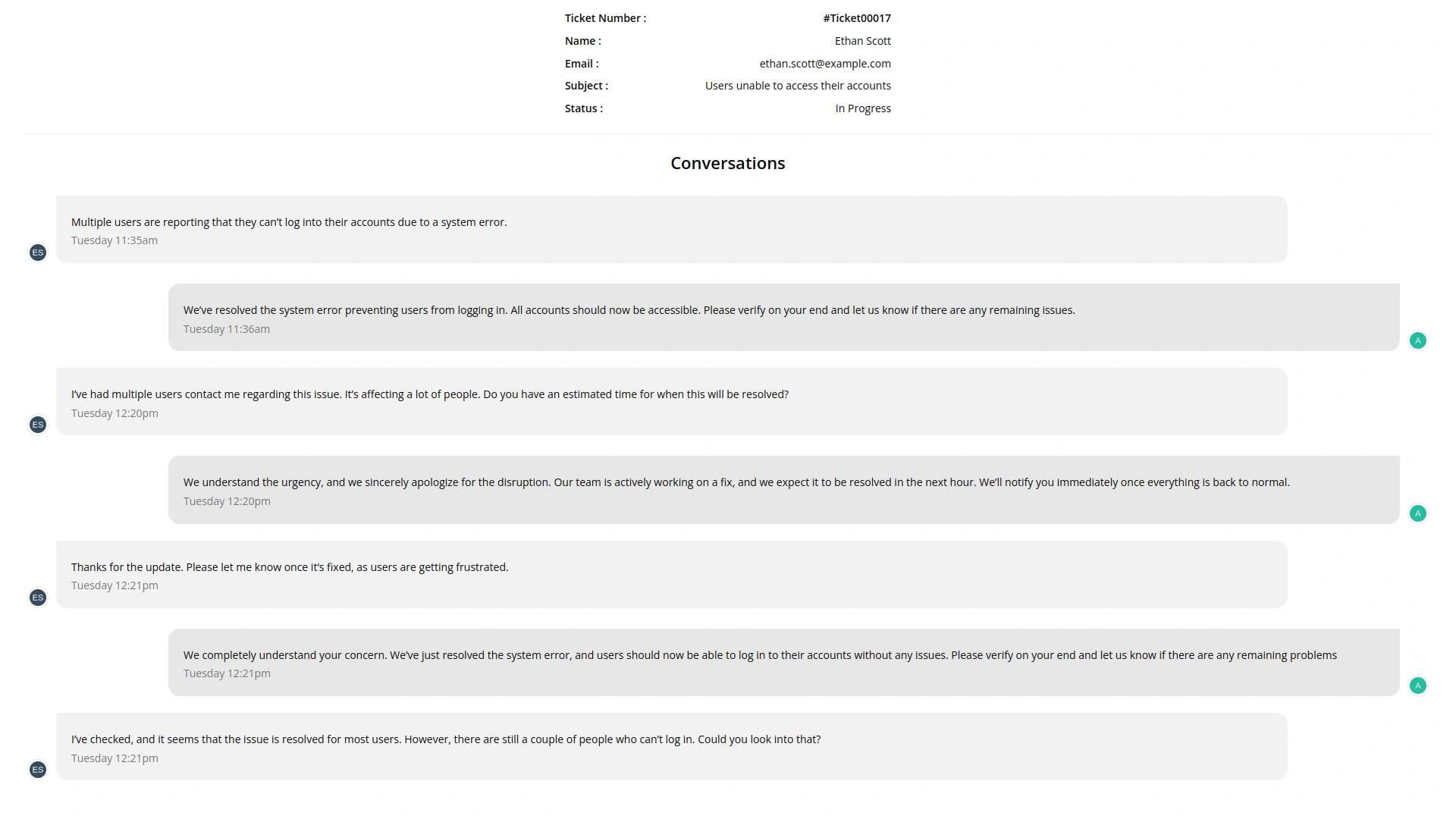
TicketGo allows users to export conversations exclusively in PDF format. This ensures that all conversations are stored in a structured and professional layout, making it easy to share and archive. The PDF format is widely accepted across industries, ensuring compatibility and ease of use when reviewing past discussions.
Export Entire Conversation History
Instead of filtering specific conversations, TicketGo provides a full export of conversation history. Businesses can download the entire set of interactions without worrying about missing important details. This guarantees that all records remain intact for documentation and compliance needs.
Safe and Secure Data Handling
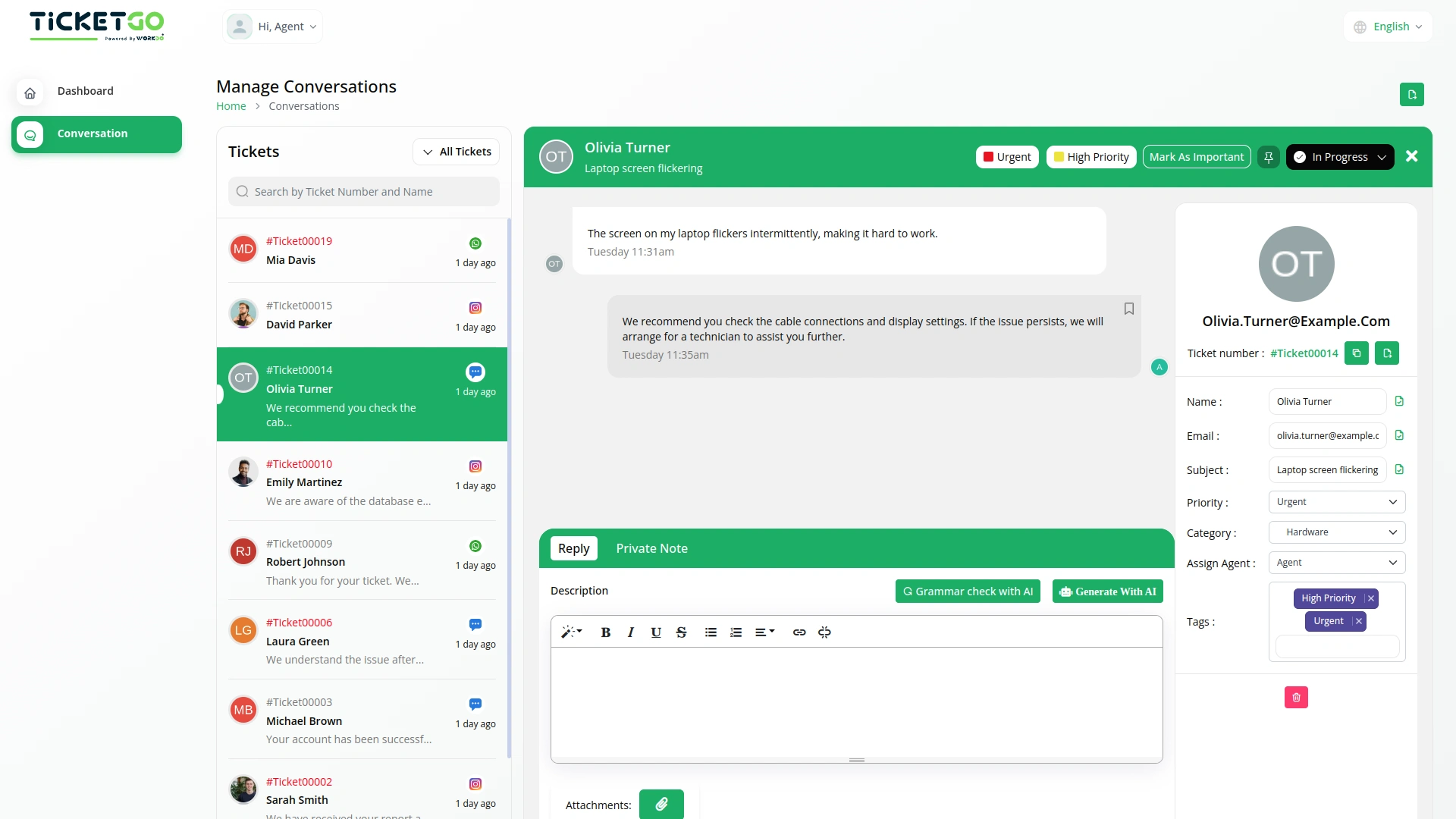
TicketGo ensures that exported data remains secure and encrypted, protecting sensitive customer information. Only authorized users can access and download conversation records, maintaining data privacy. Businesses can also implement internal security policies to restrict unauthorized data access.
Screenshots from our system
To explore the functionality and usage of these Add-Ons, refer to the accompanying screenshots for step-by-step instructions on how to maximize their features.
Discover More Add-Ons
Unlock even more functionality with additional Add-Ons, providing enhanced networking and customization options for your TicketGo Add-Ons experience.

Office Hours
The Office Hours Module in TicketGo allows businesses to set their working hours for each day of the week. This helps customers know when your support team is available. By defining your office hours, you ensure that customers are aware of your business’s availability before they create a support ticket.

Chat Pin
The ChatPin module in TicketGo provides a straightforward way to prioritize and highlight important conversations within the system. By enabling this feature, users can pin specific conversations to the top of the list, ensuring that high-priority tickets or urgent discussions are always visible and easily accessible. This helps teams stay organized and focused on the most important conversations, preventing them from being overlooked among others. The ChatPin module is a simple yet effective tool for managing workflows and ensuring that critical issues are addressed in a timely manner.

Out Of Office
The Out of Office module in TicketGo allows agents to update their availability with a simple toggle. If an agent is unavailable, they can disable the Out of Office button, making it clear to both customers and admins that they are not currently active. This helps in ensuring a smooth ticket assignment process.

Send & Close
The Send and Close module in TicketGo allows you to close a ticket automatically when you send a reply. This means that as soon as your response is sent, the ticket status changes to "Closed" without needing any extra steps.
Seamless integration between add-ons enhances operational consistency
The tools supported our multi-team environment and helped us stay organized during peak hours
The whole process was very smooth