
The Recurring Invoice/Bill Add-On is designed to simplify and automate the process of generating both sales and purchase invoices on a recurring basis. By eliminating the need for manual invoice creation, this add-on helps businesses save time, reduce errors, and maintain consistent billing and purchasing cycles.
With flexible scheduling options and seamless system integration, the add-on ensures that invoices are created automatically according to your business needs. Whether you require daily, weekly, monthly, or custom invoice intervals, the Recurring Invoice/Bill Add-On provides a reliable and efficient solution for managing recurring financial transactions.
Automated Billing & Invoicing Cycle Configuration
Managing recurring invoices manually can be time-consuming and prone to mistakes. The Recurring Invoice/Bill Add-On automates this workflow, allowing your team to focus on more important business activities instead of repetitive administrative work.
By enabling this add-on, businesses gain better control over their billing and purchasing processes through automated scheduling, dual-panel configuration, and unlimited or fixed recurring cycles. This ensures accurate, timely invoice generation and improved operational efficiency across your organization.
Recurring Invoice Automation
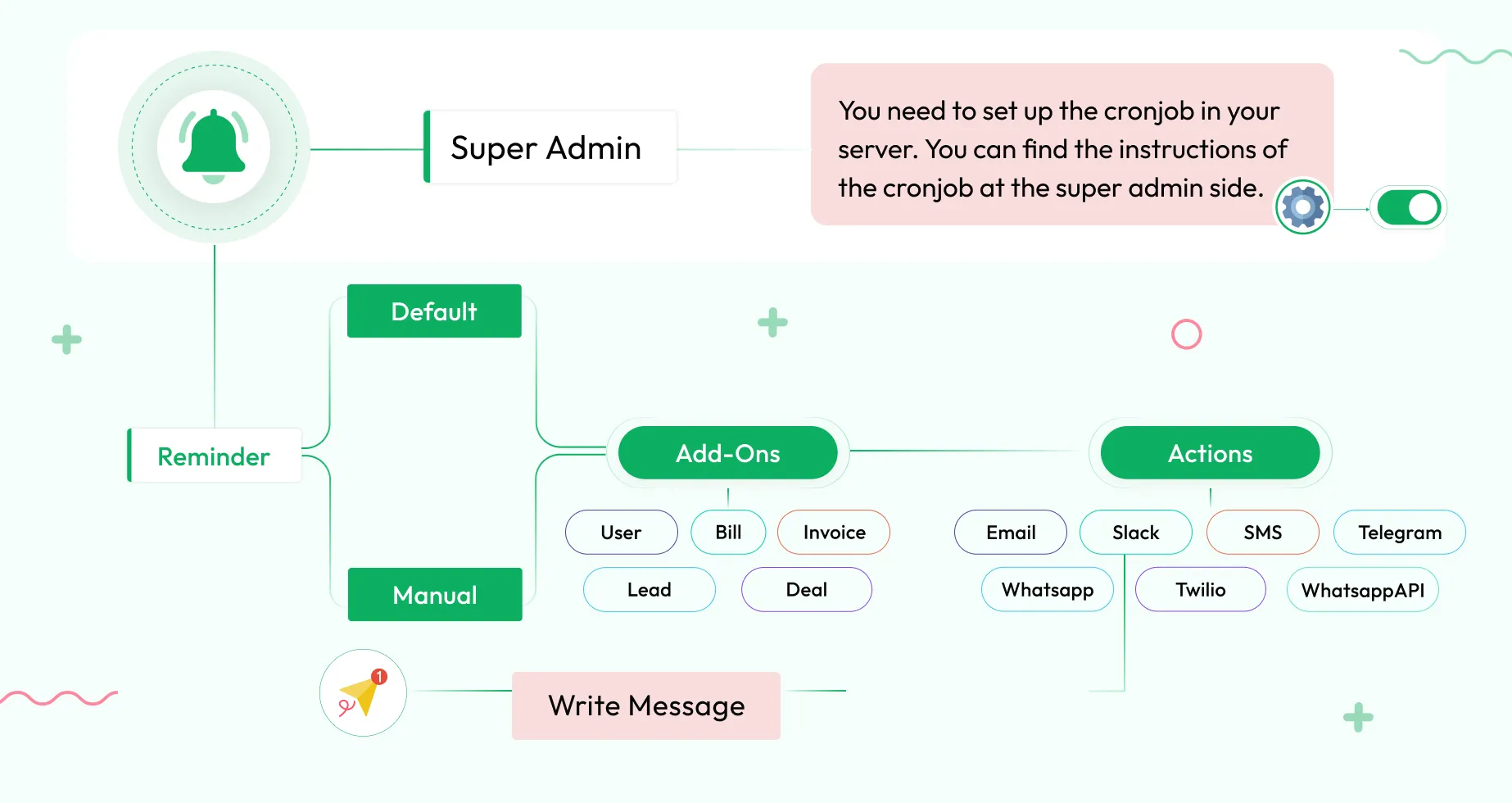
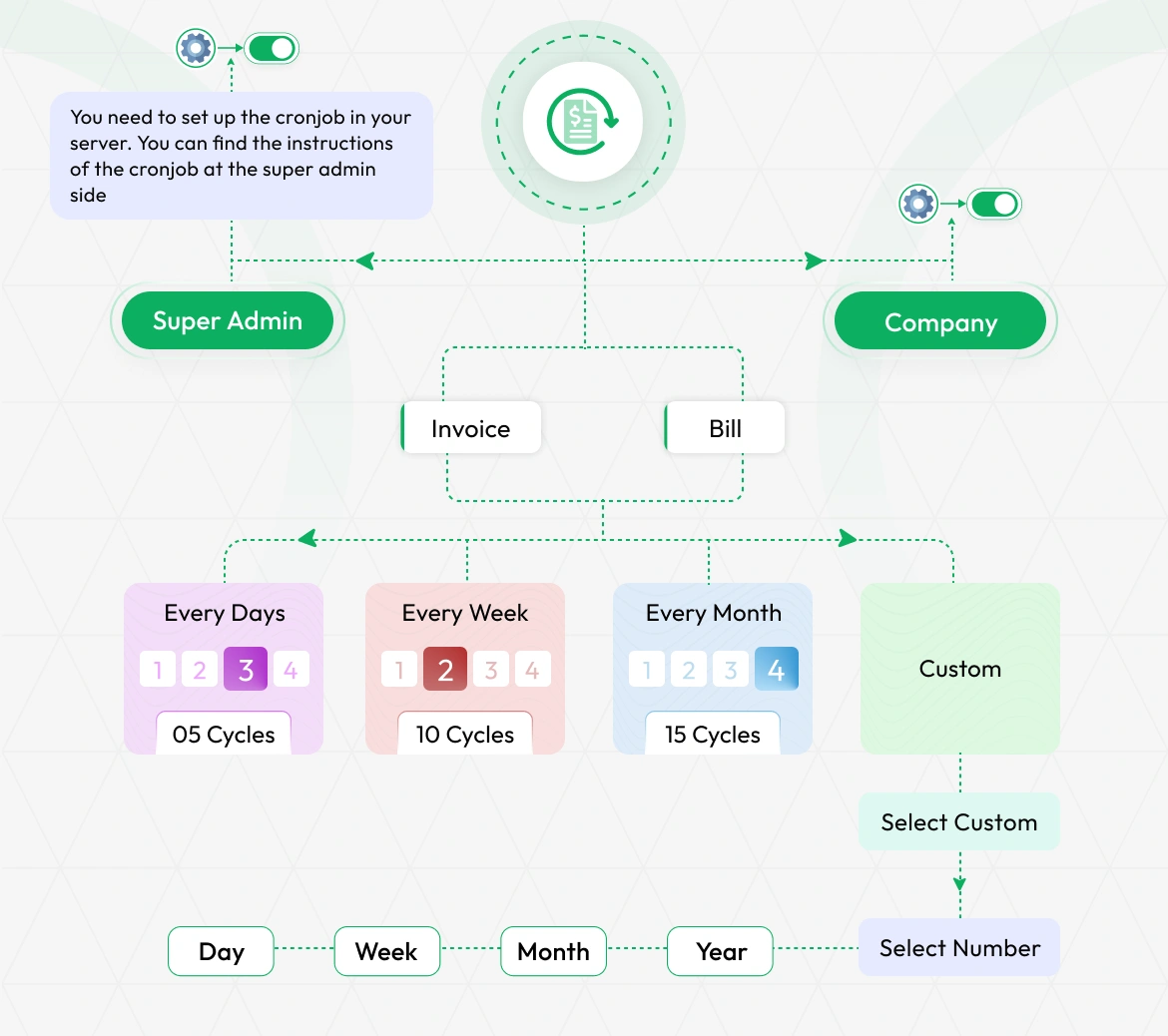
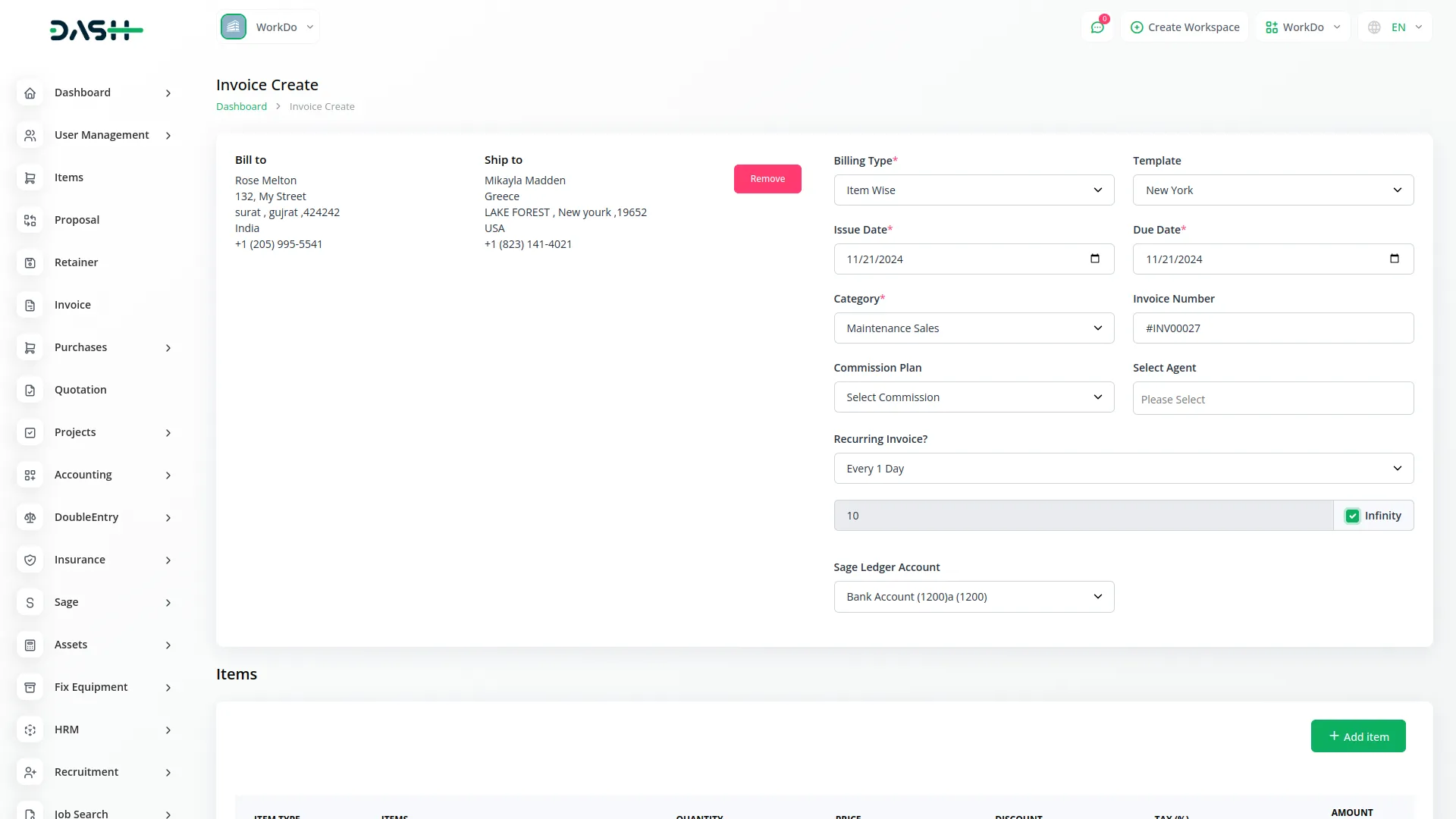
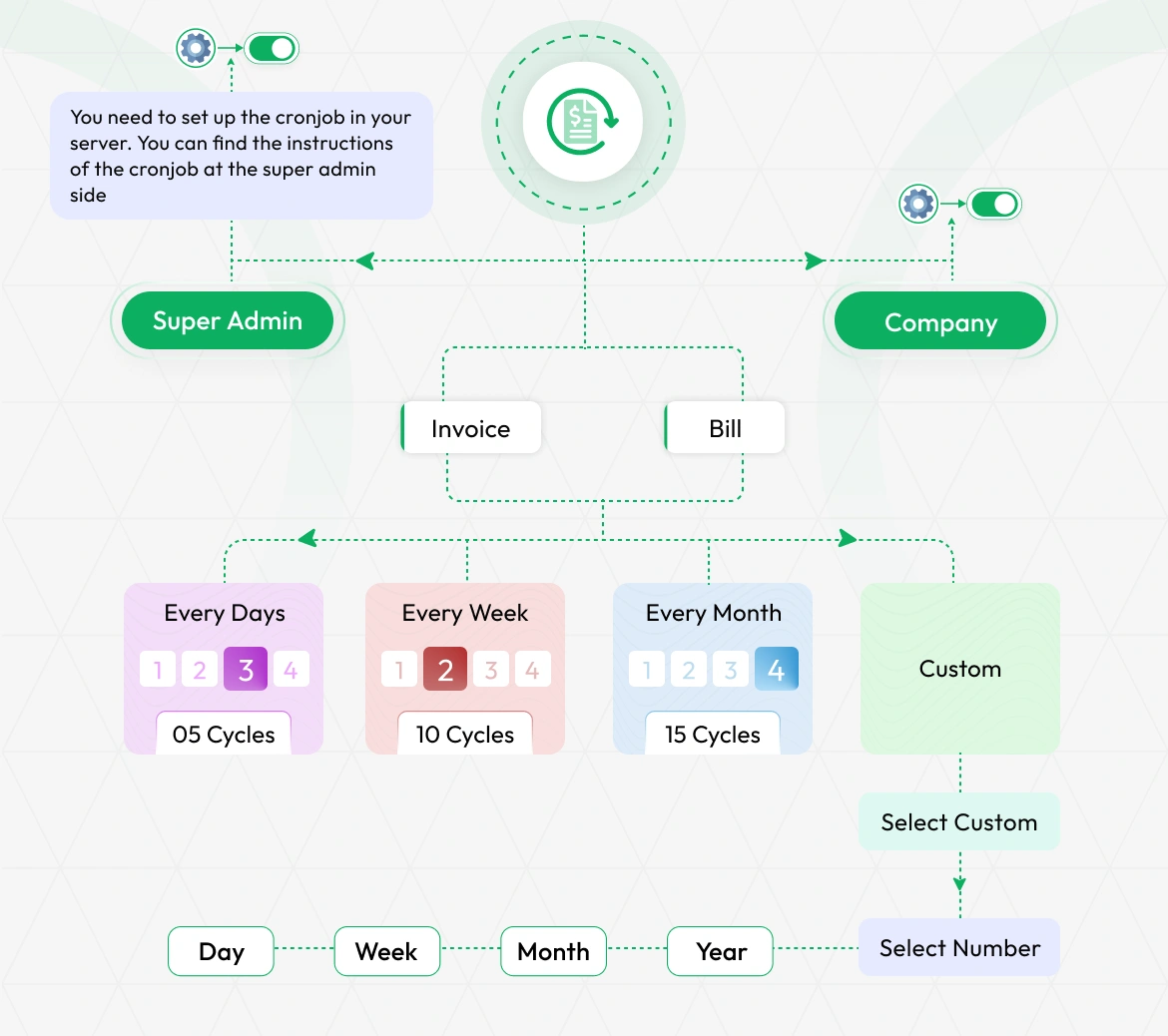
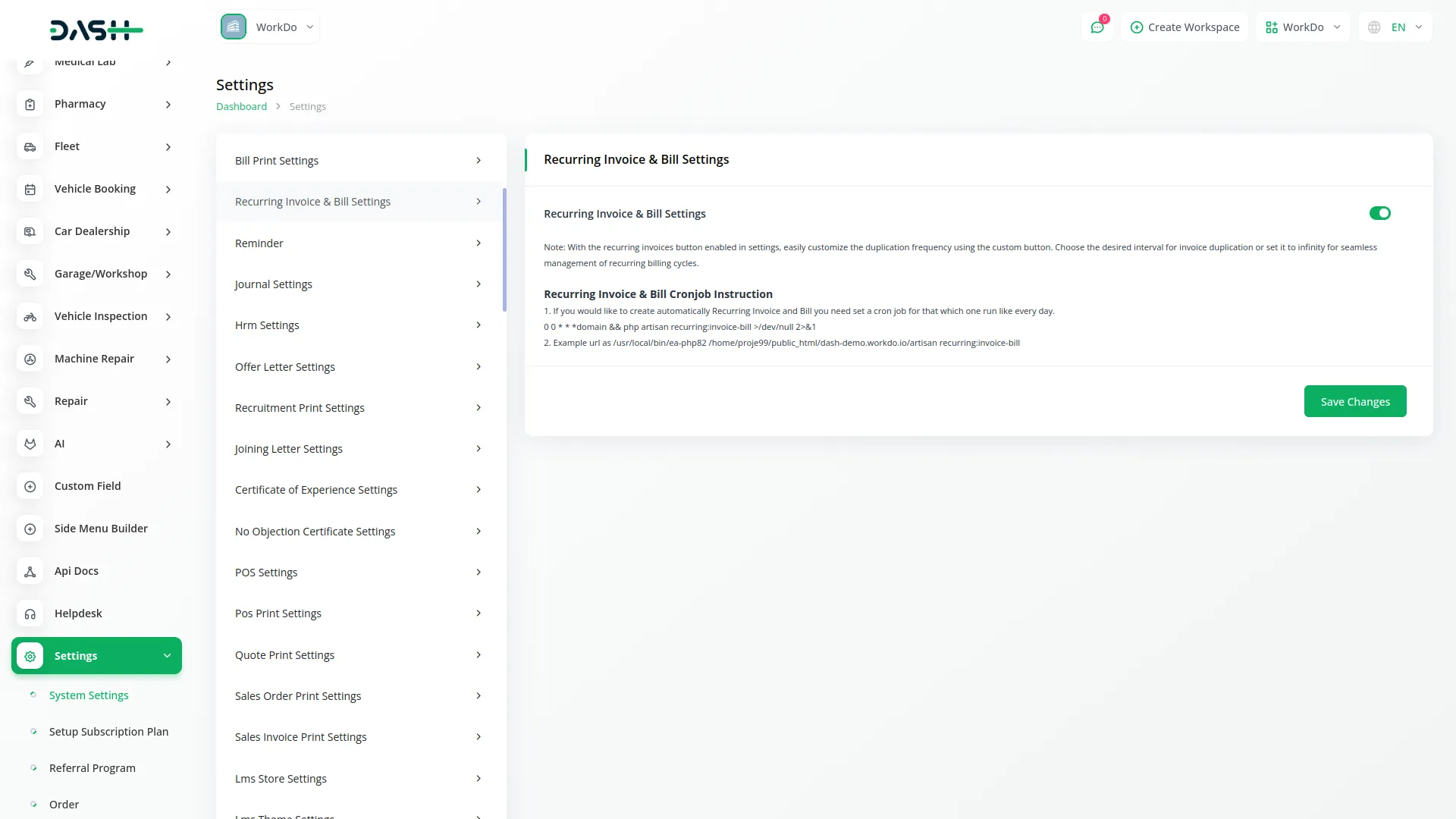
The Recurring Invoice/Bill Add-On automates the creation of recurring sales and purchase invoices, reducing repetitive administrative tasks. After enabling it in both the Admin and Company panels and setting up a daily cron job, the system generates invoices at custom intervals. You can choose from various preset options like daily, weekly, or monthly, or set a unique schedule using the custom option. The cron job runs daily at midnight to duplicate invoices based on your defined intervals.
Dual Panel Configuration
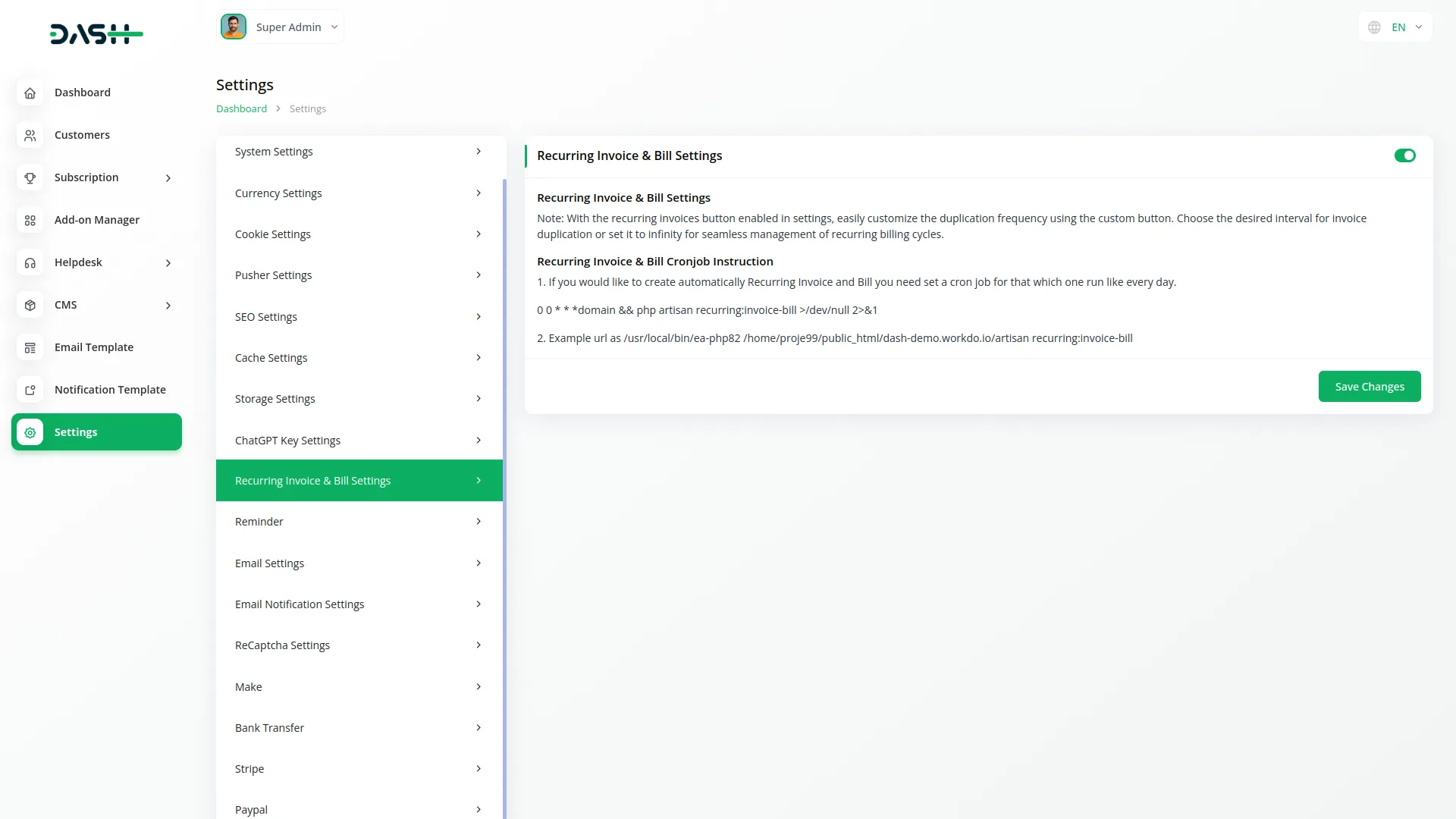
The add-on uses a two-level configuration system for full control, with settings in both the Admin and Company Panels. In the Admin Panel, you can enable the feature and set up the daily cron job for automatic invoice creation. The Company Panel allows you to activate the feature specifically for your company. Ensure you contact your Super Admin for proper cron job setup before using the feature.
Recurring Invoice Cycles
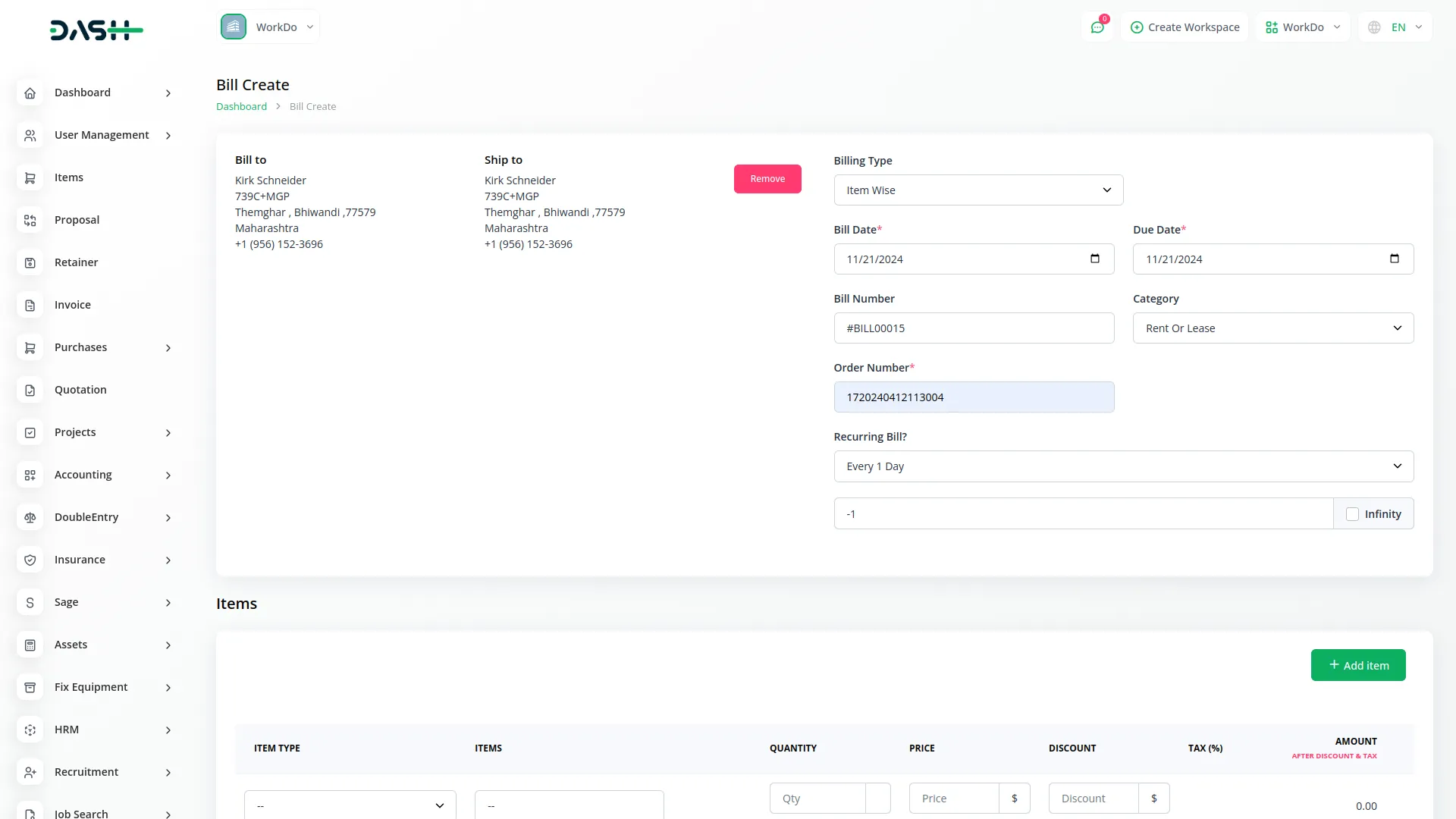
When setting up a recurring invoice, you can specify how many times it should repeat by entering a value in the "Number of Cycles" field. For unlimited recurring invoices, toggle the "Unlimited Cycles" option to allow ongoing invoice generation. For example, setting "Every 1 Day" and "1" cycle generates a daily invoice. The cron job runs daily at midnight, duplicating invoices based on your chosen intervals.
Screenshots from our system
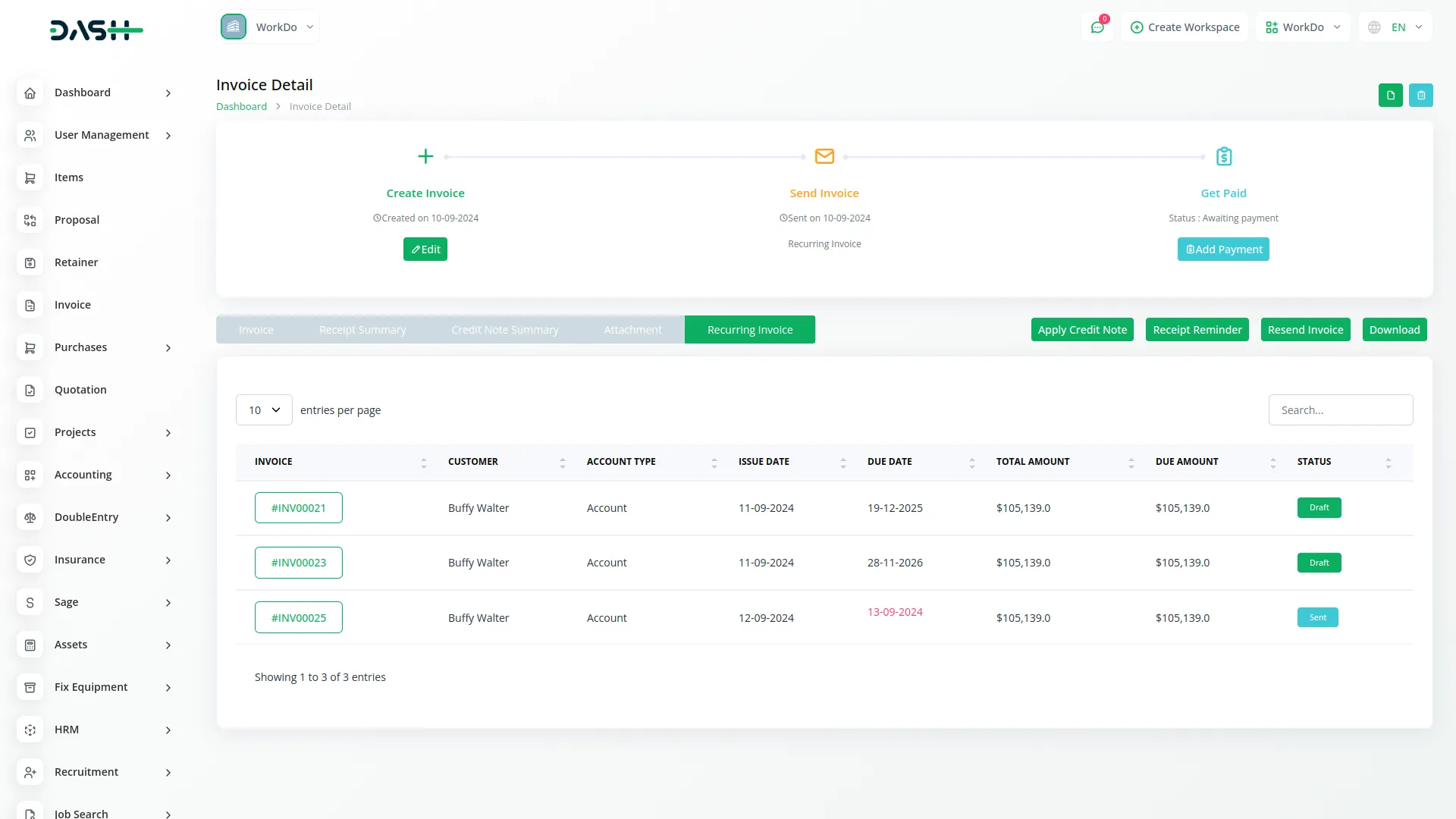
To explore the functionality and usage of these Add-Ons, refer to the accompanying screenshots for step-by-step instructions on how to maximize their features.
Discover More Add-Ons
Unlock even more functionality with additional Add-Ons, providing enhanced networking and customization options for your Dash SaaS experience.

Budget Planner
In today's fast-paced world, managing finances can often feel like navigating a labyrinth. However, with the Dash SaaS Budget Planner, financial clarity and control are within reach.

PrintPress
PrintPress Management Add-On is a powerful solution for printing companies to streamline operations from customer management to delivery.

influencer-marketing
The Influencer Marketing Platform is a comprehensive two-sided marketplace that connects brands with influencers through streamlined campaign management.

tiffin-service-manager
TiffinServiceManager is a comprehensive web-based solution designed to streamline and automate tiffin service operations from meal planning to delivery completion.
Timely updates keep the system running smoothly and securely
Customer support responds immediately and is very helpful
System is very stable under load
Bugs are minimal and promptly fixed
Usability has been prioritized making it easy for anyone
Documentation is precise and clear
Bugs are rare and quickly fixed
Works seamlessly with other addons
Code is well structured and easy to maintain
Clean code and well documented
Design layout is professional and appealing
Easy installation and setup process
modern