
Easily Organize Your Tickets
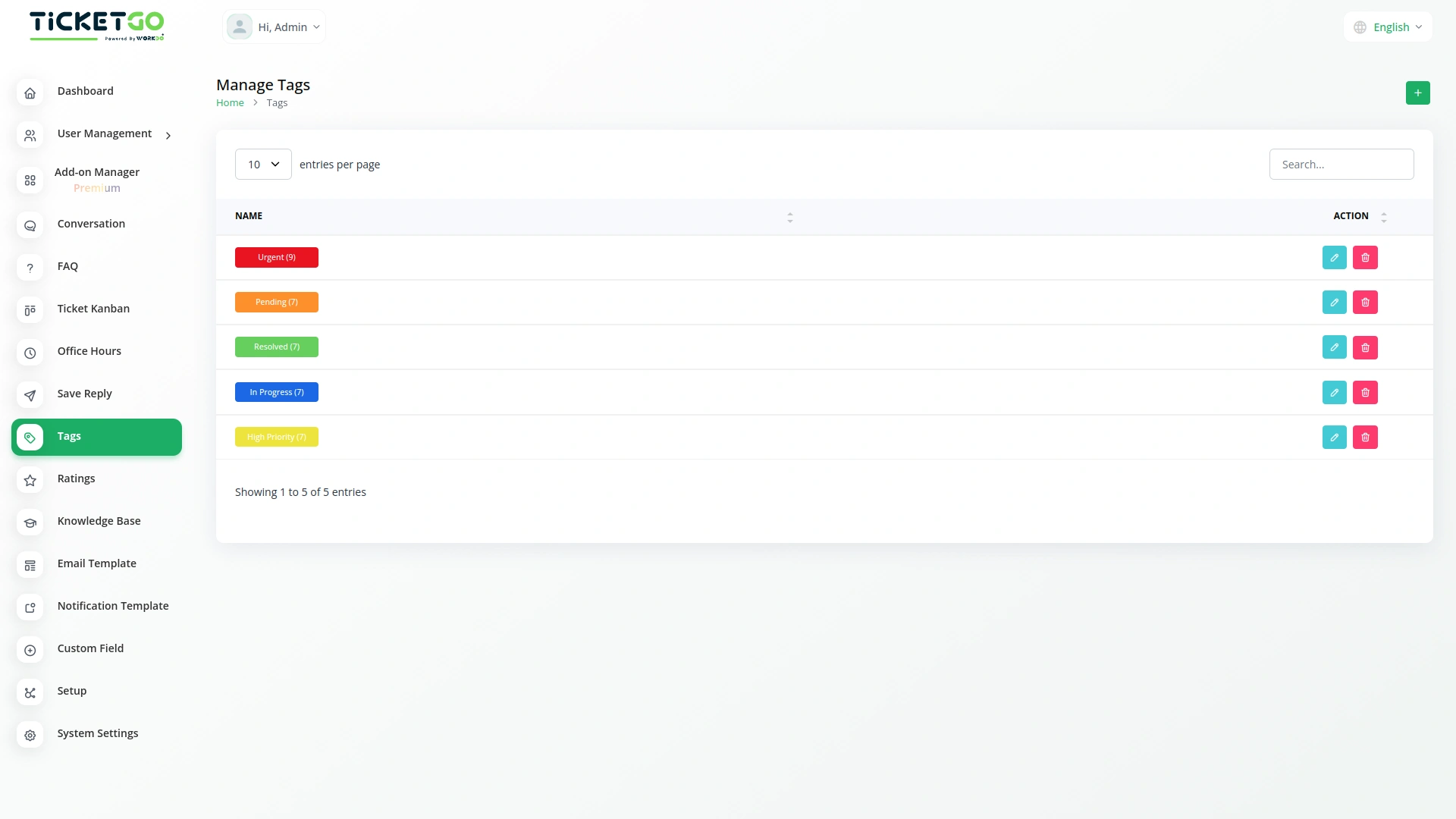
The Tags Module in TicketGo helps you keep your tickets organized by adding simple labels called tags. These tags make it easy to sort and manage tickets based on their type, priority, or department. Instead of searching through a long list of tickets, you can quickly find what you need using tags. This makes ticket management smoother and helps your team respond faster to customer requests.
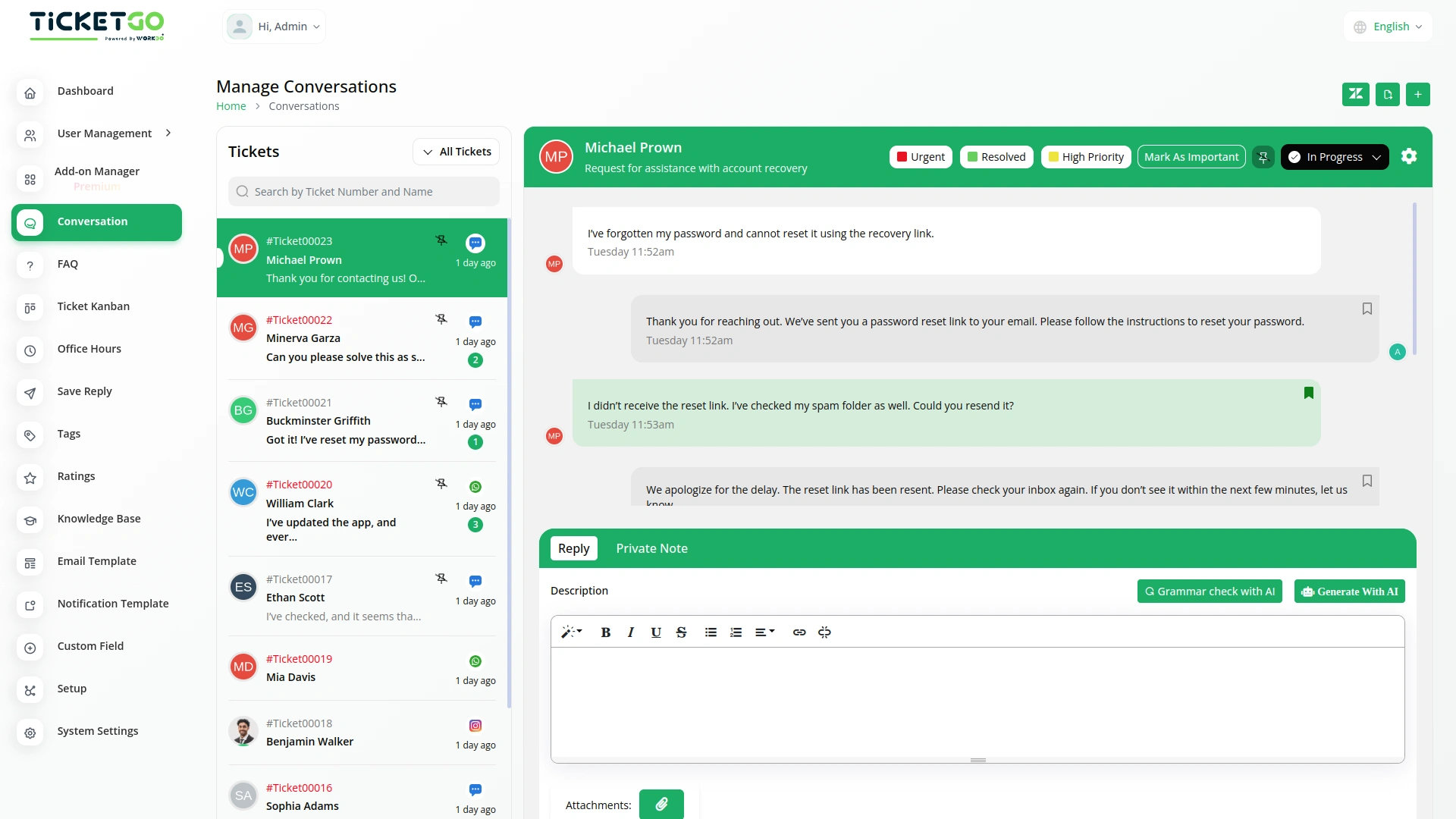
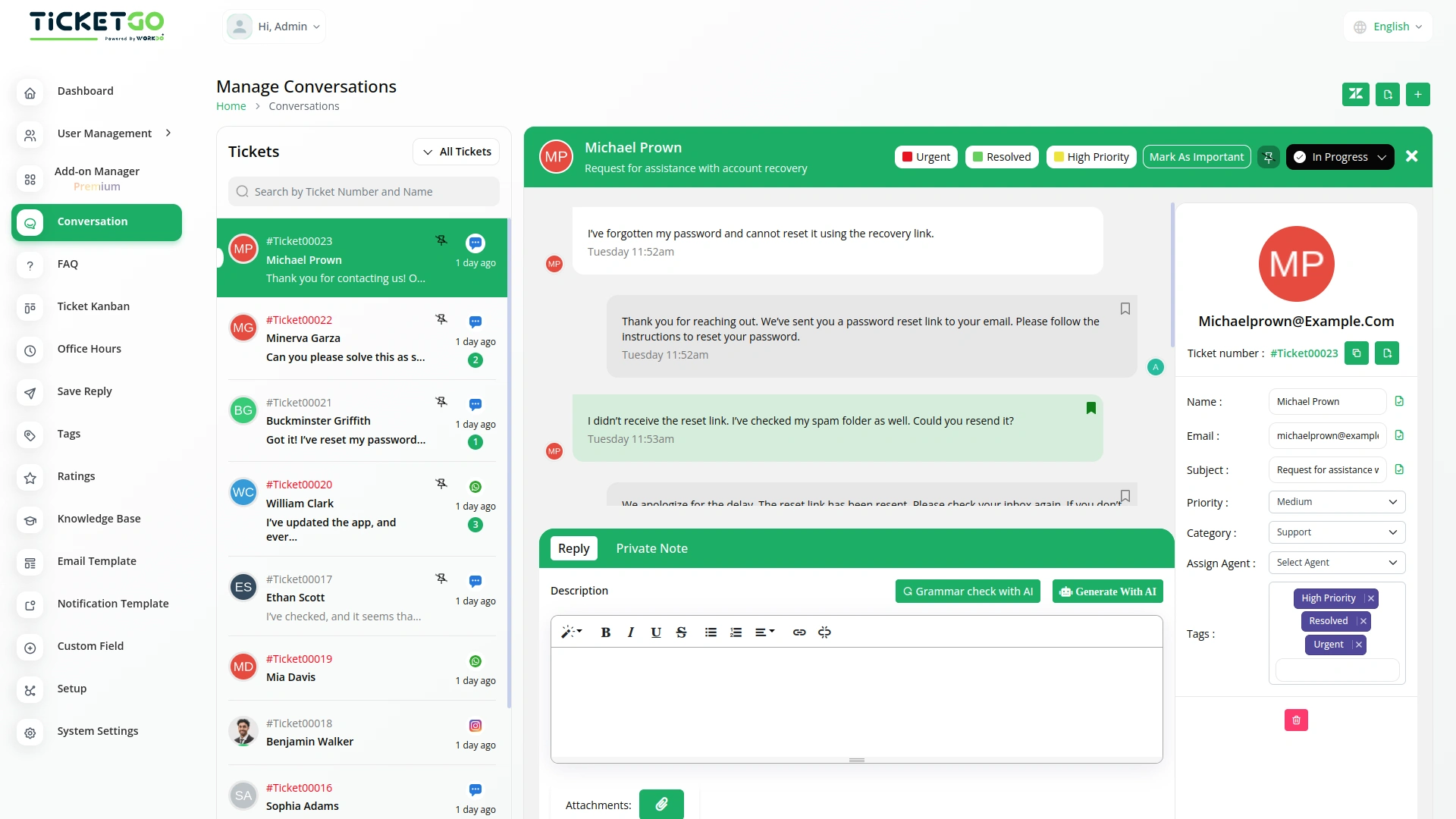
Improve Team Collaboration
Tags help team members understand ticket details quickly. With properly labeled tickets, it’s easy to assign them to the right person or department. This avoids confusion, speeds up the response process, and makes sure each ticket goes to the right place. As a result, your team can work more efficiently, and customers get quicker resolutions to their issues
Provide Better Customer Support
A well-organized ticketing system means better service for your customers. When tickets are sorted using tags, urgent matters can be handled faster, and common issues can be addressed more efficiently. Customers will receive timely responses, and support teams can ensure every request is handled properly. This leads to higher customer satisfaction and a more professional support experience.
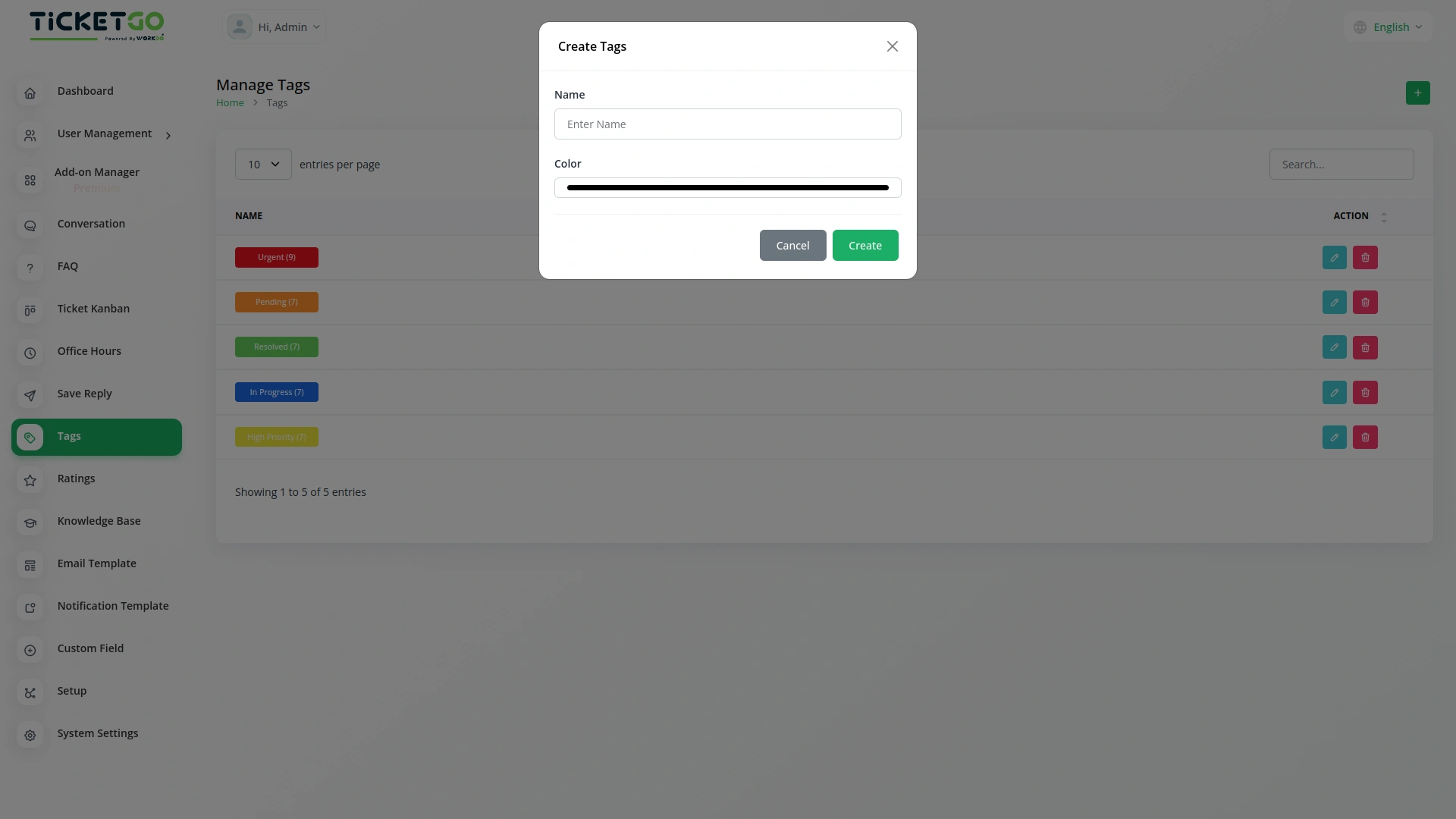
Screenshots from our system
To explore the functionality and usage of these Add-Ons, refer to the accompanying screenshots for step-by-step instructions on how to maximize their features.
Discover More Add-Ons
Unlock even more functionality with additional Add-Ons, providing enhanced networking and customization options for your TicketGo Add-Ons experience.

Bulk SMS
The Bulk SMS module in TicketGo helps businesses send quick updates to customers. Whether it’s ticket confirmations, status updates, or important announcements, automated SMS ensures that messages are sent on time. This reduces the need for manual follow-ups and keeps customers informed effortlessly.
View More
ZitaSMS
ZitaSMS is a robust SMS gateway that allows businesses to send transactional and promotional messages efficiently. Integrating ZitaSMS with TicketGo enhances communication by enabling automated notifications, ticket updates, and alerts via SMS. This integration ensures that users stay informed about their tickets in real time without relying solely on email or in-app notifications.
View More

Whatsapp (Twilio)
The WhatsApp Twilio Module in TicketGo enables businesses to send automated notifications to users, keeping them informed about their ticket status. Whether it’s a new ticket creation, an update, or a resolution message, users receive real-time alerts on WhatsApp. This automation reduces manual effort and ensures that customers stay updated without needing to check the platform frequently.
View More4 reviews for Tags – TicketGo Add-On
| 5 star | 75% | |
| 4 star | 25% | |
| 3 star | 0% | |
| 2 star | 0% | |
| 1 star | 0% |
Comments
You must be logged in to post a comment.
There are no comment yet.
Contact Us for Support :
-
You will get immediate support from our support desk. Please visit here https://support.workdo.io/
Item support includes:
- Answer pre-sale questions or query
- Answering technical questions about item's features
- Assistance with reported bugs and issues
- Help with included 3rd party assets
- Free Installation services in some cases
However, item support does not include:
- Customization services
Check Documents & Tutorials
Logical navigation structure enhances user experience
The extensions seamlessly integrated into our system and boosted performance across all departments
Documentation with screenshots
Aesthetic and smart design