
Automated Ticket Status Updates
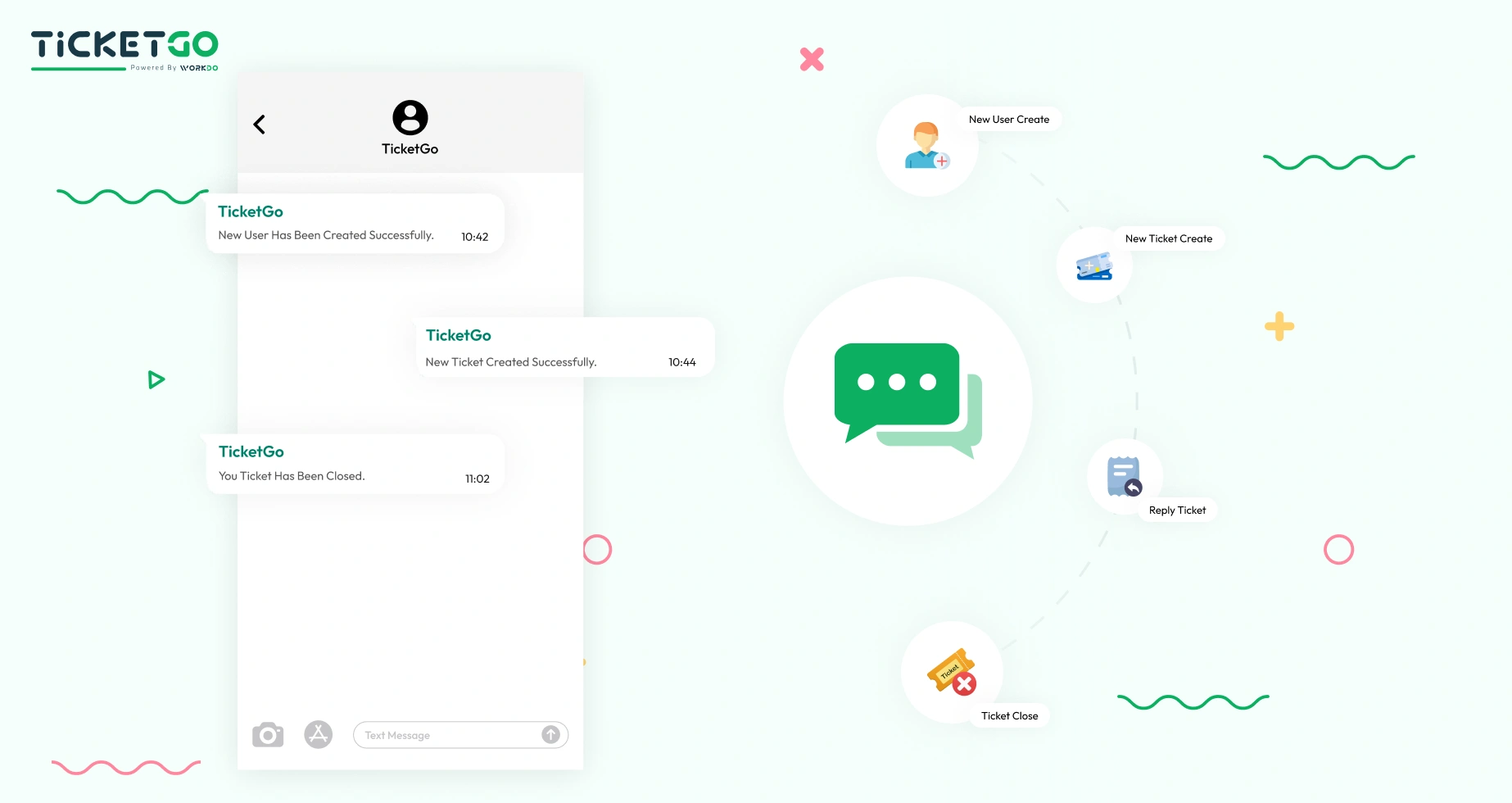
With the SMS notification feature in TicketGo, businesses can automate the sending of ticket status updates. When a ticket is created, updated, or resolved, customers will receive an immediate SMS notification with all the relevant details. This helps keep users informed of their ticket’s progress without requiring them to log into the platform. Automation eliminates the need for manual follow-ups, ensuring that notifications are sent in a timely manner, thereby improving efficiency and reducing workload.
Real-Time Alerts for Critical Updates
For critical or urgent updates, the SMS integration in TicketGo ensures that customers are alerted in real-time. Whether it's a change in a ticket’s status due to an urgent issue or an important update that requires immediate attention, businesses can quickly notify users via SMS. This immediate form of communication is essential for managing high-priority issues and ensuring that customers are aware of any changes that may affect their tickets. By providing real-time alerts, businesses can manage customer expectations and improve responsiveness.
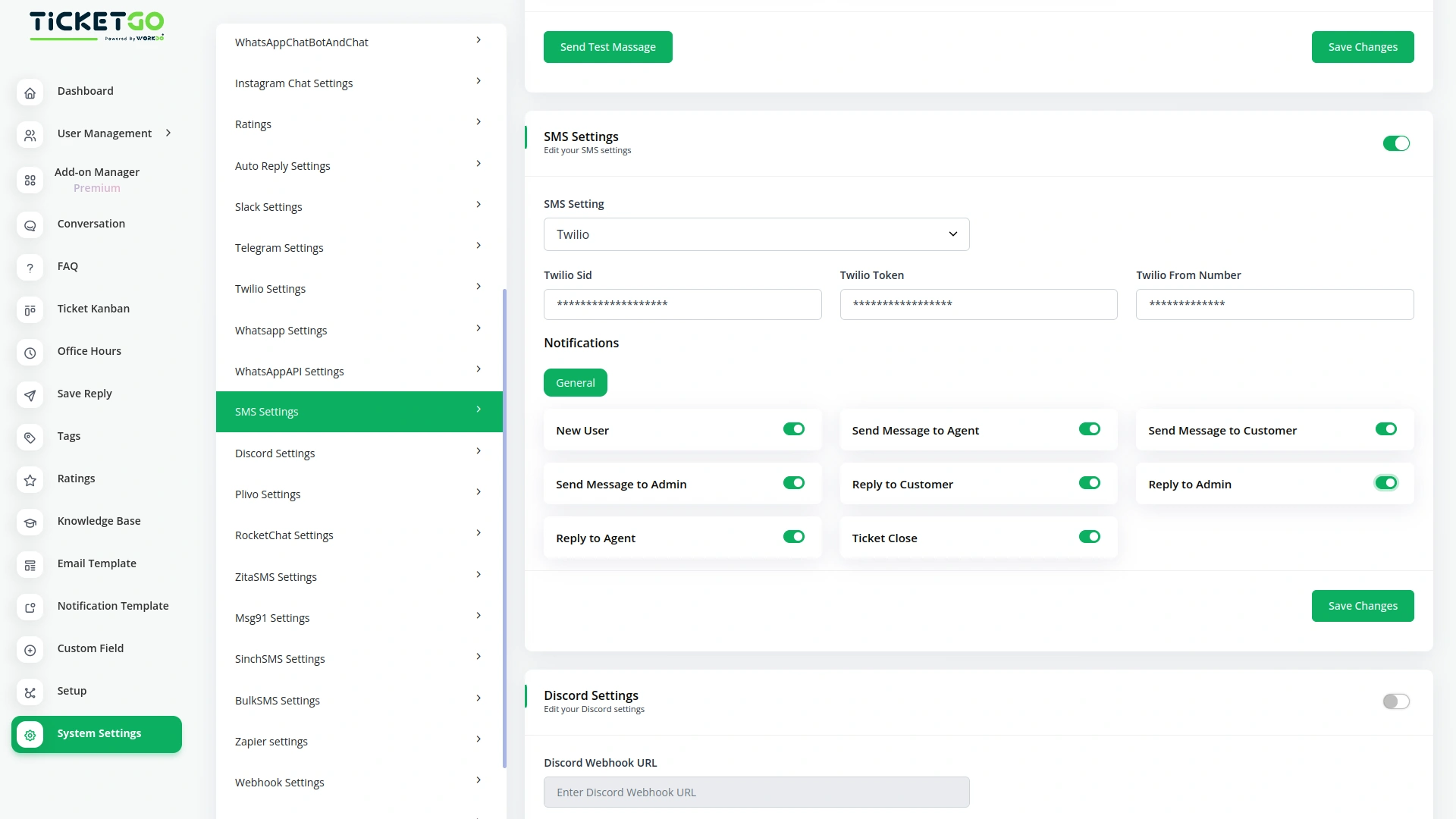
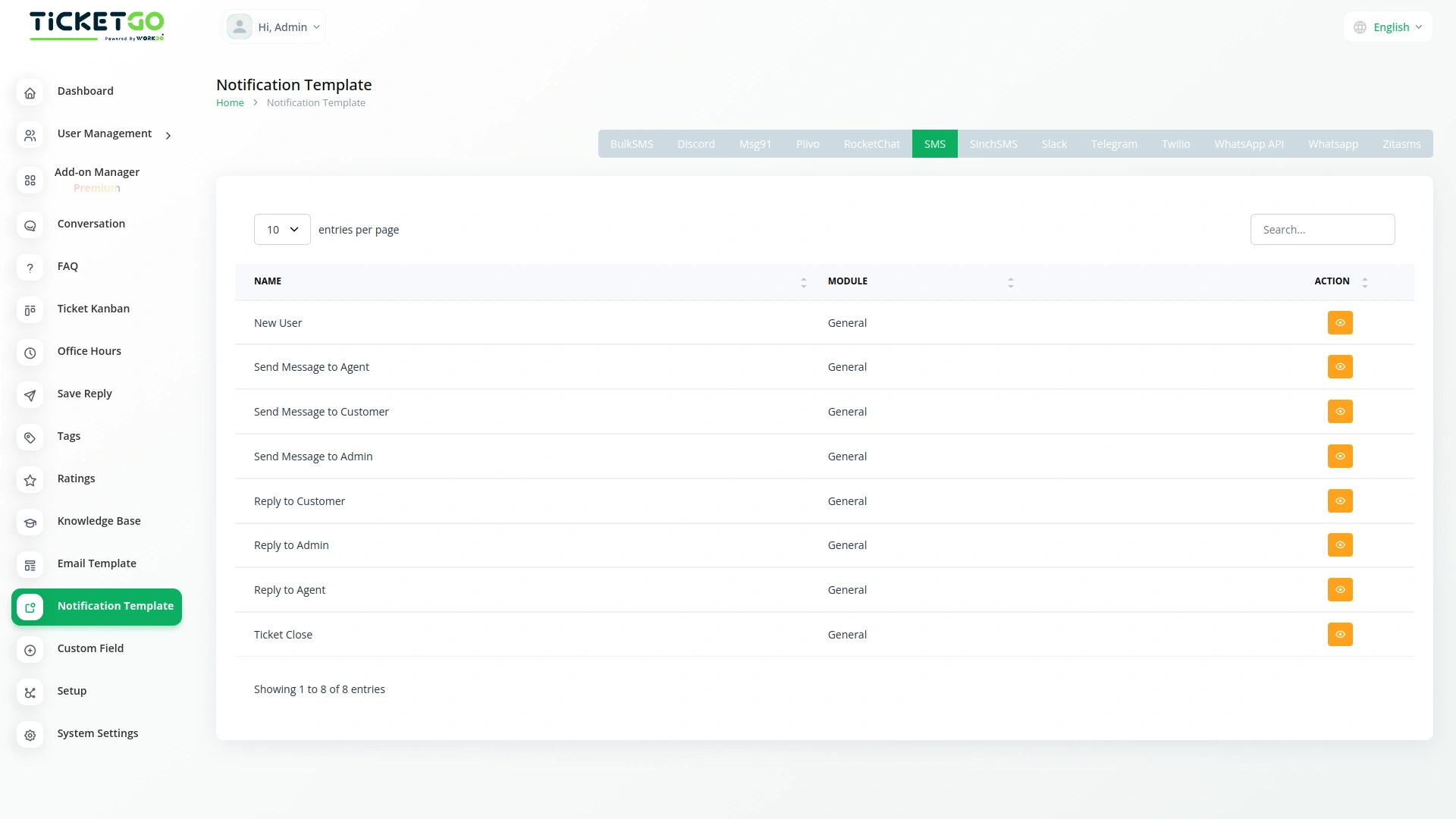
Screenshots from our system
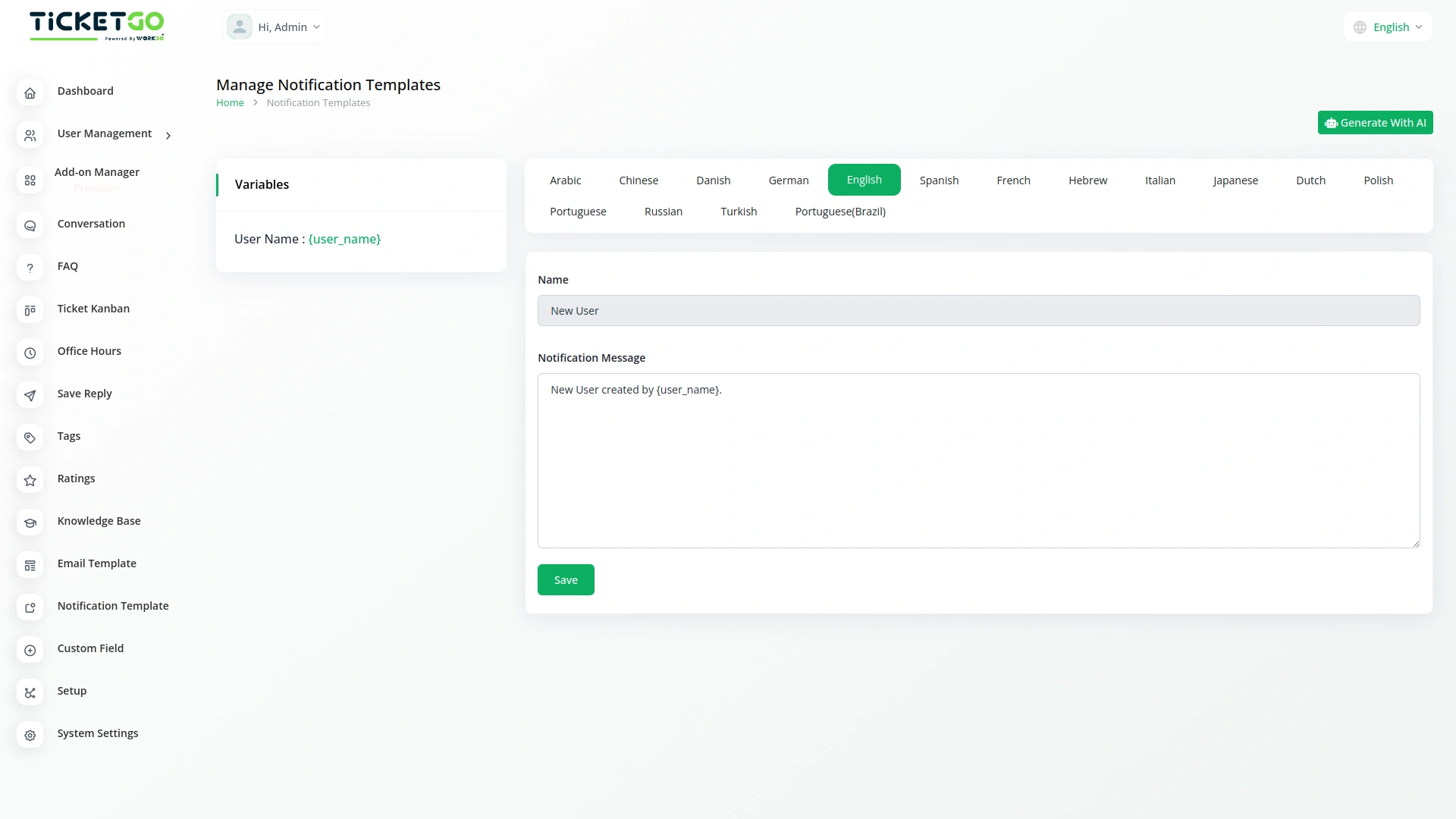
To explore the functionality and usage of these Add-Ons, refer to the accompanying screenshots for step-by-step instructions on how to maximize their features.

Discover More Add-Ons
Unlock even more functionality with additional Add-Ons, providing enhanced networking and customization options for your TicketGo Add-Ons experience.

WhatsApp API
The WhatsApp API Integration in TicketGo brings seamless communication to businesses by enabling them to interact with customers through WhatsApp. This integration allows businesses to send instant notifications, ticket updates, and personalized messages directly to users, enhancing both the speed and reliability of customer interactions. By leveraging the WhatsApp API, businesses can streamline their ticketing processes and provide timely, efficient communication to their customers.

ZitaSMS
ZitaSMS is a robust SMS gateway that allows businesses to send transactional and promotional messages efficiently. Integrating ZitaSMS with TicketGo enhances communication by enabling automated notifications, ticket updates, and alerts via SMS. This integration ensures that users stay informed about their tickets in real time without relying solely on email or in-app notifications.


Ticket Number
Beyond functionality, the Ticket Number module offers an opportunity to enhance your brand identity. You can tailor the ticket numbering system to align with your business's style or terminology, further professionalizing the support experience.
Smooth workflow automation improves operational efficiency across modules
The system’s scalability makes it adaptable to growing needs