

Pabbly Connect integrates 1000+ apps, enabling instant data transfer.
Easy-to-use built-in tools that help you create workflows with advanced capabilities like scheduling, delay, router, and many more.
- Schedule Workflows Set up a date and time at which you want the workflow to be executed. Like on a specific day, once a day, and every min/hour/day/week.
- Advance Workflows Create advanced workflows with the help of routers/paths. With the help of a router, you will be able to execute different actions based on the filter conditions you set.
- Delay Workflows The delay step allows you to delay performing the next action for a specified amount of period. The period can be either mins/hours/days/weeks or any specific date and time.

Automate for enhanced workflow Efficiency
- Connect Any Application Integrate to any application with an API using API modules. This module offers custom options and supports many different API structures.
- Email Parser Email Parser automatically extracts data from the incoming emails like email name, subject, the body of the email, attachments, etc. which can be processed further.
- Iterator Iterator divides a collection of data into numerous values, which are then processed one by one until the last value is reached. Each value can be passed to other action steps added after the Iterator step.
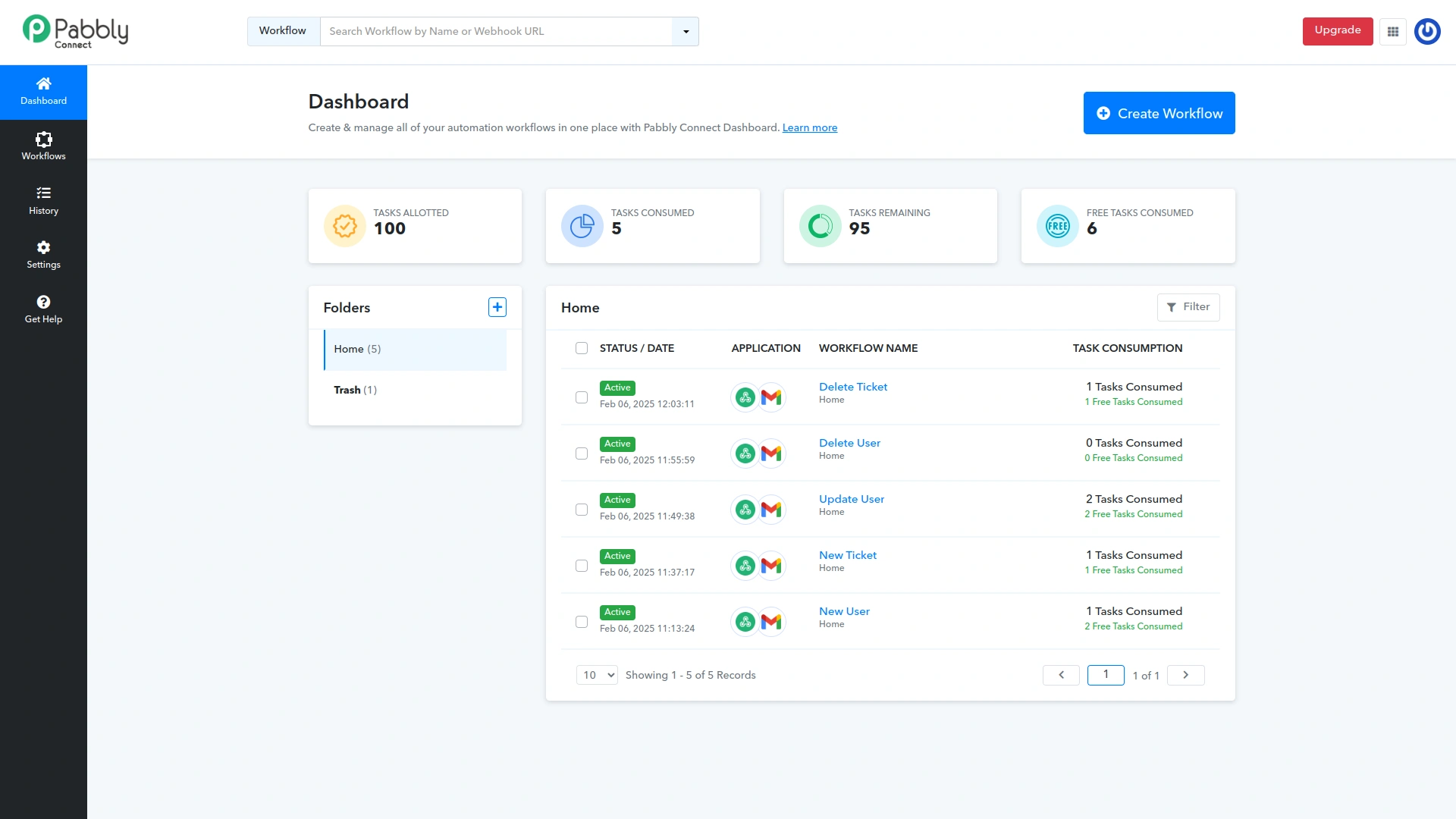
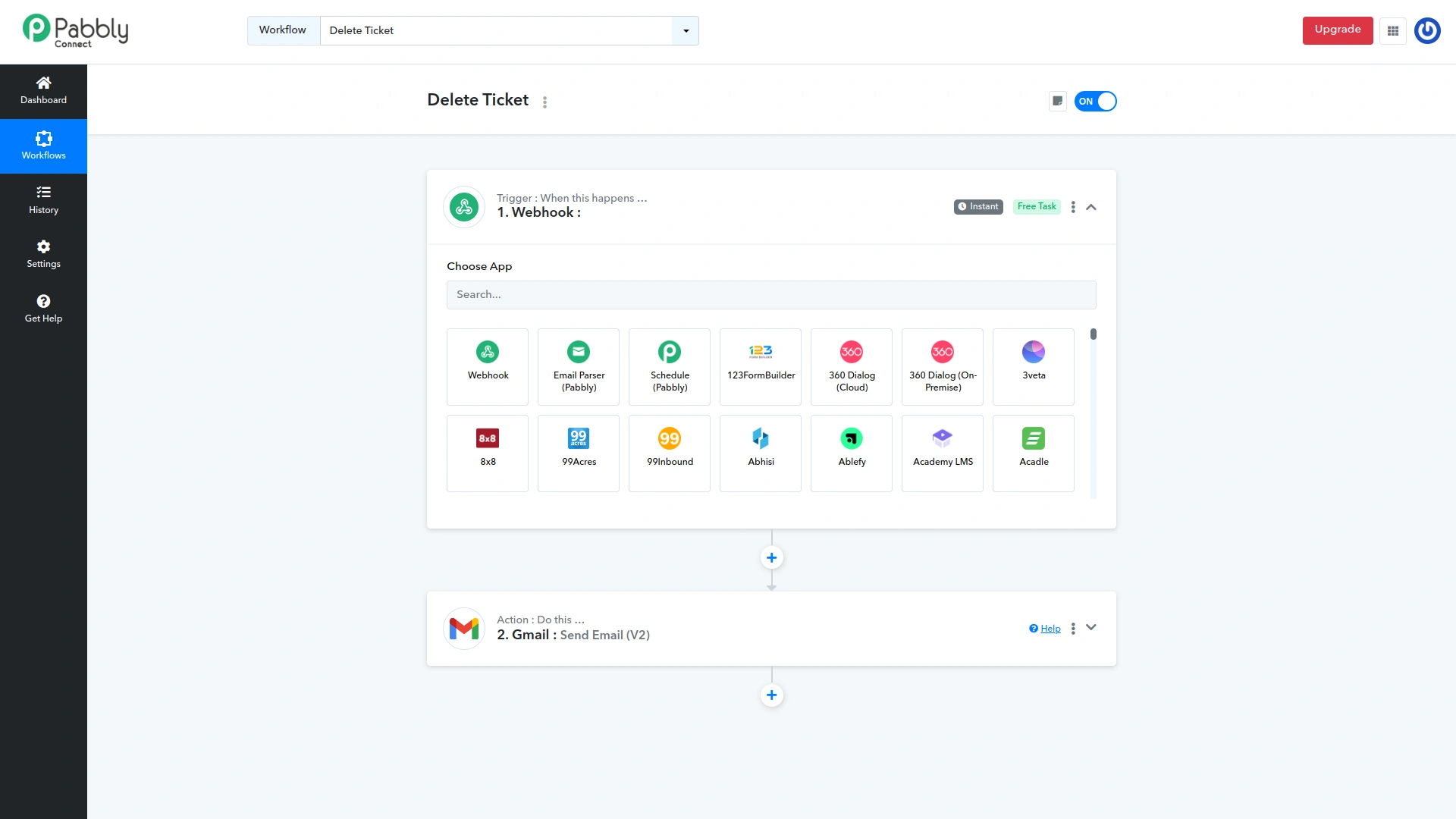
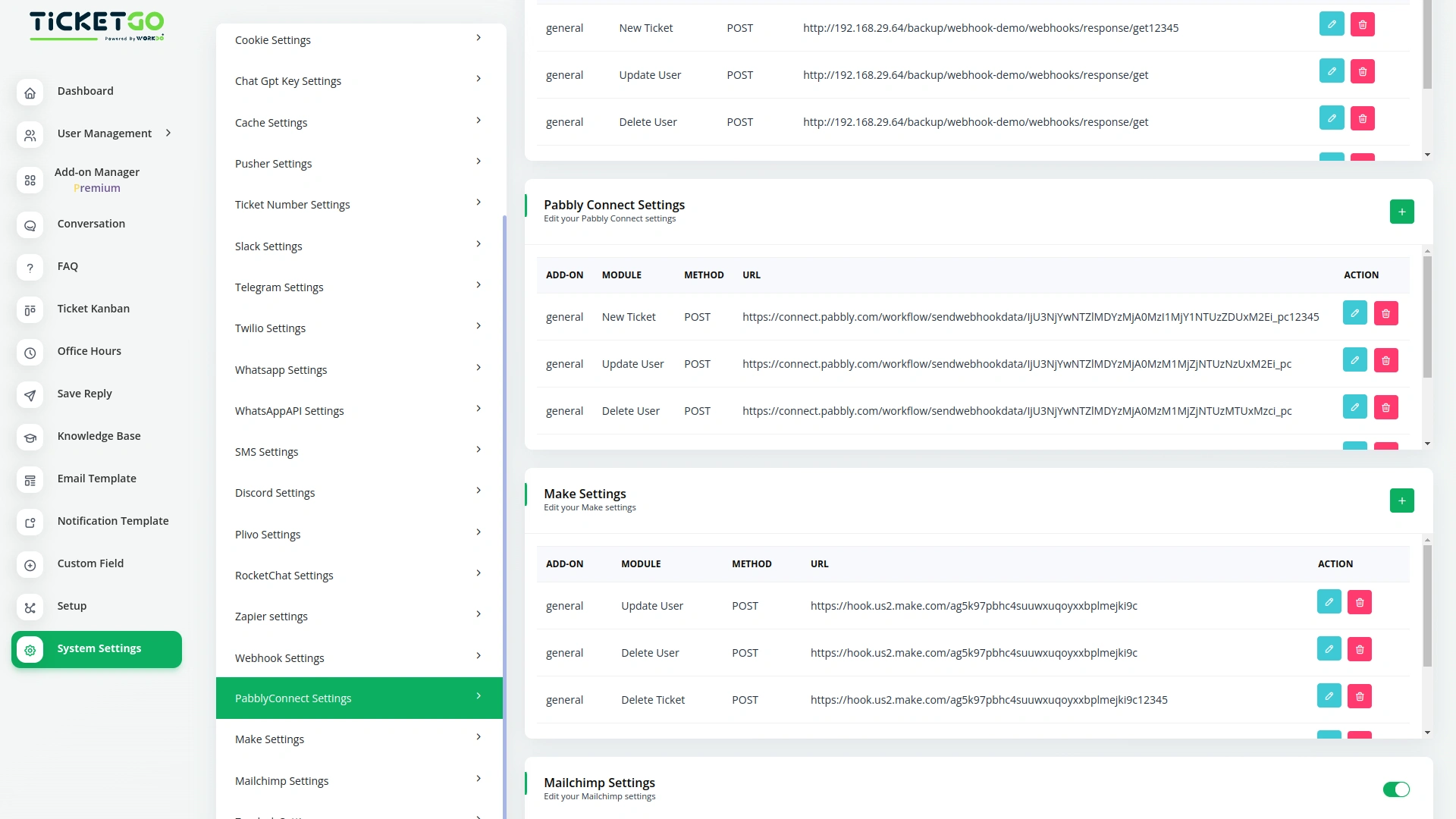
Screenshots from our system
To explore the functionality and usage of these Add-Ons, refer to the accompanying screenshots for step-by-step instructions on how to maximize their features.

Discover More Add-Ons
Unlock even more functionality with additional Add-Ons, providing enhanced networking and customization options for your TicketGo Add-Ons experience.

Save Chat
The SaveChat module in TicketGo allows you to highlight and save important conversations as bookmarks. Instead of scrolling through endless chat histories, you can simply mark key messages and access them instantly when needed. This feature helps you keep track of crucial discussions without the risk of losing important information. Whether it's a customer request, an internal discussion, or a follow-up message, bookmarking ensures that essential chats are always within reach.
View More
WhatsApp Chatbot & Chat
The WhatsApp Chatbot Addon in TicketGo enables customers to create support tickets effortlessly through WhatsApp. Instead of navigating through a website or app, users can simply send a message detailing their issue, and the chatbot will capture the necessary information to generate a ticket. This eliminates long wait times and ensures that queries are logged into the system instantly, allowing for a quick and efficient resolution process.
View More
Mail2Ticket
Mail2Ticket makes customer support easier by turning incoming emails into organized support tickets.
View More
Customer Login
The TicketGo customer login module provides users with a seamless and secure way to access their accounts. With just an email and password, customers can log in and manage their support tickets effortlessly.
View More1 review for Pabbly Connect – TicketGo Add-On
| 5 star | 100% | |
| 4 star | 0% | |
| 3 star | 0% | |
| 2 star | 0% | |
| 1 star | 0% |
Comments
You must be logged in to post a comment.
There are no comment yet.
Contact Us for Support :
-
You will get immediate support from our support desk. Please visit here https://support.workdo.io/
Item support includes:
- Answer pre-sale questions or query
- Answering technical questions about item's features
- Assistance with reported bugs and issues
- Help with included 3rd party assets
- Free Installation services in some cases
However, item support does not include:
- Customization services
Check Documents & Tutorials
The solutions offered here significantly reduced the amount of manual work we previously handled