
Inform Customers About Off-Hours
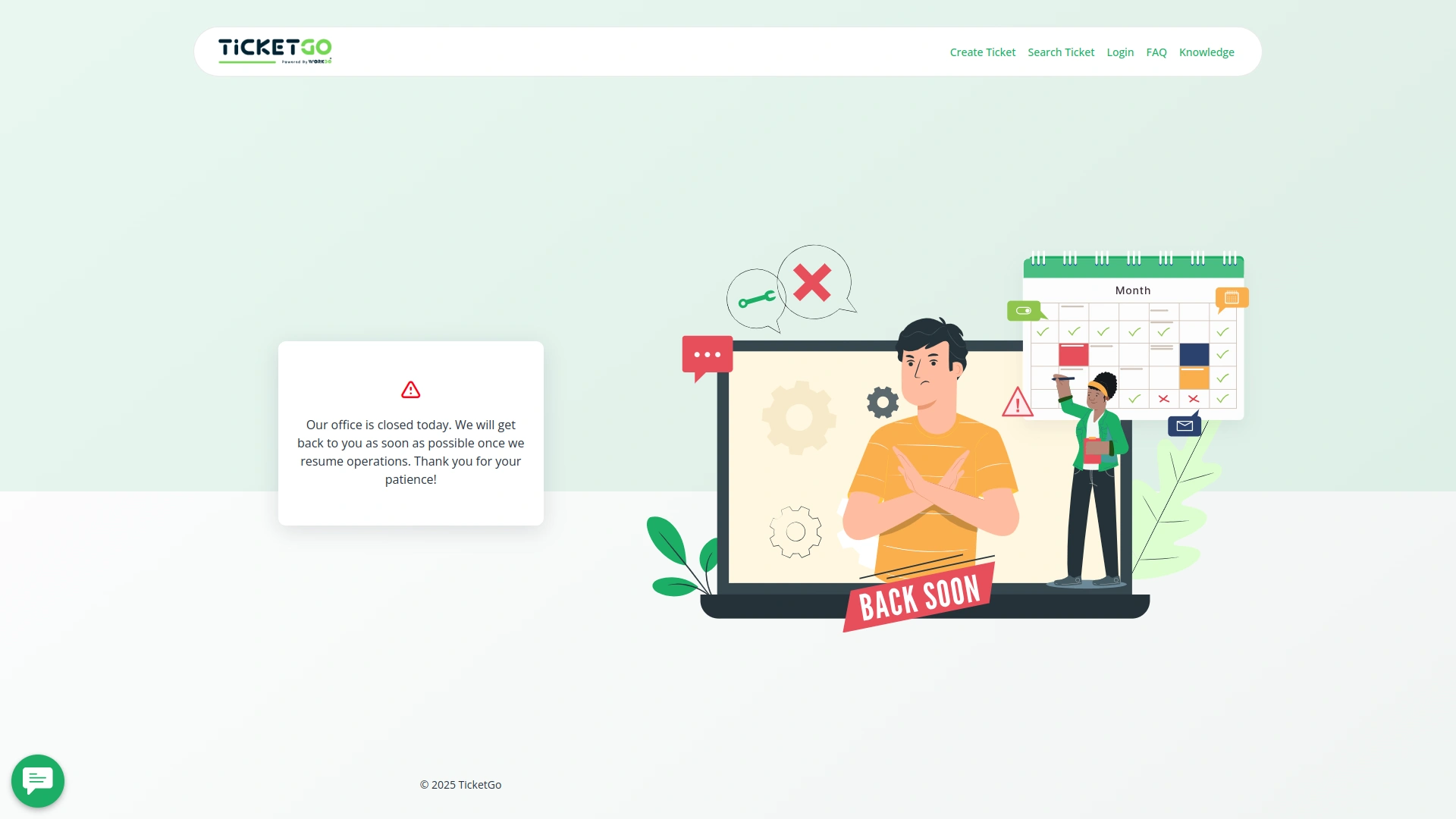
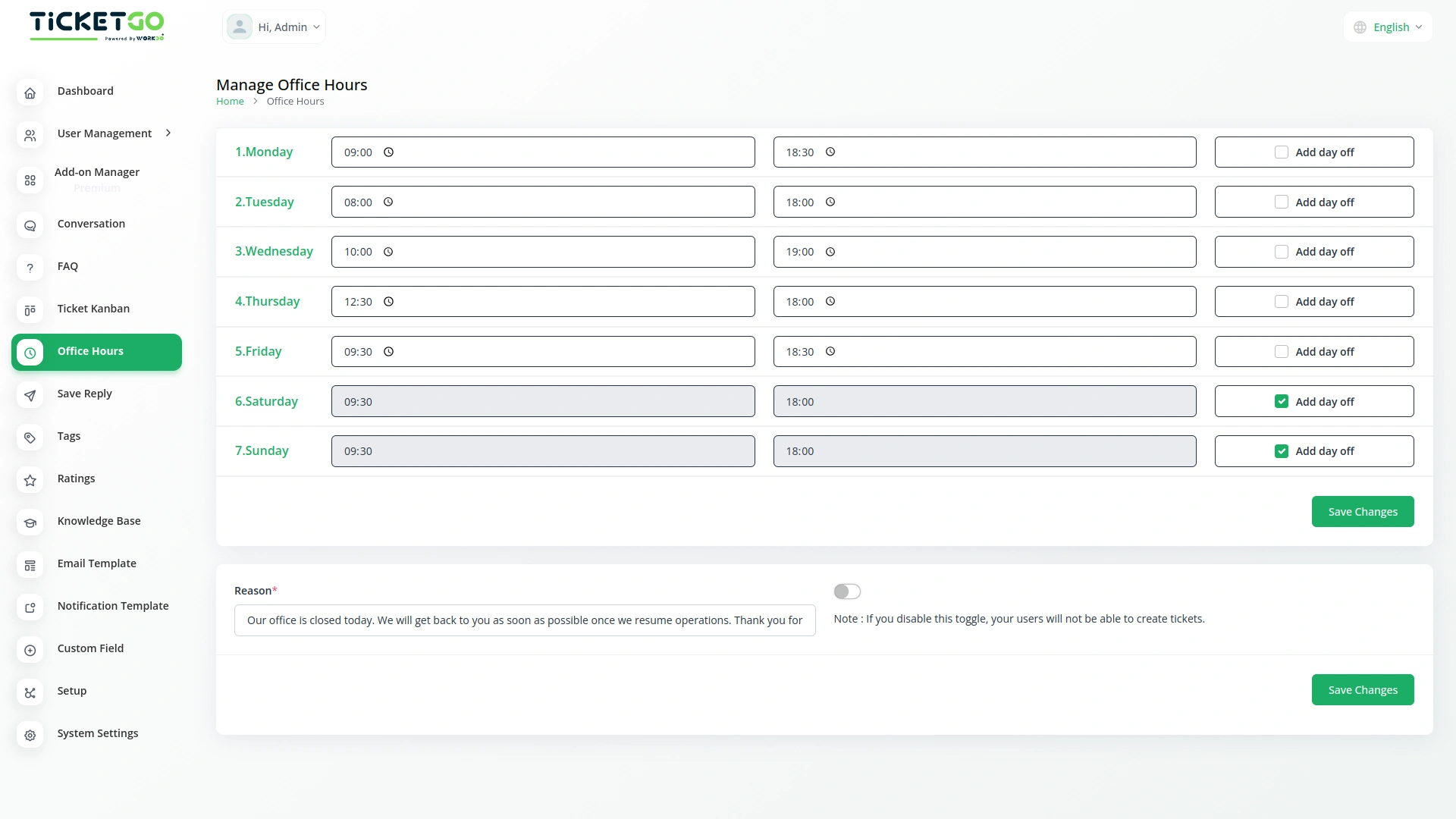
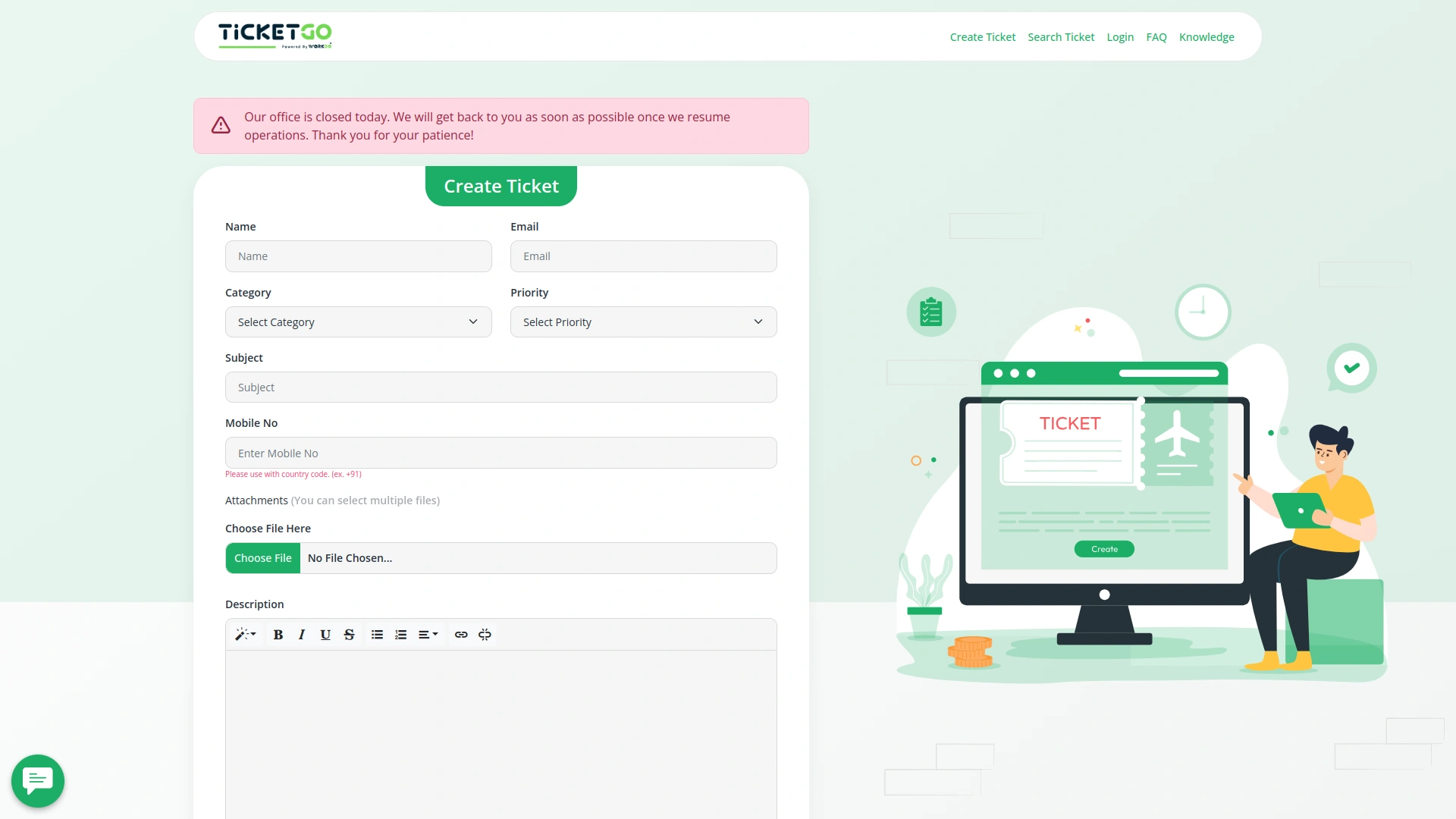
If a customer tries to create a ticket outside of your working hours, they will see a message on the frontend. You can customize this message by entering a reason in the provided box. This way, customers are informed about why support is unavailable at that time, reducing confusion and unnecessary waiting.In case of a scheduled day off, the system automatically displays the same message to customers when they attempt to create a ticket. This ensures that your customers know in advance that your support team is not available, making communication smoother and more transparent.
Flexible Ticket Submission Settings
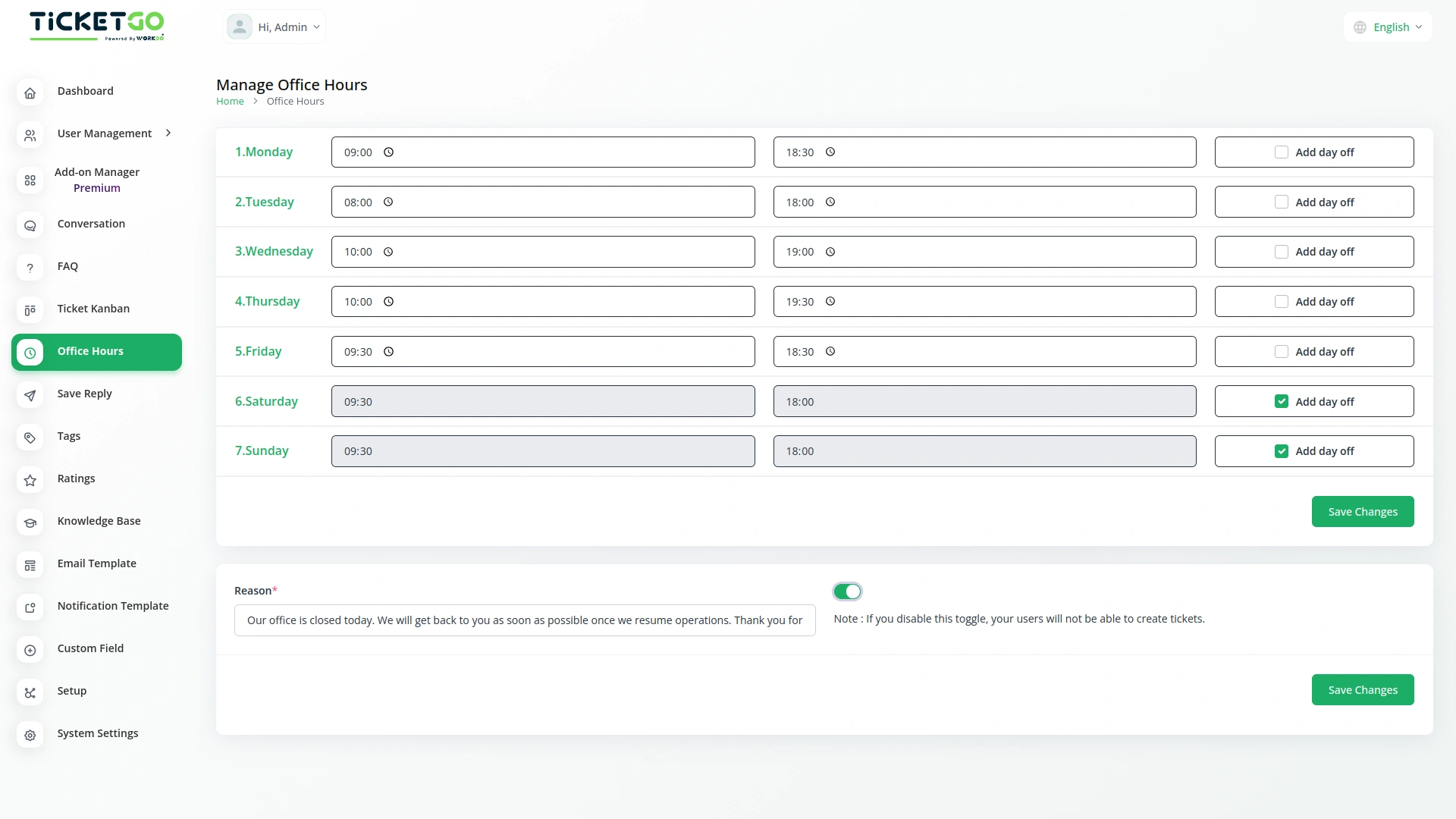
The module includes a toggle button that gives businesses control over ticket creation outside office hours. If the button is enabled, customers can still create support tickets at any time, even on days off or outside working hours, while the notice remains visible. This allows businesses to receive tickets in advance and respond once they are back online.
Screenshots from our system
To explore the functionality and usage of these Add-Ons, refer to the accompanying screenshots for step-by-step instructions on how to maximize their features.
Discover More Add-Ons
Unlock even more functionality with additional Add-Ons, providing enhanced networking and customization options for your TicketGo Add-Ons experience.

Export Conversations
TicketGo’s Export Conversations feature ensures that all customer interactions are saved for future use. Whether for compliance, internal reviews, or training, having a record of past conversations helps businesses improve their customer service. Teams can revisit previous chats to understand customer concerns and refine their support strategies.

Send & Close
The Send and Close module in TicketGo allows you to close a ticket automatically when you send a reply. This means that as soon as your response is sent, the ticket status changes to "Closed" without needing any extra steps.

Auto Reply
Customers often feel uncertain when they don’t receive an immediate response after submitting a query. The Auto Reply module addresses this concern by instantly sending a predefined message, confirming that the support team has received the request.

Instagram Chat
Customers often feel uncertain when they don’t receive an immediate response after submitting a query. The Auto Reply module addresses this concern by instantly sending a predefined message, confirming that the support team has received the request.
The extensions supported accurate record-keeping and improved internal coordination
Wide feature coverage across modules
Bugs quickly patched