
Simple Facebook Integration Setup
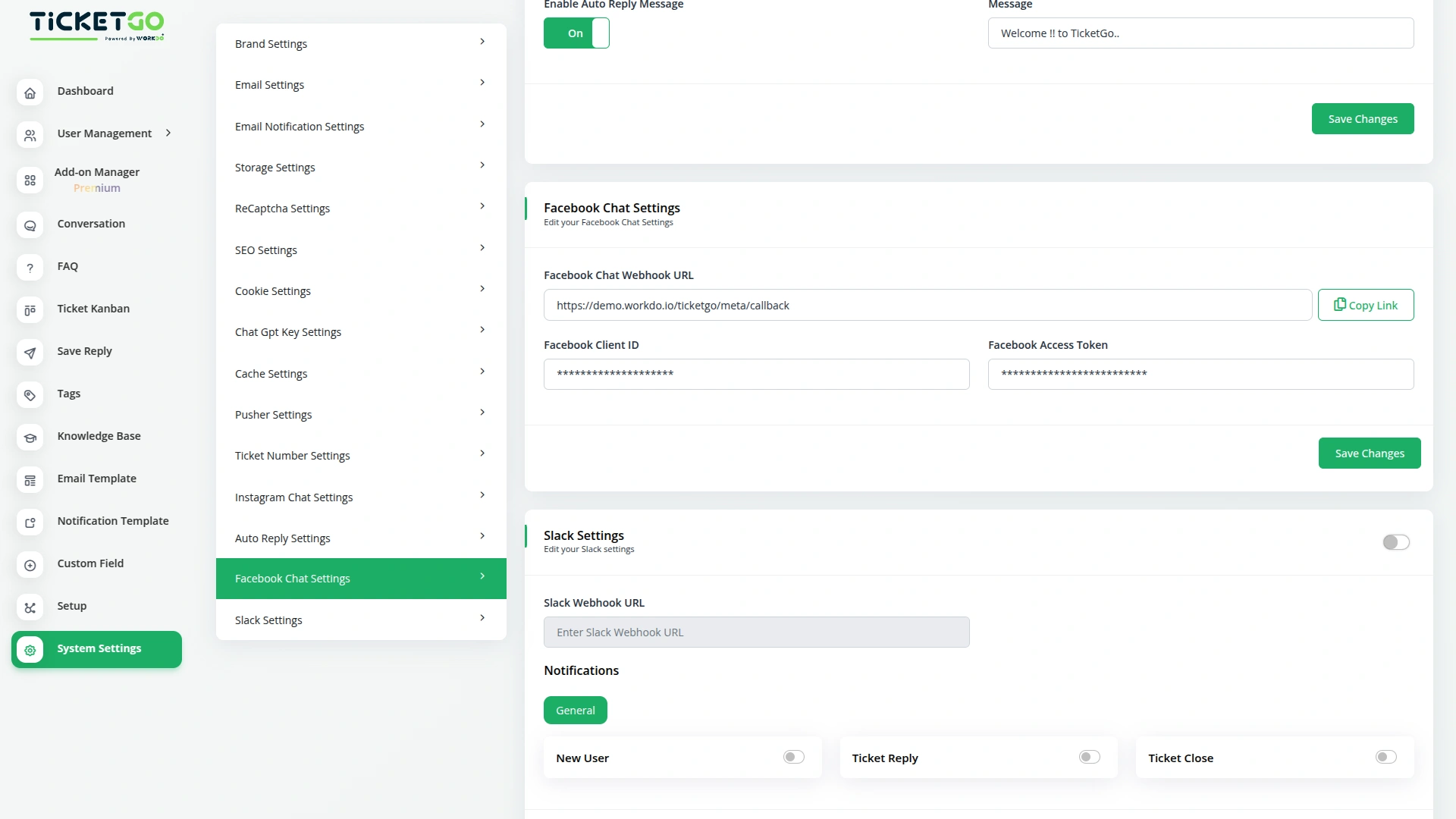
Connecting your Facebook account with TicketGo is quick and hassle-free. All you need to do is enter your Client ID and Access Token, and your Facebook Chat will be linked to the portal. Once set up, all incoming messages will automatically sync, allowing your team to respond instantly without needing to check Messenger separately. This integration helps businesses keep track of all conversations, ensuring that no message is missed. Whether you’re managing customer inquiries, responding to sales queries, or handling support requests, this feature makes communication smooth and effortless.
Get Instant Responses on Facebook Messenger
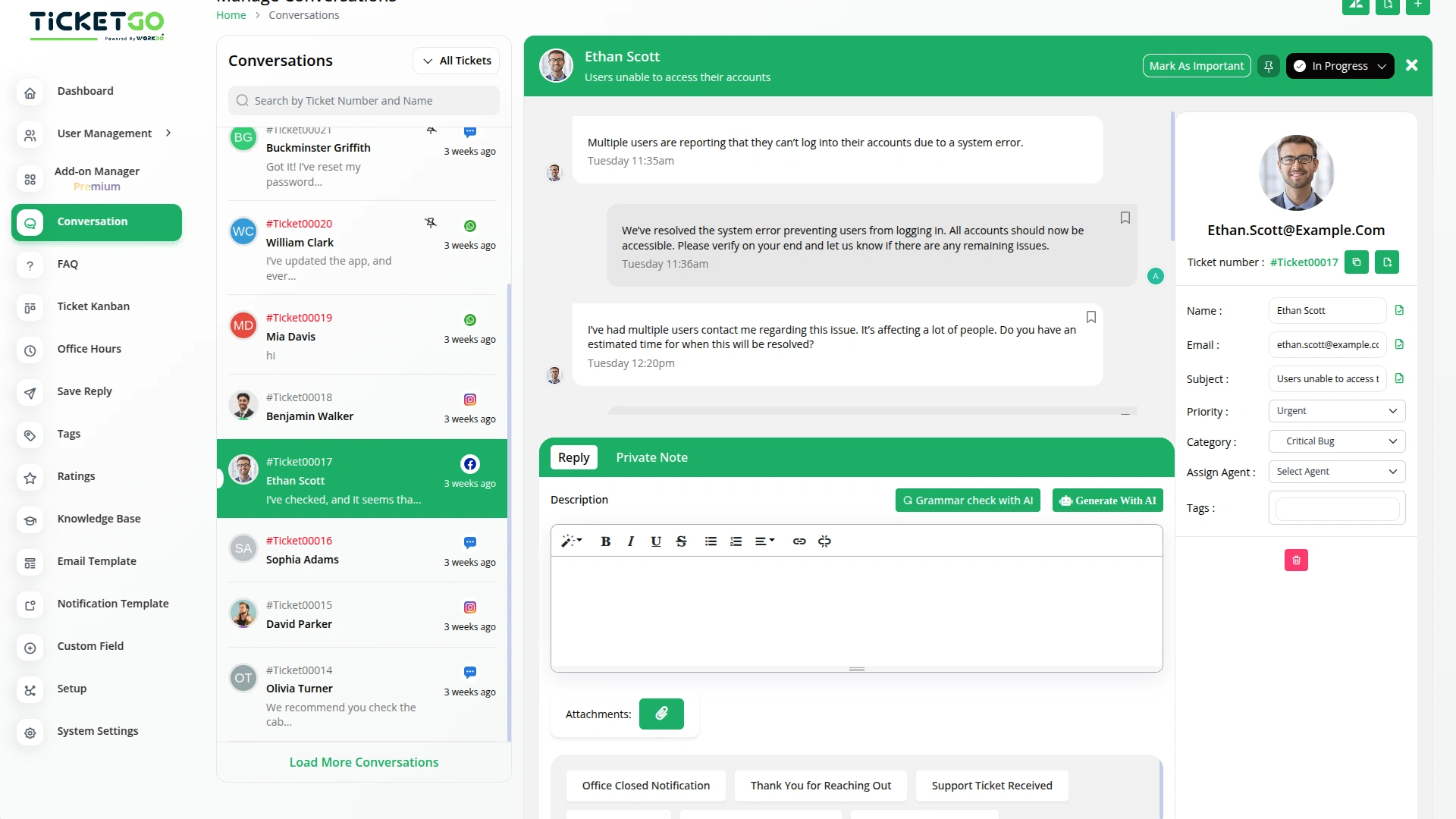
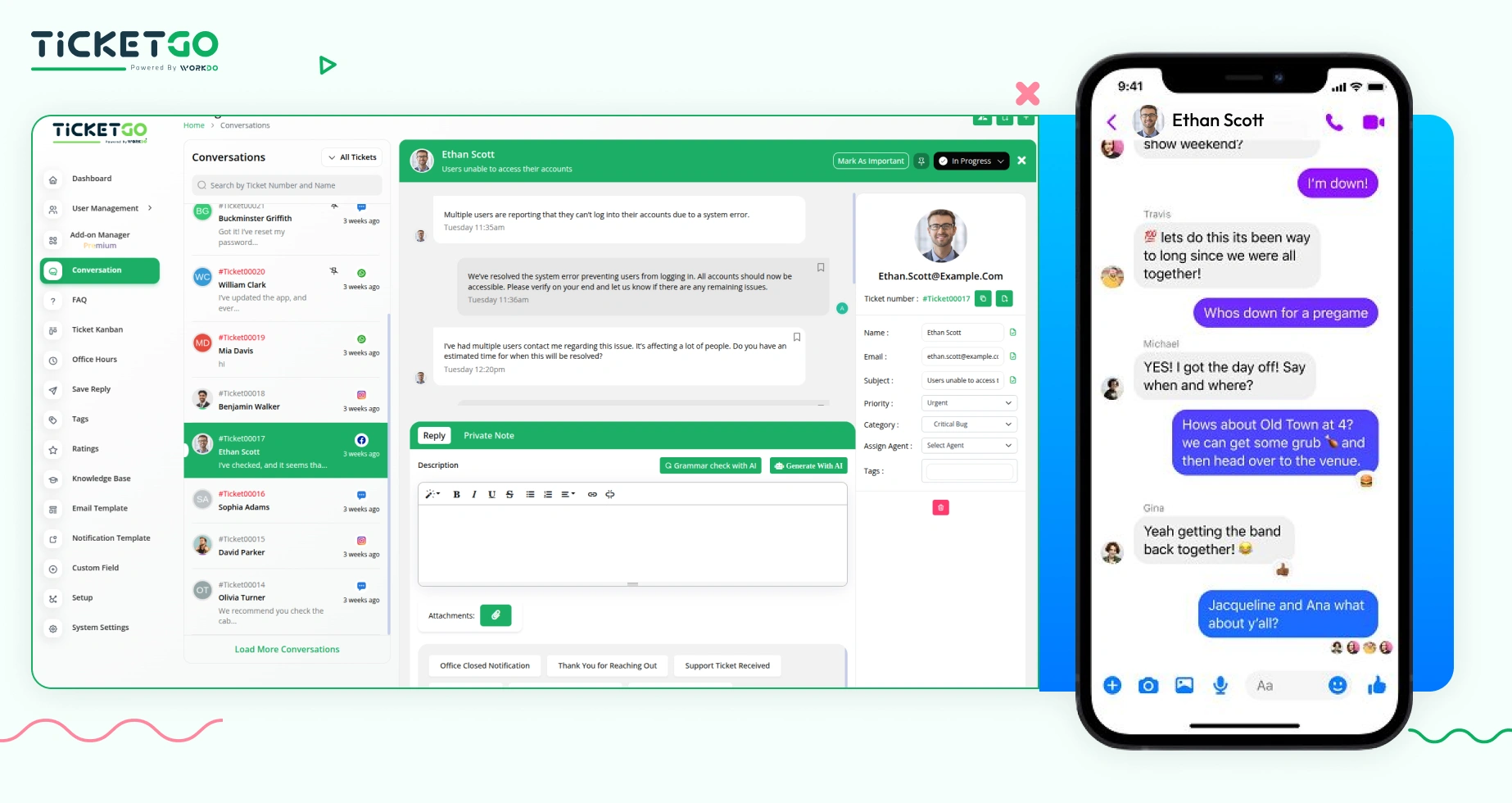
Now, contacting us on Facebook Messenger is faster than ever! When you send us a message, it is received directly in our TicketGo portal, allowing our team to reply without delay. Our responses will appear in your Messenger chat instantly, so you won’t have to wait for assistance. Whether you have a question, need support, or want an update, you’ll always get a quick and reliable response. With this integration, staying connected with us is simple, efficient, and stress-free.
Screenshots from our system
To explore the functionality and usage of these Add-Ons, refer to the accompanying screenshots for step-by-step instructions on how to maximize their features.
Discover More Add-Ons
Unlock even more functionality with additional Add-Ons, providing enhanced networking and customization options for your TicketGo Add-Ons experience.

Telegram
The Telegram integration with TicketGo provides a powerful and efficient way to stay connected with your support system. By linking Telegram to TicketGo, businesses can receive real-time notifications for critical events, ensuring quick responses and better service management. Whether it's task assignments, ticket updates, or invoice modifications, this integration keeps you informed instantly. The setup process is straightforward, allowing administrators to configure their Telegram credentials effortlessly and start benefiting from immediate notifications.

Msg91
The MSG91 integration in TicketGo enables businesses to automate SMS notifications for various ticketing events, ensuring that all stakeholders—including customers, agents, and admins—receive timely updates. With this integration, businesses can enhance customer support efficiency, improve communication flow, and keep everyone informed in real time. By leveraging MSG91’s powerful messaging platform, TicketGo users can streamline their processes and offer superior customer service through SMS alerts, reducing response times and improving overall ticket management.

Ticket Number
Beyond functionality, the Ticket Number module offers an opportunity to enhance your brand identity. You can tailor the ticket numbering system to align with your business's style or terminology, further professionalizing the support experience.

Customer Login
The TicketGo customer login module provides users with a seamless and secure way to access their accounts. With just an email and password, customers can log in and manage their support tickets effortlessly.
Expandable module design supports future scalability
The team at WorkDo delivered exceptional support when we faced minor bugs resolving each issue quickly and professionally