

Quick and Simple One-Click Export
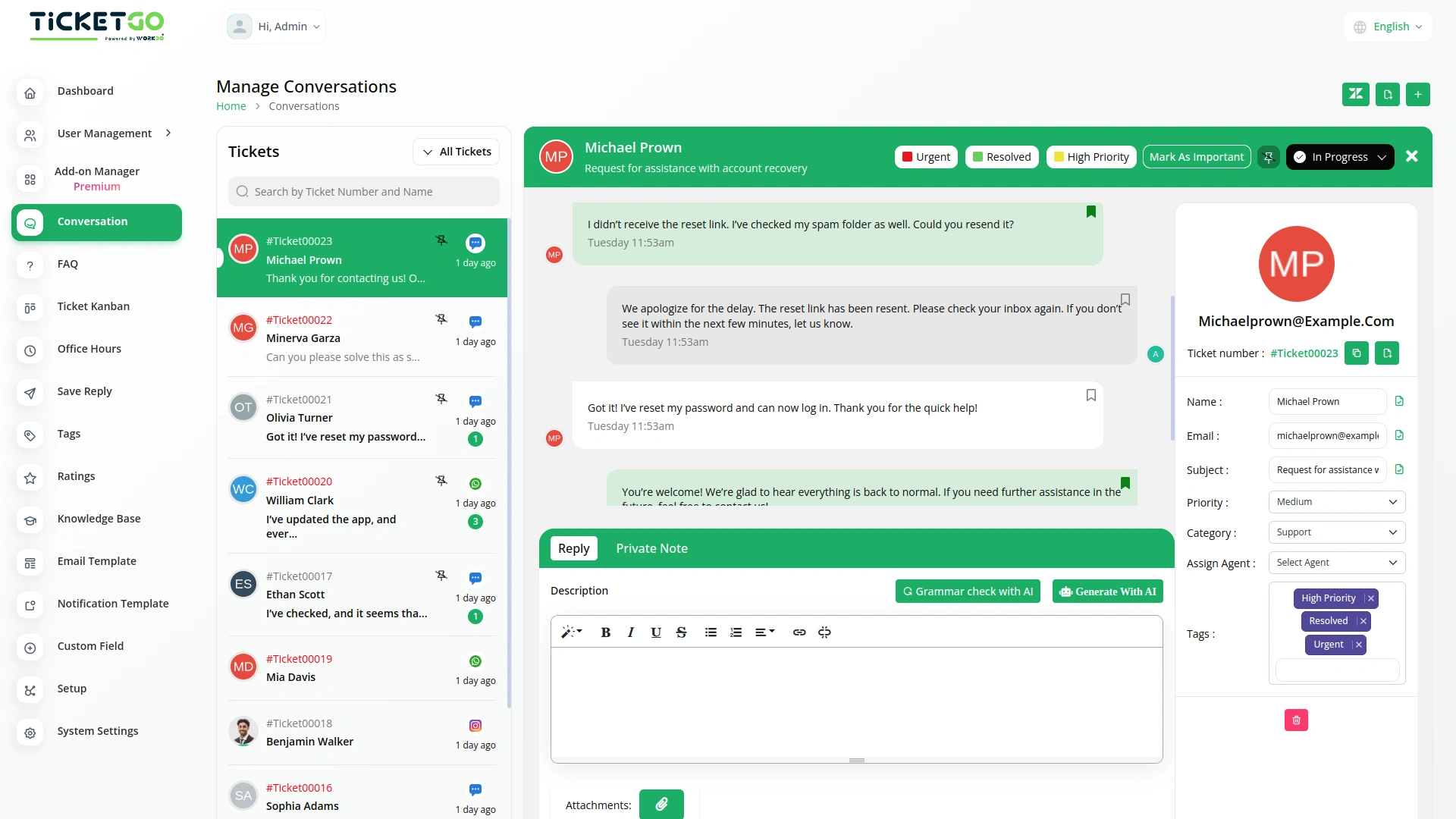
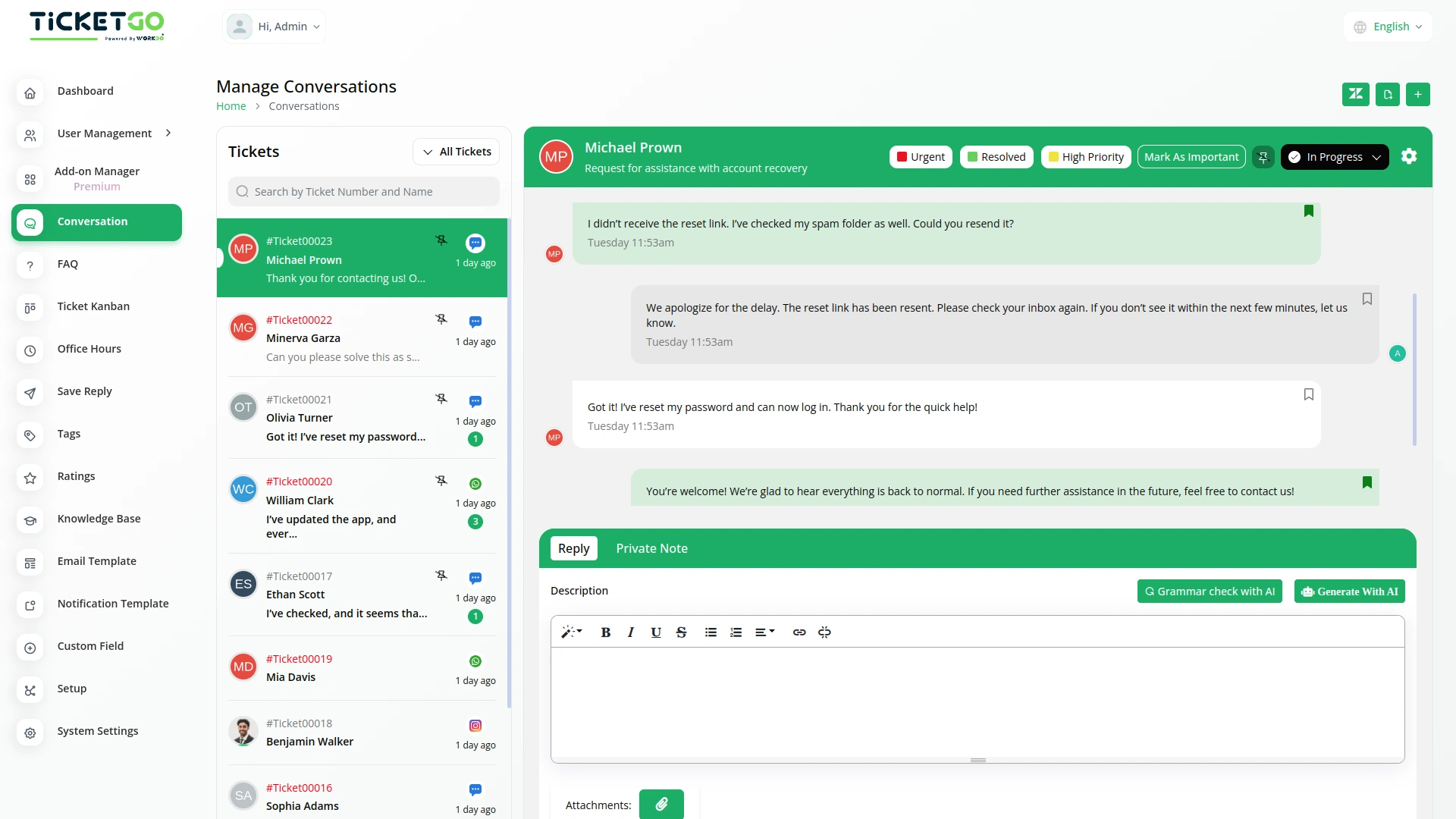
Exporting conversations in TicketGo is fast and hassle-free. With just one click, users can generate and download the conversation history in PDF format. This eliminates unnecessary steps, allowing customer support teams to focus on providing excellent service instead of handling complex data export processes.
Export in PDF Format
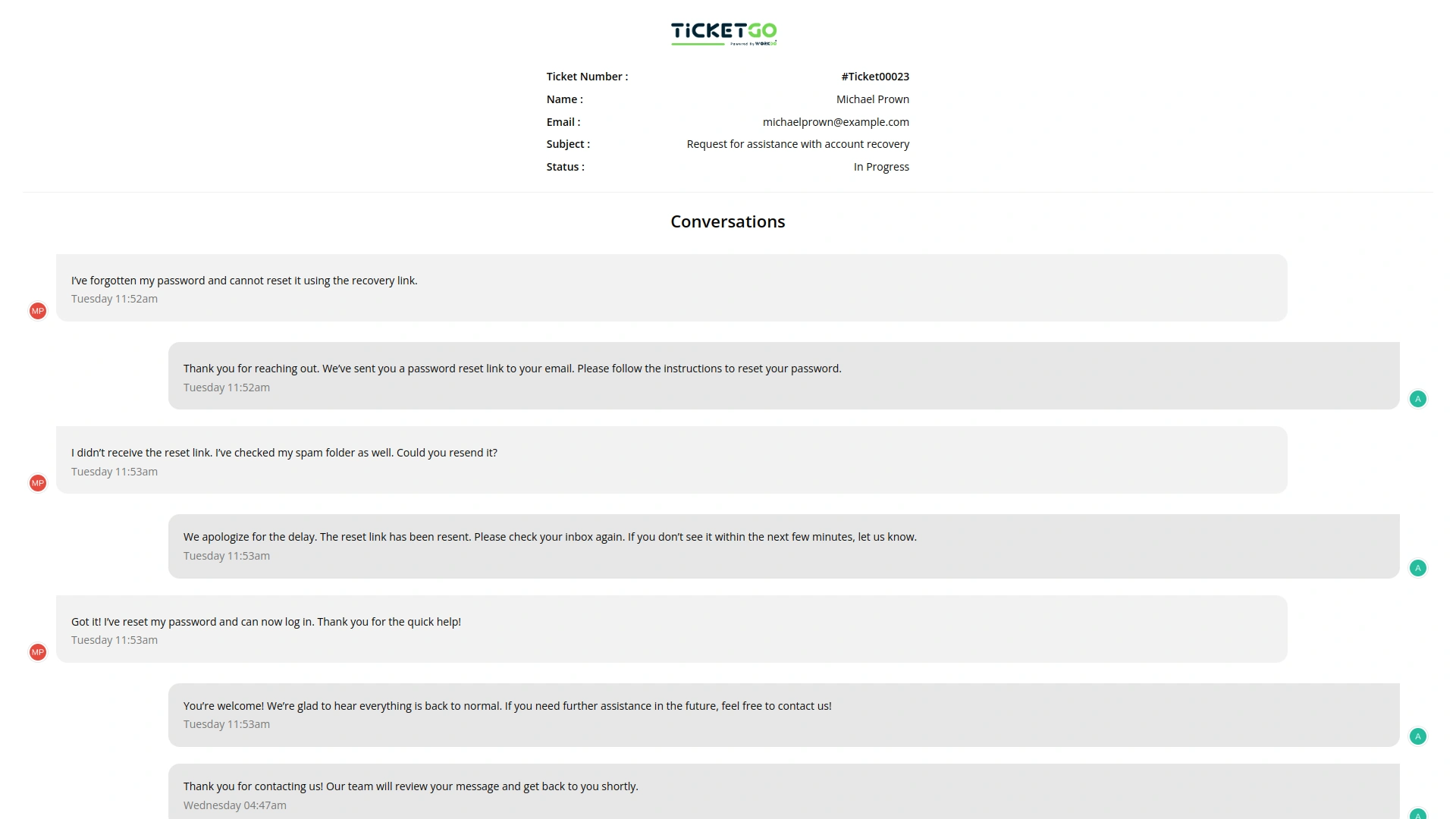
TicketGo allows users to export conversations exclusively in PDF format. This ensures that all conversations are stored in a structured and professional layout, making it easy to share and archive. The PDF format is widely accepted across industries, ensuring compatibility and ease of use when reviewing past discussions.
Export Entire Conversation History
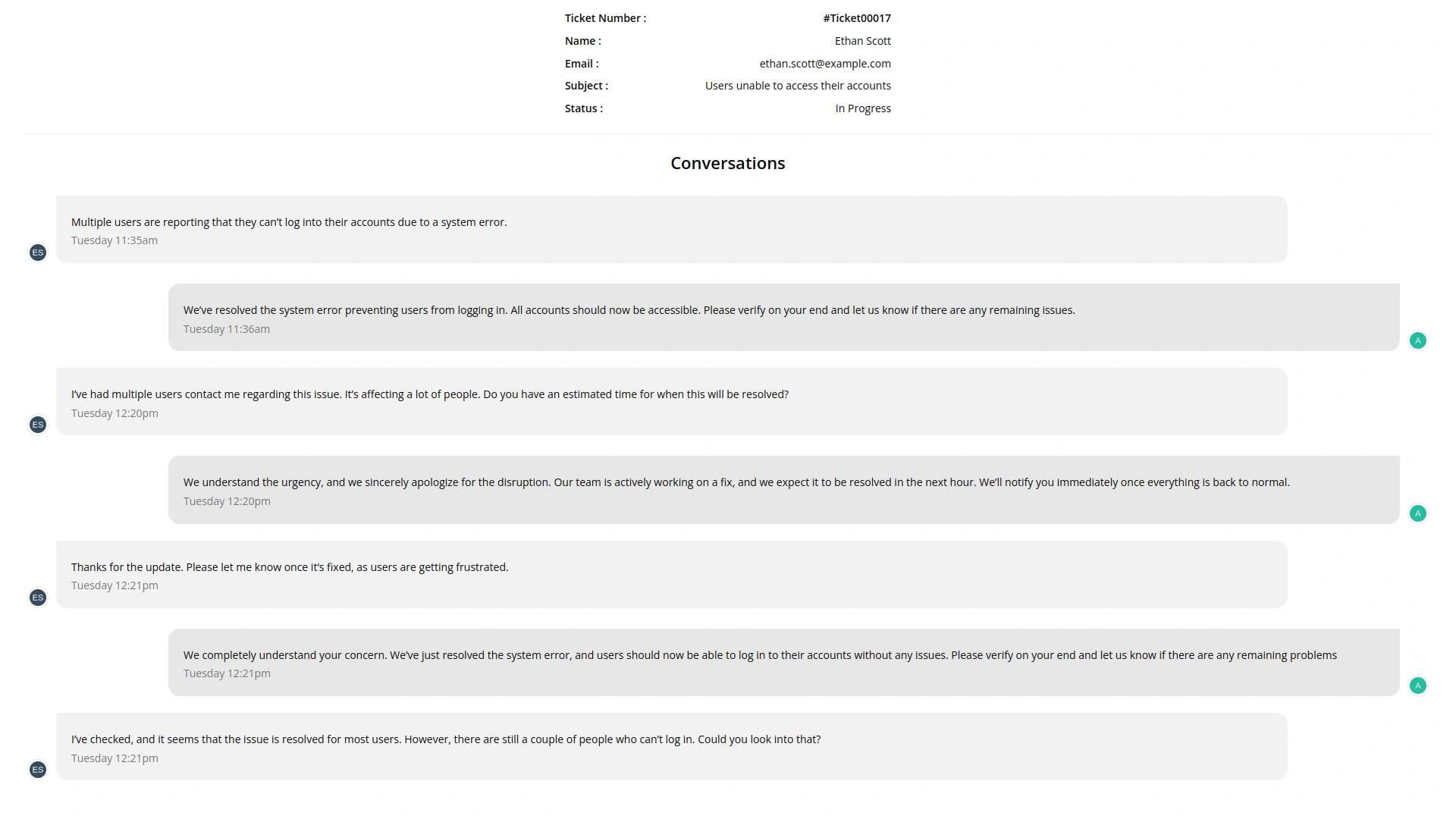
Instead of filtering specific conversations, TicketGo provides a full export of conversation history. Businesses can download the entire set of interactions without worrying about missing important details. This guarantees that all records remain intact for documentation and compliance needs.
Safe and Secure Data Handling
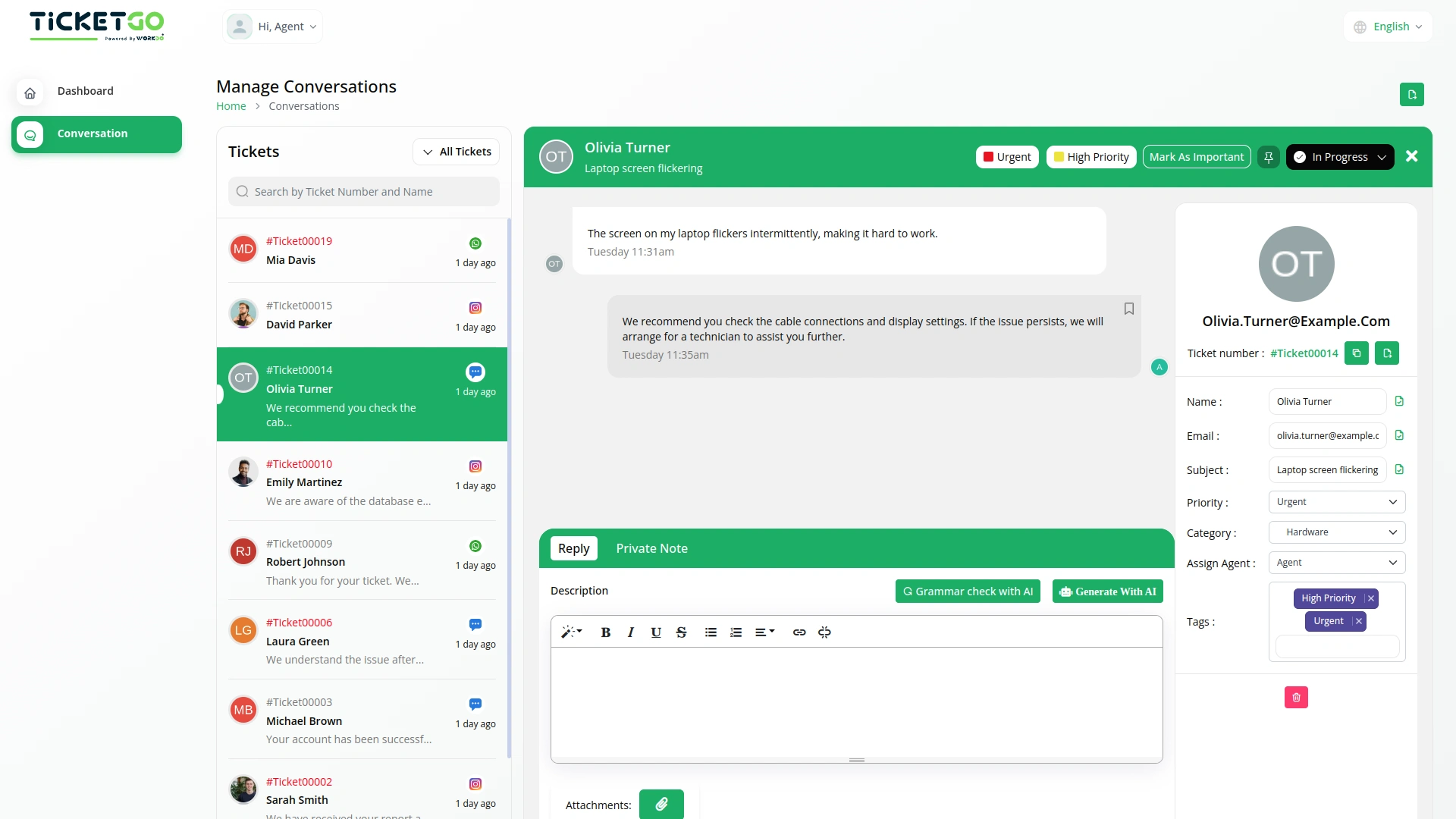
TicketGo ensures that exported data remains secure and encrypted, protecting sensitive customer information. Only authorized users can access and download conversation records, maintaining data privacy. Businesses can also implement internal security policies to restrict unauthorized data access.
Screenshots from our system
To explore the functionality and usage of these Add-Ons, refer to the accompanying screenshots for step-by-step instructions on how to maximize their features.
Discover More Add-Ons
Unlock even more functionality with additional Add-Ons, providing enhanced networking and customization options for your TicketGo Add-Ons experience.

Twilio
The Twilio integration in TicketGo revolutionizes how you communicate with your customers, making it easier than ever to stay connected through SMS. By automating ticket updates, notifications, and alerts, Twilio ensures that your team and customers are always on the same page, without the need for constant manual updates. From the moment a ticket is created to when it's resolved, Twilio keeps your communication streamlined and efficient, saving your team valuable time while enhancing the customer experience.

Instagram Chat
Customers often feel uncertain when they don’t receive an immediate response after submitting a query. The Auto Reply module addresses this concern by instantly sending a predefined message, confirming that the support team has received the request.

Discord
Discord is a widely used communication platform that enables real-time messaging, voice calls, and community engagement. Integrating Discord with TicketGo allows businesses and support teams to receive ticket notifications directly within their Discord servers. This seamless connection ensures that teams stay updated without constantly checking the TicketGo dashboard.

Webhook
In the fast-paced world of customer support, instant communication is the key to efficiency. With TicketGo’s powerful webhook integration, businesses can automate workflows, ensuring real-time data sharing between TicketGo and external applications. Whether it's updating CRMs, notifying teams on Slack, or synchronizing analytics tools, webhooks eliminate the need for manual intervention. The result? A faster, smarter, and more connected support system that helps businesses scale effortlessly.
Seamless integration between add-ons enhances operational consistency
The tools supported our multi-team environment and helped us stay organized during peak hours
The whole process was very smooth