
Quick and Simple One-Click Export
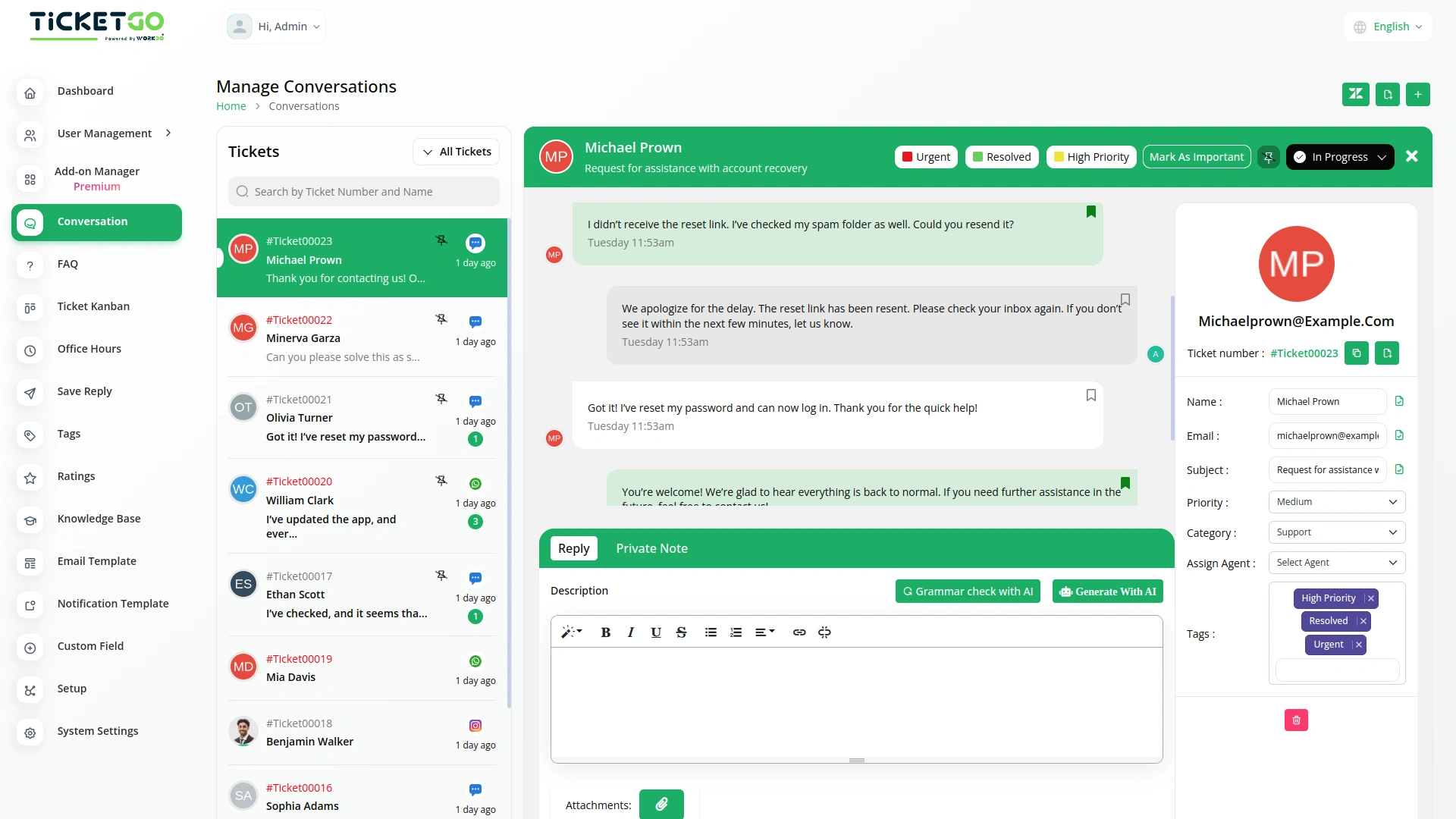
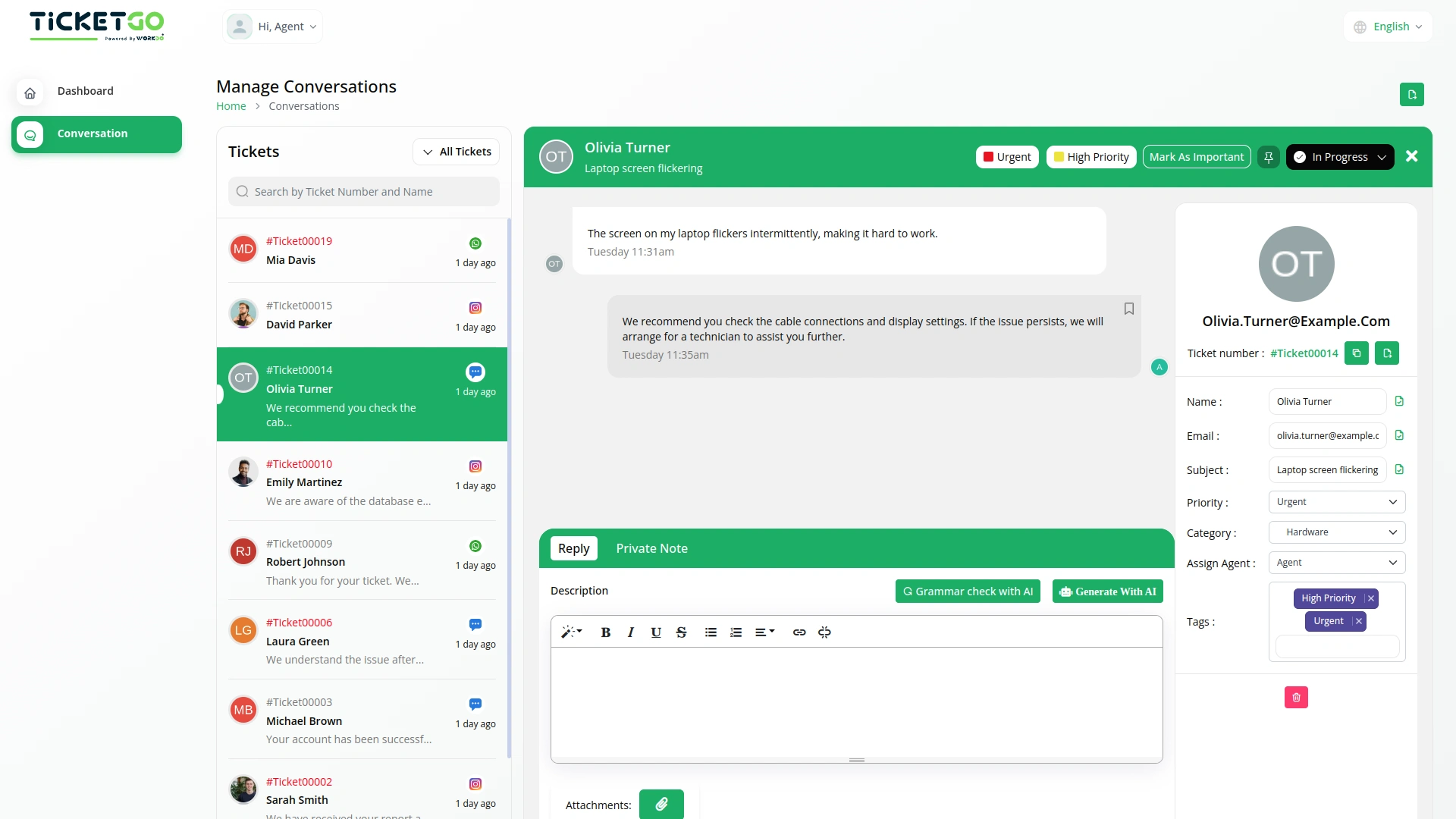
Exporting conversations in TicketGo is fast and hassle-free. With just one click, users can generate and download the conversation history in PDF format. This eliminates unnecessary steps, allowing customer support teams to focus on providing excellent service instead of handling complex data export processes.
Export in PDF Format
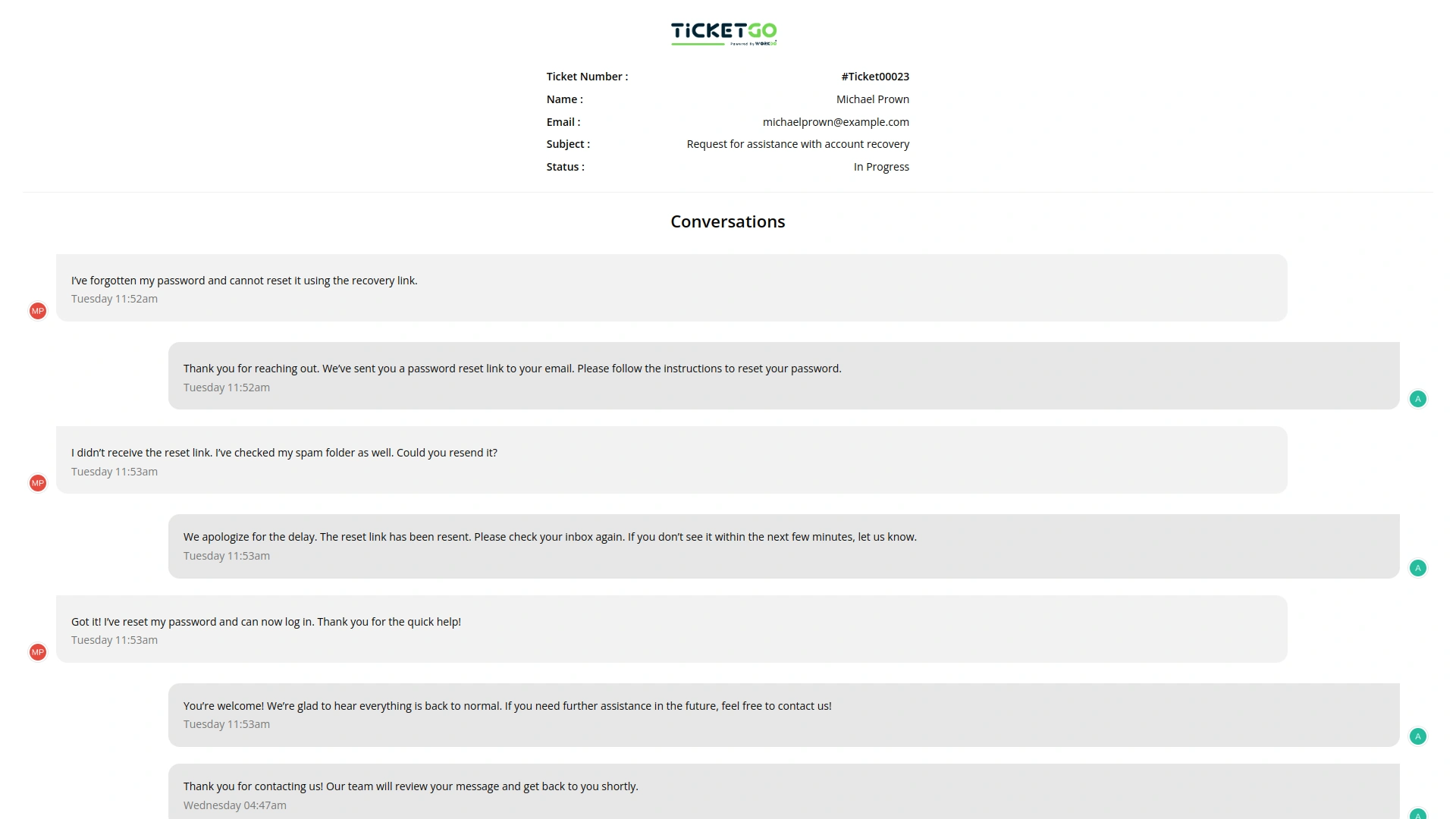
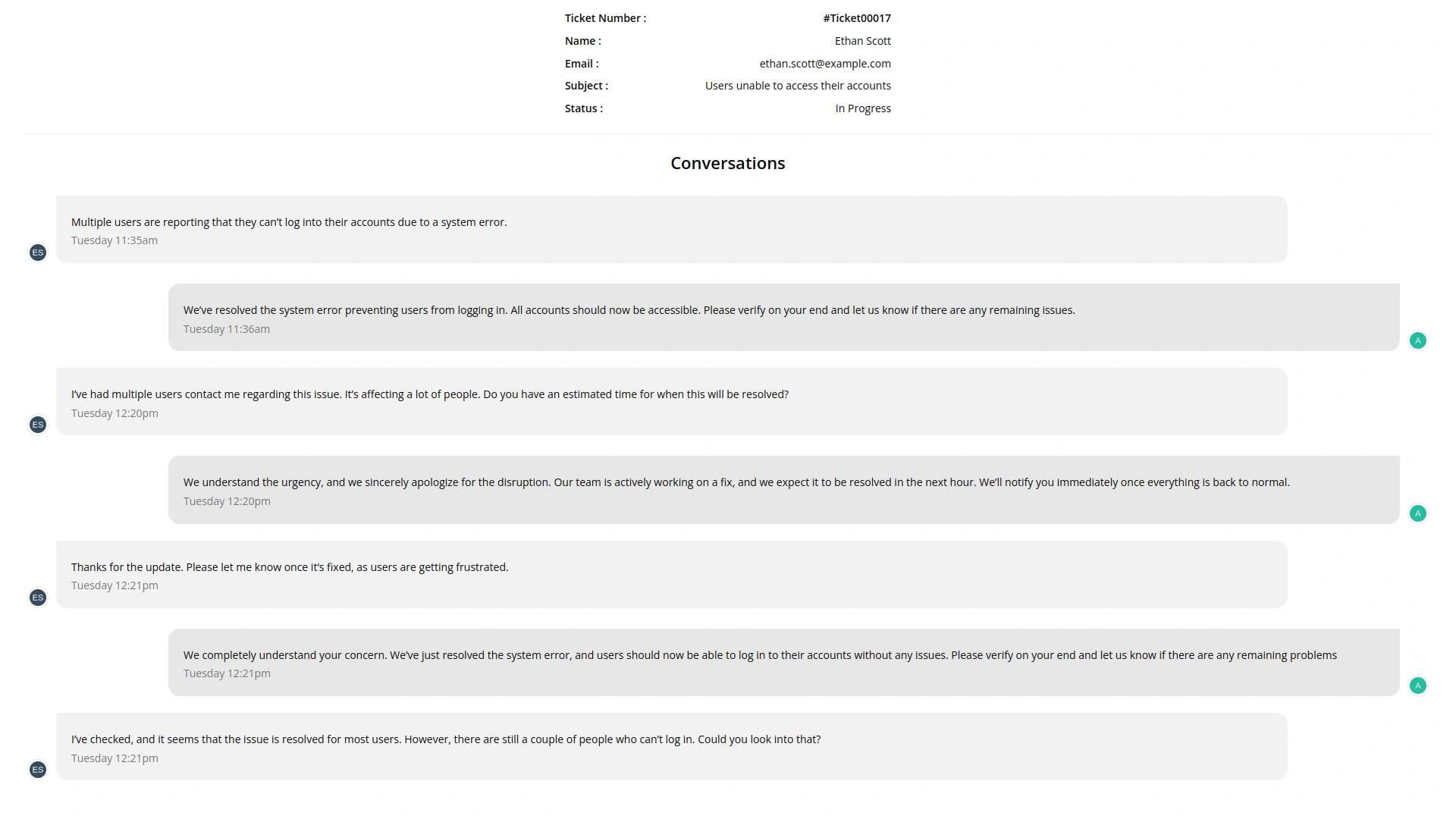
TicketGo allows users to export conversations exclusively in PDF format. This ensures that all conversations are stored in a structured and professional layout, making it easy to share and archive. The PDF format is widely accepted across industries, ensuring compatibility and ease of use when reviewing past discussions.
Export Entire Conversation History
Instead of filtering specific conversations, TicketGo provides a full export of conversation history. Businesses can download the entire set of interactions without worrying about missing important details. This guarantees that all records remain intact for documentation and compliance needs.
Safe and Secure Data Handling
TicketGo ensures that exported data remains secure and encrypted, protecting sensitive customer information. Only authorized users can access and download conversation records, maintaining data privacy. Businesses can also implement internal security policies to restrict unauthorized data access.
Screenshots from our system
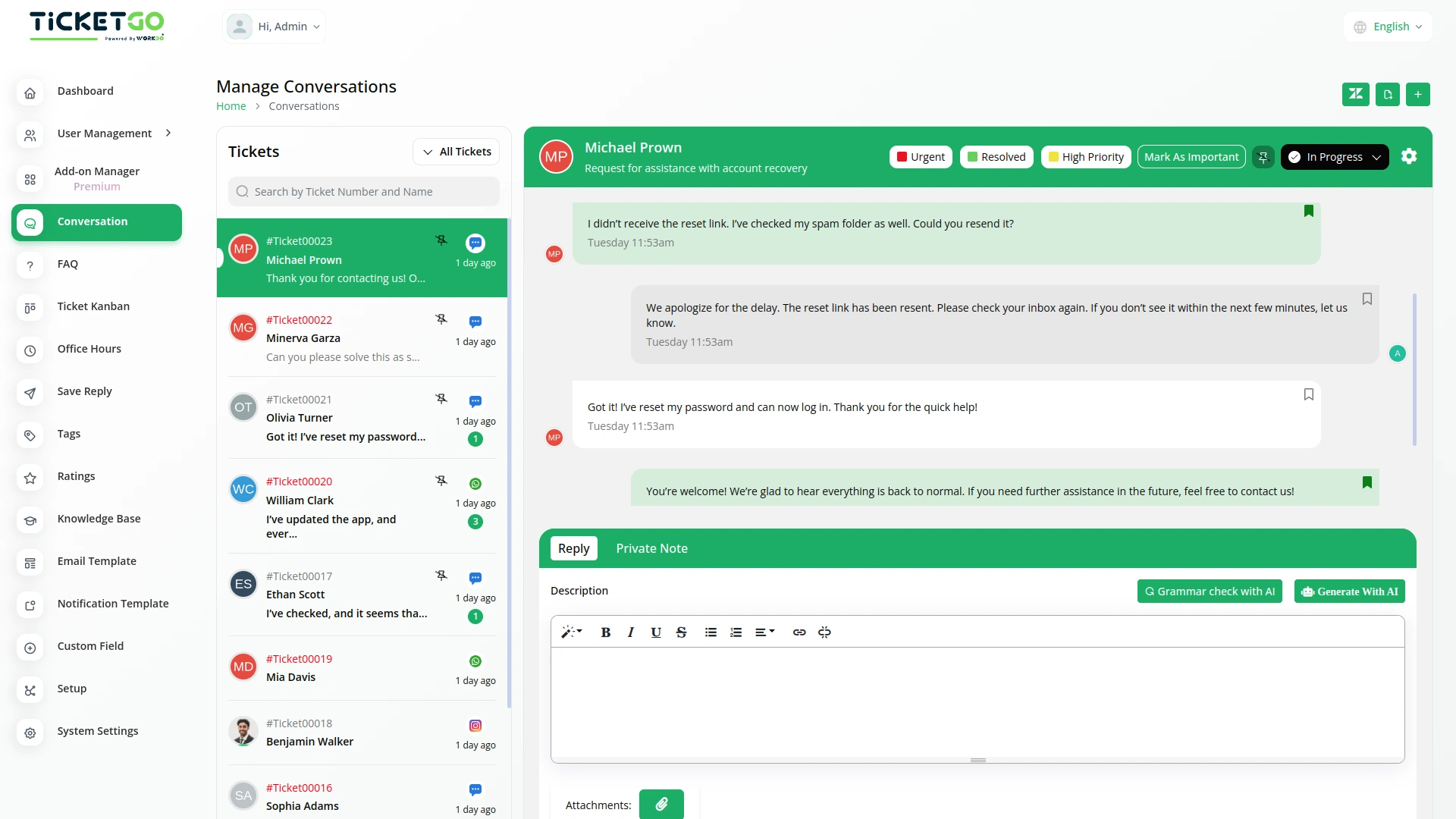
To explore the functionality and usage of these Add-Ons, refer to the accompanying screenshots for step-by-step instructions on how to maximize their features.
Discover More Add-Ons
Unlock even more functionality with additional Add-Ons, providing enhanced networking and customization options for your TicketGo Add-Ons experience.

Ticket Kanban
The Ticket Kanban Add-On helps support teams work faster and more efficiently. By giving a clear view of ticket priorities and allowing quick updates, it ensures that urgent issues are handled first.

Whatsapp (Twilio)
The WhatsApp Twilio Module in TicketGo enables businesses to send automated notifications to users, keeping them informed about their ticket status. Whether it’s a new ticket creation, an update, or a resolution message, users receive real-time alerts on WhatsApp. This automation reduces manual effort and ensures that customers stay updated without needing to check the platform frequently.

ZitaSMS
ZitaSMS is a robust SMS gateway that allows businesses to send transactional and promotional messages efficiently. Integrating ZitaSMS with TicketGo enhances communication by enabling automated notifications, ticket updates, and alerts via SMS. This integration ensures that users stay informed about their tickets in real time without relying solely on email or in-app notifications.

Seamless integration between add-ons enhances operational consistency
The tools supported our multi-team environment and helped us stay organized during peak hours
The whole process was very smooth