
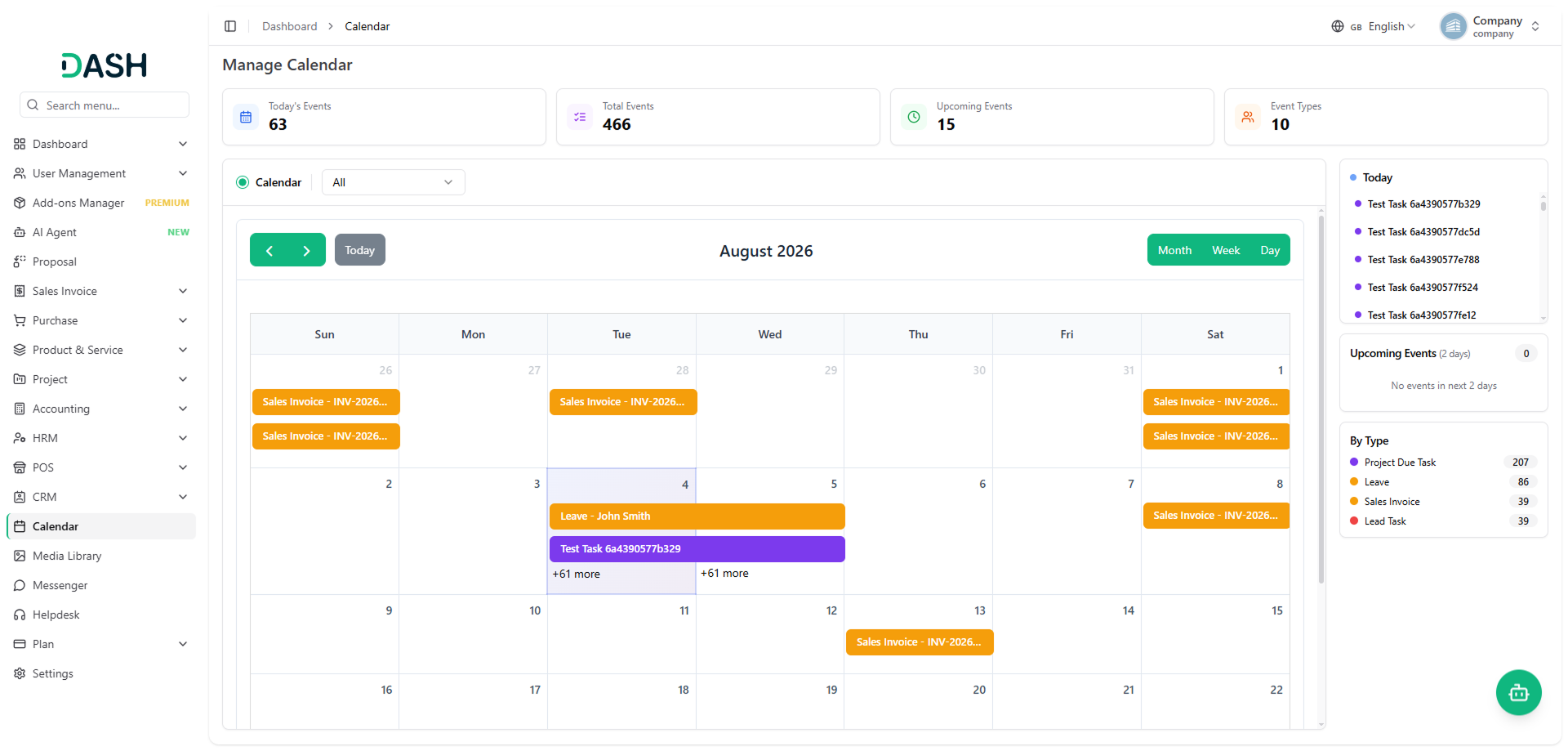
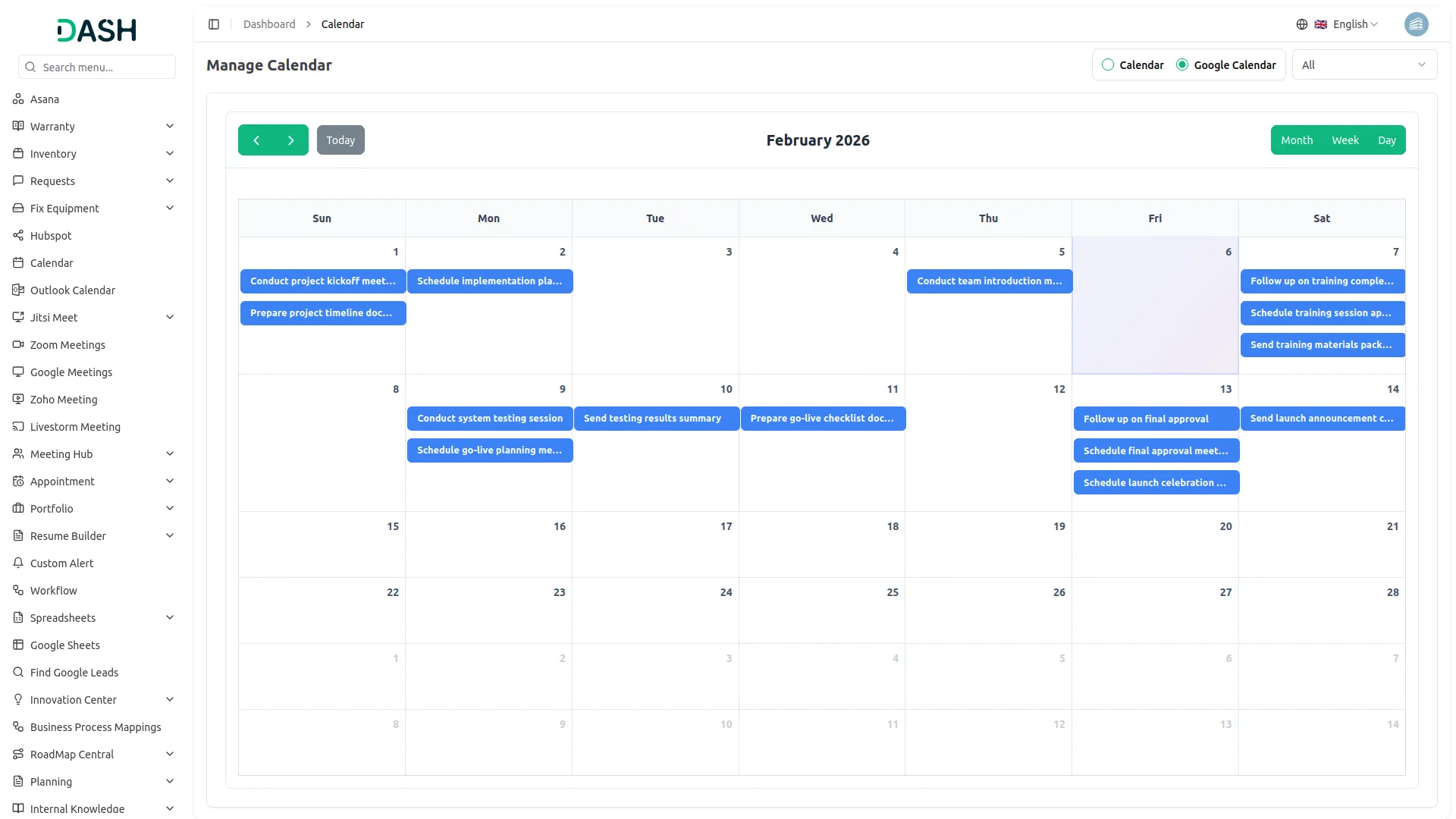
Managing time and tasks is easier when you have everything planned out clearly. The Calendar Add-On helps you do just that by linking your platform with Google Calendar. Once set up, you can see all your important events, deadlines, and appointments in one place. This means you don’t have to switch between apps to keep track of your schedule. Whether it’s work orders, meetings, invoices, or holidays, syncing these events with Google Calendar helps you stay on top of everything and avoid missing important dates. The monthly calendar view makes it simple to visualize your tasks and plan your day efficiently.
Centralized Calendar for All Add-On Activities
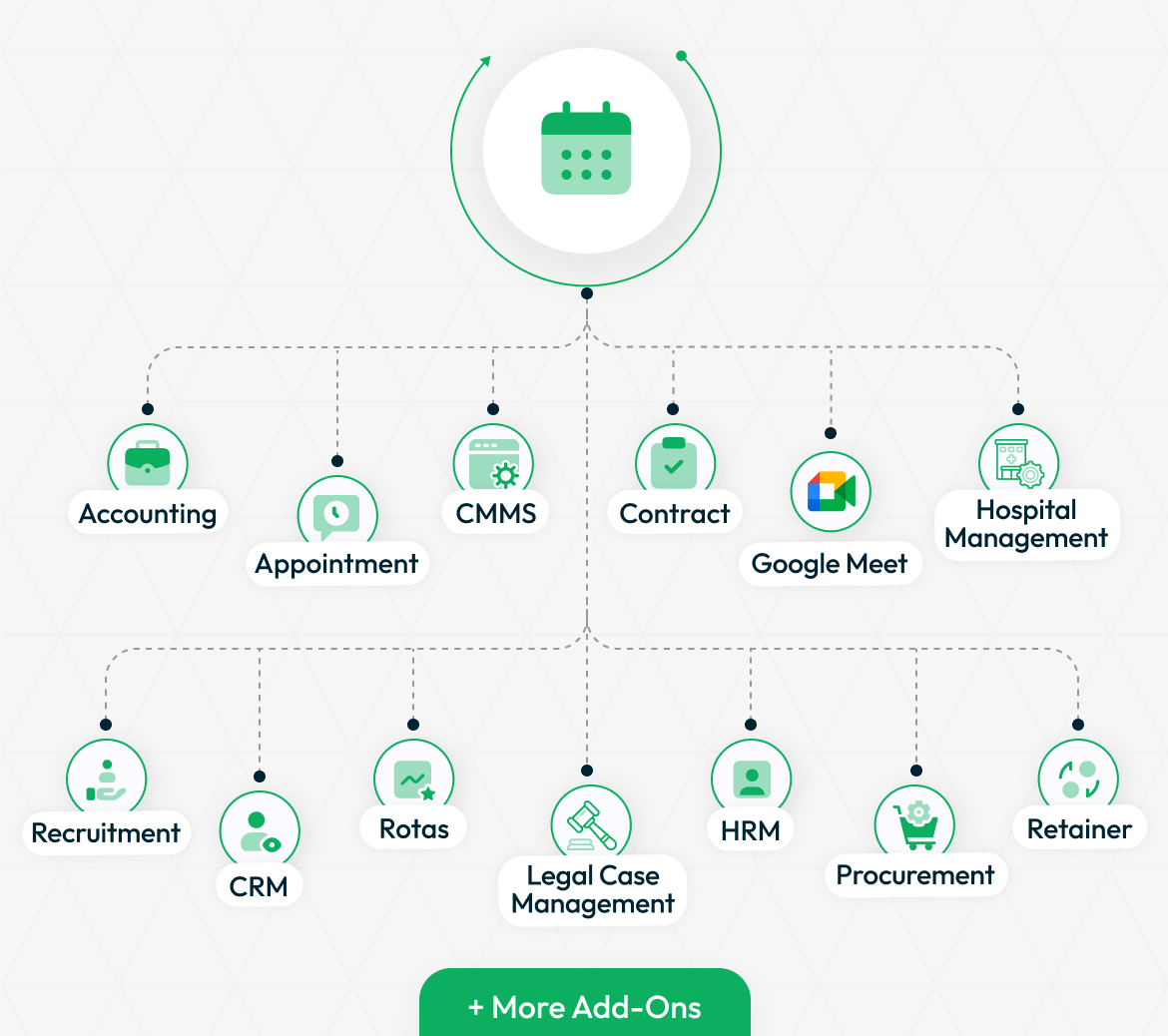
The Calendar Add-On works well with many other Add-Ons available on your platform. By connecting it with Base Module Sales Invoice, Purchase Invoice And Add-Ons like Accounting, Appointment, HRM, CRM, Recruitment, Sales, and more, you get a complete scheduling and event management system. This integration ensures that all your important dates from different departments are brought together in your Google Calendar, making it easier to manage and plan work. You can rely on this Add-On to keep your calendar up to date and support your daily productivity.
- Accounting
- HRM
- Appointment
- CMMS
- Contract
- Google Meet
- Hospital Management
- more+
Simple Setup and Easy Syncing
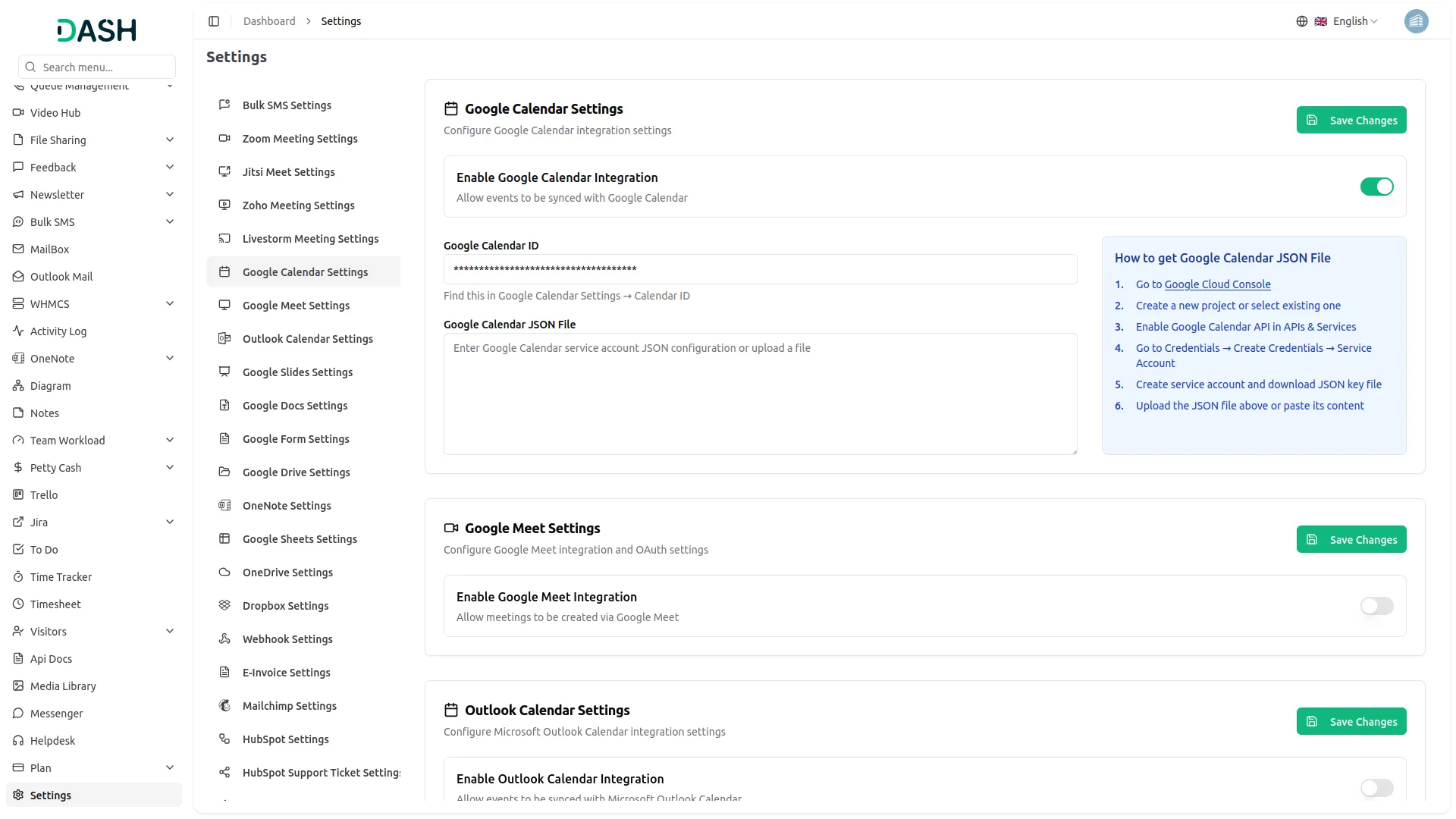
Getting started with the Calendar Add-On is straightforward. After purchasing, just go to your system settings and find the Google Calendar section. Here, you can enable the integration and add your Google Calendar ID along with the required JSON credentials file. Once this is done, your platform events will automatically sync with Google Calendar. Remember to enable the “Sync” option when creating or approving events to keep everything updated in real time. This easy setup lets you connect your calendar quickly without any complicated steps.
Keep Your Team and Projects on Track
This Add-On is especially useful for teams and organizations that handle many different types of events. From appointments and interviews to project deadlines and hospital appointments, all events can be synced and tracked through Google Calendar. This shared calendar access helps teams coordinate better, avoid overlaps, and manage workloads smoothly. For example, HR teams can keep track of leaves and holidays, sales teams can monitor calls and meetings, and project managers can view due tasks —all in one calendar. This unified scheduling reduces confusion and improves collaboration across departments.
Screenshots from our system
To explore the functionality and usage of these Add-Ons, refer to the accompanying screenshots for step-by-step instructions on how to maximize their features.
Discover More Add-Ons
Unlock even more functionality with additional Add-Ons, providing enhanced networking and customization options for your Dash SaaS experience.

Africa's Talking
Africa's Talking is a robust communications platform designed to help businesses deliver SMS notifications across Africa. It provides simple APIs that allow you to integrate SMS alerts directly into your operations, keeping customers and teams informed in real time.


Waste Management
The Waste Management System module is a comprehensive solution designed to streamline waste collection processes for businesses and municipalities. From submitting collection requests to managing inspections, our module offers end-to-end functionality to optimize waste management operations.

digital-certificate
The Digital Certificate Add-On is a comprehensive platform that enables organizations to design, customize, and distribute professional digital certificates.
Flexible enough for small and large projects
The system is secure and resistant to external threats
User interface is intuitive and smooth
Design aesthetics are appealing and modern
Attractive design that enhances usability
Las funciones son fáciles de configurar y usar
The Calendar SaaS Add-on simplifies scheduling with features like shared calendars, automated reminders, and task management. Its seamless integration with existing tools ensures smooth coordination, making it ideal for enhancing team productivity.
the Team deserve 5 Star for following reason; 1- Customer Support2- Feature Availability3- Design Quality 4- Documentation Quality
I really like the feature
Very good system
Very Satisfied with the All Addon